

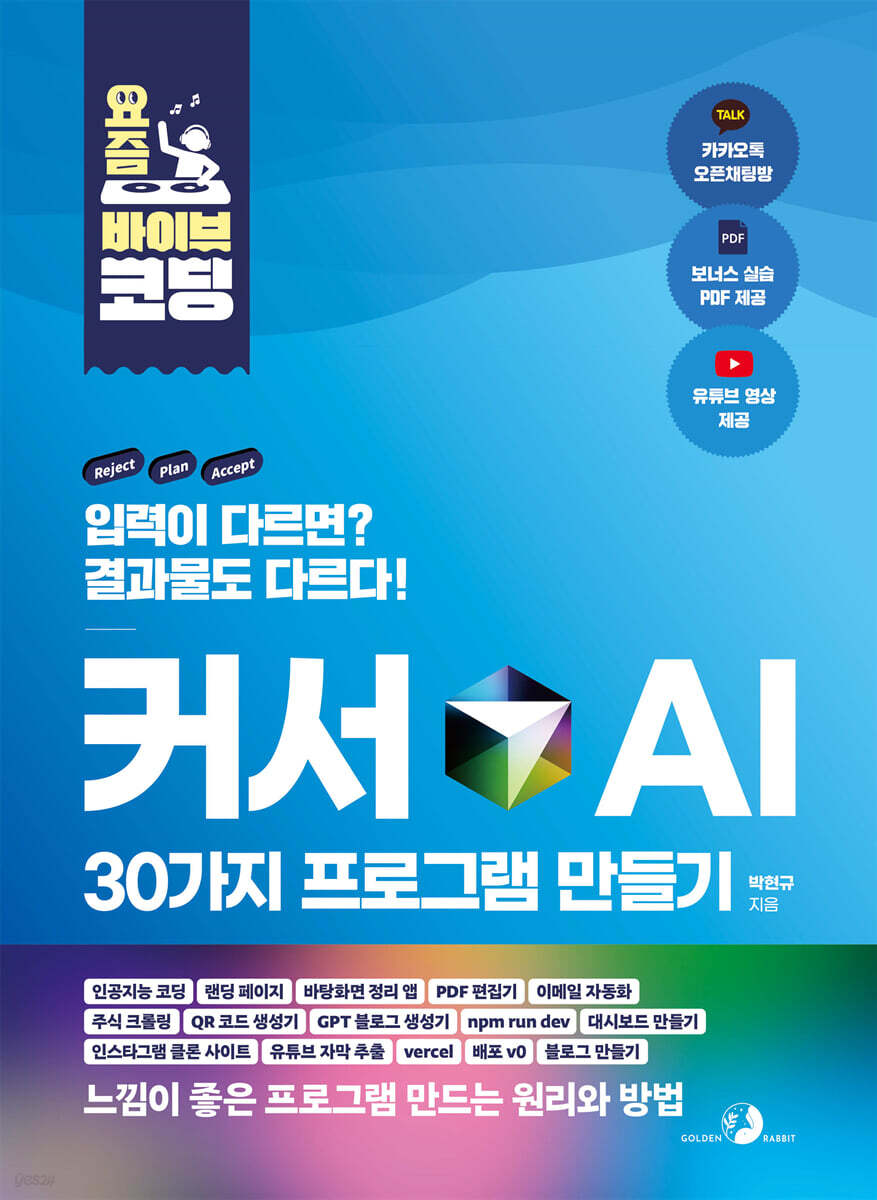
Create 30 AI programs with Vibe Coding Cursor
 |
Description
Book Introduction
★ Leverage AI to its fullest potential for just $20 a month, and turn your ideas into applications right away!
★ From landing pages to blog creation, you can get started right away without knowing a single bit of coding!
★ Gain programming knowledge while talking to the cursor AI, and learn Vibe coding by creating 30 programs!
This book systematically organizes the author's know-how accumulated through countless experiments, from basics to practical application, so that even ordinary people with no coding experience can create everything from landing pages to blogs.
Are you simply using Cursor AI as a code completion tool? If so, you're not using it properly.
Through this book, let's enter the world of 'Vibe Coding,' a new paradigm for creating programs simply through conversations with AI.
The introduction is organized into 10 chapters, carefully selecting the basic programming knowledge that will help you set up the basic environment and code Vibe.
Each concept explanation is immediately followed by a hands-on lab, allowing you to start with light exercises and build useful projects for everyday life, such as a desktop organizer, PDF editor, email automation, stock data crawler, and QR code generator.
Next, you will experience upgraded practical skills by expanding to Instagram clone, real-time dashboard, YouTube subtitle extraction, and Vercel distribution.
This book is not a simple tutorial where you just follow the prompts.
By collaborating with AI to solve problems and completing 30 projects, readers will naturally learn programming thinking.
The greatest value of this book lies in fostering new creative habits for the AI era: the ability to immediately put ideas into action without fear of failure.
Let's invest just $20 a month.
You can gain coding skills that will last a lifetime.
If you've always wanted to create programs, start with AI.
★ From landing pages to blog creation, you can get started right away without knowing a single bit of coding!
★ Gain programming knowledge while talking to the cursor AI, and learn Vibe coding by creating 30 programs!
This book systematically organizes the author's know-how accumulated through countless experiments, from basics to practical application, so that even ordinary people with no coding experience can create everything from landing pages to blogs.
Are you simply using Cursor AI as a code completion tool? If so, you're not using it properly.
Through this book, let's enter the world of 'Vibe Coding,' a new paradigm for creating programs simply through conversations with AI.
The introduction is organized into 10 chapters, carefully selecting the basic programming knowledge that will help you set up the basic environment and code Vibe.
Each concept explanation is immediately followed by a hands-on lab, allowing you to start with light exercises and build useful projects for everyday life, such as a desktop organizer, PDF editor, email automation, stock data crawler, and QR code generator.
Next, you will experience upgraded practical skills by expanding to Instagram clone, real-time dashboard, YouTube subtitle extraction, and Vercel distribution.
This book is not a simple tutorial where you just follow the prompts.
By collaborating with AI to solve problems and completing 30 projects, readers will naturally learn programming thinking.
The greatest value of this book lies in fostering new creative habits for the AI era: the ability to immediately put ideas into action without fear of failure.
Let's invest just $20 a month.
You can gain coding skills that will last a lifetime.
If you've always wanted to create programs, start with AI.
index
[Part 01] First encounter with the cursor and CS knowledge
Chapter 01 Installing the cursor and preparing the development environment: Code editor, IDE
__Manage your subscriptions after signing up as a member
__After installing the cursor, take a look at the main screen.
__[Vibe Coding 01] Creating a Company Introduction Website
__[Vibe Coding 02] Making an Apple Game
Chapter 02 Manipulating Files and Folders with the Cursor: Terminal
__[Vibe Coding 03] Organizing Your Desktop
Chapter 03: 3 Things You Must Know to Create a Website: HTML, CSS, and JavaScript
__HTML, which is responsible for the skeleton of a website
__CSS that makes websites beautiful
__JavaScript that adds functionality to websites
__[Vibe Coding 04] Creating a Self-Introduction Page
__[Vibe Coding 05] Want to share your self-introduction page with others?
Chapter 04: Visible and Interactive Areas: Front-End
__React? I'm not a developer.
__[Vibe Coding 06] Creating a Site Similar to Instagram
__[Vibe Coding 07] Creating a Memo App
Chapter 05: Design Is a Technique Too: Libraries and Frameworks
__Library? Framework?
__[Vibe Coding 08] Changing the Design of the Memo App
__[Vibe Coding 09] Creating Websites Easier with the v0 Service
Chapter 06: How to Serve the Site I Created: Servers and Deployment
__Computers and servers that wait for user requests 24 hours a day
What is __localhost?
__What is the port number?
__What if I have multiple web servers running on my computer?
__Want my friend to see the web service I created?
__[Vibe Coding 10] Deploying My Own Shopping Mall Site to Buscel Service
_Chapter 07 I want to implement a member registration and bulletin board: Database
__What is a database?
__[Vibe Coding 11] Adding membership registration, login, logout, and note saving features to the memo app
Chapter 08 I Want to Crawl: Python
__Things you can do with Python
__Crawling, is it okay to just do it?
__Crawling Core, Tags and Attributes
__[Vibe Coding 12] Crawling Gold Prices for One Year
__[Vibe Coding 13] Data is also a treasure, so process and visualize statistics.
__[Vibe Coding 14] Creating a Foreign Stock Crawling Program
Chapter 09: I Want to Create My Own Program: Debugging, Vibe Coding
__Cursor that debugs itself dozens of times
__Leave the coding and editing to AI, and I just lead the way with Vibe Coding.
__[Vibe Coding 15] Easily Create Your Own QR Code Generator
__[Vibe Coding 16] Creating a PDF Editor: Page Extraction Feature
__[Vibe Coding 17] Completing the PDF Editor: Page Merge Function
_Chapter 10 I want to use data: API
What is __API?
__[Vibe Coding 18] Creating an Art Gallery Site with an API that Provides Random Images
__[Vibe Coding 19] Creating Your Own Dashboard with the Korea Exchange Stock Data API
__[Vibe Coding 20] Creating a Restaurant Recommendation Site
[Part 02] Creating Useful Programs with the Cursor
Chapter 11: Creating 6 Useful Programs for Your Work
__[Vibe Coding 21] Creating an Automated Email Sending Program
__[Vibe Coding 22] Creating a PDF Summary Program with the ChatGPT API
__[Vibe Coding 23] Creating a Blog Optimization Post Generator
__[Vibe Coding 24] Creating a program that analyzes customer reviews and generates reports
__[Vibe Coding 25] Creating a Program to Extract YouTube Subtitles and Check Spelling
__[Vibe Coding 26] Creating a Household Account Dashboard
Chapter 12: Creating Higher-Level Programs with MCP
__So what is MCP?
Sequential Thinking MCP: Planning and executing step-by-step
__Sign up for Smithery to install MCP
__Pre-install frequently used MCPs
__[Vibe Coding 27] Creating a Card Flip Game with a Leaderboard
__[Vibe Coding 28] Securing Card Flipping Games
__[Vibe Coding 29] Creating Your Own Blog
__[Vibe Coding 30] Create Your Own Community Bulletin Board
[Appendix] 5 Tips for Using Cursor + MCP for Work
_[Tip 01] Collecting Data and Creating Webpages with Firecrawl MCP
_[Tip 02] Easily Create YouTube Thumbnails with Figma MCP
_[Tips 03] Analyze popular blogs using Naver Search MCP and start a blog.
_[Honey Tip 04] Creating a Tetris Game with Sequential Thinking MCP
_[Tip 05] Create a Lunch Menu Recommendation App with Kakao Map MCP
Chapter 01 Installing the cursor and preparing the development environment: Code editor, IDE
__Manage your subscriptions after signing up as a member
__After installing the cursor, take a look at the main screen.
__[Vibe Coding 01] Creating a Company Introduction Website
__[Vibe Coding 02] Making an Apple Game
Chapter 02 Manipulating Files and Folders with the Cursor: Terminal
__[Vibe Coding 03] Organizing Your Desktop
Chapter 03: 3 Things You Must Know to Create a Website: HTML, CSS, and JavaScript
__HTML, which is responsible for the skeleton of a website
__CSS that makes websites beautiful
__JavaScript that adds functionality to websites
__[Vibe Coding 04] Creating a Self-Introduction Page
__[Vibe Coding 05] Want to share your self-introduction page with others?
Chapter 04: Visible and Interactive Areas: Front-End
__React? I'm not a developer.
__[Vibe Coding 06] Creating a Site Similar to Instagram
__[Vibe Coding 07] Creating a Memo App
Chapter 05: Design Is a Technique Too: Libraries and Frameworks
__Library? Framework?
__[Vibe Coding 08] Changing the Design of the Memo App
__[Vibe Coding 09] Creating Websites Easier with the v0 Service
Chapter 06: How to Serve the Site I Created: Servers and Deployment
__Computers and servers that wait for user requests 24 hours a day
What is __localhost?
__What is the port number?
__What if I have multiple web servers running on my computer?
__Want my friend to see the web service I created?
__[Vibe Coding 10] Deploying My Own Shopping Mall Site to Buscel Service
_Chapter 07 I want to implement a member registration and bulletin board: Database
__What is a database?
__[Vibe Coding 11] Adding membership registration, login, logout, and note saving features to the memo app
Chapter 08 I Want to Crawl: Python
__Things you can do with Python
__Crawling, is it okay to just do it?
__Crawling Core, Tags and Attributes
__[Vibe Coding 12] Crawling Gold Prices for One Year
__[Vibe Coding 13] Data is also a treasure, so process and visualize statistics.
__[Vibe Coding 14] Creating a Foreign Stock Crawling Program
Chapter 09: I Want to Create My Own Program: Debugging, Vibe Coding
__Cursor that debugs itself dozens of times
__Leave the coding and editing to AI, and I just lead the way with Vibe Coding.
__[Vibe Coding 15] Easily Create Your Own QR Code Generator
__[Vibe Coding 16] Creating a PDF Editor: Page Extraction Feature
__[Vibe Coding 17] Completing the PDF Editor: Page Merge Function
_Chapter 10 I want to use data: API
What is __API?
__[Vibe Coding 18] Creating an Art Gallery Site with an API that Provides Random Images
__[Vibe Coding 19] Creating Your Own Dashboard with the Korea Exchange Stock Data API
__[Vibe Coding 20] Creating a Restaurant Recommendation Site
[Part 02] Creating Useful Programs with the Cursor
Chapter 11: Creating 6 Useful Programs for Your Work
__[Vibe Coding 21] Creating an Automated Email Sending Program
__[Vibe Coding 22] Creating a PDF Summary Program with the ChatGPT API
__[Vibe Coding 23] Creating a Blog Optimization Post Generator
__[Vibe Coding 24] Creating a program that analyzes customer reviews and generates reports
__[Vibe Coding 25] Creating a Program to Extract YouTube Subtitles and Check Spelling
__[Vibe Coding 26] Creating a Household Account Dashboard
Chapter 12: Creating Higher-Level Programs with MCP
__So what is MCP?
Sequential Thinking MCP: Planning and executing step-by-step
__Sign up for Smithery to install MCP
__Pre-install frequently used MCPs
__[Vibe Coding 27] Creating a Card Flip Game with a Leaderboard
__[Vibe Coding 28] Securing Card Flipping Games
__[Vibe Coding 29] Creating Your Own Blog
__[Vibe Coding 30] Create Your Own Community Bulletin Board
[Appendix] 5 Tips for Using Cursor + MCP for Work
_[Tip 01] Collecting Data and Creating Webpages with Firecrawl MCP
_[Tip 02] Easily Create YouTube Thumbnails with Figma MCP
_[Tips 03] Analyze popular blogs using Naver Search MCP and start a blog.
_[Honey Tip 04] Creating a Tetris Game with Sequential Thinking MCP
_[Tip 05] Create a Lunch Menu Recommendation App with Kakao Map MCP
Detailed image

Publisher's Review
★ When do you learn the theory and then write a program? Now, learn right away by practicing and seeing the results.
★ Collaborate with AI to solve problems and put your ideas into action.
★ Anyone can create a program with this book.
In an age where anyone can easily create programs, this book will help you turn your ideas into reality.
You can create web apps and programs yourself by simply talking to the cursor AI, without having to know complex programming languages or development environments.
Nowadays, learning how to collaborate with AI is more important than learning code.
You can systematically learn the core concepts of web development, HTML, CSS, and JavaScript basics, front-end and back-end concepts, database and API utilization, and even servers and deployment.
Collaborate with Cursor AI to implement desired features through 30 practical Vibe coding projects. You'll create a variety of programs that can be applied directly to your work and daily life, including corporate websites, Instagram clones, email automation, PDF editors, stock dashboards, customer review analysis tools, and blog optimization programs.
This book uses illustrations to explain things in a way that even the general public can understand, and it also provides practicality by creating programs that can be used immediately.
We also cover cutting-edge AI technologies like MCP, ensuring readers stay current on AI-based development trends. You'll learn how to collaborate with AI to produce results quickly and efficiently, fostering both programming thinking and a sense of accomplishment.
It's okay if you don't know how to code or have never learned development before.
Now, anyone can turn their ideas into programs.
If you want to unleash the full potential of your AI with 30 programs, this book is a must-read.
★ No coding required! This book even covers potential errors!
★ Introduction to Vibe Coding with Cursor AI + 30 program creation and MCP usage tips all at once!
★ From desktop organization and PDF editing to email automation and stock crawling! Learn by creating 30 projects!
This book guides you through creating and learning everything from basic programming to a variety of practical programs using cursor AI.
We'll also show you how to connect your MCP to maximize convenience, speed, and efficiency.
When you start developing apps with Cursor AI, you can quickly build simple websites or practice programs to get a feel for programming.
It also provides an intuitive UI similar to a web browser or a familiar code editor, making it easy to access even for those without development experience.
You can design and modify programs by entering prompts in natural language, so you can implement your ideas right away without having to write complex code yourself.
As projects grow in scale and ideas expand, Cursor AI becomes more than just writing code.
As a capable development partner who will work with you on everything from planning, implementation, testing, and deployment, you can enjoy the same benefits as hiring several developers on your own.
As you become more comfortable using the cursor, you'll quickly understand project structure, automate repetitive tasks, aid in code editing and review, and even manage overall program flow.
With this book, you can leave the tedious, repetitive tasks to AI, and focus on more creative and important problems.
You will find yourself one step ahead of others.
★ Target audience for this book
Mr. A, a time-poor office worker who is tired of writing repetitive emails and reports every day and desperately wants to automate his work.
● Mr. B, an entrepreneur or startup aspirant who has many ideas but is having difficulty finding developers and wants to create an MVP himself
Teacher C, an educator who wants to teach students the latest IT trends but is afraid of programming and wants to develop digital capabilities
● College student D, a young man who is serious about self-development and wants to quickly acquire AI and IT skills to improve his job competitiveness.
● E, a one-person creator who runs a blog, YouTube, and Instagram and wants to create and use her own tools
★ What this book covers
[Part 01] First encounter with the cursor and CS knowledge
We've carefully selected essential CS knowledge to help you with Vibe coding.
By studying basic CS knowledge and practicing Vibe coding, you can see for yourself how your evolving ideas are implemented into actual programs.
This allows even beginners to build a foundation and experience the joy of creating creative projects themselves.
We provide friendly guidance, from cursor installation to basic screen navigation, so that even those who do not know how to code or are new to AI tools can use it without difficulty.
We also provide step-by-step instructions for beginners to get started right away, including signing up and managing your subscription.
You can also naturally learn the basics of programming by creating a company introduction website or an apple game through simple vibe coding exercises.
Next, you'll gain hands-on experience with website development, front-end design, server deployment, and database utilization, all in a step-by-step manner. You'll learn web fundamentals like HTML, CSS, and JavaScript, and develop front-end sensibilities by building a React-based Instagram clone or memo app.
Additionally, I will run the site I created as an actual service through Vercel distribution, and learn how to utilize databases while implementing membership registration and bulletin board functions.
Furthermore, it expands to practical programming skills that can be applied directly to real-life situations and work, such as crawling and API utilization, PDF editing, QR code generation, and stock data dashboard creation.
Vibe Coding lets AI generate and modify code, allowing users to create their own programs by simply providing ideas and direction.
This allows even beginners to gain hands-on experience with data utilization and practical web development techniques in one book, and create 30 practical programs themselves.
[Part 02] Creating Useful Programs with the Cursor
We'll show you how to use the cursor to create useful programs that can be applied directly to your work and life.
You'll learn six programs, including email automation, PDF summarization, blog post creation, customer review analysis, YouTube subtitle extraction, and a household account dashboard. Even beginners can follow along step by step and naturally learn how to increase work efficiency.
Next, you'll experience an upgraded program development process using MCP. MCP automatically enables a variety of desired features without manual configuration, allowing you to implement your desired functionality faster and easier.
This course is designed to help you develop practical program development skills, from planning and step-by-step implementation to security management, by adding leaderboards and security features to card flipping games or creating blogs and community bulletin boards with Superbase.
Readers will gain hands-on experience applying their ideas to real-world projects, taking their programs to the next level, building on the skills they've gained through practice.
[Appendix] 5 Tips for Using Cursor + MCP for Work
Finally, the appendix introduces five practical tips for using the cursor and MCP in your work and in real-world situations. From collecting data and creating web pages with MCP, to creating YouTube thumbnails with Figma MCP, analyzing popular blogs and writing blog posts with Naver Search MCP, to creating a Tetris game with MCP, and finally, to creating a lunch menu recommendation app with Kakao Map MCP, we'll guide you through a variety of tools and methods to increase work efficiency and expand your hands-on experience.
[Free PDF Book] Create a Quote Request Site Without Outsourcing!
Have you ever considered building a quote request website through Cremon or an outsourcing service, but felt it was a waste of money? While you can certainly build a quote request website based on the material in this book, we also provide guidance in this free PDF book.
Visit bit.ly/420zSec!
★ Collaborate with AI to solve problems and put your ideas into action.
★ Anyone can create a program with this book.
In an age where anyone can easily create programs, this book will help you turn your ideas into reality.
You can create web apps and programs yourself by simply talking to the cursor AI, without having to know complex programming languages or development environments.
Nowadays, learning how to collaborate with AI is more important than learning code.
You can systematically learn the core concepts of web development, HTML, CSS, and JavaScript basics, front-end and back-end concepts, database and API utilization, and even servers and deployment.
Collaborate with Cursor AI to implement desired features through 30 practical Vibe coding projects. You'll create a variety of programs that can be applied directly to your work and daily life, including corporate websites, Instagram clones, email automation, PDF editors, stock dashboards, customer review analysis tools, and blog optimization programs.
This book uses illustrations to explain things in a way that even the general public can understand, and it also provides practicality by creating programs that can be used immediately.
We also cover cutting-edge AI technologies like MCP, ensuring readers stay current on AI-based development trends. You'll learn how to collaborate with AI to produce results quickly and efficiently, fostering both programming thinking and a sense of accomplishment.
It's okay if you don't know how to code or have never learned development before.
Now, anyone can turn their ideas into programs.
If you want to unleash the full potential of your AI with 30 programs, this book is a must-read.
★ No coding required! This book even covers potential errors!
★ Introduction to Vibe Coding with Cursor AI + 30 program creation and MCP usage tips all at once!
★ From desktop organization and PDF editing to email automation and stock crawling! Learn by creating 30 projects!
This book guides you through creating and learning everything from basic programming to a variety of practical programs using cursor AI.
We'll also show you how to connect your MCP to maximize convenience, speed, and efficiency.
When you start developing apps with Cursor AI, you can quickly build simple websites or practice programs to get a feel for programming.
It also provides an intuitive UI similar to a web browser or a familiar code editor, making it easy to access even for those without development experience.
You can design and modify programs by entering prompts in natural language, so you can implement your ideas right away without having to write complex code yourself.
As projects grow in scale and ideas expand, Cursor AI becomes more than just writing code.
As a capable development partner who will work with you on everything from planning, implementation, testing, and deployment, you can enjoy the same benefits as hiring several developers on your own.
As you become more comfortable using the cursor, you'll quickly understand project structure, automate repetitive tasks, aid in code editing and review, and even manage overall program flow.
With this book, you can leave the tedious, repetitive tasks to AI, and focus on more creative and important problems.
You will find yourself one step ahead of others.
★ Target audience for this book
Mr. A, a time-poor office worker who is tired of writing repetitive emails and reports every day and desperately wants to automate his work.
● Mr. B, an entrepreneur or startup aspirant who has many ideas but is having difficulty finding developers and wants to create an MVP himself
Teacher C, an educator who wants to teach students the latest IT trends but is afraid of programming and wants to develop digital capabilities
● College student D, a young man who is serious about self-development and wants to quickly acquire AI and IT skills to improve his job competitiveness.
● E, a one-person creator who runs a blog, YouTube, and Instagram and wants to create and use her own tools
★ What this book covers
[Part 01] First encounter with the cursor and CS knowledge
We've carefully selected essential CS knowledge to help you with Vibe coding.
By studying basic CS knowledge and practicing Vibe coding, you can see for yourself how your evolving ideas are implemented into actual programs.
This allows even beginners to build a foundation and experience the joy of creating creative projects themselves.
We provide friendly guidance, from cursor installation to basic screen navigation, so that even those who do not know how to code or are new to AI tools can use it without difficulty.
We also provide step-by-step instructions for beginners to get started right away, including signing up and managing your subscription.
You can also naturally learn the basics of programming by creating a company introduction website or an apple game through simple vibe coding exercises.
Next, you'll gain hands-on experience with website development, front-end design, server deployment, and database utilization, all in a step-by-step manner. You'll learn web fundamentals like HTML, CSS, and JavaScript, and develop front-end sensibilities by building a React-based Instagram clone or memo app.
Additionally, I will run the site I created as an actual service through Vercel distribution, and learn how to utilize databases while implementing membership registration and bulletin board functions.
Furthermore, it expands to practical programming skills that can be applied directly to real-life situations and work, such as crawling and API utilization, PDF editing, QR code generation, and stock data dashboard creation.
Vibe Coding lets AI generate and modify code, allowing users to create their own programs by simply providing ideas and direction.
This allows even beginners to gain hands-on experience with data utilization and practical web development techniques in one book, and create 30 practical programs themselves.
[Part 02] Creating Useful Programs with the Cursor
We'll show you how to use the cursor to create useful programs that can be applied directly to your work and life.
You'll learn six programs, including email automation, PDF summarization, blog post creation, customer review analysis, YouTube subtitle extraction, and a household account dashboard. Even beginners can follow along step by step and naturally learn how to increase work efficiency.
Next, you'll experience an upgraded program development process using MCP. MCP automatically enables a variety of desired features without manual configuration, allowing you to implement your desired functionality faster and easier.
This course is designed to help you develop practical program development skills, from planning and step-by-step implementation to security management, by adding leaderboards and security features to card flipping games or creating blogs and community bulletin boards with Superbase.
Readers will gain hands-on experience applying their ideas to real-world projects, taking their programs to the next level, building on the skills they've gained through practice.
[Appendix] 5 Tips for Using Cursor + MCP for Work
Finally, the appendix introduces five practical tips for using the cursor and MCP in your work and in real-world situations. From collecting data and creating web pages with MCP, to creating YouTube thumbnails with Figma MCP, analyzing popular blogs and writing blog posts with Naver Search MCP, to creating a Tetris game with MCP, and finally, to creating a lunch menu recommendation app with Kakao Map MCP, we'll guide you through a variety of tools and methods to increase work efficiency and expand your hands-on experience.
[Free PDF Book] Create a Quote Request Site Without Outsourcing!
Have you ever considered building a quote request website through Cremon or an outsourcing service, but felt it was a waste of money? While you can certainly build a quote request website based on the material in this book, we also provide guidance in this free PDF book.
Visit bit.ly/420zSec!
GOODS SPECIFICS
- Date of issue: September 16, 2025
- Page count, weight, size: 320 pages | 188*257*15mm
- ISBN13: 9791194383451
You may also like
카테고리
korean


korean

![GQ KOREA Mark (Monthly): December [2025]](http://librairie.coreenne.fr/cdn/shop/files/8ef265dbbfbf186523ed75ba7319009d.jpg?v=1765340328&width=3840)


