

Cloud code that every advanced developer needs to know now
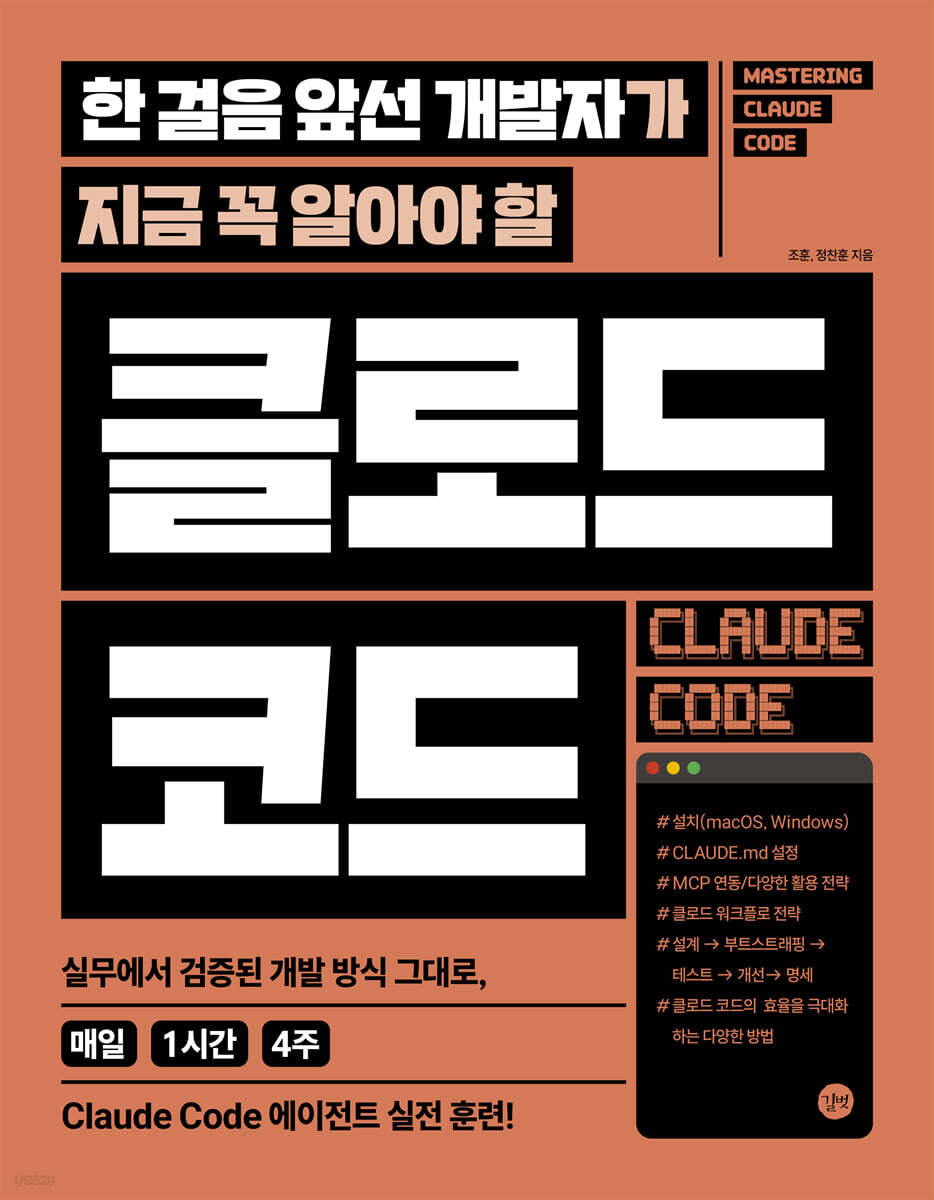 |
Description
Book Introduction
A practical guide to cloud code that you can apply right away in the field!
Following the development method proven in practice,
Completely master Claude's code with 1 hour of study per day for 4 weeks!
In the era of AI-powered development, cloud code is no longer an option but a necessary tool.
This book explains everything from installing Claude code on macOS and Windows environments, to configuring and customizing CLAUDE.md, MCP integration and utilization strategies, Claude workflow strategies from design → bootstrapping → testing → improvement → specification writing and documentation, and how to maximize Claude efficiency, such as LLM engine optimization, custom commands, multi-agent, custom subagent, Claude Squad, and Claude Swarm.
It is packed with the know-how of authors who actively use CLOUD code in their actual work, and the goal is to learn not only the basic usage of CLOUD code but also how to effectively apply it through 1 hour of study every day for 4 weeks.
I hope this book will be a reliable companion for those who want to become leading developers.
Following the development method proven in practice,
Completely master Claude's code with 1 hour of study per day for 4 weeks!
In the era of AI-powered development, cloud code is no longer an option but a necessary tool.
This book explains everything from installing Claude code on macOS and Windows environments, to configuring and customizing CLAUDE.md, MCP integration and utilization strategies, Claude workflow strategies from design → bootstrapping → testing → improvement → specification writing and documentation, and how to maximize Claude efficiency, such as LLM engine optimization, custom commands, multi-agent, custom subagent, Claude Squad, and Claude Swarm.
It is packed with the know-how of authors who actively use CLOUD code in their actual work, and the goal is to learn not only the basic usage of CLOUD code but also how to effectively apply it through 1 hour of study every day for 4 weeks.
I hope this book will be a reliable companion for those who want to become leading developers.
- You can preview some of the book's contents.
Preview
index
Week 1: Getting Started with Claude Code
Installing the Cloud Code
1.
Installing the Cloud Code
2.
Run Cloud Code
Fire | Built-in commands provided by Cloud Code
1.
Basic functions and conversation controls
2.
Model setup and account management
3.
File and Project Management
4.
System check and fee statistics
5.
View and Input/Output Settings
6.
Code review and analysis
7.
Convenience
8.
Function extension
9.
etc
Analyzing information stored only on my computer using AI
1.
Find out information about the desktop/laptop I use
2.
Reading and calculating information from local files
Neck | Analysis and Action on Received Directory
1.
Directory Analysis
2.
Develop a study plan
Gold | Create and publish a cat web page
1.
Create a web page featuring cats
2.
Upload the created web page to the Internet and check it
Weekend Reading | Claude Code vs. Gemini CLI
Week 2: Setting up the Cloud Code
Month | CLAUDE.md
1. CLAUDE.md
2.
Start with the /init command
3.
Practice with real projects
4. Customizing CLAUDE.md
5. CLAUDE.md Utilization Strategy
6.
Troubleshooting and Tips
Fire | Writing good prompts
1.
Prompt Engineering Fundamentals
2.
Context Optimization Strategy
3.
Maximize prompt convenience with special character shortcuts
4.
Hierarchical questioning strategy
5.
Practical Prompt Template
6.
Practical: Project Planning
7.
Advanced prompting techniques
8.
Troubleshooting and Tips
Mastering the Run Mode |
1.
Overview of Cloud Code Execution Modes
2.
Interactive mode (interactive mode)
3.
Print mode (non-interactive mode)
4. YOLO mode (permission skip option)
5.
Special key functions in interactive mode
6.
Detailed description by mode
7.
Usage scenarios by mode
8.
Troubleshooting and Tips
Neck | Built-in tools and terminal extensions in Claude Code
1.
Understanding the Built-in Tools of Claude Code
2.
File system tools
3.
System Execution Tool
4.
Web Resource Tools
5.
Task management tools
6.
Built-in tool combination pattern
7.
Using terminal tools
8.
Best Practices for Using Tools
Gold | MCP (Model Context Protocol) Integration
1.
From Prompt Engineering to Context Engineering
2. Understanding MCP
3. Comparison of MCP and Prompt Engineering
4. Understanding MCP Connection Methods
5.
Hands-on: Connecting a PostgreSQL Database to MCP
6.
Hands-on: GitHub API Integration
7.
Advanced Usage Patterns
8.
Practical application examples
9. Configuring the MCP Server
Summary of key points
Weekend Reading | Cloud Code and Developer Productivity
Week 3: Claude Workflow Strategy
Month | Project Design
1.
Project Architecture Design
2.
Project Structure Design
3. Create WBS
4.
Risk Analysis and Response Plan
5.
Create a project document template
6.
Recipe sharing service design
7.
Problem solving
References
Bootstrapping: Automating Project Initial Configuration
1.
Create a project template
2.
Dependency Management
3.
Configuring the development environment
4.
Configuring the container environment
5.
Bootstrapping the Test Environment
6.
Bootstrapping
7.
Problem solving
8.
Checklist
References
Test | Test: TDD with Cloud Code
1.
Unit testing
2. TDD Workflow
3.
Integration testing
4.
E2E testing
5.
Test Automation and CI/CD
6.
Test Monitoring and Reporting
Neck | Improvements: Code review, refactoring, performance optimization
1.
Code review automation
2.
Refactoring strategy
3.
Performance optimization
4.
Code Quality Metrics
5.
Technical Debt Management
6.
Legacy code improvement
7.
Checklist
References
Gold | Specification Writing and Documentation: Creating Living Documents
1. Automatically generate API documentation
2.
Writing a user guide
3.
Structuring technical documentation
4.
Synchronize code and documentation
5.
Distribution and Operational Documentation
6.
Checklist
References
Weekend Reading | AI-Optimized Workflows
Week 4: Maximizing Cloud Code Efficiency
Month | LLM Engine Optimization and Context Management
1. LLM Engine Optimization
2.
Utilizing the memory system
References
Fire | Creating Custom Commands
1.
Understanding Custom Commands
References
Extending the Claude Code
1.
Understanding the Hooks System
2.
Change the response method with Output Style
Neck | Various MCP Utilization Strategies
1.
Context7
2.
Serena
3.
MCP as a verification tool
4. Project Management through MCP
5.
Thinking MCP
6.
Utilizing various LLM models
7. Create an MCP
References
Gold | Multi-Agent System
1.
Task Tool and Subagents in Cloud Code
2.
Custom Subagent
3.
Claude Squad
4.
Claude Swarm
Weekend Reading | The Present and Future of AI Coding Tools
Installing the Cloud Code
1.
Installing the Cloud Code
2.
Run Cloud Code
Fire | Built-in commands provided by Cloud Code
1.
Basic functions and conversation controls
2.
Model setup and account management
3.
File and Project Management
4.
System check and fee statistics
5.
View and Input/Output Settings
6.
Code review and analysis
7.
Convenience
8.
Function extension
9.
etc
Analyzing information stored only on my computer using AI
1.
Find out information about the desktop/laptop I use
2.
Reading and calculating information from local files
Neck | Analysis and Action on Received Directory
1.
Directory Analysis
2.
Develop a study plan
Gold | Create and publish a cat web page
1.
Create a web page featuring cats
2.
Upload the created web page to the Internet and check it
Weekend Reading | Claude Code vs. Gemini CLI
Week 2: Setting up the Cloud Code
Month | CLAUDE.md
1. CLAUDE.md
2.
Start with the /init command
3.
Practice with real projects
4. Customizing CLAUDE.md
5. CLAUDE.md Utilization Strategy
6.
Troubleshooting and Tips
Fire | Writing good prompts
1.
Prompt Engineering Fundamentals
2.
Context Optimization Strategy
3.
Maximize prompt convenience with special character shortcuts
4.
Hierarchical questioning strategy
5.
Practical Prompt Template
6.
Practical: Project Planning
7.
Advanced prompting techniques
8.
Troubleshooting and Tips
Mastering the Run Mode |
1.
Overview of Cloud Code Execution Modes
2.
Interactive mode (interactive mode)
3.
Print mode (non-interactive mode)
4. YOLO mode (permission skip option)
5.
Special key functions in interactive mode
6.
Detailed description by mode
7.
Usage scenarios by mode
8.
Troubleshooting and Tips
Neck | Built-in tools and terminal extensions in Claude Code
1.
Understanding the Built-in Tools of Claude Code
2.
File system tools
3.
System Execution Tool
4.
Web Resource Tools
5.
Task management tools
6.
Built-in tool combination pattern
7.
Using terminal tools
8.
Best Practices for Using Tools
Gold | MCP (Model Context Protocol) Integration
1.
From Prompt Engineering to Context Engineering
2. Understanding MCP
3. Comparison of MCP and Prompt Engineering
4. Understanding MCP Connection Methods
5.
Hands-on: Connecting a PostgreSQL Database to MCP
6.
Hands-on: GitHub API Integration
7.
Advanced Usage Patterns
8.
Practical application examples
9. Configuring the MCP Server
Summary of key points
Weekend Reading | Cloud Code and Developer Productivity
Week 3: Claude Workflow Strategy
Month | Project Design
1.
Project Architecture Design
2.
Project Structure Design
3. Create WBS
4.
Risk Analysis and Response Plan
5.
Create a project document template
6.
Recipe sharing service design
7.
Problem solving
References
Bootstrapping: Automating Project Initial Configuration
1.
Create a project template
2.
Dependency Management
3.
Configuring the development environment
4.
Configuring the container environment
5.
Bootstrapping the Test Environment
6.
Bootstrapping
7.
Problem solving
8.
Checklist
References
Test | Test: TDD with Cloud Code
1.
Unit testing
2. TDD Workflow
3.
Integration testing
4.
E2E testing
5.
Test Automation and CI/CD
6.
Test Monitoring and Reporting
Neck | Improvements: Code review, refactoring, performance optimization
1.
Code review automation
2.
Refactoring strategy
3.
Performance optimization
4.
Code Quality Metrics
5.
Technical Debt Management
6.
Legacy code improvement
7.
Checklist
References
Gold | Specification Writing and Documentation: Creating Living Documents
1. Automatically generate API documentation
2.
Writing a user guide
3.
Structuring technical documentation
4.
Synchronize code and documentation
5.
Distribution and Operational Documentation
6.
Checklist
References
Weekend Reading | AI-Optimized Workflows
Week 4: Maximizing Cloud Code Efficiency
Month | LLM Engine Optimization and Context Management
1. LLM Engine Optimization
2.
Utilizing the memory system
References
Fire | Creating Custom Commands
1.
Understanding Custom Commands
References
Extending the Claude Code
1.
Understanding the Hooks System
2.
Change the response method with Output Style
Neck | Various MCP Utilization Strategies
1.
Context7
2.
Serena
3.
MCP as a verification tool
4. Project Management through MCP
5.
Thinking MCP
6.
Utilizing various LLM models
7. Create an MCP
References
Gold | Multi-Agent System
1.
Task Tool and Subagents in Cloud Code
2.
Custom Subagent
3.
Claude Squad
4.
Claude Swarm
Weekend Reading | The Present and Future of AI Coding Tools
Detailed image

Into the book
What is artificial intelligence?
Before ChatGPT came out in November 2022, it was a mirage or a term used only in research, not only for the general public but also for developers and engineers.
However, as of 2025, various services utilizing artificial intelligence are being introduced or prepared for use in almost all industries.
Among these, developers/engineers mainly use artificial intelligence provided as a service, such as ChatGTP, or artificial intelligence created as a development tool, such as Cursor AI.
This is also very useful and can create high productivity when utilized.
However, these services do not directly access the developer/engineer's working environment.
Until the Claude Code came along.
Unlike before, Claude code does not stay within a specific tool, but rather accesses and collects all the information that the current desktop/laptop can access and then executes it, showing a different level of usability than before.
It is one of the best tools for developers/engineers, especially since it is an artificial intelligence agent tool that runs based on the terminal.
The laptop/desktop you're using now already contains various types of authentication information.
The terminal environment already has access to all this information, so it can automate any tasks you need.
The key is to be able to access and understand my current work environment and then perform tasks, making requests in natural language without having to know terminal commands.
These two features allow you to maximize your productivity.
The Claude code proceeds to the next step.
1.
Natural language input: Enter a request such as “Guess the cause of the build failure and fix it.”
2.
Context + Intent Analysis: Understand based on previous code, conversations, and file structures.
3.
Code generation: Write precise code for functions, tests, queries, and more.
4.
Execute or apply: execute CLI, inject code, run tests, etc.
5.
Verify and iterate results: After analyzing the results, automatically correct them if necessary or rework them based on user feedback.
If you have to write it someday, if it's a path you have to take, it's better to go there before anyone else and take the lead.
In particular, it is important to use tools such as Claude Code a lot and become familiar with their use so that you can use them in a way that suits your own direction.
To achieve this, we structured the learning to take place over a period of four weeks, with each session lasting less than one hour per day.
Here's a brief description of what happens in each week:
Week 1: Installing and familiarizing yourself with the Cloud code
Week 2: Learn key features to enhance the usability of Cloud code through hands-on practice.
Week 3: 5-day project with Claude Code
Week 4: Experiment with different features to write better code.
When you see something, you care about it, and when you care, you're more likely to do something about it.
If you keep this book on your desk or somewhere visible for about a month and run and progress through the code once a day, I am confident that after a month, you will find that the way you think and work has completely changed, and you will become a leading developer/engineer.
One of the essential skills in the age of artificial intelligence is the ability to use it frequently, become familiar with it, and increase productivity through it.
Embrace AI as your friend and colleague and get started today.
Before ChatGPT came out in November 2022, it was a mirage or a term used only in research, not only for the general public but also for developers and engineers.
However, as of 2025, various services utilizing artificial intelligence are being introduced or prepared for use in almost all industries.
Among these, developers/engineers mainly use artificial intelligence provided as a service, such as ChatGTP, or artificial intelligence created as a development tool, such as Cursor AI.
This is also very useful and can create high productivity when utilized.
However, these services do not directly access the developer/engineer's working environment.
Until the Claude Code came along.
Unlike before, Claude code does not stay within a specific tool, but rather accesses and collects all the information that the current desktop/laptop can access and then executes it, showing a different level of usability than before.
It is one of the best tools for developers/engineers, especially since it is an artificial intelligence agent tool that runs based on the terminal.
The laptop/desktop you're using now already contains various types of authentication information.
The terminal environment already has access to all this information, so it can automate any tasks you need.
The key is to be able to access and understand my current work environment and then perform tasks, making requests in natural language without having to know terminal commands.
These two features allow you to maximize your productivity.
The Claude code proceeds to the next step.
1.
Natural language input: Enter a request such as “Guess the cause of the build failure and fix it.”
2.
Context + Intent Analysis: Understand based on previous code, conversations, and file structures.
3.
Code generation: Write precise code for functions, tests, queries, and more.
4.
Execute or apply: execute CLI, inject code, run tests, etc.
5.
Verify and iterate results: After analyzing the results, automatically correct them if necessary or rework them based on user feedback.
If you have to write it someday, if it's a path you have to take, it's better to go there before anyone else and take the lead.
In particular, it is important to use tools such as Claude Code a lot and become familiar with their use so that you can use them in a way that suits your own direction.
To achieve this, we structured the learning to take place over a period of four weeks, with each session lasting less than one hour per day.
Here's a brief description of what happens in each week:
Week 1: Installing and familiarizing yourself with the Cloud code
Week 2: Learn key features to enhance the usability of Cloud code through hands-on practice.
Week 3: 5-day project with Claude Code
Week 4: Experiment with different features to write better code.
When you see something, you care about it, and when you care, you're more likely to do something about it.
If you keep this book on your desk or somewhere visible for about a month and run and progress through the code once a day, I am confident that after a month, you will find that the way you think and work has completely changed, and you will become a leading developer/engineer.
One of the essential skills in the age of artificial intelligence is the ability to use it frequently, become familiar with it, and increase productivity through it.
Embrace AI as your friend and colleague and get started today.
--- From the text
Publisher's Review
The new competitive edge for developers is the ability to utilize artificial intelligence agents!
Take a leap forward as a developer with Claude Code!
Why Claude Code?
Claude Code is an agent-based artificial intelligence tool created by Entropic. Unlike existing services that run in web browsers, it operates on the user's terminal.
It offers a usability that is on a whole different level from existing services, especially since it is performed after accessing and collecting all information accessible to the user's desktop/laptop.
Additionally, Claude Code is not just a simple code generator; it analyzes the entire code base and allows you to directly modify and execute it, making it an excellent tool for developers/engineers.
Let's learn repeatedly with the '1 hour daily, 4 week study curriculum'!
Getting Started with Week 1's Cloud Code
Installing the Wall Cloud Code
Built-in commands provided by the Hwa Cloud code
Analyzing information only on my computer with artificial intelligence
Analysis and action taken on the directory received
Create and publish a gold cat web page
Weekend Reading: Claude Code vs. Gemini CLI
Setting up the 2nd week's cloud code
Month CLAUDE.md
How to write a good fire prompt
Mastering the Sue Claude Run Mode
Built-in tools and terminal extensions for the Mok Cloud code
Gold MCP Linkage
Weekend Reading: Claude Code and Developer Productivity
Week 3 Claude Workflow Strategy
Monthly Project Design
Fire Bootstrapping: Automating Project Initial Configuration
Testing the Waters: TDD with Clod Code
Improvements to the neck: code review, refactoring, and performance optimization.
Writing and Documenting Gold Specifications: Creating Living Documents
Weekend Reading: An AI-Optimized Workflow
Maximizing Claude Code Efficiency in Week 4
Monthly LLM Engine Optimization and Context Management
Creating a custom command
Extending the Su Claude code
Various MCP Utilization Strategies
Gold Multi-Agent System
Weekend Reading: The Present and Future of AI Coding Tools
Take a leap forward as a developer with Claude Code!
Why Claude Code?
Claude Code is an agent-based artificial intelligence tool created by Entropic. Unlike existing services that run in web browsers, it operates on the user's terminal.
It offers a usability that is on a whole different level from existing services, especially since it is performed after accessing and collecting all information accessible to the user's desktop/laptop.
Additionally, Claude Code is not just a simple code generator; it analyzes the entire code base and allows you to directly modify and execute it, making it an excellent tool for developers/engineers.
Let's learn repeatedly with the '1 hour daily, 4 week study curriculum'!
Getting Started with Week 1's Cloud Code
Installing the Wall Cloud Code
Built-in commands provided by the Hwa Cloud code
Analyzing information only on my computer with artificial intelligence
Analysis and action taken on the directory received
Create and publish a gold cat web page
Weekend Reading: Claude Code vs. Gemini CLI
Setting up the 2nd week's cloud code
Month CLAUDE.md
How to write a good fire prompt
Mastering the Sue Claude Run Mode
Built-in tools and terminal extensions for the Mok Cloud code
Gold MCP Linkage
Weekend Reading: Claude Code and Developer Productivity
Week 3 Claude Workflow Strategy
Monthly Project Design
Fire Bootstrapping: Automating Project Initial Configuration
Testing the Waters: TDD with Clod Code
Improvements to the neck: code review, refactoring, and performance optimization.
Writing and Documenting Gold Specifications: Creating Living Documents
Weekend Reading: An AI-Optimized Workflow
Maximizing Claude Code Efficiency in Week 4
Monthly LLM Engine Optimization and Context Management
Creating a custom command
Extending the Su Claude code
Various MCP Utilization Strategies
Gold Multi-Agent System
Weekend Reading: The Present and Future of AI Coding Tools
GOODS SPECIFICS
- Date of issue: September 12, 2025
- Page count, weight, size: 364 pages | 183*235*15mm
- ISBN13: 9791140715725
You may also like
카테고리
korean


korean

![GQ KOREA Mark (Monthly): December [2025]](http://librairie.coreenne.fr/cdn/shop/files/8ef265dbbfbf186523ed75ba7319009d.jpg?v=1765340328&width=3840)


