

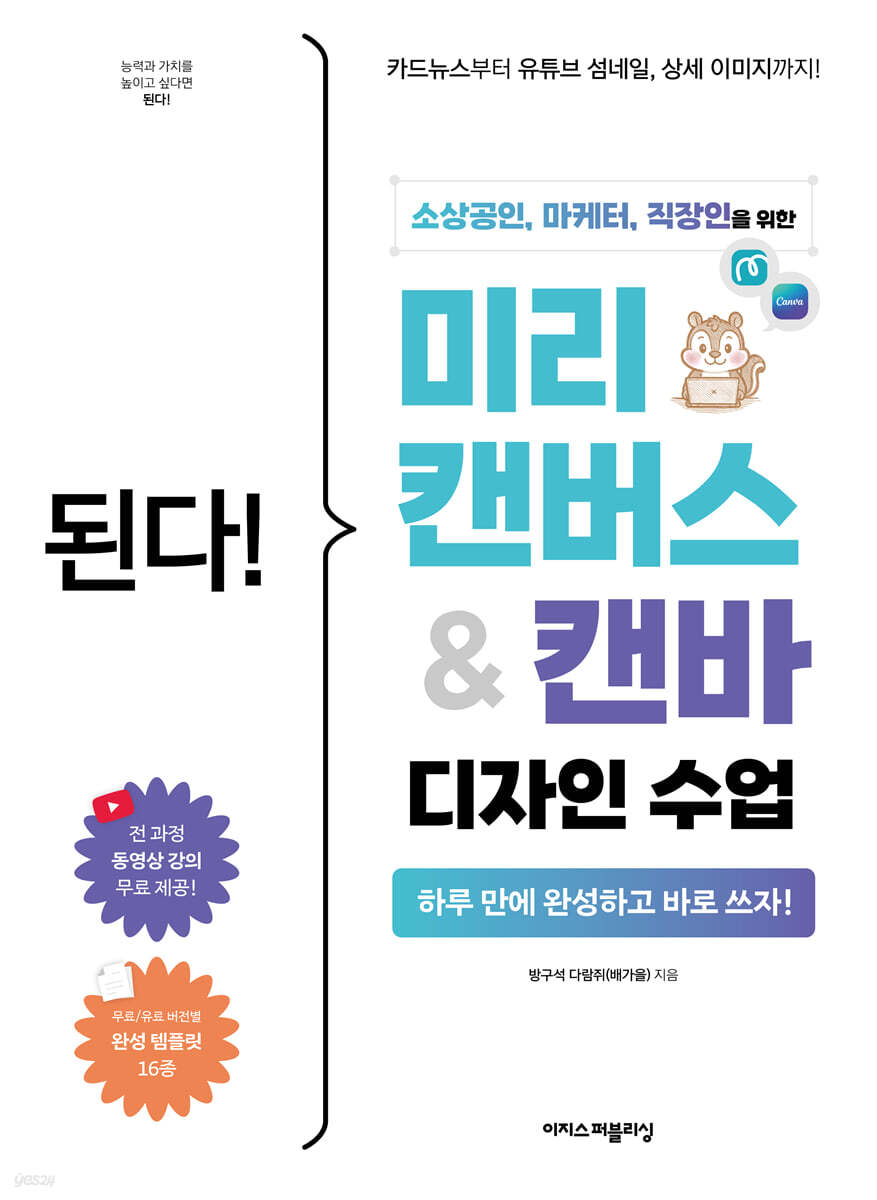
Available! Pre-Canvas & Canvas Design Classes
 |
Description
Book Introduction
Design basics, easy to follow even if you don't know them!
The design know-how of 'Squirrel in the Corner', a design problem solver with 100,000 subscribers!
If you've ever hesitated over whether to purchase an expensive and difficult design program, or outsourced a design job only to find yourself deeply troubled by not being able to explain what you wanted, this book will put an end to those worries.
"MiriCanvas" and "Canva" allow you to create high-quality work with simple functions! With this book, you can create everything you need for practical work, from simple event announcement images to business card designs, YouTube thumbnails, blog titles, and even detailed images and homepages.
The author, 'Squirrel in the Corner', who has gained professional experience working as a marketer and designer, generously provides carefully selected design placement methods and structural tips, so if you follow along once, it will not be difficult to create your own design.
For each practice, friendly video lectures are provided via QR codes, making it easy to follow, and there are also complete templates so you can simply change the parts you want and use them.
Now, stop worrying about design and focus on what really matters: your work!
The design know-how of 'Squirrel in the Corner', a design problem solver with 100,000 subscribers!
If you've ever hesitated over whether to purchase an expensive and difficult design program, or outsourced a design job only to find yourself deeply troubled by not being able to explain what you wanted, this book will put an end to those worries.
"MiriCanvas" and "Canva" allow you to create high-quality work with simple functions! With this book, you can create everything you need for practical work, from simple event announcement images to business card designs, YouTube thumbnails, blog titles, and even detailed images and homepages.
The author, 'Squirrel in the Corner', who has gained professional experience working as a marketer and designer, generously provides carefully selected design placement methods and structural tips, so if you follow along once, it will not be difficult to create your own design.
For each practice, friendly video lectures are provided via QR codes, making it easy to follow, and there are also complete templates so you can simply change the parts you want and use them.
Now, stop worrying about design and focus on what really matters: your work!
- You can preview some of the book's contents.
Preview
index
| First Yard | Design Tools Easier Than Photoshop: Miricanvas and Canva
01 A world where you can create designs simply by combining templates.
01-1 First steps in design with Miricanvas and Canvas
01-2 Characteristics of Pre-Canvas and Canvas as seen through the work
02 Perfectly tailored for domestic users - Getting started with Miricanvas
02-1 Sign up for Miricanvas and use the pro trial version
02-2 Viewing the work screen of Miricanvas
02-3 Managing files in Pre-Canvas
03 Expand your convenience with additional features - Getting started with Canva
03-1 Sign up for Canva and use the Pro trial version
03-2 Viewing the work screen in Canva
03-3 Managing Files in Canvas
| Second Yard | Creating Content with Pre-Canvas
04 Creating a Simple Discount Event Card News [Basic Rate Plan Practice]
[Step 1] Adding a gradient to the card news background
[Step 2] Designing the Top Text of Your Card News
[Step 3] Add elements that fit the card news.
[Step 4] Adding decorative elements to the blank spaces in the card news
05 Creating YouTube Thumbnail Images [Pro Plan Practice]
[Step 1] Add a background image to the thumbnail.
[Step 2] Adding a title and subtitle to the thumbnail
[Step 3] Add elements that match the thumbnail and add a short description.
[Step 4] Adding images to add detail to the thumbnail
06 Creating Your Own Homepage-Style Blog [Pro Plan Practice]
[Step 1] Create a frame for your homepage-style blog and remove the photo background.
[Step 2] Creating Category Buttons for Your Homepage Blog
[Step 3] Placing the name of your homepage-type blog
[Step 4] Adding decorative elements to the blank space on your homepage-style blog.
07 Creating Detailed Images with AI Features [Pro Plan Practice]
[Step 1] Create an image to be placed in the background of the detailed image.
[Step 2] Designing the text for the detailed image
[Step 3] Create a photo to add to the detailed image using AI Photo.
[Step 4] Create a structural diagram to be included in the detailed image.
[Step 5] Insert detailed image content using text layout
[Practical Assignment] Creating an Event Banner That Stands Out at a Glance
| Third Yard | Creating Brand Content with Canva
08 Creating Business Cards with AI Features [Basic Plan Practice]
[Step 1] Create a logo for the front of your business card with Canva AI.
[Step 2] Create a super-easy business card using a business card template.
[Step 3] Add icons to highlight information on the business card.
09 Creating a Watercolor-Style Menu [Pro Plan Practice]
[Step 1] Add a background and illustrations that match the menu.
[Step 2] Correct the menu illustration and add descriptions.
[Step 3] Add decorative elements to the menu
Step 4: Create a Menu Mockup for Your Web Post
10 Creating a Motion Ad That Pops Up [Pro Plan Practice]
[Step 1] Add an image to your motion ad and change the background.
[Step 2] Enter the title and subtitle of your motion ad.
[Step 3] Adding Vividness to Motion Ads with Various Effects
[Step 4] Write your ad copy and add motion
11. Creating a Brand Promotion Website That Actually Works [Pro Plan Practice]
[Step 1] Designing a 3D Brand Name
[Step 2] Create a link button to another website.
[Step 3] Connecting paragraphs naturally on your website
[Step 4] Arranging the content to be included on the homepage
[Step 5] Preview the position of the image to be highlighted.
[Practical Assignment] Creating a Cafe Poster with Striking Colors
| Appendix | Design Tips to Double Your Perfection
5 Recommended Colors to Fill Your Design
Change the feel of your design with saturation and brightness
The 60:30:10 Rule: Improving Design Perfection
Recommended color combinations that won't fail
Sorting tips to improve the quality of your work
Search
01 A world where you can create designs simply by combining templates.
01-1 First steps in design with Miricanvas and Canvas
01-2 Characteristics of Pre-Canvas and Canvas as seen through the work
02 Perfectly tailored for domestic users - Getting started with Miricanvas
02-1 Sign up for Miricanvas and use the pro trial version
02-2 Viewing the work screen of Miricanvas
02-3 Managing files in Pre-Canvas
03 Expand your convenience with additional features - Getting started with Canva
03-1 Sign up for Canva and use the Pro trial version
03-2 Viewing the work screen in Canva
03-3 Managing Files in Canvas
| Second Yard | Creating Content with Pre-Canvas
04 Creating a Simple Discount Event Card News [Basic Rate Plan Practice]
[Step 1] Adding a gradient to the card news background
[Step 2] Designing the Top Text of Your Card News
[Step 3] Add elements that fit the card news.
[Step 4] Adding decorative elements to the blank spaces in the card news
05 Creating YouTube Thumbnail Images [Pro Plan Practice]
[Step 1] Add a background image to the thumbnail.
[Step 2] Adding a title and subtitle to the thumbnail
[Step 3] Add elements that match the thumbnail and add a short description.
[Step 4] Adding images to add detail to the thumbnail
06 Creating Your Own Homepage-Style Blog [Pro Plan Practice]
[Step 1] Create a frame for your homepage-style blog and remove the photo background.
[Step 2] Creating Category Buttons for Your Homepage Blog
[Step 3] Placing the name of your homepage-type blog
[Step 4] Adding decorative elements to the blank space on your homepage-style blog.
07 Creating Detailed Images with AI Features [Pro Plan Practice]
[Step 1] Create an image to be placed in the background of the detailed image.
[Step 2] Designing the text for the detailed image
[Step 3] Create a photo to add to the detailed image using AI Photo.
[Step 4] Create a structural diagram to be included in the detailed image.
[Step 5] Insert detailed image content using text layout
[Practical Assignment] Creating an Event Banner That Stands Out at a Glance
| Third Yard | Creating Brand Content with Canva
08 Creating Business Cards with AI Features [Basic Plan Practice]
[Step 1] Create a logo for the front of your business card with Canva AI.
[Step 2] Create a super-easy business card using a business card template.
[Step 3] Add icons to highlight information on the business card.
09 Creating a Watercolor-Style Menu [Pro Plan Practice]
[Step 1] Add a background and illustrations that match the menu.
[Step 2] Correct the menu illustration and add descriptions.
[Step 3] Add decorative elements to the menu
Step 4: Create a Menu Mockup for Your Web Post
10 Creating a Motion Ad That Pops Up [Pro Plan Practice]
[Step 1] Add an image to your motion ad and change the background.
[Step 2] Enter the title and subtitle of your motion ad.
[Step 3] Adding Vividness to Motion Ads with Various Effects
[Step 4] Write your ad copy and add motion
11. Creating a Brand Promotion Website That Actually Works [Pro Plan Practice]
[Step 1] Designing a 3D Brand Name
[Step 2] Create a link button to another website.
[Step 3] Connecting paragraphs naturally on your website
[Step 4] Arranging the content to be included on the homepage
[Step 5] Preview the position of the image to be highlighted.
[Practical Assignment] Creating a Cafe Poster with Striking Colors
| Appendix | Design Tips to Double Your Perfection
5 Recommended Colors to Fill Your Design
Change the feel of your design with saturation and brightness
The 60:30:10 Rule: Improving Design Perfection
Recommended color combinations that won't fail
Sorting tips to improve the quality of your work
Search
Detailed image
.jpg)
Publisher's Review
Why you should study with this book!
- Miricanvas teaches you the basics of Canvas step by step.
- Contains all of the author's know-how in creating practical designs using Miricanvas and Canvas.
- We have provided a detailed explanation of how to use the convenient features of Miricanvas and Canvas.
- It is very informative as it provides templates, various practice materials, and even video lectures.
This book is perfect for:
- Beginners who found existing design programs too difficult
- A 'self-employed person' who wanted to create the image needed for promotion.
- 'Bloggers/YouTubers' who want to decorate their spaces with their own unique style
- Marketers who want to create simple promotional materials
- 'Office workers' who need to create visual materials for use at work
Learn in one day and apply it to your daily life!
100% practical examples-focused pre-canvas, Canvas usage guide
To make what you've learned truly your own, you need to try it out over and over again.
This book covers everything from the basics of Pre-Canvas and Canvas to its practical applications, focusing on 10 projects.
Beyond learning functional skills, you can acquire design fundamentals that you will never forget through hands-on experience constructing designs.
Each design tool includes a practical assignment, so as you review what you've learned and create your own designs, you'll soon find yourself proficient in using both Miricanvas and Canva.
Don't skip over the basics!
Let's go over the essential details in detail.
You don't have to worry that the explanation of basic functions will be sloppy just because it is practice-oriented.
In the first section, the author, a working designer, carefully explains only the most frequently used functions of Canvas and Pre-Canvas among their various functions.
Of course, it also includes other features, so you can use it and look them up when you're curious.
The basic functions of Miricanvas and Canvas are so intuitive that anyone can easily follow along if they know how to search and click.
After learning briefly through explanations, you can immediately move on to practical learning.
Miricanvas allows you to create designs that fit domestic trends!
Create images for online upload using various Korean fonts and elements.
In the second yard, we will directly use the canvas.
Miricanvas is a domestically developed design website filled with trendy Korean fonts and elements created by other users.
When creating event images to upload online, YouTube thumbnails, homepage-style blogs, detailed images, and review event images, Miricanvas is the right choice.
After becoming familiar with Miricanvas by creating various images that would be coveted by self-employed individuals, YouTubers, bloggers, and office workers through hands-on practice, you can modify the completed templates provided by the author to create your own desired images, or start designing based on what you've learned so far.
The exercises in this book are not difficult, but are well-organized and of a quality comparable to that of professional design programs.
Just find templates and elements, choose effects to add to your text, and you'll have a design you'll want to use in your work right away.
Canva with emotional elements and cool English fonts!
Creating motion pages that require images and movement for printing
In the third yard, we will use Canvas to create a design with a slightly different style.
Canva's rich and vibrant elements make it ideal for creating designs that can be printed and used in real-world form, such as business cards, menus, vibrant motion ads, and brand landing pages, as well as motion pages that add movement.
If you're self-employed or an office worker looking to showcase your skills with a self-created website, I recommend checking out these practical training programs.
Automatically designing letters and frames with Canva's exclusive extension, 'Apps,' will cut your work time in half.
It even includes AI features that you absolutely must use!
Experience the power of Pre-Canvas AI and Canvas AI.
AI features are becoming increasingly popular these days! They're often touted as incredibly useful for design creation, but what if you're unsure how to use them? This book also covers how to create images using Miricanvas AI and Canvas AI.
In Miricanvas, you can use various AIs, including the most popular ChatGPT, Flux, and Stable Diffusion, without having to sign up for an AI website or pay additional fees.
Additionally, Canva uses its own AI, developed through direct contracts with high-performance overseas AI companies, eliminating the need to search for and use a separate AI. It also provides tips for composing AI-generated images to ensure they blend seamlessly into your designs.
"Meet intelligent readers who grow through books!"
[Do it! Study Room]: Learn, Share, and Grow Together
If you feel uncomfortable studying alone, try visiting the study cafe [Do it! Study Room].
You can meet readers who are studying the same book.
Additionally, by joining the [Do it! Study Group] and uploading your study plan and putting it into practice, you can receive a book as a gift and develop a habit of studying consistently.
- Do it! Study Room Cafe: cafe.naver.com/doitstudyroom → [Do it! Study Group] Menu
[Recommendations from students who attended the course]
“I always felt burdened by outsourcing design work, so I learned it myself. Now, I can do what I want without having to ask for help!” - vkfk***
“I took a Canva course because it was difficult to retain designers for every promotion, and it was a truly practical course!” - gksc***
“There are so many practical tips that I can apply right away, so it’s really helpful!” - he***
“This is the best course for beginners in design!” - knuc***?
- Miricanvas teaches you the basics of Canvas step by step.
- Contains all of the author's know-how in creating practical designs using Miricanvas and Canvas.
- We have provided a detailed explanation of how to use the convenient features of Miricanvas and Canvas.
- It is very informative as it provides templates, various practice materials, and even video lectures.
This book is perfect for:
- Beginners who found existing design programs too difficult
- A 'self-employed person' who wanted to create the image needed for promotion.
- 'Bloggers/YouTubers' who want to decorate their spaces with their own unique style
- Marketers who want to create simple promotional materials
- 'Office workers' who need to create visual materials for use at work
Learn in one day and apply it to your daily life!
100% practical examples-focused pre-canvas, Canvas usage guide
To make what you've learned truly your own, you need to try it out over and over again.
This book covers everything from the basics of Pre-Canvas and Canvas to its practical applications, focusing on 10 projects.
Beyond learning functional skills, you can acquire design fundamentals that you will never forget through hands-on experience constructing designs.
Each design tool includes a practical assignment, so as you review what you've learned and create your own designs, you'll soon find yourself proficient in using both Miricanvas and Canva.
Don't skip over the basics!
Let's go over the essential details in detail.
You don't have to worry that the explanation of basic functions will be sloppy just because it is practice-oriented.
In the first section, the author, a working designer, carefully explains only the most frequently used functions of Canvas and Pre-Canvas among their various functions.
Of course, it also includes other features, so you can use it and look them up when you're curious.
The basic functions of Miricanvas and Canvas are so intuitive that anyone can easily follow along if they know how to search and click.
After learning briefly through explanations, you can immediately move on to practical learning.
Miricanvas allows you to create designs that fit domestic trends!
Create images for online upload using various Korean fonts and elements.
In the second yard, we will directly use the canvas.
Miricanvas is a domestically developed design website filled with trendy Korean fonts and elements created by other users.
When creating event images to upload online, YouTube thumbnails, homepage-style blogs, detailed images, and review event images, Miricanvas is the right choice.
After becoming familiar with Miricanvas by creating various images that would be coveted by self-employed individuals, YouTubers, bloggers, and office workers through hands-on practice, you can modify the completed templates provided by the author to create your own desired images, or start designing based on what you've learned so far.
The exercises in this book are not difficult, but are well-organized and of a quality comparable to that of professional design programs.
Just find templates and elements, choose effects to add to your text, and you'll have a design you'll want to use in your work right away.
Canva with emotional elements and cool English fonts!
Creating motion pages that require images and movement for printing
In the third yard, we will use Canvas to create a design with a slightly different style.
Canva's rich and vibrant elements make it ideal for creating designs that can be printed and used in real-world form, such as business cards, menus, vibrant motion ads, and brand landing pages, as well as motion pages that add movement.
If you're self-employed or an office worker looking to showcase your skills with a self-created website, I recommend checking out these practical training programs.
Automatically designing letters and frames with Canva's exclusive extension, 'Apps,' will cut your work time in half.
It even includes AI features that you absolutely must use!
Experience the power of Pre-Canvas AI and Canvas AI.
AI features are becoming increasingly popular these days! They're often touted as incredibly useful for design creation, but what if you're unsure how to use them? This book also covers how to create images using Miricanvas AI and Canvas AI.
In Miricanvas, you can use various AIs, including the most popular ChatGPT, Flux, and Stable Diffusion, without having to sign up for an AI website or pay additional fees.
Additionally, Canva uses its own AI, developed through direct contracts with high-performance overseas AI companies, eliminating the need to search for and use a separate AI. It also provides tips for composing AI-generated images to ensure they blend seamlessly into your designs.
"Meet intelligent readers who grow through books!"
[Do it! Study Room]: Learn, Share, and Grow Together
If you feel uncomfortable studying alone, try visiting the study cafe [Do it! Study Room].
You can meet readers who are studying the same book.
Additionally, by joining the [Do it! Study Group] and uploading your study plan and putting it into practice, you can receive a book as a gift and develop a habit of studying consistently.
- Do it! Study Room Cafe: cafe.naver.com/doitstudyroom → [Do it! Study Group] Menu
[Recommendations from students who attended the course]
“I always felt burdened by outsourcing design work, so I learned it myself. Now, I can do what I want without having to ask for help!” - vkfk***
“I took a Canva course because it was difficult to retain designers for every promotion, and it was a truly practical course!” - gksc***
“There are so many practical tips that I can apply right away, so it’s really helpful!” - he***
“This is the best course for beginners in design!” - knuc***?
GOODS SPECIFICS
- Date of issue: September 15, 2025
- Page count, weight, size: 376 pages | 810g | 188*257*15mm
- ISBN13: 9791163037620
You may also like
카테고리
korean


korean

![GQ KOREA Mark (Monthly): December [2025]](http://librairie.coreenne.fr/cdn/shop/files/8ef265dbbfbf186523ed75ba7319009d.jpg?v=1765340328&width=3840)


