

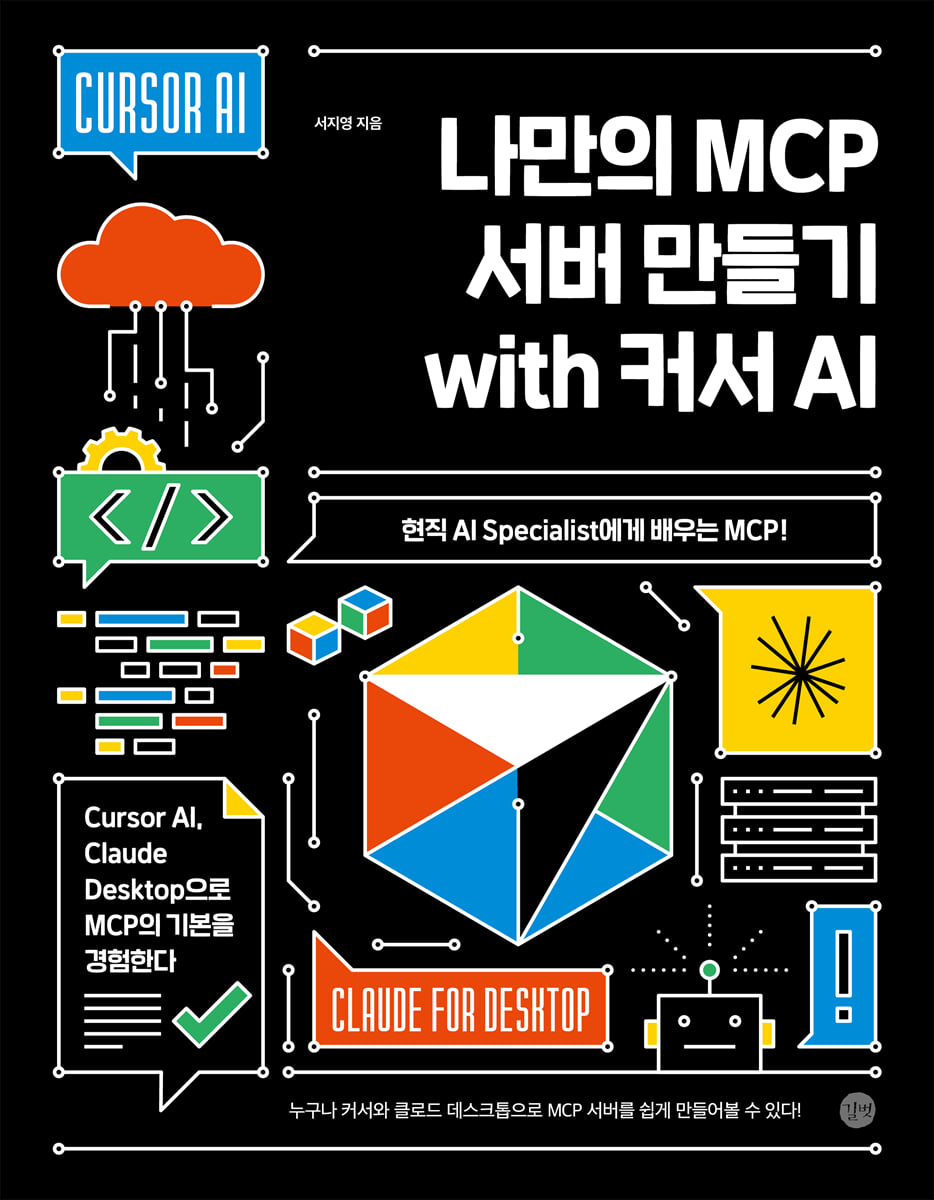
Create your own MCP server with Cursor AI
 |
Description
Book Introduction
You can use the public MCP server, create your own MCP server,
Anyone can easily create an MCP server with a cursor and a cloud desktop!
MCP is a protocol designed to connect LLM-based agents and tools. It can be used with various platforms or directly build modular AI systems through a server-client architecture. The advent of MCP will usher in a shift from simple, model-centric response generation to a system-centric, complex problem-solving architecture.
Furthermore, as various AI agents share their roles and cooperate organically, they will be able to respond more flexibly and intelligently to complex requests.
"Build Your Own MCP Server with Cursor AI" is an introductory guide to MCP. It quickly examines the basic structure, philosophy, and operating principles of MCP. Using tools like Cloud Desktop, Cursor AI, and Smithery, you can implement a simple MCP server-client architecture and gain hands-on experience with MCP. It's designed to serve as an efficient starting point for those seeking to understand MCP and connect various agents.
Anyone can easily create an MCP server with a cursor and a cloud desktop!
MCP is a protocol designed to connect LLM-based agents and tools. It can be used with various platforms or directly build modular AI systems through a server-client architecture. The advent of MCP will usher in a shift from simple, model-centric response generation to a system-centric, complex problem-solving architecture.
Furthermore, as various AI agents share their roles and cooperate organically, they will be able to respond more flexibly and intelligently to complex requests.
"Build Your Own MCP Server with Cursor AI" is an introductory guide to MCP. It quickly examines the basic structure, philosophy, and operating principles of MCP. Using tools like Cloud Desktop, Cursor AI, and Smithery, you can implement a simple MCP server-client architecture and gain hands-on experience with MCP. It's designed to serve as an efficient starting point for those seeking to understand MCP and connect various agents.
- You can preview some of the book's contents.
Preview
index
Part 1 | Understanding MCP
Chapter 1: Understanding MCP Concepts
1.1 What is MCP?
1.2 Why does LLM need tools?
1.3 Problems with the existing method
1.4 The emergence of MCP and structural transformation
__1.4.1 MCP Structure
__1.4.2 Changes that MCP will bring
Chapter 2: Understanding How MCP Works
2.1 MCP Architecture
__2.1.1 MCP Client Platform
2.2 MCP Operating Principle
2.3 MCP communication method
__2.3.1 Studio mode
__2.3.2 SSE method
2.4 How to use MCP
__2.4.1 Tools, Resources, and Prompts
__2.4.2 How to register a client
2.5 MCP and LLM
2.6 Functional Limitations of MCP
2.7 Security Vulnerabilities in MCP
Part 2 | Preparing the Lab Environment
Chapter 3 Obtaining an API Key
3.1 OpenAI API
3.2 Tavily API
3.3 Brave Search API
3.4 Google Maps API
Chapter 4: Preparing the Claude Desktop
4.1 Installing Node.js
4.2 Installing Cloud Desktop
Chapter 5: Preparing the Cursor
5.1 What is a cursor?
__5.1.1 Pricing Policy
5.2 Installing Python
5.3 Installing the Cursor
Chapter 6: Using the Cursor
6.1 Understanding the Cursor
6.2 Starting the Cursor
__6.2.1 Screen Introduction
__6.2.2 Project Creation and File Management
6.3 Understanding Cursor Functions
Part 3 | MCP Practice
Chapter 7: Using MCP
7.1 Comparison of Function Calling and MCP Server
7.2 Creating an MCP Server Based on Communication Method
__7.2.1 Using the Studio mode
__7.2.2 Using the SSE method
Chapter 8: Creating and Connecting to an MCP Server from a Cursor
8.1 Creating and Connecting to Your Own MCP Server
__8.1.1 Creating a Math MCP Server
__8.1.2 RAG-Server: Creating PDF
__8.1.3 RAG-Server: Creating Office
__8.1.4 Creating explorer-server (Windows Explorer)
__8.1.5 Creating web-search-server
8.2 Connecting to a Public MCP Server
__8.2.1 Connecting Sequential Thinking
__8.2.2 Connecting to Web Search (Brave Search)
__8.2.3 Connecting to Windows Explorer
Chapter 9: Creating and Connecting to an MCP Server on the Cloud Desktop
9.1 Registering Your Own MCP Server
__9.1.1 Windows Explorer
__9.1.2 Math MCP Server
9.2 Connecting to a Public MCP Server
__9.2.1 Connecting to Web Search (Tavily)
__9.2.2 Connecting to Google Maps
__9.2.3 Summary
Chapter 1: Understanding MCP Concepts
1.1 What is MCP?
1.2 Why does LLM need tools?
1.3 Problems with the existing method
1.4 The emergence of MCP and structural transformation
__1.4.1 MCP Structure
__1.4.2 Changes that MCP will bring
Chapter 2: Understanding How MCP Works
2.1 MCP Architecture
__2.1.1 MCP Client Platform
2.2 MCP Operating Principle
2.3 MCP communication method
__2.3.1 Studio mode
__2.3.2 SSE method
2.4 How to use MCP
__2.4.1 Tools, Resources, and Prompts
__2.4.2 How to register a client
2.5 MCP and LLM
2.6 Functional Limitations of MCP
2.7 Security Vulnerabilities in MCP
Part 2 | Preparing the Lab Environment
Chapter 3 Obtaining an API Key
3.1 OpenAI API
3.2 Tavily API
3.3 Brave Search API
3.4 Google Maps API
Chapter 4: Preparing the Claude Desktop
4.1 Installing Node.js
4.2 Installing Cloud Desktop
Chapter 5: Preparing the Cursor
5.1 What is a cursor?
__5.1.1 Pricing Policy
5.2 Installing Python
5.3 Installing the Cursor
Chapter 6: Using the Cursor
6.1 Understanding the Cursor
6.2 Starting the Cursor
__6.2.1 Screen Introduction
__6.2.2 Project Creation and File Management
6.3 Understanding Cursor Functions
Part 3 | MCP Practice
Chapter 7: Using MCP
7.1 Comparison of Function Calling and MCP Server
7.2 Creating an MCP Server Based on Communication Method
__7.2.1 Using the Studio mode
__7.2.2 Using the SSE method
Chapter 8: Creating and Connecting to an MCP Server from a Cursor
8.1 Creating and Connecting to Your Own MCP Server
__8.1.1 Creating a Math MCP Server
__8.1.2 RAG-Server: Creating PDF
__8.1.3 RAG-Server: Creating Office
__8.1.4 Creating explorer-server (Windows Explorer)
__8.1.5 Creating web-search-server
8.2 Connecting to a Public MCP Server
__8.2.1 Connecting Sequential Thinking
__8.2.2 Connecting to Web Search (Brave Search)
__8.2.3 Connecting to Windows Explorer
Chapter 9: Creating and Connecting to an MCP Server on the Cloud Desktop
9.1 Registering Your Own MCP Server
__9.1.1 Windows Explorer
__9.1.2 Math MCP Server
9.2 Connecting to a Public MCP Server
__9.2.1 Connecting to Web Search (Tavily)
__9.2.2 Connecting to Google Maps
__9.2.3 Summary
Detailed image

Publisher's Review
How can we connect, control, and scale a vast number of AI agents?
MCP's structure and philosophy in a nutshell!
The answer is MCP
Designing a structure that connects multiple tools and interacts with them while executing them sequentially, based on frameworks like LangChain or AutoGen, is not easy.
In particular, operating multiple agents or tools within a single system requires careful consideration of complex factors such as communication methods between tools, input/output specifications, and state management. MCP is a new approach to solving these problems, a protocol designed to connect LLM-based agents and tools.
It can be used with various tools such as Cloud Desktop, Cursor AI, and Smithery, and its server-client architecture helps you build modular AI systems yourself.
Made for people like:
ㆍ For those who want to quickly look into the structure and philosophy of MCP
ㆍ Those who want to understand the MCP-based agent structure in tools such as Cloud Desktop, Cursor AI, and Smithery
Developers who want to implement the MCP server-client structure directly in Cloud Desktop, Cursor AI, Smithery, etc.
ㆍ Developers who feel the limitations of the existing function calling method and are considering designing a modular agent system
ㆍ Planners and engineers who want to integrate various tools and LLMs into a single communication method
Try the following yourself:
ㆍ Install and try out Cloud Desktop and Cursor AI
ㆍ Create and use an MCP server according to the communication method (Stdio, SSE)
Create and connect to your own MCP server
ㆍ Creating a simple Math MCP / Creating a RAG-Server
ㆍ Creating explorer-server (Windows Explorer) / Creating web-search-server
ㆍ Try connecting to a public MCP server
ㆍ Try connecting Sequential Thinking
ㆍ Try connecting to Windows Explorer / Try connecting to web search (Brave Search)
Creating and connecting to an MCP server on Cloud Desktop
[Author's Note]
The emergence of MCP is not just a technological advancement; it is a turning point that changes the paradigm of how LLMs are utilized.
We are now moving away from simple, model-centric response generation to a system-centric, complex problem-solving architecture.
Furthermore, as an environment is created where various AI agents can share their roles and cooperate organically, a foundation is being established for responding more flexibly and intelligently to user requests, no matter how complex.
Therefore, the following changes will become more evident in the future:
ㆍ Transition from a single model to a multi-agent architecture
ㆍ A shift from a method where users directly call tools to a method where AI interprets user requests and automatically selects and executes the appropriate tool.
ㆍImproving repetitively implemented tools into reusable structures
ㆍ Evolution from LLM-centric design to agent-centric architecture
Ultimately, the AI ecosystem will evolve into a multi-agent collaborative system centered around standardized connection protocols like MCP.
MCP's structure and philosophy in a nutshell!
The answer is MCP
Designing a structure that connects multiple tools and interacts with them while executing them sequentially, based on frameworks like LangChain or AutoGen, is not easy.
In particular, operating multiple agents or tools within a single system requires careful consideration of complex factors such as communication methods between tools, input/output specifications, and state management. MCP is a new approach to solving these problems, a protocol designed to connect LLM-based agents and tools.
It can be used with various tools such as Cloud Desktop, Cursor AI, and Smithery, and its server-client architecture helps you build modular AI systems yourself.
Made for people like:
ㆍ For those who want to quickly look into the structure and philosophy of MCP
ㆍ Those who want to understand the MCP-based agent structure in tools such as Cloud Desktop, Cursor AI, and Smithery
Developers who want to implement the MCP server-client structure directly in Cloud Desktop, Cursor AI, Smithery, etc.
ㆍ Developers who feel the limitations of the existing function calling method and are considering designing a modular agent system
ㆍ Planners and engineers who want to integrate various tools and LLMs into a single communication method
Try the following yourself:
ㆍ Install and try out Cloud Desktop and Cursor AI
ㆍ Create and use an MCP server according to the communication method (Stdio, SSE)
Create and connect to your own MCP server
ㆍ Creating a simple Math MCP / Creating a RAG-Server
ㆍ Creating explorer-server (Windows Explorer) / Creating web-search-server
ㆍ Try connecting to a public MCP server
ㆍ Try connecting Sequential Thinking
ㆍ Try connecting to Windows Explorer / Try connecting to web search (Brave Search)
Creating and connecting to an MCP server on Cloud Desktop
[Author's Note]
The emergence of MCP is not just a technological advancement; it is a turning point that changes the paradigm of how LLMs are utilized.
We are now moving away from simple, model-centric response generation to a system-centric, complex problem-solving architecture.
Furthermore, as an environment is created where various AI agents can share their roles and cooperate organically, a foundation is being established for responding more flexibly and intelligently to user requests, no matter how complex.
Therefore, the following changes will become more evident in the future:
ㆍ Transition from a single model to a multi-agent architecture
ㆍ A shift from a method where users directly call tools to a method where AI interprets user requests and automatically selects and executes the appropriate tool.
ㆍImproving repetitively implemented tools into reusable structures
ㆍ Evolution from LLM-centric design to agent-centric architecture
Ultimately, the AI ecosystem will evolve into a multi-agent collaborative system centered around standardized connection protocols like MCP.
GOODS SPECIFICS
- Date of issue: July 30, 2025
- Page count, weight, size: 264 pages | 494g | 183*235*11mm
- ISBN13: 9791140715060
You may also like
카테고리
korean


korean

![GQ KOREA Mark (Monthly): December [2025]](http://librairie.coreenne.fr/cdn/shop/files/8ef265dbbfbf186523ed75ba7319009d.jpg?v=1765340328&width=3840)


