

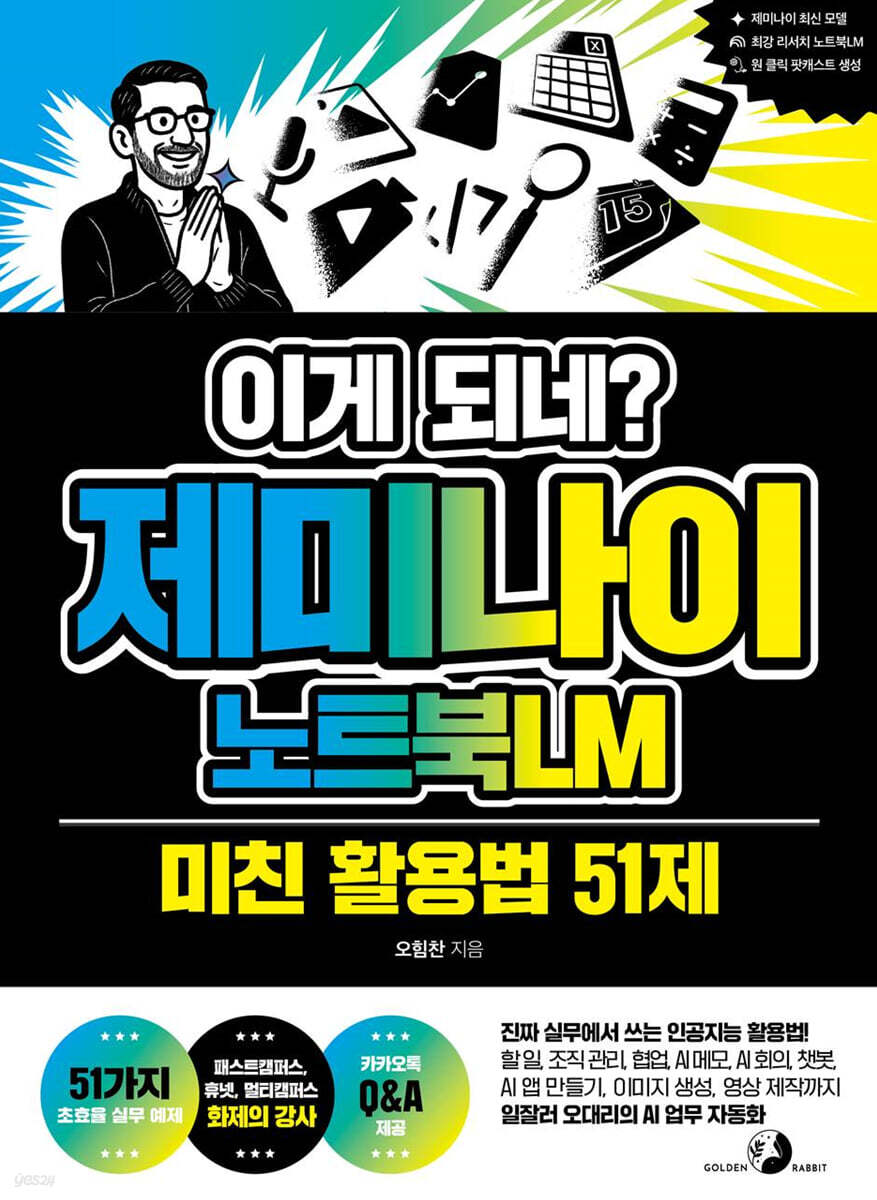
Is this working? 51 crazy ways to use the Gemini Notebook LM
 |
Description
Book Introduction
★ A completely new book from Oh Him-chan, the #1 bestselling author on AI!
★ Gemini and Laptop LM, the center of Google's AI revolution, have arrived!
★ 51 super-efficient task automations that reduce 8 hours of work a day to 1 hour!
Since the advent of ChatGPT in 2022, people's daily lives, including information search, translation, and document processing, have rapidly been reorganized around AI.
At I/O 2025, Google unveiled its vision to evolve its AI model Gemini into a more personalized and proactive information agent, suggesting ways to utilize AI in real-life applications such as real-time search, agent function integration, data analysis, and AI shopping.
Additionally, it is showing a blueprint for implementing an AI assistant that understands the user's context and assists by installing Gemini in augmented reality (AR/VR) devices.
These changes are not just future possibilities.
Google is quickly implementing already announced technologies into actual services, emerging as a powerful competitor in the AI world centered around ChatGPT.
Gemini differentiates itself from existing AI with superior performance, affordable pricing, and integration with Google services, transforming everyday life and overall work processes.
"This Works? 51 Crazy Ways to Use Gemini LM" guides you through practical exercises and strategies for utilizing Gemini in real-world work, helping you achieve super-efficiency in the AI era.
- You can preview some of the book's contents.
Preview
index
[This works? PART 00] Taming Gemini
Chapter 01 Ok, Gemini
_What is Gemini?
_Explore the Gemini Family
_10 Apps That Can Use Gemini
Chapter 02 Gemini, the most frequently asked questions
_[Question 01] What is the difference from ChatGPT?
_[Question 02] Do I have to pay to use it?
_[Question 03] Is my personal information safe?
_[Question 04] What is hallucination?
_[Question 05] Final Conclusion! How should Gemini be used?
[This works? PART 01] Getting started with Gemini
Chapter 03 A Manual for Beginners in Gemini
_Connect to Gemini
_Gemini Basic Screen and Controls
_Start Gemini Chat
_Subscribe to Gemini
_Cancel Gemini Paid Subscription
Chapter 04: Using Gemini Basics
_[Crazy Use 01] Checking Google Search History with Gemini
_[Crazy Use 02] Creating Images with Gemini
_[Crazy Use 03] Creating a Video with Audio using Gemini
_[Crazy Use 04] Using Canvas with Gemini
_[Crazy Utilization 05] Using Deep Research with Gemini
Chapter 05 Using the Connect App with Gemini
_Connecting Gemini to the App
_[Crazy Use 06] Using Google Maps with Gemini
_[Crazy Use 07] Find the Lowest Fares on Flights with Gemini
[Crazy Use 08] Find the Lowest Price Hotel with Gemini
_[Crazy Use 09] Finding Custom YouTube Videos with Gemini
_[Crazy Use 10] Finding YouTube Music with Gemini
[This works? PART 02] Gemini and Gmail + Calendar Management
Chapter 06: Using Gemini and Google Gmail
_Using the Gemini side panel
_Join Google Workspace Labs
_[Crazy Use 11] Organize your schedule in one go by browsing your emails with Gemini.
_[Crazy Use 12] Collaborating with Gemini to Write and Reply to Emails
Chapter 07: Automating Your Schedule with Gemini
_[Crazy Use 13] Adding Multiple Google Calendar Events at Once with Gemini
_[Crazy Use 14] Super-Speed Note-Taking with Gemini
_[Crazy Use 15] Organizing Today's To-Do List with Gemini
[This works? PART 03] Collaborating with Gemini and Google
Chapter 08 Meeting with Gemini
_[Crazy Use 16] Automatically taking notes in Google Chat
_[Crazy Use 17] Creating Real-Time Subtitles for Google Video Conferencing
Chapter 09 Working with Google Docs with Gemini
_[Crazy Use 18] Documenting Super-Speed Reports with Gemini
_[Crazy Utilization 19] Editing Documents at Super Speed with Gemini
Chapter 10: Working with Google Slides with Gemini
_[Crazy Use 20] Super-Speed PPT Work with Gemini
_[Crazy Use 21] Automatically Generating PPT Presentation Scripts with Gemini
Chapter 11: Working with Google Sheets with Gemini
_[Crazy Use 22] Collecting and Analyzing Product Data with Gemini
_[Crazy Use 23] Generate ad copy in one go using AI functions
_[Crazy Utilization 24] Creating a Real-Time Exchange Rate Calculator with Gemini
Chapter 12: Working with Google Forms in Gemini
_[Crazy Use 25] Creating a Gemini HR Multi-Evaluation
[Crazy Use 26] Analyzing HR Multi-faceted Assessments with Gemini
Chapter 13: Working with Gemini and Google Biz
_[Crazy Use 27] Creating a Gemini-style Biz Area Introduction Video
[This works? PART 04] Conquering the Notebook LM
Chapter 14: Basic Research with the Notebook LM
What is Notebook LM?
Getting to know the Notebook LM main screen
_[Crazy Use 28] Researching Korea's Goals at the 2002 World Cup with a Laptop LM
_[Crazy Use 29] Summarizing an Hour-Long YouTube Video with a Notebook LM
_[Crazy Use 30] Summarizing 100 Papers with a Laptop LM
Chapter 15 Learning with NotebookLM
_[Crazy Use 31] Creating Study Materials with NotebookLM
_[Crazy Use 32] Evaluating Learning with NotebookLM
[This works? PART 05] Using the Notebook LM
Chapter 16: In-Depth Research with the Notebook LM
_[Crazy Use 33] Creating Study Materials with NotebookLM
_[Crazy Use 35] Evaluating Learning with NotebookLM
_[Crazy Use 36] Evaluating Learning with NotebookLM
Chapter 17 Collaborating on New Product Planning with Notebook LM
[Crazy Use 36] Starting a Lean Research Sprint with a Laptop LM
_[Crazy Use 37] Running a Lean Research Sprint with a LaptopLM
_[Crazy Use 38] Evaluating Lean Research Sprints with a NotebookLM
[This works? PART 06] Applying the Notebook LM
Chapter 18: Creating Podcast Videos with Notebook LM
_[Crazy Use 39] Creating Podcast Voices with a Laptop LM
_[Crazy Use 40] Creating Podcast Videos with Gemini
Chapter 19: Using the Knowledge Base with NotebookLM
_[Crazy Use 41] Create Your Own Recipe Book with Notebook LM
_[Crazy Use 42] Creating a New Hire Onboarding Manual with NotebookLM
_[Crazy Use 43] Creating a Customer Service Chatbot with NotebookLM
[This works? PART 07] Using Gemini in various ways
Chapter 20: Compositing Images with Weeks
_[Crazy Utilization 44] Creating a composite image using subject, scene, and style images
_[Crazy Use 45] Creating a Video from an Image Created with Weeks
Chapter 21: Creating AI Movies with Flow
_[Crazy Use 46] Creating a Video with Audio Using Flow
_[Crazy Usage 47] Creating a Continuous Video with Flow
Chapter 22: Analyzing Large Datasets with Gemini
_[Crazy Use 48] Analyzing Customer Inquiry Data with Gemini
_[Crazy Utilization 49] Deeply Analyzing Customer Inquiry Data with Colab
Chapter 23: Building a Web App with Vibe Coding in Firebase Studio
_[Crazy Use 50] Making a Calculator
_[Crazy Use 51] Creating an AI Wine Search App
Detailed image

Publisher's Review
★ 6 Reasons Why You Should Use Gemini+LaptopLM, as Explained by AI Crazy User, Oh Dae-ri
We are now at a point where it is difficult to return to life without AI.
We, living in this era, need to understand change more deeply and actively utilize it.
This book showcases the powerful capabilities of Gemini and NotebookLM, which will help you achieve both personal growth and organizational performance, from new hires to C-level executives, through a J-curve. From AI-powered work to organizational management, from task automation to team collaboration, it's designed to ensure ultra-efficient workflows! Oh Dae-ri, author of the all-time bestseller "This Works? 71 Crazy Ways to Use ChatGPT," explains why Gemini and NotebookLM are essential for practical work.
- One, the ability to perceive various multimedia
- Two, the ability to accurately process long texts.
- Three, close integration with Google services
- Net, RAG applied AI service, notebook LM
- Five, 300 papers can be easily handled by a laptop LM
- Six AI that can be used for team collaboration
★ Let's research together in an open KakaoTalk room where we utilize AI to achieve 500% effectiveness.
Come together to practice, share practical examples, and network to master AI work efficiency technologies.
You will be able to grow more solidly by practicing and applying it to your work with the author, Mr. Oh.
open.kakao.com/o/g9rMB0dh
★ Complete a 5-day project in one day with Gemini + Laptop LM!
★ 500% increase in effectiveness with work that is 5 times smarter, 5 times more accurate, and 5 times more efficient!
★ Oh Dae-ri's crazy use of Google's generative AI Gemini + Notebook LM revealed
In the AI era, will you be left behind or ahead? The future has already begun. The AI generation is eyeing your place.
But don't worry! Master Gemini and Laptop LM, and you too can become an AI superworker.
In "This Works? 51 Crazy Ways to Use the Gemini Laptop LM," Oh Dae-ri proposes a completely new level of AI business innovation that goes beyond simply using AI.
★ From text to video, all in one place with Gemini! A revolution in multimodal integration processing.
★ Fully integrated with Google Workspace, ready for immediate use without any additional learning.
★ Automate everything with AI, from document-based work to image/video creation, chatbots, automatic notes, and collaboration!
The future of AI, the game-changer of the AI revolution, has finally arrived! It's Google's Gemini.
Gemini is the culmination of next-generation AI technology that integrates text, images, video, and audio into a single platform.
It is positioned as a comprehensive AI solution that goes beyond simple questions and answers to encompass creation, analysis, and work automation.
Additionally, its outstanding processing ability to process massive amounts of data at once proves invaluable in complex projects and specialized tasks.
This shows a level of performance that is clearly different from existing AI tools.
Gemini's greatest appeal is its natural integration with Google services, which are deeply embedded in our lives.
AI can be used in many aspects of everyday digital activities, such as searching, sending emails, working with documents, and watching videos, so you can use it immediately without any separate learning or adaptation process.
The ability for billions of users worldwide to experience advanced AI capabilities through an interface they're already familiar with is a unique advantage no other AI service can offer.
This accessibility presents a new paradigm for popularizing AI technology.
Google, you've gone crazy! Google continues to expand its AI ecosystem by introducing specialized tools powered by the Gemini Engine. From the RAG research tool NotebookLM to the AI video creation tool Flow, the music creation platform MusicFX, and the design tool ZenType, each delivers innovative features that surpass existing solutions in their respective fields.
While these tools are powerful enough individually, they are interconnected within the Gemini ecosystem to create synergy.
Gemini's future is even more exciting as it evolves beyond a simple AI assistant into an integrated platform for creative and professional work.
This book perfectly summarizes all the innovative features of Gemini and Notebook LM into 51 practical ways to put them to use right away!
★ A powerful learning roadmap that turns even Gemini and Notebook LM beginners into AI superworkers.
★ Practical know-how personally verified by the hard-working Mr. Oh!
This book covers 51 scenarios that can be handled with Gemini and the Laptop LM, revealing crazy ways to use them and even automating tasks.
The book provides a variety of practical prompts and workflows, and it's easy to use right away thanks to its integration with Google Workspace, which is the biggest advantage of Gemini and Notebook LM.
This book will help you understand how to leverage AI collaboration systems in a variety of situations and automation scenarios.
By diligently practicing the examples that will allow you to fully master the Gemini ecosystem, you will discover the true value of AI-powered business innovation.
From the basics to the complete mastery of Gemini
In 'PART 00 Taming Gemini', we will guide you through the most frequently asked basics, including the basic concepts of Gemini, the differences from ChatGPT, how to use the paid version, and installing the necessary apps.
"Part 01: Getting Started with Gemini" is where you'll truly get started using Gemini! You'll learn everything from image and video creation to information exploration using Canvas and Deep Research. You'll also explore Gemini's various features (Google Maps, YouTube search, YouTube Music integration, and more) linked to your Google account.
Crazy Gemini Tips for Immediate Application at Work
In 'PART 02 Gmail and Calendar Management', you'll learn how to automate everyday tasks with Gemini, including browsing and organizing emails, composing and replying to emails, calendar notes, and organizing to-do lists.
'PART 03 Collaborating with Google' teaches you how to apply Gemini's collaboration features to your work, from generating real-time captions during meetings, automatically creating Google Docs, creating slides, automatically entering presenter notes, and even working with Google Sheets, Forms, and Biz.
Explosively Expand Your Research Capabilities with Notebook LM
Starting with 'PART 04 Conquering Notebook LM', we will learn about Notebook LM, a research tool that combines Gemini and RAG so that anyone can use it, and its core functions that allow you to collect and summarize various data and even assist in studying.
In 'PART 05 Using Notebook LM', we introduce the practical methods of utilizing Notebook LM for work, from searching and organizing papers, reports, and web documents to preparing and executing lean research sprints.
Completely master content creation and app development with advanced features.
In 'PART 06 Applying NotebookLM', you will learn how to use NotebookLM to create podcast audio and video, and automate knowledge-based content such as recipe books and onboarding manuals.
In 'PART 07 Using Gemini in Various Ways', we will conduct various advanced practical exercises possible with Gemini and Notebook LM, such as image synthesis (Weeks), AI movie production (Flow), large-scale data analysis, and creation of calculator and wine search apps (Firebase Studio).
From basics to practical applications and advanced applications, this book will serve as the most practical and powerful guide for those seeking to integrate Gemini and Notebook LM into their work and transform into a completely new way of working.
★ The Real Power of Gemini and Notebook LM 01: A New Standard in Multimodal AI
Imagine this.
What if there was an AI that could answer your text questions, analyze your images, and summarize your uploaded videos? Google's ambitious Gemini is just such an "all-purpose AI assistant."
It's not just an AI that can read and write.
It's a truly multimodal AI that can solve problems in photos, summarize the key points in videos, and even recognize voices.
What's even more surprising is that it's directly connected to Google's powerful search engine, providing real-time information.
350 million people worldwide are already receiving help from Gemini through Google services.
Gemini is with you every moment you write an email in Gmail, organize a document in Google Docs, or analyze a video on YouTube.
AI is no longer a special tool, but rather an essential part of our daily lives.
★ The Real Power of Gemini and Laptop LM 02: Gemini and Chat GPT, What are their Strengths?
Many people ask:
“I have ChatGPT, so why should I use Gemini?” The answer is simple.
Because they have different uses.
If ChatGPT is a superior conversational AI, Gemini is the "AI brain of the Google ecosystem."
Automatically sorting emails in Gmail, syncing with Google Calendar to manage schedules, and helping with document work in Google Docs are all natural routines for Geminis.
Gemini is especially superior in multimedia processing capabilities.
Take a picture of a report with a complex chart and upload it to us to analyze the data. Upload a video of a meeting and we'll summarize the key points.
ChatGPT's linguistic ability and Gemini's multimodal ability are both advantages that cannot be missed.
Ultimately, a smart user will choose a strategy that leverages both AIs as appropriate for the situation.
★ The Real Power of Gemini and Notebook LM 03: Is Gemini Free? Do I Have to Pay?
Gemini is ready to use with just a Google account.
It's free! Common tasks like document summarization, translation, simple image analysis, and Google search integration are all easily accomplished with the free version.
This means that most workers can enjoy the AI features they need without spending a single penny.
Of course, if you want more powerful features, you can consider a subscription.
It offers video creation, advanced Google Workspace integration, more usage, and more.
The book clearly distinguishes between [free] and [paid] exercises for each practice.
You can follow the practice and naturally find a way to use it that suits you.
★ The Real Power of Gemini and Laptop LM 04: Gemini + Laptop LM, the Ultimate Work Combo
Gemini is powerful enough on its own, but when paired with the Notebook LM, it becomes a true 'work revolution'.
Gemini excels at gathering extensive information and processing multimedia, while LaptopLM excels at accurately analyzing and summarizing specific documents.
What happens when you combine the two? For example, let's say you're conducting a market research project.
Use Gemini to search for the latest industry trends and analyze relevant images and videos.
Next, the collected data is uploaded to the laptop LM and organized into a systematic report.
What would take days on your own can be accomplished in a matter of hours.
This is a particularly powerful combination for those whose work is document-centric.
Because you can achieve knowledge management and business automation at the same time.
★ The Real Power of Gemini and Notebook LM 05: Why Notebook LM is Special
Are you hesitant to use AI due to the "hallucination" problem, where AI lies? The core of NotebookLM is "evidence-based answers," and this AI has dramatically solved this problem.
We thoroughly analyze user-uploaded documents, PDFs, websites, YouTube videos, etc. and generate answers based solely on that content.
It's easy to use, so no complex programming knowledge is required. Just drag and drop the document.
Then, Notebook LM automatically analyzes the content and answers your questions accurately.
In fact, it is evaluated to have achieved higher accuracy than GPT-4o in the research field.
This is why the true value of the Notebook LM is revealed especially in professional work.
★ The real power of Gemini and Laptop LM 06: Is my personal information safe when using Gemini?
The biggest concern when using AI is privacy.
Google is taking a fairly cautious approach here.
Gemini officially states that conversations are not directly used to train the model.
It also provides the ability for users to delete their conversation history themselves or set an automatic deletion cycle.
However, since this is a service linked to your Google account, it is recommended that you do not enter sensitive personal information or confidential data carelessly.
We recommend using Gemini for Google Workspace, which offers enhanced security, especially when handling important company documents.
When used smartly, AI can create a safe and efficient work environment.
Author's Note
I run an AI community of 3,000 members, gathered through my previous work, "This Works? 71 Crazy Ways to Use ChatGPT."
All members are actively using ChatGPT in their daily lives and work.
However, in June of last year, ChatGPT experienced a service outage that made it unusable, causing chaos among thousands of people in the community.
“ChatGPT is down, so I can’t proceed with my work.”
Then, "Gemini" was mentioned as an alternative.
“Gemini is similar, so just use Gemini for now!”
However, since Gemini is not familiar with it, many people just waited for ChatGPT to normalize.
Many people already find it easy to use AI.
Just connect, log in, and chat.
But using AI in real-world work is a little different.
It's not just about chatting; you need to know what features to use, how to connect, and what it does well to properly utilize it in your daily life and work.
That's why, no matter how similar Gemini is to ChatGPT, it was difficult to use it for work.
That's why I wrote this book.
To help you use Gemini proficiently.
Of course, this book is not focused on replacing or supplementing ChatGPT with Gemini.
Each AI tool has its own strengths and weaknesses, and the range of problems it can solve and its methods vary slightly.
So, if you use ChatGPT like you use Gemini, or if you use ChatGPT like you use Gemini, you may not get the results you want.
We live in an era where utilizing Chat GPT is essential, but we also live in a time where growth cannot be achieved solely through Chat GPT.
Because some people are using all kinds of AI, like ChatGPT, Gemini, and Claude.
Last May, at Google's biggest event of the year, I/O 2025, Gemini and its most powerful research tool, the Notebook LM, were highlighted.
With curiosity about Gemini at its peak and countless questions about how to best use it, this is precisely why I felt a book on Gemini and the Notebook LM was absolutely necessary.
"This Works? 51 Crazy Ways to Use Gemini Notebook LM" is a completely different book from its predecessor, "This Works? 71 Crazy Ways to Use ChatGPT," containing 51 examples for maximizing the use of Gemini and Notebook LM.
It's also packed with powerful, practical examples that aren't featured in other videos or articles.
Now is the era of nAI, where we must utilize the right AI for the right situation, rather than just one AI.
If you're considering Gemini as your first AI, I urge you to buy this book without hesitation.
You will discover Gemini's uniquely powerful productivity, different from ChatGPT.
GOODS SPECIFICS
- Date of issue: July 15, 2025
- Page count, weight, size: 308 pages | 662g | 188*257*15mm
- ISBN13: 9791194383352
You may also like
카테고리
korean


korean


