

Building a Smarter School with Google Sheets: A Teacher's Guide to Using Spreadsheets
 |
Description
Book Introduction
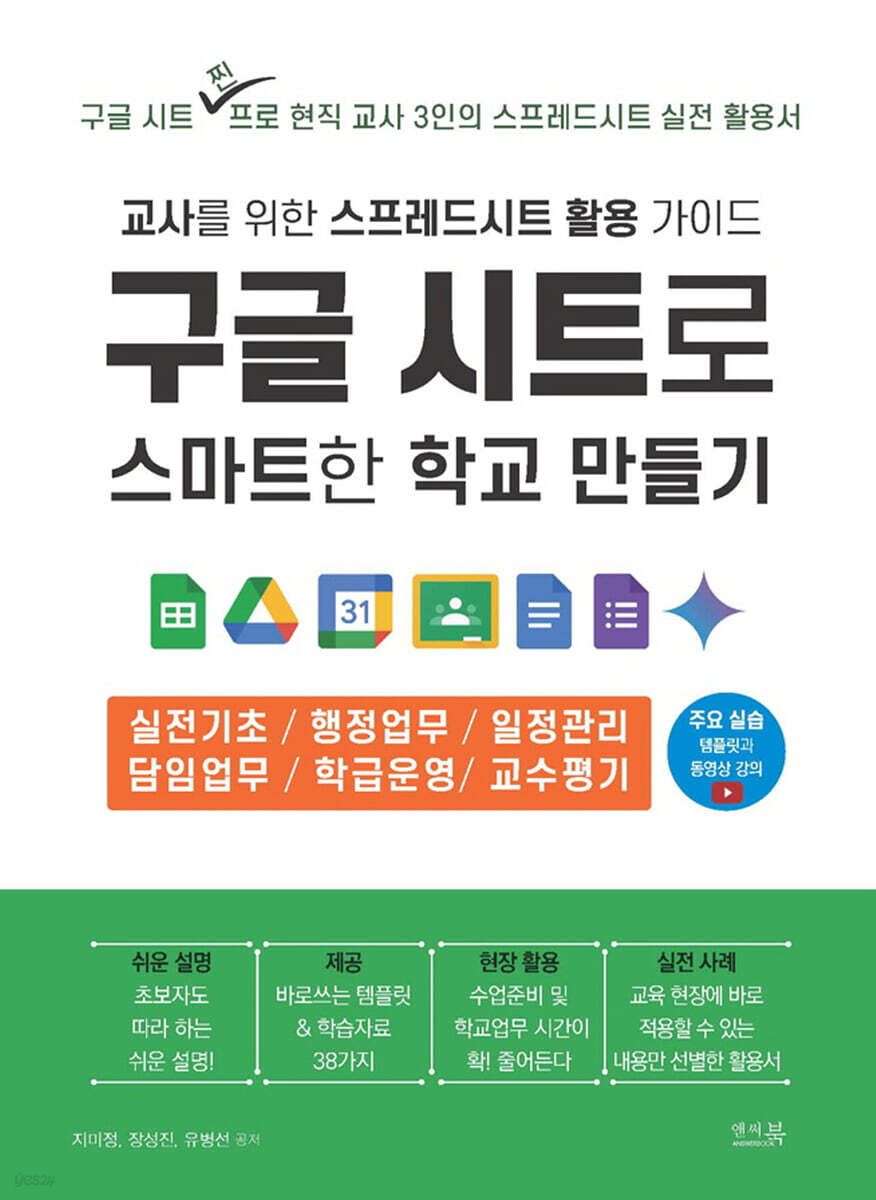
"Building a Smart School with Google Sheets" is a practical guide written by three current Google Sheets experts, introducing specific methods and practices that kindergarten, daycare, and elementary, middle, and high school teachers can immediately apply to class preparation, class management, and repetitive administrative tasks.
This book was created to help teachers solve problems they face in the educational field and improve the efficiency of their work, including classes, classroom management, administrative work, homeroom teacher duties, and schedule management.
Google Sheets (Spreadsheets) is more than just a simple table creation tool; it is a powerful tool that can be used in a variety of ways, including for classroom management, grade management, and data analysis.
However, it can feel complicated at first, and until you get used to it, you might think, "This might not be for me."
Education is a journey of maintaining unwavering values even in the midst of constant change.
The daily repetitive administrative tasks, homeroom teacher duties, classroom management, assessment management, and class preparation that teachers face lead to the question, "How can I focus more on the essential task of teaching?"
This book began with that very question.
"Should I really use this?", "Will it help my class?", "Will it really be effective?" This book offers concrete, small answers to such questions.
Rather than simply learning the features and techniques of Google Sheets, this will be a journey to find answers to the question, "How can we create more meaningful learning opportunities for students?" through various practical examples.
So, this book is structured so that even beginner teachers can easily follow along.
Rather than simply listing functions, it contains practical examples and templates that can be applied directly in actual educational settings.
If you follow along step by step, you will soon find yourself using useful tools in your own way at school.
We provide templates of practical examples, such as Altolan, created through the author's extensive experience so that you can use them right away in your practice.
The templates provided will be very useful materials that can be applied directly to educational settings.
Additionally, this book comes with video lectures, allowing you to watch and follow along with difficult practical exercises, making it quick to understand and easy to use.
index
===============================
Part 01 Entering Google Sheets
===============================
1.
What is Google Sheets?
go.
Features of Google Sheets
1) Why do companies use it?
2) You can use it well at school too!
me.
A balance of sharing and security, efficiency and stability!
1) Maximize productivity through real-time collaboration.
2) Easy sharing with links and permission settings
3) Strong data protection strategy
all.
First Steps with Google Sheets
1) Getting started with Google Sheets: From logging in to running
2) Understanding the Google Sheets main screen
2.
Learn all the basics while making a list
go.
Building the Basics of Google Sheets
1) Enter text and change format
2) Set and delete cell fill color
3) Set border
4) Cell
5) Text alignment
6) Rows and columns
me.
Improve your skills by creating various list items
1) Diagnostic evaluation record sheet at the beginning of the semester
- First function dictionary I encountered: SUM, AVERAGE, RANK
2) Checkbox record sheet
- First function dictionary I encountered: COUNTIF
3) Drop-down record table
===============================
Part 02 Extending Google Sheets
===============================
1.
Google Forms, a perfect match for Google Sheets
go.
Take a look at Google Forms
1) Start a Google Form
2) Take a look at the Google Form
3) Create and distribute a Google Form
4) Check and utilize Google Form responses
me.
Various uses of Google Forms
1) Basic survey at the beginning of the school year [Common]
2) Our Child's Story to the Teacher [Common]
3) Course Evaluation / Basic Data on Subject-Specific Abilities and Special Skills [Secondary]
4) Analysis of incorrect answer distribution through mock exam answer submission [Middle School]
2.
Connecting Google Sheets to Gemini: API
go.
Google Sheets and Gemini API
1) Google Workspace Labs
2) Gemini in Google Sheets
3) Upgrading Google Sheets with the Gemini API
4) What you can do in Google Sheets with the Gemini API
3.
Building the Basics of Apps Script
go.
The concept and role of Apps Script
me.
Integration with Google Workspace
all.
Preparing to use Google Apps Script
1) Log in to Chrome browser
2) Create a Google Sheet
3) Open the script editor
4) Copy and paste the prepared code
5) Trigger settings
6) Troubleshooting and Debugging
la.
Even a beginner can do the 'name change' app script.
1) Find a problem
2) AI, help me!
===============================
Part 03 Improving Google Sheets Work Efficiency
===============================
1.
Gathering opinions and data
go.
Collecting data through collaboration
1) Training completion list
2) Request for school books
me.
Efficient and systematic data management
1) Database creation
- The first function dictionary I encountered: IMPORTRANGE
2) Database connection
- First function dictionary I encountered: FILTER, INDEX, MATCH
3) Automating the inquiry sheet
- First function dictionary I encountered: COLUMN, ROW, TEXT
2.
Google Sheets Work Efficiency
go.
Business Management
1) Managing academic year tasks
- First function dictionary I encountered: IF, VLOOKUP, IFERROR, COUNTA
2) Managing the planning committee's work
me.
Event and autonomous activity management
1) Managing monthly school events
- First function dictionary I encountered: TEXTJOIN, CHAR
2) Support for student self-government activities
all.
Manage your academic and weekly schedule
1) Weekly plan management
2) Google Calendar vs. Google Sheets
3) Automated Google Calendar uploads
- Deep Learning_Creating AppsScript Code Using AI
4) Create and manage special room reservation pages
- Advanced Learning_How to Share Google Sheets on the Web
la.
Timetable Management (Middle School)
1) Processed with Nice Timetable
2) Automation of various sheets
- The first function dictionary I encountered: LEN
- Advanced Learning_Conditional Formatting
- First function dictionary I encountered: AND, MAX, QUERY, INDIRECT
- In-depth learning_Automation using Apps Script
3.
Budget and Material Management
go.
Budget Management
1) Create a sheet for budget management
2) Request for items for budget use
- First function dictionary I encountered: SUMPROUCT
3) Automated budget settlement
- First function dictionary I encountered: TRANSPOSE, HYPERLINK
me.
Material Management
1) Loan return management
2) Send the scanned barcode to Google Sheets
3) Automation of selection of books for inspection and approval
4.
Class and Class Management
go.
Attendance Management
1) Nice Attendance +1
2) Automatic management of accumulated experiential learning days
- First function dictionary I encountered: SUMIF
me.
Class management
1) Who is the recorder (feat.
batter)
- MISSION_Finding Rules for Conditional Formatting and Custom Formulas
2) Automation of promotion decisions (middle school)
- The first function dictionary I encountered: ARRAYFORMULA
all.
Use of class
1) See submission status and analysis at a glance! How to use pivot tables.
2) Q&A and mutual feedback to develop thinking skills
3) Implementing reverse learning
4) Progress recording and class calculation
5. Evaluation and Grading
go.
Individual assessment and records
1) Record the performance evaluation process and results.
2) Automatically convert performance evaluation results
- The first function dictionary I encountered: IFS
3) Create customized comments based on topic and achievement level.
me.
Peer review and results analysis
1) Analysis of Google Forms peer review data
2) Group organization reflecting the analysis results
all.
Achievement Analysis and Visualization
1) Achievement Analysis
2) Graph visualization
la.
Feedback to protect your privacy
1) Using the Mail Merge add-on
2) Sending individual emails using Apps Script
- The first function dictionary I encountered: IMAGE
3) Creating a search page using a website
Detailed image

Publisher's Review
This book is a step-by-step guide to using Google Sheets (spreadsheets) that can be used immediately and appropriately for all educational purposes, from kindergarten to elementary, middle, and high school, as well as universities, education offices, and special schools!
This book features:
First, an easy explanation
It is structured in a follow-through format so that even novice teachers can easily understand the book's exercises and content, and it is explained very easily by dividing it into different colors and styles for easy understanding according to the situation.
Second, providing templates and video lectures.
We offer readers a free set of valuable templates and practice exercises, built on the extensive educational experience of three practicing teachers.
The templates and practice sets in this book will greatly assist you in your practical exercises and will also serve as valuable resources that can be applied directly to your teaching practice.
By watching the free video lectures, you can follow along step by step, watching and listening to the practical exercises in this book.
Third, field use
If you understand the contents of this book and put them into practice, you will experience a significant reduction in the time spent preparing for classes and working at school.
In particular, applying automation practices can result in noticeable improvements in training and work efficiency.
Fourth, practical examples
This is a spreadsheet guide for teachers that selects only the features of Google Sheets (spreadsheets) that can be directly applied to the educational field and explains them through practical examples.
GOODS SPECIFICS
- Date of issue: April 30, 2025
- Page count, weight, size: 400 pages | 829g | 190*257*16mm
- ISBN13: 9791193059517
- ISBN10: 1193059518
You may also like
카테고리
korean


korean


