

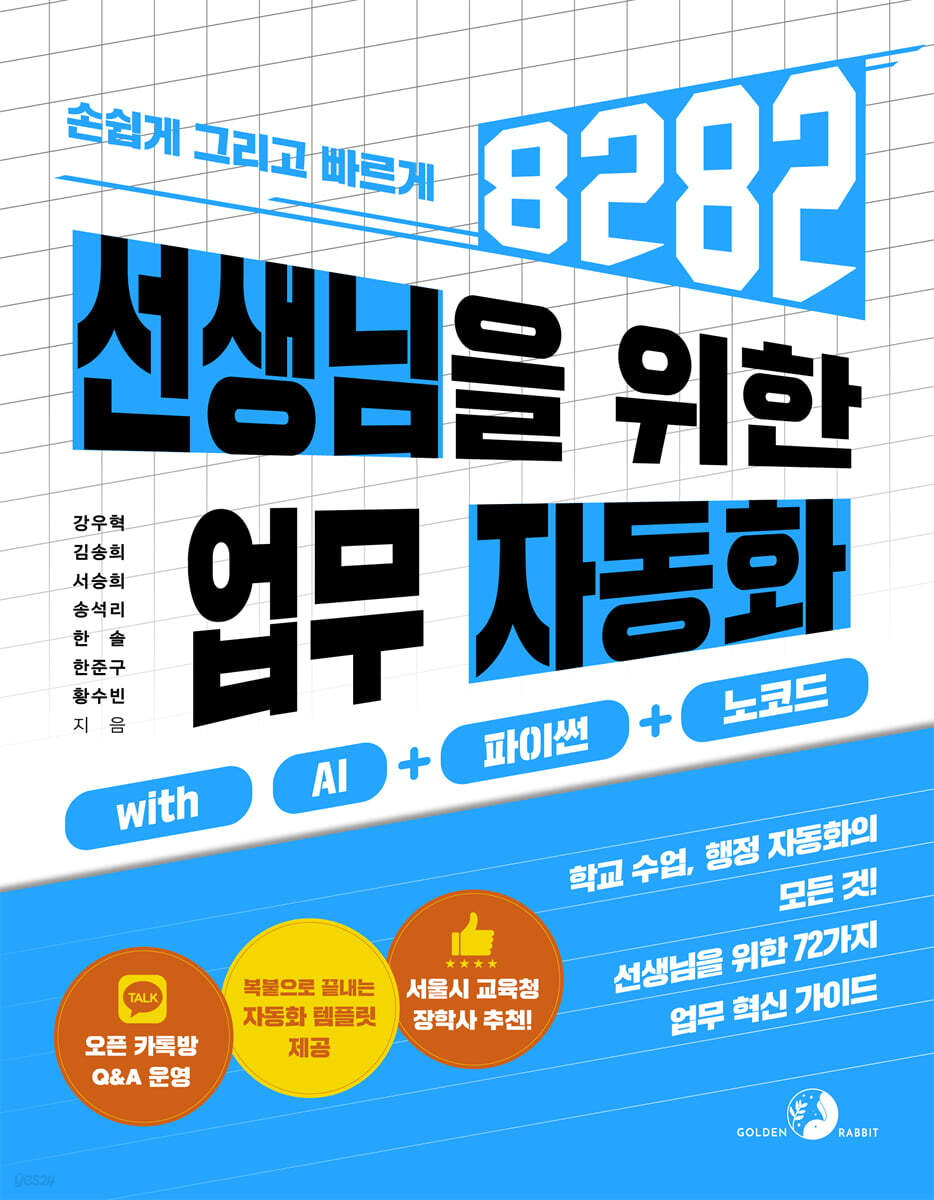
8282 Task Automation for Teachers with AI, Python, and No-Code
 |
Description
Book Introduction
Nice, Hangul, and Excel are all easy and quick!
Whether it's preparing for class or handling administrative tasks, if you want innovative automation,
Check out these 72 crazy automation examples now!
A practical guide that will dramatically reduce teachers' workload, "8282 Work Automation for Teachers with AI+Python+No-Code," has been published.
This book provides practical, hands-on guidance on automating essential administrative tasks, attendance management, counseling records, and document creation in educational settings.
We provide step-by-step training, from no-code tools that even teachers without automation experience can easily follow, to Python code.
It's okay if you don't understand all the code.
Don't worry, we'll also show you how to create automated code using generative AI like ChatGPT.
We also provide an automation file so you can use it right away by copying and pasting.
Let's be free from repetitive and simple tasks.
Don't be overwhelmed by work anymore! Increase your work efficiency with a few clicks and lines of code, and use the remaining time to focus on yourself and your students.
- You can preview some of the book's contents.
Preview
index
LEVEL 1 Code-Free Task Automation
PART 01 Class Management App Made with AppSheet
Chapter 01: Learn about AppSheet, the app creation tool that lets you create apps with just a click.
AppSheet, a no-code platform that lets you develop apps without code
_What can you create with AppSheet?
Chapter 02 Creating Your First Attendance App with AppSheet
_[Practice 01] Organize attendance data and create your first app with AppSheet.
_[Practice 02] Preparing the Attendance App Data Table
_[Practice 03] Setting up the Attendance App View
_[Practice 04] Setting Up Attendance App Actions
_[Practice 05] Running the Class Management App on Mobile
Chapter 03 Recording One-Year Counseling and Observation Contents
_[Practice 06] Configuring Consultation Data
_[Practice 07] Setting up the consultation view
_[Practice 08] Adding a Consultation Action
Chapter 04 Recording Attendance and Automatically Generating Reports
_[Practice 09] Configuring Attendance Data
_[Practice 10] Setting up the Attendance View
_[Practice 11] Automatically Generating Absence Report PDFs Using Automation
_[Practice 12] Improving the Completion of the Absence Report PDF
PART 02 Creating an Online Classroom with Google Sites
Chapter 05: Starting an Online Classroom with Google Sites
_Create your own website in just a few clicks: Check out Google Sites
_[Practice 13] Creating an Online Office Main Page with Google Sites
Chapter 06 Adding Detailed Features to the Online Classroom
_[Practice 14] Creating an Online Faculty Office Page for Each Department
_[Practice 15] Inserting a Shared Calendar into a Google Site
_[Practice 16] Inserting a Sheet into a Google Site
_[Practice 17] Communicating with all teachers and students through a single messenger
Chapter 07 Posting and Managing the Online Classroom
_[Practice 18] Posting on the Online Faculty Office Site
_[Practice 19] Managing Online Office Permissions
LEVEL 2: Automating tasks with Python code
PART 03 Korean language automation using code
Chapter 08: Preparing to Automate Python Tasks
_[Practice 20] Installing Python
_[Practice 21] Visual Studio Code
_[with AI] Using Cursor AI
Chapter 09: Learning the Basics of Python Korean Automation
_Getting Started with Python Korean Automation
_[Practice 22] Automating Basic Korean Functions
_[Practice 23] Entering Korean text using Python code
_[with AI] Let's convert the macro script code into Python code.
Chapter 10: Managing Documents with Python Korean Automation
_[Practice 24] Merge Korean files into Excel at once
_[Practice 25] Hide personal information with one click
_[with AI] Try this when you need a code-by-code explanation
Chapter 11: Editing Household Newsletters with Korean Automation
_[Practice 26] Automatically Adjusting Letter Spacing in Family Newsletter
_[Practice 27] Inserting the day of the week next to the date in a document
Chapter 12: Editing Test Papers with Korean Automation
_[Practice 28] Applying Multiple Formats Simultaneously
_[Practice 29] Finding Different Fonts
_[Practice 30] Creating Multiple Choice Questions
I want to execute automation code with the _[with AI] button
PART 04 Automating a Business Portal with Code
Chapter 13: Previewing Business Portal Automation
_Automating a business portal using Python
_Preview of the business portal automation program
Chapter 14: Creating a Business Portal User Interface
_[Practice 31] Implementing Interface Design
_[with AI] Shall we modify the interface?
Chapter 15: Automating Access to the Business Portal
Selenium, a library for handling web page elements
_[Practice 32] Implementing Interface Design
_[Practice 33] Automating Access to the Business Portal
_[with AI] Let's try applying it so that we can retrieve the ID and password.
Chapter 16: Automating Nice Menu Movement
_[Practice 34] Learn about the browser pause function
_[Practice 35] Implementing NICE Menu Movement Automation
_[Practice 36] Automating the NICE Menu Movement
Chapter 17: Automating Nice Copy-Paste
Pandas, a library for handling Excel data
_[Practice 37] Implementing Nice Copy-Paste Automation
_[Practice 38] Running NICE Copy and Paste Automation
_[Practice 39] Distributing executables for all classrooms
Chapter 18: Adding Automation Application Functions to the Business Portal
_[Practice 40] Accessing the Business Portal, Edufine, and NICE at Once
_[Practice 41] Shortcut to My Nice Menu
_[Practice 42] Go directly to managing your personal work situation
PART 05 Creating an App for Classroom Use
Chapter 19: Learn Streamlet to Create Apps with Just a Few Lines of Code
_Streamlet: Pros and Cons
_[Practice 43] Deploying Your First App with Streamlet
Chapter 20: Streamlet Basics
_[Practice 44] Examining Streamlet's Basic Functions
_[Practice 45] Importing the desired page into my app
How to Get the Most Out of Your Streamlet Homepage
_[Practice 46] Solving Common Errors
_[with AI] Find errors and solve deployment problems with AI.
Chapter 21: Creating a Fortune Cookie App for Your Class
_[Practice 47] Creating an App and Preparing for Development
_[with AI] Creating Fortune Cookie Messages
_[Practice 48] Creating a Random Phrase Generator
_[Practice 49] Adding Animation
_[Practice 50] Deploying the Fortune Cookie App
Chapter 22: Check everything from surveys to responses at a glance with the dashboard
_[Practice 51] Configuring the Page Basic Screen
_[Practice 52] Importing Google Forms into an App
_[Practice 53] Loading Spreadsheet Data into an App
_[Practice 54] Deploying a Survey App
LEVEL 3: Work Automation with AI
PART 06 Automating Tasks with ChatGPT and AppsScript
Chapter 23: Automating ChatGPT and Google Workspace
_[Practice 55] Resetting checkboxes with one click using Apps Script
_[Practice 56] Automating Google Calendar Schedule Uploads
_[Practice 57] Importing Google Drive data into a spreadsheet with one click
Chapter 24: Using Spreadsheets and ChatGPT Together
_[Practice 58] Creating an AI Spreadsheet Summary Assistant
_[Practice 59] Cleaning up unnecessary formats in Nice Download documents
_[Practice 60] Automatically review NICE subject-specific detailed skills and special abilities.
Chapter 25: Creating a New Semester Class Schedule Page with ChatGPT
_[Practice 61] Designing a Class Organization Inquiry System
_[Practice 62] Creating a ChatGPT and AppsScript Web Page
_[Practice 63] Resolving Class Formation Inquiry Page Errors
PART 07 Automating Tasks with Cursor AI
Chapter 26: Creating Task Automation Tools Using Cursor AI
_[Practice 64] Creating an Image Click Automation Program Using Cursor AI
Chapter 27 Creating a Markdown Report
_[Practice 65] Creating a file introducing automation code
_[Practice 66] Summarizing Documents with Cursor AI and Markdown
Chapter 28: Learn More About Advanced Cursor Usage
_[Practice 67] Referencing Multiple Documents at Once
_[Practice 68] Attaching Official Documents
_[Practice 69] Using the Checkout Function
_[Practice 70] Using Notepad
_[Practice 71] Using the Agent Function
_[Practice 72] Requesting SVG file creation
Detailed image

Publisher's Review
Let's study together in an open KakaoTalk room that is 500% effective.
By gathering together to study, discuss, network, and read the entire book, you can grow stronger.
Get your questions answered and share your work expertise with other teachers through our open KakaoTalk chatroom, where you can communicate directly with the author.
- Open KakaoTalk: open.kakao.com/o/gtFz4Agh
We provide all 72 crazy automation example codes.
We recommend learning by following the code provided in the book! However, for those who are too busy, want to learn faster, or want to start writing right away, we provide example files that can be copied and used immediately.
★ Real-world automation used by current teachers and their colleagues
★ Detailed practical training course explanation, from the basics of business automation to how to utilize AI.
★ 72 crazy examples that can be used right away, including attendance app, test paper editing, NICE automation, and even special writing.
This book is not simply a theoretical book.
It is packed with real-world automation examples used in schools, so it can be applied directly to teachers' work.
All courses are structured as step-by-step exercises and provide complete files so anyone can easily follow along.
Put a book on one side and a computer on the other side and study step by step.
After reading this book, you'll find yourself thinking, "Can't I just do this repetitive task all at once?" and then thinking, "This is how it works!"
Save time by automating repetitive tasks and focus more on the work that really matters.
★ Simple without coding, powerful with coding, convenient with AI!
★ Provides customized automation methods that can be selected and used according to needs.
This book uses a variety of methods to help anyone implement the automation of their own tasks at their own pace.
_LEVEL 1: Code-free task automation
With AppSheet and Google Sites, you can build attendance apps, counseling records, and online classrooms with just a few clicks.
_LEVEL 2: Task automation using Python code
You can learn how to automatically create and edit Hangul (HWP) documents using Python, and even try your hand at automating the NEIS business portal.
_LEVEL 3: Work Automation with AI
Combine ChatGPT with Apps Script to implement automations that integrate with Google Calendar and Spreadsheets, and create more sophisticated task automation tools with Cursor AI.
★ A practical training book for busy teachers!
This book is not simply a theoretical book.
Each exercise is structured so that you can follow along immediately, so you can apply it immediately in actual classrooms and school administration.
No need to go to the teachers' office on another floor! Create an online teachers' office.
Record attendance anytime, anywhere! Create a mobile attendance sheet.
No more paperwork! Automating Hangul HWP document processing.
Access complex NICE menus in one go! Automating your business portal.
From responses to results on one page! Create a survey automation app.
Work faster with AI! Automated review of detailed special features summary.
- Let AI write complex code for you! Leverage AI to your advantage.
A special gift for kids! Make a fortune cookie app.
★ Recommended for these people!
- Teachers who are tired of repetitive tasks
- Teachers who want to work smarter
- Beginners who want to learn automation without knowing how to code
- Teachers interested in advanced automation using Python and AI
With "Task Automation for Teachers," you can start living a more efficient and smarter life as a teacher.
Stop being overwhelmed by work and experience the power of automation!
Author's Note
_Kang Woo-hyuk
Many teachers who begin their teaching careers will find themselves swamped with unexpected administrative tasks.
I was like that too, and I felt that the repetitive process of working on Korean documents was inefficient, so I started coding automation to solve this.
After trial and error, I developed an effective tool and felt a sense of accomplishment sharing it with my colleagues.
In recent years, tools like generative AI have significantly lowered the barrier to coding.
What matters is the insight and creativity to recognize the problem and solve it.
I hope that through this book, teachers can transform the small inconveniences and annoyances they experience into seeds of innovation, enabling them to create and share more diverse solutions!
_Kim Song-hee
I remember the satisfaction and happiness I felt when I saw the screen automate even the smallest tasks as if by magic.
I hope that readers who open this book will exclaim, "You've been doing this by hand all this time?" and enjoy the satisfaction of creating automated code at your fingertips.
And above all, I hope you realize how much time we have been wasting on non-essentials.
These cries gather together, and I await the day when the non-essentials that hinder the simplification of school work will gradually disappear, like spring snow melting away.
_Seo Seung-hee
If you've ever thought, "Why am I doing this over and over again?", congratulations! You've already discovered an inefficient task.
Now, all it takes to automate your work is a little courage and the ability to execute.
Are you feeling lost and alone? I'll be your reliable companion.
Please contact us anytime.
_Songseok-ri
For the digital transformation of education to truly take place, I believe we need to go beyond simply developing the ability to use certain tools. We need to cultivate the ability of our teachers to discover and solve problems in the digital world, and foster a culture of learning and sharing with fellow teachers.
We hope that the book we've published together will serve as a catalyst for such change, and that it will serve as a hint for digital transformation not only for teachers in our country but also in various public sectors!
_Hansol
Let's automate the repetitive tasks that occur every year, every month, and every day! When I first started teaching, I found myself spending more time on administrative tasks than on the essentials of education.
In particular, I felt that tasks that were repetitive in a certain pattern were draining my passion and energy.
Then, a simple question—“Couldn’t computers do these repetitive tasks?”—completely changed my teaching career.
Automation isn't just a time-saving technology.
It's a tool that reduces unnecessary work and helps teachers spend more time with their students.
Automation gives you back time to focus on the essentials of education.
_Han Jun-gu
I have seen many teachers at school who are exhausted from repetitive and excessive work.
What I wanted to emphasize most in this book was not simple coding skills, but a mindset that seeks to find the essence of work and eliminate unnecessary processes.
More important than technology is the question, “why.”
The true value of automation is discovered through constantly questioning why tasks need to be handled this way and whether there are more efficient ways.
Through this book, I hope teachers will use coding and AI tools not simply as novelties, but as innovative tools that allow them to focus more on the essence of education.
_Hwang Su-bin
The biggest thing I realized when I started automating my work was that there are limits to what I can achieve with my own efforts.
When I shared the apps I worked so hard on, teachers were amazed, but in the end, they often modified them to their own styles, or if they were too difficult to modify, they couldn't use them at all.
We realized that the digital transformation of public education requires a systematic approach that shares issues and systematically collects educational data.
While writing this book, I once again realized that the key to business automation is collaboration.
Because seven teachers freely discussed and conversed, experiencing a process in which various ideas were integrated.
The moment I opened this book, change began.
Would you like to join us and make a difference in teachers' daily lives and educational settings?
GOODS SPECIFICS
- Date of issue: April 1, 2025
- Page count, weight, size: 448 pages | 826g | 183*235*22mm
- ISBN13: 9791194383222
You may also like
카테고리
korean


korean


