

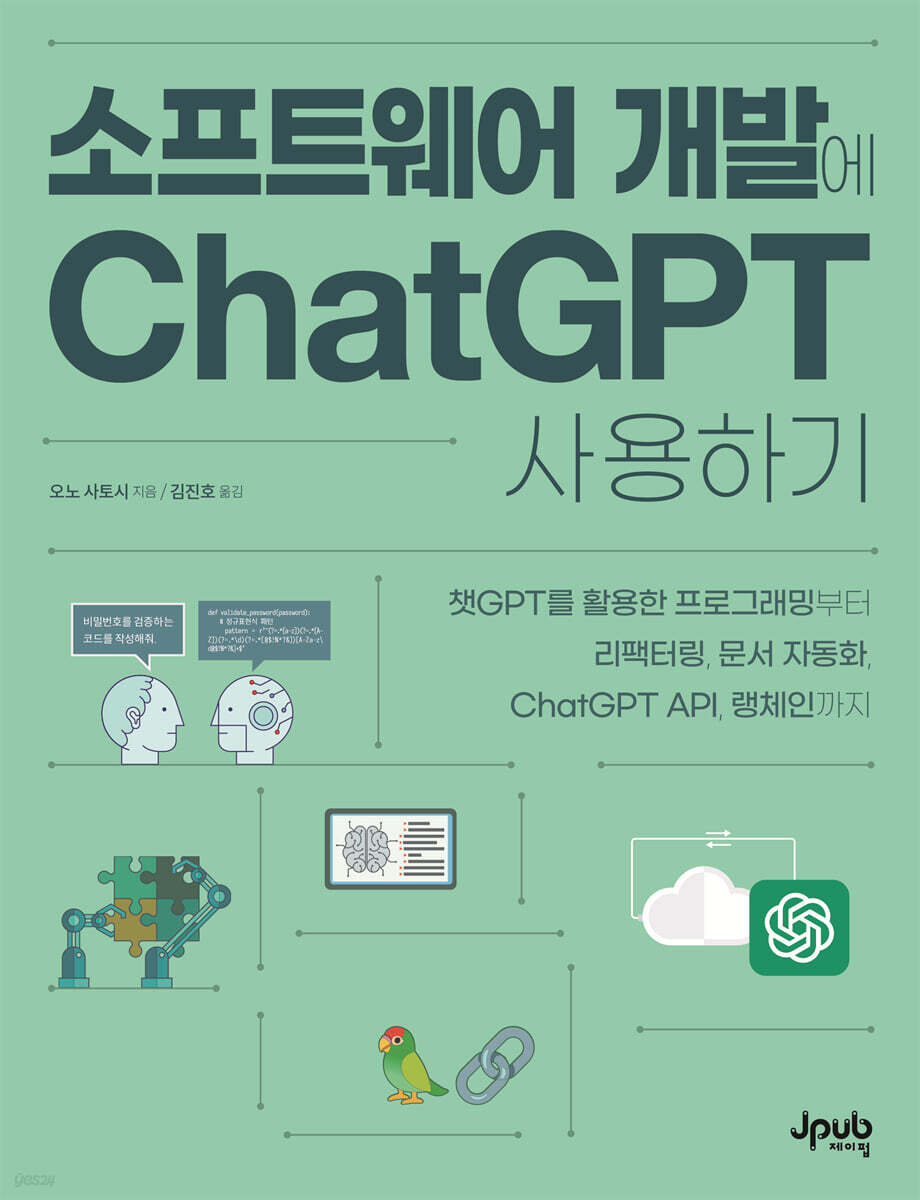
Using ChatGPT in Software Development
 |
Description
Book Introduction
Developers who leverage AI will survive.
A veteran developer with 40 years of experience shows you how to use ChatGPT effectively.
We'll pose ChatGPT questions across a variety of areas, including code generation, test-driven development, debugging, application development, and documentation writing. We'll explore how AI tools like refactoring, documentation automation, the ChatGPT API, and LangChain can help you resolve these issues faster and more accurately. Let's become efficient developers in the AI era.
- You can preview some of the book's contents.
Preview
index
Translator's Preface x
Beta Reader Review xii
Beginning xiv
Acknowledgments xvi
About this book xvii
CHAPTER 1 What Can You Do with ChatGPT? 1
1.1 What can you do with ChatGPT? 2
__1.1.1 ChatGPT as a secretary 5
__1.1.2 ChatGPT as my colleague 7
__1.1.3 Using ChatGPT in the Development Process 8
1.2 How is this possible? 10
__1.2.1 The Birth of Transformers 10
__1.2.2 Let's take a quick look? 11
__1.2.3 Decomposition and Ordering of Tokens 12
__1.2.4 What is attention focus? 13
__1.2.5 Single and Multiple Attentions 15
__1.2.6 Connecting the context generated by the encoder to the decoder 17
__1.2.7 No More Fear! Attention Is All You Need 18
__1.2.8 How does GPT generate sentences? 19
CHAPTER 2 APPLICATIONS IN PROGRAMMING 23
2.1 Automatic Code Generation 24
__2.1.1 Delegating things you understand but are not good at 25
__2.1.2 Requesting in small pieces 28
__2.1.3 Generating test code for functions as well 31
__2.1.4 Stacking Step by Step 33
2.2 Error Countermeasures 33
__2.2.1 Basic Error Countermeasures 33
__2.2.2 How to deal with recurring errors 35
__2.2.3 If the error is still not resolved, 35
2.3 About Classification 36
__2.3.1 Accessing code generation from class diagrams 40
2.4 Generating Code with State Transition Tables 43
__2.4.1 Accessing Code Generation from State Transition Tables 44
2.5 Get design pattern suggestions 50
__2.5.1 Finding the Right Design Pattern 52
2.6 Receiving Algorithm Suggestions 54
2.7 Stacking Step by Step 70
2.8 Code Conversion 80
__2.8.1 Don't be afraid of different SQL versions 81
__2.8.2 You can easily learn another programming language (or multiple languages) 83
__2.8.3 Converting code to work in other languages 86
__2.8.4 Is this possible? 90
2.9 Things to watch out for in test cases 93
CHAPTER 3: Utilizing Refactoring 95
3.1 Light Refactoring in Your Free Time 97
__3.1.1 Function Splitting 97
__3.1.2 Improvement of variable names and function names 99
__3.1.3 Duplicate removal 100
3.2 Annotations and Documentation 102
__3.2.1 Request to add inline comments 102
__3.2.2 Request to add function documentation 104
3.3 Checking for Security Vulnerabilities 107
3.4 Exception Handling and Logical Completeness Improvements 112
__3.4.1 Exception Handling Improvements 112
__3.4.2 Logical Completeness Verification and Improvement 114
CHAPTER 4 AUTOMATIC CREATION OF DOCUMENTS 117
4.1 Automatically Create PowerPoint Slides 118
4.2 Automatically Create Word Documents 124
4.3 Automatically Create Excel Linked Documents 127
4.4 Creating a Cloud Architecture Using Diagrams 134
4.5 Creating an Entity Relationship Diagram Using dbdiagram.io 139
CHAPTER 5 Suggestions for Various Development Methods 145
5.1 Domain-Driven Design and Implementation 147
5.2 Test-Driven Development and Test-Driven Implementation 165
5.3 ChatGPT and the Software Development Approach 175
CHAPTER 6 Utilization in the Learning Process 177
6.1 Field-Specific Learning 178
__6.1.1 Starting the Learning Experience 179
__6.1.2 [Step 1] Narrowing the Learning Area 179
__6.1.3 [Step 2] Deciding on a Learning Theme 181
__6.1.4 [Step 3] Hands-on learning with generated code 183
__6.1.5 [Step 4] Checking after learning the code 189
__6.1.6 [Step 5] Digging Deeper and Understanding the Meaning 190
__6.1.7 [Step 6] Digging Deeper into Functions for Real-World Applications 190
__6.1.8 [Step 7] Socrates' Tutor (GPT-4 Only) 192
__6.1.9 [Step 8] Weaponizing Infinite Dialogue 193
6.2 Learning Programming Languages 194
__6.2.1 [Step 1] Understanding the Characteristics of the Target Language 195
__6.2.2 [Step 2] Setting up the operating environment 196
__6.2.3 [Step 3] Creating a Language Cheat Sheet 198
__6.2.4 [Step 4] Understanding the Build 199
__6.2.5 [Step 5] Organizing using the Socratic Dialogue Method 205
6.3 ChatGPT 206 to Speed Up Learning
CHAPTER 7 Using the ChatGPT API 207
7.1 The most basic usage method 208
__7.1.1 API Key Issuance 208
__7.1.2 The simplest code 211
__7.1.3 Displaying Results as a Stream 213
__7.1.4 Chatbotization 214
7.2 Connecting Context with Summary 216
7.3 Querying Internal Databases in Natural Language 222
7.4 User Support Linked to Internal Databases 232
__7.4.1 Dividing Roles 232
CHAPTER 8: Handling Long-Format Data with ChatGPT 245
8.1 Handling Long Data with LlamaIndex 247
__8.1.1 Experiencing Links with Long External Data 247
__8.1.2 How does it work? 256
__8.1.3 Using the Loader 256
8.2 Long-form data processing with Langchain 261
__8.2.1 Index Storage and Loading 266
__8.2.2 Using the Loader 268
__8.2.3 Tips for handling long texts in ChatGPT 271
CHAPTER 9 Process Automation Using LangChain 275
9.1 Langchain Structure 276
9.2 Connecting Tasks with Chains 278
__9.2.1 Try it out 279
__9.2.2 Querying with a Single Chain 280
__9.2.3 Connecting a Single Chain 282
__9.2.4 Connecting at Once with SimpleSequentialChain 285
__9.2.5 Obtaining Multiple Results with SequentialChain 287
9.3 Chains-based Chatbot Example 290
__9.3.1 Basic Chatbot Using Langchain 291
__9.3.2 SQL Query Method 293
__9.3.3 Chatbot Implementation 296
9.4 Executing Code Using Agents 304
__9.4.1 PowerPoint Auto-Creation 304
__9.4.2 Automatically Creating Cloud Configuration Diagrams Using Diagrams 307
__9.4.3 Automatic Graph Creation 309
9.5 Automating Decisions/Execution/Processes Using Agents 311
__9.5.1 A Simple Example of Automatic Puzzle Solving 311
__9.5.2 Responding to Web Searches 316
__9.5.3 Integrating Index Database Searches 319
__9.5.4 Searching PDF Documents 322
__9.5.5 Creating Multiple Index Databases Each with a Separate Tool 324
__9.5.6 Integrating SQL Database Searches 329
9.6 Chatbot Final Version Using Agent 332
__9.6.1 Dialogue Example 336
__9.6.2 What does that have to do with anything? 342
In conclusion 343
Search 346
Detailed image

Into the book
When writing test code in Python, pytest is the mainstream, but it is inconvenient to use in Google Colab.
Since pytest's primary use case is to search for files and then find and run test code, it is not suitable for cell-level execution environments such as Google Colab.
On the other hand, unittest, a Python standard, can be run cell by cell, making it convenient to use in Google Colab.
(...) argv=['first-arg-is-ignored'] is a dummy parameter that is not actually used.
In a typical Python script, the first element of argv is the script name, and we use fake arguments to mimic the same behavior.
--- p.93
Python has a special string called a docstring that allows you to embed documentation into functions, classes, and modules.
A string surrounded by triple quotes (""") written immediately below the function definition.
This docstring actually provides the functionality to display the function's description.
(...) This feature is very convenient because it allows you to know the description of the function, how to use it, and how to specify parameters.
Figure 3.1 shows the open() function described in Google Colab.
If you type open? in a cell, a help screen will open with an explanation inside.
On the other hand, if you run help(open), a description will be displayed in the result cell.
--- p.104
The contents of the diagram may seem complicated at first glance, but it is actually very simple.
Looking at InventoryService, the things the user wants to do are expressed as methods, and the domains are Product, Warehouse, Quantity, and Inventory.
This is the area where users (or those using the system) are directly involved and have business implications.
When talking to users, just recognize that this is common.
It is the universal language of the previously mentioned riddles.
/ Based on this, by discussing with users and adding and subtracting what needs to be subtracted, the accuracy of the class composition diagram increases.
Through the methods presented so far, we can realize the flow of designing an outline based on domain-driven design in the natural language of Korean, outputting a class diagram, and then improving it based on this.
--- p.153
Running cargo run alone creates an executable in the target/debug directory, but it is not an executable for the final release.
Finally, you can see that the optimized binary is built with the same name as the project name in the target/release directory by the cargo build --release command.
(...) Simple code creates an executable with rustc, and if an external library is needed, specify the dependency in the Cargo.toml file, then create an executable with cargo run and run it.
At this point, we learned that the executable for debugging is created in the debug directory, and the executable optimized for release is created with cargo build --release.
--- p.204
Since Korean is a better language for testing Korean searches, let's query Korean data in Korean this time.
Here, we will use the Constitution of the Republic of Korea as a test.
Click the save icon on page 3 of the Constitution of the Republic of Korea in the National Law Information Center, as shown in Figure 8.5, to save the contents of the Constitution in .doc file format.
Download the Word file named 'Constitution of the Republic of Korea (Constitution) (No. 00010) (19880225).doc'.
/ Since it is a word file, if you want to use it as a database, save it as a text file based on UTF-8 code.
So after opening the file, save it as a plain text file based on UTF-8, as shown in Figure 8.6.
At this time, set the file name to korean_constitution.txt.
--- p.253
Create a chain with the LLMChain() function.
The chain created here operates independently, but is capable of querying and answering questions like this.
It's not much different from the llm() we've used so far, but we're connecting them as one unit of work.
/ The prompt changes to 'Add test code to the following program code in Python: Find Fibonacci numbers' when the parameter given to chain.run() is assigned to the variable product, and the changed prompt is executed.
/ The chain writes Python code that performs the task requested by the user.
That is, 'code writing work'.
It is also possible to pass this result to extract only the code part and run it using subprocess() within the program.
--- p.281
Publisher's Review
How to become a successful developer with ChatGPT and pair programming
When ChatGPT first appeared, the shock subsided, and developers began to ponder the possibilities and impact it could bring, resulting in a flood of applications.
And we've reached a point where we can create live-action videos with just a few words.
This happened in less than two years since its appearance in November 2022.
Developers must now prepare for how traditional development methods will change with the advent of AI.
This book contains the results of the author's intense consideration of how to utilize ChatGPT, an innovative technology, in practice, with over 40 years of development experience.
We exchange numerous questions and answers with ChatGPT, including how to combine various methodologies with development processes such as code generation, prototyping, test-driven development, and debugging, as well as how to utilize it in document writing and application development.
Chapter 1 introduces the basic concepts and operation of ChatGPT, and Chapter 2 introduces efficient programming methods using ChatGPT, including automatic code generation, error handling, and design pattern implementation.
Chapter 3 covers refactoring methods such as splitting functions, improving variable and function names, and removing duplicate code using ChatGPT, as well as how to write comments and documentation. Chapter 4 covers automatically generating documents such as PowerPoint, Excel, and Word using ChatGPT, and creating cloud architecture diagrams using the Python library diagrams.
In Chapter 5, we will learn how to utilize various development methodologies, such as domain-driven development and test-driven development, in ChatGPT, and in Chapter 6, we will look at how to utilize ChatGPT when learning programming languages, such as Go and Rust.
Chapter 7 explains the basic usage and configuration of the ChatGPT API provided by OpenAI, and calls the ChatGPT function to a web service.
In Chapter 8, we will learn how to generate and analyze long-form data using ChatGPT using the RamaIndex library.
Finally, Chapter 9 explores the basic concepts and structure of Langchain and presents a process automation method combined with Langchain's agent and ChatGPT functions.
After reading this book, which contains various useful ways to use ChatGPT, you will be able to maximize development efficiency and develop high-quality software by using ChatGPT as a pair programming partner.
Key Contents
● Using the ChatGPT API
● Processing long data with RamaIndex and LangChain
● Automating processes with Langchain
● Programming, including writing code and dealing with errors
● Refactoring, including improving comments and exception handling
● Create documents such as PowerPoint, Word, and Excel
● Learning programming languages such as Rust and Go
● Linking with development methods such as DDD and TDD
GOODS SPECIFICS
- Date of issue: September 27, 2024
- Page count, weight, size: 372 pages | 742g | 188*245*19mm
- ISBN13: 9791193926468
You may also like
카테고리
korean


korean


