

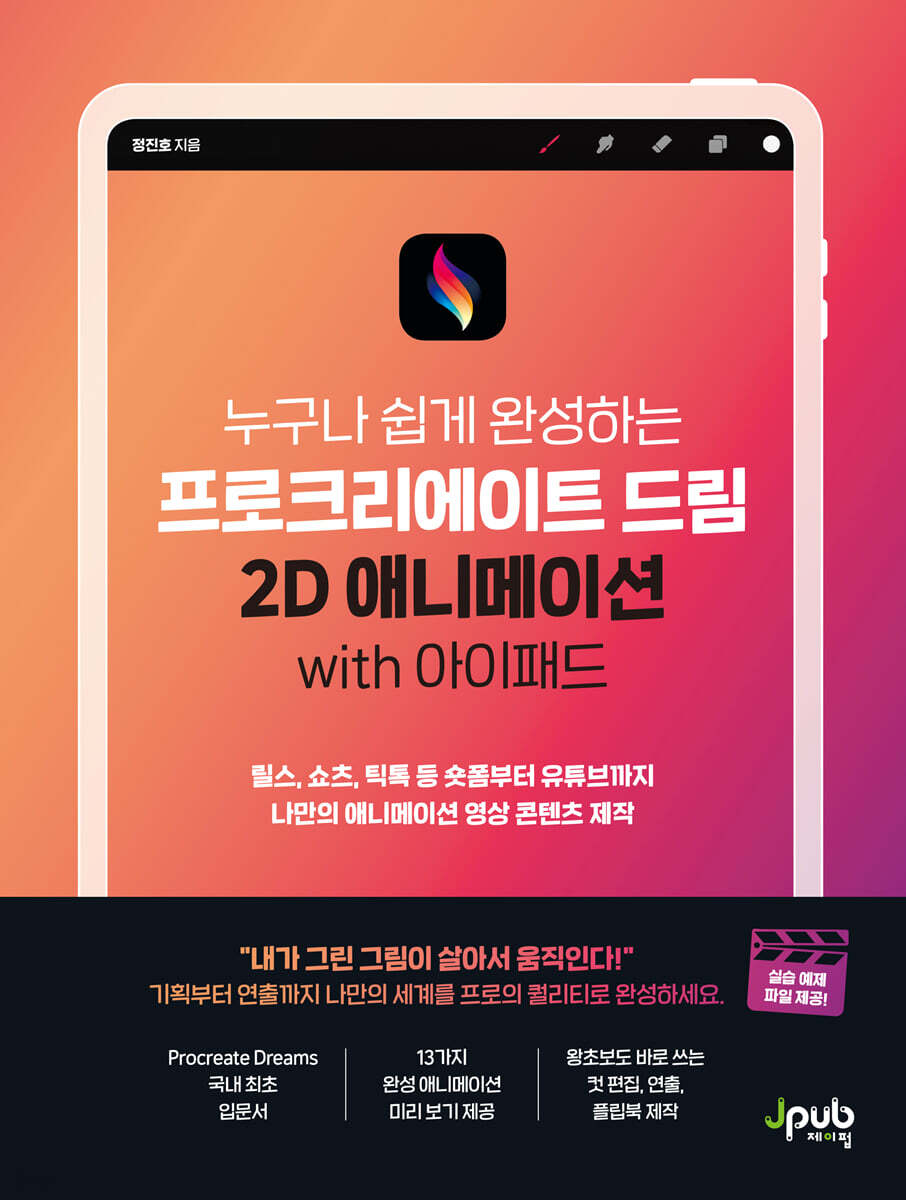
Procreate Dream 2D Animation with iPad
 |
Description
Book Introduction
Korea's first introductory book for 'Procreate Dream'!
Create your own animation studio.
In an era where short moving images are the trend, if you've ever felt disappointed by still images, now is the time to indulge in the joy of creating animation.
This book is Korea's first introductory guide for users who want to create animations using the Procreate Dream app.
It is designed to help you build the fundamentals of animation production by completing projects on a variety of topics.
The author explains three basic animation production methods, including 'direction mode', 'add keyframes', and 'flipbook', with carefully selected examples, so that anyone can get started, and after becoming familiar with Procreate Dream, you can improve your skills through 10 lesson projects.
We provide all the example files you need for practice, and you can preview the completed animation and explore your own world of animation.
If you're ready to immerse yourself in the sight of your drawings coming to life and moving, let's go!
- You can preview some of the book's contents.
Preview
index
Structure of this book ㆍ 9
Download example files ㆍ 10
Introduction ㆍ 11
Introducing Procreate Dreams ㆍ 13
Essentials for 2D Animation Production ㆍ 16
[PART 01 Getting to Know Procreate Dreams]
LESSON 01 Getting Started with Procreate Dreams 18
Procreate Dream's first screen, Theater 18
View the selection menu 19
Preview of the sharing feature 20
Making a New Movie 21
LESSON 02: Exploring the Editing Workspace 24
Stage 24, the canvas of filmmaking
Current time in the movie, time code 25
Basic Toolbar, Toolbar 26
Timeline and Track 27 for arranging content
Movie playback and playhead 28
LESSON 03: 30 Gestures That Increase Work Efficiency
Cancel task 30
Rerun 30
Stage zoom in, zoom out, rotate 31
Reset area size 31
Watch a movie in full screen 31
Timeline Tracks and Time Zoom In and Out 32
Double Tap 33
LESSON 04 3 Animation Methods 34
Flipbook 34: Working Frame by Frame
The Art of Animation: Keyframe 35
35 Directions That Create Movement Through Drawing
LESSON 05 Changing Basic Settings 36
LESSON 06: Sharing Your Completed Film 41
Share in theaters 41
Share from the Edit Screen 42
LESSON 07: Creating Animations in Directing Mode - Simple Practice 44
Making a New Movie 44
Change the background color 46
Drawing Clouds in Draw and Paint Mode 46
Rename content and populate the timeline 48
Importing saved images 49
Expressing movement in production mode 53
Add resize and view keyframe details 56
Rename a movie and save it as a video file 58
LESSON 08: Creating Animation by Adding Keyframes - Simple Practice 60
Making a New Movie 61
Importing Procreate Files 61
Make a layer into a track 63
Separate from group 65
Moving a Car with Keyframes 66
Easing settings for natural movement 69
Expressing the movement of a tire that rotates 360 degrees 70
72 Copy and place content
Resize and Orient Content 73
Change Image Color with Live Filters 75
Change speed by adjusting keyframe interval 77
Change stage appearance time 78
LESSON 09: Creating a Flipbook-Style Animation: Simple Practice 79
Making a New Movie 79
Load reference image 80
Starting Flipbook Mode 81
Starting from the first frame 82
Complete the entire frame 84
Adding a Floor 86
Cleaning Up Unnecessary Content 87
[PART 02: Learning Procreate Dreams through Projects]
LESSON 01 Fireflies in the Night Sky 92
LESSON 02: Drawing Letters in the Blue Sky 103
LESSON 03 Falling Leaves in an Autumn Park 129
LESSON 04 Polaroid Camera 141
LESSON 05 The Cat at the Window 156
LESSON 06 UFOs Abducting Cows 166
LESSON 07: Santa Delivering Gifts, Christmas Card 183
LESSON 08 A bouncy table tennis racket 196
LESSON 09: A Lighthouse Illuminating the Night Sea 215
LESSON 10 A Turntable Playing Music 231
Auxiliary tools for more effective animation production ㆍ 247
Search ㆍ 251
Detailed image

Publisher's Review
Attention artists who use Procreate
Procreate, the essential drawing app that comes to mind when thinking of iPad, has led many professional and amateur creators into the world of digital art since its release in 2011.
Savage Interactive, the company behind Procreate, released a stunning app in fall 2023 that makes it easy to create animations.
Procreate Dreams, the subject of this book, is considered an app that has revolutionized the way animations are created.
A magical world where my drawings come to life
These days, with the digital nomad craze, the popularity of various digital drawings, such as emoticons and webtoons, shows no sign of cooling off. In order to add movement to a drawing, the typical method was to learn complex animation production programs or to draw it one page at a time in the classic way.
Animation is the art of creating the illusion of movement by combining still images in a sequence.
Procreate Dream is the tool that makes this art form, which requires a lot of manual labor, possible for anyone!
Anyone can easily master Procreate's dream with 13 projects.
The author, a visual thinking expert, is a former developer who has been teaching himself to draw for 12 years.
After using Procreate Pro, I realized that YouTube and tutorial videos only provide fragmented knowledge and are difficult for beginners to follow, so I decided to introduce the flexible and powerful features of Procreate Dream.
It is structured so that anyone from beginners to experts can easily follow along with cut editing, directing, and 13 practical examples.
Target audience for this book
● iPad newbies who have just purchased an iPad and want to use it in various ways
● Procreate app users who are new to 2D animation
● Digital creators who enjoy various challenges in the digital world
● An illustrator who wants to breathe life into his drawings with movement.
● Video creators who want to fully experience the powerful features of Procreate Dream
GOODS SPECIFICS
- Date of issue: July 8, 2024
- Page count, weight, size: 252 pages | 524g | 170*225*15mm
- ISBN13: 9791193926239
You may also like
카테고리
korean


korean


