

AI Wonderland
 |
Description
Book Introduction
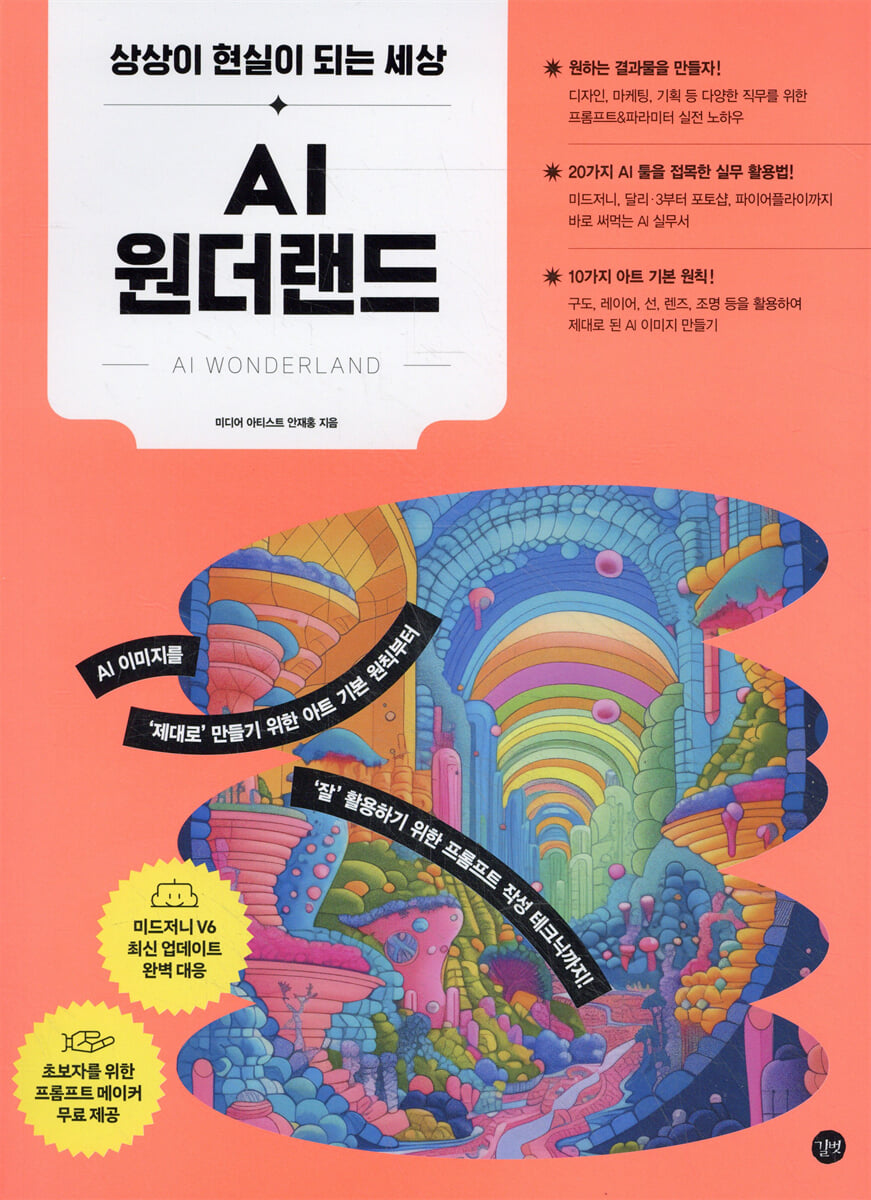
From art principles and prompt writing techniques to 'properly' create the image you want.
It even includes 20 tips on how to use the tool effectively in your work!
The era of generative AI art, where anyone can create! Despite the innovations generative AI is driving in the fields of art and design, there's a dearth of information on how to properly understand and utilize it.
This book guides me through creating the images I want and applying them directly to my practice.
The goal of this book is to help more people leverage generative AI to revolutionize their creative and work lives.
The first part provides an overview of the basic concepts and practices of generative AI and AI artists.
In the second part, you will learn the basics of using Midjourney, a representative image generation AI tool.
It is packed with prompt writing tips and detailed explanations of each parameter, as well as information on the four new parameters added to Midjourney version 6 and a guide to using the Midjourney website.
Additionally, even beginners without any basic art skills will learn basic art concepts such as composition, line, color, lighting, and lenses, and learn how to reflect them in prompts so that they can properly create the images they want.
The third part covers a practical project example that combines the two tools to improve the completeness of AI images.
We also introduce how to use eight AI tools that can be widely used in various jobs.
In the final part, we'll explore copyright and portrait rights in AI and offer tips for adapting to the rapidly changing era of generative AI.
It even includes 20 tips on how to use the tool effectively in your work!
The era of generative AI art, where anyone can create! Despite the innovations generative AI is driving in the fields of art and design, there's a dearth of information on how to properly understand and utilize it.
This book guides me through creating the images I want and applying them directly to my practice.
The goal of this book is to help more people leverage generative AI to revolutionize their creative and work lives.
The first part provides an overview of the basic concepts and practices of generative AI and AI artists.
In the second part, you will learn the basics of using Midjourney, a representative image generation AI tool.
It is packed with prompt writing tips and detailed explanations of each parameter, as well as information on the four new parameters added to Midjourney version 6 and a guide to using the Midjourney website.
Additionally, even beginners without any basic art skills will learn basic art concepts such as composition, line, color, lighting, and lenses, and learn how to reflect them in prompts so that they can properly create the images they want.
The third part covers a practical project example that combines the two tools to improve the completeness of AI images.
We also introduce how to use eight AI tools that can be widely used in various jobs.
In the final part, we'll explore copyright and portrait rights in AI and offer tips for adapting to the rapidly changing era of generative AI.
- You can preview some of the book's contents.
Preview
index
PART 1: Getting Started with AI Art
Chapter 1 Hello, AI!
ㆍ What is generative AI?
Five Reasons to Use Generative AI
The Basics of Generative AI: Understanding the Relationship Between AI and Prompts
Types of generative AI
The Future of AI: The Intelligence Explosion and the Rise of Superintelligence
Chapter 2: The Art World Unfolds Through AI
ㆍ The past of technology and art
AI Meets Art
ㆍ What will AI artists do?
ㆍ Current status of AI art
The Future of AI Art
PART 2: Midjourney for Beginners: Art Basics
Chapter 3: Getting Started with Midjourney, the Leading AI Art Tool
ㆍ What is Midjourney?
ㆍ Starting Midjourney
Find the plan that suits you and subscribe to a paid plan.
ㆍ Setting up an account
ㆍ Create an image by entering a prompt
Chapter 4: Mastering the Basic Functions of Midjourney
ㆍ Modifying the initial creation result
ㆍ Learn about Vary
ㆍ Learn about Upscale
ㆍ Learn about Zoom Out
ㆍ Learn about Panning
ㆍ Check out the Settings window
Chapter 5: Mastering Midjourney Prompts and Parameters
Understanding the Midjourney prompt structure
Understanding Midjourney Parameters
ㆍ Parameters that directly affect the resulting image
ㆍ Parameters that affect the image generation process
ㆍ Parameters that specify style and model
ㆍ Parameters that maintain consistency between style and character
Chapter 6: Using the Midjourney Website
ㆍ Review the basic features of the Midjourney website.
ㆍ Setting detailed image creation settings
ㆍ Image Management
Chapter 7: Discovering Other AI Art Tools
ㆍ Dali·3 with ChatGPT
ㆍ Stable diffusion
Chapter 8 Art Fundamentals: Composition and Principles That Never Change
Understanding the composition and applying it to prompts
Understanding leading lines and applying them to prompts
Understanding layers and applying them to prompts
Understanding frame composition and applying it to prompts
Understanding margins and applying them to prompts
ㆍ Understanding lines and applying them to prompts
ㆍ Understanding color and applying it to prompts
ㆍ Understanding the form and applying it to prompts
Understanding lenses and applying them to prompts
Understanding lighting and applying it to prompts
PART 3: Practical Use of AI Art Tools
Chapter 9: Using Two AI Tools Together
ㆍ Creating images that fit your purpose ■ChatGPT ■Midjourney
ㆍ Creating promotional images with text ■Midjourney ■Photopia
ㆍ Designing a Movie Poster ■ Mid-Journey ■ Photopia
Editing Photos with Photoshop AI ■Midjourney ■Photoshop
ㆍ Creating high-quality images for printing ■Midjourney ■Gigapixel
ㆍ Virtual Character Creation ■ Mid-Journey ■ D-ID
Creating animations with images and text ■Midjourney ■Gen-2
ㆍ Create a complete image by adding lighting ■Midjourney ■Clipdrop
Adding Motion to Images ■Midjourney ■LeiaPix
ㆍ Create voice files using AI that learns your voice ■ChatGPT ■ElevenLabs
Chapter 10: Utilizing Various AI Tools
Applying Styles to Videos ■Gen-1
ㆍ Visualize your ideas with real-time AI art tools ■Krea AI
Creating images in Korean ■Firefly
ㆍRefining voice files to recording studio quality ■Enhance Speech
ㆍ Create an image similar to a specific image ■Synthesys X
ㆍ AI music generation ■SOUNDRAW
ㆍ Creating PPT slide drafts ■Gamma App
ㆍ Creating a mobile app UI design ■Uizard
PART 4: Better AI Tips You Should Know
Chapter 11 Copyright and Portrait Rights in AI Art
AI Art and Copyright
ㆍ AI art and portrait rights
Chatper 12 Surviving in the Rapidly Changing AI Era
ㆍ A list of generative AI influencers who provide quality information.
Changing Your Perspective on AI: Using It Like a Subordinate
ㆍ Seeing is believing: Developing the habit of using AI
ㆍ Is this even possible? It works!
Chapter 1 Hello, AI!
ㆍ What is generative AI?
Five Reasons to Use Generative AI
The Basics of Generative AI: Understanding the Relationship Between AI and Prompts
Types of generative AI
The Future of AI: The Intelligence Explosion and the Rise of Superintelligence
Chapter 2: The Art World Unfolds Through AI
ㆍ The past of technology and art
AI Meets Art
ㆍ What will AI artists do?
ㆍ Current status of AI art
The Future of AI Art
PART 2: Midjourney for Beginners: Art Basics
Chapter 3: Getting Started with Midjourney, the Leading AI Art Tool
ㆍ What is Midjourney?
ㆍ Starting Midjourney
Find the plan that suits you and subscribe to a paid plan.
ㆍ Setting up an account
ㆍ Create an image by entering a prompt
Chapter 4: Mastering the Basic Functions of Midjourney
ㆍ Modifying the initial creation result
ㆍ Learn about Vary
ㆍ Learn about Upscale
ㆍ Learn about Zoom Out
ㆍ Learn about Panning
ㆍ Check out the Settings window
Chapter 5: Mastering Midjourney Prompts and Parameters
Understanding the Midjourney prompt structure
Understanding Midjourney Parameters
ㆍ Parameters that directly affect the resulting image
ㆍ Parameters that affect the image generation process
ㆍ Parameters that specify style and model
ㆍ Parameters that maintain consistency between style and character
Chapter 6: Using the Midjourney Website
ㆍ Review the basic features of the Midjourney website.
ㆍ Setting detailed image creation settings
ㆍ Image Management
Chapter 7: Discovering Other AI Art Tools
ㆍ Dali·3 with ChatGPT
ㆍ Stable diffusion
Chapter 8 Art Fundamentals: Composition and Principles That Never Change
Understanding the composition and applying it to prompts
Understanding leading lines and applying them to prompts
Understanding layers and applying them to prompts
Understanding frame composition and applying it to prompts
Understanding margins and applying them to prompts
ㆍ Understanding lines and applying them to prompts
ㆍ Understanding color and applying it to prompts
ㆍ Understanding the form and applying it to prompts
Understanding lenses and applying them to prompts
Understanding lighting and applying it to prompts
PART 3: Practical Use of AI Art Tools
Chapter 9: Using Two AI Tools Together
ㆍ Creating images that fit your purpose ■ChatGPT ■Midjourney
ㆍ Creating promotional images with text ■Midjourney ■Photopia
ㆍ Designing a Movie Poster ■ Mid-Journey ■ Photopia
Editing Photos with Photoshop AI ■Midjourney ■Photoshop
ㆍ Creating high-quality images for printing ■Midjourney ■Gigapixel
ㆍ Virtual Character Creation ■ Mid-Journey ■ D-ID
Creating animations with images and text ■Midjourney ■Gen-2
ㆍ Create a complete image by adding lighting ■Midjourney ■Clipdrop
Adding Motion to Images ■Midjourney ■LeiaPix
ㆍ Create voice files using AI that learns your voice ■ChatGPT ■ElevenLabs
Chapter 10: Utilizing Various AI Tools
Applying Styles to Videos ■Gen-1
ㆍ Visualize your ideas with real-time AI art tools ■Krea AI
Creating images in Korean ■Firefly
ㆍRefining voice files to recording studio quality ■Enhance Speech
ㆍ Create an image similar to a specific image ■Synthesys X
ㆍ AI music generation ■SOUNDRAW
ㆍ Creating PPT slide drafts ■Gamma App
ㆍ Creating a mobile app UI design ■Uizard
PART 4: Better AI Tips You Should Know
Chapter 11 Copyright and Portrait Rights in AI Art
AI Art and Copyright
ㆍ AI art and portrait rights
Chatper 12 Surviving in the Rapidly Changing AI Era
ㆍ A list of generative AI influencers who provide quality information.
Changing Your Perspective on AI: Using It Like a Subordinate
ㆍ Seeing is believing: Developing the habit of using AI
ㆍ Is this even possible? It works!
Detailed image
.jpg)
Publisher's Review
With generative AI, my imagination becomes reality!
A practical guide to image generation AI with 20 tools!
ㆍ Let's create the desired result!
It contains practical know-how on prompts and parameters for various jobs such as design, marketing, and planning.
Learn the basics of Midjourney and practical tips for achieving your desired results with an experienced AI art expert.
ㆍ Practical application methods using 20 AI tools!
When it comes to applying the work to my actual work, one Midjourney is often not enough.
Learn practical application methods that can be applied directly to your work through practical project examples that incorporate various AI tools, including Midjourney, Dali·3, Firefly, Upscale Tool, and Editing Tool.
ㆍ 10 basic principles of art!
Even beginners without basic design knowledge can easily create the images they want.
Learn basic art/design principles like composition, lines, layers, lenses, and lighting, then apply them to prompts to create well-crafted AI images.
ㆍ Let's learn by following the example prompts!
For those who have difficulty creating prompts, the author has developed a 'Prompt Maker' to easily create the prompts you want, and the 'Easy Prompt Usage Sheet' allows you to easily learn examples from the text by simply copying and pasting.
I recommend this to these people
Marketers and planners who want to improve work efficiency with AI tools
● Creators who don't want to be left behind in the AI art era
● A designer who wants to create unique works using AI
● Small business owners who want to create design elements for their business
● Artists who want to further upgrade their work by utilizing AI tools
A practical guide to image generation AI with 20 tools!
ㆍ Let's create the desired result!
It contains practical know-how on prompts and parameters for various jobs such as design, marketing, and planning.
Learn the basics of Midjourney and practical tips for achieving your desired results with an experienced AI art expert.
ㆍ Practical application methods using 20 AI tools!
When it comes to applying the work to my actual work, one Midjourney is often not enough.
Learn practical application methods that can be applied directly to your work through practical project examples that incorporate various AI tools, including Midjourney, Dali·3, Firefly, Upscale Tool, and Editing Tool.
ㆍ 10 basic principles of art!
Even beginners without basic design knowledge can easily create the images they want.
Learn basic art/design principles like composition, lines, layers, lenses, and lighting, then apply them to prompts to create well-crafted AI images.
ㆍ Let's learn by following the example prompts!
For those who have difficulty creating prompts, the author has developed a 'Prompt Maker' to easily create the prompts you want, and the 'Easy Prompt Usage Sheet' allows you to easily learn examples from the text by simply copying and pasting.
I recommend this to these people
Marketers and planners who want to improve work efficiency with AI tools
● Creators who don't want to be left behind in the AI art era
● A designer who wants to create unique works using AI
● Small business owners who want to create design elements for their business
● Artists who want to further upgrade their work by utilizing AI tools
GOODS SPECIFICS
- Date of issue: May 15, 2024
- Page count, weight, size: 340 pages | 852g | 188*257*16mm
- ISBN13: 9791140708918
You may also like
카테고리
korean


korean

![GQ KOREA Mark (Monthly): December [2025]](http://librairie.coreenne.fr/cdn/shop/files/8ef265dbbfbf186523ed75ba7319009d.jpg?v=1765340328&width=3840)


