

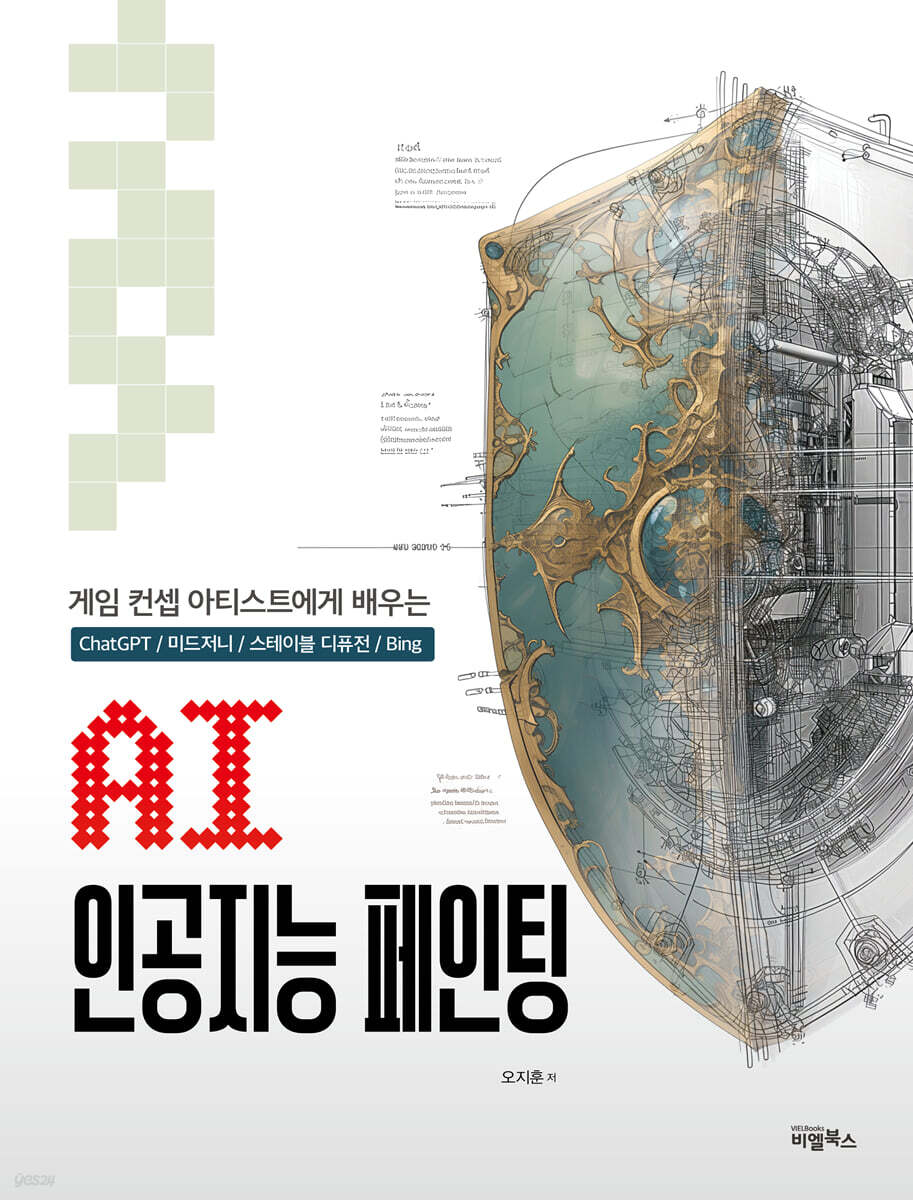
AI Artificial Intelligence Painting
 |
Description
Book Introduction
This book is the best introductory book for anyone who wants to learn image generation AI but doesn't know where to start.
A game concept artist with over 20 years of experience presents a variety of approaches to using image-generating AI.
Rather than simply relying on the luck of the draw for prompts, the core of this book is to introduce the process of constructing the desired settings and worldview through conversations with ChatGPT, and then implementing them into completed concept images in Midjourney, Stable Diffusion, Bing, etc.
This book is designed to help overcome negative perceptions about AI production methods and indirectly provide an experience of an efficient process that is fast, yet maintains quality and completeness.
Rather than a mechanical, rigid explanation of functions, the book is written in a friendly style that feels like a pleasant conversation next to you, and the author's humorous sensibility and creative examples will help you truly experience the charm of image generation AI.
A game concept artist with over 20 years of experience presents a variety of approaches to using image-generating AI.
Rather than simply relying on the luck of the draw for prompts, the core of this book is to introduce the process of constructing the desired settings and worldview through conversations with ChatGPT, and then implementing them into completed concept images in Midjourney, Stable Diffusion, Bing, etc.
This book is designed to help overcome negative perceptions about AI production methods and indirectly provide an experience of an efficient process that is fast, yet maintains quality and completeness.
Rather than a mechanical, rigid explanation of functions, the book is written in a friendly style that feels like a pleasant conversation next to you, and the author's humorous sensibility and creative examples will help you truly experience the charm of image generation AI.
index
Part _01_ Introduction
Now is the time to start!
Part _02_ Creating AI Images That Will Fill You Up in One Drink with Bing Image Creator
1.
Introducing Bing Image Creator.
2.
Tips for Writing Prompts in Bing Image Creator
2-1.
Making a rubber duck
2-2.
Have the best blind date of your life
2-3.
Making a Horror Burger
3.
Creating Game Icons - Potion
3-1.
Setting up a potion factory
3-2.
Setting up a unique potion factory
4.
Create a Game Icon - Shield Icon
5.
Create a Game Icon - Skull Brooch
6.
Create a cool background image
6-1.
Creating a Steampunk Image
6-2.
Building a City Above the Clouds
6-3.
Step by step, creating the interior details of a medieval castle
7.
Just change the background to make it look like a story
7-1.
A red-haired girl walking down a dark alley
7-2.
The red-haired girl arrived at the blacksmith shop
7-3.
The red-haired girl who found a sword in the blacksmith's shop
7-4.
Examples of images arranged to make them look like a story.
“The Red-Haired Girl’s Great Adventure.”
Part 03_ Creating Full-Fledged Game Resources with Midjourney
1.
Advantages of Midjourney
2.
How to sign up and install Midjourney
3.
Adapting to the Midjourney interface
3-1.
Create an image in Discord
3-2.
I want to be alone. Everyone, please leave! (Working in my own space)
4.
Create a potion icon.
4-1.
Writing prompts using Papago
4-2.
Making medicine bottles of various colors
4-3.
Setting basic parameters
5.
How to Become an Art Necromancer
5-1.
Summon Vincent van Gogh.
5-1-1.
Drawing a Rabbit in a Strawberry Field in the Style of Vincent Van Gogh
5-1-2.
Dragon by Vincent van Gogh
5-2.
Summoning Rembrandt
5-3.
An Art Nouveau-style cyborg warrior woman who asks Alphonse Mucha for her help.
5-4.
Merging the souls of masters
6.
Create a landscape on a grand scale
6-1.
Summoning the Hudson River School Masters
6-2.
Putting tourists in landscapes
7.
Creating cartoon-style character illustrations (niji mode)
7-1.
Experimenting with niji mode
7-2.
How to make a shy girl's firefighting illustration
8.
Create a figure-style character
8-1.
Figure style image
8-2.
Apply
8-3.
Creating a character sheet
8-4.
Change the design using Remix Mode
8-5.
Other sheets
9.
Create auto-generated comics
10.
Using Image Prompts
10-1.
A rabbit in water
10-2.
Modifying a Robot Rabbit (Using Image and Text Prompts Together)
10-3.
Sending a Smart Friend to Space (Compositing with Image Prompt)
10-4.
Using image weights
10-5.
Designing a supercar using objects around you
10-6.
Creating a future city with street photos I took
10-7.
Creating a Dragon Mountain Range (-stop parameter)
11.
Let me analyze your drawing. (Using the /describe command)
12.
Try upscaling (increasing image resolution)
Part 04_ Playing with Stable Diffusion
1.
Basic installation
1-1.
Install Python
1-2. Installing GIT
1-3.
Stable diffusion installation
1-4.
Install Controlnet (Required extension for Stable Diffusion)
2.
Download the checkpoint model
2-1. Download Checkpointmodel from CIVITAI.com
2-2.
Download VAE files from huggingface
3.
Stable Diffusion Basic Settings
4.
Experiment with the default prompt
4-1.
Description of the basic menu of Stable Diffusion. (txt2img)
4-2.
Meet beautiful women
4-3.
Meet beautiful women who suit your taste
4-4.
Meet beautiful women in high resolution
5.
The prompt is Mom's nagging
5-1.
Do it and don't do it
5-2.
Another story, another new story, and a rising voice
5-3.
Nagging Practice - Dating a European Thumbs-Up Girl
5-4.
How to easily recall previously created prompts
6.
Checkpoint Model Change Game
7.
Manipulating Childhood Memories Using ControlNet
7-1.
Rich House Generator
7-2.
ControlNet's basic interface
7-3.
Manipulating the location of memories
8.
Creating a Demon World Landscape with a Simple Sketch
9.
A medieval village drawn with your feet
10.
A superhero who draws with his feet
11.
Editing images with img2img
11-1.
Exploring the img2img interface
11-2.
Superhero Gender Swap
11-3.
Change hair color/cloak color using the inpaint function
12.
Designing with img2img + controlnet
12-1.
Writing a Jewelry Prompt
12-2.
Increase detail with ControlNet Depth type
13.
Create elaborate superhero images from rough sketches with img2img + controlnet + Loopback.
13-1.
Extracting Superhero Prompts
13-2.
Creating a Thumbnail Image in Photoshop
13-3.
Insert the image into the input window and set up a multi-control net.
13-4.
Setting up MultiControlNet
13-5.
Loopback settings (automatic gentle soothing)
14.
Retouching a child's drawing with img2img + controlnet + loopback
Part 05_ Improving image perfection by using multiple tools together
1.
Two rules
2.
Drawing photorealistic fantasy illustrations with Stable Diffusion and Photoshop
2-1.
Designing with Chat GPT
2-2.
Creating sample images with stable diffusion
2-3.
Changing the checkpoint model to create a sample image
2-4.
Complete the guide image by editing it in Photoshop
2-5.
Generate a blueprint by inserting a guide image into ControlNet.
2-6.
Create the final image by compositing the generated cyan in Photoshop.
3.
Create a true plastic beauty using Lora
3-1.
Download Lora
3-2.
Applying Lora for plastic surgery
3-3.
Modifying your body using Lora
4.
Create images using Bing Image Creator, Stable Diffusion, and Photoshop.
4-1.
Create an image with Bing Image Creator
4-2.
Create a vertical image using Photoshop's generative extension feature.
4-3.
Creating high-resolution images with Upscayl
4-4.
Adding detail with stable diffusion img2img
4-5.
Complete with editing and correction in Photoshop
5.
Creating an Oil Painting-Style Character Image Using Midjourney, Stable Diffusion, and Photoshop
5-1.
Creating a guide image in Midjourney Niji mode
5-2.
Adjusting the composition in Photoshop
5-3.
Resize the image in Photoshop and insert it into img2img to enhance the details.
5-4.
Secondary image editing and upscaling in Photoshop
5-5.
Composite the original image with key point details in img2img
5-6.
Third-level image editing in Photoshop and using img2img
5-7.
Adding painterly brushstrokes in Photoshop.
Part 06_ Practicing Concept Art with AI
1.
Planning Game Visuals with Chat GPT
1-1.
Assign a role to ChatGPT.
1-2.
Narrowing the field of answers with ChatGPT
1-3.
Extracting a Draft Plan with ChatGPT
2.
Create a game logo with ChatGPT
3.
Designing the Ancient Magical City of Techromey with ChatGPT
4.
Designing a Main Character with ChatGPT
4-1.
Designing an Elf Wizard with ChatGPT
4-2.
Designing a Robot
4-3.
Designing a Dwarf Engineer (Mass Prototype)
5.
Designing Monsters with ChatGPT
5-1.
Designing the Infinite Emperor Dracula
5-2.
Designing a Steampunk Goblin
6.
Create a game advertisement image featuring the character, background, and logo.
Part 07_ Creating a Graphic Novel
1.
Before you start
1-1.
Why work with Chat GPT4?
1-2.
Why graphic novels?
1-3.
Creating a Guide Image (Preparation)
2.
Create a graphic novel by chatting with ChatGPT
2-1.
Defining the character of a room
2-2.
Define a chat room
2-3.
Creating graphic novels through chat
2-4.
Edit in Photoshop
Part 07_ Using AI Image Tools and Blender
1.
Blender Basics
2.
Making reliefs of ancient civilizations
3.
Making floor tiles
Now is the time to start!
Part _02_ Creating AI Images That Will Fill You Up in One Drink with Bing Image Creator
1.
Introducing Bing Image Creator.
2.
Tips for Writing Prompts in Bing Image Creator
2-1.
Making a rubber duck
2-2.
Have the best blind date of your life
2-3.
Making a Horror Burger
3.
Creating Game Icons - Potion
3-1.
Setting up a potion factory
3-2.
Setting up a unique potion factory
4.
Create a Game Icon - Shield Icon
5.
Create a Game Icon - Skull Brooch
6.
Create a cool background image
6-1.
Creating a Steampunk Image
6-2.
Building a City Above the Clouds
6-3.
Step by step, creating the interior details of a medieval castle
7.
Just change the background to make it look like a story
7-1.
A red-haired girl walking down a dark alley
7-2.
The red-haired girl arrived at the blacksmith shop
7-3.
The red-haired girl who found a sword in the blacksmith's shop
7-4.
Examples of images arranged to make them look like a story.
“The Red-Haired Girl’s Great Adventure.”
Part 03_ Creating Full-Fledged Game Resources with Midjourney
1.
Advantages of Midjourney
2.
How to sign up and install Midjourney
3.
Adapting to the Midjourney interface
3-1.
Create an image in Discord
3-2.
I want to be alone. Everyone, please leave! (Working in my own space)
4.
Create a potion icon.
4-1.
Writing prompts using Papago
4-2.
Making medicine bottles of various colors
4-3.
Setting basic parameters
5.
How to Become an Art Necromancer
5-1.
Summon Vincent van Gogh.
5-1-1.
Drawing a Rabbit in a Strawberry Field in the Style of Vincent Van Gogh
5-1-2.
Dragon by Vincent van Gogh
5-2.
Summoning Rembrandt
5-3.
An Art Nouveau-style cyborg warrior woman who asks Alphonse Mucha for her help.
5-4.
Merging the souls of masters
6.
Create a landscape on a grand scale
6-1.
Summoning the Hudson River School Masters
6-2.
Putting tourists in landscapes
7.
Creating cartoon-style character illustrations (niji mode)
7-1.
Experimenting with niji mode
7-2.
How to make a shy girl's firefighting illustration
8.
Create a figure-style character
8-1.
Figure style image
8-2.
Apply
8-3.
Creating a character sheet
8-4.
Change the design using Remix Mode
8-5.
Other sheets
9.
Create auto-generated comics
10.
Using Image Prompts
10-1.
A rabbit in water
10-2.
Modifying a Robot Rabbit (Using Image and Text Prompts Together)
10-3.
Sending a Smart Friend to Space (Compositing with Image Prompt)
10-4.
Using image weights
10-5.
Designing a supercar using objects around you
10-6.
Creating a future city with street photos I took
10-7.
Creating a Dragon Mountain Range (-stop parameter)
11.
Let me analyze your drawing. (Using the /describe command)
12.
Try upscaling (increasing image resolution)
Part 04_ Playing with Stable Diffusion
1.
Basic installation
1-1.
Install Python
1-2. Installing GIT
1-3.
Stable diffusion installation
1-4.
Install Controlnet (Required extension for Stable Diffusion)
2.
Download the checkpoint model
2-1. Download Checkpointmodel from CIVITAI.com
2-2.
Download VAE files from huggingface
3.
Stable Diffusion Basic Settings
4.
Experiment with the default prompt
4-1.
Description of the basic menu of Stable Diffusion. (txt2img)
4-2.
Meet beautiful women
4-3.
Meet beautiful women who suit your taste
4-4.
Meet beautiful women in high resolution
5.
The prompt is Mom's nagging
5-1.
Do it and don't do it
5-2.
Another story, another new story, and a rising voice
5-3.
Nagging Practice - Dating a European Thumbs-Up Girl
5-4.
How to easily recall previously created prompts
6.
Checkpoint Model Change Game
7.
Manipulating Childhood Memories Using ControlNet
7-1.
Rich House Generator
7-2.
ControlNet's basic interface
7-3.
Manipulating the location of memories
8.
Creating a Demon World Landscape with a Simple Sketch
9.
A medieval village drawn with your feet
10.
A superhero who draws with his feet
11.
Editing images with img2img
11-1.
Exploring the img2img interface
11-2.
Superhero Gender Swap
11-3.
Change hair color/cloak color using the inpaint function
12.
Designing with img2img + controlnet
12-1.
Writing a Jewelry Prompt
12-2.
Increase detail with ControlNet Depth type
13.
Create elaborate superhero images from rough sketches with img2img + controlnet + Loopback.
13-1.
Extracting Superhero Prompts
13-2.
Creating a Thumbnail Image in Photoshop
13-3.
Insert the image into the input window and set up a multi-control net.
13-4.
Setting up MultiControlNet
13-5.
Loopback settings (automatic gentle soothing)
14.
Retouching a child's drawing with img2img + controlnet + loopback
Part 05_ Improving image perfection by using multiple tools together
1.
Two rules
2.
Drawing photorealistic fantasy illustrations with Stable Diffusion and Photoshop
2-1.
Designing with Chat GPT
2-2.
Creating sample images with stable diffusion
2-3.
Changing the checkpoint model to create a sample image
2-4.
Complete the guide image by editing it in Photoshop
2-5.
Generate a blueprint by inserting a guide image into ControlNet.
2-6.
Create the final image by compositing the generated cyan in Photoshop.
3.
Create a true plastic beauty using Lora
3-1.
Download Lora
3-2.
Applying Lora for plastic surgery
3-3.
Modifying your body using Lora
4.
Create images using Bing Image Creator, Stable Diffusion, and Photoshop.
4-1.
Create an image with Bing Image Creator
4-2.
Create a vertical image using Photoshop's generative extension feature.
4-3.
Creating high-resolution images with Upscayl
4-4.
Adding detail with stable diffusion img2img
4-5.
Complete with editing and correction in Photoshop
5.
Creating an Oil Painting-Style Character Image Using Midjourney, Stable Diffusion, and Photoshop
5-1.
Creating a guide image in Midjourney Niji mode
5-2.
Adjusting the composition in Photoshop
5-3.
Resize the image in Photoshop and insert it into img2img to enhance the details.
5-4.
Secondary image editing and upscaling in Photoshop
5-5.
Composite the original image with key point details in img2img
5-6.
Third-level image editing in Photoshop and using img2img
5-7.
Adding painterly brushstrokes in Photoshop.
Part 06_ Practicing Concept Art with AI
1.
Planning Game Visuals with Chat GPT
1-1.
Assign a role to ChatGPT.
1-2.
Narrowing the field of answers with ChatGPT
1-3.
Extracting a Draft Plan with ChatGPT
2.
Create a game logo with ChatGPT
3.
Designing the Ancient Magical City of Techromey with ChatGPT
4.
Designing a Main Character with ChatGPT
4-1.
Designing an Elf Wizard with ChatGPT
4-2.
Designing a Robot
4-3.
Designing a Dwarf Engineer (Mass Prototype)
5.
Designing Monsters with ChatGPT
5-1.
Designing the Infinite Emperor Dracula
5-2.
Designing a Steampunk Goblin
6.
Create a game advertisement image featuring the character, background, and logo.
Part 07_ Creating a Graphic Novel
1.
Before you start
1-1.
Why work with Chat GPT4?
1-2.
Why graphic novels?
1-3.
Creating a Guide Image (Preparation)
2.
Create a graphic novel by chatting with ChatGPT
2-1.
Defining the character of a room
2-2.
Define a chat room
2-3.
Creating graphic novels through chat
2-4.
Edit in Photoshop
Part 07_ Using AI Image Tools and Blender
1.
Blender Basics
2.
Making reliefs of ancient civilizations
3.
Making floor tiles
Detailed image
.jpg)
Publisher's Review
[You're a painter, but you use image generation AI?]
AI tools like ChatGPT, Midjourney, and Stable Diffusion generate images with a variety of styles and themes, making them ideal for quickly visualizing ideas and clarifying the direction of your project.
Additionally, it provides various techniques that can enhance the perfection of the image, which has the advantage of allowing the artist to build his or her own creative style.
However, rather than simply accepting the results of AI, it is more important to develop them into your own unique and creative artwork.
[The process of writing a well-structured and detailed prompt, complete with 'Definition / Description / Complement']
AI can help anyone create stunning images, but getting the results they want isn't easy.
If the prompt isn't clear and detailed, the AI may not accurately understand the user's intent.
Based on the three principles of [Definition/Description/Supplementary], the author introduces the process of defining, describing, and supplementing the subject of the prompt to be implemented, thereby completing a more specific and clear prompt.
[Graphic novels that connect not only images but also stories?]
Not only images but also graphic novels linked to stories are possible using image generation AI.
We'll also walk you through the process of creating a noir-style graphic novel using ChatGPT and Photoshop, so you can see how you can become a graphic novelist who crosses multiple genres.
First Edition Special Supplement / [Vending Machine Keyword Book]? They're giving me an extra book? (Fantasy Keyword)
We provide a separate book, [Vending Machine Keyword Book], which can be used as a reference for key keywords in image generation AI.
In particular, this [Vending Machine Keyword Book] is composed of fantasy-based keywords that match the content of the main story.
Race / Occupation / Mythical Being / Magical Item / Location / Vehicle / Facility / Monster / Fantasy Weapon / Worldview / SF Technology, etc. [Vending Machine Keyword Book] allows you to search for prompt keywords along with high-quality illustrations as if you were looking at an art book, so you can more easily approach the image you imagine and want to realize.
AI tools like ChatGPT, Midjourney, and Stable Diffusion generate images with a variety of styles and themes, making them ideal for quickly visualizing ideas and clarifying the direction of your project.
Additionally, it provides various techniques that can enhance the perfection of the image, which has the advantage of allowing the artist to build his or her own creative style.
However, rather than simply accepting the results of AI, it is more important to develop them into your own unique and creative artwork.
[The process of writing a well-structured and detailed prompt, complete with 'Definition / Description / Complement']
AI can help anyone create stunning images, but getting the results they want isn't easy.
If the prompt isn't clear and detailed, the AI may not accurately understand the user's intent.
Based on the three principles of [Definition/Description/Supplementary], the author introduces the process of defining, describing, and supplementing the subject of the prompt to be implemented, thereby completing a more specific and clear prompt.
[Graphic novels that connect not only images but also stories?]
Not only images but also graphic novels linked to stories are possible using image generation AI.
We'll also walk you through the process of creating a noir-style graphic novel using ChatGPT and Photoshop, so you can see how you can become a graphic novelist who crosses multiple genres.
First Edition Special Supplement / [Vending Machine Keyword Book]? They're giving me an extra book? (Fantasy Keyword)
We provide a separate book, [Vending Machine Keyword Book], which can be used as a reference for key keywords in image generation AI.
In particular, this [Vending Machine Keyword Book] is composed of fantasy-based keywords that match the content of the main story.
Race / Occupation / Mythical Being / Magical Item / Location / Vehicle / Facility / Monster / Fantasy Weapon / Worldview / SF Technology, etc. [Vending Machine Keyword Book] allows you to search for prompt keywords along with high-quality illustrations as if you were looking at an art book, so you can more easily approach the image you imagine and want to realize.
GOODS SPECIFICS
- Date of issue: March 26, 2024
- Page count, weight, size: 504 pages | 1,194g | 188*247*23mm
- ISBN13: 9791186573723
- ISBN10: 1186573724
You may also like
카테고리
korean


korean

![GQ KOREA Mark (Monthly): December [2025]](http://librairie.coreenne.fr/cdn/shop/files/8ef265dbbfbf186523ed75ba7319009d.jpg?v=1765340328&width=3840)


