

Interactive Data Visualization in R & Python with Plotly
 |
Description
Book Introduction
Turn complex and difficult data into at-a-glance graphs and charts.
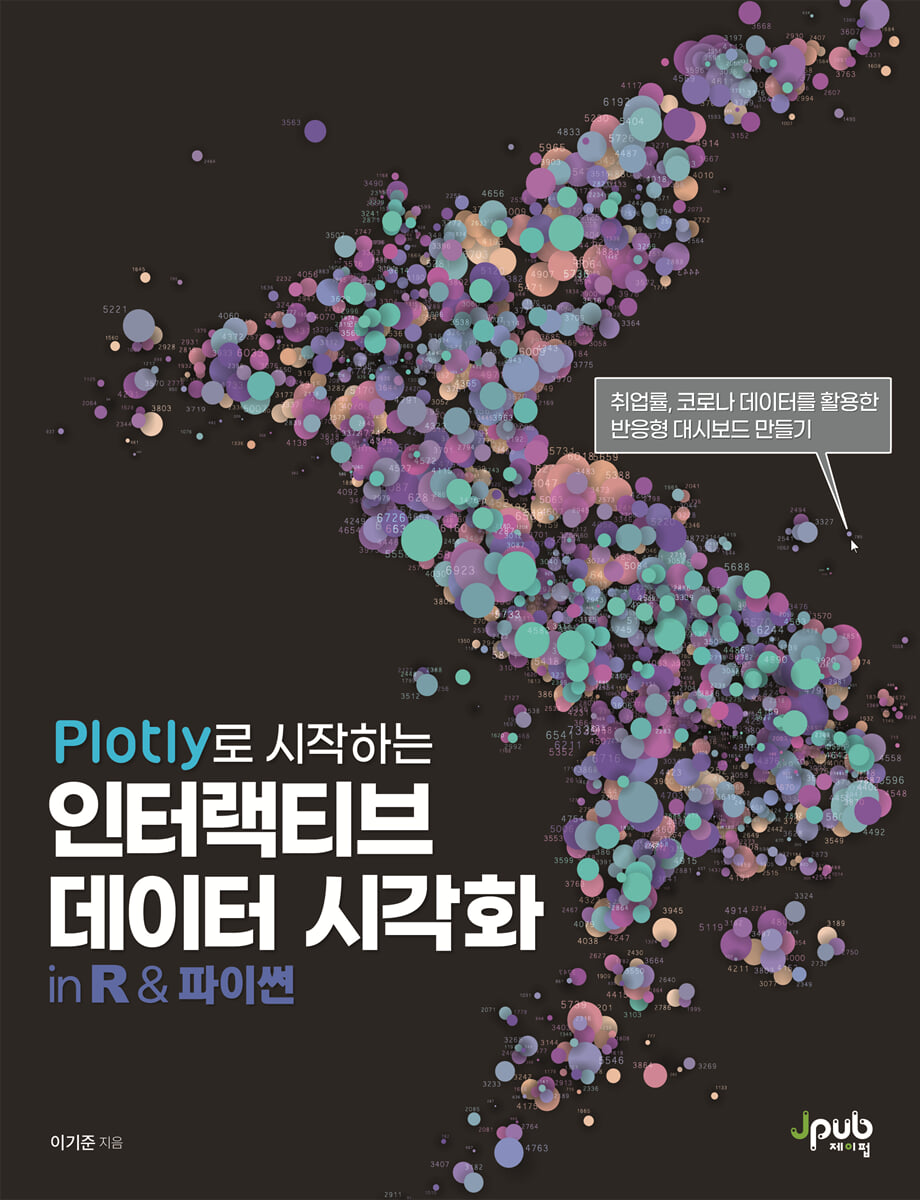
This book demonstrates how to visualize data using Plotly, an interactive visualization package, using R and Python, using employment rate and COVID-19 data as examples.
Part 1 introduces the concept and importance of data visualization, and Part 2 explains the basic concepts of Plotly and essential features such as layout and subplots.
Part 3 introduces Plotly visualization methods and special features for different purposes, such as scatter plots and waterfall charts.
In Part 4, we will learn how to create and implement controls such as buttons and sliders to effectively utilize Plotly visualizations, as well as how to distribute the results online and offline.
Finally, the appendix covers the process of designing and implementing a dashboard using the Dash and Shiny packages to maximize Plotly's capabilities.
This book demonstrates how to visualize data using Plotly, an interactive visualization package, using R and Python, using employment rate and COVID-19 data as examples.
Part 1 introduces the concept and importance of data visualization, and Part 2 explains the basic concepts of Plotly and essential features such as layout and subplots.
Part 3 introduces Plotly visualization methods and special features for different purposes, such as scatter plots and waterfall charts.
In Part 4, we will learn how to create and implement controls such as buttons and sliders to effectively utilize Plotly visualizations, as well as how to distribute the results online and offline.
Finally, the appendix covers the process of designing and implementing a dashboard using the Dash and Shiny packages to maximize Plotly's capabilities.
- You can preview some of the book's contents.
Preview
index
Recommendation x
Beta Reader Review xiii
Beginning xvi
About this book xix
PART I: Fundamentals of Data Visualization
CHAPTER 1: What is Data Visualization? 3
1.1 The Need for Data Visualization 5
1.2 Why Data Visualization? 6
1.3 What can we express with data visualization? 10
1.4 11 Famous Data Visualization Examples
1.5 Charts, Plots, Graphs 15
PART II Plotly Visualization Basics
CHAPTER 2 Visualizing with Plotly 19
2.1 What is Plotly? 20
2.2 Importing and Preprocessing Example Data 22
2.3 Getting Started with Plotly 28
CHAPTER 3 Trace 41
3.1 Generating traces 41
3.2 Common Properties of Traces 45
CHAPTER 4 Layout Properties 65
4.1 Setting layout properties 65
4.2 layout common key properties 66
CHAPTER 5 Subplot 89
5.1 Creating Subplots and Setting Titles 89
5.2 Setting the Subplot Legend 97
5.3 Subplot Placement and Editing 98
5.4 Axis sharing 106
CHAPTER 6 Color Settings 109
6.1 Continuous Color 110
6.2 Discrete Color 115
PART III Plotly Visualization in Practice
CHAPTER 7: Visualizing Relationships and Distributions 123
7.1 Scatterplot 123
7.2 Histogram 136
7.3 Box plot 146
7.4 Violin Plot 155
CHAPTER 8 Visualizing Comparison and Composition 162
8.1 Bar Graph 163
8.2 Ratio Bar Graph 180
8.3 Lollipop Graph 186
8.4 Radar Chart 190
8.5 Dumbbell Chart 198
8.6 Pie Chart 200
8.7 Sunburst Chart 209
8.8 Treemap 217
CHAPTER 9: Visualizing Time and Flow 221
9.1 Line Graph 221
9.2 Candlestick Chart 245
9.3 Waterfall Chart 264
9.4 Funnel Chart 267
9.5 Sankey Diagram 275
CHAPTER 10: Visualizing Indices and Maps 282
10.1 Indicator 282
10.2 Map Visualization 302
PART IV Using Plotly Visualization
CHAPTER 11 Visualization Controls 329
11.1 Setting Control Positions 331
11.2 Button Control 332
11.3 Dropdown Control 346
11.4 Slider Control 349
CHAPTER 12 Using Plotly Visualizations 355
12.1 Using the Modbar 355
12.2 Using the Mouse 358
12.3 Using Legends 360
CHAPTER 13 Plotly Distribution 361
13.1 Offline Distribution 361
13.2 Online Distribution 364
CHAPTER 14 Creating Effective Visualizations 369
14.1 Who is the audience? 370
14.2 Choosing the Appropriate Visualization Type 371
14.3 Media of Visualization 373
14.4 Concise Visualization 374
14.5 Easy-to-read labeling 376
14.6 Preventing Distortion 378
14.7 Using Color Appropriately 381
In conclusion 383
APPENDIX Building a Dashboard Using AR and Python 384
A.1 Getting Started with Dash Apps Using Plotly and Python 384
A.2 Getting Started with Shiny Apps Using Plotly and R 402
APPENDIX B plotly.express 420
B.1 plotly.express 420
B.2 Function Description, Main Parameters, and Usage Examples 424
Search 446
Beta Reader Review xiii
Beginning xvi
About this book xix
PART I: Fundamentals of Data Visualization
CHAPTER 1: What is Data Visualization? 3
1.1 The Need for Data Visualization 5
1.2 Why Data Visualization? 6
1.3 What can we express with data visualization? 10
1.4 11 Famous Data Visualization Examples
1.5 Charts, Plots, Graphs 15
PART II Plotly Visualization Basics
CHAPTER 2 Visualizing with Plotly 19
2.1 What is Plotly? 20
2.2 Importing and Preprocessing Example Data 22
2.3 Getting Started with Plotly 28
CHAPTER 3 Trace 41
3.1 Generating traces 41
3.2 Common Properties of Traces 45
CHAPTER 4 Layout Properties 65
4.1 Setting layout properties 65
4.2 layout common key properties 66
CHAPTER 5 Subplot 89
5.1 Creating Subplots and Setting Titles 89
5.2 Setting the Subplot Legend 97
5.3 Subplot Placement and Editing 98
5.4 Axis sharing 106
CHAPTER 6 Color Settings 109
6.1 Continuous Color 110
6.2 Discrete Color 115
PART III Plotly Visualization in Practice
CHAPTER 7: Visualizing Relationships and Distributions 123
7.1 Scatterplot 123
7.2 Histogram 136
7.3 Box plot 146
7.4 Violin Plot 155
CHAPTER 8 Visualizing Comparison and Composition 162
8.1 Bar Graph 163
8.2 Ratio Bar Graph 180
8.3 Lollipop Graph 186
8.4 Radar Chart 190
8.5 Dumbbell Chart 198
8.6 Pie Chart 200
8.7 Sunburst Chart 209
8.8 Treemap 217
CHAPTER 9: Visualizing Time and Flow 221
9.1 Line Graph 221
9.2 Candlestick Chart 245
9.3 Waterfall Chart 264
9.4 Funnel Chart 267
9.5 Sankey Diagram 275
CHAPTER 10: Visualizing Indices and Maps 282
10.1 Indicator 282
10.2 Map Visualization 302
PART IV Using Plotly Visualization
CHAPTER 11 Visualization Controls 329
11.1 Setting Control Positions 331
11.2 Button Control 332
11.3 Dropdown Control 346
11.4 Slider Control 349
CHAPTER 12 Using Plotly Visualizations 355
12.1 Using the Modbar 355
12.2 Using the Mouse 358
12.3 Using Legends 360
CHAPTER 13 Plotly Distribution 361
13.1 Offline Distribution 361
13.2 Online Distribution 364
CHAPTER 14 Creating Effective Visualizations 369
14.1 Who is the audience? 370
14.2 Choosing the Appropriate Visualization Type 371
14.3 Media of Visualization 373
14.4 Concise Visualization 374
14.5 Easy-to-read labeling 376
14.6 Preventing Distortion 378
14.7 Using Color Appropriately 381
In conclusion 383
APPENDIX Building a Dashboard Using AR and Python 384
A.1 Getting Started with Dash Apps Using Plotly and Python 384
A.2 Getting Started with Shiny Apps Using Plotly and R 402
APPENDIX B plotly.express 420
B.1 plotly.express 420
B.2 Function Description, Main Parameters, and Usage Examples 424
Search 446
Detailed image

Into the book
Data visualization is the process of making the characteristics of a large amount of data visible at a glance.
So, what can data visualization express about data, and what characteristics can it reveal? We've been learning about data visualization since elementary school.
Even now, fourth graders learn how to represent data using bar graphs in their first semester math textbooks.
That's why the most commonly used method in data visualization is the bar graph, and sometimes line graphs and pie charts are also commonly used.
Before doing data visualization, you must first decide what you want to express with the data visualization and which data visualization method to use.
Data visualization is generally effective in representing the distribution, comparison, trend, composition, correlation, and geography of data.
--- p.10
The Plotly package provides packages bound to each language so that it can be used in various languages such as R, Python, Julia, JavaScript, F#, and Matlab.
Plotly provides a variety of charts and plots for data visualization, including basic charts such as scatter plots and line graphs, statistical charts such as box plots and histograms, scientific charts such as heat maps and ternary plots, and financial charts such as time series charts and candlestick charts.
--- p.20
Typically, a histogram represents the number of data cases that fall within a range set by the bin size, i.e., the data count.
Plotly also draws a basic histogram as a way to express the number of data instances, but it also provides a way to replace this value with a specific function value.
Plotly provides five histogram functions: count, which displays the number of cases, sum, which displays the sum of values belonging to a bin, avg, which displays the average, min, which displays the smallest value, and max, which displays the largest value.
Histogram functions can be used by setting the function name to the histfunc property of the histogram trace.
If you use a function other than count, you must set the variable that should be applied to each function in the y attribute.
--- p.143
Because Plotly is a dynamic data visualization, it offers a variety of features that react based on user interaction online.
There are several functions here, but the function that provides a smooth interpretation of visualized data, such as data values and variations of those values, is hover.
Hover is not a feature unique to Plotly, but was used extensively in the past under the name of 'tooltip'.
That is, it is a function that interacts with the user's mouse or digital pointing device and informs the user of the location where the device is pointing through a small box.
This hover is also commonly called 'mouse over', 'mouse hover', or 'hover box' and can be used in web browsers using CSS.
--- p.234
Static visualizations created with R's ggplot2 or Python's Matplotlib or seaborn make it difficult to obtain additional data from the visualization itself in addition to the data visualized when creating the graph.
Therefore, there is the inconvenience of having to re-code and create additional data to provide visualization.
In particular, recoding is required to check data values at specific locations or zoom in on data from specific sections, and it is impossible to create countless visualizations by predicting user usage patterns.
On the other hand, dynamic visualizations such as Plotly provide various functions that can be used for data analysis, such as checking characteristic data values, zooming in and out, and displaying only specific data.
In Plotly, the set of icons that contain these functions is called the modbar.
--- p.355
There are two ways to create Plotly in Python: using the Plotly library's plotly.graph_objects module and using the plotly.express module.
The Plotly maker also recommends using graph_objects to understand the creation principles of Plotly and use detailed functions.
However, when creating Plotly using the graph_objects module, the code becomes very long and it becomes very confusing when a parenthesis is missing or displayed incorrectly.
So we provide the express module to make Plotly easier.
So, what can data visualization express about data, and what characteristics can it reveal? We've been learning about data visualization since elementary school.
Even now, fourth graders learn how to represent data using bar graphs in their first semester math textbooks.
That's why the most commonly used method in data visualization is the bar graph, and sometimes line graphs and pie charts are also commonly used.
Before doing data visualization, you must first decide what you want to express with the data visualization and which data visualization method to use.
Data visualization is generally effective in representing the distribution, comparison, trend, composition, correlation, and geography of data.
--- p.10
The Plotly package provides packages bound to each language so that it can be used in various languages such as R, Python, Julia, JavaScript, F#, and Matlab.
Plotly provides a variety of charts and plots for data visualization, including basic charts such as scatter plots and line graphs, statistical charts such as box plots and histograms, scientific charts such as heat maps and ternary plots, and financial charts such as time series charts and candlestick charts.
--- p.20
Typically, a histogram represents the number of data cases that fall within a range set by the bin size, i.e., the data count.
Plotly also draws a basic histogram as a way to express the number of data instances, but it also provides a way to replace this value with a specific function value.
Plotly provides five histogram functions: count, which displays the number of cases, sum, which displays the sum of values belonging to a bin, avg, which displays the average, min, which displays the smallest value, and max, which displays the largest value.
Histogram functions can be used by setting the function name to the histfunc property of the histogram trace.
If you use a function other than count, you must set the variable that should be applied to each function in the y attribute.
--- p.143
Because Plotly is a dynamic data visualization, it offers a variety of features that react based on user interaction online.
There are several functions here, but the function that provides a smooth interpretation of visualized data, such as data values and variations of those values, is hover.
Hover is not a feature unique to Plotly, but was used extensively in the past under the name of 'tooltip'.
That is, it is a function that interacts with the user's mouse or digital pointing device and informs the user of the location where the device is pointing through a small box.
This hover is also commonly called 'mouse over', 'mouse hover', or 'hover box' and can be used in web browsers using CSS.
--- p.234
Static visualizations created with R's ggplot2 or Python's Matplotlib or seaborn make it difficult to obtain additional data from the visualization itself in addition to the data visualized when creating the graph.
Therefore, there is the inconvenience of having to re-code and create additional data to provide visualization.
In particular, recoding is required to check data values at specific locations or zoom in on data from specific sections, and it is impossible to create countless visualizations by predicting user usage patterns.
On the other hand, dynamic visualizations such as Plotly provide various functions that can be used for data analysis, such as checking characteristic data values, zooming in and out, and displaying only specific data.
In Plotly, the set of icons that contain these functions is called the modbar.
--- p.355
There are two ways to create Plotly in Python: using the Plotly library's plotly.graph_objects module and using the plotly.express module.
The Plotly maker also recommends using graph_objects to understand the creation principles of Plotly and use detailed functions.
However, when creating Plotly using the graph_objects module, the code becomes very long and it becomes very confusing when a parenthesis is missing or displayed incorrectly.
So we provide the express module to make Plotly easier.
--- p.420
Publisher's Review
How to Use Plotly, an Effective Interactive Visualization Tool & Practical Data Visualization Know-How
Data visualization, commonly seen in reports, newspaper articles, and other formats, aims to persuade others by clearly and effectively conveying the meaning of data or information.
Interest has grown particularly as data processing and analysis using R and Python have become more popular.
In R, ggplot2 and in Python, Matplotlib were mainly used as data visualization packages, but they are not suitable for dashboards running on the web, so recently, the Plotly package, which allows users to use it freely, has been widely used.
Built on JavaScript, Plotly supports not only R and Python, but also Julia, Matlab, and more.
In addition, it has a powerful function that allows for simple and dynamic transformation of visualizations created with ggplot2, and is also effectively used for designing user-responsive dashboards through the dash package that supports R and Python.
This book focuses on interactive data visualization using Plotly and the code required for implementation, rather than the theory and principles of data visualization.
It consists of four parts, and includes R and Python code and results, using employment rates and COVID-19 data as examples, so you can learn data visualization methods regardless of your language proficiency.
You'll also learn what to consider when building data visualizations and how to use Dash and Shiny, platforms for creating dashboards with Plotly.
Part 1 explains the concept and importance of data visualization and introduces historically significant data visualization cases.
Part 2 explains the basic concepts and various properties of Plotly.
Learn about traces, layouts, subplots, and commonly used properties essential for Plotly visualization.
Part 3 introduces Plotly visualization methods for practical data visualization purposes.
Examples include bubble charts, violin plots, lollipop graphs, dumbbell charts, Sankey diagrams, and indicator visualizations.
In Part 4, we'll learn how to create and implement controls like buttons and sliders to effectively utilize Plotly visualizations, as well as how to distribute the results online and offline.
Finally, in the appendix, we design a dashboard using the Dash and Shiny packages, plotly.express, to maximize Plotly's capabilities.
Let's learn the basics of data visualization and practice various visualization methods to clearly and effectively convey the meaning of data.
Data visualization, commonly seen in reports, newspaper articles, and other formats, aims to persuade others by clearly and effectively conveying the meaning of data or information.
Interest has grown particularly as data processing and analysis using R and Python have become more popular.
In R, ggplot2 and in Python, Matplotlib were mainly used as data visualization packages, but they are not suitable for dashboards running on the web, so recently, the Plotly package, which allows users to use it freely, has been widely used.
Built on JavaScript, Plotly supports not only R and Python, but also Julia, Matlab, and more.
In addition, it has a powerful function that allows for simple and dynamic transformation of visualizations created with ggplot2, and is also effectively used for designing user-responsive dashboards through the dash package that supports R and Python.
This book focuses on interactive data visualization using Plotly and the code required for implementation, rather than the theory and principles of data visualization.
It consists of four parts, and includes R and Python code and results, using employment rates and COVID-19 data as examples, so you can learn data visualization methods regardless of your language proficiency.
You'll also learn what to consider when building data visualizations and how to use Dash and Shiny, platforms for creating dashboards with Plotly.
Part 1 explains the concept and importance of data visualization and introduces historically significant data visualization cases.
Part 2 explains the basic concepts and various properties of Plotly.
Learn about traces, layouts, subplots, and commonly used properties essential for Plotly visualization.
Part 3 introduces Plotly visualization methods for practical data visualization purposes.
Examples include bubble charts, violin plots, lollipop graphs, dumbbell charts, Sankey diagrams, and indicator visualizations.
In Part 4, we'll learn how to create and implement controls like buttons and sliders to effectively utilize Plotly visualizations, as well as how to distribute the results online and offline.
Finally, in the appendix, we design a dashboard using the Dash and Shiny packages, plotly.express, to maximize Plotly's capabilities.
Let's learn the basics of data visualization and practice various visualization methods to clearly and effectively convey the meaning of data.
GOODS SPECIFICS
- Date of issue: December 5, 2023
- Page count, weight, size: 480 pages | 188*245*23mm
- ISBN13: 9791192987378
You may also like
카테고리
korean


korean

![GQ KOREA Mark (Monthly): December [2025]](http://librairie.coreenne.fr/cdn/shop/files/8ef265dbbfbf186523ed75ba7319009d.jpg?v=1765340328&width=3840)


