

Modern Linux Textbook
 |
Description
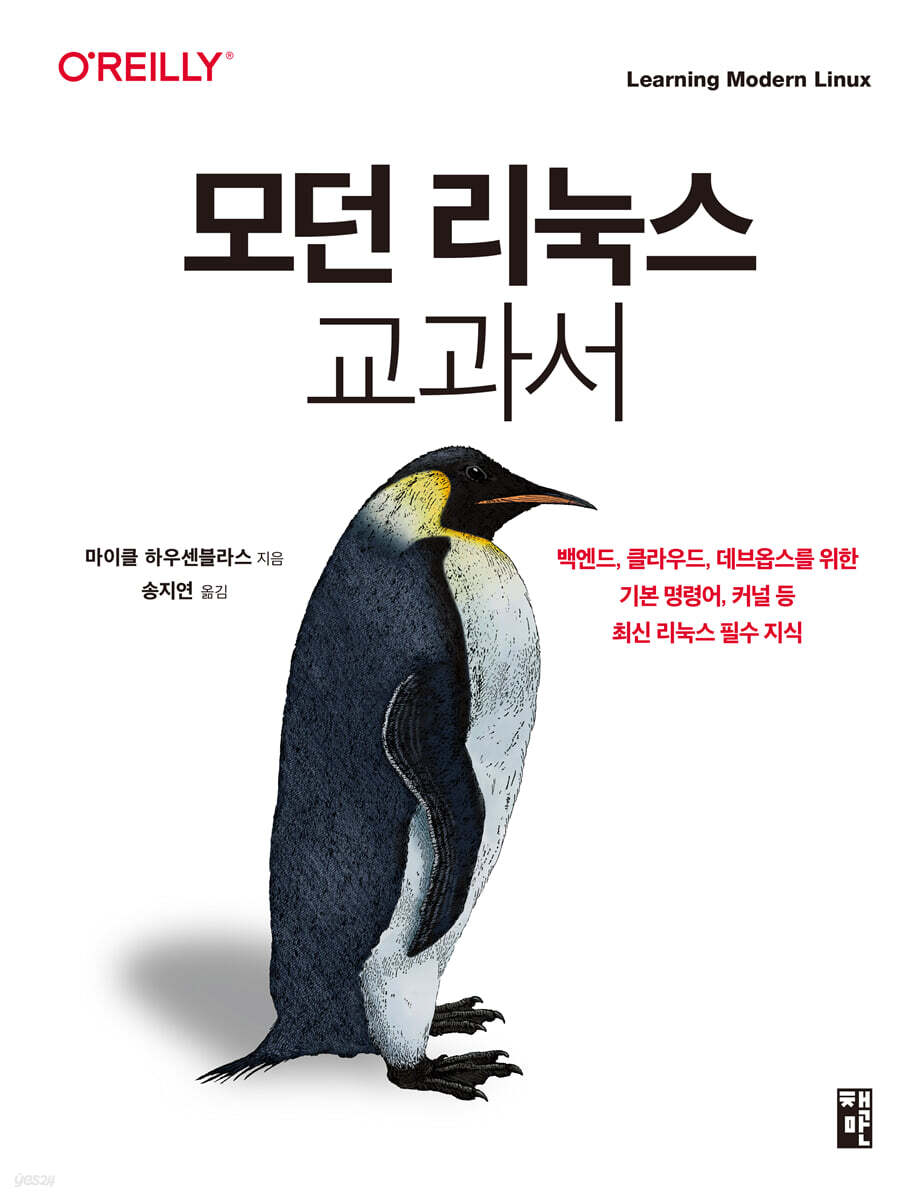
Book Introduction
“Isn’t there a way to learn the latest features that can increase productivity in a concise manner, rather than using legacy commands that are used repeatedly day after day?” - A seasoned engineer who has used Linux for a long time
“I don’t have time to study Linux separately, but can I just grasp the core information and basic concepts surrounding the Linux ecosystem?” - A new engineer who needs to use Linux right away in the field.
A modern Linux handbook has been published, providing only the essential information developers who need to work with Linux in the field without being biased towards a specific distribution, and explaining it without unnecessary details.
We'll walk you through core Linux commands at a fast pace, offering tips and tricks to improve your workflow.
From development to business-related tasks, everyone—developers, software architects, site reliability engineers (SREs)—learns the essentials of how to use Linux for their daily needs.
We'll also cover how to manage your workload while getting hands-on experience with modern Linux terminals and shells.
“I don’t have time to study Linux separately, but can I just grasp the core information and basic concepts surrounding the Linux ecosystem?” - A new engineer who needs to use Linux right away in the field.
A modern Linux handbook has been published, providing only the essential information developers who need to work with Linux in the field without being biased towards a specific distribution, and explaining it without unnecessary details.
We'll walk you through core Linux commands at a fast pace, offering tips and tricks to improve your workflow.
From development to business-related tasks, everyone—developers, software architects, site reliability engineers (SREs)—learns the essentials of how to use Linux for their daily needs.
We'll also cover how to manage your workload while getting hands-on experience with modern Linux terminals and shells.
- You can preview some of the book's contents.
Preview
index
Chapter 1: Introduction to Linux
What is a modern environment?
The Linux Story (So Far)
Why do we need an operating system?
Linux distributions
Resource Visibility
A complete overview of the Linux operating system
organize
Chapter 2 Linux Kernel
Linux architecture
CPU architecture
__x86 architecture
__ARM architecture
__RISC-V architecture
Kernel components
__Process Management
__Memory Management
__Networking
__file system
__Device Driver
__system call
Kernel extensions
__module
__A modern way to extend the kernel: eBPF
organize
Chapter 3 Shell and Scripting
Basic Overview
__terminal
__shell
__Modern Linux Commands
__General tasks
Human-friendly shell
__fish shell
__Zshell
__Other modern shells
__Which shell should I use?
Terminal multiplexer
__screen
__tmux
__Other multiplexers
__Which multiplexer should I use?
Scripting
__Basic Overview of Scripting
__Writing a portable bash script
__Script Lint and Testing
__Full example: GitHub user info script
organize
Chapter 4 Access Control
Basic Overview
__Resources and Ownership
__Sandbox
__Access Control Type
user
__Managing users locally
__Centralized user management
authority
__file permissions
__process privileges
Advanced Permissions Management
__Capability
__seccomp profile
__Access Control List
Best Practices
organize
Chapter 5 File System
Basic Overview
virtual file system
__Logical Volume Manager
__Filesystem operations
__General-purpose file system layout
pseudo file system
__procfs
__sysfs
__devfs
General file
__General Purpose File System
__In-memory file system
__Copy-on-write (CoW) filesystem
organize
Chapter 6 Applications, Package Management, and Containers
Basic Overview
Linux startup process
systemd
__unit
Managing with __systemctl
Monitoring with __journalctl
__Example: Greeting Scheduling
Linux Application Supply Chain
Packages and Package Managers
__RPM Package Manager
__Debian deb
__Package managers for programming languages
container
__Linux namespace
__Linux cgroup
__Copy-on-write (CoW) filesystem
__Docker
__Other container tools
Latest package manager
organize
Chapter 7 Networking
Basic Overview
TCP/IP stack
__link layer
__Internet layer
__Transport Layer
__socket
DNS
__DNS record
__DNS lookup
Application Layer Networking
__Web
__Secure Shell (SSH)
__File transfer
__Network File System (NFS)
__Sharing with Windows
Advanced Network
__whois
__Dynamic Host Configuration Protocol (DHCP)
__Network Time Protocol (NTP)
__wireshark and tshark
__Other advanced tools
organize
Chapter 8 Observability
Basic Overview
__Observability Strategy
__Term
__signal type
Logging
__Syslog
__journalctl
Monitoring
__Device I/O and network interfaces
__Integrated Performance Monitor
__Measurement
Advanced Observability
__Tracking and Profiling
__Prometheus and Grafana
organize
Chapter 9 Advanced Topics
Interprocess communication
__signal
__named pipe
__Unix domain socket
virtual machine
__kernel-based virtual machine
__Firecracker
Modern Linux distributions
__Red Hat Enterprise Linux CoreOS
__Flatcar Container Linux
__Bottle Rocket
__Rancher OS
Special security tools
__Kerberos
__Mountable authentication module
Other promising product lines
__NixOS
Linux on a desktop computer
Linux on Embedded Systems
Linux on Cloud IDE
organize
Appendix A: Useful Cheat Sheets for Working with Linux
Appendix B Modern Linux Tools
What is a modern environment?
The Linux Story (So Far)
Why do we need an operating system?
Linux distributions
Resource Visibility
A complete overview of the Linux operating system
organize
Chapter 2 Linux Kernel
Linux architecture
CPU architecture
__x86 architecture
__ARM architecture
__RISC-V architecture
Kernel components
__Process Management
__Memory Management
__Networking
__file system
__Device Driver
__system call
Kernel extensions
__module
__A modern way to extend the kernel: eBPF
organize
Chapter 3 Shell and Scripting
Basic Overview
__terminal
__shell
__Modern Linux Commands
__General tasks
Human-friendly shell
__fish shell
__Zshell
__Other modern shells
__Which shell should I use?
Terminal multiplexer
__screen
__tmux
__Other multiplexers
__Which multiplexer should I use?
Scripting
__Basic Overview of Scripting
__Writing a portable bash script
__Script Lint and Testing
__Full example: GitHub user info script
organize
Chapter 4 Access Control
Basic Overview
__Resources and Ownership
__Sandbox
__Access Control Type
user
__Managing users locally
__Centralized user management
authority
__file permissions
__process privileges
Advanced Permissions Management
__Capability
__seccomp profile
__Access Control List
Best Practices
organize
Chapter 5 File System
Basic Overview
virtual file system
__Logical Volume Manager
__Filesystem operations
__General-purpose file system layout
pseudo file system
__procfs
__sysfs
__devfs
General file
__General Purpose File System
__In-memory file system
__Copy-on-write (CoW) filesystem
organize
Chapter 6 Applications, Package Management, and Containers
Basic Overview
Linux startup process
systemd
__unit
Managing with __systemctl
Monitoring with __journalctl
__Example: Greeting Scheduling
Linux Application Supply Chain
Packages and Package Managers
__RPM Package Manager
__Debian deb
__Package managers for programming languages
container
__Linux namespace
__Linux cgroup
__Copy-on-write (CoW) filesystem
__Docker
__Other container tools
Latest package manager
organize
Chapter 7 Networking
Basic Overview
TCP/IP stack
__link layer
__Internet layer
__Transport Layer
__socket
DNS
__DNS record
__DNS lookup
Application Layer Networking
__Web
__Secure Shell (SSH)
__File transfer
__Network File System (NFS)
__Sharing with Windows
Advanced Network
__whois
__Dynamic Host Configuration Protocol (DHCP)
__Network Time Protocol (NTP)
__wireshark and tshark
__Other advanced tools
organize
Chapter 8 Observability
Basic Overview
__Observability Strategy
__Term
__signal type
Logging
__Syslog
__journalctl
Monitoring
__Device I/O and network interfaces
__Integrated Performance Monitor
__Measurement
Advanced Observability
__Tracking and Profiling
__Prometheus and Grafana
organize
Chapter 9 Advanced Topics
Interprocess communication
__signal
__named pipe
__Unix domain socket
virtual machine
__kernel-based virtual machine
__Firecracker
Modern Linux distributions
__Red Hat Enterprise Linux CoreOS
__Flatcar Container Linux
__Bottle Rocket
__Rancher OS
Special security tools
__Kerberos
__Mountable authentication module
Other promising product lines
__NixOS
Linux on a desktop computer
Linux on Embedded Systems
Linux on Cloud IDE
organize
Appendix A: Useful Cheat Sheets for Working with Linux
Appendix B Modern Linux Tools
Detailed image

Publisher's Review
What this book covers
· Use Linux as a modern work environment, not from an administrative perspective.
· Learn important components such as the Linux kernel, terminal multiplexer, human-friendly shell, and portable shell scripting.
· Access control from file permissions to capabilities, and the role of the file system as a basic building block.
· Application dependency management and containers
· Practical experience with Linux networking stack and tools, including DNS
· Workload management using the latest operating system observability
· Interprocess communication, virtual machines, and selected security topics
Target audience for this book
This book is written for anyone who wants or needs to use Linux in a professional environment, such as software developers, software architects, QA test engineers, DevOps, and SRE roles.
We also keep in mind readers who have little or no knowledge of operating systems, or Linux/Unix in particular, such as hobbyists who are new to Linux while working on activities such as 3D printing or smart home projects.
This book is built up step by step as each chapter progresses, so you will better understand the content if you read it from beginning to end.
However, if you are already familiar with Linux, you can use it as a reference book.
Structure of this book
By the end of this book, you will understand what Linux is all about (Chapter 1), what its core components are (Chapters 2 and 3), and be able to list and use essential access control mechanisms (Chapter 4).
You will also understand the role of the file system, the basic building block of Linux (Chapter 5), and what an application is (Chapter 6).
Then, we will practice the Linux networking stack and tools (Chapter 7).
We will also explore the observability of modern operating systems (Chapter 8) and learn how to apply it to manage workloads.
You'll also learn how to run Linux applications in a modern way, using containers or immutable distributions like Bottlerocket, and how to securely communicate (such as downloading files) and share data using advanced tools like Secure Shell (SSH) and P2P and cloud synchronization mechanisms (Chapter 9).
Author's Note
Welcome to the "Modern Linux Textbook"! I'm thrilled to be joining you on this journey, even if only for a moment.
This book is for those who are already using Linux but are looking for a structured approach and hands-on exercises to delve deeper into their knowledge, or for those who are already experienced but want to pick up some tips and tricks to improve their flow when working with Linux.
For example, in a professional environment such as development or operations.
This book will focus on using Linux in everyday tasks, from development to office work, rather than on the system administration aspect.
We will also focus on using the command line (CLI) rather than the UI.
Of course, the era of desktop Linux may arrive any day now, but for now, we'll be using the terminal as the primary way to interact with Linux.
This also gives you the added benefit of being able to apply what you learn to a variety of setups and environments, from a Raspberry Pi to a virtual machine from your chosen cloud provider.
Before we begin, I'd like to share some information about my journey so far.
(It was the late 1980s) The first operating system I ever used was not Linux, but AmigaOS.
During my time at technical high school, I primarily used Microsoft DOS and the then-new Microsoft Windows, focusing my experience primarily on event systems and user interface (UI)-related development.
Then, when I was attending university in the mid-to-late 1990s, the lab mainly used Unix-based Solaris and Silicon Graphics machines.
In fact, it wasn't until the mid-2000s that I got into Linux in the context of big data, and I first started working with containers in 2015 using Apache Mesos at Mesosphere, and then I started working with Kubernetes (first on Red Hat's OpenShift team, and later on AWS's container services team).
It was at this point that I finally realized that I needed to master Linux to be effective in my work.
Linux is unique.
Linux's background, global user community, versatility, and flexibility make it unique.
Linux is a fascinating, constantly growing open source ecosystem for both individuals and vendors.
From a $50 Raspberry Pi to a virtual machine from your favorite cloud provider to a Mars rover, Linux runs almost anywhere the sun shines.
Although Linux has been around for over 30 years, its luster is unlikely to fade anytime soon, so if you want to learn more about it, the time to start is now.
Translator's Note
As readers who have chosen this book will all feel, Linux has been around for 30 years, but rather than declining over time, it is solidifying its position as an increasingly important operating system.
The original version of this book is 『Learning Modern Linux』 published by O'Reilly Publishing, which systematically and well organizes essential knowledge to help readers gain a comprehensive understanding of Linux, especially the recent modern Linux.
This book first briefly reviews the overall history of Linux, and then provides a detailed explanation of how it is currently developing and the differences between modern Linux and classic Linux.
In addition, it introduces various tools that can be used for Linux development and operation in the latest cloud environment, especially the core tools of modern Linux (Prometheus, Grafana, Kerberos, etc.) that are most widely used in the field, so that they can be used practically, and focuses on their main concepts.
I feel proud that I have learned a little more about Linux while translating this book.
Also, as someone who has been working with Linux for a long time and has translated several books, I am personally pleased with this book in many ways because it allows me to introduce to domestic readers the latest changes in Linux and various new tools and concepts that were not covered in detail in other books.
The author of this book, Michael Hausenblas, also has a long career as a Linux administrator, so I have no doubt that the vivid experiences he has gained in the field contained in this book will be of great help to domestic readers.
· Use Linux as a modern work environment, not from an administrative perspective.
· Learn important components such as the Linux kernel, terminal multiplexer, human-friendly shell, and portable shell scripting.
· Access control from file permissions to capabilities, and the role of the file system as a basic building block.
· Application dependency management and containers
· Practical experience with Linux networking stack and tools, including DNS
· Workload management using the latest operating system observability
· Interprocess communication, virtual machines, and selected security topics
Target audience for this book
This book is written for anyone who wants or needs to use Linux in a professional environment, such as software developers, software architects, QA test engineers, DevOps, and SRE roles.
We also keep in mind readers who have little or no knowledge of operating systems, or Linux/Unix in particular, such as hobbyists who are new to Linux while working on activities such as 3D printing or smart home projects.
This book is built up step by step as each chapter progresses, so you will better understand the content if you read it from beginning to end.
However, if you are already familiar with Linux, you can use it as a reference book.
Structure of this book
By the end of this book, you will understand what Linux is all about (Chapter 1), what its core components are (Chapters 2 and 3), and be able to list and use essential access control mechanisms (Chapter 4).
You will also understand the role of the file system, the basic building block of Linux (Chapter 5), and what an application is (Chapter 6).
Then, we will practice the Linux networking stack and tools (Chapter 7).
We will also explore the observability of modern operating systems (Chapter 8) and learn how to apply it to manage workloads.
You'll also learn how to run Linux applications in a modern way, using containers or immutable distributions like Bottlerocket, and how to securely communicate (such as downloading files) and share data using advanced tools like Secure Shell (SSH) and P2P and cloud synchronization mechanisms (Chapter 9).
Author's Note
Welcome to the "Modern Linux Textbook"! I'm thrilled to be joining you on this journey, even if only for a moment.
This book is for those who are already using Linux but are looking for a structured approach and hands-on exercises to delve deeper into their knowledge, or for those who are already experienced but want to pick up some tips and tricks to improve their flow when working with Linux.
For example, in a professional environment such as development or operations.
This book will focus on using Linux in everyday tasks, from development to office work, rather than on the system administration aspect.
We will also focus on using the command line (CLI) rather than the UI.
Of course, the era of desktop Linux may arrive any day now, but for now, we'll be using the terminal as the primary way to interact with Linux.
This also gives you the added benefit of being able to apply what you learn to a variety of setups and environments, from a Raspberry Pi to a virtual machine from your chosen cloud provider.
Before we begin, I'd like to share some information about my journey so far.
(It was the late 1980s) The first operating system I ever used was not Linux, but AmigaOS.
During my time at technical high school, I primarily used Microsoft DOS and the then-new Microsoft Windows, focusing my experience primarily on event systems and user interface (UI)-related development.
Then, when I was attending university in the mid-to-late 1990s, the lab mainly used Unix-based Solaris and Silicon Graphics machines.
In fact, it wasn't until the mid-2000s that I got into Linux in the context of big data, and I first started working with containers in 2015 using Apache Mesos at Mesosphere, and then I started working with Kubernetes (first on Red Hat's OpenShift team, and later on AWS's container services team).
It was at this point that I finally realized that I needed to master Linux to be effective in my work.
Linux is unique.
Linux's background, global user community, versatility, and flexibility make it unique.
Linux is a fascinating, constantly growing open source ecosystem for both individuals and vendors.
From a $50 Raspberry Pi to a virtual machine from your favorite cloud provider to a Mars rover, Linux runs almost anywhere the sun shines.
Although Linux has been around for over 30 years, its luster is unlikely to fade anytime soon, so if you want to learn more about it, the time to start is now.
Translator's Note
As readers who have chosen this book will all feel, Linux has been around for 30 years, but rather than declining over time, it is solidifying its position as an increasingly important operating system.
The original version of this book is 『Learning Modern Linux』 published by O'Reilly Publishing, which systematically and well organizes essential knowledge to help readers gain a comprehensive understanding of Linux, especially the recent modern Linux.
This book first briefly reviews the overall history of Linux, and then provides a detailed explanation of how it is currently developing and the differences between modern Linux and classic Linux.
In addition, it introduces various tools that can be used for Linux development and operation in the latest cloud environment, especially the core tools of modern Linux (Prometheus, Grafana, Kerberos, etc.) that are most widely used in the field, so that they can be used practically, and focuses on their main concepts.
I feel proud that I have learned a little more about Linux while translating this book.
Also, as someone who has been working with Linux for a long time and has translated several books, I am personally pleased with this book in many ways because it allows me to introduce to domestic readers the latest changes in Linux and various new tools and concepts that were not covered in detail in other books.
The author of this book, Michael Hausenblas, also has a long career as a Linux administrator, so I have no doubt that the vivid experiences he has gained in the field contained in this book will be of great help to domestic readers.
GOODS SPECIFICS
- Date of issue: October 18, 2023
- Pages, weight, size: 284 pages | 686g | 185*240*17mm
- ISBN13: 9791189909567
- ISBN10: 1189909561
You may also like
카테고리
korean


korean

![GQ KOREA Mark (Monthly): December [2025]](http://librairie.coreenne.fr/cdn/shop/files/8ef265dbbfbf186523ed75ba7319009d.jpg?v=1765340328&width=3840)


