

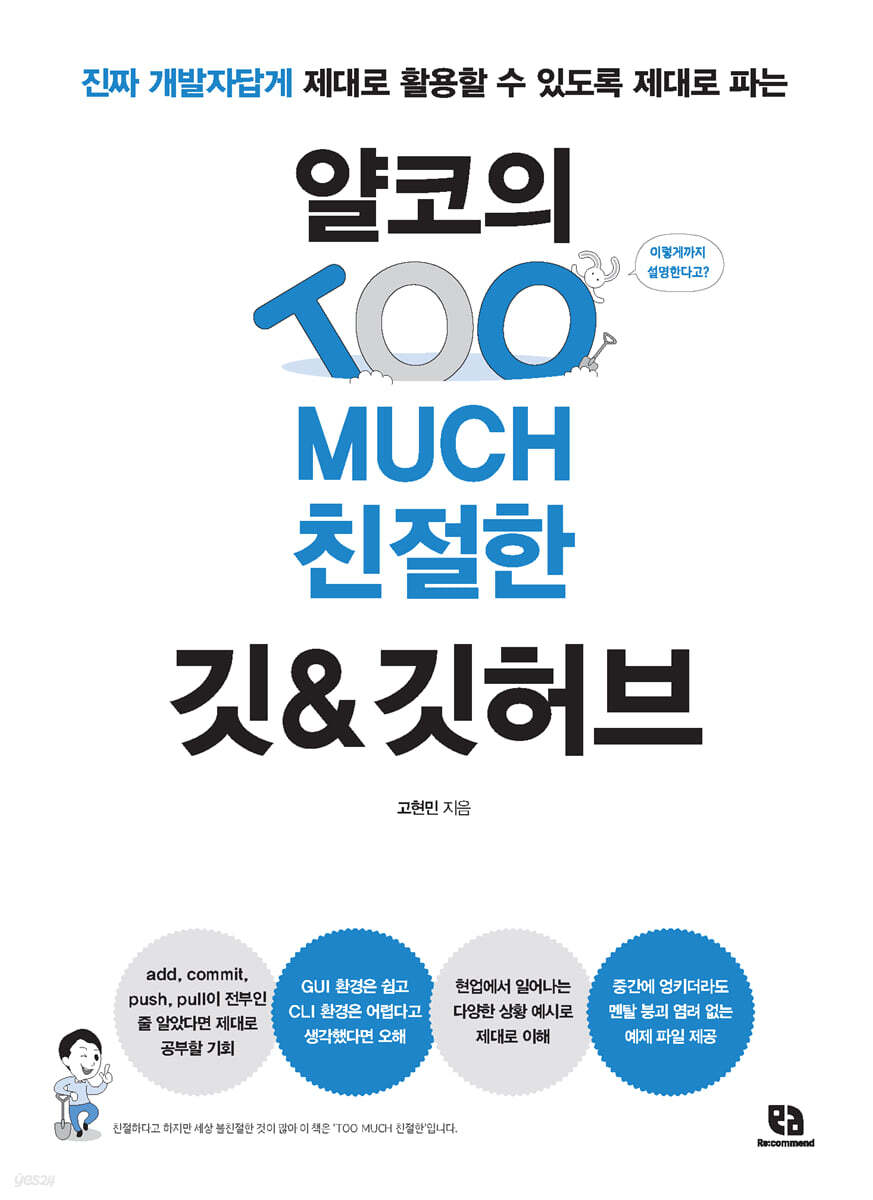
Yalco's TOO MUCH Friendly Git & GitHub
 |
Description
Book Introduction
- “You’re explaining it like this?”
- A Git & GitHub guide that explains everything from Yalco, a true developer, so you can use it properly.
When you say you want to learn programming and become a developer, people around you tell you to learn something called 'Git' without asking any questions.
Git, a tool for managing program versions, is considered an essential skill for today's collaborative developers.
Yalco's "TOO MUCH Friendly Git & GitHub" vividly covers how Git works and how to use Git and GitHub for collaboration.
Even those who are learning programming for the first time can practice version management without having to worry about saving files. It provides example files and explains situations that are likely to occur in real life, so anyone can nod and follow along, saying, “Yeah, something like this can happen,” or “That’s right, this is exactly what I was struggling with back then.”
Also, since it is the result of meticulous research and preparation to ensure 'absolutely no shortcomings' in practice, if you thought add, commit, push, and pull were all there was to it, this is an opportunity to study properly; if you thought the GUI environment was easy and the CLI environment was difficult, this is an opportunity to clear up your misunderstanding; and an opportunity to properly understand the concepts and principles through various examples of situations that occur in the field.
If you've decided to start using Git & GitHub, start with Yalco's "TOO MUCH Friendly Git & GitHub," which has already been proven to have the highest number of students and satisfaction on YouTube and Inflearn.
The series “Yalko’s TOO MUCH Kind” was born as “TOO MUCH Kind” because there are many unkind things in the world, even though they are said to be kind.
- A Git & GitHub guide that explains everything from Yalco, a true developer, so you can use it properly.
When you say you want to learn programming and become a developer, people around you tell you to learn something called 'Git' without asking any questions.
Git, a tool for managing program versions, is considered an essential skill for today's collaborative developers.
Yalco's "TOO MUCH Friendly Git & GitHub" vividly covers how Git works and how to use Git and GitHub for collaboration.
Even those who are learning programming for the first time can practice version management without having to worry about saving files. It provides example files and explains situations that are likely to occur in real life, so anyone can nod and follow along, saying, “Yeah, something like this can happen,” or “That’s right, this is exactly what I was struggling with back then.”
Also, since it is the result of meticulous research and preparation to ensure 'absolutely no shortcomings' in practice, if you thought add, commit, push, and pull were all there was to it, this is an opportunity to study properly; if you thought the GUI environment was easy and the CLI environment was difficult, this is an opportunity to clear up your misunderstanding; and an opportunity to properly understand the concepts and principles through various examples of situations that occur in the field.
If you've decided to start using Git & GitHub, start with Yalco's "TOO MUCH Friendly Git & GitHub," which has already been proven to have the highest number of students and satisfaction on YouTube and Inflearn.
The series “Yalko’s TOO MUCH Kind” was born as “TOO MUCH Kind” because there are many unkind things in the world, even though they are said to be kind.
- You can preview some of the book's contents.
Preview
index
PART 01 Basics of Git and GitHub
CHAPTER 01 Getting Started with Git
_LESSON 01 Why You Should Learn Git
Time travel with __git
Dimensional travel with __git
_LESSON 02 Installation and Setup for Windows Users
__Installing Git for Windows
__Git CLI: Installing Git Bash
__Installing SourceTree
__Installing VS Code
__Open a terminal in VS Code
_LESSON 03 Installation and Setup for Mac Users
__Installing Git for Mac
__Installing SourceTree and VS Code
_LESSON 04 Setting up Git and starting project management
__Setting up Git for the first time
__Creating and managing projects with Git
_LESSON 05 Things not to leave to Git
Creating a __.gitignore file
__.gitignore file format
*Git commands to memorize and use
CHAPTER 02 Time Travel
_LESSON 06 Burying Change in a Time Capsule
__Include project changes in version
Commit __version
__Make changes and commit
_LESSON 07 Reset and Libert: Returning to the Past
__Reset to revert to the past history
__Revert past history with Libert
_LESSON 08 Resetting and Reversing with Source Tree
__Make changes and commit
__Using Libert in SourceTree
__Using Reset in SourceTree
*Git commands to memorize and use
CHAPTER 03 Dimensional Transition
_LESSON 09 Creating Multiple Branches
__Division branching with branch
__Create, move, and delete branches
__Try different tasks on each branch
_LESSON 10 Two Ways to Merge Branches
__Merging branches with merge
__Merging branches with rebase
_LESSON 11 Resolving Conflicts Between Branches
__Creating a conflict situation
__Resolving merge conflicts
__Resolving rebase conflicts
_LESSON 12: Practicing Merging and Rebasing with SourceTree
__Creating a branch and adding changes to the source tree
__Practicing merging and rebasing in SourceTree
__Resolving conflicts in source tree
*Git commands to memorize and use
CHAPTER 04 Using GitHub
_LESSON 13 Getting Started with GitHub
__Why use GitHub?
__Getting Started with GitHub
__Create a remote repository
__Using remote repositories
_LESSON 14 Push and Pull
__Push commit to remote repository
__Pull commits from a remote repository
__What if I have something to solve and push it?
__Two ways to pull with rebase and merge
__Resolving collaboration conflicts
__Force push of local work history
_LESSON 15 Handling Branches in Remote Repositories
__Create a branch on your local computer and push it to a remote repository
__Pull a branch from a remote repository locally
__Delete a branch from a remote repository
_LESSON 16: Handling Branches in Remote Repositories with SourceTree
__Add a remote repository
__Push and Pull
__Handling branches
*Git commands to memorize and use
PART 02 Practicing Git for Real-World Use
CHAPTER 05 Understanding Git Deeper
_LESSON 17 Technical Understanding of Git's Features and Functions
__Why is Git special?
__The three spaces of Git: the working directory, the staging area, and the repository
Deleting files with the __git rm command
Moving files with the __git mv command
Restore files to the working directory with the __restore command
Reverting work with the __git reset command
_LESSON 18 Checkout and Fetch
Understanding the concept of __head
__Checkout
__Difference between fetch and pull
__Checking the new branch in the remote repository
_LESSON 19 Using Help and Settings
Using the __git help command to get help
__Refer to the Git documentation
__various settings of Git
__Shortcut key settings
*Git commands to memorize and use
CHAPTER 06 Committing More Carefully
_LESSON 20: Commit Like a Pro
__Commit Recommendations and Commit Message Conventions
__Check changes and stage them in hunk units
__Put aside what you were working on with Stash for a moment
__Edit last commit
__Modify, delete, merge, or split past commits
_LESSON 21: Undo and Undo: A Deeper Look
__Delete unmanaged files
Revert uncommitted changes with __restore
_LESSON 22 Tagging a Commit
__Tag the last commit
__Tag the commit you want
__Referencing the version to check out with a tag
__Synchronize local tags with remote repositories
__Distributing files on GitHub
*Git commands to memorize and use
CHAPTER 07 Digging Deeper into Branches
_LESSON 23 fast forward vs 3-way merge
_LESSON 24 Importing only the desired parts from another branch
__Cherrypick only the commits you want
__Bring a branch from another branch
__Bring together commits from different branches and import them
_LESSON 25: Using Branches for Collaboration
CHAPTER 08 Analyzing and Debugging
_LESSON 26: Learning about logs
_LESSON 27 Checking Changes
_LESSON 28 Finding out who coded
_LESSON 29 Finding When an Error Occurred
*Git commands to memorize and use
CHAPTER 09: Utilizing GitHub Properly
_LESSON 30 Documentation on Projects and Folders
Documentation using __README.md
__Create a document
_LESSON 31 Pull Requests and Issues
__Write a pull request
__Review and process pull requests
__Write an issue
_LESSON 32 Authenticating Using the SSH Protocol
__Check if SSH key exists
__Registering SSH keys
__Try using SSH keys
_LESSON 33 Signing Commits with GPG
__Generate a GPG key
__Registering GPG keys in Git
CHAPTER 01 Getting Started with Git
_LESSON 01 Why You Should Learn Git
Time travel with __git
Dimensional travel with __git
_LESSON 02 Installation and Setup for Windows Users
__Installing Git for Windows
__Git CLI: Installing Git Bash
__Installing SourceTree
__Installing VS Code
__Open a terminal in VS Code
_LESSON 03 Installation and Setup for Mac Users
__Installing Git for Mac
__Installing SourceTree and VS Code
_LESSON 04 Setting up Git and starting project management
__Setting up Git for the first time
__Creating and managing projects with Git
_LESSON 05 Things not to leave to Git
Creating a __.gitignore file
__.gitignore file format
*Git commands to memorize and use
CHAPTER 02 Time Travel
_LESSON 06 Burying Change in a Time Capsule
__Include project changes in version
Commit __version
__Make changes and commit
_LESSON 07 Reset and Libert: Returning to the Past
__Reset to revert to the past history
__Revert past history with Libert
_LESSON 08 Resetting and Reversing with Source Tree
__Make changes and commit
__Using Libert in SourceTree
__Using Reset in SourceTree
*Git commands to memorize and use
CHAPTER 03 Dimensional Transition
_LESSON 09 Creating Multiple Branches
__Division branching with branch
__Create, move, and delete branches
__Try different tasks on each branch
_LESSON 10 Two Ways to Merge Branches
__Merging branches with merge
__Merging branches with rebase
_LESSON 11 Resolving Conflicts Between Branches
__Creating a conflict situation
__Resolving merge conflicts
__Resolving rebase conflicts
_LESSON 12: Practicing Merging and Rebasing with SourceTree
__Creating a branch and adding changes to the source tree
__Practicing merging and rebasing in SourceTree
__Resolving conflicts in source tree
*Git commands to memorize and use
CHAPTER 04 Using GitHub
_LESSON 13 Getting Started with GitHub
__Why use GitHub?
__Getting Started with GitHub
__Create a remote repository
__Using remote repositories
_LESSON 14 Push and Pull
__Push commit to remote repository
__Pull commits from a remote repository
__What if I have something to solve and push it?
__Two ways to pull with rebase and merge
__Resolving collaboration conflicts
__Force push of local work history
_LESSON 15 Handling Branches in Remote Repositories
__Create a branch on your local computer and push it to a remote repository
__Pull a branch from a remote repository locally
__Delete a branch from a remote repository
_LESSON 16: Handling Branches in Remote Repositories with SourceTree
__Add a remote repository
__Push and Pull
__Handling branches
*Git commands to memorize and use
PART 02 Practicing Git for Real-World Use
CHAPTER 05 Understanding Git Deeper
_LESSON 17 Technical Understanding of Git's Features and Functions
__Why is Git special?
__The three spaces of Git: the working directory, the staging area, and the repository
Deleting files with the __git rm command
Moving files with the __git mv command
Restore files to the working directory with the __restore command
Reverting work with the __git reset command
_LESSON 18 Checkout and Fetch
Understanding the concept of __head
__Checkout
__Difference between fetch and pull
__Checking the new branch in the remote repository
_LESSON 19 Using Help and Settings
Using the __git help command to get help
__Refer to the Git documentation
__various settings of Git
__Shortcut key settings
*Git commands to memorize and use
CHAPTER 06 Committing More Carefully
_LESSON 20: Commit Like a Pro
__Commit Recommendations and Commit Message Conventions
__Check changes and stage them in hunk units
__Put aside what you were working on with Stash for a moment
__Edit last commit
__Modify, delete, merge, or split past commits
_LESSON 21: Undo and Undo: A Deeper Look
__Delete unmanaged files
Revert uncommitted changes with __restore
_LESSON 22 Tagging a Commit
__Tag the last commit
__Tag the commit you want
__Referencing the version to check out with a tag
__Synchronize local tags with remote repositories
__Distributing files on GitHub
*Git commands to memorize and use
CHAPTER 07 Digging Deeper into Branches
_LESSON 23 fast forward vs 3-way merge
_LESSON 24 Importing only the desired parts from another branch
__Cherrypick only the commits you want
__Bring a branch from another branch
__Bring together commits from different branches and import them
_LESSON 25: Using Branches for Collaboration
CHAPTER 08 Analyzing and Debugging
_LESSON 26: Learning about logs
_LESSON 27 Checking Changes
_LESSON 28 Finding out who coded
_LESSON 29 Finding When an Error Occurred
*Git commands to memorize and use
CHAPTER 09: Utilizing GitHub Properly
_LESSON 30 Documentation on Projects and Folders
Documentation using __README.md
__Create a document
_LESSON 31 Pull Requests and Issues
__Write a pull request
__Review and process pull requests
__Write an issue
_LESSON 32 Authenticating Using the SSH Protocol
__Check if SSH key exists
__Registering SSH keys
__Try using SSH keys
_LESSON 33 Signing Commits with GPG
__Generate a GPG key
__Registering GPG keys in Git
Detailed image

Into the book
Beta readers, Bravo! Bravo!! Bravo!!! Below are the parts that the beta readers were reading and shouted “Bravo” at because they thought it was so good.
- When going deep into examples, there are times when I get lost and think, 'What was I just doing?', but I liked that the introduction of the PART - CHAPTER - LESSON structure clearly describes what I need to learn.
-I thought the part where the flag was explained as an example of time and dimension was a very appropriate metaphor.
This seems like a good way to help developers or job seekers who haven't used Git yet understand the necessity of Git.
-While developing, you need to write the development specification accurately, but it is not easy.
You gave me examples of the difficult and arduous tasks that can occur when working without using actual git, and I feel like I've been caught in the act.
The perfect analogy and examples were painful but easy to understand.
-Terms and concepts are explained so well that you don't need to look them up separately.
-There is a lot of useful content in “Mito’s Cham:Gyeon.”
Perhaps Mito's 'meddling' is speaking as if interfering, but unlike the dictionary definition, it gives true knowledge or advice here and there so that people don't blindly follow.
-I'm still pressing cmd+s(ctrl+s) repeatedly.
I think it's the most important habit.
I ate a few of them above.
-I didn't know the specific meaning of the commands I was entering every time I used Git, but now I can understand and use the commands thanks to the detailed explanations for each command.
-While reading this book, I kept saying, “That’s right, that’s right,” and “That’s right,” because there was so much essential content.
I gain a lot of meaningful perspectives that I can't get anywhere else.
- I used to search for and use Git commands whenever I needed to, except for the ones I use most often. But now that I can try them out myself at the end of each chapter, I think I'll remember them better.
It's nice that even though there are more commands as you go further back, you can easily check them here.
--m I never saw anywhere that said you could write a multi-line commit message with multiple options, but I figured it out!
-I only knew that reset and liberate had similar functions, but this opportunity made me clearly understand their differences.
It also helped me compare because you explained why Libert exists.
-I like the configuration that explains both CLI and GUI!
This is the most lucid explanation of merging and rebasing I've ever seen! Beyond the simple explanations, it also includes illustrations to explain the differences and context-specific details. I read it smoothly, wondering if merging and rebasing could ever be this easy.
-Following this book felt like a game-like process of naturally learning skills one by one as the story progresses.
I don't think there's a more accessible and fun book for beginners to Git and GitHub than this one!
- When going deep into examples, there are times when I get lost and think, 'What was I just doing?', but I liked that the introduction of the PART - CHAPTER - LESSON structure clearly describes what I need to learn.
-I thought the part where the flag was explained as an example of time and dimension was a very appropriate metaphor.
This seems like a good way to help developers or job seekers who haven't used Git yet understand the necessity of Git.
-While developing, you need to write the development specification accurately, but it is not easy.
You gave me examples of the difficult and arduous tasks that can occur when working without using actual git, and I feel like I've been caught in the act.
The perfect analogy and examples were painful but easy to understand.
-Terms and concepts are explained so well that you don't need to look them up separately.
-There is a lot of useful content in “Mito’s Cham:Gyeon.”
Perhaps Mito's 'meddling' is speaking as if interfering, but unlike the dictionary definition, it gives true knowledge or advice here and there so that people don't blindly follow.
-I'm still pressing cmd+s(ctrl+s) repeatedly.
I think it's the most important habit.
I ate a few of them above.
-I didn't know the specific meaning of the commands I was entering every time I used Git, but now I can understand and use the commands thanks to the detailed explanations for each command.
-While reading this book, I kept saying, “That’s right, that’s right,” and “That’s right,” because there was so much essential content.
I gain a lot of meaningful perspectives that I can't get anywhere else.
- I used to search for and use Git commands whenever I needed to, except for the ones I use most often. But now that I can try them out myself at the end of each chapter, I think I'll remember them better.
It's nice that even though there are more commands as you go further back, you can easily check them here.
--m I never saw anywhere that said you could write a multi-line commit message with multiple options, but I figured it out!
-I only knew that reset and liberate had similar functions, but this opportunity made me clearly understand their differences.
It also helped me compare because you explained why Libert exists.
-I like the configuration that explains both CLI and GUI!
This is the most lucid explanation of merging and rebasing I've ever seen! Beyond the simple explanations, it also includes illustrations to explain the differences and context-specific details. I read it smoothly, wondering if merging and rebasing could ever be this easy.
-Following this book felt like a game-like process of naturally learning skills one by one as the story progresses.
I don't think there's a more accessible and fun book for beginners to Git and GitHub than this one!
--- From the text
Publisher's Review
★ Popular lectures from YouTube and Inflearn have returned as upgraded books!
★ 3 Steps to Mastering Git & GitHub Guided by Yalco
(Step 1) Close Help
Let's quickly get a feel for Git and GitHub without any unnecessary details! In Part 01, you'll learn how to use Git to navigate a project's past and present, and practice with the CLI and SourceTree.
Once you've installed the tools and completed the basic setup, it's time to dive right into the practice! Before diving into the specifics of Git's features, let's briefly cover the process of storing program changes in versions, moving between project levels (branches), and resolving conflicts.
In this course, you will practice working with Git using the CLI (Command Line Interface), which is widely used in practice, and learn the principles of Git by repeating the same tasks with SourceTree.
Then, you will practice collaborating by pushing and pulling to GitHub, moving between local and remote repositories.
(Step 2) Long jump
Let's master the working principles of Git and GitHub, key commands, practical strategies, and usage tips! Now that you've warmed up with hands-on exercises, let's delve into the intricacies of how Git and GitHub work and practice advanced features. In Part 02, we'll memorize the entire process of changes being saved and modified through the working directory, staging area, and repository, and practice committing with greater precision according to conventions, as well as freely modifying and reverting past commits.
Then, you will learn how to collaborate in practice using the key features of Git and GitHub.
You'll also learn how to use Git on your own, and how to customize your working environment with various settings and shortcuts.
(Step 3) High jump
Let's explore GitHub's advanced features, useful for practical use! This free special edition e-book introduces advanced features useful to working developers using Git.
You can take your developer collaboration skills to the next level by learning about Git Hooks, which detect events occurring in a repository and execute scripts, submodules, which are useful when using multiple projects, ways to participate in open source projects, GitHub Actions, which automate the test/build/deploy process, and Octotree and GitHub CLI, which allow you to quickly understand project details.
Beta Reader Review
It seemed like a well-structured class with a motivational and repetitive practice followed by review.
This book alone was helpful enough to learn and organize how to use Git and GitHub.
First, the explanations and images are so friendly that even non-experts can understand and follow them, second, the light theme codes are easy to read, and third, the 'Git commands to memorize and use' that are easy to review and look up later. These three factors make it feel like it's really optimized for getting started with Git.
In particular, the 'Git Commands to Memorize and Use' section in each chapter was a very useful page for me, who was confused by the increasing number of commands as I learned more about Git.
I think I was able to read much faster, without the burden of having to remember things from time to time.
I was also satisfied with the flow of the book.
It seemed like a well-organized class that started with the necessity of Git, motivated the learner, naturally taught the commands through repetitive practice in real-world situations, and reviewed the commands at the end of each chapter.
Thanks to this, even though I was reading the book and following along on my own, I felt like I was studying with a teacher.
It was a book that stood out for its consideration and concern for learners.
- Lee Kyung-yoon -
This book is so incredibly valuable! As a computer science double major, I found Git and GitHub, which always came up during team projects, challenging. Using them through clumsy Googling often resulted in problems or files being lost.
I started studying through Yalko's YouTube and Inflearn lectures, and then I participated in the beta reading.
As I followed the examples step by step with the book, I realized that there were many functions I had not known about, and Git and GitHub no longer seemed difficult.
I felt that the book was so informative, with detailed explanations and step-by-step examples that I could actually use, that I wondered if it was possible to explain things so kindly, in line with the book's purpose.
And 'Memorize and Use Git Commands' was great for organizing the commands I learned before moving on to the next one.
Although I'm just starting to learn the basics, this book has given me the confidence to become proficient enough with Git and GitHub to collaborate with ease.
If you thought Git and GitHub were difficult, this is the book for you.
- Yeo Eon-ju -
I used to hate Git more than I hate developing, but now I think, "Oh? It's fun!"
I am a person who has just started studying development.
This book is very useful for people who are new to Git and GitHub or who have a lot of information cluttering their head.
When I was working on a project, I found Git so difficult that I thought, "I hate Git more than developing!" But when I followed the code in this book, for the first time, I thought, "Wow? This is fun!"
Before, I only knew about git add, commit, and push, but after beta-reading this book, I felt like all the fragmented information was being organized into one, such as the difference between rebase and merge, and when to use reset and revert.
Even though I've only read a part of the book, it's something I'm curious about and anticipate what the rest of it will be like.
- Yoo Eun-gyeom -
The dynamic fun of the lecture and the static explanation of the book created a synergy.
As I became a senior in the Computer Science Department, most of my classes were collaborative projects, and I started using Git and GitHub to collaborate more efficiently.
I was just using pull, commit, and push to connect to GitHub in my IDE without knowing what I could do with Git and how far I could go, when I came across Yalco's video lecture.
Thanks to the visual aids and witty, friendly explanations, I learned how to work on a real project, from a Git branch to merging it into main, and even how to use things like the reset function when I need to go back to a specific commit point for compatibility reasons.
However, I applied for beta reading because the book came out at a time when I needed to review functions that I had not yet mastered or remembered, and I reviewed it by watching the lectures along with the book. The dynamic fun of the lectures and the static explanations of the book created a synergy that allowed me to understand more easily and quickly.
- jimin park -
We are no longer solving problems with clone.
When I used Git, I didn't clearly understand the overall flow, so when errors or conflicts occurred, I often had trouble resolving them and ended up having to clone again.
Reading this book helped me understand the overall flow of Git, and it was very helpful to be able to understand it again through the GUI as well as the CLI.
- Hong Min-jeong -
Interview with author Yalko Goh Hyun-min
Q Please briefly introduce yourself as the author.
A father of two children and a YouTuber who runs the YouTube channel 'Yalpakhan Coding Dictionary'.
Based on the knowledge and experience I've gained as a full-stack developer, I create content that explains difficult programming concepts in an easy-to-understand way for beginners.
Q What kind of character is 'Yalko' who appears in this book and lecture?
A 'Yalko' is my sub-character and is like my alter ego.
The will to 'make the knowledge and concepts I know clear in any way possible' was created by embodying it in the form of a 2D dot-eyed character.
I've been diligently teaching people about coding through YouTube videos and lectures, and now I'm finally sharing my knowledge with them in this book.
Q Then, what kind of character is 'Mito' with Yalko?
If 'Yalko' is my avatar, 'Mito' is a rabbit born from the personification of readers' curiosity.
He's the guy who interrupts Yalko's speech and asks questions about things the students are curious about or have questions about.
Although sometimes pointless and absurd, the questions that strike at Mito's core enrich the lectures.
I think that the corner called “Mito’s Opinion” that appears throughout this book is a composition that captures the characteristics of the Mito character well.
Mito comes out of the video lectures and into the book to pique readers' curiosity, questions, and sometimes even nags, which makes me chuckle a little.
Q This book is 'TOO MUCH friendly' and the video lectures are 'properly sold'.
What are the similarities and differences between the two?
As the title suggests, this video lecture aims to delve into the topic of Git and GitHub 'properly' rather than 'moderately'.
This book is made up of meticulous research and preparation to ensure that what you learn in class is 'absolutely insufficient' in practice, and the contents are shared in this book.
Additionally, this book includes "TOO MUCH Friendliness," which provides detailed explanations of even the parts that were left as question marks in the lectures based on questions and feedback received from students.
Although 'TOO MUCH' is often used in a negative sense, in this book, in a reality where many contents are becoming lighter, it is considered a positive modifier to maximize 'kindness' with the meaning of 'teaching properly' and 'learning properly', at least when it comes to 'studying'.
Q What kind of readers would benefit from this book?
For a developer, Git and GitHub are basic and essential skills.
Unless you have a clear understanding of all the core features of Git and how they work, and are adept at using them for code management and collaboration, this book is a must-read.
For those who have taken the 'Proper Selling' course, the book will be a great help in easily reviewing what they learned in the video in print and checking supplementary explanations.
Q Why is it necessary to study Git and GitHub through Yalco's books and videos?
A 'After studying this book and video lectures, don't let anything else get in the way' is the determination that Yalco reaffirms every time it creates long-form content.
We meticulously designed the examples and practical course to ensure that all the theoretical and practical knowledge needed to properly understand and utilize Git and GitHub is easily understood. This long-term preparation has been proven by the highest number of students and their satisfaction.
We promise that after completing this course, you will feel more confident using Git than ever before.
Q: As I recruited beta readers for this book and received feedback, I was amazed at how many loyal students I had.
Please pass on my thanks.
I was truly surprised and deeply impressed by your careful consideration of this long and detailed book and the many points you brought up that I had not thought of.
Amidst the arduous task of working hard, this book has once again rekindled my passion for creating the best Git content and has given me the resolve to complete it into an even more useful and informative book.
We would like to express our deepest gratitude and affection to everyone who participated as a beta reader.
Q. I imagine your family must have had a lot of hardships while you were producing video lectures and writing books.
Please also convey my thanks.
A I always feel sorry as a husband and father, even when I am exhausted from working all night or when I cannot focus on spending time with my family because I am thinking about work.
I would like to express my gratitude to my children, who always come to me with bright smiles and hug me, and to my wife, who always believes in me and supports me in my challenges in uncertain situations.
★ 3 Steps to Mastering Git & GitHub Guided by Yalco
(Step 1) Close Help
Let's quickly get a feel for Git and GitHub without any unnecessary details! In Part 01, you'll learn how to use Git to navigate a project's past and present, and practice with the CLI and SourceTree.
Once you've installed the tools and completed the basic setup, it's time to dive right into the practice! Before diving into the specifics of Git's features, let's briefly cover the process of storing program changes in versions, moving between project levels (branches), and resolving conflicts.
In this course, you will practice working with Git using the CLI (Command Line Interface), which is widely used in practice, and learn the principles of Git by repeating the same tasks with SourceTree.
Then, you will practice collaborating by pushing and pulling to GitHub, moving between local and remote repositories.
(Step 2) Long jump
Let's master the working principles of Git and GitHub, key commands, practical strategies, and usage tips! Now that you've warmed up with hands-on exercises, let's delve into the intricacies of how Git and GitHub work and practice advanced features. In Part 02, we'll memorize the entire process of changes being saved and modified through the working directory, staging area, and repository, and practice committing with greater precision according to conventions, as well as freely modifying and reverting past commits.
Then, you will learn how to collaborate in practice using the key features of Git and GitHub.
You'll also learn how to use Git on your own, and how to customize your working environment with various settings and shortcuts.
(Step 3) High jump
Let's explore GitHub's advanced features, useful for practical use! This free special edition e-book introduces advanced features useful to working developers using Git.
You can take your developer collaboration skills to the next level by learning about Git Hooks, which detect events occurring in a repository and execute scripts, submodules, which are useful when using multiple projects, ways to participate in open source projects, GitHub Actions, which automate the test/build/deploy process, and Octotree and GitHub CLI, which allow you to quickly understand project details.
Beta Reader Review
It seemed like a well-structured class with a motivational and repetitive practice followed by review.
This book alone was helpful enough to learn and organize how to use Git and GitHub.
First, the explanations and images are so friendly that even non-experts can understand and follow them, second, the light theme codes are easy to read, and third, the 'Git commands to memorize and use' that are easy to review and look up later. These three factors make it feel like it's really optimized for getting started with Git.
In particular, the 'Git Commands to Memorize and Use' section in each chapter was a very useful page for me, who was confused by the increasing number of commands as I learned more about Git.
I think I was able to read much faster, without the burden of having to remember things from time to time.
I was also satisfied with the flow of the book.
It seemed like a well-organized class that started with the necessity of Git, motivated the learner, naturally taught the commands through repetitive practice in real-world situations, and reviewed the commands at the end of each chapter.
Thanks to this, even though I was reading the book and following along on my own, I felt like I was studying with a teacher.
It was a book that stood out for its consideration and concern for learners.
- Lee Kyung-yoon -
This book is so incredibly valuable! As a computer science double major, I found Git and GitHub, which always came up during team projects, challenging. Using them through clumsy Googling often resulted in problems or files being lost.
I started studying through Yalko's YouTube and Inflearn lectures, and then I participated in the beta reading.
As I followed the examples step by step with the book, I realized that there were many functions I had not known about, and Git and GitHub no longer seemed difficult.
I felt that the book was so informative, with detailed explanations and step-by-step examples that I could actually use, that I wondered if it was possible to explain things so kindly, in line with the book's purpose.
And 'Memorize and Use Git Commands' was great for organizing the commands I learned before moving on to the next one.
Although I'm just starting to learn the basics, this book has given me the confidence to become proficient enough with Git and GitHub to collaborate with ease.
If you thought Git and GitHub were difficult, this is the book for you.
- Yeo Eon-ju -
I used to hate Git more than I hate developing, but now I think, "Oh? It's fun!"
I am a person who has just started studying development.
This book is very useful for people who are new to Git and GitHub or who have a lot of information cluttering their head.
When I was working on a project, I found Git so difficult that I thought, "I hate Git more than developing!" But when I followed the code in this book, for the first time, I thought, "Wow? This is fun!"
Before, I only knew about git add, commit, and push, but after beta-reading this book, I felt like all the fragmented information was being organized into one, such as the difference between rebase and merge, and when to use reset and revert.
Even though I've only read a part of the book, it's something I'm curious about and anticipate what the rest of it will be like.
- Yoo Eun-gyeom -
The dynamic fun of the lecture and the static explanation of the book created a synergy.
As I became a senior in the Computer Science Department, most of my classes were collaborative projects, and I started using Git and GitHub to collaborate more efficiently.
I was just using pull, commit, and push to connect to GitHub in my IDE without knowing what I could do with Git and how far I could go, when I came across Yalco's video lecture.
Thanks to the visual aids and witty, friendly explanations, I learned how to work on a real project, from a Git branch to merging it into main, and even how to use things like the reset function when I need to go back to a specific commit point for compatibility reasons.
However, I applied for beta reading because the book came out at a time when I needed to review functions that I had not yet mastered or remembered, and I reviewed it by watching the lectures along with the book. The dynamic fun of the lectures and the static explanations of the book created a synergy that allowed me to understand more easily and quickly.
- jimin park -
We are no longer solving problems with clone.
When I used Git, I didn't clearly understand the overall flow, so when errors or conflicts occurred, I often had trouble resolving them and ended up having to clone again.
Reading this book helped me understand the overall flow of Git, and it was very helpful to be able to understand it again through the GUI as well as the CLI.
- Hong Min-jeong -
Interview with author Yalko Goh Hyun-min
Q Please briefly introduce yourself as the author.
A father of two children and a YouTuber who runs the YouTube channel 'Yalpakhan Coding Dictionary'.
Based on the knowledge and experience I've gained as a full-stack developer, I create content that explains difficult programming concepts in an easy-to-understand way for beginners.
Q What kind of character is 'Yalko' who appears in this book and lecture?
A 'Yalko' is my sub-character and is like my alter ego.
The will to 'make the knowledge and concepts I know clear in any way possible' was created by embodying it in the form of a 2D dot-eyed character.
I've been diligently teaching people about coding through YouTube videos and lectures, and now I'm finally sharing my knowledge with them in this book.
Q Then, what kind of character is 'Mito' with Yalko?
If 'Yalko' is my avatar, 'Mito' is a rabbit born from the personification of readers' curiosity.
He's the guy who interrupts Yalko's speech and asks questions about things the students are curious about or have questions about.
Although sometimes pointless and absurd, the questions that strike at Mito's core enrich the lectures.
I think that the corner called “Mito’s Opinion” that appears throughout this book is a composition that captures the characteristics of the Mito character well.
Mito comes out of the video lectures and into the book to pique readers' curiosity, questions, and sometimes even nags, which makes me chuckle a little.
Q This book is 'TOO MUCH friendly' and the video lectures are 'properly sold'.
What are the similarities and differences between the two?
As the title suggests, this video lecture aims to delve into the topic of Git and GitHub 'properly' rather than 'moderately'.
This book is made up of meticulous research and preparation to ensure that what you learn in class is 'absolutely insufficient' in practice, and the contents are shared in this book.
Additionally, this book includes "TOO MUCH Friendliness," which provides detailed explanations of even the parts that were left as question marks in the lectures based on questions and feedback received from students.
Although 'TOO MUCH' is often used in a negative sense, in this book, in a reality where many contents are becoming lighter, it is considered a positive modifier to maximize 'kindness' with the meaning of 'teaching properly' and 'learning properly', at least when it comes to 'studying'.
Q What kind of readers would benefit from this book?
For a developer, Git and GitHub are basic and essential skills.
Unless you have a clear understanding of all the core features of Git and how they work, and are adept at using them for code management and collaboration, this book is a must-read.
For those who have taken the 'Proper Selling' course, the book will be a great help in easily reviewing what they learned in the video in print and checking supplementary explanations.
Q Why is it necessary to study Git and GitHub through Yalco's books and videos?
A 'After studying this book and video lectures, don't let anything else get in the way' is the determination that Yalco reaffirms every time it creates long-form content.
We meticulously designed the examples and practical course to ensure that all the theoretical and practical knowledge needed to properly understand and utilize Git and GitHub is easily understood. This long-term preparation has been proven by the highest number of students and their satisfaction.
We promise that after completing this course, you will feel more confident using Git than ever before.
Q: As I recruited beta readers for this book and received feedback, I was amazed at how many loyal students I had.
Please pass on my thanks.
I was truly surprised and deeply impressed by your careful consideration of this long and detailed book and the many points you brought up that I had not thought of.
Amidst the arduous task of working hard, this book has once again rekindled my passion for creating the best Git content and has given me the resolve to complete it into an even more useful and informative book.
We would like to express our deepest gratitude and affection to everyone who participated as a beta reader.
Q. I imagine your family must have had a lot of hardships while you were producing video lectures and writing books.
Please also convey my thanks.
A I always feel sorry as a husband and father, even when I am exhausted from working all night or when I cannot focus on spending time with my family because I am thinking about work.
I would like to express my gratitude to my children, who always come to me with bright smiles and hug me, and to my wife, who always believes in me and supports me in my challenges in uncertain situations.
GOODS SPECIFICS
- Date of issue: August 1, 2023
- Page count, weight, size: 384 pages | 768g | 188*257*20mm
- ISBN13: 9791198364203
- ISBN10: 1198364203
You may also like
카테고리
korean


korean

![GQ KOREA Mark (Monthly): December [2025]](http://librairie.coreenne.fr/cdn/shop/files/8ef265dbbfbf186523ed75ba7319009d.jpg?v=1765340328&width=3840)


