

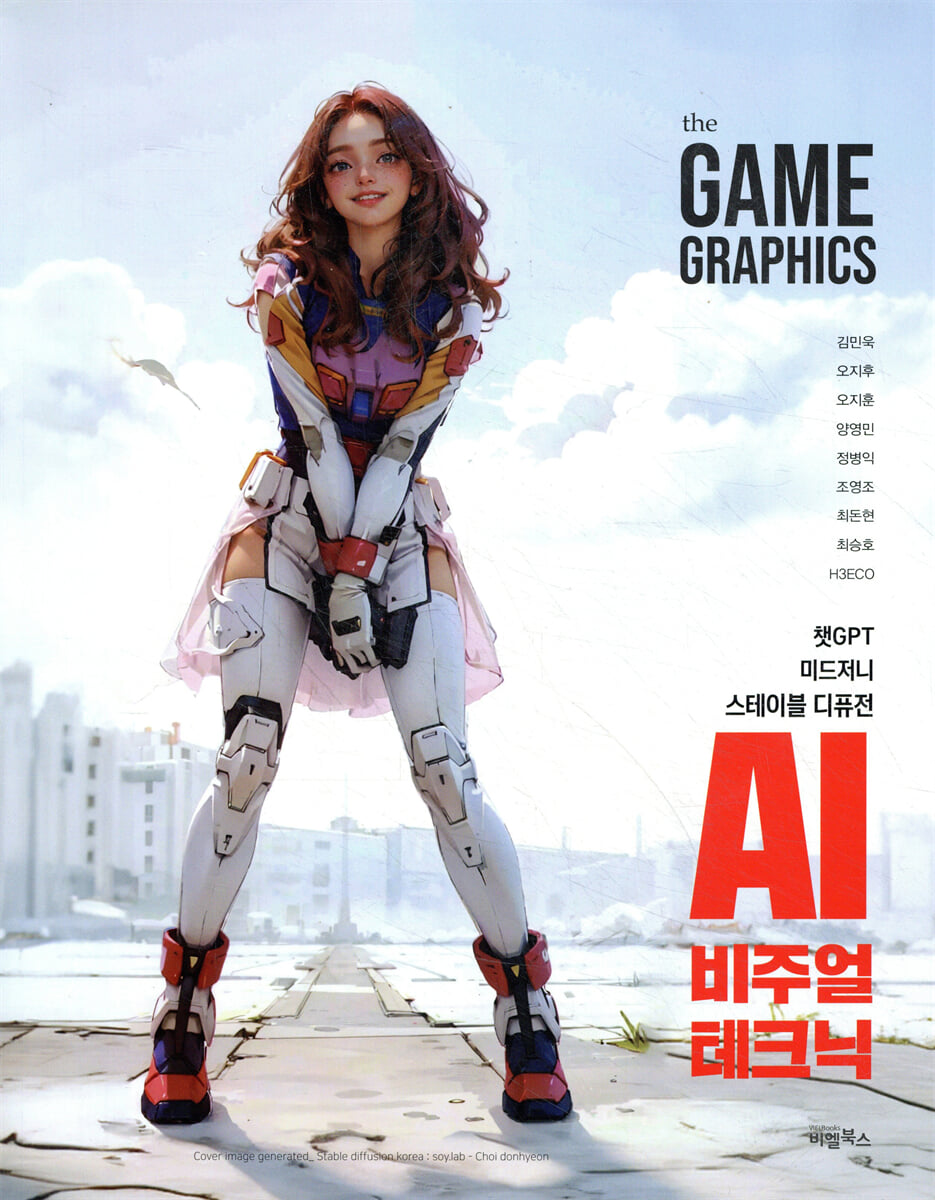
The GAME GRAPHICS: AI Visual Techniques
 |
Description
Book Introduction
This book covers high-level AI utilization information from nine practicing graphic artists on AI visual techniques essential for next-generation game graphics.
Mid Journey and Stable Diffusion, which have recently become a hot topic, are generative AI tools that are attracting a lot of attention in the game development, 2D, and 3D digital image industries.
This AI tool can be of great help in creating graphic resources such as characters, backgrounds, and effects.
While artists used to have to manually create each graphic, AI is now reaching a point where it can actually produce graphics with human-level quality and creativity.
In the 2D and 3D graphics fields, it will be possible to create complex modeling, texturing, character movements, facial expressions, and natural acting, allowing artists to reduce repetitive and time-consuming tasks and invest their time and energy in more creative capabilities.
This book goes beyond simply introducing the features of generative AI tools. It provides a basic guide for current 2D and 3D artists on how to effectively utilize generative AI in practical fields such as game graphics, concept & illustration, architectural CG, and digital video, so it will be of great help to those working in related fields.
New AI technologies are being updated at a surprisingly rapid pace every day. However, if you gradually understand how to operate the basic AI tools introduced in this book, you will find yourself quickly adapting to and growing with new AI technologies.
Mid Journey and Stable Diffusion, which have recently become a hot topic, are generative AI tools that are attracting a lot of attention in the game development, 2D, and 3D digital image industries.
This AI tool can be of great help in creating graphic resources such as characters, backgrounds, and effects.
While artists used to have to manually create each graphic, AI is now reaching a point where it can actually produce graphics with human-level quality and creativity.
In the 2D and 3D graphics fields, it will be possible to create complex modeling, texturing, character movements, facial expressions, and natural acting, allowing artists to reduce repetitive and time-consuming tasks and invest their time and energy in more creative capabilities.
This book goes beyond simply introducing the features of generative AI tools. It provides a basic guide for current 2D and 3D artists on how to effectively utilize generative AI in practical fields such as game graphics, concept & illustration, architectural CG, and digital video, so it will be of great help to those working in related fields.
New AI technologies are being updated at a surprisingly rapid pace every day. However, if you gradually understand how to operate the basic AI tools introduced in this book, you will find yourself quickly adapting to and growing with new AI technologies.
- You can preview some of the book's contents.
Preview
index
[Tech Paper]
1.
Cartoon-style effect concept art and resource creation using Stable Diffusion
Kim Min-wook | [Nexon Games]_ Effects Artist
1. Introduction to the Stable Diffusion Tool
- So how on earth does artificial intelligence draw?
- Tools to be introduced in practice
2.
Creating Effect Concept Art with AI
- About the ambiguity of effect concept art
- Classifying the datasets required for learning
- Proceed with LORA learning
- Generating images from stable diffusion (img2img)
3.
Working with Effects Resources with AI
- Setting goals for creating a model for resources
: First, give up versatility and create many models.
: Second, exclude color and use grayscale.
Third, unify the specifications of learning data.
- Resource creation stage
- Create patterned resources in the shape you want.
- Use it in more diverse ways
4.
Effects production process
- Work overview
- Create a rough sketch
- Resource retouching
- Detailing process
2.
Stable Diffusion WebUI Basics and Utilization, Creating a Stylized Environment Map
Oh Ji-hoo | [Com2uS] Technical Artist
1.
Stable Diffusion and Stable Diffusion WebUI
- Stable Diffusion WebUI v1.0.0-pre Local Environment Installation Guide (Win)
- Interface / Main Features
- Try creating an image
- Checkpoint and extension model
: Clip skip
: VAE (Variational Auto Encoder)
: Extra Networks (Extended Model)
: LoRA (Low-Rank Adaption)
- Prompt basic grammar
- Stable Diffusion WebUI Extensions - Extensions
: Install the Korean interface & prompt auto-completion extension
: Using ControlNet
2.
Creating an environment map (skybox) using the Stable Diffusion WebUI
- Create a background image of your desired theme
- 360 Panorama capture with ControlNet
: Installing & Setting Up the Tiling Extension
: Create a skybox image
: Tile Resample - 2K Upscale
; Additional feature - 4K upscaling
; Photoshop post-processing
3.
Lighting settings in Unity Engine URP
- Installing the Unity URP project
- Sample model / skybox settings
- Introduction to Lighting & Postprocessing
4.
Other AI-based environmental map creation methods
- Skybox Lab - AI-based panoramic image creation web service
- NVIDIA Canvas
5.
In conclusion
3. Creating various background concepts using AI
- Oh Ji-hoon | [NCsoft]_ Background Concept Artist
1.
Entering
2.
Warming Up (Trying to Create AI Images with the Bing Image Creator)
- Introducing Bing Image Creator
- Interface description
- Write a simple prompt
- Writing slightly more complex prompts
3.
Two principles
4.
Creating a biological disaster generator with stable diffusion
- Basic UI of [Text/Image] mode of Stable Diffusion
- Writing a prompt in Stable Diffusion
- Creating a biological disaster generator
5.
Matte painting using a biological disaster generator
- Destroy Dongdaemun
- Upscaling
6.
Creating concept art using rough photo compositing
- Creating a dark fantasy generator using ChatGPT
- Create guide thumbnails and images using photo synthesis
- Utilizing ControlNet Scribble mode
- Add painterly effects to existing images with the painting generator
7.
Drawing my picture
- Sketching with Photoshop
- Seek advice from Impressionist painters
- Adding detail with Stable Diffusion
- Complete
4.
Mid Journey: Creating Game Resources Using Stable Diffusion
Yang Young-min | [Nexon Korea] 3D Character Artist
1.
Before use, please install the installation plugin.
- Required plugins
- Ddsd, Ddetailer
- Controlnet
- Weight
- Token
- LORA
- Embedding
- HyperNetwork
- Upscaler
- VAE
2.
Creating a concept using existing sketches
- Prepare the sketch you have drawn.
The concept is a weapon hunter.
- Enter the prompt.
- Detailed settings and rough image output
3.
Easily upgrade existing images and concepts with AI.
- Reconstruction of concept image
- Reference only
4.
Let's make a three-sided drawing
- Production of a three-sided view of the stable diffusion
- Positive/negative prompts
5.
Creating in-game textures using stable diffusion and midjourney
- When working on tiling in Photoshop
- When working in the Substance sampler
- Converting materials to Substance Designer
6.
finish
5.
Architecture and spatial design using image generator AI
Lee Young-woon + Cha Hyeong-jun, Yoo Ji-eun_[H3ECO] CEO, AI creator operator, video director, concept designer
1.
What is Image Generator AI in Architecture and Spatial Design?
- The role of image generator AI in architecture and spatial design
- Types and features of image generator AI
2.
Architectural and spatial design using image generator AI
- Overview of architectural and spatial design using image generator AI
- Use cases of image generator AI
- Pros and Cons of Architectural and Spatial Design Using Image Generator AI
- The impact and role of image generator AI on the future architecture and spatial design industry.
3.
Architectural and spatial design process using image generator AI
- Overview of the design process using image generator AI
- Detailed steps of the architectural design process using image generator AI
: Midjourney
〉 Txt2img (using v5)
〉 Create Img2img (using v5)
: Stable Diffusion
〉 Create the first image with Txt2img
〉 Modifying parts of an image using Inpaint
〉 Using ControlNet
〉 Changing building materials using hypernetworks
- Detailed process of space design using image generator AI
: A.
Concept design
〉 Mood board production (MJ)
〉 Creating realistic spatial images with simple sketches (MJ)
〉 Modify the image to suit your intention (SD_inpaint, inpaint upload
〉 Inpaint
〉 inpaint upload (using mask image)
: B.
Design development
〉 Style variations with dummy modeling (SD_ControlNet)
〉 Applying a specific material (SD_Lora)
- Introducing Extension, a highly versatile tool for space design.
4.
In conclusion
6.
Introducing the AI Process Used in 4Ground9
- Jeong Byeong-ik | [nerdystar]_ Producer
1.
The need for studio-tailored AI learning.
- Reduced user difficulty
- Easy to repeat production for resource production
2.
Checkpoint and Laura
3.
Manufacturing process by part
- Concept art
: Create a reference image
: Concept design
: First Laura production
- 3D modeling
: Creating the final Laura image
: Creating textures using Blender projection mapping
: Creating background textures using UModeler
: Character texture creation using UModeler+Reference_only
4.
Content creation
- Example of content creation in the form of a webtoon
- Pixel art
- Various skill clips
- Promotional image
5.
In conclusion
7.
Creating Realistic Digital Characters with ChatAvatar and Metahumans
- Jo Young-jo | [HYBE IM]_ Technical Artist
1.
The meeting of digital characters and AI
2.
Creating 3D Characters with ChatGPT Prompts
3.
Creating Metahumans Using ChatAvatar
- Mesh to Metahuman
- Metahuman Creator
- Applying the Metahuman Project
- Implementing realistic metahumans through a stable diffusion web UI
: Using img2img
: Using CheckPoint
: Using VAE
: ControlNet Extension
: Sampling Method
: Sampling steps
; CFG Scale
: Denoising strength
: Seed
: Utilizing and controlling ControlNet
: Check the final result
4.
In conclusion
8.
Stable Diffusion Characters Anyone Can Do
Choi Don-hyun | [NXN] Art Production Director | Operator of Stable Diffusion Korea
1.
Let's start Stable Diffusion camping.
2 Things you must know
3.
Get ready
4.
Stable Diffusion
- Basic installation
- User interface
- Installing Extensions/Scripts
- Setting basic settings
- Get the required model files
5.
Modify images using prompts
- Change foreigner to Asian 1
- Change foreigner to Asian 2
6.
Let's use ControlNet.
- Get ready
- Applying ControlNet
- Compare
7.
Let's try Inpainting
- Processing the source in Photoshop
- Setting up Inpainting
- Compare results
8.
Let's change hair color (txt2img)
- Change txt2img mode
- Change the prompt
- Setting up ControlNet
- Check Pix2Pix results
9.
Let's change the time zone (txt2img)
10.
Let's change the background
11.
Let's change our expressions
- ControlNet - Canny
- Img2img inpaint
- Prompt settings and execution
: Try to smile / get annoyed
12.
1k image 〉 Create 14k high-resolution image
- caution
- 1k? 14k? How big will it be? (14k vertically)
: Final result
: Upscale step-by-step resolution comparison
: CASE 1
: CASE 2
- Get ready
- Proceed with upscaling
: Basic upscale in progress
: Repeat additional upscale
: Check the problem
: Analyze
: Check the final result
13.
In conclusion
9.
Enjoy AI techniques with Blender: Creating videos using Generative AI.
Choi Seung-ho | [Giant Step IX Division] Head of Headquarters
1.
About Generative AI
2.
Generative AI Add-on UI
3.
Create practice
- Create a Video
- Create an image
: Select the Stable Diffusion 1.5 model
: Generative AI Add-on's Stable Diffusion 1.5 token count and negative prompt
: Select the Stable Diffusion 2 model
- Create Audio
- Converting Text Strips to Generative AI
4.
Test video work
- Video creation (positive prompt / negative prompt)
- Audio generation (prompts for background music and sound effects)
: Creating a Narration Script
: Prompts for Narration
: Encoding settings
5.
In conclusion.
10.
Enjoy animation creation and use of BlenderGPT like chatGPT.
Choi Seung-ho | [Giant Step IX Division] Head of Headquarters
1.
About BlenderGPT
2.
BlenderGPT Installation and Setup
3. BlenderGPT UI
4.
Getting Started with BlenderGPT
- Creation of a new cube object
- Create 100 cube objects
- Randomly rotate all cube objects
- Randomly change the size of all cube objects
- Applying materials to all cube objects
- Grab the animation key
- To render
- Give commands in Korean
1.
Cartoon-style effect concept art and resource creation using Stable Diffusion
Kim Min-wook | [Nexon Games]_ Effects Artist
1. Introduction to the Stable Diffusion Tool
- So how on earth does artificial intelligence draw?
- Tools to be introduced in practice
2.
Creating Effect Concept Art with AI
- About the ambiguity of effect concept art
- Classifying the datasets required for learning
- Proceed with LORA learning
- Generating images from stable diffusion (img2img)
3.
Working with Effects Resources with AI
- Setting goals for creating a model for resources
: First, give up versatility and create many models.
: Second, exclude color and use grayscale.
Third, unify the specifications of learning data.
- Resource creation stage
- Create patterned resources in the shape you want.
- Use it in more diverse ways
4.
Effects production process
- Work overview
- Create a rough sketch
- Resource retouching
- Detailing process
2.
Stable Diffusion WebUI Basics and Utilization, Creating a Stylized Environment Map
Oh Ji-hoo | [Com2uS] Technical Artist
1.
Stable Diffusion and Stable Diffusion WebUI
- Stable Diffusion WebUI v1.0.0-pre Local Environment Installation Guide (Win)
- Interface / Main Features
- Try creating an image
- Checkpoint and extension model
: Clip skip
: VAE (Variational Auto Encoder)
: Extra Networks (Extended Model)
: LoRA (Low-Rank Adaption)
- Prompt basic grammar
- Stable Diffusion WebUI Extensions - Extensions
: Install the Korean interface & prompt auto-completion extension
: Using ControlNet
2.
Creating an environment map (skybox) using the Stable Diffusion WebUI
- Create a background image of your desired theme
- 360 Panorama capture with ControlNet
: Installing & Setting Up the Tiling Extension
: Create a skybox image
: Tile Resample - 2K Upscale
; Additional feature - 4K upscaling
; Photoshop post-processing
3.
Lighting settings in Unity Engine URP
- Installing the Unity URP project
- Sample model / skybox settings
- Introduction to Lighting & Postprocessing
4.
Other AI-based environmental map creation methods
- Skybox Lab - AI-based panoramic image creation web service
- NVIDIA Canvas
5.
In conclusion
3. Creating various background concepts using AI
- Oh Ji-hoon | [NCsoft]_ Background Concept Artist
1.
Entering
2.
Warming Up (Trying to Create AI Images with the Bing Image Creator)
- Introducing Bing Image Creator
- Interface description
- Write a simple prompt
- Writing slightly more complex prompts
3.
Two principles
4.
Creating a biological disaster generator with stable diffusion
- Basic UI of [Text/Image] mode of Stable Diffusion
- Writing a prompt in Stable Diffusion
- Creating a biological disaster generator
5.
Matte painting using a biological disaster generator
- Destroy Dongdaemun
- Upscaling
6.
Creating concept art using rough photo compositing
- Creating a dark fantasy generator using ChatGPT
- Create guide thumbnails and images using photo synthesis
- Utilizing ControlNet Scribble mode
- Add painterly effects to existing images with the painting generator
7.
Drawing my picture
- Sketching with Photoshop
- Seek advice from Impressionist painters
- Adding detail with Stable Diffusion
- Complete
4.
Mid Journey: Creating Game Resources Using Stable Diffusion
Yang Young-min | [Nexon Korea] 3D Character Artist
1.
Before use, please install the installation plugin.
- Required plugins
- Ddsd, Ddetailer
- Controlnet
- Weight
- Token
- LORA
- Embedding
- HyperNetwork
- Upscaler
- VAE
2.
Creating a concept using existing sketches
- Prepare the sketch you have drawn.
The concept is a weapon hunter.
- Enter the prompt.
- Detailed settings and rough image output
3.
Easily upgrade existing images and concepts with AI.
- Reconstruction of concept image
- Reference only
4.
Let's make a three-sided drawing
- Production of a three-sided view of the stable diffusion
- Positive/negative prompts
5.
Creating in-game textures using stable diffusion and midjourney
- When working on tiling in Photoshop
- When working in the Substance sampler
- Converting materials to Substance Designer
6.
finish
5.
Architecture and spatial design using image generator AI
Lee Young-woon + Cha Hyeong-jun, Yoo Ji-eun_[H3ECO] CEO, AI creator operator, video director, concept designer
1.
What is Image Generator AI in Architecture and Spatial Design?
- The role of image generator AI in architecture and spatial design
- Types and features of image generator AI
2.
Architectural and spatial design using image generator AI
- Overview of architectural and spatial design using image generator AI
- Use cases of image generator AI
- Pros and Cons of Architectural and Spatial Design Using Image Generator AI
- The impact and role of image generator AI on the future architecture and spatial design industry.
3.
Architectural and spatial design process using image generator AI
- Overview of the design process using image generator AI
- Detailed steps of the architectural design process using image generator AI
: Midjourney
〉 Txt2img (using v5)
〉 Create Img2img (using v5)
: Stable Diffusion
〉 Create the first image with Txt2img
〉 Modifying parts of an image using Inpaint
〉 Using ControlNet
〉 Changing building materials using hypernetworks
- Detailed process of space design using image generator AI
: A.
Concept design
〉 Mood board production (MJ)
〉 Creating realistic spatial images with simple sketches (MJ)
〉 Modify the image to suit your intention (SD_inpaint, inpaint upload
〉 Inpaint
〉 inpaint upload (using mask image)
: B.
Design development
〉 Style variations with dummy modeling (SD_ControlNet)
〉 Applying a specific material (SD_Lora)
- Introducing Extension, a highly versatile tool for space design.
4.
In conclusion
6.
Introducing the AI Process Used in 4Ground9
- Jeong Byeong-ik | [nerdystar]_ Producer
1.
The need for studio-tailored AI learning.
- Reduced user difficulty
- Easy to repeat production for resource production
2.
Checkpoint and Laura
3.
Manufacturing process by part
- Concept art
: Create a reference image
: Concept design
: First Laura production
- 3D modeling
: Creating the final Laura image
: Creating textures using Blender projection mapping
: Creating background textures using UModeler
: Character texture creation using UModeler+Reference_only
4.
Content creation
- Example of content creation in the form of a webtoon
- Pixel art
- Various skill clips
- Promotional image
5.
In conclusion
7.
Creating Realistic Digital Characters with ChatAvatar and Metahumans
- Jo Young-jo | [HYBE IM]_ Technical Artist
1.
The meeting of digital characters and AI
2.
Creating 3D Characters with ChatGPT Prompts
3.
Creating Metahumans Using ChatAvatar
- Mesh to Metahuman
- Metahuman Creator
- Applying the Metahuman Project
- Implementing realistic metahumans through a stable diffusion web UI
: Using img2img
: Using CheckPoint
: Using VAE
: ControlNet Extension
: Sampling Method
: Sampling steps
; CFG Scale
: Denoising strength
: Seed
: Utilizing and controlling ControlNet
: Check the final result
4.
In conclusion
8.
Stable Diffusion Characters Anyone Can Do
Choi Don-hyun | [NXN] Art Production Director | Operator of Stable Diffusion Korea
1.
Let's start Stable Diffusion camping.
2 Things you must know
3.
Get ready
4.
Stable Diffusion
- Basic installation
- User interface
- Installing Extensions/Scripts
- Setting basic settings
- Get the required model files
5.
Modify images using prompts
- Change foreigner to Asian 1
- Change foreigner to Asian 2
6.
Let's use ControlNet.
- Get ready
- Applying ControlNet
- Compare
7.
Let's try Inpainting
- Processing the source in Photoshop
- Setting up Inpainting
- Compare results
8.
Let's change hair color (txt2img)
- Change txt2img mode
- Change the prompt
- Setting up ControlNet
- Check Pix2Pix results
9.
Let's change the time zone (txt2img)
10.
Let's change the background
11.
Let's change our expressions
- ControlNet - Canny
- Img2img inpaint
- Prompt settings and execution
: Try to smile / get annoyed
12.
1k image 〉 Create 14k high-resolution image
- caution
- 1k? 14k? How big will it be? (14k vertically)
: Final result
: Upscale step-by-step resolution comparison
: CASE 1
: CASE 2
- Get ready
- Proceed with upscaling
: Basic upscale in progress
: Repeat additional upscale
: Check the problem
: Analyze
: Check the final result
13.
In conclusion
9.
Enjoy AI techniques with Blender: Creating videos using Generative AI.
Choi Seung-ho | [Giant Step IX Division] Head of Headquarters
1.
About Generative AI
2.
Generative AI Add-on UI
3.
Create practice
- Create a Video
- Create an image
: Select the Stable Diffusion 1.5 model
: Generative AI Add-on's Stable Diffusion 1.5 token count and negative prompt
: Select the Stable Diffusion 2 model
- Create Audio
- Converting Text Strips to Generative AI
4.
Test video work
- Video creation (positive prompt / negative prompt)
- Audio generation (prompts for background music and sound effects)
: Creating a Narration Script
: Prompts for Narration
: Encoding settings
5.
In conclusion.
10.
Enjoy animation creation and use of BlenderGPT like chatGPT.
Choi Seung-ho | [Giant Step IX Division] Head of Headquarters
1.
About BlenderGPT
2.
BlenderGPT Installation and Setup
3. BlenderGPT UI
4.
Getting Started with BlenderGPT
- Creation of a new cube object
- Create 100 cube objects
- Randomly rotate all cube objects
- Randomly change the size of all cube objects
- Applying materials to all cube objects
- Grab the animation key
- To render
- Give commands in Korean
Detailed image

GOODS SPECIFICS
- Date of issue: July 25, 2023
- Page count, weight, size: 512 pages | 1,258g | 215*275*20mm
- ISBN13: 9791186573648
- ISBN10: 1186573643
You may also like
카테고리
korean


korean

![GQ KOREA Mark (Monthly): December [2025]](http://librairie.coreenne.fr/cdn/shop/files/8ef265dbbfbf186523ed75ba7319009d.jpg?v=1765340328&width=3840)


