

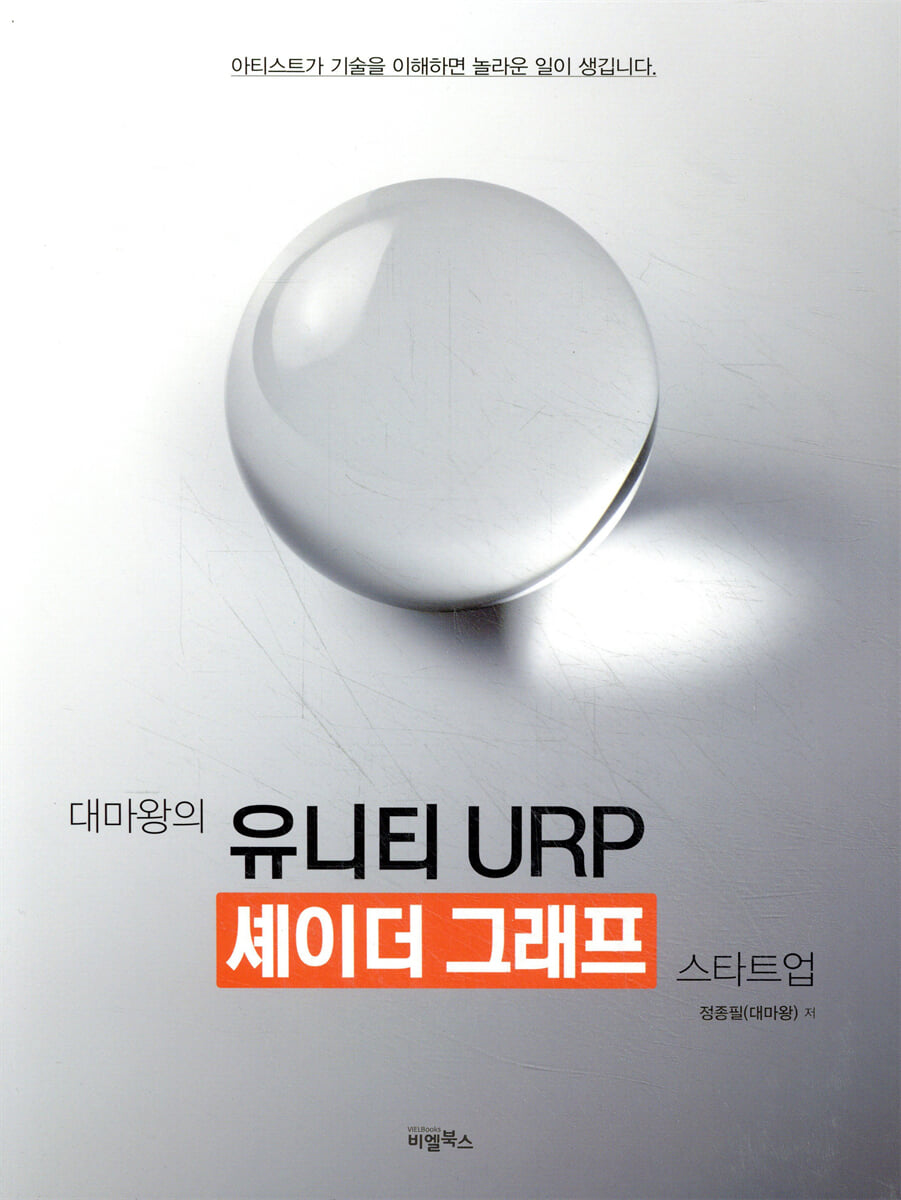
The Demon King's Unity URP Shader Graph Startup
 |
Description
Book Introduction
The sequel to the game development bestseller [Unity Shader Startup]!
This book is a sequel to the game development bestseller [Unity Shader Startup] published in 2017. It has a similar table of contents, but is a completely new book that introduces shader creation techniques using nodes instead of programming coding.
This book introduces the basic concepts of shaders and the basic use of shader graphs (nodes), teaching you how to create a variety of interesting shaders.
Additionally, the author meticulously explains, with his signature easy-to-understand and friendly comments, how to connect nodes and control properties to create the desired effect.
This book was written so that even Unity beginners can easily access and utilize Shader Graph.
Recommended for those working in various development fields such as game developers, modelers, animators, architecture, product, VR, and metaverse.
Beginners with no coding experience, as well as experienced coders, can learn how to create more efficient shaders using various nodes.
An essential tool for all game developers using Unity, this book is recommended for anyone who wants to create new visual experiences.
This book is a sequel to the game development bestseller [Unity Shader Startup] published in 2017. It has a similar table of contents, but is a completely new book that introduces shader creation techniques using nodes instead of programming coding.
This book introduces the basic concepts of shaders and the basic use of shader graphs (nodes), teaching you how to create a variety of interesting shaders.
Additionally, the author meticulously explains, with his signature easy-to-understand and friendly comments, how to connect nodes and control properties to create the desired effect.
This book was written so that even Unity beginners can easily access and utilize Shader Graph.
Recommended for those working in various development fields such as game developers, modelers, animators, architecture, product, VR, and metaverse.
Beginners with no coding experience, as well as experienced coders, can learn how to create more efficient shaders using various nodes.
An essential tool for all game developers using Unity, this book is recommended for anyone who wants to create new visual experiences.
index
Before reading this book...
Part 01 What is a Shader?
1.
What is a Shader?
2.
Why Should Graphic Artists Learn Shaders?
Part 02 URP and Shader Graph
1.
Unity URP (Universal Render Pipeline)
2.
Shader Graph
Part 03 Basic knowledge for learning shaders
1.
Rendering Pipeline (Rendering Order)
2.
Basic principles of color and light displayed on monitors (How are colors displayed on monitors?)
Part 04 Creating Shader Graphs and Properties
1.
Let's apply a material and shader to the object.
2.
Let's open the shader graph and change the path.
3.
Let's create shader properties using Blackboard and Graph Inspector.
Part 05 Shader Graph Basics 1 (Color Output)
1.
Shader Graph Basics
2.
Print color
Part 06 Shader Graph Basics 2 (Disassembly and Reassembly / Nodes, Color Operations, and Gamma Correction)
1.
Split and combine node values
2.
Operation of nodes (numbers)
3.
Color operations and gamma correction
Part 07 Color and Texture Operations, Lerp
1.
Let's create a function that inputs a color and adjusts its brightness.
2.
Let's output the texture
3.
Let's make the image black and white
4.
Let's use the Lerp node
5.
Let's apply the Lerp node.
Part 08 Let's learn how to handle UV
1. Basic concepts of UV
2. Let's try to interpret UV visually.
3. Let's add numbers to UV
4. Let's multiply UV by a number.
5.
Let's make UV flow with time
6. Let's create a fire effect using UV.
7.
Let's make fire in a more fancy way
Part 09 Let's use vertex color
1.
Let's apply vertex color.
2.
Let's work with vertex colors
3.
Let's use vertex color as a masking function.
Part 10 Let's use the Lit Shader Graph
1.
Lit Shader
2.
Using Lit Shader Graph
3.
Let's create a background for Chapter 9 using Lit Shader and apply it.
Part 11 Let's use the additional features and applications of the Lit shader.
1.
Heightmap (Parallax Mapping)
2.
Detail Map
3.
[Let's create a function that makes the stone wet and dry.
Part 12 Digital Light Theory
1.
Classification of digital lights
2.
The principle of digital light
3.
Vector
4.
Characteristics of vectors
5.
Normal Vector
6.
Vector operations
7.
Digital lighting calculations using vector operations
Part 13 Custom Light (Lambert Light)
1.
Creating a custom light base
2.
Complete Lambert Light
Part 14 Fresnel
1.
What is Fresnel?
2.
Let's implement Fresnel
3.
Let's refine and complete the Fresnel
4.
Let's create an effect using Fresnel.
Part 15 Custom Light 2
1.
Phong-Blinn/Phong-Blinn reflex theory
2.
Creating a Phong Reflection
3.
Creating a Blinn-Phong Reflection
Part 16 Custom Light Completion
1.
Diffuse Reflection operation
2.
Ambient Light / AO operation
3.
Specular Reflection Operation
4.
Fresnel operation
5.
Creating Fake Specular Using Fresnel
6.
Shadow Attenuation
Part 17 NPR Rendering
1. What is NPR Rendering?
2.
Outline Creation Theory
3.
Create an outline
4.
Adding Outlines Using Render Features
5.
Let's create a broken shadow using Branch.
6.
Let's create a broken shade using Ceiling.
7.
Let's create an outline using Fresnel.
8.
Diffuse Warping technique
9.
Let's apply the Diffuse Warping technique.
Part 18 Cubemap Reflection
1.
Let's apply a cube map.
2.
Creating Metallic Reflections with Custom Lights
3.
Creating Reflections on Non-Metallic Materials with Custom Lights
4.
Let's complete it by distinguishing between metals and non-metals.
Part 19 Alpha & Depth Buffer
1.
Z-buffer (Depth buffer) and Opaque
2.
Translucency: Alpha Blending
3.
Alpha Testing/Clipping
4.
Depth Test
5.
Blending Mode
6.
Graph Settings
Part 20 Application
1.
Creating a transparent object
2.
Creating a refractive shader
3.
Blinking effect at desired timing
4.
Making swaying grass
5.
Matcap
6.
Triplaner
7.
Depth Fade
Part 21 Making Water
1.
Create an environment
2.
Creating basic water effects
3.
Creating water surface waves
4.
refraction
5.
Transparency and depth using depth
Part 22 Stencil
1.
Stencil Options
2.
Preparing the stencil
Part 23 Post Process
1.
Basic tasks for post-processing
2.
Creating a Black and White Post Process
3.
Create a blur
4.
Creating a rain effect
Part 01 What is a Shader?
1.
What is a Shader?
2.
Why Should Graphic Artists Learn Shaders?
Part 02 URP and Shader Graph
1.
Unity URP (Universal Render Pipeline)
2.
Shader Graph
Part 03 Basic knowledge for learning shaders
1.
Rendering Pipeline (Rendering Order)
2.
Basic principles of color and light displayed on monitors (How are colors displayed on monitors?)
Part 04 Creating Shader Graphs and Properties
1.
Let's apply a material and shader to the object.
2.
Let's open the shader graph and change the path.
3.
Let's create shader properties using Blackboard and Graph Inspector.
Part 05 Shader Graph Basics 1 (Color Output)
1.
Shader Graph Basics
2.
Print color
Part 06 Shader Graph Basics 2 (Disassembly and Reassembly / Nodes, Color Operations, and Gamma Correction)
1.
Split and combine node values
2.
Operation of nodes (numbers)
3.
Color operations and gamma correction
Part 07 Color and Texture Operations, Lerp
1.
Let's create a function that inputs a color and adjusts its brightness.
2.
Let's output the texture
3.
Let's make the image black and white
4.
Let's use the Lerp node
5.
Let's apply the Lerp node.
Part 08 Let's learn how to handle UV
1. Basic concepts of UV
2. Let's try to interpret UV visually.
3. Let's add numbers to UV
4. Let's multiply UV by a number.
5.
Let's make UV flow with time
6. Let's create a fire effect using UV.
7.
Let's make fire in a more fancy way
Part 09 Let's use vertex color
1.
Let's apply vertex color.
2.
Let's work with vertex colors
3.
Let's use vertex color as a masking function.
Part 10 Let's use the Lit Shader Graph
1.
Lit Shader
2.
Using Lit Shader Graph
3.
Let's create a background for Chapter 9 using Lit Shader and apply it.
Part 11 Let's use the additional features and applications of the Lit shader.
1.
Heightmap (Parallax Mapping)
2.
Detail Map
3.
[Let's create a function that makes the stone wet and dry.
Part 12 Digital Light Theory
1.
Classification of digital lights
2.
The principle of digital light
3.
Vector
4.
Characteristics of vectors
5.
Normal Vector
6.
Vector operations
7.
Digital lighting calculations using vector operations
Part 13 Custom Light (Lambert Light)
1.
Creating a custom light base
2.
Complete Lambert Light
Part 14 Fresnel
1.
What is Fresnel?
2.
Let's implement Fresnel
3.
Let's refine and complete the Fresnel
4.
Let's create an effect using Fresnel.
Part 15 Custom Light 2
1.
Phong-Blinn/Phong-Blinn reflex theory
2.
Creating a Phong Reflection
3.
Creating a Blinn-Phong Reflection
Part 16 Custom Light Completion
1.
Diffuse Reflection operation
2.
Ambient Light / AO operation
3.
Specular Reflection Operation
4.
Fresnel operation
5.
Creating Fake Specular Using Fresnel
6.
Shadow Attenuation
Part 17 NPR Rendering
1. What is NPR Rendering?
2.
Outline Creation Theory
3.
Create an outline
4.
Adding Outlines Using Render Features
5.
Let's create a broken shadow using Branch.
6.
Let's create a broken shade using Ceiling.
7.
Let's create an outline using Fresnel.
8.
Diffuse Warping technique
9.
Let's apply the Diffuse Warping technique.
Part 18 Cubemap Reflection
1.
Let's apply a cube map.
2.
Creating Metallic Reflections with Custom Lights
3.
Creating Reflections on Non-Metallic Materials with Custom Lights
4.
Let's complete it by distinguishing between metals and non-metals.
Part 19 Alpha & Depth Buffer
1.
Z-buffer (Depth buffer) and Opaque
2.
Translucency: Alpha Blending
3.
Alpha Testing/Clipping
4.
Depth Test
5.
Blending Mode
6.
Graph Settings
Part 20 Application
1.
Creating a transparent object
2.
Creating a refractive shader
3.
Blinking effect at desired timing
4.
Making swaying grass
5.
Matcap
6.
Triplaner
7.
Depth Fade
Part 21 Making Water
1.
Create an environment
2.
Creating basic water effects
3.
Creating water surface waves
4.
refraction
5.
Transparency and depth using depth
Part 22 Stencil
1.
Stencil Options
2.
Preparing the stencil
Part 23 Post Process
1.
Basic tasks for post-processing
2.
Creating a Black and White Post Process
3.
Create a blur
4.
Creating a rain effect
Detailed image

Publisher's Review
The sequel to the game development bestseller [Unity Shader Startup]!
This book is a sequel to the game development bestseller [Unity Shader Startup] published in 2017. It has a similar table of contents, but is a completely new book that introduces shader creation techniques using nodes instead of programming coding.
An Introduction to Unity Shader Graphs: Completed with Nodes and No Coding
Shaders, which require a high level of technical programming and mathematical knowledge, have been a somewhat difficult field for planners and designers to approach.
However, this book teaches you how to create Unity shaders without any coding using Unity Shader Graph.
I highly recommend this to anyone who wants to learn Unity shaders, as it's easy to learn even for those who find coding difficult.
It will feel very familiar, especially to those who have experience learning 3ds Max or Blender.
Easily learn the concepts and applications of shaders with Shader Graph!
This book introduces the basic concepts of shaders and the basic use of shader graphs (nodes), teaching you how to create a variety of interesting shaders.
Additionally, the author meticulously explains, with his signature easy-to-understand and friendly comments, how to connect nodes and control properties to create the desired effect.
You can check the shading results in real time directly with the QR code!
We provide QR codes so you can check the results of shader examples in real time.
By scanning the QR code with your smartphone while reading the book, you can check the results of the corresponding example in real time.
It's very intuitive and provides accurate information.
This book was written so that even Unity beginners can easily access and utilize Shader Graph.
Recommended for those working in various development fields such as game developers, modelers, animators, architecture, product, VR, and metaverse.
Beginners with no coding experience, as well as experienced coders, can learn how to create more efficient shaders using various nodes.
An essential tool for all game developers using Unity, this book is recommended for anyone who wants to create new visual experiences.
This book is a sequel to the game development bestseller [Unity Shader Startup] published in 2017. It has a similar table of contents, but is a completely new book that introduces shader creation techniques using nodes instead of programming coding.
An Introduction to Unity Shader Graphs: Completed with Nodes and No Coding
Shaders, which require a high level of technical programming and mathematical knowledge, have been a somewhat difficult field for planners and designers to approach.
However, this book teaches you how to create Unity shaders without any coding using Unity Shader Graph.
I highly recommend this to anyone who wants to learn Unity shaders, as it's easy to learn even for those who find coding difficult.
It will feel very familiar, especially to those who have experience learning 3ds Max or Blender.
Easily learn the concepts and applications of shaders with Shader Graph!
This book introduces the basic concepts of shaders and the basic use of shader graphs (nodes), teaching you how to create a variety of interesting shaders.
Additionally, the author meticulously explains, with his signature easy-to-understand and friendly comments, how to connect nodes and control properties to create the desired effect.
You can check the shading results in real time directly with the QR code!
We provide QR codes so you can check the results of shader examples in real time.
By scanning the QR code with your smartphone while reading the book, you can check the results of the corresponding example in real time.
It's very intuitive and provides accurate information.
This book was written so that even Unity beginners can easily access and utilize Shader Graph.
Recommended for those working in various development fields such as game developers, modelers, animators, architecture, product, VR, and metaverse.
Beginners with no coding experience, as well as experienced coders, can learn how to create more efficient shaders using various nodes.
An essential tool for all game developers using Unity, this book is recommended for anyone who wants to create new visual experiences.
GOODS SPECIFICS
- Date of issue: March 27, 2023
- Page count, weight, size: 800 pages | 1,928g | 188*247*40mm
- ISBN13: 9791186573617
- ISBN10: 1186573619
You may also like
카테고리
korean


korean

![GQ KOREA Mark (Monthly): December [2025]](http://librairie.coreenne.fr/cdn/shop/files/8ef265dbbfbf186523ed75ba7319009d.jpg?v=1765340328&width=3840)


