

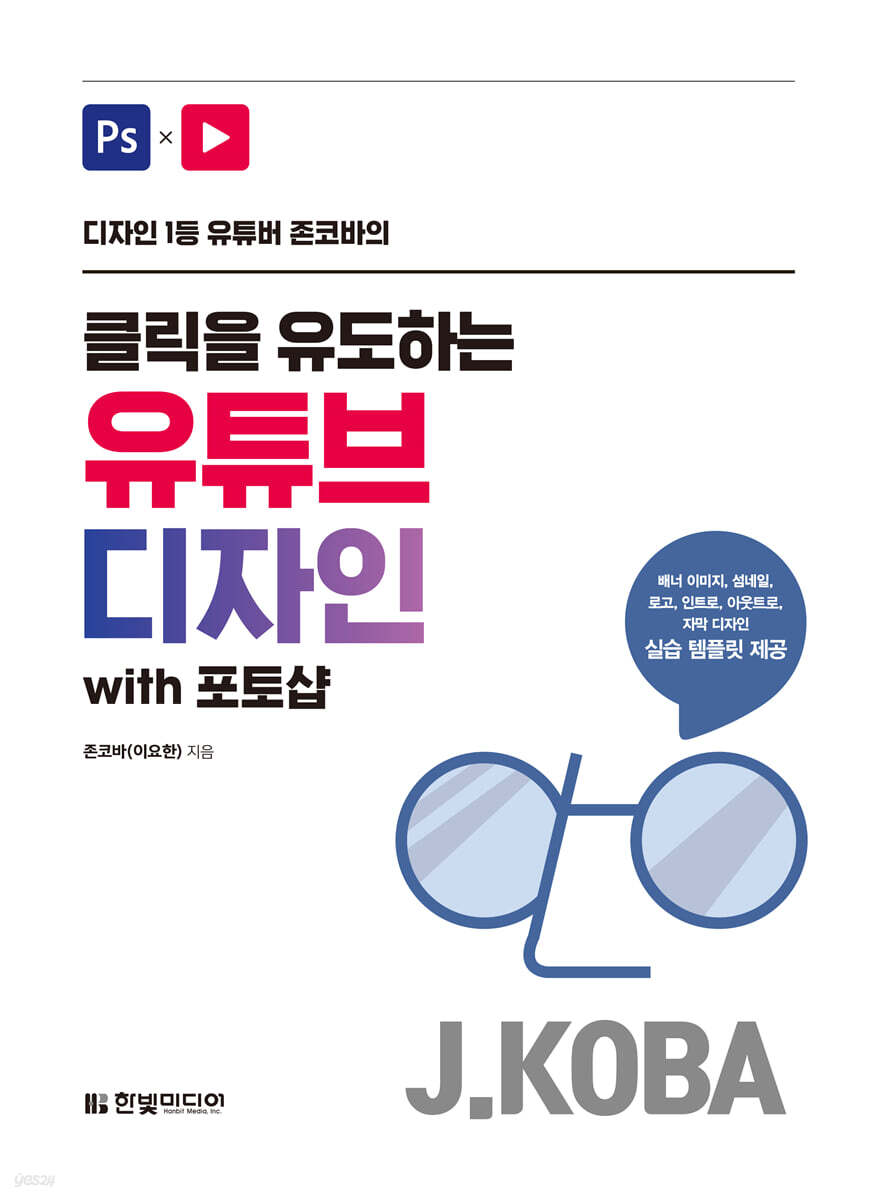
Click-Driven YouTube Designs with Photoshop
 |
Description
Book Introduction
From banner images to thumbnails, logos, intros, outros, and subtitle designs.
Jonkova's #1 design strategy for running a YouTube channel and branding! Dozens of YouTube channels are created every day, and countless others already have large subscriber bases, but viewers' YouTube consumption time is limited. If a channel does not have competitiveness, it becomes difficult to be chosen by viewers. Now is the time to focus on differentiating strategies that will make your content stand out and instantly captivate viewers. The YouTube design rules taught by John Koba of the [JohnKOBA Design] channel, which has 240,000 subscribers, are surprisingly simple enough for anyone to easily apply. This book reveals in detail the design rules that I have compiled through 11 years of practical design experience and 3 years of sharing my know-how through YouTube. From YouTube channel management differentiation strategies to practical design fundamentals and hands-on Photoshop design, discover Jonkova's top design strategies. By learning Jonkova's know-how, you can create a great YouTube channel that makes your videos more attractive. |
- You can preview some of the book's contents.
Preview
index
PART 01.
Design Basics for YouTube Channel Branding
CHAPTER 01.
YouTube Channel Design and Branding
STEP 01 What is design on YouTube?
A design that conveys the identity of your YouTube channel.
Six Design Elements for Your YouTube Channel
01 Profile picture
02 Banner Image
03 Thumbnail
04 Intro and Outro
05 Bridge
06 Subtitles
STEP 02 Why You Should Pay Attention to YouTube Design
YouTube design that encourages subscriptions and likes
STEP 03 Why You Need YouTube Channel Branding
Differentiation Strategy through YouTube Channel Branding
Johnkova Channel's Branding Keywords and Design Direction
Jonkova's Secret Notes | The Tools You Need for YouTube Design
CHAPTER 02.
YouTube channel design tailored to viewers' needs
STEP 01 What kind of viewers will visit my channel?
Design that satisfies the target
Jonkova Channel's Target and Design Direction
STEP 02 Channel design style by category
Understanding design styles based on viewer preferences
STEP 03 Entertainment Channel Design
Entertainment channels where attention is paramount
Features of entertainment channel design, main colors, and fonts
01 Design using strong colors.
02 Design a brand using characters
03 Focus your attention with a provocative thumbnail design.
04 Focus on the attention of each thumbnail rather than unity.
05 The intro is created using gorgeous motion graphics.
STEP 04 Designing a Mukbang Channel
A mukbang channel that emphasizes food
Features of mukbang channel design, main colors, and fonts
01 Design to emphasize the YouTuber's character.
02 Thumbnails are created by minimizing text.
03 Minimize graphic elements to create a clean design.
STEP 05 Designing a Kids Channel
Kids channel with lots of flashy design elements
Features of Kids Channel Design, Main Colors, and Fonts
01 Use colorful colors that children like.
02 Keep the thumbnail simple and straightforward.
03 Use various design element sources and sound effects.
STEP 06 Vlog Channel Design
A vlog channel where emotional feeling is important
Features of Vlog Channel Design, Main Colors, and Fonts
01 Maintain a minimalist concept with minimal design elements.
02 Subtitles are designed to convey an emotional feeling.
03 Sometimes we use different subtitles to differentiate ourselves.
STEP 07 Designing Education and Review Channels
An education and review channel with a clean and simple design.
Features of education and review channel design, main colors, and fonts
01 Pursuing a design that is not excessive
02 Game, movie, and other review channels also consider bold designs.
03 Infographics are good to use actively.
CHAPTER 03.
YouTube Channel Design Through Benchmarking
STEP 01: Analyze similar channels to create a reference.
Why should you check out other channels?
Channel Analysis and Reference Organization Process
STEP 02: Analyzing the Failure Factors of YouTube Channel Design
Upgrading channel design by improving shortcomings
01 Avoid thumbnails that look overwhelming due to too much information.
02 Avoid channel designs with unclear purpose and identity.
03 Avoid logos that don't feel professional.
04 Do not insert meaningless infographics or memes.
STEP 03 Differentiate yourself by using various design elements.
How can we develop a differentiation strategy?
Design elements that create a clear identity
01 Frame
02 Character
03 Infographic
04 Color Inversion
05 Other Effect Elements
STEP 04 Reflecting rapidly changing design trends
Why You Should Keep Up with Design Trends
The trendiest designs and future directions
01 Simple, minimal
02 Newtro
03 Black, White
04 Gradient
PART 02.
Practical YouTube Channel Design Using Photoshop
CHAPTER 01.
The easiest way to improve typography design
STEP 01 What is typography design?
Typography design that conveys the message persuasively
Three Elements of Typography Design
01 Font thickness
02 Font size
03 Letter spacing (letter spacing)
STEP 02 Selecting a font that sets the tone for your YouTube channel
Types and features of various fonts
Learn about commonly used Gothic fonts
01 Black Gothic
02 Noto Sans
03 Gmarket Sans
04 Sandol Geokdong Gothic
Learn about commonly used Ming fonts
01 Nanum Myeongjo font
02 Sandol Geukdong Myeongjo font
Learn about commonly used handwriting fonts
01 Ink Lipquid
02 Fun storytelling
03 Sandol Engineering Bottle Cap
STEP 03 Readability is the Key to YouTube Thumbnails
Various design elements that enhance readability
01 Frame Adjustment
02 size contrast
03 Adjust thickness
04 Margin adjustment
STEP 04 Creating a Banner Image with Emphasized Typography
Adjust the size and position of images and text
Transforming the shape of letters with Warp Text
Create and decorate shapes with the pen tool
Adding design elements with the Ellipse Shape tool
Add image sources to enhance completeness
Save image files in JPG format
Jonkova's Secret Notes | Creating Shapes with the Pen Tool
STEP 05 Designing typography that suits the thumbnail
Adjusting the size and placement of text
Designing typography with layer styles
Add design elements with various shapes
Easily correct colors with Photo Filter
STEP 06 Create a thumbnail with handwritten typography
Adjusting the font and kerning of text
Cut and copy a selection of an image
Add image sources and color correct them
CHAPTER 02.
Color design that creates the channel's identity
STEP 01 Understanding the Basics of Color Theory
Why Color Matters in Channel Design
Understanding the Three Attributes of Color
01 Color
02 Brightness
03 Saturation
STEP 02 The less color you use, the stronger it becomes.
How to Use Color to Capture Your Viewer's Attention
01 Actively use white and black
02 Using color contrast
03 Use only two colors per frame
04 Designing simply by minimizing colors
STEP 03 Understand the characteristics of colors and use them appropriately.
How to choose colors that harmonize with your content
01 Red
02 Green
03 Blue
04 White and Black
05 Other colors
STEP 04 Create a banner image with colors that match the concept.
Design layered typography by entering text
Adding design elements with the Custom Shape tool
Using letters as design elements
Enhance typography design with line shapes
Inserting a pattern using Pattern Overlay
Save image files in JPG format
STEP 05 Creating a Banner Image Using Bright Colors
Crop only the selected area of the image
Decorate images and design typography with layer styles
Add design elements with various shapes
Enhance the perfection by using clipping masks and layer masks.
STEP 06: Create a minimal banner image by minimizing colors.
Use a layer mask to show only the desired area of an image
Creating a speech bubble shape using the Shape tool and the Pen tool
Enter text to fit the shape
Adding design elements with the Custom Shape tool
Create squiggly curves with the ZigZag effect
CHAPTER 03.
Layout design that directs the viewer's gaze
STEP 01 What is a friendly layout?
Learn the three basic elements of layout.
01 Grid
02 Margin
03 Line spacing and letter spacing
How to create a friendly layout
01 Place elements with attention to the line of sight flowing from left to right.
02 Increase visibility by centering
03 Divide the layers and guide the gaze to move in order.
STEP 02 Margins to make the viewer comfortable
Understanding the importance of margins and the characteristics of each margin
01 Frame Margin
02 Object Margin
03 Text Margin
STEP 03 Essential YouTube Layout Strategies
Find change in balance
01 Using slopes or diagonals
02 Diversify the frame
03 Changing the layout
STEP 04 Create a thumbnail with left alignment for maximum readability.
Align text to the left and emphasize it with design elements
Easily crop only the desired part of an image with Subject
Decorate and arrange with various design elements
STEP 05: Creating Dynamic Thumbnails Using Tilt
Modify the object to align text to the left
Creating design elements that emphasize text
Create text as a smart object and adjust its slant
STEP 06 Create a striking banner image with center alignment
Center-align images and text
Leave only the outline of the text with layer styles
Arrange design elements and color correct
CHAPTER 04.
YouTube Channel Branding That Increases Value
STEP 01 What is brand design?
Understanding Brands, Branding, and Brand Design
What's important in brand design?
STEP 02 The 4 Steps of Brand Design
From brand name to brand logo design
01 Step 1: Deciding on a Brand Name
02 Step 2: Deriving keywords based on target and concept
03 Research phase: collecting design references using keywords
04 Brand logo design stage using symbols and wordmarks
STEP 03 Creating Brand Design Guidelines
Brand design guidelines represented by colors and fonts
01 Color
02 Font
Brand design guidelines for various other elements
STEP 04 Creating a Minimalist 3D Logo
Create a vector logo with the shape tool
Add dimension to your logo with the Line Shape tool
Convert to a smart object and adjust the tilt
STEP 05 Creating a Logo Using Images and Doodles
Make only the selection area visible using the subject and layer mask
Correcting Images with Levels and Color Balance
Creating design elements with shape tools
Expressing a hand-drawn feel with the ZigZag effect
STEP 06 Designing an intro using a logo
Expressing the reflection of an object with Gaussian Blur
Enter text and apply layer styles
Add icons and apply layer styles
Creating design elements with shape and text tools
STEP 07 Designing subtitles with your logo and brand colors
Create a subtitle area with the shape tool and enter text.
Create additional subtitles that match your brand colors
Using Free Icons from Flaticon
Creating a Glitter Effect with Shape Tools and Layer Masks
Organize layers and save subtitle designs in PNG format
Jonkova's Secret Notes | Creating a Rectangular Shape with Rounded Corners
Special Appendix | Design is Endless
STEP 01 Read design trends
Design Trends Beyond 2021
01 Simple design
02 Flat design
STEP 02 Where can I find trendy designs?
A great website to keep up with design trends
01 Find YouTube trends on YouTube
02 A flood of design information: Pinterest
03 Essential SNS, Instagram
04 The Basics of Search, Google
Design Basics for YouTube Channel Branding
CHAPTER 01.
YouTube Channel Design and Branding
STEP 01 What is design on YouTube?
A design that conveys the identity of your YouTube channel.
Six Design Elements for Your YouTube Channel
01 Profile picture
02 Banner Image
03 Thumbnail
04 Intro and Outro
05 Bridge
06 Subtitles
STEP 02 Why You Should Pay Attention to YouTube Design
YouTube design that encourages subscriptions and likes
STEP 03 Why You Need YouTube Channel Branding
Differentiation Strategy through YouTube Channel Branding
Johnkova Channel's Branding Keywords and Design Direction
Jonkova's Secret Notes | The Tools You Need for YouTube Design
CHAPTER 02.
YouTube channel design tailored to viewers' needs
STEP 01 What kind of viewers will visit my channel?
Design that satisfies the target
Jonkova Channel's Target and Design Direction
STEP 02 Channel design style by category
Understanding design styles based on viewer preferences
STEP 03 Entertainment Channel Design
Entertainment channels where attention is paramount
Features of entertainment channel design, main colors, and fonts
01 Design using strong colors.
02 Design a brand using characters
03 Focus your attention with a provocative thumbnail design.
04 Focus on the attention of each thumbnail rather than unity.
05 The intro is created using gorgeous motion graphics.
STEP 04 Designing a Mukbang Channel
A mukbang channel that emphasizes food
Features of mukbang channel design, main colors, and fonts
01 Design to emphasize the YouTuber's character.
02 Thumbnails are created by minimizing text.
03 Minimize graphic elements to create a clean design.
STEP 05 Designing a Kids Channel
Kids channel with lots of flashy design elements
Features of Kids Channel Design, Main Colors, and Fonts
01 Use colorful colors that children like.
02 Keep the thumbnail simple and straightforward.
03 Use various design element sources and sound effects.
STEP 06 Vlog Channel Design
A vlog channel where emotional feeling is important
Features of Vlog Channel Design, Main Colors, and Fonts
01 Maintain a minimalist concept with minimal design elements.
02 Subtitles are designed to convey an emotional feeling.
03 Sometimes we use different subtitles to differentiate ourselves.
STEP 07 Designing Education and Review Channels
An education and review channel with a clean and simple design.
Features of education and review channel design, main colors, and fonts
01 Pursuing a design that is not excessive
02 Game, movie, and other review channels also consider bold designs.
03 Infographics are good to use actively.
CHAPTER 03.
YouTube Channel Design Through Benchmarking
STEP 01: Analyze similar channels to create a reference.
Why should you check out other channels?
Channel Analysis and Reference Organization Process
STEP 02: Analyzing the Failure Factors of YouTube Channel Design
Upgrading channel design by improving shortcomings
01 Avoid thumbnails that look overwhelming due to too much information.
02 Avoid channel designs with unclear purpose and identity.
03 Avoid logos that don't feel professional.
04 Do not insert meaningless infographics or memes.
STEP 03 Differentiate yourself by using various design elements.
How can we develop a differentiation strategy?
Design elements that create a clear identity
01 Frame
02 Character
03 Infographic
04 Color Inversion
05 Other Effect Elements
STEP 04 Reflecting rapidly changing design trends
Why You Should Keep Up with Design Trends
The trendiest designs and future directions
01 Simple, minimal
02 Newtro
03 Black, White
04 Gradient
PART 02.
Practical YouTube Channel Design Using Photoshop
CHAPTER 01.
The easiest way to improve typography design
STEP 01 What is typography design?
Typography design that conveys the message persuasively
Three Elements of Typography Design
01 Font thickness
02 Font size
03 Letter spacing (letter spacing)
STEP 02 Selecting a font that sets the tone for your YouTube channel
Types and features of various fonts
Learn about commonly used Gothic fonts
01 Black Gothic
02 Noto Sans
03 Gmarket Sans
04 Sandol Geokdong Gothic
Learn about commonly used Ming fonts
01 Nanum Myeongjo font
02 Sandol Geukdong Myeongjo font
Learn about commonly used handwriting fonts
01 Ink Lipquid
02 Fun storytelling
03 Sandol Engineering Bottle Cap
STEP 03 Readability is the Key to YouTube Thumbnails
Various design elements that enhance readability
01 Frame Adjustment
02 size contrast
03 Adjust thickness
04 Margin adjustment
STEP 04 Creating a Banner Image with Emphasized Typography
Adjust the size and position of images and text
Transforming the shape of letters with Warp Text
Create and decorate shapes with the pen tool
Adding design elements with the Ellipse Shape tool
Add image sources to enhance completeness
Save image files in JPG format
Jonkova's Secret Notes | Creating Shapes with the Pen Tool
STEP 05 Designing typography that suits the thumbnail
Adjusting the size and placement of text
Designing typography with layer styles
Add design elements with various shapes
Easily correct colors with Photo Filter
STEP 06 Create a thumbnail with handwritten typography
Adjusting the font and kerning of text
Cut and copy a selection of an image
Add image sources and color correct them
CHAPTER 02.
Color design that creates the channel's identity
STEP 01 Understanding the Basics of Color Theory
Why Color Matters in Channel Design
Understanding the Three Attributes of Color
01 Color
02 Brightness
03 Saturation
STEP 02 The less color you use, the stronger it becomes.
How to Use Color to Capture Your Viewer's Attention
01 Actively use white and black
02 Using color contrast
03 Use only two colors per frame
04 Designing simply by minimizing colors
STEP 03 Understand the characteristics of colors and use them appropriately.
How to choose colors that harmonize with your content
01 Red
02 Green
03 Blue
04 White and Black
05 Other colors
STEP 04 Create a banner image with colors that match the concept.
Design layered typography by entering text
Adding design elements with the Custom Shape tool
Using letters as design elements
Enhance typography design with line shapes
Inserting a pattern using Pattern Overlay
Save image files in JPG format
STEP 05 Creating a Banner Image Using Bright Colors
Crop only the selected area of the image
Decorate images and design typography with layer styles
Add design elements with various shapes
Enhance the perfection by using clipping masks and layer masks.
STEP 06: Create a minimal banner image by minimizing colors.
Use a layer mask to show only the desired area of an image
Creating a speech bubble shape using the Shape tool and the Pen tool
Enter text to fit the shape
Adding design elements with the Custom Shape tool
Create squiggly curves with the ZigZag effect
CHAPTER 03.
Layout design that directs the viewer's gaze
STEP 01 What is a friendly layout?
Learn the three basic elements of layout.
01 Grid
02 Margin
03 Line spacing and letter spacing
How to create a friendly layout
01 Place elements with attention to the line of sight flowing from left to right.
02 Increase visibility by centering
03 Divide the layers and guide the gaze to move in order.
STEP 02 Margins to make the viewer comfortable
Understanding the importance of margins and the characteristics of each margin
01 Frame Margin
02 Object Margin
03 Text Margin
STEP 03 Essential YouTube Layout Strategies
Find change in balance
01 Using slopes or diagonals
02 Diversify the frame
03 Changing the layout
STEP 04 Create a thumbnail with left alignment for maximum readability.
Align text to the left and emphasize it with design elements
Easily crop only the desired part of an image with Subject
Decorate and arrange with various design elements
STEP 05: Creating Dynamic Thumbnails Using Tilt
Modify the object to align text to the left
Creating design elements that emphasize text
Create text as a smart object and adjust its slant
STEP 06 Create a striking banner image with center alignment
Center-align images and text
Leave only the outline of the text with layer styles
Arrange design elements and color correct
CHAPTER 04.
YouTube Channel Branding That Increases Value
STEP 01 What is brand design?
Understanding Brands, Branding, and Brand Design
What's important in brand design?
STEP 02 The 4 Steps of Brand Design
From brand name to brand logo design
01 Step 1: Deciding on a Brand Name
02 Step 2: Deriving keywords based on target and concept
03 Research phase: collecting design references using keywords
04 Brand logo design stage using symbols and wordmarks
STEP 03 Creating Brand Design Guidelines
Brand design guidelines represented by colors and fonts
01 Color
02 Font
Brand design guidelines for various other elements
STEP 04 Creating a Minimalist 3D Logo
Create a vector logo with the shape tool
Add dimension to your logo with the Line Shape tool
Convert to a smart object and adjust the tilt
STEP 05 Creating a Logo Using Images and Doodles
Make only the selection area visible using the subject and layer mask
Correcting Images with Levels and Color Balance
Creating design elements with shape tools
Expressing a hand-drawn feel with the ZigZag effect
STEP 06 Designing an intro using a logo
Expressing the reflection of an object with Gaussian Blur
Enter text and apply layer styles
Add icons and apply layer styles
Creating design elements with shape and text tools
STEP 07 Designing subtitles with your logo and brand colors
Create a subtitle area with the shape tool and enter text.
Create additional subtitles that match your brand colors
Using Free Icons from Flaticon
Creating a Glitter Effect with Shape Tools and Layer Masks
Organize layers and save subtitle designs in PNG format
Jonkova's Secret Notes | Creating a Rectangular Shape with Rounded Corners
Special Appendix | Design is Endless
STEP 01 Read design trends
Design Trends Beyond 2021
01 Simple design
02 Flat design
STEP 02 Where can I find trendy designs?
A great website to keep up with design trends
01 Find YouTube trends on YouTube
02 A flood of design information: Pinterest
03 Essential SNS, Instagram
04 The Basics of Search, Google
Detailed image

Publisher's Review
What kind of readers is this book for?
. YouTube creators who want to increase their YouTube channel subscribers and video views through design improvements.
. YouTube creators who find designing YouTube banner images, thumbnails, logos, intros, outros, and subtitles difficult and overwhelming.
.Aspiring creators preparing to open and operate a YouTube channel
. People who want to create better-designed online banners and thumbnails using Photoshop
.People who want to create design works using Photoshop for marketing, promotion, branding, etc.
Features of this book
By applying just a few simple design principles outlined in this book, you can make your content stand out and instantly captivate your viewers.
① Develop a differentiation strategy for YouTube channel operation and branding.
Learn why YouTube design is necessary, explore design features and strategies by category, target audiences, and design trends.
You can learn in detail about what kind of design will encourage subscriptions and likes, and how to set branding keywords and design direction.
Based on this, we will establish a differentiation strategy necessary for operating and branding a YouTube channel.
② Learn the basic theory of practical design and develop your design sense.
Learn essential design fundamentals, including typography, layout, color, and brand design, with detailed examples.
There are relatively simple rules to the designs that many viewers like.
Explore these design rules for fonts, colors, layouts, and more, and develop your design sense by comparing examples of good and bad designs.
③ Create your own design through practical Photoshop design.
From banner images to thumbnails, logos, intros, outros, and subtitle designs, we'll create them all using Photoshop.
Using just a few basic Photoshop features, you can create high-quality design work that anyone can easily follow.
Even beginners who don't know much about Photoshop can create great designs by following along step by step, so don't be afraid and try creating your own designs.
④ John Koba of the [JohnKOBA Design] channel with 240,000 subscribers generously shares his know-how.
Jonkova has been working as a practicing designer for 11 years and has been sharing her design expertise through YouTube for 3 years.
To make design more accessible to the general public, we have organized design theories and introduced Photoshop's most useful features.
Additionally, the 'Design Intern' content, which demonstrates design changes directly for better designs and provides valuable advice and know-how, is helpful to many novice designers.
Discover Jonkova's design know-how, which she generously shares, in this book.
. YouTube creators who want to increase their YouTube channel subscribers and video views through design improvements.
. YouTube creators who find designing YouTube banner images, thumbnails, logos, intros, outros, and subtitles difficult and overwhelming.
.Aspiring creators preparing to open and operate a YouTube channel
. People who want to create better-designed online banners and thumbnails using Photoshop
.People who want to create design works using Photoshop for marketing, promotion, branding, etc.
Features of this book
By applying just a few simple design principles outlined in this book, you can make your content stand out and instantly captivate your viewers.
① Develop a differentiation strategy for YouTube channel operation and branding.
Learn why YouTube design is necessary, explore design features and strategies by category, target audiences, and design trends.
You can learn in detail about what kind of design will encourage subscriptions and likes, and how to set branding keywords and design direction.
Based on this, we will establish a differentiation strategy necessary for operating and branding a YouTube channel.
② Learn the basic theory of practical design and develop your design sense.
Learn essential design fundamentals, including typography, layout, color, and brand design, with detailed examples.
There are relatively simple rules to the designs that many viewers like.
Explore these design rules for fonts, colors, layouts, and more, and develop your design sense by comparing examples of good and bad designs.
③ Create your own design through practical Photoshop design.
From banner images to thumbnails, logos, intros, outros, and subtitle designs, we'll create them all using Photoshop.
Using just a few basic Photoshop features, you can create high-quality design work that anyone can easily follow.
Even beginners who don't know much about Photoshop can create great designs by following along step by step, so don't be afraid and try creating your own designs.
④ John Koba of the [JohnKOBA Design] channel with 240,000 subscribers generously shares his know-how.
Jonkova has been working as a practicing designer for 11 years and has been sharing her design expertise through YouTube for 3 years.
To make design more accessible to the general public, we have organized design theories and introduced Photoshop's most useful features.
Additionally, the 'Design Intern' content, which demonstrates design changes directly for better designs and provides valuable advice and know-how, is helpful to many novice designers.
Discover Jonkova's design know-how, which she generously shares, in this book.
GOODS SPECIFICS
- Publication date: September 27, 2021
- Page count, weight, size: 348 pages | 188*257*30mm
- ISBN13: 9791162244708
- ISBN10: 1162244704
You may also like
카테고리
korean


korean

![GQ KOREA Mark (Monthly): December [2025]](http://librairie.coreenne.fr/cdn/shop/files/8ef265dbbfbf186523ed75ba7319009d.jpg?v=1765340328&width=3840)


