

Computer Architecture and Programming in One Volume
 |
Description
Book Introduction
Most developers don't know much about the underlying technologies that power the programs they create.
The code runs well, so why bother worrying about the underlying underlying technology? Yes.
Understanding the underlying technology from the ground up will help you make your programs work better and avoid frustrating bugs that are hard to find.
No one wants their code to be featured on the 9 o'clock news because of a security issue.
Detailed information on numerous technologies already exists online.
However, most of these materials are not well organized, and it is difficult to find a place where they are all organized and collected at once.
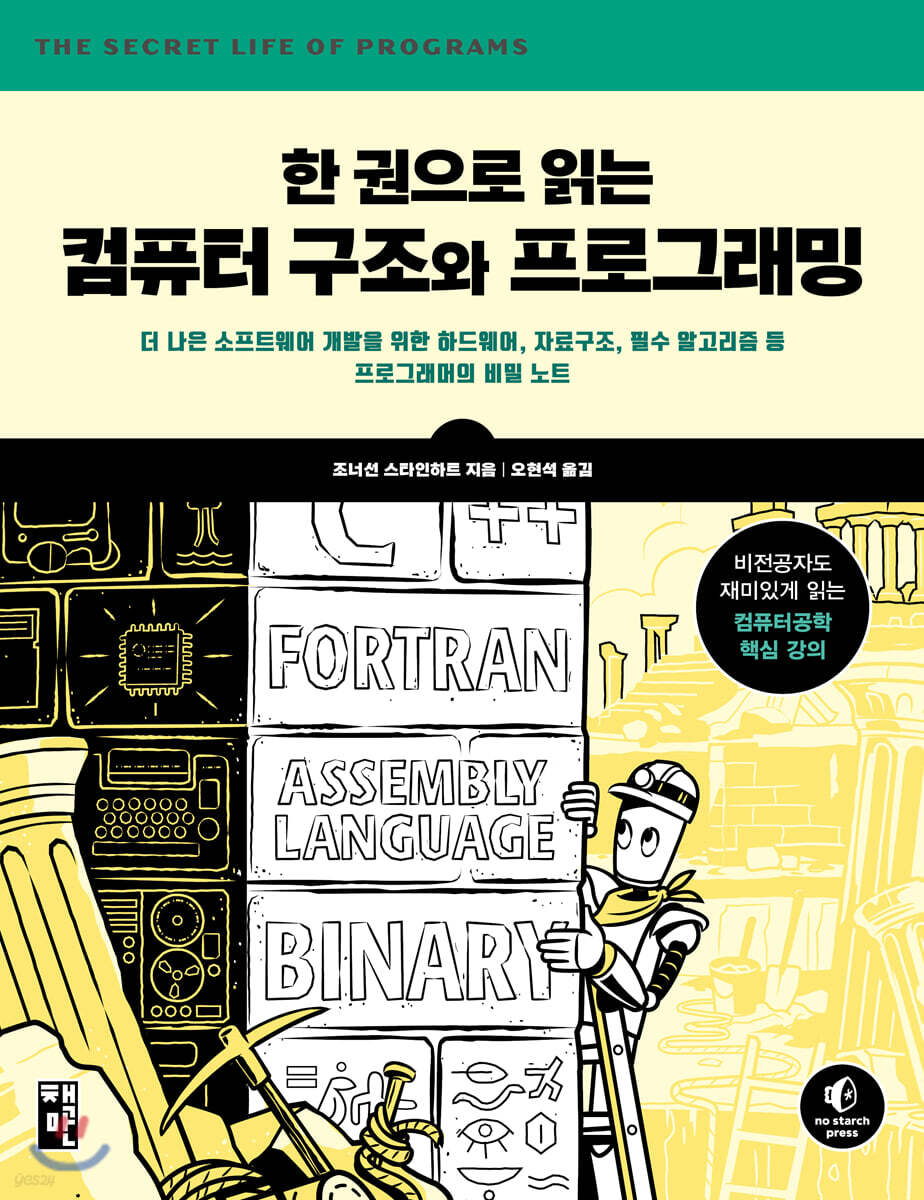
"Computer Architecture and Programming in One Volume," written by veteran engineer Jonathan Steinhart, delves deeply into the fundamental concepts of computers.
It also covers a wide range of in-depth topics, including the internal structure of computer hardware, how software operates on top of hardware, and how people have used technology to solve problems throughout history along with the development of software technology.
The author tells you stories you may not have known or forgotten about, about what happens when program code is executed on a machine called a computer.
This book will provide you with a solid foundation for learning how to write better software and efficient code.
The code runs well, so why bother worrying about the underlying underlying technology? Yes.
Understanding the underlying technology from the ground up will help you make your programs work better and avoid frustrating bugs that are hard to find.
No one wants their code to be featured on the 9 o'clock news because of a security issue.
Detailed information on numerous technologies already exists online.
However, most of these materials are not well organized, and it is difficult to find a place where they are all organized and collected at once.
"Computer Architecture and Programming in One Volume," written by veteran engineer Jonathan Steinhart, delves deeply into the fundamental concepts of computers.
It also covers a wide range of in-depth topics, including the internal structure of computer hardware, how software operates on top of hardware, and how people have used technology to solve problems throughout history along with the development of software technology.
The author tells you stories you may not have known or forgotten about, about what happens when program code is executed on a machine called a computer.
This book will provide you with a solid foundation for learning how to write better software and efficient code.
- You can preview some of the book's contents.
Preview
index
Chapter 1.
Language system inside a computer
What language do computers use?
What is language?
written language
bit
logical operations
___Boolean algebra
___De Morgan's Law
How to represent integers in bits
___positive integer representation
___binary addition
___ negative expression
How to express a mistake
___Fixed-point representation
___Floating point representation
___IEEE Floating Point Number Standard
binary-coded decimal system
An easy way to handle binary numbers
___Octal representation
___hexadecimal notation
___Base notation of programming languages
The name of the beat group
Text representation
___ASCII code
___Evolution of other standards
___Unicode conversion format 8-bit
Representing numbers using letters
___Encoding changed to enable output
___base64 encoding
___URL encoding
How to express color
___Add transparency
___color encoding
organize
Chapter 2.
Combinational logic in electronic circuits
How do computers handle bits?
Examples of digital computers
___The difference between analog and digital
___Why Size Matters in Hardware
___Digital allows for more reliable devices
___Creating Digital in an Analog World
___Why use bits instead of decimal numbers?
A Simple Guide to Electrical Theory
___Electricity is similar to plumbing.
___electric switch
Hardware for processing bits
___Relay
___tube
___transistor
___integrated circuit
logic gates
___Improving noise immunity by utilizing the hysteresis phenomenon
___differential signal
___propagation delay
___Output Type
Complex circuits combining gates
___adder
___decoder
___demultiplexer
___selector
organize
Chapter 3.
The Heart of Memory and Disk: Sequential Logic
How Computers Remember Bits
Time representation and state memory
___generator
___clock
___latch
Latch with ___ gate
___flip-flop
___bar
___register
Memory organization and addressing
___random access memory
___read-only memory
block device
Flash memory and SSD
Error detection and correction
Comparing hardware and software
organize
Chapter 4.
Internal structure of a computer
How computer hardware is structured
memory
Input and output
central processing unit
___arithmetic logic unit
___shift
___execution device
instruction set
___command
___Addressing Mode
___Conditional Code Command
___branch instruction
___Final command set configuration
Final design
___command register
___Data path and control signals
___Data Flow Control
RISC and CISC instruction sets
GPU
organize
Chapter 5.
Computer Architecture and Operating Systems
How do computers organize programs and memory?
Basic structural elements
___processor cores
___Microprocessors and microcomputers
Procedures, subroutines, and functions
stack
interrupt
Relative addressing
memory management unit
virtual memory
System space and user space
Memory Hierarchy and Performance
coprocessor
Data placement in memory
Run the program
Memory power consumption
organize
Chapter 6.
Input/Output and Networking
How do computers interact with the outside world?
Low-level I/O
___I/O port
Press the ___ button
___Let there be light
___Light, Motion, and Interaction
___Brightness control
___2n shades of gray
___Quadrature
___parallel communication
___Serial communication
Ride the ___ wave
___Universal Serial Bus
Networking
___Recent LANs
___Internet
Analog processing method
___Convert digital to analog
___Convert analog to digital
___digital audio
___digital image
___video
human interface devices
___terminal
___graphics terminal
___Vector Graphics
___Raster graphics
___keyboard and mouse
organize
Chapter 7.
Data Structures and Processing
How to structure and process data effectively in a program
Basic data types
arrangement
bitmap
string
complex data types
singly linked list
Dynamic memory allocation
More efficient memory allocation
Garbage collection
doubly linked list
hierarchical data structure
Mass storage device
database
Index
Data migration
I/O using vectors
The pitfalls of object orientation
array
Hash
Efficiency and performance
organize
Chapter 8.
Programming language processing
How computers interpret and translate programs
assembly language
high-level language
Structured Programming
Lexical analysis
___state machine
___regular expression
From words to sentences
An era where anyone can create a programming language
Pastry tree
Interpreter
compiler
Optimization
Be careful when handling hardware
organize
Chapter 9.
web browser
Virtual machines for understanding abstract computers
markup language
Uniform Resource Locator
HTML document
DOM: Document Object Model
___Tree related terms
___DOM processing
CSS
Markup languages such as XML
JavaScript
jQuery
SVG
HTML5
JSON
organize
Chapter 10.
Application Programming and System Programming
Comparing High-Level and Low-Level Language Programming Styles
Animal Guessing Program Version 1: HTML and JavaScript Program
___Application-level skeleton
___Web page body
___JavaScript
___CSS
Animal Guessing Game Version 2: C Program
___Terminal and Command Line
___Program Build
___Terminal and Device Drivers
___Context switch
___Standard I/O
___Circular buffer
Improving Code Using ___Abstraction
___Runtime library and standard input/output
___Buffer Overflow
___C program
___training
organize
Chapter 11.
Algorithm techniques for improving performance
Programming tricks to simplify calculations
Find the table
___conversion
___Texture Mapping
___Character type determination
How to calculate using integers
___beeline
Handling ___curves
___polynomial
recursive partitioning
___spiral
___Constructive geometry
___Shift and Mask
Other mathematical techniques to avoid calculations
___Power series approximation calculation
___CORDIC algorithm
Examples related to randomness
___space-filling curve
___L system
___Stochastic technique
___quantization
organize
Chapter 12.
Parallelism and asynchrony
How Computers Do So Many Things at Once
What is a race condition?
shared resources
Processes and Threads
Rock
___Transaction and Operation Size
___lock waiting
___deadlock
___Short-term lock implementation
___Long-term lock implementation
Browser JavaScript
Asynchronous functions and promises
organize
Chapter 13.
computer security
How Computers Keep Data Safe
Security and Privacy Overview
___threat model
___faith
___Physical Security
___Communication Security
___Modern Times
___Metadata and Surveillance
___social context
___Authentication and Authorization
Cryptography
___steganography
___substitution cipher
___transposition cipher
___More complex password
___disposable pads
___key exchange problem
___Public key encryption
___Optimal safety
___Cryptographic hash function
___digital signature
___Public Key Infrastructure
___Blockchain
___Password Management
Software Precautions for Security
___Protect the right target
___Check the logic three times
Check for ___ errors
___Minimize your attack surface
Stay within the ___boundaries
___It's hard to generate good random numbers
___Know your code
___Extreme cleverness is your enemy
___Understand what you see
___Do not overcollect
Don't collect ___
___Dynamic memory allocation is not your friend
___Garbage collection is not your friend either
Data that acts as ___code
organize
Chapter 14.
Machine intelligence that changes the world
Artificial intelligence, machine learning, and big data are opening up the future.
outline
machine learning
___Bayes
___Gauss
___Sobel
___Canny
___Feature Extraction
___artificial neural network
___Utilizing machine learning data
artificial intelligence
Big data
organize
Chapter 15.
Tips and Anecdotes on How to Become a Great Programmer
Practical common sense and advice you should know
value proposition
Footsteps of Software Development
___Abridged History
___Open source software
___Creative Commons
___The development of transplantability
___Package Management
___container
___Java
___node
___cloud computing
___virtual machine
___mobile device
Programming environment
___How even beginner programmers can gain experience
Learn how to estimate ___
___Project Scheduling
___decision making
___Working with people with different personalities
___Dealing with Workplace Culture
Choose with ___ information
Development methodology
Project Design
Let's write down ___ thoughts
___Rapid Prototyping
___Interface Design
___Reuse code or write your own?
Project Development
___Old Developer's Random Thoughts
___portable code
___Source Code Control
___test
___Bug Reporting and Tracking
___Refactoring
___maintenance
Keep the style
Leverage existing projects
organize
Language system inside a computer
What language do computers use?
What is language?
written language
bit
logical operations
___Boolean algebra
___De Morgan's Law
How to represent integers in bits
___positive integer representation
___binary addition
___ negative expression
How to express a mistake
___Fixed-point representation
___Floating point representation
___IEEE Floating Point Number Standard
binary-coded decimal system
An easy way to handle binary numbers
___Octal representation
___hexadecimal notation
___Base notation of programming languages
The name of the beat group
Text representation
___ASCII code
___Evolution of other standards
___Unicode conversion format 8-bit
Representing numbers using letters
___Encoding changed to enable output
___base64 encoding
___URL encoding
How to express color
___Add transparency
___color encoding
organize
Chapter 2.
Combinational logic in electronic circuits
How do computers handle bits?
Examples of digital computers
___The difference between analog and digital
___Why Size Matters in Hardware
___Digital allows for more reliable devices
___Creating Digital in an Analog World
___Why use bits instead of decimal numbers?
A Simple Guide to Electrical Theory
___Electricity is similar to plumbing.
___electric switch
Hardware for processing bits
___Relay
___tube
___transistor
___integrated circuit
logic gates
___Improving noise immunity by utilizing the hysteresis phenomenon
___differential signal
___propagation delay
___Output Type
Complex circuits combining gates
___adder
___decoder
___demultiplexer
___selector
organize
Chapter 3.
The Heart of Memory and Disk: Sequential Logic
How Computers Remember Bits
Time representation and state memory
___generator
___clock
___latch
Latch with ___ gate
___flip-flop
___bar
___register
Memory organization and addressing
___random access memory
___read-only memory
block device
Flash memory and SSD
Error detection and correction
Comparing hardware and software
organize
Chapter 4.
Internal structure of a computer
How computer hardware is structured
memory
Input and output
central processing unit
___arithmetic logic unit
___shift
___execution device
instruction set
___command
___Addressing Mode
___Conditional Code Command
___branch instruction
___Final command set configuration
Final design
___command register
___Data path and control signals
___Data Flow Control
RISC and CISC instruction sets
GPU
organize
Chapter 5.
Computer Architecture and Operating Systems
How do computers organize programs and memory?
Basic structural elements
___processor cores
___Microprocessors and microcomputers
Procedures, subroutines, and functions
stack
interrupt
Relative addressing
memory management unit
virtual memory
System space and user space
Memory Hierarchy and Performance
coprocessor
Data placement in memory
Run the program
Memory power consumption
organize
Chapter 6.
Input/Output and Networking
How do computers interact with the outside world?
Low-level I/O
___I/O port
Press the ___ button
___Let there be light
___Light, Motion, and Interaction
___Brightness control
___2n shades of gray
___Quadrature
___parallel communication
___Serial communication
Ride the ___ wave
___Universal Serial Bus
Networking
___Recent LANs
___Internet
Analog processing method
___Convert digital to analog
___Convert analog to digital
___digital audio
___digital image
___video
human interface devices
___terminal
___graphics terminal
___Vector Graphics
___Raster graphics
___keyboard and mouse
organize
Chapter 7.
Data Structures and Processing
How to structure and process data effectively in a program
Basic data types
arrangement
bitmap
string
complex data types
singly linked list
Dynamic memory allocation
More efficient memory allocation
Garbage collection
doubly linked list
hierarchical data structure
Mass storage device
database
Index
Data migration
I/O using vectors
The pitfalls of object orientation
array
Hash
Efficiency and performance
organize
Chapter 8.
Programming language processing
How computers interpret and translate programs
assembly language
high-level language
Structured Programming
Lexical analysis
___state machine
___regular expression
From words to sentences
An era where anyone can create a programming language
Pastry tree
Interpreter
compiler
Optimization
Be careful when handling hardware
organize
Chapter 9.
web browser
Virtual machines for understanding abstract computers
markup language
Uniform Resource Locator
HTML document
DOM: Document Object Model
___Tree related terms
___DOM processing
CSS
Markup languages such as XML
JavaScript
jQuery
SVG
HTML5
JSON
organize
Chapter 10.
Application Programming and System Programming
Comparing High-Level and Low-Level Language Programming Styles
Animal Guessing Program Version 1: HTML and JavaScript Program
___Application-level skeleton
___Web page body
___JavaScript
___CSS
Animal Guessing Game Version 2: C Program
___Terminal and Command Line
___Program Build
___Terminal and Device Drivers
___Context switch
___Standard I/O
___Circular buffer
Improving Code Using ___Abstraction
___Runtime library and standard input/output
___Buffer Overflow
___C program
___training
organize
Chapter 11.
Algorithm techniques for improving performance
Programming tricks to simplify calculations
Find the table
___conversion
___Texture Mapping
___Character type determination
How to calculate using integers
___beeline
Handling ___curves
___polynomial
recursive partitioning
___spiral
___Constructive geometry
___Shift and Mask
Other mathematical techniques to avoid calculations
___Power series approximation calculation
___CORDIC algorithm
Examples related to randomness
___space-filling curve
___L system
___Stochastic technique
___quantization
organize
Chapter 12.
Parallelism and asynchrony
How Computers Do So Many Things at Once
What is a race condition?
shared resources
Processes and Threads
Rock
___Transaction and Operation Size
___lock waiting
___deadlock
___Short-term lock implementation
___Long-term lock implementation
Browser JavaScript
Asynchronous functions and promises
organize
Chapter 13.
computer security
How Computers Keep Data Safe
Security and Privacy Overview
___threat model
___faith
___Physical Security
___Communication Security
___Modern Times
___Metadata and Surveillance
___social context
___Authentication and Authorization
Cryptography
___steganography
___substitution cipher
___transposition cipher
___More complex password
___disposable pads
___key exchange problem
___Public key encryption
___Optimal safety
___Cryptographic hash function
___digital signature
___Public Key Infrastructure
___Blockchain
___Password Management
Software Precautions for Security
___Protect the right target
___Check the logic three times
Check for ___ errors
___Minimize your attack surface
Stay within the ___boundaries
___It's hard to generate good random numbers
___Know your code
___Extreme cleverness is your enemy
___Understand what you see
___Do not overcollect
Don't collect ___
___Dynamic memory allocation is not your friend
___Garbage collection is not your friend either
Data that acts as ___code
organize
Chapter 14.
Machine intelligence that changes the world
Artificial intelligence, machine learning, and big data are opening up the future.
outline
machine learning
___Bayes
___Gauss
___Sobel
___Canny
___Feature Extraction
___artificial neural network
___Utilizing machine learning data
artificial intelligence
Big data
organize
Chapter 15.
Tips and Anecdotes on How to Become a Great Programmer
Practical common sense and advice you should know
value proposition
Footsteps of Software Development
___Abridged History
___Open source software
___Creative Commons
___The development of transplantability
___Package Management
___container
___Java
___node
___cloud computing
___virtual machine
___mobile device
Programming environment
___How even beginner programmers can gain experience
Learn how to estimate ___
___Project Scheduling
___decision making
___Working with people with different personalities
___Dealing with Workplace Culture
Choose with ___ information
Development methodology
Project Design
Let's write down ___ thoughts
___Rapid Prototyping
___Interface Design
___Reuse code or write your own?
Project Development
___Old Developer's Random Thoughts
___portable code
___Source Code Control
___test
___Bug Reporting and Tracking
___Refactoring
___maintenance
Keep the style
Leverage existing projects
organize
Detailed image

Publisher's Review
How do computers work, and what is computer programming? Learning programming to become a developer is just the beginning! This core computer science course is fun for both developers and non-programmers alike, offering a comprehensive overview of the subject.
This introductory computer engineering book covers almost everything about computer architecture and programming hidden behind the curtain that every developer must know, starting with the basic electronic circuits and gates that form the foundation of hardware, and explaining memory, CPU, I/O, and overall computer architecture, and how to write software on top of it with web and C programs, and even covering topics such as security, artificial intelligence, and algorithms!
What this book covers
- The principles and methods of converting the real world into forms that computers can understand, such as bits, logic, numbers, text, and colors.
- Basic blocks that make up a computer, such as logic gates, adders, decoders, registers, and memory
- Why programs should be designed with computer hardware, especially memory, in mind to improve performance.
- The process by which a program is converted into machine language that a computer can understand
- How to create a program like a web browser by combining software components
- Algorithms and programming tricks to make programs more efficient, such as loop invariants, strength reduction, and recursive partitioning.
- Understanding computer security, artificial intelligence, machine learning, and big data
- Experiences and advice on practical programming practices in the field, including project design, documentation, scheduling, portability, and maintenance.
Structure of this book
This book is conceptually divided into three parts.
The first part explores computer hardware.
We'll look at what hardware is and how it's made.
The second part looks at how software works on hardware.
The final part is about programming skills, that is, how to collaborate with others to create better programs.
Chapter 1, “Language Systems Inside Computers”
Chapter 1 begins by exploring the mind of a three-year-old child.
A computer is a machine that plays with bits.
Computers live by collecting bits.
You will learn what bits are and what you can do with them.
We will play a game of 'assuming' to give meaning to a beat or a collection of beats.
Chapter 2, “Combinational Logic in Electronic Circuits”
This chapter shows why it makes sense to use bits instead of numbers, and explores this rationale in digital computers.
In this course, we explore the older technologies that paved the way for the technologies we use today.
Chapter 2 explains the basics of combinational logic and teaches you how to build more complex functions using bits and logic.
Chapter 3, “The Core of Memory and Disk: Sequential Logic”
Here you will learn how to create memory using logic.
And since memory is just a state that persists over time, let's look at how time is created.
Chapter 3 explains the fundamentals of sequential logic and discusses various memory technologies.
Chapter 4, “The Internals of a Computer”
This chapter shows how to build a computer using the logic and memory introduced earlier.
We will look at several implementation methodologies.
Chapter 5, “Computer Architecture and Operating Systems”
In Chapter 5, we add some devices to the basic computer we looked at in Chapter 4.
Learn how to provide essential functionality and efficiency to your computer.
Chapter 6, “Input/Output and Networking”
Computers need to interact with the outside world.
Chapter 6 covers input and output (I/O).
And we'll look at the differences between digital and analog, and how digital computers can work with the analog world.
Chapter 7, “Data Structures and Processing”
Now that you've learned how computers work, you need to learn how to use them more efficiently.
Computer programs manipulate data in memory.
Therefore, it is important to appropriately map how a program uses memory depending on the problem it is trying to solve.
Chapter 8, “Programming Language Processing”
People invented languages to make it easier to program computers.
Chapter 8 shows the process of converting language into something that a computer can actually execute.
Chapter 9, “Web Browsers”
Many programs are written for use in web browsers.
Chapter 9 examines how web browsers work and explores the key components that make up a web browser.
Chapter 10, “Application Programming and Systems Programming”
We write two versions of the program, one running at the application layer and one running at the system layer, and demonstrate several differences between application and system-level programming.
Chapter 11, “Algorithmic Techniques for Performance Improvement”
It is important to make the program efficient.
Chapter 11 explores how to make your programs more efficient and improve their performance by avoiding unnecessary work.
Chapter 12, “Parallelism and Asynchrony”
There are many systems that contain one or more computers.
Chapter 12 examines several problems that arise when multiple computers cooperate to solve a problem.
Chapter 13, “Computer Security”
Computer security is an advanced topic.
Chapter 13 introduces the fundamentals of security while briefly exploring the advanced mathematics required for security.
Chapter 14, “Machine Intelligence That Changes the World”
Chapter 14 also covers advanced topics.
We cover new applications emerging from the combination of big data, artificial intelligence, and machine learning—from autonomous driving to driving you crazy with ads.
Chapter 15, "Tips and Anecdotes on Becoming a Great Programmer"
Programming is a very systematic and logical process.
But when it comes to deciding why and how to do a program, people are often involved, and people often lack logic.
Chapter 15 covers some of the problems that arise when programming in the real world.
Target audience for this book
This book is for people who want to become good programmers.
What makes a good programmer? First and foremost, a good programmer must possess strong critical thinking and analytical skills.
To solve complex problems, programmers must be able to determine whether their programs are properly solving the right problem.
This is harder than you think.
It's not uncommon for experienced programmers to look at someone else's code and comment, "Oh, this program is just a complicated solution to a simple problem that doesn't even have a correct answer."
You may be familiar with the classic fantasy where a wizard gains increasing power over objects as he learns their true names.
Woe to the wizard who forgets the details! A good programmer is someone who grasps the essence of things like this wizard, without forgetting the details.
Good programmers also have an artistic flair, like skilled craftsmen.
It is not uncommon to come across code that is completely indecipherable, like the original English text of James Joyce's novel Finnegans Wake, which is notorious for being difficult to understand even for native English speakers.
A good programmer writes code that not only works, but is also easy for others to understand and maintain.
Finally, a good programmer must have a good understanding of how computers work.
If your basic knowledge is shallow, you cannot solve complex problems well.
This book is for people who are learning programming but are dissatisfied due to a lack of depth.
It's also a book for people who have already learned programming but want to know more about programming and computers.
[Author's Note]
Stephen Wolfram, creator of Mathematica and the Wolfram language, has an interesting but quite opposing view on how to teach programming in his blog post, "How to Teach Computational Thinking."
Wolfram defined computational thinking as “a way of formulating things clearly enough and systematically enough to tell a computer what to do.”
I completely agree with this definition.
In fact, this argument is a large part of what led me to write this book.
However, I strongly disagree with Wolfram's assertion that people learning to program should use powerful, high-level tools that he has developed instead of learning the foundational skills to develop computational thinking.
For example, the growing interest in statistics over calculus clearly indicates that 'data wrangling' is becoming an increasingly important field.
But what happens when people input massive amounts of data into fancy programs and make no sense of it?
One possibility in this case is that people produce results that seem fun but are either completely meaningless or incorrect.
For example, a recent study by Mark Zimmerman, Yotam Eren, and Assam El-Osta ("Gene Name Errors Are Widespread in the Scientific Literature") found that about a fifth of genetics papers contained errors caused by incorrect use of spreadsheets.
Consider these kinds of errors, and imagine the consequences when more powerful tools are put into the hands of more people! When it comes to impacting human lives, correcting these mistakes becomes even more crucial.
A good understanding of the underlying technology can help you develop the ability to recognize when something is wrong.
Knowing only high-level tools can lead to asking the wrong questions.
If you want to use a power tool, you must first learn how to use a hammer.
Another reason to learn subsystems and tools is that it gives you the ability to create new tools.
There will always be a need for people who can create new tools, and as the number of tool users increases, the importance of these people increases.
If you understand computers well and can demystify how programs work, you will definitely be able to write better code.
[Translator's Note]
Anyone can be a programmer, but not everyone can be a good programmer.
Just as you don't necessarily need to be able to assemble a car to drive it well, but to become a top-class F1 driver you need not only the physical and mental abilities necessary for driving, but also various engineering knowledge to set up the car for racing, to become a good programmer you need to have domain knowledge as well as a good understanding of how computers work and computer engineering in general.
Fortunately, developers in their 40s and above, including myself, have been able to naturally broaden our technological horizons as we grew up, keeping pace with the developments in the computer industry. However, these days, the pace of knowledge production and the rapid changes in frameworks and programming languages make it difficult for those new to the computer world to keep up with the changes in frameworks and programming languages used in practice, as well as new technological trends.
But that doesn't mean you should give up on studying fundamental computer engineering.
Understanding how computers work and the fundamental principles of programming can make it easier to troubleshoot when your own programs don't work properly, and it can also make learning and mastering new technologies much easier.
It would be best if someone had a good teacher who could explain hardware, software, and other aspects well, but it is equally good to understand computers in general through a book that explains the basics in an easy-to-understand way and provides a foundation for expanding your knowledge of computer engineering.
This book is a compilation of the author's experiences teaching students as a volunteer.
This is an introductory book to computer engineering that covers almost everything, starting from the basic electronic circuits and gates that form the foundation of hardware, to memory, CPU, I/O, and the overall computer architecture, and gives a taste of how to write software on top of it through the web and C programs, and even covers security, artificial intelligence, and algorithms.
If you skim through this book to get a general feel for computer engineering, and then steadily expand your knowledge by looking up books or online lectures that cover each field in more detail, you will eventually find yourself building up your skills and becoming a good programmer.
I hope this book will be helpful to general readers interested in computers and to fellow developers who want a brief overview of computer engineering.
- Oh Hyun-seok from Brisbane, Australia
This introductory computer engineering book covers almost everything about computer architecture and programming hidden behind the curtain that every developer must know, starting with the basic electronic circuits and gates that form the foundation of hardware, and explaining memory, CPU, I/O, and overall computer architecture, and how to write software on top of it with web and C programs, and even covering topics such as security, artificial intelligence, and algorithms!
What this book covers
- The principles and methods of converting the real world into forms that computers can understand, such as bits, logic, numbers, text, and colors.
- Basic blocks that make up a computer, such as logic gates, adders, decoders, registers, and memory
- Why programs should be designed with computer hardware, especially memory, in mind to improve performance.
- The process by which a program is converted into machine language that a computer can understand
- How to create a program like a web browser by combining software components
- Algorithms and programming tricks to make programs more efficient, such as loop invariants, strength reduction, and recursive partitioning.
- Understanding computer security, artificial intelligence, machine learning, and big data
- Experiences and advice on practical programming practices in the field, including project design, documentation, scheduling, portability, and maintenance.
Structure of this book
This book is conceptually divided into three parts.
The first part explores computer hardware.
We'll look at what hardware is and how it's made.
The second part looks at how software works on hardware.
The final part is about programming skills, that is, how to collaborate with others to create better programs.
Chapter 1, “Language Systems Inside Computers”
Chapter 1 begins by exploring the mind of a three-year-old child.
A computer is a machine that plays with bits.
Computers live by collecting bits.
You will learn what bits are and what you can do with them.
We will play a game of 'assuming' to give meaning to a beat or a collection of beats.
Chapter 2, “Combinational Logic in Electronic Circuits”
This chapter shows why it makes sense to use bits instead of numbers, and explores this rationale in digital computers.
In this course, we explore the older technologies that paved the way for the technologies we use today.
Chapter 2 explains the basics of combinational logic and teaches you how to build more complex functions using bits and logic.
Chapter 3, “The Core of Memory and Disk: Sequential Logic”
Here you will learn how to create memory using logic.
And since memory is just a state that persists over time, let's look at how time is created.
Chapter 3 explains the fundamentals of sequential logic and discusses various memory technologies.
Chapter 4, “The Internals of a Computer”
This chapter shows how to build a computer using the logic and memory introduced earlier.
We will look at several implementation methodologies.
Chapter 5, “Computer Architecture and Operating Systems”
In Chapter 5, we add some devices to the basic computer we looked at in Chapter 4.
Learn how to provide essential functionality and efficiency to your computer.
Chapter 6, “Input/Output and Networking”
Computers need to interact with the outside world.
Chapter 6 covers input and output (I/O).
And we'll look at the differences between digital and analog, and how digital computers can work with the analog world.
Chapter 7, “Data Structures and Processing”
Now that you've learned how computers work, you need to learn how to use them more efficiently.
Computer programs manipulate data in memory.
Therefore, it is important to appropriately map how a program uses memory depending on the problem it is trying to solve.
Chapter 8, “Programming Language Processing”
People invented languages to make it easier to program computers.
Chapter 8 shows the process of converting language into something that a computer can actually execute.
Chapter 9, “Web Browsers”
Many programs are written for use in web browsers.
Chapter 9 examines how web browsers work and explores the key components that make up a web browser.
Chapter 10, “Application Programming and Systems Programming”
We write two versions of the program, one running at the application layer and one running at the system layer, and demonstrate several differences between application and system-level programming.
Chapter 11, “Algorithmic Techniques for Performance Improvement”
It is important to make the program efficient.
Chapter 11 explores how to make your programs more efficient and improve their performance by avoiding unnecessary work.
Chapter 12, “Parallelism and Asynchrony”
There are many systems that contain one or more computers.
Chapter 12 examines several problems that arise when multiple computers cooperate to solve a problem.
Chapter 13, “Computer Security”
Computer security is an advanced topic.
Chapter 13 introduces the fundamentals of security while briefly exploring the advanced mathematics required for security.
Chapter 14, “Machine Intelligence That Changes the World”
Chapter 14 also covers advanced topics.
We cover new applications emerging from the combination of big data, artificial intelligence, and machine learning—from autonomous driving to driving you crazy with ads.
Chapter 15, "Tips and Anecdotes on Becoming a Great Programmer"
Programming is a very systematic and logical process.
But when it comes to deciding why and how to do a program, people are often involved, and people often lack logic.
Chapter 15 covers some of the problems that arise when programming in the real world.
Target audience for this book
This book is for people who want to become good programmers.
What makes a good programmer? First and foremost, a good programmer must possess strong critical thinking and analytical skills.
To solve complex problems, programmers must be able to determine whether their programs are properly solving the right problem.
This is harder than you think.
It's not uncommon for experienced programmers to look at someone else's code and comment, "Oh, this program is just a complicated solution to a simple problem that doesn't even have a correct answer."
You may be familiar with the classic fantasy where a wizard gains increasing power over objects as he learns their true names.
Woe to the wizard who forgets the details! A good programmer is someone who grasps the essence of things like this wizard, without forgetting the details.
Good programmers also have an artistic flair, like skilled craftsmen.
It is not uncommon to come across code that is completely indecipherable, like the original English text of James Joyce's novel Finnegans Wake, which is notorious for being difficult to understand even for native English speakers.
A good programmer writes code that not only works, but is also easy for others to understand and maintain.
Finally, a good programmer must have a good understanding of how computers work.
If your basic knowledge is shallow, you cannot solve complex problems well.
This book is for people who are learning programming but are dissatisfied due to a lack of depth.
It's also a book for people who have already learned programming but want to know more about programming and computers.
[Author's Note]
Stephen Wolfram, creator of Mathematica and the Wolfram language, has an interesting but quite opposing view on how to teach programming in his blog post, "How to Teach Computational Thinking."
Wolfram defined computational thinking as “a way of formulating things clearly enough and systematically enough to tell a computer what to do.”
I completely agree with this definition.
In fact, this argument is a large part of what led me to write this book.
However, I strongly disagree with Wolfram's assertion that people learning to program should use powerful, high-level tools that he has developed instead of learning the foundational skills to develop computational thinking.
For example, the growing interest in statistics over calculus clearly indicates that 'data wrangling' is becoming an increasingly important field.
But what happens when people input massive amounts of data into fancy programs and make no sense of it?
One possibility in this case is that people produce results that seem fun but are either completely meaningless or incorrect.
For example, a recent study by Mark Zimmerman, Yotam Eren, and Assam El-Osta ("Gene Name Errors Are Widespread in the Scientific Literature") found that about a fifth of genetics papers contained errors caused by incorrect use of spreadsheets.
Consider these kinds of errors, and imagine the consequences when more powerful tools are put into the hands of more people! When it comes to impacting human lives, correcting these mistakes becomes even more crucial.
A good understanding of the underlying technology can help you develop the ability to recognize when something is wrong.
Knowing only high-level tools can lead to asking the wrong questions.
If you want to use a power tool, you must first learn how to use a hammer.
Another reason to learn subsystems and tools is that it gives you the ability to create new tools.
There will always be a need for people who can create new tools, and as the number of tool users increases, the importance of these people increases.
If you understand computers well and can demystify how programs work, you will definitely be able to write better code.
[Translator's Note]
Anyone can be a programmer, but not everyone can be a good programmer.
Just as you don't necessarily need to be able to assemble a car to drive it well, but to become a top-class F1 driver you need not only the physical and mental abilities necessary for driving, but also various engineering knowledge to set up the car for racing, to become a good programmer you need to have domain knowledge as well as a good understanding of how computers work and computer engineering in general.
Fortunately, developers in their 40s and above, including myself, have been able to naturally broaden our technological horizons as we grew up, keeping pace with the developments in the computer industry. However, these days, the pace of knowledge production and the rapid changes in frameworks and programming languages make it difficult for those new to the computer world to keep up with the changes in frameworks and programming languages used in practice, as well as new technological trends.
But that doesn't mean you should give up on studying fundamental computer engineering.
Understanding how computers work and the fundamental principles of programming can make it easier to troubleshoot when your own programs don't work properly, and it can also make learning and mastering new technologies much easier.
It would be best if someone had a good teacher who could explain hardware, software, and other aspects well, but it is equally good to understand computers in general through a book that explains the basics in an easy-to-understand way and provides a foundation for expanding your knowledge of computer engineering.
This book is a compilation of the author's experiences teaching students as a volunteer.
This is an introductory book to computer engineering that covers almost everything, starting from the basic electronic circuits and gates that form the foundation of hardware, to memory, CPU, I/O, and the overall computer architecture, and gives a taste of how to write software on top of it through the web and C programs, and even covers security, artificial intelligence, and algorithms.
If you skim through this book to get a general feel for computer engineering, and then steadily expand your knowledge by looking up books or online lectures that cover each field in more detail, you will eventually find yourself building up your skills and becoming a good programmer.
I hope this book will be helpful to general readers interested in computers and to fellow developers who want a brief overview of computer engineering.
- Oh Hyun-seok from Brisbane, Australia
GOODS SPECIFICS
- Publication date: April 8, 2021
- Page count, weight, size: 636 pages | 185*240*31mm
- ISBN13: 9791189909284
- ISBN10: 1189909286
You may also like
카테고리
korean


korean

![GQ KOREA Mark (Monthly): December [2025]](http://librairie.coreenne.fr/cdn/shop/files/8ef265dbbfbf186523ed75ba7319009d.jpg?v=1765340328&width=3840)


