

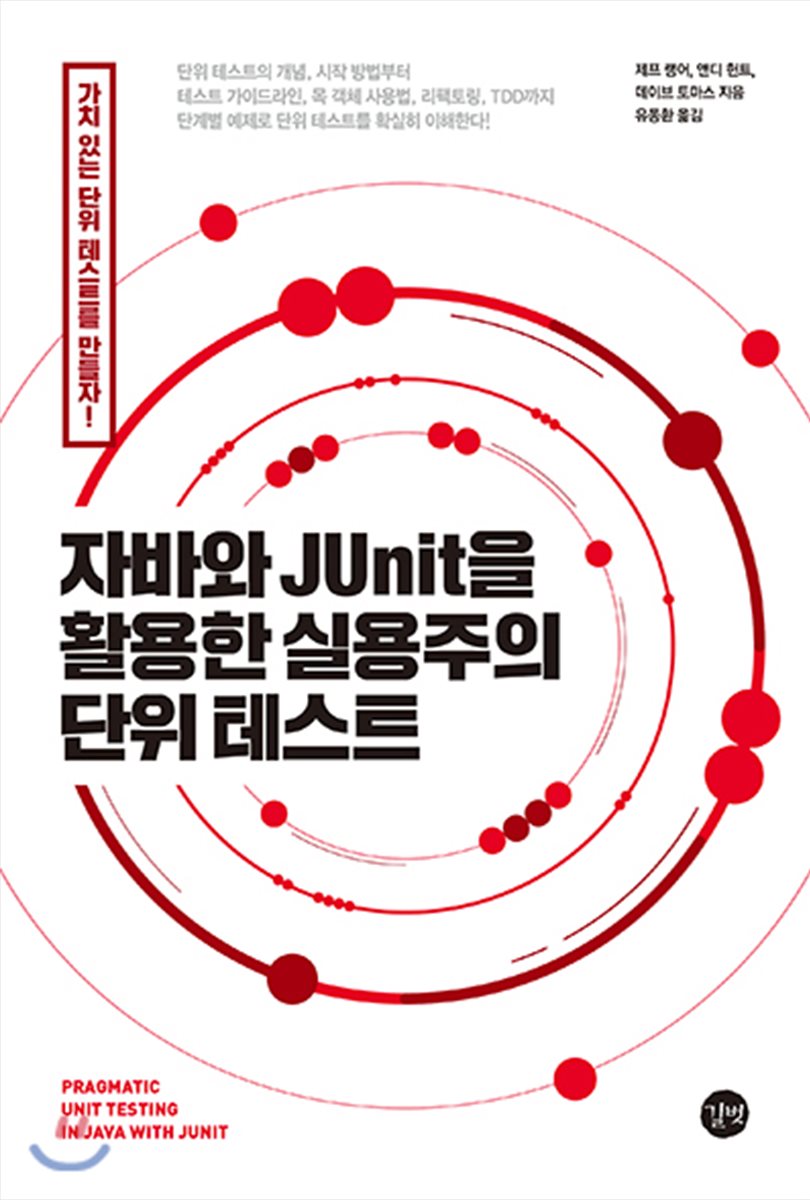
Practical Unit Testing with Java and JUnit
 |
Description
Book Introduction
Andy Hunt and Dave Thomas of The Pragmatic Programmer explain:
Pragmatic unit testing!
Unit testing, the heart of clean code, where and how to get started? This book explains the core of unit testing, from the concept and reasons for writing unit tests to testing guidelines, how to use mock objects, automated unit testing, and refactoring.
Additionally, it is structured so that you can practice unit testing step by step with Java and JUnit.
Recommended for those who are new to unit testing or want to understand unit testing more deeply.
Pragmatic unit testing!
Unit testing, the heart of clean code, where and how to get started? This book explains the core of unit testing, from the concept and reasons for writing unit tests to testing guidelines, how to use mock objects, automated unit testing, and refactoring.
Additionally, it is structured so that you can practice unit testing step by step with Java and JUnit.
Recommended for those who are new to unit testing or want to understand unit testing more deeply.
- You can preview some of the book's contents.
Preview
index
Part 1: Fundamentals of Unit Testing
Chapter 1: Creating Your First JUnit Test
1.1 Why Write Unit Tests?
1.2 JUnit Basics: Passing Your First Test
__1.2.1 Project Settings
__1.2.2 Understanding JUnit Testing a Little More
__1.2.3 Running JUnit
1.3 Test Preparation, Execution, and Assertion
1.4 Do tests really test anything?
1.5 In conclusion
Chapter 2: Using JUnit for Real
2.1 Understanding the Test Subject: Profile Class
2.2 Decide what tests you can write
2.3 Single path cover
2.4 Creating a Second Test
2.5 Initializing tests with the @Before method
2.6 What about now?
2.7 In conclusion
Chapter 3: Digging Deeper into JUnit Assertions
3.1 JUnit Assertions
__3.1.1 assertTrue
__3.1.2 assertThat compares a specific value
__3.1.3 Examining the Important Hamcrest Matcher
__3.1.4 Comparing two floating-point numbers
__3.1.5 Assertion Explanation
3.2 Three ways to expect exceptions
__3.2.1 The Simple Way: Using Annotations
__3.2.2 The old way: try/catch and fail
__3.2.3 New way: ExpectedException rule
__3.2.4 Ignoring exceptions
3.3 In conclusion
Chapter 4 Test Organization
4.1 Maintaining Test Consistency with AAA
4.2 Behavioral Testing vs. Method Testing
4.3 Relationship between tests and production code
__4.3.1 Separating test and production code
__4.3.2 Internal Data Exposure vs. Internal Behavior Exposure
4.4 The Value of Focused Single-Purpose Testing
4.5 Testing as Documentation
__4.5.1 Documenting tests with consistent names
__4.5.2 Making Tests Meaningful
4.6 Learn more about @Before and @After (common initialization and cleanup)
__4.6.1 BeforeClass and AfterClass Annotations
4.7 Green is Good: Keeping Testing Meaningful
__4.7.1 Faster testing
__4.7.2 Excluding tests
4.8 In conclusion
Part 2: Acquiring Quick Memorization Techniques
Chapter 5: The FIRST Attributes of a Good Test
5.1 FIRST: Good testing conditions
5.2 [F]IRST: Fast
5.3 F[I]RST: Isolate
5.4 FI[R]ST: Good tests should be repeatable.
5.5 FIR[S]T: Self-verifiable
5.6 FIRS[T]: Use at the right time
5.7 In conclusion
Chapter 6 Right-BICEP: What to Test?
6.1 [Right]-BICEP: Are the results correct?
6.2 Right-[B]ICEP: Are the boundary conditions correct?
6.3 Remember CORRECT in boundary conditions
6.4 Right-B[I]CEP: Can we test the inverse relationship?
6.5 Right-BI[C]EP: Can cross-checking be done using other means?
6.6 Right-BIC[E]P: Can an error condition be forced to occur?
6.7 Right-BICE[P]: Do the performance conditions meet the standards?
6.8 In conclusion
Chapter 7 Boundary Conditions: CORRECT Mnemonic
7.1 [C]ORRECT: [C]onformance
7.2 C[O]RRECT: [O]rdering
7.3 CO[R]RECT: [R]ange(range)
__7.3.1 Creating a custom matcher that checks for invariance
__7.3.2 Range testing by embedding immutable methods
7.4 COR[R]ECT: [R]eference
7.5 CORR[E]CT: [E]xistence
7.6 CORRE[C]T: [C]ardinality
7.7 CORREC[T]: [T]ime(time)
7.8 In conclusion
Part 3: The Bigger Design Picture
Chapter 8: Refactoring to Clean Code
8.1 Minor Refactoring
__8.1.1 Opportunities for Refactoring
__8.1.2 Extracting Methods: Your Second Most Important Refactoring Friend
8.2 Finding a Better Home for Methods
8.3 Automatic and Manual Refactoring
8.4 Excessive refactoring?
__8.4.1 Rewards: Clear and Testable Units
__8.4.2 Performance Concerns: Don't Be
8.5 In conclusion
Chapter 9: Bigger Design Problems
9.1 Profile Classes and SRP
9.2 Extracting a new class
9.3 Command-Query Separation
9.4 Maintenance Costs of Unit Tests
__9.4.1 How to Protect Yourself
__9.4.2 Fixing broken tests
9.5 Thoughts on Other Designs
9.6 In conclusion
Chapter 10 Using the Neck Object
10.1 Test Challenges
10.2 Replacing cumbersome actions with stubs
10.3 Design changes to support testing
10.4 Adding Intelligence to Stubs: Argument Validation
10.5 Simplify testing using the mock tool
10.6 One Last Simplification: Introducing the Injection Tool
10.7 What's important when using your neck correctly
10.8 In conclusion
Chapter 11: Test Refactoring
11.1 Understanding Search
11.2 Test Smells: Unnecessary Test Code
11.3 Test Smells: Missing Abstraction
11.4 Test Smell: Inappropriate Information
11.5 Test Smell: Puffy Creation
11.6 Test Smell: Multiple Assertions
11.7 Test Smells: Details Irrelevant to Testing
11.8 Test Smell: Bad Organization
11.9 Test Smells: Implicit Meaning
11.10 Added new tests
11.11 In closing
Part 4: A larger unit test picture
Chapter 12 Test-Driven Development
12.1 The main benefits of TDD
12.2 Start Simple
12.3 Add another increment
12.4 Test Summary
12.5 Another small increment
12.6 Multiple Response Support: A Minor Design Bypass
12.7 Interface Extensions
12.8 Final Tests
12.9 Testing as Documentation
12.10 The Rhythm of TDD
12.11 In closing
Chapter 13: Tough Tests
13.1 Testing Multithreaded Code
__13.1.1 Keep it simple and smart
__13.1.2 Find all matches
__13.1.3 Extracting Application Logic
__13.1.4 Redesigned to support testing of thread logic
__13.1.5 Writing Tests for Thread Logic
13.2 Database Testing
__13.2.1 Thanks, Controller
__13.2.2 Data Issues
__13.2.3 Clean Room Database Testing
__13.2.4 Controller mock processing
13.3 In conclusion
Testing in Chapter 14 Project
14.1 Quick Introduction
14.2 Be on the same side as the team
__14.2.1 Creating a Unit Test Standard
__14.2.2 Increasing Standards Compliance with Reviews
__14.2.3 Review using pair programming
14.3 Convergence through continuous integration
14.4 Code Coverage
__14.4.1 What should be the coverage?
__14.4.2 Is 100% coverage really that good?
__14.4.3 The Value of Code Coverage
14.5 In conclusion
Appendix A: Setting Up JUnit in IntelliJ IDEA and NetBeans
A.1 IntelliJ IDEA
A.2 NetBeans
Chapter 1: Creating Your First JUnit Test
1.1 Why Write Unit Tests?
1.2 JUnit Basics: Passing Your First Test
__1.2.1 Project Settings
__1.2.2 Understanding JUnit Testing a Little More
__1.2.3 Running JUnit
1.3 Test Preparation, Execution, and Assertion
1.4 Do tests really test anything?
1.5 In conclusion
Chapter 2: Using JUnit for Real
2.1 Understanding the Test Subject: Profile Class
2.2 Decide what tests you can write
2.3 Single path cover
2.4 Creating a Second Test
2.5 Initializing tests with the @Before method
2.6 What about now?
2.7 In conclusion
Chapter 3: Digging Deeper into JUnit Assertions
3.1 JUnit Assertions
__3.1.1 assertTrue
__3.1.2 assertThat compares a specific value
__3.1.3 Examining the Important Hamcrest Matcher
__3.1.4 Comparing two floating-point numbers
__3.1.5 Assertion Explanation
3.2 Three ways to expect exceptions
__3.2.1 The Simple Way: Using Annotations
__3.2.2 The old way: try/catch and fail
__3.2.3 New way: ExpectedException rule
__3.2.4 Ignoring exceptions
3.3 In conclusion
Chapter 4 Test Organization
4.1 Maintaining Test Consistency with AAA
4.2 Behavioral Testing vs. Method Testing
4.3 Relationship between tests and production code
__4.3.1 Separating test and production code
__4.3.2 Internal Data Exposure vs. Internal Behavior Exposure
4.4 The Value of Focused Single-Purpose Testing
4.5 Testing as Documentation
__4.5.1 Documenting tests with consistent names
__4.5.2 Making Tests Meaningful
4.6 Learn more about @Before and @After (common initialization and cleanup)
__4.6.1 BeforeClass and AfterClass Annotations
4.7 Green is Good: Keeping Testing Meaningful
__4.7.1 Faster testing
__4.7.2 Excluding tests
4.8 In conclusion
Part 2: Acquiring Quick Memorization Techniques
Chapter 5: The FIRST Attributes of a Good Test
5.1 FIRST: Good testing conditions
5.2 [F]IRST: Fast
5.3 F[I]RST: Isolate
5.4 FI[R]ST: Good tests should be repeatable.
5.5 FIR[S]T: Self-verifiable
5.6 FIRS[T]: Use at the right time
5.7 In conclusion
Chapter 6 Right-BICEP: What to Test?
6.1 [Right]-BICEP: Are the results correct?
6.2 Right-[B]ICEP: Are the boundary conditions correct?
6.3 Remember CORRECT in boundary conditions
6.4 Right-B[I]CEP: Can we test the inverse relationship?
6.5 Right-BI[C]EP: Can cross-checking be done using other means?
6.6 Right-BIC[E]P: Can an error condition be forced to occur?
6.7 Right-BICE[P]: Do the performance conditions meet the standards?
6.8 In conclusion
Chapter 7 Boundary Conditions: CORRECT Mnemonic
7.1 [C]ORRECT: [C]onformance
7.2 C[O]RRECT: [O]rdering
7.3 CO[R]RECT: [R]ange(range)
__7.3.1 Creating a custom matcher that checks for invariance
__7.3.2 Range testing by embedding immutable methods
7.4 COR[R]ECT: [R]eference
7.5 CORR[E]CT: [E]xistence
7.6 CORRE[C]T: [C]ardinality
7.7 CORREC[T]: [T]ime(time)
7.8 In conclusion
Part 3: The Bigger Design Picture
Chapter 8: Refactoring to Clean Code
8.1 Minor Refactoring
__8.1.1 Opportunities for Refactoring
__8.1.2 Extracting Methods: Your Second Most Important Refactoring Friend
8.2 Finding a Better Home for Methods
8.3 Automatic and Manual Refactoring
8.4 Excessive refactoring?
__8.4.1 Rewards: Clear and Testable Units
__8.4.2 Performance Concerns: Don't Be
8.5 In conclusion
Chapter 9: Bigger Design Problems
9.1 Profile Classes and SRP
9.2 Extracting a new class
9.3 Command-Query Separation
9.4 Maintenance Costs of Unit Tests
__9.4.1 How to Protect Yourself
__9.4.2 Fixing broken tests
9.5 Thoughts on Other Designs
9.6 In conclusion
Chapter 10 Using the Neck Object
10.1 Test Challenges
10.2 Replacing cumbersome actions with stubs
10.3 Design changes to support testing
10.4 Adding Intelligence to Stubs: Argument Validation
10.5 Simplify testing using the mock tool
10.6 One Last Simplification: Introducing the Injection Tool
10.7 What's important when using your neck correctly
10.8 In conclusion
Chapter 11: Test Refactoring
11.1 Understanding Search
11.2 Test Smells: Unnecessary Test Code
11.3 Test Smells: Missing Abstraction
11.4 Test Smell: Inappropriate Information
11.5 Test Smell: Puffy Creation
11.6 Test Smell: Multiple Assertions
11.7 Test Smells: Details Irrelevant to Testing
11.8 Test Smell: Bad Organization
11.9 Test Smells: Implicit Meaning
11.10 Added new tests
11.11 In closing
Part 4: A larger unit test picture
Chapter 12 Test-Driven Development
12.1 The main benefits of TDD
12.2 Start Simple
12.3 Add another increment
12.4 Test Summary
12.5 Another small increment
12.6 Multiple Response Support: A Minor Design Bypass
12.7 Interface Extensions
12.8 Final Tests
12.9 Testing as Documentation
12.10 The Rhythm of TDD
12.11 In closing
Chapter 13: Tough Tests
13.1 Testing Multithreaded Code
__13.1.1 Keep it simple and smart
__13.1.2 Find all matches
__13.1.3 Extracting Application Logic
__13.1.4 Redesigned to support testing of thread logic
__13.1.5 Writing Tests for Thread Logic
13.2 Database Testing
__13.2.1 Thanks, Controller
__13.2.2 Data Issues
__13.2.3 Clean Room Database Testing
__13.2.4 Controller mock processing
13.3 In conclusion
Testing in Chapter 14 Project
14.1 Quick Introduction
14.2 Be on the same side as the team
__14.2.1 Creating a Unit Test Standard
__14.2.2 Increasing Standards Compliance with Reviews
__14.2.3 Review using pair programming
14.3 Convergence through continuous integration
14.4 Code Coverage
__14.4.1 What should be the coverage?
__14.4.2 Is 100% coverage really that good?
__14.4.3 The Value of Code Coverage
14.5 In conclusion
Appendix A: Setting Up JUnit in IntelliJ IDEA and NetBeans
A.1 IntelliJ IDEA
A.2 NetBeans
Detailed image
.jpg)
Into the book
Shortly after writing the first editions of The Pragmatic Programmer and Programming Ruby, Dave Thomas and I (Andy Hunt) turned our attention to the most basic needs of the modern software developer.
This thinking led to "Starting Tools for Pragmatic Programmers."
These three books cover the most fundamental elements a team needs, covering version control, unit testing, and automated builds and testing.
These books are the first series we published after founding 'The Pragmatic Bookshelf.'
Jeff Langer has worked to adapt and expand our book for the modern world.
The principles are the same, but the tools are much better, and the overall approach to software development is much more practical, professional, and (if I may say so) more pragmatic.
In the book, Jeff will show you this path.
Testing has not always been considered important in programming activities.
The name was far from coding, far from design, and far from debugging.
But the truth is different.
A programming language's compiler/interpreter checks that the source code is grammatically valid.
At least make sure that it has a consistent form according to the language grammar.
But the compiler doesn't tell you what that code does, and it can't determine anything about whether the code is correct.
Unit tests, in this case, specify how the code behaves and verify the code's behavior.
Unit tests are a great intersection of design, coding, and debugging.
If you're not getting much value from your test code, this book will help.
It will also be helpful if you are new to unit testing or trying to get the most out of your unit tests.
Andy Hunt
This thinking led to "Starting Tools for Pragmatic Programmers."
These three books cover the most fundamental elements a team needs, covering version control, unit testing, and automated builds and testing.
These books are the first series we published after founding 'The Pragmatic Bookshelf.'
Jeff Langer has worked to adapt and expand our book for the modern world.
The principles are the same, but the tools are much better, and the overall approach to software development is much more practical, professional, and (if I may say so) more pragmatic.
In the book, Jeff will show you this path.
Testing has not always been considered important in programming activities.
The name was far from coding, far from design, and far from debugging.
But the truth is different.
A programming language's compiler/interpreter checks that the source code is grammatically valid.
At least make sure that it has a consistent form according to the language grammar.
But the compiler doesn't tell you what that code does, and it can't determine anything about whether the code is correct.
Unit tests, in this case, specify how the code behaves and verify the code's behavior.
Unit tests are a great intersection of design, coding, and debugging.
If you're not getting much value from your test code, this book will help.
It will also be helpful if you are new to unit testing or trying to get the most out of your unit tests.
Andy Hunt
--- From the "Preface"
Publisher's Review
The core of clean code,
Improve software quality with unit testing!
Unit testing is the process of verifying that a specific module of code is working exactly as intended.
This allows you to quickly identify and correct any problems that arise when you change your code.
In other words, the goal of unit testing is to ensure the quality of software and improve productivity.
So how should you write unit tests? This book explains the core concepts of unit testing, from the reasons for writing unit tests to testing guidelines, using mock objects, automated unit testing, and refactoring.
Additionally, unit tests are structured so that you can practice step-by-step, and verified code is included so that you can learn how the actual code works.
- Fundamentals of Unit Testing: Understanding the Concepts, Setting Up a Test Environment, Your First Test, JUnit Assertions
- Testing guidelines: FIRST (conditions for a good test), RIGHT-BICEP (what to test), CORRECT (boundary conditions)
- Bigger design picture: software design, refactoring, using mock objects, refactoring tests
- The bigger unit testing picture: test-driven development, multi-threaded code testing, database testing, unit testing in a team environment
Improve software quality with unit testing!
Unit testing is the process of verifying that a specific module of code is working exactly as intended.
This allows you to quickly identify and correct any problems that arise when you change your code.
In other words, the goal of unit testing is to ensure the quality of software and improve productivity.
So how should you write unit tests? This book explains the core concepts of unit testing, from the reasons for writing unit tests to testing guidelines, using mock objects, automated unit testing, and refactoring.
Additionally, unit tests are structured so that you can practice step-by-step, and verified code is included so that you can learn how the actual code works.
- Fundamentals of Unit Testing: Understanding the Concepts, Setting Up a Test Environment, Your First Test, JUnit Assertions
- Testing guidelines: FIRST (conditions for a good test), RIGHT-BICEP (what to test), CORRECT (boundary conditions)
- Bigger design picture: software design, refactoring, using mock objects, refactoring tests
- The bigger unit testing picture: test-driven development, multi-threaded code testing, database testing, unit testing in a team environment
GOODS SPECIFICS
- Date of issue: July 3, 2019
- Page count, weight, size: 328 pages | 630g | 152*225*30mm
- ISBN13: 9791160508383
- ISBN10: 1160508380
You may also like
카테고리
korean


korean

![GQ KOREA Mark (Monthly): December [2025]](http://librairie.coreenne.fr/cdn/shop/files/8ef265dbbfbf186523ed75ba7319009d.jpg?v=1765340328&width=3840)


