

Bitcoin User Guide
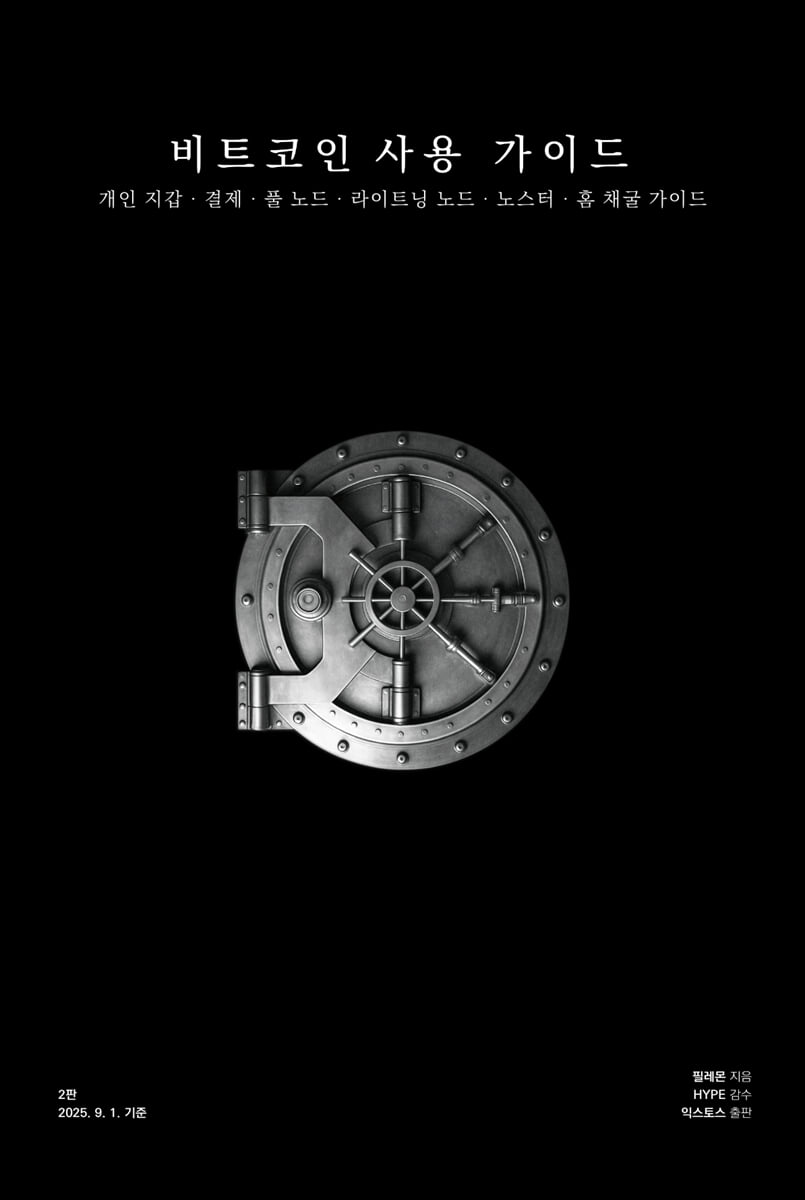 |
Description
Book Introduction
From self-custody to mining, how to truly understand and use Bitcoin.
To understand Bitcoin, saving Bitcoin and reading a few theoretical books is not enough.
Bitcoin's philosophies, such as decentralization, censorship resistance, fixed supply, and voluntary consensus, can be found in the book.
However, the true realization that Bitcoin is a private property that cannot be taken away by anyone can only be realized through self-custody, where you keep your own private keys.
You can truly feel that Bitcoin is 'money' and not an investment or speculation object when you use it to buy things or drink coffee.
The ability for anyone to verify transactions and broadcast them to the network without any restrictions is truly realized when running a full node.
The ability to send and receive Bitcoin payments at the speed of light without a trusted third party is only truly realized when you run a Lightning node.
You can see that mining is an act of protecting the Bitcoin network by running a miner yourself and seeing your own hash rate with your own eyes.
Therefore, a full understanding of Bitcoin comes from practice.
If you've been saving Bitcoin and reading theory books, now is the time to experience it for yourself.
By following this book and completing the exercises, you will fully understand why Bitcoin is truly the money of freedom.
To understand Bitcoin, saving Bitcoin and reading a few theoretical books is not enough.
Bitcoin's philosophies, such as decentralization, censorship resistance, fixed supply, and voluntary consensus, can be found in the book.
However, the true realization that Bitcoin is a private property that cannot be taken away by anyone can only be realized through self-custody, where you keep your own private keys.
You can truly feel that Bitcoin is 'money' and not an investment or speculation object when you use it to buy things or drink coffee.
The ability for anyone to verify transactions and broadcast them to the network without any restrictions is truly realized when running a full node.
The ability to send and receive Bitcoin payments at the speed of light without a trusted third party is only truly realized when you run a Lightning node.
You can see that mining is an act of protecting the Bitcoin network by running a miner yourself and seeing your own hash rate with your own eyes.
Therefore, a full understanding of Bitcoin comes from practice.
If you've been saving Bitcoin and reading theory books, now is the time to experience it for yourself.
By following this book and completing the exercises, you will fully understand why Bitcoin is truly the money of freedom.
- You can preview some of the book's contents.
Preview
index
introduction.
Take control of your money
Reviewer's note
Part 1.
Self-Custody Guide
■ Knowledge for using Bitcoin wallets
Self-custody | Bitcoin ownership and the need for self-custody, responsibility | BTC and sats units | Balance model and UTXO model | Air-gap wallets and watch-only wallets | PSBT | Private keys and addresses | Mnemonics, private keys, and addresses | Extended public keys | Things to watch out for when rolling dice | Transaction data | UTXO analogies | Transaction data and blocks | Fees | Mempool website | UTXO organization | Beware of address reuse | Derivation paths | Gap limits and sequential address use | Passphrases | Mnemonic checksums and MFP | The $5 wrench attack and caution about quantity disclosure | KYC (Know Your Customer) system and travel rules | Lightning Network, invoices, and Lightning addresses
■ Keystone Wallet
Required Supplies | Recommended Supplies | Prepare a MicroSD Card for Update | Verify Your Device | Verify and Upgrade to Firmware 2.0.4 | Update to the Latest Firmware | Create a Wallet | Set Keystone Presets | Create a Watch-Only Wallet by Exporting the Extended Public Key to BlueWallet | Create a Watch-Only Wallet by Exporting the Extended Public Key to Nunchuck | Create a Watch-Only Wallet by Exporting the Extended Public Key to Coconut Wallet | Practice Signing with BlueWallet | Practice Signing with Nunchuck | Practice Signing with Coconut Wallet | Practice Recovery
■ Seedsigner Wallet
Required materials | Recommended materials | Download image file | Check for software tampering (Windows OS) | Check for software tampering (macOS) | Create a bootable microSD card | How to fix when SeedSigner image file fails to flash with Valena Etcher | Remove wireless communication module (Raspberry Pi Zero W board only) | Assemble SeedSigner | Assemble SeedSigner case | Create wallet | Create Seed QR | Enter mnemonic or scan Seed QR | Create watch-only wallet by exporting extended public key to Blue Wallet | Create watch-only wallet by exporting extended public key to Nunchuck | Create watch-only wallet by exporting extended public key to Coconut Wallet | Practice signing with Blue Wallet | Practice signing with Nunchuck | Practice signing with Coconut Wallet | Turn SeedSigner into a gaming console
■ Air machine wallet
Creating a Wallet Using a Smartphone as a Cold Wallet | Exporting an Extended Public Key to BlueWallet to Create a Watch-Only Wallet | Exporting an Extended Public Key to Nunchuck to Create a Watch-Only Wallet | Practice Signing with BlueWallet | Practice Signing with Nunchuck | Testing Indirect Recovery on a BlueWallet on an Air-Device
■ Transferring Bitcoin from an Exchange to a Wallet
How to Exchange Bitcoin for Bitcoin on Exchanges | Sign Up for Bithumb and KYC | Sign Up for Binance and KYC | Deposit KRW on Bithumb and Buy Tether | Send Tether from Bithumb to Binance | Buy Bitcoin with Tether on Binance 1: Use Convert | Buy Bitcoin with Tether on Binance 2: Market Buy | Send directly to your personal wallet via on-chain on Binance | Send to your personal wallet via Lightning Network and Boltz Swap on Binance
■ Transfer Bitcoin from your wallet to an exchange and withdraw KRW
Transfer path | Transfer from a personal wallet to a foreign exchange | Transfer from a foreign exchange to a domestic exchange | Convert to Korean Won at a domestic exchange and withdraw to a bank account
■ How to use Sparrow Wallet and organize UTXOs
Prerequisites | Installing Sparrow | Setting up a full node server | Integrating Watch-Only | UTXO management | Alice's UTXO management | Managing UTXOs in Sparrow | Managing UTXOs in Nunchuck
■ Commission rate setting, RBF and CPFP
On-chain fees | How to view the mempool website | Setting an appropriate fee rate | RBF | CPFP
■ Passphrase
Passphrases and Precautions | Setting a Passphrase in Keystone | Setting a Passphrase in Seedsigner | Setting a Passphrase in an Air Machine Cold Wallet | When Signing Doesn't Work on a Signing Device
■ Multisig
Multisig (Multi-Sig) | Creating a Multisig Wallet in BlueWallet | Creating a Multisig Wallet in Nunchuck | Creating a Multisig Wallet in Sparrow | Signing with a BlueWallet Multisig Wallet | Signing with a Nunchuck Multisig Wallet | Signing with a Sparrow Multisig Wallet | Recovering a Multisig Watch-Only Wallet After Deleting It
Part 2.
Bitcoin Standard Guide
■ Bitcoin is money
Bitcoin is money | Medium of exchange | Preservation of purchasing power | Unit of account | Bitcoin's layered structure | How to use the Lightning Network | Why the Bitcoin payment experience matters
■ How to use the Lightning Trust Wallet
Installing a Lightning custodial wallet | Issuing a custom Lightning address | Depositing Bitcoin to a Lightning custodial wallet on-chain | Withdrawing Bitcoin from a Lightning custodial wallet on-chain | Sending Bitcoin from a Lightning custodial wallet to an overseas exchange for KRW conversion
■ Paying with Lightning at offline stores
Buy coffee with Bitcoin
■ Paying with Lightning at online stores
Buy items with Bitcoin and receive delivery
■ Become a Bitcoin Payment Store in 1 Minute
How to accept Lightning payments in stores
Part 3.
Full Node Operation Guide
■ Knowledge for operating a full node
The Importance of Full Nodes and Full Node Operations | Verification Work Performed by Full Nodes | Data Stored by Full Nodes | Pruning Full Nodes | Bitcoin Clients: Bitcoin Core and Notes | Initial Block Download (IBD) | Outbound and Inbound Connections, Inbound Acceptance Nodes | Electrum Server | RPC Interface | Practicing True Financial Sovereignty
■ Umbrella Home Purchase and Setup
How to Build a Full Node | How to Purchase Umbrella Home | Setting Up Umbrella Home
■ Assembling a mini PC and installing Umbrella OS
Mini PC Kit | Assembling a Mini PC | Configuring RAM in BIOS | Creating an OS Installation USB | Installing Umbrella OS
■ Assembling the Raspberry Pi 5 and installing Umbrella OS
Raspberry Pi 5 Prerequisites | Installing Umbrella OS on an SSD | Raspberry Pi 5 Assembly | If the Pi Won't Boot | Case Assembly
■ Installing Umbrella OS on a laptop
Installing Umbrella OS on a Spare Laptop | Creating an OS Installation USB | Installing Umbrella OS on a Laptop | Launching the Umbrella Screen on a Laptop
■ Umbrella setup and full node synchronization
Umbrella Setup and Update | Install Bitcoin Node (Core) or Notes | Pruning Settings | Notes User Policy Settings
■ Accessing Umbrella from outside
Tailscale Installation and Connection
■ Linking a Watch-Only Wallet to Your Full Node
Installing Electrs | Connecting BlueWallet to Your Full Node | Connecting Nunchuck to Your Full Node | Connecting CoconutWallet to Your Full Node | Connecting Sparrow to Your Full Node | Connecting Your Full Node to Your Watch-Only Wallet Using Tor | Connecting BlueWallet to Your Watch-Only Wallet Using Tor | Connecting Nunchuck to Your Watch-Only Wallet Using Tor
■ Mempool and RPC commands
Connecting to the Mempool App | Using the RPC Explorer | Using RPC Commands in the Terminal
■ Become a reachable node
Check if your node is reachable | Become a reachable node in an anonymous network | Become a reachable node in a clearnet | TP-Link router: DHCP server settings, port forwarding | IPtime router: DHCP server settings, port forwarding | If you are using a router from an Internet service provider | Allow Umbrella inbound connections and disable the firewall | Check if you are a reachable node
■ Running a full node on Windows OS
Installing and Syncing Bitcoin Core on Windows | Installing and Syncing Bitcoin Notes on Windows | Connecting the Sparrow Wallet on the Same Device
■ Running a full node on macOS
Installing and Syncing Bitcoin Core on macOS | Installing and Syncing Bitcoin Notes on macOS | Connecting a Sparrow Wallet on the Same Device
■ Connecting Sparrow Wallet, Bitcoin Core, and Notes on a Local Network
Finding the local IP address of the device with Core and Notes installed | Configuring the bitcoin.conf file | Disabling the firewall if Core and Notes are installed on Windows | Disabling the firewall if Core and Notes are installed on macOS | Connecting to the Sparrow wallet on a local network
Part 4.
Lightning Node Operation Guide
■ Knowledge for operating a Lightning Node
Lightning Network | Lightning Channel Principles | Inbound and Outbound Liquidity | Multi-Path Payments | HTLC | Cooperative and Non-Cooperative Closures, CSV, Penalties | Types of Lightning Nodes
■ Lightning node installation, recovery, and RTL installation
Installing a Lightning Node (LND) | Recovering a Lightning Node After Removing It | Installing CLN | Installing RTL
■ Running a Lightning Node for Everyday Wallet Purposes
Transferring funds to a Lightning node on-chain wallet | Searching for Lightning nodes and adding peers, opening a channel | Opening a second channel | Opening a third channel | Opening a fourth channel | Opening a fifth channel | Securing inbound liquidity | Opening a sixth channel | Opening a seventh channel | Opening an eighth channel | Recommended channel list
■ Using Lightning Nodes Externally
Connecting Lightning Nodes to the Zeus App via Tor | Connecting Lightning Nodes to the Zeus App via Tailscale | How to Use the Zeus App
■ Setting up a Lightning Node
Lightning Node Network Settings and Personalization | Channel Settings | Routing Settings | Watchtower Settings
■ Channel Management Guide
How routing fees are charged | When a specific node absorbs all liquidity | Adjusting channel-specific routing fees and maximum/minimum HTLC amounts | Finding appropriate nodes and establishing channels rather than adjusting fees | Closing channels | Backing up and restoring Lightning node SCB files
■ Setting up a Lightning address and announcing your node
Connecting a Lightning Address to the Albi Hub | Paying for Albi and Creating a Custom Lightning Address | Entering Node Information in Amboss
Building an Online Bitcoin Payment Store with a Lightning Node
Installing BTCPay Server and the WooCommerce plugin on WordPress | WooCommerce basic settings and theme selection | Uploading WooCommerce products | Downloading and configuring BTCPay Server from Umbrella | Signing up for CloudFlare | Connecting a CloudFlare tunnel | Connecting a domain | Applying SSL | Connecting WordPress WooCommerce to your BTCPay Server | Other settings | Legal and tax issues
Part 5.
Noster Guide
■ Knowledge for using Noster
Problems with Existing Social Media and Noster | Noster Client | Noster Relay and Events, How They Work | Noster Implementation Proposal (NIP) | Private Key (nsec), Public Key (npub), Noster Address | Noster's DM and End-to-End Encryption | Zaps and NWC (Connecting to Noster Wallet) | Noster's Drawbacks, Ad Filters, and List Subscriptions
■ How to use Primal
Install the Primal app and generate a private-public key pair | Tell others about npub | Add followers | Add a wallet for Zap
■ How to use Damus
Install the Damus app and generate a private-public key pair | Tell others about npub | Add followers | Connect a Lightning address to receive Zaps | Send Zaps to others
■ How to use Phoenix
Generate a private-public key pair in Phoenix | Tell others about npub | Add followers | Link a Lightning address to receive Zapps
■ Noster Signature Extension Program
Why Use a Signature Extension? | How to Use the Albi Extension in Chrome | Using Noster Addresses in Albi | Logging in with the Albi Extension in Web Clients
■ Writing long articles, columns, etc. in Noster
Writing Long Text in Habla | A Brief Introduction to Markdown Grammar
■ Operating and connecting to a Noster relay server in Umbrella
Running a Private Relay Server | Connecting to Your Relay Server from Your Local Network | Connecting to Your Relay Server Remotely Using Tailscale | Linking a Domain to Make It a Public Relay Server
■ Sending a Zap from your Lightning Node using NWC
Creating an NWC Wallet via Albi Hub | Connecting an NWC Wallet to Damus | Connecting an NWC Wallet to Phoenix
■ Issuing a Lightning Address in Zeus Using NWC
Issuing a Lightning Address in Zeus
Part 6.
Home Mining Guide
■ Knowledge for home mining
Bitcoin Mining | Classification of Mining Methods | Calculating Profitability | Mining Pool Rewards | Stratum Protocol | Mining Pool Limitations | Datum and Mining Sovereignty | The Meaning of Home Mining
■ Solo mining with BitX Gamma 601, or joining a mining pool
What you need | Assemble the BitX stand and connect to power | Connect to the BitX network | Update the BitX firmware | Set up solo mining (ckpool) | Join a mining pool (Brains Pool) | Earn rewards from the Lightning Network (Brains Pool)
■ Solo mining with Avalon Nano 3, participating in a mining pool
What you need | Powering the Avalon Nano 3 | Setting up the Avalon Nano 3 | Setting up solo mining (ckpool) | Joining a mining pool (Brains Pool) | Earning rewards from the Lightning Network (Brains Pool)
■ Connecting a full node and miner with Datum
Install Bitcoin Notes | Install Datum | Set up solo mining on Datum | Connect BitX to Datum | Connect Avalon Nano 3 to Datum | Check if mining is working properly | Participate in a mining pool (Ocean Pool) using Datum | Use a wallet address generated in Blue Wallet | Use an on-chain address generated from a Lightning node | Set up Datum | Connect BitX to Datum | Connect Avalon Nano 3 to Datum | Check if mining is working properly | Receive mining rewards with a Lightning wallet | Create an Offer with Core Lightning (CLN) | Sign a message | In conclusion
supplement
■ Appendix 1.
Device-specific mnemonic generation algorithm
Verification of the Mnemonic Generation Algorithm | Keystone 3 Pro Device Mnemonic Generation Algorithm | Seedsigner Device Mnemonic Generation Algorithm | BlueWallet Mnemonic Generation Algorithm
■ Appendix 2.
How to Recover Mnemonics and List of Mnemonics
BIP-39 List Description | Precautions before Mnemonic Recovery | ① If backed up as a 4-digit English word | ② If backed up in binary (bit) | ③ If backed up in the order of 4-digit English words | BIP-39 Mnemonic List
Take control of your money
Reviewer's note
Part 1.
Self-Custody Guide
■ Knowledge for using Bitcoin wallets
Self-custody | Bitcoin ownership and the need for self-custody, responsibility | BTC and sats units | Balance model and UTXO model | Air-gap wallets and watch-only wallets | PSBT | Private keys and addresses | Mnemonics, private keys, and addresses | Extended public keys | Things to watch out for when rolling dice | Transaction data | UTXO analogies | Transaction data and blocks | Fees | Mempool website | UTXO organization | Beware of address reuse | Derivation paths | Gap limits and sequential address use | Passphrases | Mnemonic checksums and MFP | The $5 wrench attack and caution about quantity disclosure | KYC (Know Your Customer) system and travel rules | Lightning Network, invoices, and Lightning addresses
■ Keystone Wallet
Required Supplies | Recommended Supplies | Prepare a MicroSD Card for Update | Verify Your Device | Verify and Upgrade to Firmware 2.0.4 | Update to the Latest Firmware | Create a Wallet | Set Keystone Presets | Create a Watch-Only Wallet by Exporting the Extended Public Key to BlueWallet | Create a Watch-Only Wallet by Exporting the Extended Public Key to Nunchuck | Create a Watch-Only Wallet by Exporting the Extended Public Key to Coconut Wallet | Practice Signing with BlueWallet | Practice Signing with Nunchuck | Practice Signing with Coconut Wallet | Practice Recovery
■ Seedsigner Wallet
Required materials | Recommended materials | Download image file | Check for software tampering (Windows OS) | Check for software tampering (macOS) | Create a bootable microSD card | How to fix when SeedSigner image file fails to flash with Valena Etcher | Remove wireless communication module (Raspberry Pi Zero W board only) | Assemble SeedSigner | Assemble SeedSigner case | Create wallet | Create Seed QR | Enter mnemonic or scan Seed QR | Create watch-only wallet by exporting extended public key to Blue Wallet | Create watch-only wallet by exporting extended public key to Nunchuck | Create watch-only wallet by exporting extended public key to Coconut Wallet | Practice signing with Blue Wallet | Practice signing with Nunchuck | Practice signing with Coconut Wallet | Turn SeedSigner into a gaming console
■ Air machine wallet
Creating a Wallet Using a Smartphone as a Cold Wallet | Exporting an Extended Public Key to BlueWallet to Create a Watch-Only Wallet | Exporting an Extended Public Key to Nunchuck to Create a Watch-Only Wallet | Practice Signing with BlueWallet | Practice Signing with Nunchuck | Testing Indirect Recovery on a BlueWallet on an Air-Device
■ Transferring Bitcoin from an Exchange to a Wallet
How to Exchange Bitcoin for Bitcoin on Exchanges | Sign Up for Bithumb and KYC | Sign Up for Binance and KYC | Deposit KRW on Bithumb and Buy Tether | Send Tether from Bithumb to Binance | Buy Bitcoin with Tether on Binance 1: Use Convert | Buy Bitcoin with Tether on Binance 2: Market Buy | Send directly to your personal wallet via on-chain on Binance | Send to your personal wallet via Lightning Network and Boltz Swap on Binance
■ Transfer Bitcoin from your wallet to an exchange and withdraw KRW
Transfer path | Transfer from a personal wallet to a foreign exchange | Transfer from a foreign exchange to a domestic exchange | Convert to Korean Won at a domestic exchange and withdraw to a bank account
■ How to use Sparrow Wallet and organize UTXOs
Prerequisites | Installing Sparrow | Setting up a full node server | Integrating Watch-Only | UTXO management | Alice's UTXO management | Managing UTXOs in Sparrow | Managing UTXOs in Nunchuck
■ Commission rate setting, RBF and CPFP
On-chain fees | How to view the mempool website | Setting an appropriate fee rate | RBF | CPFP
■ Passphrase
Passphrases and Precautions | Setting a Passphrase in Keystone | Setting a Passphrase in Seedsigner | Setting a Passphrase in an Air Machine Cold Wallet | When Signing Doesn't Work on a Signing Device
■ Multisig
Multisig (Multi-Sig) | Creating a Multisig Wallet in BlueWallet | Creating a Multisig Wallet in Nunchuck | Creating a Multisig Wallet in Sparrow | Signing with a BlueWallet Multisig Wallet | Signing with a Nunchuck Multisig Wallet | Signing with a Sparrow Multisig Wallet | Recovering a Multisig Watch-Only Wallet After Deleting It
Part 2.
Bitcoin Standard Guide
■ Bitcoin is money
Bitcoin is money | Medium of exchange | Preservation of purchasing power | Unit of account | Bitcoin's layered structure | How to use the Lightning Network | Why the Bitcoin payment experience matters
■ How to use the Lightning Trust Wallet
Installing a Lightning custodial wallet | Issuing a custom Lightning address | Depositing Bitcoin to a Lightning custodial wallet on-chain | Withdrawing Bitcoin from a Lightning custodial wallet on-chain | Sending Bitcoin from a Lightning custodial wallet to an overseas exchange for KRW conversion
■ Paying with Lightning at offline stores
Buy coffee with Bitcoin
■ Paying with Lightning at online stores
Buy items with Bitcoin and receive delivery
■ Become a Bitcoin Payment Store in 1 Minute
How to accept Lightning payments in stores
Part 3.
Full Node Operation Guide
■ Knowledge for operating a full node
The Importance of Full Nodes and Full Node Operations | Verification Work Performed by Full Nodes | Data Stored by Full Nodes | Pruning Full Nodes | Bitcoin Clients: Bitcoin Core and Notes | Initial Block Download (IBD) | Outbound and Inbound Connections, Inbound Acceptance Nodes | Electrum Server | RPC Interface | Practicing True Financial Sovereignty
■ Umbrella Home Purchase and Setup
How to Build a Full Node | How to Purchase Umbrella Home | Setting Up Umbrella Home
■ Assembling a mini PC and installing Umbrella OS
Mini PC Kit | Assembling a Mini PC | Configuring RAM in BIOS | Creating an OS Installation USB | Installing Umbrella OS
■ Assembling the Raspberry Pi 5 and installing Umbrella OS
Raspberry Pi 5 Prerequisites | Installing Umbrella OS on an SSD | Raspberry Pi 5 Assembly | If the Pi Won't Boot | Case Assembly
■ Installing Umbrella OS on a laptop
Installing Umbrella OS on a Spare Laptop | Creating an OS Installation USB | Installing Umbrella OS on a Laptop | Launching the Umbrella Screen on a Laptop
■ Umbrella setup and full node synchronization
Umbrella Setup and Update | Install Bitcoin Node (Core) or Notes | Pruning Settings | Notes User Policy Settings
■ Accessing Umbrella from outside
Tailscale Installation and Connection
■ Linking a Watch-Only Wallet to Your Full Node
Installing Electrs | Connecting BlueWallet to Your Full Node | Connecting Nunchuck to Your Full Node | Connecting CoconutWallet to Your Full Node | Connecting Sparrow to Your Full Node | Connecting Your Full Node to Your Watch-Only Wallet Using Tor | Connecting BlueWallet to Your Watch-Only Wallet Using Tor | Connecting Nunchuck to Your Watch-Only Wallet Using Tor
■ Mempool and RPC commands
Connecting to the Mempool App | Using the RPC Explorer | Using RPC Commands in the Terminal
■ Become a reachable node
Check if your node is reachable | Become a reachable node in an anonymous network | Become a reachable node in a clearnet | TP-Link router: DHCP server settings, port forwarding | IPtime router: DHCP server settings, port forwarding | If you are using a router from an Internet service provider | Allow Umbrella inbound connections and disable the firewall | Check if you are a reachable node
■ Running a full node on Windows OS
Installing and Syncing Bitcoin Core on Windows | Installing and Syncing Bitcoin Notes on Windows | Connecting the Sparrow Wallet on the Same Device
■ Running a full node on macOS
Installing and Syncing Bitcoin Core on macOS | Installing and Syncing Bitcoin Notes on macOS | Connecting a Sparrow Wallet on the Same Device
■ Connecting Sparrow Wallet, Bitcoin Core, and Notes on a Local Network
Finding the local IP address of the device with Core and Notes installed | Configuring the bitcoin.conf file | Disabling the firewall if Core and Notes are installed on Windows | Disabling the firewall if Core and Notes are installed on macOS | Connecting to the Sparrow wallet on a local network
Part 4.
Lightning Node Operation Guide
■ Knowledge for operating a Lightning Node
Lightning Network | Lightning Channel Principles | Inbound and Outbound Liquidity | Multi-Path Payments | HTLC | Cooperative and Non-Cooperative Closures, CSV, Penalties | Types of Lightning Nodes
■ Lightning node installation, recovery, and RTL installation
Installing a Lightning Node (LND) | Recovering a Lightning Node After Removing It | Installing CLN | Installing RTL
■ Running a Lightning Node for Everyday Wallet Purposes
Transferring funds to a Lightning node on-chain wallet | Searching for Lightning nodes and adding peers, opening a channel | Opening a second channel | Opening a third channel | Opening a fourth channel | Opening a fifth channel | Securing inbound liquidity | Opening a sixth channel | Opening a seventh channel | Opening an eighth channel | Recommended channel list
■ Using Lightning Nodes Externally
Connecting Lightning Nodes to the Zeus App via Tor | Connecting Lightning Nodes to the Zeus App via Tailscale | How to Use the Zeus App
■ Setting up a Lightning Node
Lightning Node Network Settings and Personalization | Channel Settings | Routing Settings | Watchtower Settings
■ Channel Management Guide
How routing fees are charged | When a specific node absorbs all liquidity | Adjusting channel-specific routing fees and maximum/minimum HTLC amounts | Finding appropriate nodes and establishing channels rather than adjusting fees | Closing channels | Backing up and restoring Lightning node SCB files
■ Setting up a Lightning address and announcing your node
Connecting a Lightning Address to the Albi Hub | Paying for Albi and Creating a Custom Lightning Address | Entering Node Information in Amboss
Building an Online Bitcoin Payment Store with a Lightning Node
Installing BTCPay Server and the WooCommerce plugin on WordPress | WooCommerce basic settings and theme selection | Uploading WooCommerce products | Downloading and configuring BTCPay Server from Umbrella | Signing up for CloudFlare | Connecting a CloudFlare tunnel | Connecting a domain | Applying SSL | Connecting WordPress WooCommerce to your BTCPay Server | Other settings | Legal and tax issues
Part 5.
Noster Guide
■ Knowledge for using Noster
Problems with Existing Social Media and Noster | Noster Client | Noster Relay and Events, How They Work | Noster Implementation Proposal (NIP) | Private Key (nsec), Public Key (npub), Noster Address | Noster's DM and End-to-End Encryption | Zaps and NWC (Connecting to Noster Wallet) | Noster's Drawbacks, Ad Filters, and List Subscriptions
■ How to use Primal
Install the Primal app and generate a private-public key pair | Tell others about npub | Add followers | Add a wallet for Zap
■ How to use Damus
Install the Damus app and generate a private-public key pair | Tell others about npub | Add followers | Connect a Lightning address to receive Zaps | Send Zaps to others
■ How to use Phoenix
Generate a private-public key pair in Phoenix | Tell others about npub | Add followers | Link a Lightning address to receive Zapps
■ Noster Signature Extension Program
Why Use a Signature Extension? | How to Use the Albi Extension in Chrome | Using Noster Addresses in Albi | Logging in with the Albi Extension in Web Clients
■ Writing long articles, columns, etc. in Noster
Writing Long Text in Habla | A Brief Introduction to Markdown Grammar
■ Operating and connecting to a Noster relay server in Umbrella
Running a Private Relay Server | Connecting to Your Relay Server from Your Local Network | Connecting to Your Relay Server Remotely Using Tailscale | Linking a Domain to Make It a Public Relay Server
■ Sending a Zap from your Lightning Node using NWC
Creating an NWC Wallet via Albi Hub | Connecting an NWC Wallet to Damus | Connecting an NWC Wallet to Phoenix
■ Issuing a Lightning Address in Zeus Using NWC
Issuing a Lightning Address in Zeus
Part 6.
Home Mining Guide
■ Knowledge for home mining
Bitcoin Mining | Classification of Mining Methods | Calculating Profitability | Mining Pool Rewards | Stratum Protocol | Mining Pool Limitations | Datum and Mining Sovereignty | The Meaning of Home Mining
■ Solo mining with BitX Gamma 601, or joining a mining pool
What you need | Assemble the BitX stand and connect to power | Connect to the BitX network | Update the BitX firmware | Set up solo mining (ckpool) | Join a mining pool (Brains Pool) | Earn rewards from the Lightning Network (Brains Pool)
■ Solo mining with Avalon Nano 3, participating in a mining pool
What you need | Powering the Avalon Nano 3 | Setting up the Avalon Nano 3 | Setting up solo mining (ckpool) | Joining a mining pool (Brains Pool) | Earning rewards from the Lightning Network (Brains Pool)
■ Connecting a full node and miner with Datum
Install Bitcoin Notes | Install Datum | Set up solo mining on Datum | Connect BitX to Datum | Connect Avalon Nano 3 to Datum | Check if mining is working properly | Participate in a mining pool (Ocean Pool) using Datum | Use a wallet address generated in Blue Wallet | Use an on-chain address generated from a Lightning node | Set up Datum | Connect BitX to Datum | Connect Avalon Nano 3 to Datum | Check if mining is working properly | Receive mining rewards with a Lightning wallet | Create an Offer with Core Lightning (CLN) | Sign a message | In conclusion
supplement
■ Appendix 1.
Device-specific mnemonic generation algorithm
Verification of the Mnemonic Generation Algorithm | Keystone 3 Pro Device Mnemonic Generation Algorithm | Seedsigner Device Mnemonic Generation Algorithm | BlueWallet Mnemonic Generation Algorithm
■ Appendix 2.
How to Recover Mnemonics and List of Mnemonics
BIP-39 List Description | Precautions before Mnemonic Recovery | ① If backed up as a 4-digit English word | ② If backed up in binary (bit) | ③ If backed up in the order of 4-digit English words | BIP-39 Mnemonic List
Detailed image

Into the book
The philosophies of Bitcoin can also be found in books.
But the real value only really hits you when you create a wallet, send your first satoshi, wait for block confirmation, run a full node to independently verify blocks and transactions, maintain and view a single ledger, and make real-world payments with Bitcoin on the Lightning Network.
(…) It is meaningless to be trapped in your own imagination without experience and think about what Bitcoin would be like if it were like this or if it were like that.
Verification is not established by reason alone.
At least in Bitcoin, this is even more so.
--- p.7
Broadcast the transaction directly.
Try spending money and saving it.
Participate directly in the network.
Maintain and update a ledger of all Bitcoin transactions occurring worldwide.
Independently verify transactions and blocks.
Don't trust others, check your balance yourself, and broadcast transactions and blocks.
Expand your network yourself.
Protect your network yourself.
Have financial sovereignty.
Don't trust, verify.
Take control of your own money.
--- p.11
Bitcoin is money that allows individuals to fully enjoy financial sovereignty, including ownership.
But if I store my Bitcoins on an exchange, they no longer belong to me.
Therefore, if I want to own Bitcoin, self-custody is not an option, it is a necessity.
--- p.27
Bitcoin is often called 'digital gold'.
This is a metaphor that highlights Bitcoin's scarcity and ability to preserve purchasing power, but it doesn't fully capture the true nature of Bitcoin.
Bitcoin is money, it is cash.
Isn't the title of the Bitcoin white paper "Bitcoin: A Peer-to-Peer Electronic Cash System"? (...) So, calling Bitcoin simply digital gold is only missing one aspect of Bitcoin's true nature.
This misguided perspective can lead to an overly narrow view of Bitcoin's future.
(…) If this is true, it means that not only will the gap between societies that have adopted Bitcoin and those that have not adopted Bitcoin widen, but even within a society, the gap between individuals that have adopted Bitcoin and those that have not will widen.
What are the properties of Bitcoin that make it so superior to other currencies that it can replace fiat currencies? Understanding this will help us understand that Bitcoin is not an asset to be stored in a vault like gold, but rather a true currency designed to be a free and global medium of exchange.
Money must not simply preserve purchasing power, but also perform functions such as exchange, calculating prices, and seamlessly connecting economic activities.
Therefore, the level of understanding of Bitcoin between someone who simply collects Bitcoin and someone who has directly made or received payments with Bitcoin is vastly different.
People who think of Bitcoin as digital gold are hesitant to use it, expecting only a rise in its price.
--- p.524-525
There are personal reasons for running a full node, including contributing to the network and preserving Bitcoin's decentralized nature, but also (and more importantly) personal reasons.
Running a full node means becoming an entity that verifies assets and broadcasts its own transactions to the network without relying on any external agencies, governments, or banks.
Therefore, operating a full node is essential to minimize trust points.
--- p.575
A full node is not just a home server.
Running a full node embodies the philosophy of Bitcoin.
By running a full node, you can verify transactions and blocks yourself without trusting any third parties.
At the same time, it preserves and strengthens the decentralized properties of the network.
If you want to participate directly in the Bitcoin network, you can run a full node.
--- p.586
When using a Lightning custody service, you are not completely free from issues such as KYC or fund freezing, as you must trust the operator of the service.
On the other hand, running a Lightning node yourself is not simple, but it allows you to experience Bitcoin's scalability by participating directly in the Lightning Network without a trusted third party.
--- p.858
Mining isn't just a way to earn new Bitcoins; it's also key to securing the network.
While full nodes provide decentralization and the Lightning Network provides scalability, mining provides Bitcoin's security.
--- p.1136
Miners can choose which mining pool to join.
However, once you join a mining pool, the mining pool operator has full authority over the composition of blocks.
Miners who participate in a mining pool have no choice but to passively receive block templates created by the mining pool operator.
Proof of work is done by changing only the nonce value in the block template.
(…) So, to protect mining sovereignty, is the only way to run a full node yourself, connect your mining rig to public pool software, and mine solo? If you want to participate in a mining pool that distributes rewards, do you have to give up your mining sovereignty? To solve this problem, DATUM was introduced.
--- p.1153-1155
Consider a large mining operation that operates on a massive scale, like a factory.
Data centers with cooling facilities, cheap power supply contracts, and large equipment investments.
In comparison, small-scale mining at home is relatively less profitable.
Home mining requires more expensive electricity than industrial electricity, requires poor cooling conditions, and is difficult to maintain and repair.
Therefore, making a profit is something that requires know-how.
You can also change your perspective to mining while minimizing losses rather than expecting profits.
Miners can be used as a substitute for heating in winter, or can be linked to self-generation facilities using renewable energy.
This self-generation is particularly important, as it is the first step toward individuals becoming autonomous in their own energy production.
You can also mine more independently by connecting your own full node and miner through Datum.
These home miners are very important to the Bitcoin network.
Even though each of these hashrates is small, their contribution to the network cannot be ignored.
They can freely move to another mining pool if the mining pool supports content that is not beneficial to Bitcoin users or censors transactions.
Therefore, it checks the centralization of mining pools.
Moreover, by connecting your own full node and miner through Datum, mining becomes decentralized, increasing the autonomy of the entire network.
Mining is the act of securing the Bitcoin network.
Therefore, home miners are people who protect the network by using their own energy.
It also contributes to the creation of Bitcoin without a centralized authority.
These actions are a true exercise of financial sovereignty that goes beyond simple profit logic.
But the real value only really hits you when you create a wallet, send your first satoshi, wait for block confirmation, run a full node to independently verify blocks and transactions, maintain and view a single ledger, and make real-world payments with Bitcoin on the Lightning Network.
(…) It is meaningless to be trapped in your own imagination without experience and think about what Bitcoin would be like if it were like this or if it were like that.
Verification is not established by reason alone.
At least in Bitcoin, this is even more so.
--- p.7
Broadcast the transaction directly.
Try spending money and saving it.
Participate directly in the network.
Maintain and update a ledger of all Bitcoin transactions occurring worldwide.
Independently verify transactions and blocks.
Don't trust others, check your balance yourself, and broadcast transactions and blocks.
Expand your network yourself.
Protect your network yourself.
Have financial sovereignty.
Don't trust, verify.
Take control of your own money.
--- p.11
Bitcoin is money that allows individuals to fully enjoy financial sovereignty, including ownership.
But if I store my Bitcoins on an exchange, they no longer belong to me.
Therefore, if I want to own Bitcoin, self-custody is not an option, it is a necessity.
--- p.27
Bitcoin is often called 'digital gold'.
This is a metaphor that highlights Bitcoin's scarcity and ability to preserve purchasing power, but it doesn't fully capture the true nature of Bitcoin.
Bitcoin is money, it is cash.
Isn't the title of the Bitcoin white paper "Bitcoin: A Peer-to-Peer Electronic Cash System"? (...) So, calling Bitcoin simply digital gold is only missing one aspect of Bitcoin's true nature.
This misguided perspective can lead to an overly narrow view of Bitcoin's future.
(…) If this is true, it means that not only will the gap between societies that have adopted Bitcoin and those that have not adopted Bitcoin widen, but even within a society, the gap between individuals that have adopted Bitcoin and those that have not will widen.
What are the properties of Bitcoin that make it so superior to other currencies that it can replace fiat currencies? Understanding this will help us understand that Bitcoin is not an asset to be stored in a vault like gold, but rather a true currency designed to be a free and global medium of exchange.
Money must not simply preserve purchasing power, but also perform functions such as exchange, calculating prices, and seamlessly connecting economic activities.
Therefore, the level of understanding of Bitcoin between someone who simply collects Bitcoin and someone who has directly made or received payments with Bitcoin is vastly different.
People who think of Bitcoin as digital gold are hesitant to use it, expecting only a rise in its price.
--- p.524-525
There are personal reasons for running a full node, including contributing to the network and preserving Bitcoin's decentralized nature, but also (and more importantly) personal reasons.
Running a full node means becoming an entity that verifies assets and broadcasts its own transactions to the network without relying on any external agencies, governments, or banks.
Therefore, operating a full node is essential to minimize trust points.
--- p.575
A full node is not just a home server.
Running a full node embodies the philosophy of Bitcoin.
By running a full node, you can verify transactions and blocks yourself without trusting any third parties.
At the same time, it preserves and strengthens the decentralized properties of the network.
If you want to participate directly in the Bitcoin network, you can run a full node.
--- p.586
When using a Lightning custody service, you are not completely free from issues such as KYC or fund freezing, as you must trust the operator of the service.
On the other hand, running a Lightning node yourself is not simple, but it allows you to experience Bitcoin's scalability by participating directly in the Lightning Network without a trusted third party.
--- p.858
Mining isn't just a way to earn new Bitcoins; it's also key to securing the network.
While full nodes provide decentralization and the Lightning Network provides scalability, mining provides Bitcoin's security.
--- p.1136
Miners can choose which mining pool to join.
However, once you join a mining pool, the mining pool operator has full authority over the composition of blocks.
Miners who participate in a mining pool have no choice but to passively receive block templates created by the mining pool operator.
Proof of work is done by changing only the nonce value in the block template.
(…) So, to protect mining sovereignty, is the only way to run a full node yourself, connect your mining rig to public pool software, and mine solo? If you want to participate in a mining pool that distributes rewards, do you have to give up your mining sovereignty? To solve this problem, DATUM was introduced.
--- p.1153-1155
Consider a large mining operation that operates on a massive scale, like a factory.
Data centers with cooling facilities, cheap power supply contracts, and large equipment investments.
In comparison, small-scale mining at home is relatively less profitable.
Home mining requires more expensive electricity than industrial electricity, requires poor cooling conditions, and is difficult to maintain and repair.
Therefore, making a profit is something that requires know-how.
You can also change your perspective to mining while minimizing losses rather than expecting profits.
Miners can be used as a substitute for heating in winter, or can be linked to self-generation facilities using renewable energy.
This self-generation is particularly important, as it is the first step toward individuals becoming autonomous in their own energy production.
You can also mine more independently by connecting your own full node and miner through Datum.
These home miners are very important to the Bitcoin network.
Even though each of these hashrates is small, their contribution to the network cannot be ignored.
They can freely move to another mining pool if the mining pool supports content that is not beneficial to Bitcoin users or censors transactions.
Therefore, it checks the centralization of mining pools.
Moreover, by connecting your own full node and miner through Datum, mining becomes decentralized, increasing the autonomy of the entire network.
Mining is the act of securing the Bitcoin network.
Therefore, home miners are people who protect the network by using their own energy.
It also contributes to the creation of Bitcoin without a centralized authority.
These actions are a true exercise of financial sovereignty that goes beyond simple profit logic.
--- p.1157-1158
GOODS SPECIFICS
- Date of issue: September 22, 2025
- Format: Hardcover book binding method guide
- Page count, weight, size: 1,284 pages | 2,050g | 164*233*59mm
- ISBN13: 9791199097414
- ISBN10: 1199097411
You may also like
카테고리
korean


korean

![ELLE 엘르 스페셜 에디션 A형 : 12월 [2025]](http://librairie.coreenne.fr/cdn/shop/files/b8e27a3de6c9538896439686c6b0e8fb.jpg?v=1766436872&width=3840)


