

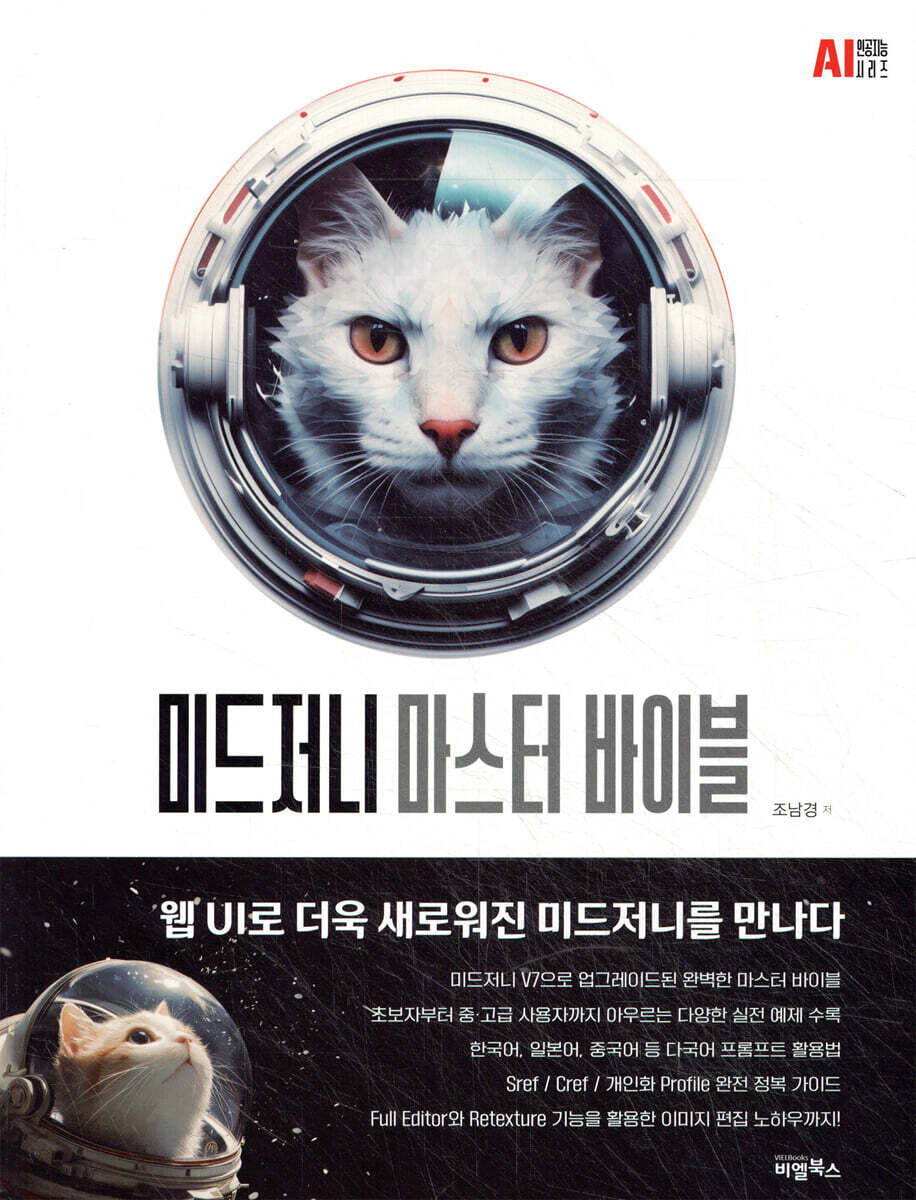
Midjourney Master Bible
 |
Description
Book Introduction
Midjourney, the ultimate image creation AI tool, now even more powerful with V7!
“You can only imagine.
“Leave the rest to Midjourney!”
This book is a practical, hands-on guide for everyone, from beginners new to Midjourney to advanced users looking to deepen their creative process.
This book covers a wide range of topics, from the basics of prompts to advanced combinations of parameters, the use of style references, and a variety of examples of image editing.
This book begins with the fundamental concepts of generative AI and details the entire menu based on a real-world Midjourney web environment.
Starting with the sign-up, subscription, and image creation interface navigation, we've organized all of Midjourney's core menus, including 'Imagine Bar', 'Explore', 'Create', 'Edit', 'Organize', 'Chat', and 'Tasks', and structured them so that you can follow how each function works and how to use it.
It covers not only simple text prompt writing methods, but also advanced command writing methods such as image prompts, style references, and multi-prompts, so you can solidify your understanding and sense of prompt writing.
“You can only imagine.
“Leave the rest to Midjourney!”
This book is a practical, hands-on guide for everyone, from beginners new to Midjourney to advanced users looking to deepen their creative process.
This book covers a wide range of topics, from the basics of prompts to advanced combinations of parameters, the use of style references, and a variety of examples of image editing.
This book begins with the fundamental concepts of generative AI and details the entire menu based on a real-world Midjourney web environment.
Starting with the sign-up, subscription, and image creation interface navigation, we've organized all of Midjourney's core menus, including 'Imagine Bar', 'Explore', 'Create', 'Edit', 'Organize', 'Chat', and 'Tasks', and structured them so that you can follow how each function works and how to use it.
It covers not only simple text prompt writing methods, but also advanced command writing methods such as image prompts, style references, and multi-prompts, so you can solidify your understanding and sense of prompt writing.
index
Part 01 Introduction
1.
What is generative AI?
2.
Midjourney
3.
Prompt
4.
About copyright
Part02.
Midjourney, meet us on the web
1.
Basic
1-1.
Sign up / Subscribe
1-1-1.
Sign up
1-1-2.
Subscribe
1-1-3.
Browse the menu
1-2.
Create
1-2-1.
Access the creation environment
1-2-2.
Let's create a picture with a simple prompt - 1
1-2-3.
Let's create a picture with a simple prompt - 2
1-2-4.
Let's create a picture with a simple prompt - 3
1-2-5.
Let's create a picture with a simple prompt - 4
1-2-6.
Let's create a picture with a simple prompt - 5
1-3.
Creation environment
1-3-1.
Explore
1-3-2.
Prompt input window (Imagine Bar)
1-3-3.
Create
1-3-4.
Edit
1-3-5.
Personalize
1-3-6.
Organize
1-3-7.
Chat
1-3-8.
Tasks
2.
Advanced
2-1.
Creative Actions
2-1-1.
Vary (Subtle / Strong)
2-1-2.
Upcale (Subtle / Strong)
2-1-3.
Remix (Subtle / Strong)
2-1-4.
Pan
2-1-5.
Zoom
2-1-6.
Editor
2-1-7.
Rerun / Use (Image / Style / Prompt)
2-2.
Prompt
2-2-1.
Basic Prompt
2-2-2.
Advanced Prompt
2-2-3.
Text Prompt
2-2-4.
Keyword Prompting
2-2-5.
Multi prompt (::)
2-2-6.
Minor Text Drawing (MTD)
2-2-7.
Permutation Prompt
2-3.
Image Prompt
2-3-1.
Basic Usage
2-3-2.
Blend (mix images)
2-3-3.
Image reference
2-4.
Parameters
-〉 --ar
-〉 --stylize
-〉 --weird
-〉 --chaos
-〉 --style
-〉 --version / --niji
-〉 --draft
-〉 --raw
-〉 --profile
-〉 --relax / --fast / --turbo
-〉 --stealth
-〉 --sref / --sw
-〉 --cref / --cw
-〉 --quality
-〉 --no
-〉 --seed
-〉 --stop
-〉 --tile
-〉 --repeat
3.
Key Features of Midjourney V7
3-1.
Draft Mode
3-2.
Multilingual prompt (including Korean)
3-3.
Sref seed compatibility
3-4.
Profile Code Compatibility
Part03.
Advanced Use of Midjourney 1
1.
Well made Profile code LIST
1-1.
V 6.1
1-2.
Niji
2.
Sref Seed LIST
2-1.
real picture
2-2.
Artwork
2-3 Coimcs
2-4.
Sci-fi
3.
Advanced Uses of Blend
3-1.
Blending images using Sref seeds
3-1-1.
Basic Usage
3-1-2.
Character Aging with Sref Seed Blend
3-2.
Blend using Profile Code
3-2-1.
Basic Usage
3-2-2.
Style Change - Remix(Subtle) with Profile code
4.
Profile code + Sref Seed Blend Sheet
4-1.
Comics - Niji Profile code + Comics Sref Seed
4-2.
Fantasy
4-3.
Creating consistent characters (Cref+Sref seed+Profile code)
5.
Advanced Uses of Describe
5-1.
with self image
5-1-1.
Image Prompt
5-1-2.
Sref Image
5-1-3.
Cref
5-2.
Character Description Keyword
5-2-1.
face
5-2-2.
Hair style
Part04.
Advanced Uses of Midjourney 2
1.
Utilizing Prompt
1-1.
Prompt to create a front and back set
1-1-1.
Keyword
1-1-2.
Prompt context
2.
Parameters
2-1.
Using external images
2-2.
Create a series of characters
2-2-1.
Creating a Cref base image
2-2-2.
Create a series of characters
2-3.
Sref with Color
2-3-1.
Refer to the color directly
2-4.
Cref with Outfits
2-5.
Remix + Cref
3.
Niji Journey
4.
Editor
4-1.
Basic Usage
4-2.
Rear View (Create a rear view)
4-3.
How to add desired characters using Cref
4-4.
Change costume with Cref
5.
Full Editor
5-1.
Basic usage
5-1-1.
Creating a Portrait
5-1-2.
Interior
5-1-3.
Rear view
5-1-4.
Nail art
5-2.
Transparent background image
5-2-1.
Product 〉 Background
5-2-2.
Costume 〉 Model
5-2-3.
Create a model for your costume
5-2-4.
Architecture - Interior
5-2-5.
3D background image
5-3.
Comics (niji)
5-3-1.
Create additional background
- Add a simple background
- Added character composite background
5-3-2.
Sketch to Image
-Use silhouette
- Retexture
- Retexture + Cref
- Edit + Retexture + Cref
- Using outline sketches - 1
- Using outline sketches - 2
5-3-3.
Create a background
- Create a background with your subject
- Creating backgrounds using 3D files
- Creating backgrounds using 3D files with Sref Seed
6.
Retexture
6-1.
Style Change
6-1-1.
Change your photo to anime style
6-1-2.
Making dolls
6-1-3.
Lighting changes
6-1-4.
Expressing in Korean
6-1-5.
Natural synthesis
6-2.
Using 3D Mesh
6-2-1.
style
6-2-2.
synthesis
6-2-3.
Change material
6-2-4.
Google Earth - Style Verification
6-2-5.
3D Model - Variations
6-2-6.
Frenz character usage
6-3.
building
6-3-1.
Design variations
6-3-2.
Change material
6-3-3.
Lighting
6-3-4.
Using SketchUp
6-3-5.
Interior Style - Sref color image reference
6-4.
Fashion
6-4-1.
Sketch to live action
6-4-2.
Product color variations
6-4-3.
Product + Model Color Variations
6-4-4. CLO 3D -〉 Live-action
6-4-5. CLO 3D -〉 Photorealistic - Maintaining Detail
6-4-6. CLO 3D + Mesh
6-4-7. CLO 3D + Mesh - Maintain Datail
6-5.
Hair style
6-5-1.
Sketch Variations
6-5-2.
Color variations
6-6.
animated movie
6-6-1.
Create animated backgrounds with photos
6-6-2.
Composite background figures
6-6-3.
Using Cref to reflect characters and clothing
6-6-4.
Creating poses using Cref
6-7.
Game items
6-7-1.
liquid medicine
6-7-2.
knife
6-7-3.
character
7.
Patchwork
7-1.
basic
7-2.
Toolbox
7-2-1.
Imagine
7-2-2.
Tools
7-2-3.
World
7-2-4.
World Nameplate
1.
What is generative AI?
2.
Midjourney
3.
Prompt
4.
About copyright
Part02.
Midjourney, meet us on the web
1.
Basic
1-1.
Sign up / Subscribe
1-1-1.
Sign up
1-1-2.
Subscribe
1-1-3.
Browse the menu
1-2.
Create
1-2-1.
Access the creation environment
1-2-2.
Let's create a picture with a simple prompt - 1
1-2-3.
Let's create a picture with a simple prompt - 2
1-2-4.
Let's create a picture with a simple prompt - 3
1-2-5.
Let's create a picture with a simple prompt - 4
1-2-6.
Let's create a picture with a simple prompt - 5
1-3.
Creation environment
1-3-1.
Explore
1-3-2.
Prompt input window (Imagine Bar)
1-3-3.
Create
1-3-4.
Edit
1-3-5.
Personalize
1-3-6.
Organize
1-3-7.
Chat
1-3-8.
Tasks
2.
Advanced
2-1.
Creative Actions
2-1-1.
Vary (Subtle / Strong)
2-1-2.
Upcale (Subtle / Strong)
2-1-3.
Remix (Subtle / Strong)
2-1-4.
Pan
2-1-5.
Zoom
2-1-6.
Editor
2-1-7.
Rerun / Use (Image / Style / Prompt)
2-2.
Prompt
2-2-1.
Basic Prompt
2-2-2.
Advanced Prompt
2-2-3.
Text Prompt
2-2-4.
Keyword Prompting
2-2-5.
Multi prompt (::)
2-2-6.
Minor Text Drawing (MTD)
2-2-7.
Permutation Prompt
2-3.
Image Prompt
2-3-1.
Basic Usage
2-3-2.
Blend (mix images)
2-3-3.
Image reference
2-4.
Parameters
-〉 --ar
-〉 --stylize
-〉 --weird
-〉 --chaos
-〉 --style
-〉 --version / --niji
-〉 --draft
-〉 --raw
-〉 --profile
-〉 --relax / --fast / --turbo
-〉 --stealth
-〉 --sref / --sw
-〉 --cref / --cw
-〉 --quality
-〉 --no
-〉 --seed
-〉 --stop
-〉 --tile
-〉 --repeat
3.
Key Features of Midjourney V7
3-1.
Draft Mode
3-2.
Multilingual prompt (including Korean)
3-3.
Sref seed compatibility
3-4.
Profile Code Compatibility
Part03.
Advanced Use of Midjourney 1
1.
Well made Profile code LIST
1-1.
V 6.1
1-2.
Niji
2.
Sref Seed LIST
2-1.
real picture
2-2.
Artwork
2-3 Coimcs
2-4.
Sci-fi
3.
Advanced Uses of Blend
3-1.
Blending images using Sref seeds
3-1-1.
Basic Usage
3-1-2.
Character Aging with Sref Seed Blend
3-2.
Blend using Profile Code
3-2-1.
Basic Usage
3-2-2.
Style Change - Remix(Subtle) with Profile code
4.
Profile code + Sref Seed Blend Sheet
4-1.
Comics - Niji Profile code + Comics Sref Seed
4-2.
Fantasy
4-3.
Creating consistent characters (Cref+Sref seed+Profile code)
5.
Advanced Uses of Describe
5-1.
with self image
5-1-1.
Image Prompt
5-1-2.
Sref Image
5-1-3.
Cref
5-2.
Character Description Keyword
5-2-1.
face
5-2-2.
Hair style
Part04.
Advanced Uses of Midjourney 2
1.
Utilizing Prompt
1-1.
Prompt to create a front and back set
1-1-1.
Keyword
1-1-2.
Prompt context
2.
Parameters
2-1.
Using external images
2-2.
Create a series of characters
2-2-1.
Creating a Cref base image
2-2-2.
Create a series of characters
2-3.
Sref with Color
2-3-1.
Refer to the color directly
2-4.
Cref with Outfits
2-5.
Remix + Cref
3.
Niji Journey
4.
Editor
4-1.
Basic Usage
4-2.
Rear View (Create a rear view)
4-3.
How to add desired characters using Cref
4-4.
Change costume with Cref
5.
Full Editor
5-1.
Basic usage
5-1-1.
Creating a Portrait
5-1-2.
Interior
5-1-3.
Rear view
5-1-4.
Nail art
5-2.
Transparent background image
5-2-1.
Product 〉 Background
5-2-2.
Costume 〉 Model
5-2-3.
Create a model for your costume
5-2-4.
Architecture - Interior
5-2-5.
3D background image
5-3.
Comics (niji)
5-3-1.
Create additional background
- Add a simple background
- Added character composite background
5-3-2.
Sketch to Image
-Use silhouette
- Retexture
- Retexture + Cref
- Edit + Retexture + Cref
- Using outline sketches - 1
- Using outline sketches - 2
5-3-3.
Create a background
- Create a background with your subject
- Creating backgrounds using 3D files
- Creating backgrounds using 3D files with Sref Seed
6.
Retexture
6-1.
Style Change
6-1-1.
Change your photo to anime style
6-1-2.
Making dolls
6-1-3.
Lighting changes
6-1-4.
Expressing in Korean
6-1-5.
Natural synthesis
6-2.
Using 3D Mesh
6-2-1.
style
6-2-2.
synthesis
6-2-3.
Change material
6-2-4.
Google Earth - Style Verification
6-2-5.
3D Model - Variations
6-2-6.
Frenz character usage
6-3.
building
6-3-1.
Design variations
6-3-2.
Change material
6-3-3.
Lighting
6-3-4.
Using SketchUp
6-3-5.
Interior Style - Sref color image reference
6-4.
Fashion
6-4-1.
Sketch to live action
6-4-2.
Product color variations
6-4-3.
Product + Model Color Variations
6-4-4. CLO 3D -〉 Live-action
6-4-5. CLO 3D -〉 Photorealistic - Maintaining Detail
6-4-6. CLO 3D + Mesh
6-4-7. CLO 3D + Mesh - Maintain Datail
6-5.
Hair style
6-5-1.
Sketch Variations
6-5-2.
Color variations
6-6.
animated movie
6-6-1.
Create animated backgrounds with photos
6-6-2.
Composite background figures
6-6-3.
Using Cref to reflect characters and clothing
6-6-4.
Creating poses using Cref
6-7.
Game items
6-7-1.
liquid medicine
6-7-2.
knife
6-7-3.
character
7.
Patchwork
7-1.
basic
7-2.
Toolbox
7-2-1.
Imagine
7-2-2.
Tools
7-2-3.
World
7-2-4.
World Nameplate
Detailed image
.jpg)
Publisher's Review
[8 Features of This Book]
1.
A Complete Guide to Midjourney, Reborn with a Web UI
2.
Written by Nam-kyung Cho, the best-selling author in the domestic mid-journey genre
3.
A complete guide to all the features of Midjourney, upgraded to V7.
4.
How to use the Korean prompt with multilingual support!
6 Includes a variety of examples for users from beginners to intermediate and advanced users.
7.
The Complete Guide to Mastering Sref/Cref/Personalized Profiles for Intermediate and Advanced Users
8.
Image editing know-how using Full Editor and Retexture
This book is a complete master bible that systematically organizes all menus, functions, and advanced features, including the newly updated V7 version of Midjourney in 2025.
Midjourney has been criticized for having a high barrier to entry for beginners due to its Discord-based command input method.
Since the entire process had to be done through a text chat window, it was quite confusing for first-time users.
It's not easy to find the drawings I've created or figure out my workflow.
But now, with the advent of standalone web UIs, things have completely changed.
It has been reborn as a tool that anyone can easily use, with a new UI that allows you to create, view, and manage images directly on the web.
This book is a practical, hands-on guide for everyone, from beginners new to Midjourney to advanced users looking to deepen their creative process.
This book covers a wide range of topics, from the basics of prompts to advanced parameter combinations, style reference usage, and various examples of image editing.
This book begins with the fundamental concepts of generative AI and covers the entire menu in detail based on a real-world Midjourney web environment.
Starting with the sign-up, subscription, and image creation interface navigation, we've organized all of Midjourney's core menus, including 'Imagine Bar', 'Explore', 'Create', 'Edit', 'Organize', 'Chat', and 'Tasks', and structured them so you can follow how each feature works and how to use it.
In addition to simple text prompt writing methods, it also covers advanced command writing methods such as image prompts, style references, and multi-prompts, so you can solidify your understanding and sense of prompt writing.
We will also learn about the upgraded Draft mode in V7, how to set up more personalized profiles, how to use Korean/Japanese/Chinese prompts with multilingual support, and improved results of Sref Seed and Profile code.
Above all, the core of this book is that it interprets each of Midjourney's hidden advanced features in a practical way and provides specific examples of how to utilize them.
It includes style management using a combination of Sref (Style Reference), Cref (Character Reference), and personalized Profile Code, as well as a consistent character building method and a Seed list suitable for various genres, allowing users to create their own worldview and visual unity.
In fact, this list of prompt templates and seeds for various fields, including real-life, illustration, comics, and science fiction, will be a very useful practical tool for creators who use Midjourney deeply.
Additionally, the Full Editor and Retexture features are also very important features covered in this book.
Adding characters, changing their clothing, creating backs, changing styles using the retexture feature, and creating sketch-based animated backgrounds are tasks that go beyond simple image creation.
The book is also richly illustrated with examples of how AI image generation can be applied across a wide range of industries, from apparel and products to interior design, 3D modeling, and even game items. This will be a valuable resource for creators seeking to produce practical results.
『Midjourney Master Bible』 is the bible of Midjourney, perfectly organizing everything from Midjourney's menu structure to advanced techniques.
Beyond simply listing features, we've included essential information anyone looking to create something with generative AI needs to know.
With this one book, you can gain access to all the features and possibilities surrounding Midjourney.
Take your creative abilities to the next level with AI right now.
1.
A Complete Guide to Midjourney, Reborn with a Web UI
2.
Written by Nam-kyung Cho, the best-selling author in the domestic mid-journey genre
3.
A complete guide to all the features of Midjourney, upgraded to V7.
4.
How to use the Korean prompt with multilingual support!
6 Includes a variety of examples for users from beginners to intermediate and advanced users.
7.
The Complete Guide to Mastering Sref/Cref/Personalized Profiles for Intermediate and Advanced Users
8.
Image editing know-how using Full Editor and Retexture
This book is a complete master bible that systematically organizes all menus, functions, and advanced features, including the newly updated V7 version of Midjourney in 2025.
Midjourney has been criticized for having a high barrier to entry for beginners due to its Discord-based command input method.
Since the entire process had to be done through a text chat window, it was quite confusing for first-time users.
It's not easy to find the drawings I've created or figure out my workflow.
But now, with the advent of standalone web UIs, things have completely changed.
It has been reborn as a tool that anyone can easily use, with a new UI that allows you to create, view, and manage images directly on the web.
This book is a practical, hands-on guide for everyone, from beginners new to Midjourney to advanced users looking to deepen their creative process.
This book covers a wide range of topics, from the basics of prompts to advanced parameter combinations, style reference usage, and various examples of image editing.
This book begins with the fundamental concepts of generative AI and covers the entire menu in detail based on a real-world Midjourney web environment.
Starting with the sign-up, subscription, and image creation interface navigation, we've organized all of Midjourney's core menus, including 'Imagine Bar', 'Explore', 'Create', 'Edit', 'Organize', 'Chat', and 'Tasks', and structured them so you can follow how each feature works and how to use it.
In addition to simple text prompt writing methods, it also covers advanced command writing methods such as image prompts, style references, and multi-prompts, so you can solidify your understanding and sense of prompt writing.
We will also learn about the upgraded Draft mode in V7, how to set up more personalized profiles, how to use Korean/Japanese/Chinese prompts with multilingual support, and improved results of Sref Seed and Profile code.
Above all, the core of this book is that it interprets each of Midjourney's hidden advanced features in a practical way and provides specific examples of how to utilize them.
It includes style management using a combination of Sref (Style Reference), Cref (Character Reference), and personalized Profile Code, as well as a consistent character building method and a Seed list suitable for various genres, allowing users to create their own worldview and visual unity.
In fact, this list of prompt templates and seeds for various fields, including real-life, illustration, comics, and science fiction, will be a very useful practical tool for creators who use Midjourney deeply.
Additionally, the Full Editor and Retexture features are also very important features covered in this book.
Adding characters, changing their clothing, creating backs, changing styles using the retexture feature, and creating sketch-based animated backgrounds are tasks that go beyond simple image creation.
The book is also richly illustrated with examples of how AI image generation can be applied across a wide range of industries, from apparel and products to interior design, 3D modeling, and even game items. This will be a valuable resource for creators seeking to produce practical results.
『Midjourney Master Bible』 is the bible of Midjourney, perfectly organizing everything from Midjourney's menu structure to advanced techniques.
Beyond simply listing features, we've included essential information anyone looking to create something with generative AI needs to know.
With this one book, you can gain access to all the features and possibilities surrounding Midjourney.
Take your creative abilities to the next level with AI right now.
GOODS SPECIFICS
- Date of issue: April 28, 2025
- Page count, weight, size: 408 pages | 188*247*30mm
- ISBN13: 9791186573785
You may also like
카테고리
korean


korean

![GQ KOREA Mark (Monthly): December [2025]](http://librairie.coreenne.fr/cdn/shop/files/8ef265dbbfbf186523ed75ba7319009d.jpg?v=1765340328&width=3840)


