

AI movie production
 |
Description
Book Introduction
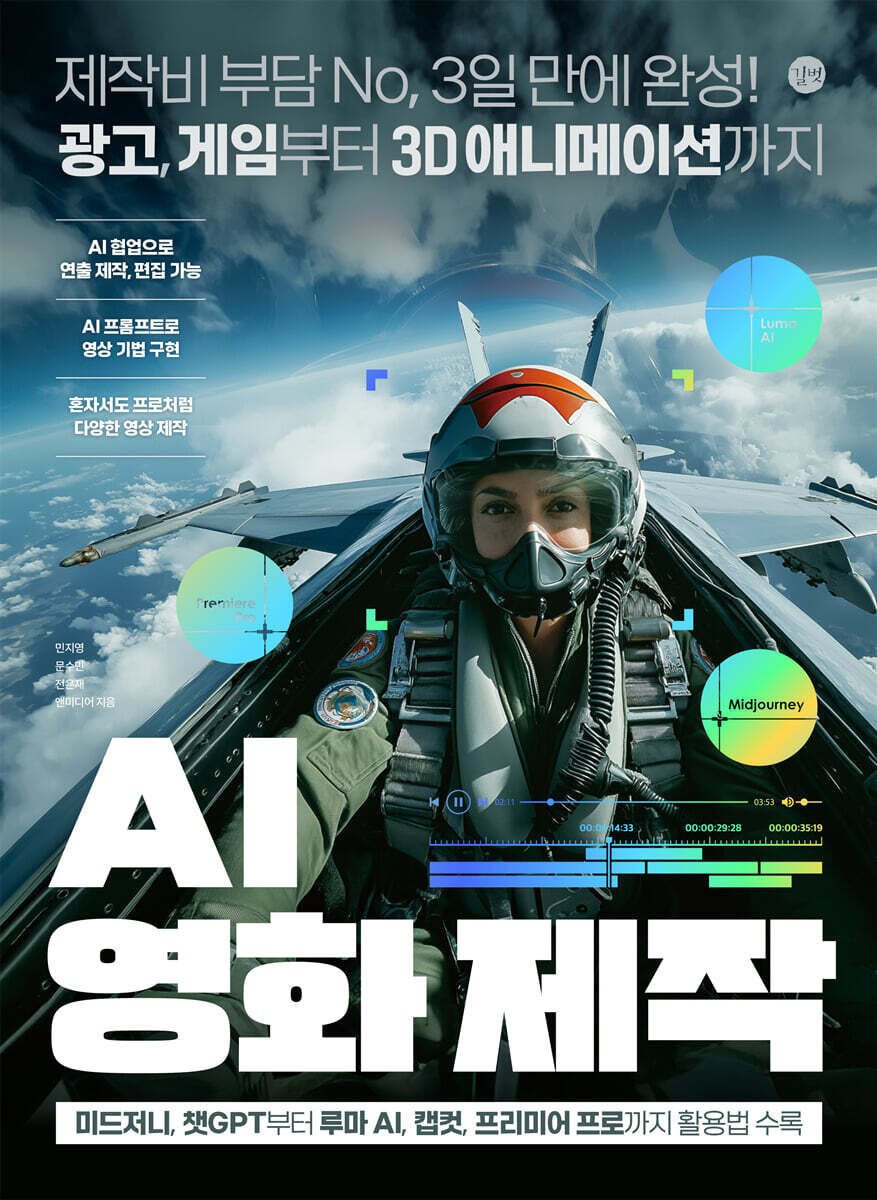
No production costs, completed in just 3 days! From advertisements and games to 3D animation.
Includes tips for using Midjourney, ChatGPT, Luma AI, Capcut, and Premiere Pro.
The use of AI tools to create videos without filming is a rapidly growing trend in the video production industry.
Traditional video production required a lot of manpower and equipment, going through various stages such as planning, shooting, and editing. However, AI technology can automate some or all of these processes, significantly reducing time and costs.
This book introduces a variety of video production methods, including advertising, game videos, video restoration, and various movie genres, to anyone, simply and quickly.
It also provides expert tips on creating video and image prompts, helping video creators quickly and easily create the content they want.
Includes tips for using Midjourney, ChatGPT, Luma AI, Capcut, and Premiere Pro.
The use of AI tools to create videos without filming is a rapidly growing trend in the video production industry.
Traditional video production required a lot of manpower and equipment, going through various stages such as planning, shooting, and editing. However, AI technology can automate some or all of these processes, significantly reducing time and costs.
This book introduces a variety of video production methods, including advertising, game videos, video restoration, and various movie genres, to anyone, simply and quickly.
It also provides expert tips on creating video and image prompts, helping video creators quickly and easily create the content they want.
- You can preview some of the book's contents.
Preview
index
PART 1.
Have you decided to make a video on your own?
SECTION 1: No Cost Concerns! Start Collaborating with AI
01 AI as a Video Director and Generative Tool
02 Just pick one scene at random?
03 The Perfect Training Method for Video Production
ㆍ Step 1: Analyze existing images and select a control group
ㆍCreating image sources and videos with the Step 2 prompt
ㆍCompare and provide feedback on the generated images and control images in Step 3.
ㆍ Step 4: Editing and Regenerating Videos
ㆍ Process 5 Final review and fine-tuning
SECTION 2: 10 Video Production Rules for Creating the Videos You Want
01 Ask specific questions to generate ideas and write storylines.
02 A high-quality video is determined by the creation of detailed images.
ㆍPrompt refinement
ㆍMaintain visual consistency
ㆍVideo sequence planning
03 Incorporate core keywords into prompts and scripts.
04 Clearly define the character
05 Use perspectives and shots to create a variety of scenes.
06 Separate and combine AI-generated images and sources to synthesize them.
07 Realistic immersion comes from sound.
08 Selectively use and combine AI tools that are appropriate for your purpose.
09 Develop your skills in editing AI-generated videos.
10 Output the video with the appropriate aspect ratio for the purpose.
ㆍ16:9 (Widescreen): TV programs, movies, online videos (YouTube, etc.)
ㆍ9:16 (Vertical): TikTok, Instagram Stories, YouTube Shorts
ㆍ1:1 (Square): Instagram feed, some advertisements
PART 2.
Using Prompts for Video Direction
SECTION 1 Why Lighting Directors Are Popular with Actors: Light and Lighting Prompts
01 A tool to express the character's psychology
02 Natural and rich colors, Natural Light
ㆍMorning Natural Light
ㆍNoon Sunlight
ㆍGolden Hour (sunset natural light)
ㆍSilhouette (Silhouette natural light)
ㆍNight (Night natural light)
ㆍCloudy day (natural light on a cloudy day)
ㆍRainy day (natural light on a rainy day)
03 Artificial Light to intentionally create a specific atmosphere
ㆍHigh-Key Lighting
ㆍLow-Key Lighting ㆍHard Light
ㆍSoft Light ㆍKey Light
ㆍFill Light ㆍBack Light or Rim Light
ㆍTop Light ㆍColor Lighting
ㆍRing Light ㆍSilhouette (Silhouette artificial light)
ㆍLens Flare ㆍDiffused lighting
SECTION 2 The aesthetics of video come from composition.
Camera shots for video composition
01 The aesthetics created by composition and camera shots
02 Using Camera Shot Prompts
ㆍPan Shot ㆍTilt Shot
ㆍFull Shot
Wide Shot
ㆍExtreme Long Shot
ㆍWaist Shot
ㆍBust Shot
Over-the-Shoulder Shot
ㆍClose-Up Shot
ㆍExtreme Close-Up Shot
ㆍHigh Angle Shot
ㆍLow Angle Shot
ㆍDrone Camera Shot
ㆍCrane Shot
ㆍTracking Shot
ㆍZoom In/Zoom Out
ㆍPoint of View Shot, POV (First-Person Point of View Shot)
ㆍHandheld Shot
ㆍDutch Angle Shot
SECTION 3 Moving images to create visual effects and scenes
01 Moving technique to convey a message in video
02 Empathy with viewers and AI
ㆍOver the Shoulder
ㆍSlow Motion
ㆍFast Motion
ㆍLong take
ㆍTime-lapse
ㆍDynamic motion
ㆍGrows
ㆍExplodes
ㆍAscends
ㆍUndulates
ㆍWarps ㆍTransforms
ㆍShatters (setter)
ㆍVortex
ㆍMacro cinematography
ㆍSnorriCam
ㆍSelfie Shot
ㆍRealistic documentary
PART 3. Essential AI Features and Video Editing Know-How for AI Video Production
SECTION 1: Creating Image Frames That Make Up a Video with Midjourney
01 Sign up and run Midjourney
02 Midjourney Interface Overview
03 Writing a Midjourney Core Prompt
ㆍCreating images using only text prompts
ㆍCreate a character by entering a prompt
04 Create a new image by uploading an existing image
ㆍCreating a front-facing image of a person using a back-facing image
05 Determine the details of the result with parameters
ㆍSetting the image's width and height ratio (Aspect Ratio)
ㆍCreating various actions while maintaining the character
ㆍCreating different scene images with the same person
ㆍChange the image style as desired
ㆍCreating an airplane pilot as a rider image
ㆍChange the image by selecting only a specific part
SECTION 2: Creating Realistic Images with Luma AI
01 Sign up for Luma AI
02 Explore the Luma AI Interface
03 Creating Videos with Luma AI
ㆍCreate and extend video length with text prompts
ㆍCreating a video using an existing saved image
ㆍCreating a video with repeated actions
ㆍCreating a natural transition video with two images
[AI SKILL] The Power of Backgrounds to Show Worldviews: Creating Game Trailer Videos
SECTION 3: Composing the Game Trailer Scene
01 Create an image with falling leaves in the background
02 Create an image with a huge tornado in the background
03 Creating an image of lightning and sparks
SECTION 4: Creating Action Scene Images into Game Trailer Videos
01 Creating a dynamic video of falling leaves
02 Creating a video of a person flying
03 Creating a fighting video
SECTION 5 CapCut Video Editing for the Easiest and Fastest Video Editing
01 CapCut optimized for free video source production
02 Explore the CapCut interface
[AI SKILL] Create shooting game videos with your own observation point and extras!
SECTION 6: Composing Battle Game Footage
01 Create a scene of a soldier running in third-person perspective
02 Create a scene of soldiers advancing from the drone camera's perspective.
03 Creating a first-person shooting scene
SECTION 7 Making a Battle Scene into a Video
01 Visualizing a scene of a soldier running
Visualize the scene of soldiers from Squad 02 advancing.
03 Visualizing a first-person shooting scene
SECTION 8 Complete the Game Character Title Video
01 Importing the shooting game video editing source
02 Arrange videos on the timeline according to playback order
03 Complete the video by inserting intro text.
04 Outputting shooting game footage
[AI SKILL] Creating a Documentary Restoration Video from a Single Black-and-White Photo
SECTION 9 Restoring Color from Black and White Photos
SECTION 10 Creating Similar Styles with Restored Images
01 Upload a restored color photo to Midjourney
02 Creating a new restoration image with Midjourney
SECTION 11 Creating a Documentary-Ready Narration Video
[AI SKILL] Create sensational advertising videos that express power and speed.
SECTION 12 Creating a Speedy Sports Car Image
01 Create a red sports car image
SECTION 13 Creating a Car Image into an Advertising Video
01 Visualizing a Red Sports Car Image
02 Visualize the speedometer image
SECTION 14 Creating an Ad Intro Video Using Split Effects and Text Logos
01 Loading the advertising video editing source
02 Applying a split effect using the mirroring mask function
03 Create an intro video by inserting text
04 Outputting an advertisement video
SECTION 15 Premiere Pro for professional, cinematic editing
01 Installing Premiere Pro
02 A look at the basic Premiere Pro interface
03 Learn essential video editing techniques
ㆍImporting editing sources into Premiere Pro
Editing the editing source in Premiere Pro
ㆍWorking on motion titles using essential graphics
ㆍAutomatically mix background music with the remix function
ㆍCreate a split video with different videos on one screen!
ㆍOutputting video from Premiere Pro to a PC
[AI SKILL] Creating Intro and Ending Credit Videos with Typo Moving
SECTION 16 Creating a Fire-Lighting Video with a Text Prompt
01 Visualizing the scene where a match lights up
02 Visualizing the scene where the fuse is lit
03 Visualizing the scene where the rope catches fire
SECTION 17 Creating an Ending Credits Video with Moving Type
01 Load the ending credits editing source
02 Placing video sources and moving typography
03 Remix background music to match the video
04 Rendering and Video Output
PART 4.
Practical AI video projects by genre, taught by video professionals.
[PROJECT] Making an Action Movie with No Production Costs! Creating a Blockbuster Action Film with Powerful Sound Effects
SECTION 1: Creating a Thrilling Action Movie Story
SECTION 2 Creating Scene Images in Action Movie Style
01 Creating a motorcycle riding scene
02 Creating a jet takeoff scene
03 Creating a side view scene of piloting an airplane
04 Creating a scene of a fighter jet launching a missile
SECTION 3: Turning Images into Action Movie Footage
01 Visualizing a motorcycle scene running on the road
02 Visualizing a jet takeoff scene
03 Visualizing the jet piloting scene
04 Visualizing the Missile Launch Scene
05 Visualizing the scene of a fighter plane exploding
SECTION 4 Creating Sound Effects for Action Movie Scenes
01 Creating sound effects with prompts in Eleven Labs
SECTION 5 Editing Action Movie Footage and Audio into One
01 Importing video and sound effects sources from action movies
02 Play the scenes and sound effects in order
03 Outputting action movie footage
[PROJECT] Camera Shot OK! Webtoons & Comics Directly to Film: Making a Live-Action Sports Movie
SECTION 6: Creating a Sports Film Story Using Camera Angles
SECTION 7 Creating Character Images in Sports Webtoon Style
01 Creating a character that serves as a standard for comic style
02 Creating team members while maintaining the drawing style
03 Create team members by describing various body types and characteristics
SECTION 8: Transforming Webtoon-Style Images into Realistic Portraits
01 Turning a webtoon-style image into a realistic frontal shot
02 Modify specific parts of the character to make it realistic
SECTION 9 Creating a Scene and Assigning Characters to a Camera Angle
01 Create a wide shot showing all the characters
02 Creating a scene where one character stands out
03 Creating a close-up shot scene that highlights the action
04 Creating an Extreme Close-Up Shot Scene That Fits the Dialogue
SECTION 10: Turning Images into Sports Movie Footage
01 Visualizing a static image
02 Create a dribbling video by connecting two images
03 Create a layup shot video with two images
SECTION 11 Creating a dialogue video that follows the sentences you input
SECTION 12 Creating Voice Narration with ElevenLabs
SECTION 13 Editing Individual Elements into a Sports Film
01 Importing the editing source as a folder in CapCut
02 Arrange the video and audio sources in order
03 Adjusting the speed with a sense of motion in the speed detail effect
04 Applying digital zoom to the video in Basic Detail Effects
05 Outputting sports movie footage
[PROJECT] Creating 3D animations with natural motion and background music.
SECTION 14: Creating an Immersive 3D Animation Story
SECTION 15 Creating Scene Images in 3D Animation Style
01 Creating a 3D scene that expresses specific situations and locations
02 Creating consistent scenes that maintain style and character
SECTION 16 Creating 3D Animated Videos from Images
01 Visualizing the scene of escaping from the room
02 Visualizing the scene of escaping while hanging from a rope
03 Hiding in a spaceship and visualizing a tense character
04 Visualizing the scene where the moon and the children's room are connected
SECTION 17 Editing animated videos with music using the Remix feature
01 Editing video cuts to fit the story structure
02 Adding background music to your 3D animation
03 Outputting 3D animation video
[PROJECT] From lip-syncing dialogue to dramatic visuals! Creating a youth drama video
SECTION 18: Creating a Youth Drama Story with Various Camera Angles
SECTION 19: Creating a Masterpiece Scene in a Youth Drama Where the Main Character Stands Out
01 Create a person and background by applying lens and aperture values
02 Creating an Over-the-Shoulder Shot with a Consistent Character
03 Create a background image by removing the person
04 Creating an image that emphasizes the character speaking
SECTION 20: Turning Images into Youth Drama Videos
01 Visualizing a person walking across a college campus
02 Visualize the background image of a rotating carousel
SECTION 21 Creating a Lip-Sync Audio File of Character Dialogue
01 Youth Drama Scene 2: Creating Dialogue
02 Youth Drama Scene 3: Creating Dialogue
SECTION 22 Removing the Background from a Scene Image
SECTION 23 Creating a video with matching mouth shapes using images and dialogue audio
SECTION 24: Completing a Youth Drama Video Using Source Footage
01 Loading youth drama video sources
02 Editing Youth Drama Video Cuts
03 Separating the background and the person using Color Key
04 Outputting a Youth Drama Video
[PROJECT] Creating a Live-Action Art Film Featuring Automatic Subtitles, Narration, and AI Music
SECTION 25: From Film Story Composition to Scene Implementation
SECTION 26 Creating a scene with a shallow depth of field and a blurred background
01 Creating a realistic clown makeup scene
02 Create a scene with text entered on a billboard
03 Make your characters stand out in dark environments! Use lighting.
04 Directing a Street Dancing Figure 385
SECTION 27 Creating Live-Action Art Videos with Natural Motion
01 Visualizing the scene where Pierrot puts on makeup
02 Visualizing a billboard scene with text
03 Videotaping a scene of laughter on the subway
04 Videotaping a Street Dancing Scene
SECTION 28 Creating a Narration in which the Protagonist Speaks a Monologue
SECTION 29 Creating Custom Background Music to Enhance the Mood of Your Video
SECTION 30: Editing Video to Complete the Movie
01 Importing live-action movie footage and narration sources
02 Editing live-action film footage and narration sources
03 Automatically Generate Narration Subtitles Using AI
04 Remix the background music to fit the video
05 Outputting live-action movie footage
Have you decided to make a video on your own?
SECTION 1: No Cost Concerns! Start Collaborating with AI
01 AI as a Video Director and Generative Tool
02 Just pick one scene at random?
03 The Perfect Training Method for Video Production
ㆍ Step 1: Analyze existing images and select a control group
ㆍCreating image sources and videos with the Step 2 prompt
ㆍCompare and provide feedback on the generated images and control images in Step 3.
ㆍ Step 4: Editing and Regenerating Videos
ㆍ Process 5 Final review and fine-tuning
SECTION 2: 10 Video Production Rules for Creating the Videos You Want
01 Ask specific questions to generate ideas and write storylines.
02 A high-quality video is determined by the creation of detailed images.
ㆍPrompt refinement
ㆍMaintain visual consistency
ㆍVideo sequence planning
03 Incorporate core keywords into prompts and scripts.
04 Clearly define the character
05 Use perspectives and shots to create a variety of scenes.
06 Separate and combine AI-generated images and sources to synthesize them.
07 Realistic immersion comes from sound.
08 Selectively use and combine AI tools that are appropriate for your purpose.
09 Develop your skills in editing AI-generated videos.
10 Output the video with the appropriate aspect ratio for the purpose.
ㆍ16:9 (Widescreen): TV programs, movies, online videos (YouTube, etc.)
ㆍ9:16 (Vertical): TikTok, Instagram Stories, YouTube Shorts
ㆍ1:1 (Square): Instagram feed, some advertisements
PART 2.
Using Prompts for Video Direction
SECTION 1 Why Lighting Directors Are Popular with Actors: Light and Lighting Prompts
01 A tool to express the character's psychology
02 Natural and rich colors, Natural Light
ㆍMorning Natural Light
ㆍNoon Sunlight
ㆍGolden Hour (sunset natural light)
ㆍSilhouette (Silhouette natural light)
ㆍNight (Night natural light)
ㆍCloudy day (natural light on a cloudy day)
ㆍRainy day (natural light on a rainy day)
03 Artificial Light to intentionally create a specific atmosphere
ㆍHigh-Key Lighting
ㆍLow-Key Lighting ㆍHard Light
ㆍSoft Light ㆍKey Light
ㆍFill Light ㆍBack Light or Rim Light
ㆍTop Light ㆍColor Lighting
ㆍRing Light ㆍSilhouette (Silhouette artificial light)
ㆍLens Flare ㆍDiffused lighting
SECTION 2 The aesthetics of video come from composition.
Camera shots for video composition
01 The aesthetics created by composition and camera shots
02 Using Camera Shot Prompts
ㆍPan Shot ㆍTilt Shot
ㆍFull Shot
Wide Shot
ㆍExtreme Long Shot
ㆍWaist Shot
ㆍBust Shot
Over-the-Shoulder Shot
ㆍClose-Up Shot
ㆍExtreme Close-Up Shot
ㆍHigh Angle Shot
ㆍLow Angle Shot
ㆍDrone Camera Shot
ㆍCrane Shot
ㆍTracking Shot
ㆍZoom In/Zoom Out
ㆍPoint of View Shot, POV (First-Person Point of View Shot)
ㆍHandheld Shot
ㆍDutch Angle Shot
SECTION 3 Moving images to create visual effects and scenes
01 Moving technique to convey a message in video
02 Empathy with viewers and AI
ㆍOver the Shoulder
ㆍSlow Motion
ㆍFast Motion
ㆍLong take
ㆍTime-lapse
ㆍDynamic motion
ㆍGrows
ㆍExplodes
ㆍAscends
ㆍUndulates
ㆍWarps ㆍTransforms
ㆍShatters (setter)
ㆍVortex
ㆍMacro cinematography
ㆍSnorriCam
ㆍSelfie Shot
ㆍRealistic documentary
PART 3. Essential AI Features and Video Editing Know-How for AI Video Production
SECTION 1: Creating Image Frames That Make Up a Video with Midjourney
01 Sign up and run Midjourney
02 Midjourney Interface Overview
03 Writing a Midjourney Core Prompt
ㆍCreating images using only text prompts
ㆍCreate a character by entering a prompt
04 Create a new image by uploading an existing image
ㆍCreating a front-facing image of a person using a back-facing image
05 Determine the details of the result with parameters
ㆍSetting the image's width and height ratio (Aspect Ratio)
ㆍCreating various actions while maintaining the character
ㆍCreating different scene images with the same person
ㆍChange the image style as desired
ㆍCreating an airplane pilot as a rider image
ㆍChange the image by selecting only a specific part
SECTION 2: Creating Realistic Images with Luma AI
01 Sign up for Luma AI
02 Explore the Luma AI Interface
03 Creating Videos with Luma AI
ㆍCreate and extend video length with text prompts
ㆍCreating a video using an existing saved image
ㆍCreating a video with repeated actions
ㆍCreating a natural transition video with two images
[AI SKILL] The Power of Backgrounds to Show Worldviews: Creating Game Trailer Videos
SECTION 3: Composing the Game Trailer Scene
01 Create an image with falling leaves in the background
02 Create an image with a huge tornado in the background
03 Creating an image of lightning and sparks
SECTION 4: Creating Action Scene Images into Game Trailer Videos
01 Creating a dynamic video of falling leaves
02 Creating a video of a person flying
03 Creating a fighting video
SECTION 5 CapCut Video Editing for the Easiest and Fastest Video Editing
01 CapCut optimized for free video source production
02 Explore the CapCut interface
[AI SKILL] Create shooting game videos with your own observation point and extras!
SECTION 6: Composing Battle Game Footage
01 Create a scene of a soldier running in third-person perspective
02 Create a scene of soldiers advancing from the drone camera's perspective.
03 Creating a first-person shooting scene
SECTION 7 Making a Battle Scene into a Video
01 Visualizing a scene of a soldier running
Visualize the scene of soldiers from Squad 02 advancing.
03 Visualizing a first-person shooting scene
SECTION 8 Complete the Game Character Title Video
01 Importing the shooting game video editing source
02 Arrange videos on the timeline according to playback order
03 Complete the video by inserting intro text.
04 Outputting shooting game footage
[AI SKILL] Creating a Documentary Restoration Video from a Single Black-and-White Photo
SECTION 9 Restoring Color from Black and White Photos
SECTION 10 Creating Similar Styles with Restored Images
01 Upload a restored color photo to Midjourney
02 Creating a new restoration image with Midjourney
SECTION 11 Creating a Documentary-Ready Narration Video
[AI SKILL] Create sensational advertising videos that express power and speed.
SECTION 12 Creating a Speedy Sports Car Image
01 Create a red sports car image
SECTION 13 Creating a Car Image into an Advertising Video
01 Visualizing a Red Sports Car Image
02 Visualize the speedometer image
SECTION 14 Creating an Ad Intro Video Using Split Effects and Text Logos
01 Loading the advertising video editing source
02 Applying a split effect using the mirroring mask function
03 Create an intro video by inserting text
04 Outputting an advertisement video
SECTION 15 Premiere Pro for professional, cinematic editing
01 Installing Premiere Pro
02 A look at the basic Premiere Pro interface
03 Learn essential video editing techniques
ㆍImporting editing sources into Premiere Pro
Editing the editing source in Premiere Pro
ㆍWorking on motion titles using essential graphics
ㆍAutomatically mix background music with the remix function
ㆍCreate a split video with different videos on one screen!
ㆍOutputting video from Premiere Pro to a PC
[AI SKILL] Creating Intro and Ending Credit Videos with Typo Moving
SECTION 16 Creating a Fire-Lighting Video with a Text Prompt
01 Visualizing the scene where a match lights up
02 Visualizing the scene where the fuse is lit
03 Visualizing the scene where the rope catches fire
SECTION 17 Creating an Ending Credits Video with Moving Type
01 Load the ending credits editing source
02 Placing video sources and moving typography
03 Remix background music to match the video
04 Rendering and Video Output
PART 4.
Practical AI video projects by genre, taught by video professionals.
[PROJECT] Making an Action Movie with No Production Costs! Creating a Blockbuster Action Film with Powerful Sound Effects
SECTION 1: Creating a Thrilling Action Movie Story
SECTION 2 Creating Scene Images in Action Movie Style
01 Creating a motorcycle riding scene
02 Creating a jet takeoff scene
03 Creating a side view scene of piloting an airplane
04 Creating a scene of a fighter jet launching a missile
SECTION 3: Turning Images into Action Movie Footage
01 Visualizing a motorcycle scene running on the road
02 Visualizing a jet takeoff scene
03 Visualizing the jet piloting scene
04 Visualizing the Missile Launch Scene
05 Visualizing the scene of a fighter plane exploding
SECTION 4 Creating Sound Effects for Action Movie Scenes
01 Creating sound effects with prompts in Eleven Labs
SECTION 5 Editing Action Movie Footage and Audio into One
01 Importing video and sound effects sources from action movies
02 Play the scenes and sound effects in order
03 Outputting action movie footage
[PROJECT] Camera Shot OK! Webtoons & Comics Directly to Film: Making a Live-Action Sports Movie
SECTION 6: Creating a Sports Film Story Using Camera Angles
SECTION 7 Creating Character Images in Sports Webtoon Style
01 Creating a character that serves as a standard for comic style
02 Creating team members while maintaining the drawing style
03 Create team members by describing various body types and characteristics
SECTION 8: Transforming Webtoon-Style Images into Realistic Portraits
01 Turning a webtoon-style image into a realistic frontal shot
02 Modify specific parts of the character to make it realistic
SECTION 9 Creating a Scene and Assigning Characters to a Camera Angle
01 Create a wide shot showing all the characters
02 Creating a scene where one character stands out
03 Creating a close-up shot scene that highlights the action
04 Creating an Extreme Close-Up Shot Scene That Fits the Dialogue
SECTION 10: Turning Images into Sports Movie Footage
01 Visualizing a static image
02 Create a dribbling video by connecting two images
03 Create a layup shot video with two images
SECTION 11 Creating a dialogue video that follows the sentences you input
SECTION 12 Creating Voice Narration with ElevenLabs
SECTION 13 Editing Individual Elements into a Sports Film
01 Importing the editing source as a folder in CapCut
02 Arrange the video and audio sources in order
03 Adjusting the speed with a sense of motion in the speed detail effect
04 Applying digital zoom to the video in Basic Detail Effects
05 Outputting sports movie footage
[PROJECT] Creating 3D animations with natural motion and background music.
SECTION 14: Creating an Immersive 3D Animation Story
SECTION 15 Creating Scene Images in 3D Animation Style
01 Creating a 3D scene that expresses specific situations and locations
02 Creating consistent scenes that maintain style and character
SECTION 16 Creating 3D Animated Videos from Images
01 Visualizing the scene of escaping from the room
02 Visualizing the scene of escaping while hanging from a rope
03 Hiding in a spaceship and visualizing a tense character
04 Visualizing the scene where the moon and the children's room are connected
SECTION 17 Editing animated videos with music using the Remix feature
01 Editing video cuts to fit the story structure
02 Adding background music to your 3D animation
03 Outputting 3D animation video
[PROJECT] From lip-syncing dialogue to dramatic visuals! Creating a youth drama video
SECTION 18: Creating a Youth Drama Story with Various Camera Angles
SECTION 19: Creating a Masterpiece Scene in a Youth Drama Where the Main Character Stands Out
01 Create a person and background by applying lens and aperture values
02 Creating an Over-the-Shoulder Shot with a Consistent Character
03 Create a background image by removing the person
04 Creating an image that emphasizes the character speaking
SECTION 20: Turning Images into Youth Drama Videos
01 Visualizing a person walking across a college campus
02 Visualize the background image of a rotating carousel
SECTION 21 Creating a Lip-Sync Audio File of Character Dialogue
01 Youth Drama Scene 2: Creating Dialogue
02 Youth Drama Scene 3: Creating Dialogue
SECTION 22 Removing the Background from a Scene Image
SECTION 23 Creating a video with matching mouth shapes using images and dialogue audio
SECTION 24: Completing a Youth Drama Video Using Source Footage
01 Loading youth drama video sources
02 Editing Youth Drama Video Cuts
03 Separating the background and the person using Color Key
04 Outputting a Youth Drama Video
[PROJECT] Creating a Live-Action Art Film Featuring Automatic Subtitles, Narration, and AI Music
SECTION 25: From Film Story Composition to Scene Implementation
SECTION 26 Creating a scene with a shallow depth of field and a blurred background
01 Creating a realistic clown makeup scene
02 Create a scene with text entered on a billboard
03 Make your characters stand out in dark environments! Use lighting.
04 Directing a Street Dancing Figure 385
SECTION 27 Creating Live-Action Art Videos with Natural Motion
01 Visualizing the scene where Pierrot puts on makeup
02 Visualizing a billboard scene with text
03 Videotaping a scene of laughter on the subway
04 Videotaping a Street Dancing Scene
SECTION 28 Creating a Narration in which the Protagonist Speaks a Monologue
SECTION 29 Creating Custom Background Music to Enhance the Mood of Your Video
SECTION 30: Editing Video to Complete the Movie
01 Importing live-action movie footage and narration sources
02 Editing live-action film footage and narration sources
03 Automatically Generate Narration Subtitles Using AI
04 Remix the background music to fit the video
05 Outputting live-action movie footage
Detailed image

Publisher's Review
From storytelling, moving and motion direction,
Insert subtitles, background music, and sound effects
AI collaboration allows you to direct, produce, and edit without actors or cameras!
Create virtual characters and backgrounds with AI, and automate all processes from directing to editing to quickly and easily complete videos.
Create commercials, games, animations, and movies like a pro, all by yourself!
Create advertisements, games, animations, and movie videos like a professional on your own by easily implementing subtitles, sound effects, camera shots, and more with AI prompts.
AI video production at minimal cost
By utilizing AI technology, you can produce high-quality videos without the burden of production costs.
Now, let your creative ideas come to life without worrying about budget!
No production costs, completed in just 3 days! From advertisements and games to 3D animation.
Includes tips for using Midjourney, ChatGPT, Luma AI, Capcut, and Premiere Pro.
〉 AI collaboration enables directing, production, and editing
〉Implementing video techniques with AI prompts
〉 Create various videos like a pro on your own
Insert subtitles, background music, and sound effects
AI collaboration allows you to direct, produce, and edit without actors or cameras!
Create virtual characters and backgrounds with AI, and automate all processes from directing to editing to quickly and easily complete videos.
Create commercials, games, animations, and movies like a pro, all by yourself!
Create advertisements, games, animations, and movie videos like a professional on your own by easily implementing subtitles, sound effects, camera shots, and more with AI prompts.
AI video production at minimal cost
By utilizing AI technology, you can produce high-quality videos without the burden of production costs.
Now, let your creative ideas come to life without worrying about budget!
No production costs, completed in just 3 days! From advertisements and games to 3D animation.
Includes tips for using Midjourney, ChatGPT, Luma AI, Capcut, and Premiere Pro.
〉 AI collaboration enables directing, production, and editing
〉Implementing video techniques with AI prompts
〉 Create various videos like a pro on your own
GOODS SPECIFICS
- Date of issue: November 4, 2024
- Page count, weight, size: 416 pages | 1,012g | 188*257*19mm
- ISBN13: 9791140711352
You may also like
카테고리
korean


korean

![ELLE 엘르 A형 (여성월간) : 1월 [2026]](http://librairie.coreenne.fr/cdn/shop/files/3b70e1cf77cf67d6da56e0eb041901e8.jpg?v=1767265322&width=3840)


