

AI Capcut
 |
Description
Book Introduction
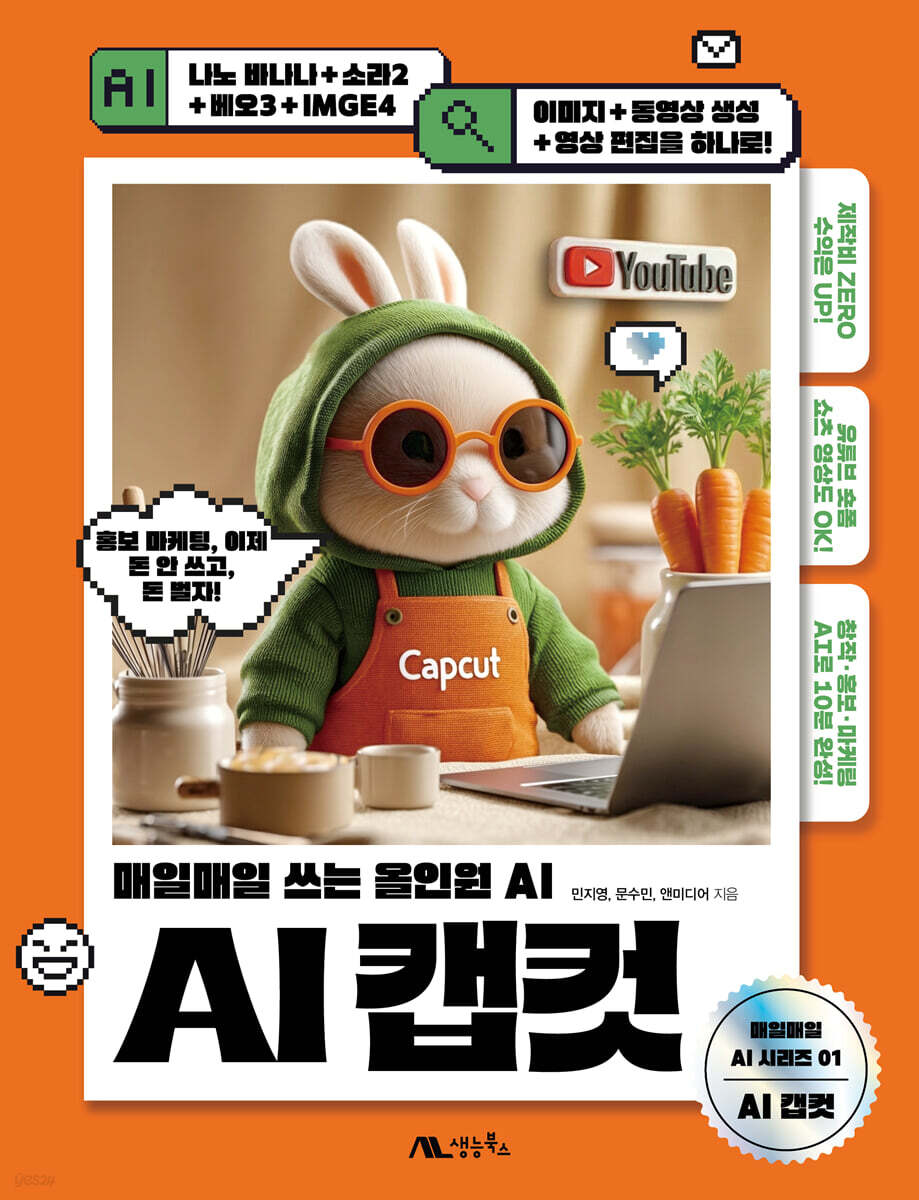
From image and video creation to video editing, AI CapCut is all you need!
No production costs, high profits! Capcut, the all-in-one AI that brings your ideas to fruition.
Capcut, the all-in-one AI that brings your ideas to life every day, is a practical guide that simplifies the content creation process, which used to be difficult and burdensome, using Korean AI.
It is designed to handle all steps at once, from image creation to video creation and final video production.
We'll focus on CapCut's AI features, which integrate planning, design, shooting, and editing, so that anyone can utilize them, from beginners to small business owners, entrepreneurs, and marketers.
CapCut guides you step-by-step through the process of creating images with AI → creating videos → editing short-form videos and YouTube videos, allowing you to create professional-level results without complex skills or equipment.
AI Capcut, which eliminates the need for separate AI tools, is now your reliable production partner, transforming your ideas into content creation every day.
Create and edit content you could only imagine, from image creation and correction to storyboard creation, video production, and editing, all by simply writing a single prompt in Korean.
No production costs, high profits! Capcut, the all-in-one AI that brings your ideas to fruition.
Capcut, the all-in-one AI that brings your ideas to life every day, is a practical guide that simplifies the content creation process, which used to be difficult and burdensome, using Korean AI.
It is designed to handle all steps at once, from image creation to video creation and final video production.
We'll focus on CapCut's AI features, which integrate planning, design, shooting, and editing, so that anyone can utilize them, from beginners to small business owners, entrepreneurs, and marketers.
CapCut guides you step-by-step through the process of creating images with AI → creating videos → editing short-form videos and YouTube videos, allowing you to create professional-level results without complex skills or equipment.
AI Capcut, which eliminates the need for separate AI tools, is now your reliable production partner, transforming your ideas into content creation every day.
Create and edit content you could only imagine, from image creation and correction to storyboard creation, video production, and editing, all by simply writing a single prompt in Korean.
- You can preview some of the book's contents.
Preview
index
PART 01: The Easiest and Fastest Way to Create Content with AI
LESSON 01 AI that reduces work time and improves design quality
_ 01 You can create high-quality content even without design skills.
_ 02 All-in-one from image & video creation to editing
_ 03 All-in-one AI creative tool, Capcut
LESSON 02: Changing Image Creation and Design Work Patterns
_ 01 Creating an image from text
_ 02 Create a video by uploading text or images
LESSON 03: The Video Editing Process for Completing Content
_ 01 Creating AI Images and Videos
_ 02 Organizing sources and composing cuts
_ 03 Configuring sound and subtitles
_ 04 Exporting and sharing AI results
LESSON 04 Navigating the screen for Capcut membership registration and image creation
LESSON 05: Just Enter the Prompt! Create a Promotional Image Preview ①
_ 01 Enter the prompt for image creation
_ 02 Regenerate the image and save it as a file
LESSON 06: Just Enter a Topic! Create a Movie Introduction Video Preview ②
_ 01 Create a storyboard and video on the spot
_ 02 Replace with desired video and create narration
PART 02: Create images the way you want! Create images with CapCut.
LESSON 01 Understanding CapCut Screen Configuration for Image Creation
_ 01 Take a look at the Dreamina Capcut Generator
_ 02 Preview of the image creation screen of Dreamina Capcut
_ 03 Canvas Screen Edit Preview
LESSON 02: 10 Key Writing Principles for Creating Images
_ 01 Write with specific and clear explanations
_ 02 Add details
_ 03 Define your style
_ 04 Korean prompt: Pay attention to the ending of the sentence
_ 05 Please include examples or names of famous artists.
_ 06 Specify the emotion or mood
_ 07 Enter the foreground and background separately.
_ 08 Determine the observer's point of view
_ 09 Specify the color palette
_ Include things that should not appear in the 10 images
LESSON 03: Converting a Horizontal Image to a Vertical Image by Expanding the Area
_ 01 Creating a 16:9 landscape image
_ 02 3:4 Create an expanded vertical image
_ [Must know this!] Image ratio according to image usage purpose
LESSON 04 Loading an external image and deleting parts of it
_ 01 Uploading external images
_ 02 Deleting a specific area with a brush
LESSON 05: Creating Webtoon-Style Images with Reference Images
_ 01 Creating a realistic basketball player image
_ 02 Setting the reference image
LESSON 06: Creating Custom Product Images by Changing Materials
_ 01 Set the basic product as a reference image
_ 02 Change material with custom options
LESSON 07: Editing Photos by Distinguishing between People and Background Keywords
_ 01 Blur the image of a person with a winter background
_ 02 Creating an image from an image
LESSON 08: Skin regeneration correction rather than stitch-by-stitch correction
_ 01 Load the image of the person whose skin you want to correct
_ 02 Correcting a person using the correction function
LESSON 09: Removing the Background Image by Finely Separating the Subject
_ 01 Removing the cat image background
_ 02 Creating a monochrome background image
LESSON 10 Entering the desired slogan text
_ 01 Placing text on an image
_ 02 Edit text in the desired format
LESSON 11: Converting a Black and White Photo to Color
_ 01 Converting photos to color with Photo Colorizer
LESSON 12: Converting Photos into Animated Images
_ 01 Using the image style switching function
LESSON 13 Upscaling low-resolution images to high-resolution images
LESSON 14: Creating Clothing Advertisement Photos Designed with Virtual AI Fitting Models
_ 01 Create a mockup of a men's short-sleeved shirt
_ 02 Creating a mockup of a women's one-piece outfit
_ 03 Dressing a male AI model in a short-sleeved shirt
_ 04 Dressing multiple female AI models in one-piece dresses
_ 05 Create a background that matches the mood of the costume
LESSON 15: Creating Food Menu Product Photos with AI Recommendations
_ 01 Extracting only food from a snapshot
_ 02 Creating AI backgrounds for menu photos
_ 03 Synthesizing product backgrounds with prompts
LESSON 16: Creating Cosmetic Promotional Images Quickly and Easily
_ 01 Create a cosmetic photo
_ 02 Creating an advertising design image
LESSON 17: Creating YouTube Thumbnail Images with Free Design
_ 01 Creating and duplicating the original image
_ 02 Delete the copied image background and enter text
_ 03 Complete by moving layers and configuring icon images
PART 03: What the heck! Create a video in one go with CapCut.
LESSON 01 The Core of Video Creation: Lighting Composition Prompts
_ 01 Key Light
_ 02 Fill Light
_ 03 Back Light
_ 04 Frontal Lighting
_ 05 Side Lighting
_ 06 Backlighting
_ 07 High Key
_ 08 Low Key
_ 09 Midday Light
_ 10 Warm Light
_ 11 Cool Light
LESSON 02: Video Moving: Essential Knowledge for AI Video Production
_ 01 Pan Moving
_ 02 Tilt Moving
_ 03 Zoom Moving
_ 04 Tracking Moving
_ 05 Crane Moving
_ 06 Handheld Moving
_ 07 Bird-like Movement
LESSON 03: Creating Informative Video Compositions Quickly and Easily
_ 01 Instant AI Video feature
LESSON 04: Create a video to promote your store on the spot
_ 01 Storyboard composition and video creation
_ 02 Replace with desired video and create narration
_ 03 Create background music and narration to complete
LESSON 05: Using Capcut for Desktop: More Professional Than Capcut for Web
_ 01 Why you should use Capcut for desktop
_ 02 CapCut for Web, an intuitive video editing tool that anyone can easily get started with.
_ 03 CapCut for desktop, a video production tool with professional editing features
_ 04 AI generation function, a key strength of Capcut for desktop
_ 05 Reduce time and cost from planning to production
_ 06 Differences in working environment depending on the user
LESSON 06 Installing CapCut for Desktop for Professional Editing
LESSON 07: Getting to Know the CapCut Desktop Interface
_ 01 Configuring the CapCut interface for desktop
_ 02 Learn about the function menu
_ 03 Learn about editing tools
LESSON 08: Creating a Video by Attaching Images Using AI
_ 01 Enter a prompt that describes the movement
LESSON 09: Creating a Shopping Host Video: From Actions and Expressions to Dialogue
_ 01 Enter the promotional ambassador prompt
_ 02 Specifying a voice actor who supports Korean
LESSON 10: Creating Detailed Videos with Prompts
_ 01 Creating a video with a prompt
_ 02 Combine the generated images into one image
LESSON 11: Creating Short-Form Videos with AI Avatars and Text Animation
_ 01 Creating an AI avatar character that speaks according to a script
_ 02 Creating a video of a person exercising
_ 03 Entering text and applying animation effects
_ 04 Applying scene transition effects and audio effects
PART 04: Editing Perfects Your Video! Editing with AI
LESSON 01 CapCut Interface for Video Editing
_ 01 Learn about the CapCut video editing screen menu
_ 02 Learn about editing features in Capcut
LESSON 02: Searching for and Previewing Videos for Precise Editing
_ 01 Positioning video clips on the timeline
_ 02 Search for videos in detail using the play head
_ 03 Enlarge the preview video
LESSON 03: Uploading a video with the desired aspect ratio
_ 01 Upload video in original aspect ratio using upload function
_ 02 Loading a video with a short-form ratio of 9:16
LESSON 04 Changing the order of videos the easy way
_ 01 Upload by organizing by folder
_ 02 Changing the clip position
LESSON 05: Using the Face Tracking Masking Feature
_ 01 Placing videos on the timeline
_ 02 Applying the body cover editing effect
LESSON 06: Creating Informative Short-Form Videos Using AI Narration
_ 01 Creating a Narration Character
_ 02 Setting AI character voice
_ 03 Writing a script and specifying caption styles
_ 04 Complete the short-form video by composing a title
LESSON 07: Creating a Product Promotional Video, from AI Image Creation to Editing
_ 01 Create detailed product images using AI image generation function
_ 02 Creating a product introduction page using the batch editing function of AI tools
_ 03 Editing a promotional video using the timeline
LESSON 08: AI Analyzes Your Site to Create a Promotional Video
_ 01 Linking URLs for promotional site analysis
_ 02 Add keywords and preview promotional video
LESSON 09: Creating a Webtoon Animation Video in Ghibli Style
_ 01 Composing webtoon scenes and creating images with ChatGPT
_ 02 Creating speech bubbles in various styles
LESSON 10: Creating a Slideshow-Style Card News Video Using Shapes
_ 01 Creating a card news illustration
_ 02 Creating card news text in character style
_ 03 Creating shapes and composing text
_ 04 Creating a translucent shape and composing text
_ 05 Adding Components with the Sticker Feature
_ 06 Creating a card news video in slide format
_ [Must know this!] Create free background music
LESSON 11: Creating a Promotional Video, From Video and Sound Clips to Covers
_ 01 Adjusting the overall length of the commercial video
_ 02 Splitting the sound and adjusting the length
_ 03 Creating a cover frame with an image source
LESSON 12: Creating a Video with Voice Narration and Subtitles
_ 01 Enter a prompt for voice generation
_ 02 Selecting an AI voice actor that suits the script
_ 03 AI subtitle generation and using library videos
_ 04 Adjusting the length of media clips to be the same
PART 05: A Short-Form Mobile AI Video Production Studio, Completed in the Palm of Your Hand
LESSON 01 Features for using Mobile Capcut
_ 01 Intuitive UI and editing environment suitable for beginners
_ 02 AI-based automation features
_ 03 Providing formats and templates tailored to various contents
_ 04 Audio Editing Function
_ 05 Cloud integration and easy sharing
LESSON 02 Mobile Capcut Interface at a Glance
_ 01 Home screen layout overview
_ 02 Review the editing screen configuration
_ 03 How to connect videos to the desired length?
_ 04 Converting YouTube videos to short-form ratio
_ 05 Add subtitles to your video with the automatic caption feature
_ 06 Applying dynamic effects to flat images
_ 07 Inserting background music into a video by adjusting the volume
_ 08 Creating a four-part video using the template
_ 09 Creating a moving text video that follows a character
_ [Must know this!] Saving your video project
LESSON 01 AI that reduces work time and improves design quality
_ 01 You can create high-quality content even without design skills.
_ 02 All-in-one from image & video creation to editing
_ 03 All-in-one AI creative tool, Capcut
LESSON 02: Changing Image Creation and Design Work Patterns
_ 01 Creating an image from text
_ 02 Create a video by uploading text or images
LESSON 03: The Video Editing Process for Completing Content
_ 01 Creating AI Images and Videos
_ 02 Organizing sources and composing cuts
_ 03 Configuring sound and subtitles
_ 04 Exporting and sharing AI results
LESSON 04 Navigating the screen for Capcut membership registration and image creation
LESSON 05: Just Enter the Prompt! Create a Promotional Image Preview ①
_ 01 Enter the prompt for image creation
_ 02 Regenerate the image and save it as a file
LESSON 06: Just Enter a Topic! Create a Movie Introduction Video Preview ②
_ 01 Create a storyboard and video on the spot
_ 02 Replace with desired video and create narration
PART 02: Create images the way you want! Create images with CapCut.
LESSON 01 Understanding CapCut Screen Configuration for Image Creation
_ 01 Take a look at the Dreamina Capcut Generator
_ 02 Preview of the image creation screen of Dreamina Capcut
_ 03 Canvas Screen Edit Preview
LESSON 02: 10 Key Writing Principles for Creating Images
_ 01 Write with specific and clear explanations
_ 02 Add details
_ 03 Define your style
_ 04 Korean prompt: Pay attention to the ending of the sentence
_ 05 Please include examples or names of famous artists.
_ 06 Specify the emotion or mood
_ 07 Enter the foreground and background separately.
_ 08 Determine the observer's point of view
_ 09 Specify the color palette
_ Include things that should not appear in the 10 images
LESSON 03: Converting a Horizontal Image to a Vertical Image by Expanding the Area
_ 01 Creating a 16:9 landscape image
_ 02 3:4 Create an expanded vertical image
_ [Must know this!] Image ratio according to image usage purpose
LESSON 04 Loading an external image and deleting parts of it
_ 01 Uploading external images
_ 02 Deleting a specific area with a brush
LESSON 05: Creating Webtoon-Style Images with Reference Images
_ 01 Creating a realistic basketball player image
_ 02 Setting the reference image
LESSON 06: Creating Custom Product Images by Changing Materials
_ 01 Set the basic product as a reference image
_ 02 Change material with custom options
LESSON 07: Editing Photos by Distinguishing between People and Background Keywords
_ 01 Blur the image of a person with a winter background
_ 02 Creating an image from an image
LESSON 08: Skin regeneration correction rather than stitch-by-stitch correction
_ 01 Load the image of the person whose skin you want to correct
_ 02 Correcting a person using the correction function
LESSON 09: Removing the Background Image by Finely Separating the Subject
_ 01 Removing the cat image background
_ 02 Creating a monochrome background image
LESSON 10 Entering the desired slogan text
_ 01 Placing text on an image
_ 02 Edit text in the desired format
LESSON 11: Converting a Black and White Photo to Color
_ 01 Converting photos to color with Photo Colorizer
LESSON 12: Converting Photos into Animated Images
_ 01 Using the image style switching function
LESSON 13 Upscaling low-resolution images to high-resolution images
LESSON 14: Creating Clothing Advertisement Photos Designed with Virtual AI Fitting Models
_ 01 Create a mockup of a men's short-sleeved shirt
_ 02 Creating a mockup of a women's one-piece outfit
_ 03 Dressing a male AI model in a short-sleeved shirt
_ 04 Dressing multiple female AI models in one-piece dresses
_ 05 Create a background that matches the mood of the costume
LESSON 15: Creating Food Menu Product Photos with AI Recommendations
_ 01 Extracting only food from a snapshot
_ 02 Creating AI backgrounds for menu photos
_ 03 Synthesizing product backgrounds with prompts
LESSON 16: Creating Cosmetic Promotional Images Quickly and Easily
_ 01 Create a cosmetic photo
_ 02 Creating an advertising design image
LESSON 17: Creating YouTube Thumbnail Images with Free Design
_ 01 Creating and duplicating the original image
_ 02 Delete the copied image background and enter text
_ 03 Complete by moving layers and configuring icon images
PART 03: What the heck! Create a video in one go with CapCut.
LESSON 01 The Core of Video Creation: Lighting Composition Prompts
_ 01 Key Light
_ 02 Fill Light
_ 03 Back Light
_ 04 Frontal Lighting
_ 05 Side Lighting
_ 06 Backlighting
_ 07 High Key
_ 08 Low Key
_ 09 Midday Light
_ 10 Warm Light
_ 11 Cool Light
LESSON 02: Video Moving: Essential Knowledge for AI Video Production
_ 01 Pan Moving
_ 02 Tilt Moving
_ 03 Zoom Moving
_ 04 Tracking Moving
_ 05 Crane Moving
_ 06 Handheld Moving
_ 07 Bird-like Movement
LESSON 03: Creating Informative Video Compositions Quickly and Easily
_ 01 Instant AI Video feature
LESSON 04: Create a video to promote your store on the spot
_ 01 Storyboard composition and video creation
_ 02 Replace with desired video and create narration
_ 03 Create background music and narration to complete
LESSON 05: Using Capcut for Desktop: More Professional Than Capcut for Web
_ 01 Why you should use Capcut for desktop
_ 02 CapCut for Web, an intuitive video editing tool that anyone can easily get started with.
_ 03 CapCut for desktop, a video production tool with professional editing features
_ 04 AI generation function, a key strength of Capcut for desktop
_ 05 Reduce time and cost from planning to production
_ 06 Differences in working environment depending on the user
LESSON 06 Installing CapCut for Desktop for Professional Editing
LESSON 07: Getting to Know the CapCut Desktop Interface
_ 01 Configuring the CapCut interface for desktop
_ 02 Learn about the function menu
_ 03 Learn about editing tools
LESSON 08: Creating a Video by Attaching Images Using AI
_ 01 Enter a prompt that describes the movement
LESSON 09: Creating a Shopping Host Video: From Actions and Expressions to Dialogue
_ 01 Enter the promotional ambassador prompt
_ 02 Specifying a voice actor who supports Korean
LESSON 10: Creating Detailed Videos with Prompts
_ 01 Creating a video with a prompt
_ 02 Combine the generated images into one image
LESSON 11: Creating Short-Form Videos with AI Avatars and Text Animation
_ 01 Creating an AI avatar character that speaks according to a script
_ 02 Creating a video of a person exercising
_ 03 Entering text and applying animation effects
_ 04 Applying scene transition effects and audio effects
PART 04: Editing Perfects Your Video! Editing with AI
LESSON 01 CapCut Interface for Video Editing
_ 01 Learn about the CapCut video editing screen menu
_ 02 Learn about editing features in Capcut
LESSON 02: Searching for and Previewing Videos for Precise Editing
_ 01 Positioning video clips on the timeline
_ 02 Search for videos in detail using the play head
_ 03 Enlarge the preview video
LESSON 03: Uploading a video with the desired aspect ratio
_ 01 Upload video in original aspect ratio using upload function
_ 02 Loading a video with a short-form ratio of 9:16
LESSON 04 Changing the order of videos the easy way
_ 01 Upload by organizing by folder
_ 02 Changing the clip position
LESSON 05: Using the Face Tracking Masking Feature
_ 01 Placing videos on the timeline
_ 02 Applying the body cover editing effect
LESSON 06: Creating Informative Short-Form Videos Using AI Narration
_ 01 Creating a Narration Character
_ 02 Setting AI character voice
_ 03 Writing a script and specifying caption styles
_ 04 Complete the short-form video by composing a title
LESSON 07: Creating a Product Promotional Video, from AI Image Creation to Editing
_ 01 Create detailed product images using AI image generation function
_ 02 Creating a product introduction page using the batch editing function of AI tools
_ 03 Editing a promotional video using the timeline
LESSON 08: AI Analyzes Your Site to Create a Promotional Video
_ 01 Linking URLs for promotional site analysis
_ 02 Add keywords and preview promotional video
LESSON 09: Creating a Webtoon Animation Video in Ghibli Style
_ 01 Composing webtoon scenes and creating images with ChatGPT
_ 02 Creating speech bubbles in various styles
LESSON 10: Creating a Slideshow-Style Card News Video Using Shapes
_ 01 Creating a card news illustration
_ 02 Creating card news text in character style
_ 03 Creating shapes and composing text
_ 04 Creating a translucent shape and composing text
_ 05 Adding Components with the Sticker Feature
_ 06 Creating a card news video in slide format
_ [Must know this!] Create free background music
LESSON 11: Creating a Promotional Video, From Video and Sound Clips to Covers
_ 01 Adjusting the overall length of the commercial video
_ 02 Splitting the sound and adjusting the length
_ 03 Creating a cover frame with an image source
LESSON 12: Creating a Video with Voice Narration and Subtitles
_ 01 Enter a prompt for voice generation
_ 02 Selecting an AI voice actor that suits the script
_ 03 AI subtitle generation and using library videos
_ 04 Adjusting the length of media clips to be the same
PART 05: A Short-Form Mobile AI Video Production Studio, Completed in the Palm of Your Hand
LESSON 01 Features for using Mobile Capcut
_ 01 Intuitive UI and editing environment suitable for beginners
_ 02 AI-based automation features
_ 03 Providing formats and templates tailored to various contents
_ 04 Audio Editing Function
_ 05 Cloud integration and easy sharing
LESSON 02 Mobile Capcut Interface at a Glance
_ 01 Home screen layout overview
_ 02 Review the editing screen configuration
_ 03 How to connect videos to the desired length?
_ 04 Converting YouTube videos to short-form ratio
_ 05 Add subtitles to your video with the automatic caption feature
_ 06 Applying dynamic effects to flat images
_ 07 Inserting background music into a video by adjusting the volume
_ 08 Creating a four-part video using the template
_ 09 Creating a moving text video that follows a character
_ [Must know this!] Saving your video project
Detailed image

Publisher's Review
This book is a practical guidebook designed to help you quickly and easily learn the entire process of image and video production, focusing on "Capcut," an AI creative tool that is changing the paradigm of content creation.
Even if you have no design experience or are new to video editing, this book will help anyone easily create high-quality content.
The book is divided into five parts, guiding you step-by-step through the process of creating content using AI.
Part 01 introduces the basic concepts of AI tools and Capcut's core functions, helping even beginners quickly get up and running. Part 02 focuses on image creation, expanding the possibilities of AI image generation through a variety of hands-on exercises, from prompt writing principles to style conversion, background removal, and product image creation.
Part 03 covers how to implement lighting and movement, key elements of video production, using AI, and details the process of instantly creating various types of content, including informational videos, promotional videos, and short-form avatars.
The following PART 04 focuses on AI functions that enhance the perfection of video editing, and is designed to help you learn practical editing techniques such as timeline editing, subtitle creation, and voice narration insertion.
The final PART 05 covers short-form video production in a mobile environment, offering ways to create content in the palm of your hand using an intuitive UI and automated features.
In particular, training using formats and templates optimized for various platforms such as YouTube and social media is of great help not only to practitioners but also to individual creators.
This book goes beyond simple functional explanations to provide practical know-how needed to understand the flow of content production in the AI era and produce creative results. Using AI as a tool to transform imagination into reality, this book will set a new standard for digital content creation.
Even if you have no design experience or are new to video editing, this book will help anyone easily create high-quality content.
The book is divided into five parts, guiding you step-by-step through the process of creating content using AI.
Part 01 introduces the basic concepts of AI tools and Capcut's core functions, helping even beginners quickly get up and running. Part 02 focuses on image creation, expanding the possibilities of AI image generation through a variety of hands-on exercises, from prompt writing principles to style conversion, background removal, and product image creation.
Part 03 covers how to implement lighting and movement, key elements of video production, using AI, and details the process of instantly creating various types of content, including informational videos, promotional videos, and short-form avatars.
The following PART 04 focuses on AI functions that enhance the perfection of video editing, and is designed to help you learn practical editing techniques such as timeline editing, subtitle creation, and voice narration insertion.
The final PART 05 covers short-form video production in a mobile environment, offering ways to create content in the palm of your hand using an intuitive UI and automated features.
In particular, training using formats and templates optimized for various platforms such as YouTube and social media is of great help not only to practitioners but also to individual creators.
This book goes beyond simple functional explanations to provide practical know-how needed to understand the flow of content production in the AI era and produce creative results. Using AI as a tool to transform imagination into reality, this book will set a new standard for digital content creation.
GOODS SPECIFICS
- Date of issue: September 15, 2025
- Page count, weight, size: 352 pages | 826g | 180*235*16mm
- ISBN13: 9791194630135
- ISBN10: 1194630138
You may also like
카테고리
korean


korean

![GQ KOREA Mark (Monthly): December [2025]](http://librairie.coreenne.fr/cdn/shop/files/8ef265dbbfbf186523ed75ba7319009d.jpg?v=1765340328&width=3840)


