

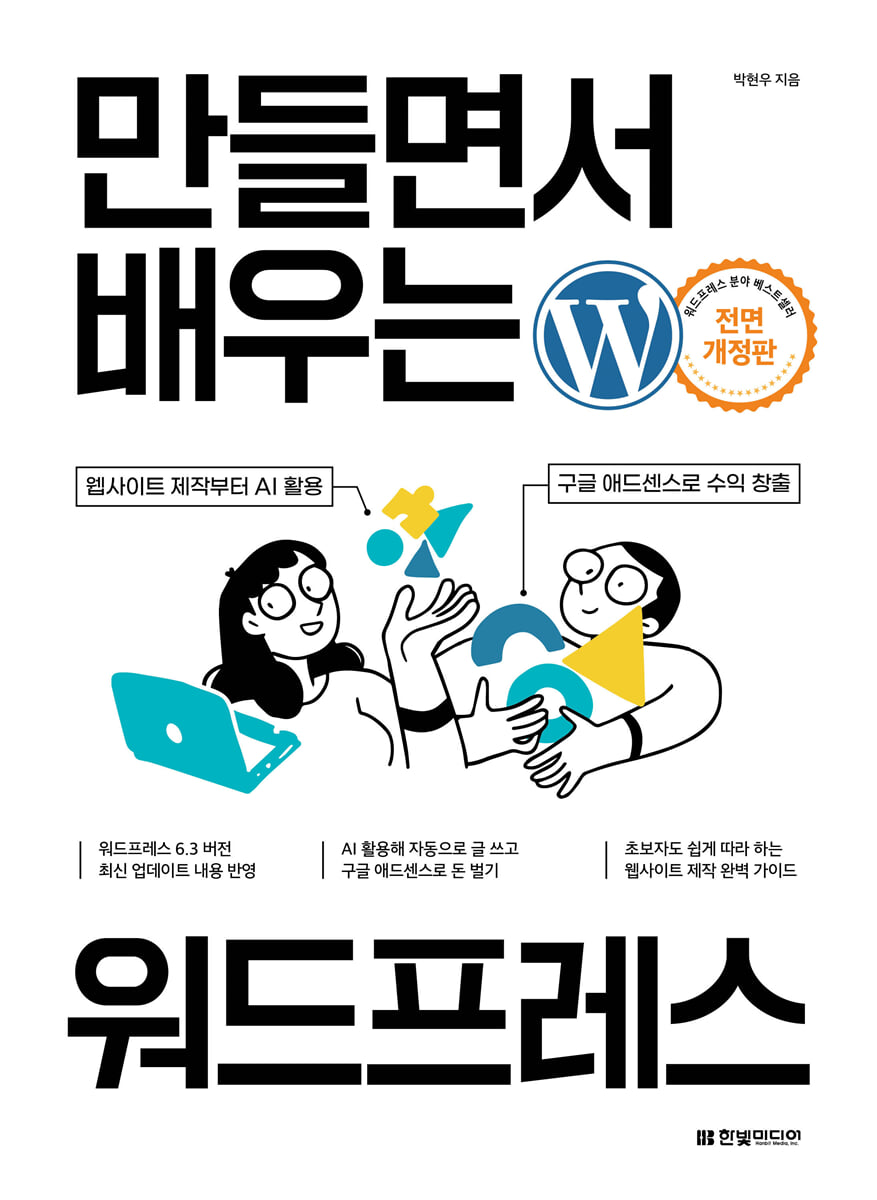
Learn WordPress by Building
 |
Description
Book Introduction
A completely revised edition of the WordPress bestseller, "Learn WordPress by Building"!
Reflecting the latest updates to WordPress version 6.3
Use AI to automatically write articles and earn money with Google AdSense.
This book is a completely revised edition of the WordPress bestseller, "Learn WordPress by Building," and reflects the latest updated WordPress version 6.3 as of 2024.
In 2023, due to changes in Tistory's advertising policy and the termination of the Igloos service, there was a surge in users 'moving' from service-type blogs to WordPress.
In the case of service-type blogs, since the company owns the site, it is inevitably subject to changes in corporate policy.
But sites built with WordPress are different.
Since the ownership of a site created with WordPress belongs to the user who created the site, it is free from changes to terms and conditions or sanctions, and it is easy to link with revenue-generating methods such as Google AdSense or Coupang Partners.
Even websites made with WordPress have the advantage of being able to connect not only domestically but also internationally.
As of January 2024, WordPress holds 62.8% of the global CMS market share and 43.2% of all websites worldwide.
Although the web landscape has changed and various web authoring tools have emerged, WordPress remains the world's best online content management system (CMS).
With this one book, you can completely master WordPress, from installing the latest version (version 6.3) to creating a real website and generating revenue.
Additionally, this book covers the entire process of learning WordPress, from basic knowledge of web services to WordPress installation, administrator settings, and utilizing free themes and plugins, so that even beginners can easily learn.
Furthermore, even intermediate and advanced users can create blog webzines that can be used in practice.
We'll also explore how WordPress integrates AI features, monetization models, Google AdSense revenue generation, and optimized post writing techniques.
Create your own website armed with professional design and content and generate revenue with the completely revised edition of "Learn WordPress by Building"!
Reflecting the latest updates to WordPress version 6.3
Use AI to automatically write articles and earn money with Google AdSense.
This book is a completely revised edition of the WordPress bestseller, "Learn WordPress by Building," and reflects the latest updated WordPress version 6.3 as of 2024.
In 2023, due to changes in Tistory's advertising policy and the termination of the Igloos service, there was a surge in users 'moving' from service-type blogs to WordPress.
In the case of service-type blogs, since the company owns the site, it is inevitably subject to changes in corporate policy.
But sites built with WordPress are different.
Since the ownership of a site created with WordPress belongs to the user who created the site, it is free from changes to terms and conditions or sanctions, and it is easy to link with revenue-generating methods such as Google AdSense or Coupang Partners.
Even websites made with WordPress have the advantage of being able to connect not only domestically but also internationally.
As of January 2024, WordPress holds 62.8% of the global CMS market share and 43.2% of all websites worldwide.
Although the web landscape has changed and various web authoring tools have emerged, WordPress remains the world's best online content management system (CMS).
With this one book, you can completely master WordPress, from installing the latest version (version 6.3) to creating a real website and generating revenue.
Additionally, this book covers the entire process of learning WordPress, from basic knowledge of web services to WordPress installation, administrator settings, and utilizing free themes and plugins, so that even beginners can easily learn.
Furthermore, even intermediate and advanced users can create blog webzines that can be used in practice.
We'll also explore how WordPress integrates AI features, monetization models, Google AdSense revenue generation, and optimized post writing techniques.
Create your own website armed with professional design and content and generate revenue with the completely revised edition of "Learn WordPress by Building"!
- You can preview some of the book's contents.
Preview
index
preface
Structure of this book
Download example files
How to view this book
Preview the programs used in this book
Preview the WordPress theme used in this book
Preview the WordPress plugins used in this book
PART 01: WordPress, the most powerful open-source content management system
CHAPTER 01 First Encounter with WordPress
SECTION 01 Meet WordPress, the Free Website Software
WordPress, the world's leading CMS
Rich themes and plugins
SECTION 02 WordPress: Changing the Website Market
Open source tool WordPress
WordPress market share
SECTION 03: Discovering the Benefits of WordPress
SECTION 04 What do you need to create a website?
Components of a web system
Solve web system construction all at once
CHAPTER 02: Preparing Your WordPress Website Properly
SECTION 01 Domains that create my address and hosting that create my space
Register your own domain
Compare domain prices by hosting provider
[Learn by Building] Searching for Domains in Gabia
[Learn by Creating] Searching for Domains on Cafe24
[Learn by Creating] Searching for Domains on DotHome
Apply for domain service
[Learn by Creating] Applying for a Domain on DotHome
Apply for hosting service
[Learn by Creating] Applying for Hosting at Cafe24
Take a look at the Cafe24 admin screen.
Connecting a domain to a hosting server
[Learning by Creating] Registering a Cafe24 Nameserver Address on DotHome
[Learn by Creating] Connecting a Domain to Cafe24
SECTION 02 Installing WordPress on a Hosting Server
Automatically Installing WordPress
[Learn by Building] Automatically Installing WordPress on Cafe24
Using the FTP program FileZilla
[Learn by Creating] Downloading and Installing FileZilla
[Learn by Creating] Registering Site Connection Information in FileZilla
[Learn by Creating] Transferring Files with FileZilla
Installing WordPress Manually
[Learn by Building] Downloading the WordPress Platform
[Learn by Creating] Editing Database Information and Uploading to a Hosting Server
[Learn by Building] Installing phpMyAdmin, a Database Management Tool
[Learn by Creating] Installing Classic Editor
PART 02: Mastering the Basics of WordPress
CHAPTER 01 WordPress Quick Guide
SECTION 01 Writing Your First Post with WordPress
[Learning by Creating] Writing a New Post with WordPress
SECTION 02: Finding the unique address of a post
[Learning by Creating] Setting a unique URL for your post
CHAPTER 02 WordPress Admin Screen
SECTION 01: Admin Screen Overview
[Learn by Creating] Setting Up the Admin Screen
SECTION 02: Customizing Your Website by Changing the Default Theme
[Learn by Creating] Installing and Activating a New Theme
SECTION 03 Start creating content by writing and managing articles
View all article pages
[Learning by Creating] Editing Posts from the Post List
Explore the Add New Post page
[Learn by Creating] Writing and Publishing
SECTION 04 Uploading and Managing Content Attachments
Media Library
[Learn by Creating] Uploading Images to the Media Library
Editing images
Upload a new file
SECTION 05: The Difference Between Text and Pages at a Glance
SECTION 06 Protecting Your Website's Reputation with Comment Moderation
[Learning by Creating] Reviewing and Processing Comments
SECTION 07 Managing the Overall Website by Setting Up the System
Explore the General Settings page
Explore the Writing Settings page
Explore the Reading Settings page
Check out the Discussion Settings page
SECTION 08 Setting up member profiles and managing users
[Learn by Creating] Create Your Own Avatar with Gravatar
CHAPTER 03 The Face of Your Website: Themes and Widgets
SECTION 01 Setting the theme by customizing it
[Learn by Building] Customizing Official WordPress Themes
Customize
Site Identity
[Learn by Creating] Uploading a Site Icon
color
Header image
[Learn by Creating] Adding a Header Image
SECTION 02: Widgets and Screen Layout
[Learn by Making] Creating and Adding Three Widgets
CHAPTER 04 Planning a Well-Organized Website
SECTION 01 Planning Your Own Website
mind map
[Learn by Creating] Drawing Menu Structures with XMind 2023
Classify content according to the menu structure
SECTION 02 Configuring the Website Menu
[Learn by Creating] Creating a New Menu
Create a category to link to the menu
[Learn by Creating] Creating a Category
Create a page to link to the menu
[Learn by Creating] Creating a New Page
[Learn by Creating] Registering a Menu on Your Website
PART 03 Technology that gives wings to WordPress
CHAPTER 01 WordPress Plugins That Power Your Website
SECTION 01 Contact Form 7 plugin responsible for visitor communication
[Learn by Creating] Creating a Customer Inquiry Page
SECTION 02 Shortcodes Ultimate Plugin to Help You Write
[Learn by Creating] Creating an FAQ Page with Shortcodes
SECTION 03 Pricing Tables plugin for creating price lists
[Learn by Creating] Creating a Price List Page
SECTION 04 KBoard plugin familiar to Koreans
[Learning by Creating] Creating a Q&A Board
[Learning by Making] Writing on the Inquiry Board
SECTION 05 Korea SNS Plugin for Distributing Content
[Learning by Building] Connecting a WordPress Website to Social Media
CHAPTER 02 WordPress Search Engine Optimization
SECTION 01: Understanding Search Engine Optimization (SEO)
Important elements of search engine optimization
SECTION 02 Yoast SEO Plugin for Search Engine Optimization
[Learn by Building] Optimizing Your Website for Search Engines
CHAPTER 03 WordPress Security and Backup to Protect Your Precious Content
SECTION 01 Plugin to prevent unauthorized copying
[Learn by Building] Installing the WP Content Copy Protection Plugin
SECTION 02 Security Guardian iThemes Security Plugin
[Learn by Creating] Enabling Security Settings
[Learning by Building] Preventing Brute Force Attacks
[Learning by Creating] Changing the login page access address
SECTION 03 BackWPup Plugin for Backing Up WordPress Systems
[Learning by Doing] Manually Backing Up WordPress
SECTION 04: Automatically Backing Up WordPress Daily to Dropbox
[Learn by Creating] Setting Up Daily Backups
[Learn by Creating] Integrating Regular Backup Tasks with Dropbox
CHAPTER 04 Design techniques that make your website shine
SECTION 01 Using Free Fonts
[Learning by Making] Installing Baedal Minjok's Free Font
SECTION 02 Lightweight Free Photoshop PhotoScape
[Learn by Creating] Creating a Website Logo
SECTION 03 Free and Paid Images
Image copyrights that should not be overlooked
Recommended free image websites
Recommended paid image websites
SECTION 04 Choosing a Paid Theme That's Worth the Money
[Learn by Creating] Choosing a Theme from ThemeForest
PART 04: A Full-Fledged Real Website Creation Project
PROJECT 01 A blog webzine for a powerful one-person media
SECTION 01 Creating a Parody Webzine
[Learn by Creating] Installing the ColorMag Theme
SECTION 02 Setting up the website and registering the menu
[Learn by Creating] Changing Your Website Title and Tagline
[Learn by Creating] Creating a Webzine Category
[Learning by Creating] Configuring a Webzine Menu
SECTION 03 Configuring the Webzine Screen with Customization
[Learn by Creating] Registering a Header Image
[Learn by Making] Activating Breaking News and Displaying the Date
[Learn while creating] Displaying the [Home], [Search], and [Random Post] icons in the menu bar
[Learn by Creating] Changing the Overall Layout and Colors of a Website
[Learn by Creating] Displaying Social Icons on Your Website
[Learning by Creating] Cleaning Up Unnecessary Sidebar Widgets in Your Webzine
SECTION 04 Registering Article Content in a Webzine
[Learn by Creating] New Writing
SECTION 05 Using Webzine Additional Features
WordPress's user permission system and team blog permissions
[Learn by Making] Creating a Slider Widget
[Learn by Making] Creating a Recommended Post Widget
[Learn by Making] Changing Category Design Colors
PROJECT 02 WordPress AI
SECTION 01: Integrating AI into WordPress
Why Google Called an Emergency Meeting for ChatGPT
How to Use AI in WordPress
SECTION 02: Automatically Writing with AI (AI Power)
[Learn by Creating] Checking OpenAI Signup and API Key Status
[Learn by Creating] Using AI to Automatically Write Text (AI Power)
[Learn by Creating] Checking Credit Usage on the OpenAI API Screen
SECTION 03 Installing the AI ChatBot Plugin (AI Engine Chatbot)
[Learn by Building] Installing the AI Chatbot Plugin
PROJECT 03 WordPress and Monetization
SECTION 01 Various Ways to Monetize WordPress
Google AdSense
Affiliate Marketing
Monetization of professional content
Shopping mall operation
SECTION 02 Monetizing WordPress with AdSense
WordPress and AdSense
What is AdSense?
Opening a foreign currency account to store your AdSense earnings
[Learn by Creating] Easily Create a Foreign Currency Account on Your Mobile Phone
SECTION 03 AdSense Approval and Website Preparation
Before entering AdSense
Delete test content and create a live site
What your website must meet to get AdSense approval
Google's Webmaster Tools - Google Search Console
What is a sitemap?
[Learning by Creating] Checking Your WordPress Sitemap Address
[Learn by Building] Registering Your Website with Google Search Console
[Learn by Building] Submitting Sitemaps and RSS Feeds to Google Search Console
[Learn by Building] Naver Webmaster Tools - Naver Search Advisor
SECTION 04 Creating AdSense Ads and Sending Them to Your WordPress Site
[Learn by Creating] Signing up for AdSense
[Learn by Creating] Setting Up AdSense Payment Information
[Learn by Creating] Setting Up AdSense Ads
[Learn by Creating] Setting Up a Website Connection
[Learn by Building] Applying AdSense Code Snippets to Your WordPress Website
[Learning by Building] Applying the Ads.txt Snippet to WordPress
[Learn by Building] Automating Ad Delivery on Your WordPress Website
[Learn by Creating] Creating AdSense Ad Units and Manually Placing Ads
[Learn by Creating] Verifying Your AdSense PIN Number
[Learn by Creating] Registering an AdSense Payment Account
SECTION 05: AdSense Optimization and Managing Low-Quality Content According to Google
Guide to Writing Optimized Posts That AdSense Loves - ① Guide to Writing HTML 〈H〉 Tags
Guide to Writing Optimized Posts That AdSense Loves - ② Title Creation and Keyword Selection
[Learning by Creating] Using Naver Search Ads for Keyword Selection
[Learning by Creating] Finding Keywords in Google Ads
Guide to Writing Optimized Posts That AdSense Loves - ③ Character Count, Images, and Meta Descriptions
[Learn by Creating] Writing Alternative Text Descriptions
AdSense Ad Policy Guide - How to Avoid Low-Quality AdSense Ads
Search
Structure of this book
Download example files
How to view this book
Preview the programs used in this book
Preview the WordPress theme used in this book
Preview the WordPress plugins used in this book
PART 01: WordPress, the most powerful open-source content management system
CHAPTER 01 First Encounter with WordPress
SECTION 01 Meet WordPress, the Free Website Software
WordPress, the world's leading CMS
Rich themes and plugins
SECTION 02 WordPress: Changing the Website Market
Open source tool WordPress
WordPress market share
SECTION 03: Discovering the Benefits of WordPress
SECTION 04 What do you need to create a website?
Components of a web system
Solve web system construction all at once
CHAPTER 02: Preparing Your WordPress Website Properly
SECTION 01 Domains that create my address and hosting that create my space
Register your own domain
Compare domain prices by hosting provider
[Learn by Building] Searching for Domains in Gabia
[Learn by Creating] Searching for Domains on Cafe24
[Learn by Creating] Searching for Domains on DotHome
Apply for domain service
[Learn by Creating] Applying for a Domain on DotHome
Apply for hosting service
[Learn by Creating] Applying for Hosting at Cafe24
Take a look at the Cafe24 admin screen.
Connecting a domain to a hosting server
[Learning by Creating] Registering a Cafe24 Nameserver Address on DotHome
[Learn by Creating] Connecting a Domain to Cafe24
SECTION 02 Installing WordPress on a Hosting Server
Automatically Installing WordPress
[Learn by Building] Automatically Installing WordPress on Cafe24
Using the FTP program FileZilla
[Learn by Creating] Downloading and Installing FileZilla
[Learn by Creating] Registering Site Connection Information in FileZilla
[Learn by Creating] Transferring Files with FileZilla
Installing WordPress Manually
[Learn by Building] Downloading the WordPress Platform
[Learn by Creating] Editing Database Information and Uploading to a Hosting Server
[Learn by Building] Installing phpMyAdmin, a Database Management Tool
[Learn by Creating] Installing Classic Editor
PART 02: Mastering the Basics of WordPress
CHAPTER 01 WordPress Quick Guide
SECTION 01 Writing Your First Post with WordPress
[Learning by Creating] Writing a New Post with WordPress
SECTION 02: Finding the unique address of a post
[Learning by Creating] Setting a unique URL for your post
CHAPTER 02 WordPress Admin Screen
SECTION 01: Admin Screen Overview
[Learn by Creating] Setting Up the Admin Screen
SECTION 02: Customizing Your Website by Changing the Default Theme
[Learn by Creating] Installing and Activating a New Theme
SECTION 03 Start creating content by writing and managing articles
View all article pages
[Learning by Creating] Editing Posts from the Post List
Explore the Add New Post page
[Learn by Creating] Writing and Publishing
SECTION 04 Uploading and Managing Content Attachments
Media Library
[Learn by Creating] Uploading Images to the Media Library
Editing images
Upload a new file
SECTION 05: The Difference Between Text and Pages at a Glance
SECTION 06 Protecting Your Website's Reputation with Comment Moderation
[Learning by Creating] Reviewing and Processing Comments
SECTION 07 Managing the Overall Website by Setting Up the System
Explore the General Settings page
Explore the Writing Settings page
Explore the Reading Settings page
Check out the Discussion Settings page
SECTION 08 Setting up member profiles and managing users
[Learn by Creating] Create Your Own Avatar with Gravatar
CHAPTER 03 The Face of Your Website: Themes and Widgets
SECTION 01 Setting the theme by customizing it
[Learn by Building] Customizing Official WordPress Themes
Customize
Site Identity
[Learn by Creating] Uploading a Site Icon
color
Header image
[Learn by Creating] Adding a Header Image
SECTION 02: Widgets and Screen Layout
[Learn by Making] Creating and Adding Three Widgets
CHAPTER 04 Planning a Well-Organized Website
SECTION 01 Planning Your Own Website
mind map
[Learn by Creating] Drawing Menu Structures with XMind 2023
Classify content according to the menu structure
SECTION 02 Configuring the Website Menu
[Learn by Creating] Creating a New Menu
Create a category to link to the menu
[Learn by Creating] Creating a Category
Create a page to link to the menu
[Learn by Creating] Creating a New Page
[Learn by Creating] Registering a Menu on Your Website
PART 03 Technology that gives wings to WordPress
CHAPTER 01 WordPress Plugins That Power Your Website
SECTION 01 Contact Form 7 plugin responsible for visitor communication
[Learn by Creating] Creating a Customer Inquiry Page
SECTION 02 Shortcodes Ultimate Plugin to Help You Write
[Learn by Creating] Creating an FAQ Page with Shortcodes
SECTION 03 Pricing Tables plugin for creating price lists
[Learn by Creating] Creating a Price List Page
SECTION 04 KBoard plugin familiar to Koreans
[Learning by Creating] Creating a Q&A Board
[Learning by Making] Writing on the Inquiry Board
SECTION 05 Korea SNS Plugin for Distributing Content
[Learning by Building] Connecting a WordPress Website to Social Media
CHAPTER 02 WordPress Search Engine Optimization
SECTION 01: Understanding Search Engine Optimization (SEO)
Important elements of search engine optimization
SECTION 02 Yoast SEO Plugin for Search Engine Optimization
[Learn by Building] Optimizing Your Website for Search Engines
CHAPTER 03 WordPress Security and Backup to Protect Your Precious Content
SECTION 01 Plugin to prevent unauthorized copying
[Learn by Building] Installing the WP Content Copy Protection Plugin
SECTION 02 Security Guardian iThemes Security Plugin
[Learn by Creating] Enabling Security Settings
[Learning by Building] Preventing Brute Force Attacks
[Learning by Creating] Changing the login page access address
SECTION 03 BackWPup Plugin for Backing Up WordPress Systems
[Learning by Doing] Manually Backing Up WordPress
SECTION 04: Automatically Backing Up WordPress Daily to Dropbox
[Learn by Creating] Setting Up Daily Backups
[Learn by Creating] Integrating Regular Backup Tasks with Dropbox
CHAPTER 04 Design techniques that make your website shine
SECTION 01 Using Free Fonts
[Learning by Making] Installing Baedal Minjok's Free Font
SECTION 02 Lightweight Free Photoshop PhotoScape
[Learn by Creating] Creating a Website Logo
SECTION 03 Free and Paid Images
Image copyrights that should not be overlooked
Recommended free image websites
Recommended paid image websites
SECTION 04 Choosing a Paid Theme That's Worth the Money
[Learn by Creating] Choosing a Theme from ThemeForest
PART 04: A Full-Fledged Real Website Creation Project
PROJECT 01 A blog webzine for a powerful one-person media
SECTION 01 Creating a Parody Webzine
[Learn by Creating] Installing the ColorMag Theme
SECTION 02 Setting up the website and registering the menu
[Learn by Creating] Changing Your Website Title and Tagline
[Learn by Creating] Creating a Webzine Category
[Learning by Creating] Configuring a Webzine Menu
SECTION 03 Configuring the Webzine Screen with Customization
[Learn by Creating] Registering a Header Image
[Learn by Making] Activating Breaking News and Displaying the Date
[Learn while creating] Displaying the [Home], [Search], and [Random Post] icons in the menu bar
[Learn by Creating] Changing the Overall Layout and Colors of a Website
[Learn by Creating] Displaying Social Icons on Your Website
[Learning by Creating] Cleaning Up Unnecessary Sidebar Widgets in Your Webzine
SECTION 04 Registering Article Content in a Webzine
[Learn by Creating] New Writing
SECTION 05 Using Webzine Additional Features
WordPress's user permission system and team blog permissions
[Learn by Making] Creating a Slider Widget
[Learn by Making] Creating a Recommended Post Widget
[Learn by Making] Changing Category Design Colors
PROJECT 02 WordPress AI
SECTION 01: Integrating AI into WordPress
Why Google Called an Emergency Meeting for ChatGPT
How to Use AI in WordPress
SECTION 02: Automatically Writing with AI (AI Power)
[Learn by Creating] Checking OpenAI Signup and API Key Status
[Learn by Creating] Using AI to Automatically Write Text (AI Power)
[Learn by Creating] Checking Credit Usage on the OpenAI API Screen
SECTION 03 Installing the AI ChatBot Plugin (AI Engine Chatbot)
[Learn by Building] Installing the AI Chatbot Plugin
PROJECT 03 WordPress and Monetization
SECTION 01 Various Ways to Monetize WordPress
Google AdSense
Affiliate Marketing
Monetization of professional content
Shopping mall operation
SECTION 02 Monetizing WordPress with AdSense
WordPress and AdSense
What is AdSense?
Opening a foreign currency account to store your AdSense earnings
[Learn by Creating] Easily Create a Foreign Currency Account on Your Mobile Phone
SECTION 03 AdSense Approval and Website Preparation
Before entering AdSense
Delete test content and create a live site
What your website must meet to get AdSense approval
Google's Webmaster Tools - Google Search Console
What is a sitemap?
[Learning by Creating] Checking Your WordPress Sitemap Address
[Learn by Building] Registering Your Website with Google Search Console
[Learn by Building] Submitting Sitemaps and RSS Feeds to Google Search Console
[Learn by Building] Naver Webmaster Tools - Naver Search Advisor
SECTION 04 Creating AdSense Ads and Sending Them to Your WordPress Site
[Learn by Creating] Signing up for AdSense
[Learn by Creating] Setting Up AdSense Payment Information
[Learn by Creating] Setting Up AdSense Ads
[Learn by Creating] Setting Up a Website Connection
[Learn by Building] Applying AdSense Code Snippets to Your WordPress Website
[Learning by Building] Applying the Ads.txt Snippet to WordPress
[Learn by Building] Automating Ad Delivery on Your WordPress Website
[Learn by Creating] Creating AdSense Ad Units and Manually Placing Ads
[Learn by Creating] Verifying Your AdSense PIN Number
[Learn by Creating] Registering an AdSense Payment Account
SECTION 05: AdSense Optimization and Managing Low-Quality Content According to Google
Guide to Writing Optimized Posts That AdSense Loves - ① Guide to Writing HTML 〈H〉 Tags
Guide to Writing Optimized Posts That AdSense Loves - ② Title Creation and Keyword Selection
[Learning by Creating] Using Naver Search Ads for Keyword Selection
[Learning by Creating] Finding Keywords in Google Ads
Guide to Writing Optimized Posts That AdSense Loves - ③ Character Count, Images, and Meta Descriptions
[Learn by Creating] Writing Alternative Text Descriptions
AdSense Ad Policy Guide - How to Avoid Low-Quality AdSense Ads
Search
Detailed image

Publisher's Review
What kind of readers is this book for?
- People who want to create their own independent website, post content, and generate additional income through advertising.
- Self-employed people or business owners who want to create a website themselves but do not have professional knowledge
- Bloggers who want to run a blog with a high degree of freedom or build a team blog journal
- People who want to create their own website or blog
- People who want to familiarize themselves with the relevant information in advance for outsourcing website production.
Master the entire process of creating a WordPress website in one book.
This book covers everything an administrator needs to know about website creation, from the basics of WordPress installation, domains, and hosting to the setup methods.
In addition, it explains the entire process of creating a WordPress website from a beginner's perspective, including how to easily design a website and how to create an actual blog webzine.
Even beginners who are new to website creation can easily create a website through the 'learn while creating' process.
Second, upgrade your website creation skills using free themes, plugins, and programs.
Creating a website with WordPress doesn't require the help of a professional designer or programmer.
You can easily implement high-quality web designs by freely setting up free themes, and you can also easily implement various functions such as writing posts, bulletin boards, SEO (search engine optimization), SNS and website integration, customer inquiries, security, and backups by simply installing plugins.
Using only the themes, plugins, and programs carefully selected in this book, you can create a high-quality website without spending a single penny.
Third, I use artificial intelligence on the website I created and monetize it with Google AdSense.
Create your own WordPress website by directly applying WordPress's basic functions.
You can integrate an AI chatbot into your website to instantly respond to customer questions and even automatically generate content using AI power plugins.
I also build a money pipeline by running Google AdSense ads on my website.
Learn how to write optimized content that Google AdSense likes and the secrets to posting consistently without being flagged for low-quality content.
- People who want to create their own independent website, post content, and generate additional income through advertising.
- Self-employed people or business owners who want to create a website themselves but do not have professional knowledge
- Bloggers who want to run a blog with a high degree of freedom or build a team blog journal
- People who want to create their own website or blog
- People who want to familiarize themselves with the relevant information in advance for outsourcing website production.
Master the entire process of creating a WordPress website in one book.
This book covers everything an administrator needs to know about website creation, from the basics of WordPress installation, domains, and hosting to the setup methods.
In addition, it explains the entire process of creating a WordPress website from a beginner's perspective, including how to easily design a website and how to create an actual blog webzine.
Even beginners who are new to website creation can easily create a website through the 'learn while creating' process.
Second, upgrade your website creation skills using free themes, plugins, and programs.
Creating a website with WordPress doesn't require the help of a professional designer or programmer.
You can easily implement high-quality web designs by freely setting up free themes, and you can also easily implement various functions such as writing posts, bulletin boards, SEO (search engine optimization), SNS and website integration, customer inquiries, security, and backups by simply installing plugins.
Using only the themes, plugins, and programs carefully selected in this book, you can create a high-quality website without spending a single penny.
Third, I use artificial intelligence on the website I created and monetize it with Google AdSense.
Create your own WordPress website by directly applying WordPress's basic functions.
You can integrate an AI chatbot into your website to instantly respond to customer questions and even automatically generate content using AI power plugins.
I also build a money pipeline by running Google AdSense ads on my website.
Learn how to write optimized content that Google AdSense likes and the secrets to posting consistently without being flagged for low-quality content.
GOODS SPECIFICS
- Date of issue: March 5, 2024
- Page count, weight, size: 416 pages | 862g | 188*257*16mm
- ISBN13: 9791169212076
- ISBN10: 1169212077
You may also like
카테고리
korean


korean

![GQ KOREA Mark (Monthly): December [2025]](http://librairie.coreenne.fr/cdn/shop/files/8ef265dbbfbf186523ed75ba7319009d.jpg?v=1765340328&width=3840)


