

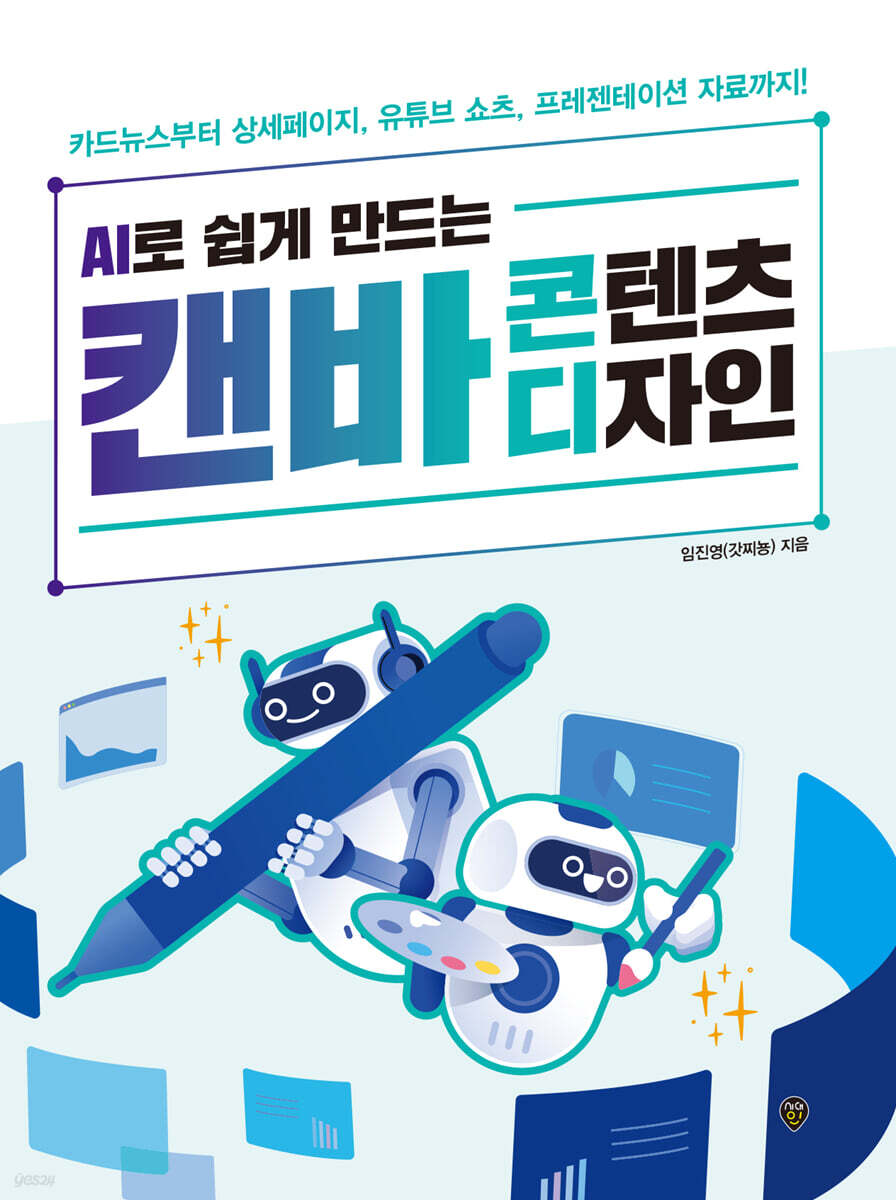
Easily create content design with Canva using AI
 |
Description
Book Introduction
Anyone can be a pro, even if they're not an expert!
Canva User Guide: Easily Create Your Desired Content with AI
In an era overflowing with compelling design content, Canva has become a necessity, not an option. Powered by AI, Canva has evolved beyond a simple design tool into a creative platform that enables you to quickly and easily achieve your desired results.
This book is a design guide that guides you through creating a variety of content using Canva, including card news, detailed pages, YouTube shorts, and presentations.
We've included specific prompt examples to help you apply the AI features that are currently attracting attention in real-world tasks, and we've designed it so that you can naturally learn Canva's core features through abundant practical examples.
Canva User Guide: Easily Create Your Desired Content with AI
In an era overflowing with compelling design content, Canva has become a necessity, not an option. Powered by AI, Canva has evolved beyond a simple design tool into a creative platform that enables you to quickly and easily achieve your desired results.
This book is a design guide that guides you through creating a variety of content using Canva, including card news, detailed pages, YouTube shorts, and presentations.
We've included specific prompt examples to help you apply the AI features that are currently attracting attention in real-world tasks, and we've designed it so that you can naturally learn Canva's core features through abundant practical examples.
- You can preview some of the book's contents.
Preview
index
Part 01 || Getting Started with Canva, the Ultimate Content Creation Tool
Chapter 01 | First Encounter with Canva
_01 What is Canvas?
_02 Sign up for Canva membership
_03 Differences between Canva's Free Plan and Pro Plan
_04 Start your free trial of Canva Pro
_05 Tips for maximizing your use of Canvas
Chapter 02 | Learning How to Use Canva
_01 Starting the design work
_02 Take a look at the design work screen
_03 Mastering Canvas Editing Features
_04 Increase work efficiency with brand kits
Chapter 03 | Mastering Canva's Core AI Features
_01 Creating text with Magic Write
_02 Editing images with Magic Studio
_03 Creating design materials with Magic Media
Part 02 || Content Design Made Quick with Canva AI
Chapter 04 | Creating a Recipe Introduction Card News
_01 Creating a draft card news with Magic Write
_02 Designing Card News
_03 Complete card news with mass production function
Chapter 05 | Creating a Clean Detail Page
_01 Creating a detailed page draft
_02 Creating copy sentences with Magic Write
_03 Creating Product Images with Magic Media
_04 Creating an integrated detail page
Chapter 06 | Creating YouTube Shorts Videos
_01 Planning a short video with Magic Write
_02 Creating Images and Videos with Magic Media
_03 Adding AI voice, subtitles, and effects
_04 Add Vitality with Beat Sync
Chapter 07 | Creating Presentation Materials
_01 Preparing a presentation in Canva
_02 AI-powered presentations for proposals
Chapter 08 | Completing the Book Design
_01 Advantages of book design using Canvas
_02 Planning book content using AI
_03 Quickly complete book design with AI
Chapter 09 | Creating Your Own Design Mockups
_01 Creating a Book Cover Design Mockup
_02 Creating an Eco-bag Goods Mockup with AI
_03 Creating Mug Goods Mockups with AI
Chapter 10 | Creating a Daily and Task Management Tool
_01 Creating a Newborn Planner for Self-Management
_02 Creating a Satisfaction Survey Questionnaire
Appendix || One Step Further: Building Design Fundamentals
_01 What is design?
_02 Design Components
_03 Basic Theory of Color
_04 Understanding Typography
Chapter 01 | First Encounter with Canva
_01 What is Canvas?
_02 Sign up for Canva membership
_03 Differences between Canva's Free Plan and Pro Plan
_04 Start your free trial of Canva Pro
_05 Tips for maximizing your use of Canvas
Chapter 02 | Learning How to Use Canva
_01 Starting the design work
_02 Take a look at the design work screen
_03 Mastering Canvas Editing Features
_04 Increase work efficiency with brand kits
Chapter 03 | Mastering Canva's Core AI Features
_01 Creating text with Magic Write
_02 Editing images with Magic Studio
_03 Creating design materials with Magic Media
Part 02 || Content Design Made Quick with Canva AI
Chapter 04 | Creating a Recipe Introduction Card News
_01 Creating a draft card news with Magic Write
_02 Designing Card News
_03 Complete card news with mass production function
Chapter 05 | Creating a Clean Detail Page
_01 Creating a detailed page draft
_02 Creating copy sentences with Magic Write
_03 Creating Product Images with Magic Media
_04 Creating an integrated detail page
Chapter 06 | Creating YouTube Shorts Videos
_01 Planning a short video with Magic Write
_02 Creating Images and Videos with Magic Media
_03 Adding AI voice, subtitles, and effects
_04 Add Vitality with Beat Sync
Chapter 07 | Creating Presentation Materials
_01 Preparing a presentation in Canva
_02 AI-powered presentations for proposals
Chapter 08 | Completing the Book Design
_01 Advantages of book design using Canvas
_02 Planning book content using AI
_03 Quickly complete book design with AI
Chapter 09 | Creating Your Own Design Mockups
_01 Creating a Book Cover Design Mockup
_02 Creating an Eco-bag Goods Mockup with AI
_03 Creating Mug Goods Mockups with AI
Chapter 10 | Creating a Daily and Task Management Tool
_01 Creating a Newborn Planner for Self-Management
_02 Creating a Satisfaction Survey Questionnaire
Appendix || One Step Further: Building Design Fundamentals
_01 What is design?
_02 Design Components
_03 Basic Theory of Color
_04 Understanding Typography
Detailed image

Publisher's Review
From planning to production, all in one place with AI!
Canva, the easiest design solution for the content age
Design is no longer the exclusive domain of professionals.
Even those who couldn't even begin designing because of complex programs like Photoshop or Illustrator can now create the content they want with just a few clicks.
This book guides you through creating a variety of content, including card news, detailed pages, and YouTube shorts, using the free design platform "Canva," which is easily accessible to everyone.
Rather than simply listing features, it's structured so that readers can naturally learn how to visualize ideas and effectively communicate their messages.
In particular, we provide prompt examples to help you apply Canva's AI features, which have recently been gaining attention, to actual work.
Even those with no design experience or those who find existing programs intimidating can use Canva's AI capabilities to intuitively create their own content without having to worry about complex tools.
I hope that through this book, you will gain the confidence that "I can do it too" and experience the joy of turning your ideas into reality.
Canva, the easiest design solution for the content age
Design is no longer the exclusive domain of professionals.
Even those who couldn't even begin designing because of complex programs like Photoshop or Illustrator can now create the content they want with just a few clicks.
This book guides you through creating a variety of content, including card news, detailed pages, and YouTube shorts, using the free design platform "Canva," which is easily accessible to everyone.
Rather than simply listing features, it's structured so that readers can naturally learn how to visualize ideas and effectively communicate their messages.
In particular, we provide prompt examples to help you apply Canva's AI features, which have recently been gaining attention, to actual work.
Even those with no design experience or those who find existing programs intimidating can use Canva's AI capabilities to intuitively create their own content without having to worry about complex tools.
I hope that through this book, you will gain the confidence that "I can do it too" and experience the joy of turning your ideas into reality.
GOODS SPECIFICS
- Date of issue: October 15, 2025
- Page count, weight, size: 224 pages | 188*257*20mm
- ISBN13: 9791143401434
You may also like
카테고리
korean


korean

![ELLE 엘르 A형 (여성월간) : 1월 [2026]](http://librairie.coreenne.fr/cdn/shop/files/3b70e1cf77cf67d6da56e0eb041901e8.jpg?v=1767265322&width=3840)


