

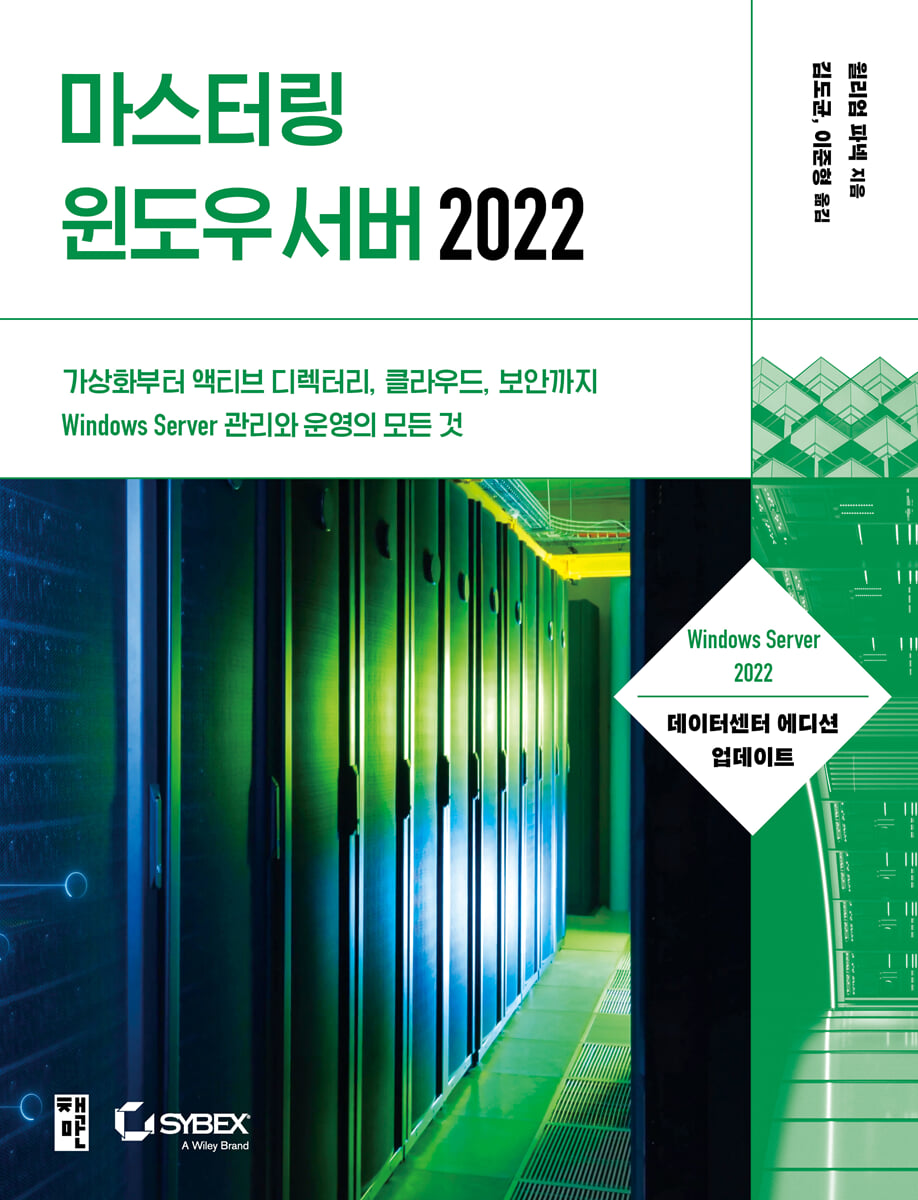
Mastering Windows Server 2022
 |
Description
Book Introduction
A complete guide to building, managing, and maintaining hybrid and cloud environments with Windows Server 2022!
We'll explore new features introduced in Microsoft's latest Windows Server release, including Read-Only Domain Controller and Windows Server Core app compatibility, as well as core management capabilities like Active Directory and the latest version of PowerShell.
Provides a comprehensive and practical guide to setting up an Azure environment and migrating virtual or physical server workloads to the cloud.
- You can preview some of the book's contents.
Preview
index
Chapter 1: First Encounter with Windows Server
Features and Benefits of Windows Server 2022
Deciding Which Windows Server 2022 Version to Use
__Determine the installation type
Removed features
Key Summary
Chapter 2 Virtualization
Introduction to Virtualization
__HyperV features
__HyperV architecture
__HyperV operating system
__Distributing Linux and FreeBSD images
__Virtualization on Azure
Key Summary
Chapter 3: Installing and Configuring Hyper-V
Hyper-V Installation and Configuration
__HyperV Requirements
__HyperV role installation
__HyperV for Server Administrators
__Using Hyper-V Manager
__Configure HyperV settings
__Virtual Switch Management
__Virtual Hard Disk Management
Virtual machine configuration
__Creating and Managing Virtual Machines
__Distributing Linux and FreeBSD images
PowerShell commands
Key Summary
Chapter 4: Installing Windows Server 2022
Installing Windows Server 2022 OS
__Desktop environment installation
__Install Windows Server 2022 Server Core
Windows Activation and Servicing
__Key Management Service
__Automatic virtual machine activation
__Active Directory-based activation
Windows Server 2022 Services
Configuring Windows Server Updates
__Windows Update
__Using WSUS
On-demand features
Key Summary
Chapter 5: Understanding the IP Address System and Address Allocation
TCP/IP
__TCP/IP model
__TCP/IP layer communication method
__port number
IP address allocation
__Hierarchical IP Address Assignment Scheme
__Network class
Network subnetting
__Subnetting implementation
__An easier way to implement subnetting
__Applying subnetting the traditional way
__CIDR usage
__Supernetting
Understanding IPv6
__IPv6 History and Necessity
__New and improved IPv6 concepts
__IPv6 address allocation concept
__IPv6 Integration/Migration
Key Summary
Chapter 6 DNS Implementation
Introduction to DNS
__HOSTS file
__Server and Client, Name Resolution
__DNS process
Introduction to DNS Database Zones
__main area
__auxiliary area
__Active Directory Integrated DNS
__stub area
__GlobalName area
__Zone Transfer and Replication
__How DNS notifications work
Benefits of Windows Server 2022 DNS
__Background area loading
__IPv6 address support
__Read-only domain controller support
__DNS socket pool
__DNS cache lock
__RRL
__Support for unknown records
__IPv6 root hints
__DNS Security Extension
__DNS Evolution
__Record weight
__Netmask ordering
__DnsUpdateProxy group
__DNS policy
Introduction to DNS Record Types
__SOA record
__Name server record
__host record
__alias record
__pointer record
__mail exchanger record
__service record
DNS configuration
__DNS installation
__Load balancing with round robin
__Configure a caching-only server
__Setting area properties
__Configuring areas for dynamic updates
__Zone Delegation for DNS
__DNS forwarding
__Manually create DNS records
__DNS Aging and Cleanup
DNS PowerShell Commands
Key Summary
Chapter 7 Active Directory Basics
Check file system
__ReFS
__NTFS
Check network connection
__Basic Connectivity Test
__Tools and Techniques for Testing Network Configurations
Active Directory
__domain
__tree
__Forest
Domain and forest functional levels
__domain functional level
__Forest functional level
Domain Structure Planning
Active Directory Installation
__Enhanced Active Directory Features
__Read-only domain controller
__Active Directory Prerequisites
__Installation process
Installing an Additional Domain Controller Using Install from Media
Verify Active Directory Installation
__Using Event Viewer
__Using Active Directory Management Tools
__Test on client
Creating and configuring application data partitions
__Creating an application data partition
__Replica Management
__Remove duplicate
Managing application data partitions using __ntdsutil
Configuring Active Directory and DNS Integration
Key Summary
Chapter 8: Active Directory Management
Active Directory Overview
__Active Directory features
__Security Principal
OU Overview
__OU's purpose
Benefits of __OU
Planning the OU Structure
__Logical grouping of resources
__OU inheritance
__Delegation of Management Control
__Apply Group Policy
Create an OU
OU Management
__OU move, delete, rename
Managing __OU properties
Delegated control of __OU
Creating and Managing Active Directory Objects
__Overview of Active Directory Objects
__Managing object properties
__group
__Filtering and Active Directory Advanced Features
__Move, rename, or delete Active Directory objects
__Reset existing computer account
__Dynamic Access Control
__Security and Permissions Management
Publishing Active Directory Objects
__Providing Active Directory objects to users
__Printer Post
__Publish shared folder
PowerShell for Active Directory
Key Summary
Chapter 9 DHCP Configuration
Introduction to DHCP
__Introducing the DORA Process
__Advantages and Disadvantages of DHCP
__ipconfig lease options
__Scope Details
DHCP Installation and Authorization
__DHCP Installation
__Introducing the DHCP Snap-in
__DHCP Authorization for Active Directory
Creating and Managing DHCP Scopes
__Creating a new scope in IPv4
__Creating a new scope in IPv6
__Change scope properties (IPv4 and IPv6)
__Change server properties
__Reservation and Exclusion Management
__Setting scope options for IPv4
__Enable and disable ranges
__Creating a superscope for IPv4
__Creating an IPv4 multicast range
__Integrate dynamic DNS and IPv4 DHCP
__Using DHCP failover architecture
__Handling DHCP database files
Handling Advanced DHCP Configuration Options
__DHCPv6 implementation
__Configure DHCP high availability, including DHCP failover and split scopes
__Configure DHCP Name Protection
PowerShell commands
Key Summary
Chapter 10: Building Group Policies
Introduction to Group Policy
__Group Policy Settings
__Security Settings section of GPO
__Client-side extensions
__Group Policy Object
__Group Policy Inheritance
Planning a Group Policy Strategy
Implementing Group Policy
__Create GPO
__Linking an Existing GPO to Active Directory
__Apply GPO updates
Group Policy Management
__GPO Management
__Security Filtering in Group Policy
__Delegating Management Control of GPOs
__Inheritance Control and Group Policy Filtering
__Script Policy Assignment
__Loopback policy
__Network Configuration Management
__Configure network settings
__Automatic enrollment of user and computer certificates in Group Policy
__Folder Redirection
__Managing GPOs with Windows PowerShell Group Policy Commands
__Item level target
__Backup, restore, import, copy, and migrate tables
Key Summary
Chapter 11 Advanced Group Policy Options
Software distribution via GPO
__Software Life Cycle
__Windows Installer
__Application distribution
Software distribution implementation
__Preparing for software distribution
__Software Restriction Policy
__Use App Locker
__Group Policy Slow Link Detection
__Application publishing and allocation
__Apply software updates
__Verify software installation
__Configure automatic updates with Group Policy
Configure software distribution settings
__Software Installation Properties dialog box
__Uninstall the program
__Microsoft Windows Installer Settings
Troubleshooting Group Policy
__RSoP in logging mode
__RSoP planning mode
Using the __gpresult.exe command
__Group Policy Infrastructure Health Dashboard
Key Summary
Chapter 12 Cloud Concepts
The concept of the cloud
__The benefits of the cloud
__Capital Expenditures (CapEx) and Operating Expenses (OpEx)
__Other types of cloud concepts
The Difference Between IaaS, PaaS, and SaaS
__IaaS
__PaaS
__SaaS
__Compare service types
Key Summary
Chapter 13 Azure Configuration
Understanding the Benefits of Using Azure
__Benefits of using Azure
Azure Dashboard
__Using Azure Dashboard
__Configure Azure Portal Settings
Key Summary
Chapter 14 Microsoft Entrepreneur ID
Microsoft Entre ID
Understanding Microsoft Entrepreneur IDs
__Self-service password reset
Key Summary
Chapter 15: Creating a Hybrid Network
Creating a Hybrid Network
__Entra ID and password hash synchronization
__Microsoft Entrepreneur Pass Certification
__Federation with Microsoft Entrepreneur ID
__Common ID Scenarios
Microsoft Entra Connect
Implementing Active Directory Federation Services
What is a __claim?
__AD FS on Windows Server 2022
__Configure Web Application Proxy
__Install Active Directory Federation Services
__AD FS and Microsoft Entra Connect
Planning Microsoft Entrepreneur ID Authentication Options
Microsoft Entrepreneur ID Multi-Factor Authentication
Microsoft Entra Connect Sync: Understanding and Customizing Sync
Creating an Azure Recovery Policy
__App Modeling
__Automating tasks in recovery plans
__Running a test failover of the recovery plan
__Create a recovery plan
Key Summary
Chapter 16: Understanding Microsoft Endpoints
Microsoft Intune (formerly Endpoint Manager)
Understanding Autopilot
__The benefits of autopilot
__Autopilot Essential Components
__Deployment Scenario
Device Application Data Security Plan
__Configuring Managed Apps for Mobile Application Management (MAM)
Key Summary
Chapter 17 Security Configuration
Windows Security Management
__Windows Defender Security Center
Configuring Windows Firewall
__Understanding Windows Firewall Basics
Windows Defender Firewall with Advanced Security
Security Management
__Implementing Microsoft Defender for Servers
__Windows Defender Credential Guard
__Implementing and Managing Windows Defender Exploit Guard
__Use Windows Defender Application Control
Key Summary
Chapter 18: Creating Azure Policies
Azure Devices and Policies
__Compliance Policy
__Device Configuration Profile
PowerShell commands
Key Summary
Appendix: Key Summary
Publisher's Review
▶ Update to the latest version of Windows Server 2022, Datacenter Edition!
▶ Screenshots reflecting the Korean operating system version
| What this book covers |
● Installation and configuration of Windows Server 2022
● Virtualization technology and Hyper-V
● IPv4 and IPv6 address systems and allocation
● DNS and DHCP implementation and management
● How to use various management tools and PowerShell
● Active Directory implementation and group policy establishment
● Identity implementation in hybrid scenarios including AD DS
● Cloud concepts and basic usage of Azure Cloud
● Endpoint management and system protection services
● Device management using Microsoft Entra ID and Intune
| Target audience for this book |
This book is intended for individuals who want to learn about Windows Server 2022 and how to connect their networks to the cloud.
This will be helpful for anyone who wants to learn the real-world details of the Windows Server 2022 operating system, as well as how to connect a Windows Server 2022 network to the cloud.
| What this book covers |
● Chapter 1, “First Encounter with Windows Server,” explains the requirements and steps needed to install and configure Windows Server 2022.
● Chapter 2, ‘Virtualization’ introduces virtual networking, virtual hard disks, migration types, and integrated services.
● Chapter 3, 'HyperV Installation and Configuration', covers virtualization requirements, understanding how to build virtual machines, and exploring various methods for building virtual machines.
● Chapter 4, ‘Installing Windows Server 2022’, explains how to implement and configure Windows Server 2022.
Learn about the different modes and versions of Windows Server 2022.
● Chapter 5, 'Understanding the IP Address System and Address Assignment', explains how TCP/IP is configured within servers and networks.
It also explains how to subnet an IPv4 network and how to handle PIv6.
● Chapter 6, 'DNS Implementation', explains how to install Windows Server 2022 DNS in an enterprise environment.
● Chapter 7, 'Active Directory Basics' explains the benefits of using Active Directory.
It explains how forests, trees, and domains work, and also covers how to install Active Directory.
● Chapter 8, 'Active Directory Management', explains how to create accounts in Active Directory.
We also cover how to perform a bulk import into Active Directory and how to create and manage groups.
It also explains how to create and manage service accounts.
● Chapter 9, 'DHCP Configuration', explains the advantages of using the Windows Server 2022 DHCP Dynamic Host Configuration Protocol.
● Chapter 10, 'Building Group Policy' explains how to implement and configure Group Policy Objects (GPOs).
● Chapter 11, 'Advanced Group Policy Options', explains how to use GPOs to deploy and manage software applications.
We also cover how to lock down applications using GPOs.
● Chapter 12, ‘Cloud Concepts’ explains the advantages of understanding and using cloud concepts.
● Chapter 13, ‘Azure Configuration’ covers the benefits of understanding and using Azure.
Describes how to configure Azure options using the Azure Portal and Dashboard.
● Chapter 14, ‘Microsoft Entra ID’, delves deep into the world of Microsoft Entra ID.
Microsoft Entrepreneur ID is Azure's database for controlling the Azure environment.
● Chapter 15, “Creating a Hybrid Network,” covers how to connect your on-premises domain to Azure using the Microsoft Entire Connector.
It also explains how to set up and manage this connection.
● Chapter 16, “Understanding Microsoft Endpoints,” covers the benefits of using Microsoft Endpoints and the tools and applications that help IT administrators manage software and applications.
● Chapter 17, “Security Configuration,” also covers how to protect your Windows system using a built-in security feature called Windows Defender Security Center.
Explains the various ways you can protect your system using Defender Security Center options.
● Chapter 18, “Creating Azure Policies,” covers how to set up and configure Azure policies.
Setting Azure policies allows administrators to set rules for how users and devices connect to the Azure network.
[Author's Note]
This book is based on over 30 years of IT experience.
I took this experience and turned it into a book titled Windows Server 2022 that will help you install and configure Windows Server 2022 while avoiding all possible configuration pitfalls.
While many Microsoft technical books only cover the Windows operating system, I go a step further by providing detailed step-by-step procedures to support my explanations of how to get the operating system to perform optimally.
Microsoft Windows Server 2022 is the latest version of Microsoft's server operating system software.
Microsoft has taken the best of previous Windows Server versions and released its latest product, Windows Server 2022.
Windows Server 2022 addresses many of the issues that plagued previous versions of Windows Server and offers much faster boot and shutdown times.
It is also easier to install and configure, and asks the user few questions during installation.
This book explains what features are installed during an automated installation and where you can change them if you need more direct control over the operating system and its features.
This book delves into the ins and outs of Windows Server 2022, including installation, configuration, Group Policy objects, auditing, backup, and the cloud.
Windows Server 2022 improves Microsoft's desktop experience, makes networking easier, improves search, and improves performance.
And this is just scratching the surface.
In short, this book is a technical guide for IT professionals who want to take Windows Server 2022 to the next level.
Through this book, you will not only learn Windows Server 2022, but also become a Windows Server 2022 expert.
[Translator's Note]
I wonder if there has ever been a time when new technologies emerged so continuously and so rapidly as today.
The ever-changing heroic tales of AI, plastered across various media and social networks, now seem as if the Terminator T-1000 could soon become reality. For those making a living in the IT field, is the whistle of AI a melody of ecstasy, leading them to the precipice of life, or a note of hope that will save them from the arduous work process? These days, I'm starting to worry about the daily lives of those who, intoxicated by this sound, hum songs praising AI without even realizing what they're doing, and who are gradually losing their ability to reason.
What would a world be like if more and more people stopped wanting to learn?
In the future, AI will continue to develop, and the fruits that people can eat will look even more delicious.
We may enter a more prosperous era through AI.
But whether now or in the future, a world where AI becomes equal to humans will probably not come easily.
We will still utilize AI, but the remaining 20% that AI leaves behind is our responsibility. From the infrastructure that runs AI services to AI applications, AI will undoubtedly assist us, but we must take the initiative and assume responsibility for understanding and adjusting AI's output.
Therefore, even as AI becomes the implementer and operator of infrastructure, the value of engineers with a solid understanding of infrastructure components and the ability to collaborate with AI will only increase.
When I was assigned to translate this book, Mastering Windows Server 2022, which I encountered again nearly 10 years after translating 『Mastering Windows Server 2012 R2』, the last Korean edition by Mark Minasi, the father of the Mastering Windows Server series, I was at the peak of my career as an Azure trainer.
The cloud is no longer a fad, but a mainstream technology. Companies must now embrace the new world by embracing the cloud.
The reason this book, which is like a ghost of the past, needs to reappear in the world at this point is that the cloud is ultimately a service that runs on servers, storage, and network infrastructure, and Azure Cloud Engine runs on Windows Server, and we create Windows Server again on top of Azure and run the applications we created there.
While translating this book, we reflected the latest Windows Server 2022 update version at the time of writing. We replaced almost all screenshots in the book with Korean versions, and updated all text to the latest 2022 version.
As the translation of this book was nearing completion, Microsoft released Windows Server 2025.
Nevertheless, the reason this book is still relevant is that most mainstream Windows Servers currently in use in enterprises are still on versions 2016 and 2019, with versions 2022 being introduced starting in the second half of 2024.
Windows servers used in actual operations do not apply the latest version to the field immediately after it is released.
Only after a version has been released and has been through multiple updates and proven to be a proven version will companies adopt it.
Therefore, this book will be of great help to engineers in companies that are just beginning to implement Windows Server 2022.
This book takes us back to the foundational realm of infrastructure.
In other words, this book will lay a solid foundation for implementing and operating an infrastructure architecture more optimized for the AI era.
All servers running on the x86 architecture in the cloud world currently run on either Windows or Linux operating systems.
Windows Server is the operating system that powers half of the cloud world, and experts in the cloud world are built on a foundation of extensive experience in on-premises environments.
If you want to stand out as a professional in the cloud world, you need to understand the core elements of on-premises.
I hope that starting with this book will help you gain the ability to use the Windows Server operating system fluently.
- Kim Do-gyun
I currently work for a Microsoft partner company. As a working IT engineer who loves Microsoft technologies and enjoys learning together, I regularly share information and practical experiences with various people in the IT community.
As a Microsoft MVP and MCT, I am always grateful and actively participating in the process of learning and growing.
Participating in the translation of this book, I found the process of learning new technologies and organizing them one by one to be truly meaningful.
Although there were some difficult parts during the translation, I put my heart and soul into it, hoping that ultimately this book will be of some help in areas where you may be stuck in practice.
As a student myself, I wanted to share with you the joy of learning little by little about things I didn't know.
I hope that everyone who reads this book will find growth in their own areas, and if even a small trace of my effort to explain things in an easy-to-understand manner is conveyed, I could not ask for more.
I hope to continue to build positive relationships with many people in the community, through books, and through various opportunities.
I dream of becoming someone who can help others, even if it's just a little, by always being willing to learn.
I hope this book will be the first step.
thank you
- Lee Jun-hyung
GOODS SPECIFICS
- Date of issue: October 29, 2025
- Page count, weight, size: 628 pages | 1,148g | 185*240*30mm
- ISBN13: 9791189909956
- ISBN10: 1189909952
You may also like
카테고리
korean


korean


