

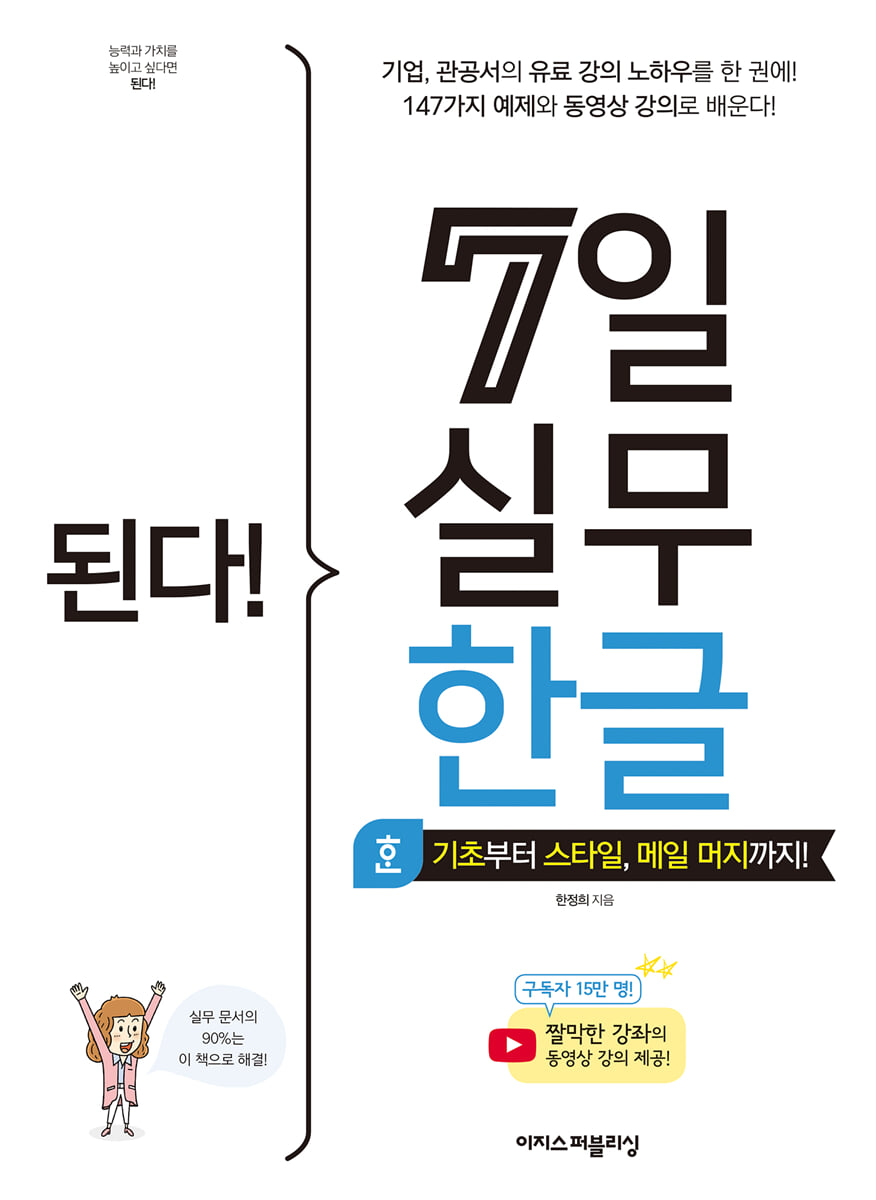
It's possible! 7-day practical Korean
 |
Description
Book Introduction
You can learn the basics in one day and even handle the press and mail merge in a week! A practical introduction to Korean language, packed with magical know-how to drastically reduce your work time! Discover paid lectures from real practitioners at public corporations and training institutes in book form! “I’ve been using Hangul programs since I was young, but I didn’t know they had this feature!”, “Thanks to the instructor, I can now finish work that used to require overtime in just 30 minutes.” The third book by instructor Han Jeong-hee, CEO of Ihan IT, a company specializing in lectures for government offices, companies, and universities in the Busan and Gyeongnam regions, and operator of the YouTube channel “Short Lectures,” which represents office utilization, has been published: “It Can Be Done! Practical Hangul in 7 Days.” This book provides detailed information on various practical methods for complete beginners, including how to set up the Hangul screen, document creation, tables and figures, styles, mail merge, and printing. And for those who find this content difficult, we also provide 'video lectures' so that anyone can easily get started with Hangul. We've also added thoughtful tips for practitioners throughout the book. Take this opportunity to enter the world of practical Korean! |
- You can preview some of the book's contents.
Preview
index
Chapter 1: Everything You Need to Edit Basic Documents
01-1 Setting up the screen for convenient document creation
01-2 Creating, saving, and loading documents
01-3 Converting Chinese characters and entering special characters
Specifying Block 01-4
01-5 Editing for Readability
01-6 Creating a document with bullets
01-7 Find and Replace
Chapter 2: Writing a Title and Quickly Decorating the Body
02-1 Basics of page setup, paper type and margins
02-2 Creating a title box using text boxes and tables
02-3 Reusing the title box by registering a common phrase
02-4 Style that sets the format consistently
02-5 Setting the outline shape
Chapter 3: How to Use Tables to Make Your Documents Stand Out
03-1 Shortcut keys for creating and editing tables
03-2 Autofill Table and Create Custom Lists
03-3 Divide page borders into cells and set title cells
03-4 Dividing and pasting tables
03-5 Inserting Captions
03-6 Inserting decimal places and table calculation formulas
Chapter 4 Inserting and Placing Pictures
04-1 Inserting a picture
04-2 Alignment with the text
04-3 Changing and Aligning Images
04-4 Screenshot
Chapter 5: How to Create Documents in Various Formats
05-1 Writing a formula
05-2 Multi-stage document
05-3 Page Border / Background and Base
05-4 Pressing frame and form object
05-5 Mail Merge and Labels
Chapter 6: Finalizing and Printing Documents
06-1 Preface and Footer
Page numbering 06-2
06-3 Creating a Table of Contents
06-4 Inserting Footnotes and Endnotes
06-5 Bookmarks and Hyperlinks
Copy/paste and insert documents on page 06-6
06-7 Printing and Print Settings
Search
Detailed image

Publisher's Review
6 Reasons Why You Should Study Practical Korean with This Book!
- Learn with 147 examples and feel confident!
- You can download the practice file and practice right away.
- Each and every practical training process is detailed and friendly.
- It's full of tips you can apply right away in practice!
- All versions available!
- Free video lectures covering the entire practical training process!
This book is perfect for:
- Civil servants who use Hangul every day but are unable to utilize its various functions.
- Office workers who want to build a solid foundation in Korean
- A new employee who is curious about the differences between Hangul and Word.
- Job seekers who are curious about the Korean language used in the workplace
- Anyone who wants to learn Korean easily!
If you just know the basics of Korean, your work time will be significantly reduced!
It contains the secrets of practical Korean language use that you can learn honestly and use effectively!
Korean programs are widely used in practical work, right? Those who use these programs have something in common.
This means that 'I didn't learn Korean properly, anywhere.'
Perhaps you've only used the 'Hangeul program' a few times when you first learned about computers as a child, when writing college assignments, or when you learned about the functions used by your supervisor at work.
Learning 'Hangul' this way is bound to be 'inefficient'.
So, this time, Han Jeong-hee, the author of "You Can Do It! Practical Excel, PowerPoint, Word & Hangul" and "You Can Do It! 7-Day Practical Excel" and instructor of "Short Course," has written a Hangul program book.
This is to teach you the Korean language you've been learning, but "properly"! We'll cover everything from the basics like document creation and screen setup to formatting styles, difficulty-based buttons, and even mail merge features.
Learn with 147 practical examples and get a solid foundation!
Each and every step of the training is detailed and friendly!
If you've ever worried, "What if this book doesn't cover what I need in a practical setting?", rest assured.
Because I prepared 'more' and 'more meticulous' examples.
With a whopping 147 practical examples, we're confident you'll master everything you need to know in practice! We've also prepared practical files filled with frequently used examples, so you can confidently utilize Hangul!
- Download the practice files: Easy Publishing website (www.easyspub.co.kr) → Click the [Data Room] menu → Search for '7-Day Practical Korean'
The entire training process is provided as a video lecture!
Learn Korean with high-quality courses that professionals admire!
Are you feeling overwhelmed by studying on your own? Or are you frustrated because you're not making progress with the book and the exercises? We've prepared this for you.
I'm talking about the author's video lectures, which cover the entire practical process! Already, 150,000 people have subscribed to the "Short Lectures" YouTube channel, encouraging and supporting each other as they study.
You too can boost your learning ability by 200% by studying with video lectures! - "Short Lectures" YouTube Channel: youtube.com/shortlectives
The author's unique know-how gained from extensive teaching experience is revealed!
Endless tips you can apply right away in your work!
You might wonder if you'll ever use this feature in practice. Do you really need to know this? But one day, there will come a time when it'll be truly useful.
The author's extensive teaching experience, combined with his meticulous teaching know-how, ensures you won't get lost during the practical training! Relevant information is included in speech bubble tips throughout the book, and the "Ask a Question" section is packed with helpful practical information.
"Meet intelligent readers who grow through books!"
[Do it! Study Room]: Learn, Share, and Grow Together
If you feel burdened by studying alone, visit the study cafe [Do it! Study Room].
You can meet readers who are studying the same book.
You can also participate in the [Do it! Study Group], upload your study plan, and put it into practice to receive a book as a gift and develop a consistent study habit.
- Do it! Study Room Cafe: cafe.naver.com/doitstudyroom → [Do it! Study Group] Menu
GOODS SPECIFICS
- Date of issue: October 12, 2023
- Page count, weight, size: 304 pages | 656g | 188*257*12mm
- ISBN13: 9791163035107
You may also like
카테고리
korean


korean


