

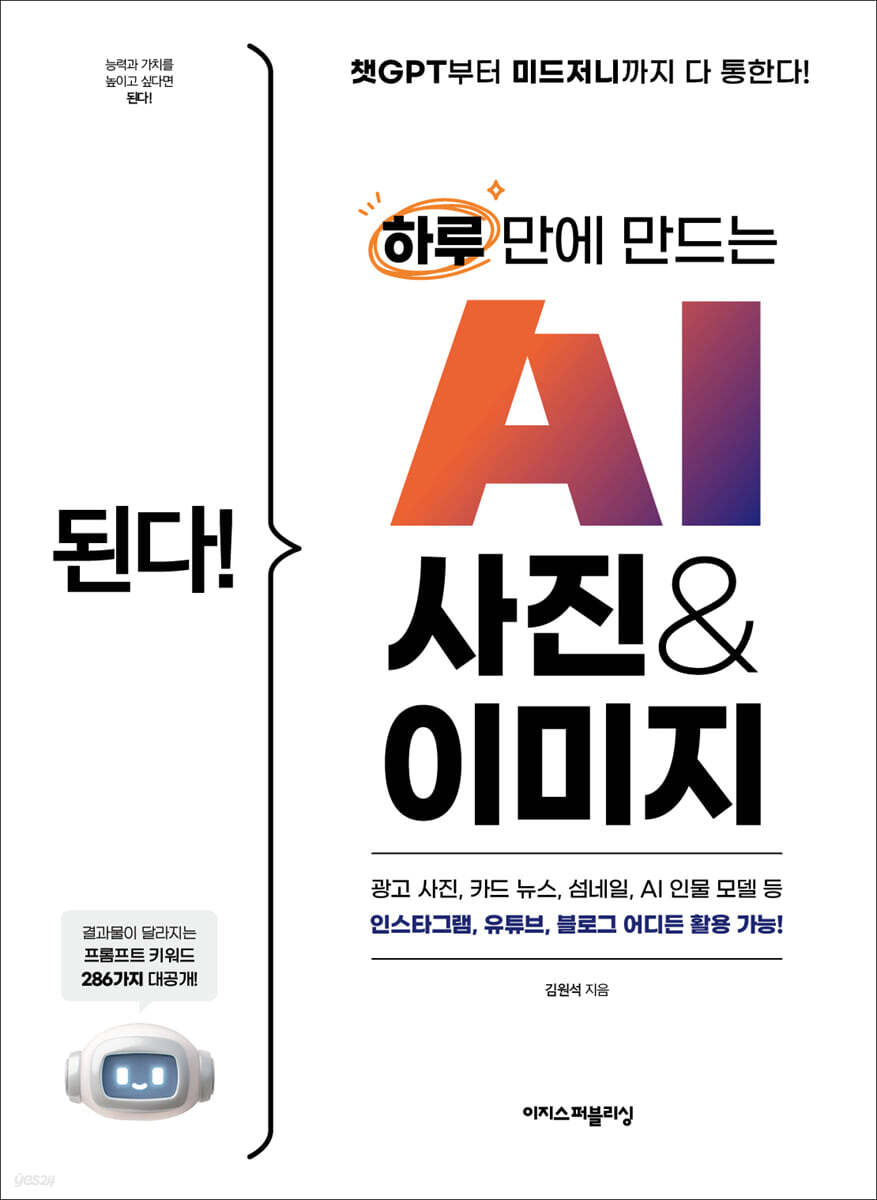
It works! Create AI photos and images in one day.
 |
Description
Book Introduction
Still looking for images to use on Instagram and YouTube?
From advertisements to card news to AI models! Now you can create them yourself in just 5 minutes!
The real reason AI can't understand what I'm saying is because of the 'method of requesting'.
"It Works! Create AI Photos & Images in One Day" reveals the "core secrets" that apply to any AI.
By filling in the blanks on the author's personally developed 'Prompt Checklist', you can transform your vague thoughts into concrete 'blueprints', and by selecting and adding 286 'Visual Keywords' like a dictionary, the level of the results will instantly change to that of a professional work.
Now, anyone—whether a solopreneur, marketer, or creator—can create any image they want, without worrying about copyright or expensive outsourcing. Experience the incredible experience of AI becoming your ultimate design partner. Start today!
From advertisements to card news to AI models! Now you can create them yourself in just 5 minutes!
The real reason AI can't understand what I'm saying is because of the 'method of requesting'.
"It Works! Create AI Photos & Images in One Day" reveals the "core secrets" that apply to any AI.
By filling in the blanks on the author's personally developed 'Prompt Checklist', you can transform your vague thoughts into concrete 'blueprints', and by selecting and adding 286 'Visual Keywords' like a dictionary, the level of the results will instantly change to that of a professional work.
Now, anyone—whether a solopreneur, marketer, or creator—can create any image they want, without worrying about copyright or expensive outsourcing. Experience the incredible experience of AI becoming your ultimate design partner. Start today!
- You can preview some of the book's contents.
Preview
index
Chapter 1: Image-Generating AI: Turning Imagination into Reality
01-1 Generative AI Deeply Embedded in Everyday Life
01-2 Understanding the Basic Concepts of Image Generation AI
In short, it delivers results! ― Generative AI
Representative generative AI - ChatGPT
Commands given to generative AI - prompts
9 Terms You Need to Know to Generate Images with AI
01-3 Create differentiated value with your own prompt!
Chapter 2: Easily Experience Image Generation AI
02-1 Create an image right now with ChatGPT
Just do it! } Create an image with ChatGPT
You can do it! } Modifying parts of an image created with ChatGPT
02-2 Introducing the various capabilities of image generation AI.
Convert sketch to image
Convert an image to a sketch
Improve image quality
Change or remove the background
Change of costume
Create different photos using portraits
Inpainting / Outpainting
Change the image style
02-3 Seven Representative Image Generation AIs
ChatGPT: A versatile AI that can draw even difficult pictures through conversation
All the design tools gathered together! ― Microsoft Designer
Select only the parts and edit them in real time! ― Crea
Fill in the prompts and write them out for you! ― Idiogram
Learning from my drawings! ― Leonardo AI
A comprehensive collection of AI image features! ― From AI
Great price, great features! ― Gemini
02-4 A Look at the Wider World of AI: Expert Tools
Overwhelming quality and precise control - Midjourney
Manga Drawing AI for Creators - Novel AI
What are the technologies and workflows used by design professionals?
A tool for designing a process for processing images sequentially - Compy UI
A lightweight workflow - Nordi
Chapter 3: Guide to Writing Prompts to Select the Image You Want
03-1 Basic Common Sense for Image Generation AI Users
The more detailed the prompt, the more accurate the results.
If the Korean prompt doesn't work for you, try English instead.
Same prompt, different results? Understanding the limitations of AI models.
AI image generation: It's important to use it responsibly.
03-2 Why you should be specific about your prompts
A specifically written prompt will work with any AI!
03-3 How to write a prompt that captures the essence of an image
What is an image?
The core of the image lies in the 'central element'!
How to express the central element?
How to Better Use Image Generation AI
Prompt Checklist to Complete Specific Prompts
Chapter 4: Keywords that bring life to your subject
04-1 Expressing a person's facial expressions and composition
Think of it as writing a self-introduction to describe your character!
Keywords that describe a character's age
Character's race/region keywords
Facial expression keywords that show a person's personality
Various keywords related to emotions
Keywords of impression
Hairstyle Keywords
Hairstyle texture keywords
Various keywords related to hairstyles
Expressing characters indirectly without visual description
Expressing a character's characteristics indirectly
Various keywords used in indirect expressions
Posture keywords that show personality
Composition keywords that focus attention
Keywords for handling a character's gaze
04-2 Animal depictions that transcend reality and imagination
Animal appearance keywords
Animal impression, pattern keywords
Keywords that make animals human-like
Change the animal's posture
Back view expression
04-3 Describing objects by feeling
Try changing the material of objects
Add keywords that match each material
Expressing objects by adding an abstract feeling
Having trouble expressing yourself concisely? Break it down into sentences.
04-4 Drawing landscapes that vary depending on the purpose
Draw a vivid landscape before your eyes
Realistically recreate buildings and locations using mood, perspective, and composition keywords.
Drawing a landscape with a background that emphasizes the central element
Chapter 5: Visual Expression Keywords that Add Depth to Images
05-1 Keywords by media type
Keywords related to art tools
Expression style keywords
Craft keywords
Statue Keywords
Digital Graphic Design Keywords
Illustration Keywords
Photo related keywords
Photo shoot theme keywords
05-2 Keywords for screen composition
Frame keyword
Height and angle keywords
Point keyword
Examples of keywords at various points in time
Composition keywords
05-3 Keywords about light and lighting
Depending on the direction of the light
Depending on the temperature of the light
Depending on how light is expressed
Chapter 6: Creating Your Own Image Using the Prompt Checklist
06-1 Icon/Logo/Sticker/Pictogram
Club symbol
Product trademark
Astronaut stickers
Polar bear stickers
pictogram
06-2 Characters/Emoticons that Convey Emotions
Characters for four-panel comics
Animal hospital mascot
virtual influencer
game characters
emoticon
06-3 Product Design Tips for Creating Ideas
Get design ideas
Pattern design
3D modeling draft of the product
Design sketches to put on t-shirts
06-4 Illustrations to help understand the text
Images for presentation materials
Recipe content to share on social media
Infographics to include in card news
Illustrations to include in blog posts
Chapter 7: Using the Created Image in Various Ways
07-1 Inpainting/outpainting to fill in the gaps in the image
You can do it! } Editing images with inpainting in ChatGPT
You can do it! } Select and edit a specific part of an image in ChatGPT
You can do it! } Drawing the outer part of an image with outpainting in From AI
07-2 Let's Learn Keywords with Images! Reverse Prompting
Just do it! } Reverse prompting with ChatGPT
07-3 Creating Visual Design Materials Using Canva
You can do it! } Create a simple comic with Canva
Just do it! } Designing an invitation
Just do it! } Create a recipe image to share on social media
07-4 Image to Video, a Taste of Image-to-Video AI
You can do it! } Make a video using images
Search
01-1 Generative AI Deeply Embedded in Everyday Life
01-2 Understanding the Basic Concepts of Image Generation AI
In short, it delivers results! ― Generative AI
Representative generative AI - ChatGPT
Commands given to generative AI - prompts
9 Terms You Need to Know to Generate Images with AI
01-3 Create differentiated value with your own prompt!
Chapter 2: Easily Experience Image Generation AI
02-1 Create an image right now with ChatGPT
Just do it! } Create an image with ChatGPT
You can do it! } Modifying parts of an image created with ChatGPT
02-2 Introducing the various capabilities of image generation AI.
Convert sketch to image
Convert an image to a sketch
Improve image quality
Change or remove the background
Change of costume
Create different photos using portraits
Inpainting / Outpainting
Change the image style
02-3 Seven Representative Image Generation AIs
ChatGPT: A versatile AI that can draw even difficult pictures through conversation
All the design tools gathered together! ― Microsoft Designer
Select only the parts and edit them in real time! ― Crea
Fill in the prompts and write them out for you! ― Idiogram
Learning from my drawings! ― Leonardo AI
A comprehensive collection of AI image features! ― From AI
Great price, great features! ― Gemini
02-4 A Look at the Wider World of AI: Expert Tools
Overwhelming quality and precise control - Midjourney
Manga Drawing AI for Creators - Novel AI
What are the technologies and workflows used by design professionals?
A tool for designing a process for processing images sequentially - Compy UI
A lightweight workflow - Nordi
Chapter 3: Guide to Writing Prompts to Select the Image You Want
03-1 Basic Common Sense for Image Generation AI Users
The more detailed the prompt, the more accurate the results.
If the Korean prompt doesn't work for you, try English instead.
Same prompt, different results? Understanding the limitations of AI models.
AI image generation: It's important to use it responsibly.
03-2 Why you should be specific about your prompts
A specifically written prompt will work with any AI!
03-3 How to write a prompt that captures the essence of an image
What is an image?
The core of the image lies in the 'central element'!
How to express the central element?
How to Better Use Image Generation AI
Prompt Checklist to Complete Specific Prompts
Chapter 4: Keywords that bring life to your subject
04-1 Expressing a person's facial expressions and composition
Think of it as writing a self-introduction to describe your character!
Keywords that describe a character's age
Character's race/region keywords
Facial expression keywords that show a person's personality
Various keywords related to emotions
Keywords of impression
Hairstyle Keywords
Hairstyle texture keywords
Various keywords related to hairstyles
Expressing characters indirectly without visual description
Expressing a character's characteristics indirectly
Various keywords used in indirect expressions
Posture keywords that show personality
Composition keywords that focus attention
Keywords for handling a character's gaze
04-2 Animal depictions that transcend reality and imagination
Animal appearance keywords
Animal impression, pattern keywords
Keywords that make animals human-like
Change the animal's posture
Back view expression
04-3 Describing objects by feeling
Try changing the material of objects
Add keywords that match each material
Expressing objects by adding an abstract feeling
Having trouble expressing yourself concisely? Break it down into sentences.
04-4 Drawing landscapes that vary depending on the purpose
Draw a vivid landscape before your eyes
Realistically recreate buildings and locations using mood, perspective, and composition keywords.
Drawing a landscape with a background that emphasizes the central element
Chapter 5: Visual Expression Keywords that Add Depth to Images
05-1 Keywords by media type
Keywords related to art tools
Expression style keywords
Craft keywords
Statue Keywords
Digital Graphic Design Keywords
Illustration Keywords
Photo related keywords
Photo shoot theme keywords
05-2 Keywords for screen composition
Frame keyword
Height and angle keywords
Point keyword
Examples of keywords at various points in time
Composition keywords
05-3 Keywords about light and lighting
Depending on the direction of the light
Depending on the temperature of the light
Depending on how light is expressed
Chapter 6: Creating Your Own Image Using the Prompt Checklist
06-1 Icon/Logo/Sticker/Pictogram
Club symbol
Product trademark
Astronaut stickers
Polar bear stickers
pictogram
06-2 Characters/Emoticons that Convey Emotions
Characters for four-panel comics
Animal hospital mascot
virtual influencer
game characters
emoticon
06-3 Product Design Tips for Creating Ideas
Get design ideas
Pattern design
3D modeling draft of the product
Design sketches to put on t-shirts
06-4 Illustrations to help understand the text
Images for presentation materials
Recipe content to share on social media
Infographics to include in card news
Illustrations to include in blog posts
Chapter 7: Using the Created Image in Various Ways
07-1 Inpainting/outpainting to fill in the gaps in the image
You can do it! } Editing images with inpainting in ChatGPT
You can do it! } Select and edit a specific part of an image in ChatGPT
You can do it! } Drawing the outer part of an image with outpainting in From AI
07-2 Let's Learn Keywords with Images! Reverse Prompting
Just do it! } Reverse prompting with ChatGPT
07-3 Creating Visual Design Materials Using Canva
You can do it! } Create a simple comic with Canva
Just do it! } Designing an invitation
Just do it! } Create a recipe image to share on social media
07-4 Image to Video, a Taste of Image-to-Video AI
You can do it! } Make a video using images
Search
Detailed image
.jpg)
Publisher's Review
“I’m terrible at drawing, can I do it too?”
- sure.
We have AI! Create copyright-free images for free!
Drawing skills or design experience are not required to read this book.
All you need is your imagination and this book.
You don't even have to worry about subscription costs for image generation AI.
This is because all the exercises in this book are based on ‘free AI.’
Since we're using free AI, you might be concerned that the image quality will be poor.
But after reading this book, you'll realize that free AI can produce high-quality images just like paid AI.
Create copyright-free images right now!
“I’ve never made an image before, will it be okay?”
- We will explain in detail how to use ChatGPT step by step!
“AI seems like it would be difficult.” Put those worries aside for now.
This book starts from the perspective of a complete beginner with no drawing skills or design experience.
We'll walk you through every step, from creating your first image using ChatGPT, the most popular AI tool, to signing up for AI services and learning their basic functions, all with helpful screenshots so anyone can easily follow along.
“I tried using AI because they said it was good, but I can’t get the image I want.”
- 'Prompt Checklist': AI perfectly understands your vague thoughts
The core of this book lies in the 'Prompt Checklist' independently developed by the author.
As you fill in the blanks on the checklist for "what to draw" and "how to express it," your vague ideas will be transformed into concrete blueprints that AI can instantly understand.
This is a very important technology in the AI era that can be used for a lifetime even if the tools change.
“I want to sound more professional, but I don’t know what words to use!”
- '286 keywords' that complete the details of the result
The quality of an image is ultimately determined by its details.
This book organizes 286 key keywords like a dictionary that elevate the quality of your work, from the subtle expressions of people and the vivid textures of animals to composition, lighting, and specific painting styles.
Elevate ordinary results to the level of high-quality work by accessing and using them whenever you need.
“I want to sound more professional, but I don’t know what words to use!”
- '286 keywords' that complete the details of the result
The quality of an image is ultimately determined by its details.
This book is a dictionary-like compilation of 286 key keywords that elevate the quality of your work, from the subtle expressions of people and the vivid textures of animals to composition, lighting, and specific painting styles.
Elevate ordinary results to the level of high-quality work by accessing and using them whenever you need.
“So… how can I use the images I created?”
- From creating social media content using Canva to inpainting/outpainting and reverse prompting!
Learning only theory is meaningless.
This book will help you fully internalize what you've learned through practical examples that can be immediately applied to your work and creative activities, such as logo design, PPT illustrations, card news, and character development.
In addition, we will teach you various techniques for utilizing the generated images, including inpainting, outpainting, and reverse prompting.
Stop wasting time and money outsourcing your designs.
Meet me on 'Padlet' and 'Discord', a space where I can show off my work!
Grow together in our reader community and get coaching directly from authors!
This book provides an online community run by the author himself to help readers avoid tiring out on their own.
The 'Padlet Gallery' is always open, where you can share your work anonymously and without pressure, and the 'Discord Server' is always open, where you can communicate in real time and even receive prompt coaching from the author.
Experience the joy of learning and growing together.
Easys AI Creator Discord: bit.ly/easys_ai_creator
Do it! Study Room Cafe: cafe.naver.com/doitstudyroom
[Recommended for these people!]
-A beginner who has no talent for drawing but wants to create cool images.
Marketers and planners who are tired of constantly searching for copyright-free images.
- Individual entrepreneurs and small business owners who are burdened by the cost of design outsourcing.
-All creators who want to visualize their ideas and increase their competitiveness.
- sure.
We have AI! Create copyright-free images for free!
Drawing skills or design experience are not required to read this book.
All you need is your imagination and this book.
You don't even have to worry about subscription costs for image generation AI.
This is because all the exercises in this book are based on ‘free AI.’
Since we're using free AI, you might be concerned that the image quality will be poor.
But after reading this book, you'll realize that free AI can produce high-quality images just like paid AI.
Create copyright-free images right now!
“I’ve never made an image before, will it be okay?”
- We will explain in detail how to use ChatGPT step by step!
“AI seems like it would be difficult.” Put those worries aside for now.
This book starts from the perspective of a complete beginner with no drawing skills or design experience.
We'll walk you through every step, from creating your first image using ChatGPT, the most popular AI tool, to signing up for AI services and learning their basic functions, all with helpful screenshots so anyone can easily follow along.
“I tried using AI because they said it was good, but I can’t get the image I want.”
- 'Prompt Checklist': AI perfectly understands your vague thoughts
The core of this book lies in the 'Prompt Checklist' independently developed by the author.
As you fill in the blanks on the checklist for "what to draw" and "how to express it," your vague ideas will be transformed into concrete blueprints that AI can instantly understand.
This is a very important technology in the AI era that can be used for a lifetime even if the tools change.
“I want to sound more professional, but I don’t know what words to use!”
- '286 keywords' that complete the details of the result
The quality of an image is ultimately determined by its details.
This book organizes 286 key keywords like a dictionary that elevate the quality of your work, from the subtle expressions of people and the vivid textures of animals to composition, lighting, and specific painting styles.
Elevate ordinary results to the level of high-quality work by accessing and using them whenever you need.
“I want to sound more professional, but I don’t know what words to use!”
- '286 keywords' that complete the details of the result
The quality of an image is ultimately determined by its details.
This book is a dictionary-like compilation of 286 key keywords that elevate the quality of your work, from the subtle expressions of people and the vivid textures of animals to composition, lighting, and specific painting styles.
Elevate ordinary results to the level of high-quality work by accessing and using them whenever you need.
“So… how can I use the images I created?”
- From creating social media content using Canva to inpainting/outpainting and reverse prompting!
Learning only theory is meaningless.
This book will help you fully internalize what you've learned through practical examples that can be immediately applied to your work and creative activities, such as logo design, PPT illustrations, card news, and character development.
In addition, we will teach you various techniques for utilizing the generated images, including inpainting, outpainting, and reverse prompting.
Stop wasting time and money outsourcing your designs.
Meet me on 'Padlet' and 'Discord', a space where I can show off my work!
Grow together in our reader community and get coaching directly from authors!
This book provides an online community run by the author himself to help readers avoid tiring out on their own.
The 'Padlet Gallery' is always open, where you can share your work anonymously and without pressure, and the 'Discord Server' is always open, where you can communicate in real time and even receive prompt coaching from the author.
Experience the joy of learning and growing together.
Easys AI Creator Discord: bit.ly/easys_ai_creator
Do it! Study Room Cafe: cafe.naver.com/doitstudyroom
[Recommended for these people!]
-A beginner who has no talent for drawing but wants to create cool images.
Marketers and planners who are tired of constantly searching for copyright-free images.
- Individual entrepreneurs and small business owners who are burdened by the cost of design outsourcing.
-All creators who want to visualize their ideas and increase their competitiveness.
GOODS SPECIFICS
- Date of issue: August 26, 2025
- Page count, weight, size: 208 pages | 562g | 188*257*11mm
- ISBN13: 9791163037576
You may also like
카테고리
korean


korean

![GQ KOREA Mark (Monthly): December [2025]](http://librairie.coreenne.fr/cdn/shop/files/8ef265dbbfbf186523ed75ba7319009d.jpg?v=1765340328&width=3840)


