

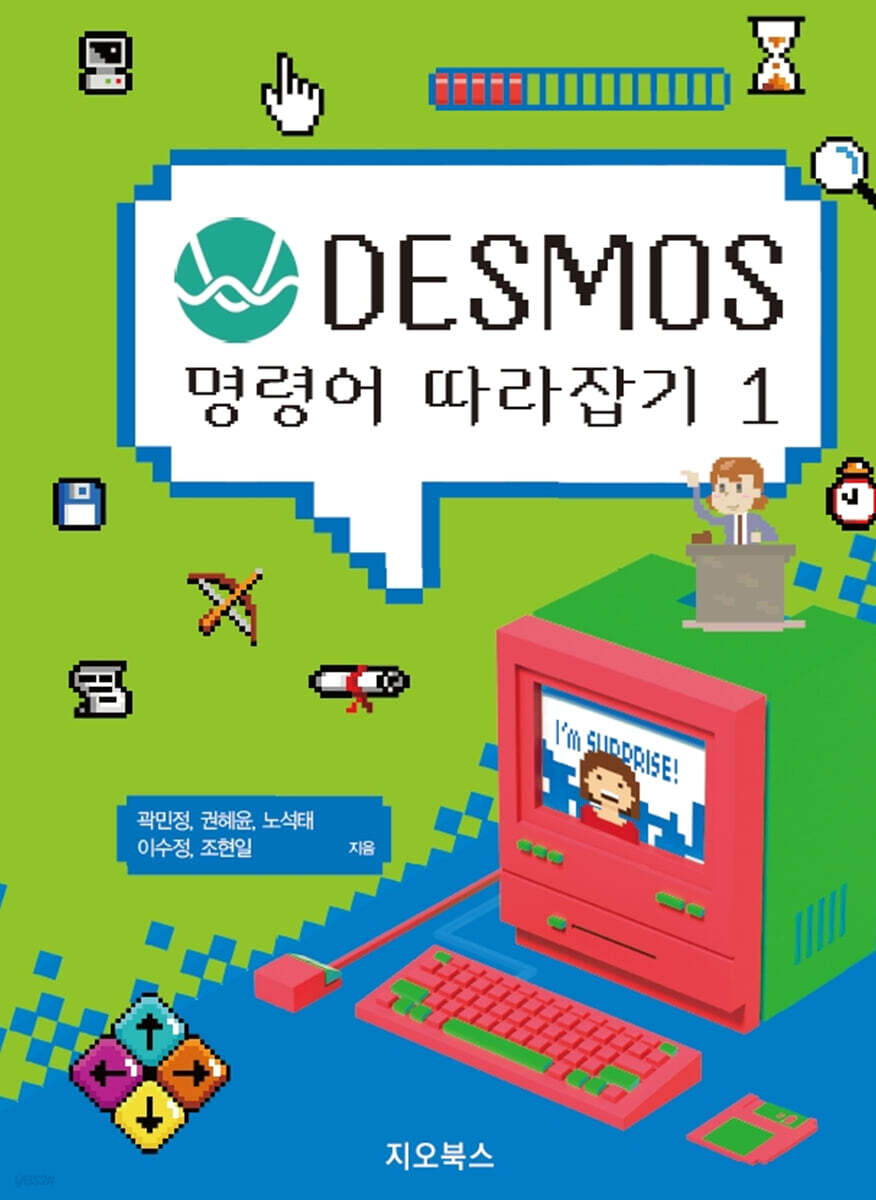
Catch up on the DESMOS command 1
 |
Description
Book Introduction
The wave of edutech for better classes has become an unavoidable reality.
Knowing the commands used in Desmos allows you to modify activities that use advanced techniques to fit your class or implement the techniques you want.
Desmos activity is an engineering tool ppt + worksheet + metaverse.
From the teacher's perspective, it is a tool that helps with class progress, and from the student's perspective, it is a bundle of assignments that contains all the material to be studied in one place.
Desmos creates an environment where students can utilize free Wi-Fi in the classroom and tablets provided to them most effectively during math class time.
Lessons conducted with well-structured Desmos activities provide mathematical immersion for teachers and students.
It is a ‘sharing of experiences’ between teachers and students.
Desmos activities also provide material for mathematical conversations during class.
This made it possible to have a 'dialogic discourse' that elicits students' mathematical expressions and thoughts.
Wouldn't you like to provide students with dynamic inquiry materials they can manipulate and observe, replacing paper worksheets? Wouldn't you also like to conveniently review student progress and provide feedback? If you want to incorporate the benefits of edutech into your everyday classes, I highly recommend giving Desmos a try.
Knowing the commands used in Desmos allows you to modify activities that use advanced techniques to fit your class or implement the techniques you want.
Desmos activity is an engineering tool ppt + worksheet + metaverse.
From the teacher's perspective, it is a tool that helps with class progress, and from the student's perspective, it is a bundle of assignments that contains all the material to be studied in one place.
Desmos creates an environment where students can utilize free Wi-Fi in the classroom and tablets provided to them most effectively during math class time.
Lessons conducted with well-structured Desmos activities provide mathematical immersion for teachers and students.
It is a ‘sharing of experiences’ between teachers and students.
Desmos activities also provide material for mathematical conversations during class.
This made it possible to have a 'dialogic discourse' that elicits students' mathematical expressions and thoughts.
Wouldn't you like to provide students with dynamic inquiry materials they can manipulate and observe, replacing paper worksheets? Wouldn't you also like to conveniently review student progress and provide feedback? If you want to incorporate the benefits of edutech into your everyday classes, I highly recommend giving Desmos a try.
index
Ⅰ.
Basic usage of desmos commands
1.
Copy and paste slides ·········································································································· 12
2.
Inserting into a searched graph activity ································································ 13
3.
How to insert emojis ···················································································································· 14
4.
Entering a formula ············································································································· 15
5.
Understanding General Syntax ··································································································· 17
II.
Learn 50 Desmos commands
Volume 1
1.
aggregate (aggregate) ·································································································· 22
2.
allowEraser (whether to use the eraser) ················································································ 26
3.
animationDuration (playback length) ··········································································· 28
4.
animationTime (current playback time) ······················································································· 30
5.
availableColors (available colors) ······················································································ 32
6.
background (background) ······································································································· 34
7.
bounds ···························································································································· 37
8.
calculatorState (graph, display the state of the drawing board) ················································ 39
9.
capture (capture) ···································································································· 41
10.
cellContent (cell contents) ················································································ 43
11.
cellDisableEvaluation (Do not calculate cell values) ··················································· 47
12.
cellEditable (whether cell input is possible) ············································································ 50
13.
cellErrorMessage (cell error message) ················································································ 51
14.
cellHasFocus (make cell input stand out) ······································································· 52
15.
cellNumericValue (cell numeric value) ······························································ 54
16.
cellSuffix (cell suffix) ················································································ 56
17.
choiceContent (Setting multiple choice content) ································································· 58
18.
clearOnReset (clear answer) ················································································· 61
19.
columnNumericValues (collection of column numbers in the table) ···················································· 63
20.
content (memo) ·························································································································· 65
21.
correct (check answer) ·································································································· 67
22.
coverText (cover slide) ································································································· 73
23.
coverButtonLabel (cover slide button) ··························································· 75
24.
currentStroke (expression of sketch situation) ········································································· 76
25.
currentX (Displays the position of the mouse pointer in Paint) ··············································································· 78
26.
currentY (Displays the position of the mouse in the drawing board) ·················································· 78
27.
disableEvaluation (disable calculation) ·················································································· 79
28.
disableCalculatorReason (Disable calculator icon) ······································ 81
29.
disabled (button disabled) ······················································································· 83
30.
disableRowChanges (Disables adding rows to a table) ································································ 86
31.
disableSketch (Disable Paint) ·································································································· 88
32.
errorMessage (error message notification) ······················································································ 90
33.
explainContent (automatically copy the answer content screen) ····················································· 92
34.
explainPrompt (sentence requesting explanation of answer choice) ······················································ 95
35.
firstDefinedValue (Setting initial value) ················································································· 99
36.
function (function) ··················································································································· 101
37.
graphLayer (load as graph background) ············································ 103
38.
hidden (hidden) ·················································································································· 106
39.
hideSketch (Hide Sketch) ····································································· 108
40.
history (show cumulatively) ·················································································· 110
41.
initialCellContent (Insert initial value into table) ························································ 113
42.
initialColor (Setting the initial color of Paint) ································································ 115
43.
initialLatex (Setting the initial formula) ······································································ 116
44.
initialOrder (Setting the initial sort order) ································································· 118
45.
initialText (Setting the initial text) ·································································· 121
46.
initialTool (Sketch initial tool settings) ·································································· 123
47.
isAnimating (recognizes when a graph video is running) ································································· 124
48.
isSelected (View Selection) ··················································································································· 126
49.
itemContent (Set list contents) ············································································ 128
50.
label (naming the action button) ······························································································· 131
Basic usage of desmos commands
1.
Copy and paste slides ·········································································································· 12
2.
Inserting into a searched graph activity ································································ 13
3.
How to insert emojis ···················································································································· 14
4.
Entering a formula ············································································································· 15
5.
Understanding General Syntax ··································································································· 17
II.
Learn 50 Desmos commands
Volume 1
1.
aggregate (aggregate) ·································································································· 22
2.
allowEraser (whether to use the eraser) ················································································ 26
3.
animationDuration (playback length) ··········································································· 28
4.
animationTime (current playback time) ······················································································· 30
5.
availableColors (available colors) ······················································································ 32
6.
background (background) ······································································································· 34
7.
bounds ···························································································································· 37
8.
calculatorState (graph, display the state of the drawing board) ················································ 39
9.
capture (capture) ···································································································· 41
10.
cellContent (cell contents) ················································································ 43
11.
cellDisableEvaluation (Do not calculate cell values) ··················································· 47
12.
cellEditable (whether cell input is possible) ············································································ 50
13.
cellErrorMessage (cell error message) ················································································ 51
14.
cellHasFocus (make cell input stand out) ······································································· 52
15.
cellNumericValue (cell numeric value) ······························································ 54
16.
cellSuffix (cell suffix) ················································································ 56
17.
choiceContent (Setting multiple choice content) ································································· 58
18.
clearOnReset (clear answer) ················································································· 61
19.
columnNumericValues (collection of column numbers in the table) ···················································· 63
20.
content (memo) ·························································································································· 65
21.
correct (check answer) ·································································································· 67
22.
coverText (cover slide) ································································································· 73
23.
coverButtonLabel (cover slide button) ··························································· 75
24.
currentStroke (expression of sketch situation) ········································································· 76
25.
currentX (Displays the position of the mouse pointer in Paint) ··············································································· 78
26.
currentY (Displays the position of the mouse in the drawing board) ·················································· 78
27.
disableEvaluation (disable calculation) ·················································································· 79
28.
disableCalculatorReason (Disable calculator icon) ······································ 81
29.
disabled (button disabled) ······················································································· 83
30.
disableRowChanges (Disables adding rows to a table) ································································ 86
31.
disableSketch (Disable Paint) ·································································································· 88
32.
errorMessage (error message notification) ······················································································ 90
33.
explainContent (automatically copy the answer content screen) ····················································· 92
34.
explainPrompt (sentence requesting explanation of answer choice) ······················································ 95
35.
firstDefinedValue (Setting initial value) ················································································· 99
36.
function (function) ··················································································································· 101
37.
graphLayer (load as graph background) ············································ 103
38.
hidden (hidden) ·················································································································· 106
39.
hideSketch (Hide Sketch) ····································································· 108
40.
history (show cumulatively) ·················································································· 110
41.
initialCellContent (Insert initial value into table) ························································ 113
42.
initialColor (Setting the initial color of Paint) ································································ 115
43.
initialLatex (Setting the initial formula) ······································································ 116
44.
initialOrder (Setting the initial sort order) ································································· 118
45.
initialText (Setting the initial text) ·································································· 121
46.
initialTool (Sketch initial tool settings) ·································································· 123
47.
isAnimating (recognizes when a graph video is running) ································································· 124
48.
isSelected (View Selection) ··················································································································· 126
49.
itemContent (Set list contents) ············································································ 128
50.
label (naming the action button) ······························································································· 131
Publisher's Review
Desmos Activity is an engineering tool ppt learning material metaverse.
From the teacher's perspective, it is a tool that helps with class progress, and from the student's perspective, it is a bundle of assignments that contains all the material to be studied in one place.
Desmos creates an environment where students can utilize free Wi-Fi in the classroom and tablets provided to them most effectively during math classes.
Wouldn't you like to provide dynamic inquiry materials that individual students can manipulate and observe, replacing paper worksheets? Wouldn't you also like to conveniently review student progress and provide feedback? If you want to incorporate the benefits of edutech into your everyday classes, I highly recommend trying Desmos.
-Kwak Min-jeong, Changwon Daeam High School
The Desmos program is a cost-effective teaching tool.
Preparing for classes with the Desmos program was simpler than I thought.
Lessons led by well-structured Desmos activities provide mathematical immersion for teachers and students.
It is a ‘sharing of experiences’ between teachers and students.
Desmos activities also provide material for mathematical conversations during class.
This made it possible to have a 'dialogic discourse' that elicits students' mathematical expressions and thoughts.
The purpose of this book is to help fellow teachers create effective teaching tools easily and conveniently.
I support all math teachers in Korea.
- Gamgye Middle School Kwon Hye-yoon
Getting students to focus on mathematical thinking in math class seems like a no-brainer, but it was a challenge for me.
Using Desmos, I was able to present students with tasks I had imagined, and they understood and provided feedback on these tasks.
Additionally, the opinions presented by these students became topics for class discussion, allowing us to fill the class with the children's thoughts.
The wave of edutech for better classes has become an unavoidable reality.
If you can't avoid it, why not try riding the waves on Desmos? - Noh Seok-tae, Gyeonggi Science High School
Like living organisms, mathematics and mathematics education change and evolve every day.
For that reason, classes where students sit still and are spoon-fed are no longer enjoyable for either the teacher or the students.
The joy of participating and becoming the main subject of the class.
The thrill of making mistakes and learning as much as you want.
For teachers and students pursuing true learning, Desmos can be a ray of light.
There are those who have never used Desmos, but there are none who have used it only once! I believe this book will be a valuable guide for those who want to understand its true value and study it more deeply.
- Moon Tae-seon, Guangzhou Korean School
There are many tools that students can experiment with and manipulate, but I don't think I've ever seen one that includes as many tools as Desmos, making it possible to have a full-on lesson from start to finish.
Desmos is easily accessible on smartphones, tablets, and other devices, even if you don't have a computer, and it can be used without installing any apps or programs. Once I learned how to use it, I found it really useful in class.
Knowing the commands used in Desmos will allow you to modify activities that use advanced techniques to fit your class or implement the techniques you want.
I hope this book will be helpful to those who teach using Desmos.
- Moon Hye-ryeong, Bansong Middle School
I had a lot of concerns about the class.
While creating and refining the worksheet, I felt regretful that I could not express the content I wanted to express.
Using Desmos in my classes helped me alleviate most of my worries, and I started by finding activities, translating them, and adapting them.
Seeing the students having fun and actively participating made me want to create activities with my own ideas.
If you have a good lesson idea, share it with Desmos.
I hope this book will be of great help to teachers.
- Lee Su-jeong, Gamgye Middle School
I can't forget the day I first encountered rolling the Desmos marbles.
After I first learned about Desmos, I had so much fun exploring the various activities all night long that I thought, 'Math teachers should definitely use Desmos.'
After taking classes, I always felt like something was missing, but using Desmos has solved a lot of that.
I hope that other teachers will also be able to solve these problems by using Desmos.
I also hope that this book will provide you with an opportunity to learn more about Desmos.
- Jo Hyeon-il, Sangdang Middle School
From the teacher's perspective, it is a tool that helps with class progress, and from the student's perspective, it is a bundle of assignments that contains all the material to be studied in one place.
Desmos creates an environment where students can utilize free Wi-Fi in the classroom and tablets provided to them most effectively during math classes.
Wouldn't you like to provide dynamic inquiry materials that individual students can manipulate and observe, replacing paper worksheets? Wouldn't you also like to conveniently review student progress and provide feedback? If you want to incorporate the benefits of edutech into your everyday classes, I highly recommend trying Desmos.
-Kwak Min-jeong, Changwon Daeam High School
The Desmos program is a cost-effective teaching tool.
Preparing for classes with the Desmos program was simpler than I thought.
Lessons led by well-structured Desmos activities provide mathematical immersion for teachers and students.
It is a ‘sharing of experiences’ between teachers and students.
Desmos activities also provide material for mathematical conversations during class.
This made it possible to have a 'dialogic discourse' that elicits students' mathematical expressions and thoughts.
The purpose of this book is to help fellow teachers create effective teaching tools easily and conveniently.
I support all math teachers in Korea.
- Gamgye Middle School Kwon Hye-yoon
Getting students to focus on mathematical thinking in math class seems like a no-brainer, but it was a challenge for me.
Using Desmos, I was able to present students with tasks I had imagined, and they understood and provided feedback on these tasks.
Additionally, the opinions presented by these students became topics for class discussion, allowing us to fill the class with the children's thoughts.
The wave of edutech for better classes has become an unavoidable reality.
If you can't avoid it, why not try riding the waves on Desmos? - Noh Seok-tae, Gyeonggi Science High School
Like living organisms, mathematics and mathematics education change and evolve every day.
For that reason, classes where students sit still and are spoon-fed are no longer enjoyable for either the teacher or the students.
The joy of participating and becoming the main subject of the class.
The thrill of making mistakes and learning as much as you want.
For teachers and students pursuing true learning, Desmos can be a ray of light.
There are those who have never used Desmos, but there are none who have used it only once! I believe this book will be a valuable guide for those who want to understand its true value and study it more deeply.
- Moon Tae-seon, Guangzhou Korean School
There are many tools that students can experiment with and manipulate, but I don't think I've ever seen one that includes as many tools as Desmos, making it possible to have a full-on lesson from start to finish.
Desmos is easily accessible on smartphones, tablets, and other devices, even if you don't have a computer, and it can be used without installing any apps or programs. Once I learned how to use it, I found it really useful in class.
Knowing the commands used in Desmos will allow you to modify activities that use advanced techniques to fit your class or implement the techniques you want.
I hope this book will be helpful to those who teach using Desmos.
- Moon Hye-ryeong, Bansong Middle School
I had a lot of concerns about the class.
While creating and refining the worksheet, I felt regretful that I could not express the content I wanted to express.
Using Desmos in my classes helped me alleviate most of my worries, and I started by finding activities, translating them, and adapting them.
Seeing the students having fun and actively participating made me want to create activities with my own ideas.
If you have a good lesson idea, share it with Desmos.
I hope this book will be of great help to teachers.
- Lee Su-jeong, Gamgye Middle School
I can't forget the day I first encountered rolling the Desmos marbles.
After I first learned about Desmos, I had so much fun exploring the various activities all night long that I thought, 'Math teachers should definitely use Desmos.'
After taking classes, I always felt like something was missing, but using Desmos has solved a lot of that.
I hope that other teachers will also be able to solve these problems by using Desmos.
I also hope that this book will provide you with an opportunity to learn more about Desmos.
- Jo Hyeon-il, Sangdang Middle School
GOODS SPECIFICS
- Date of issue: September 1, 2023
- Page count, weight, size: 131 pages | 188mm
- ISBN13: 9791191346701
- ISBN10: 1191346706
You may also like
카테고리
korean


korean

![GQ KOREA Mark (Monthly): December [2025]](http://librairie.coreenne.fr/cdn/shop/files/8ef265dbbfbf186523ed75ba7319009d.jpg?v=1765340328&width=3840)


