

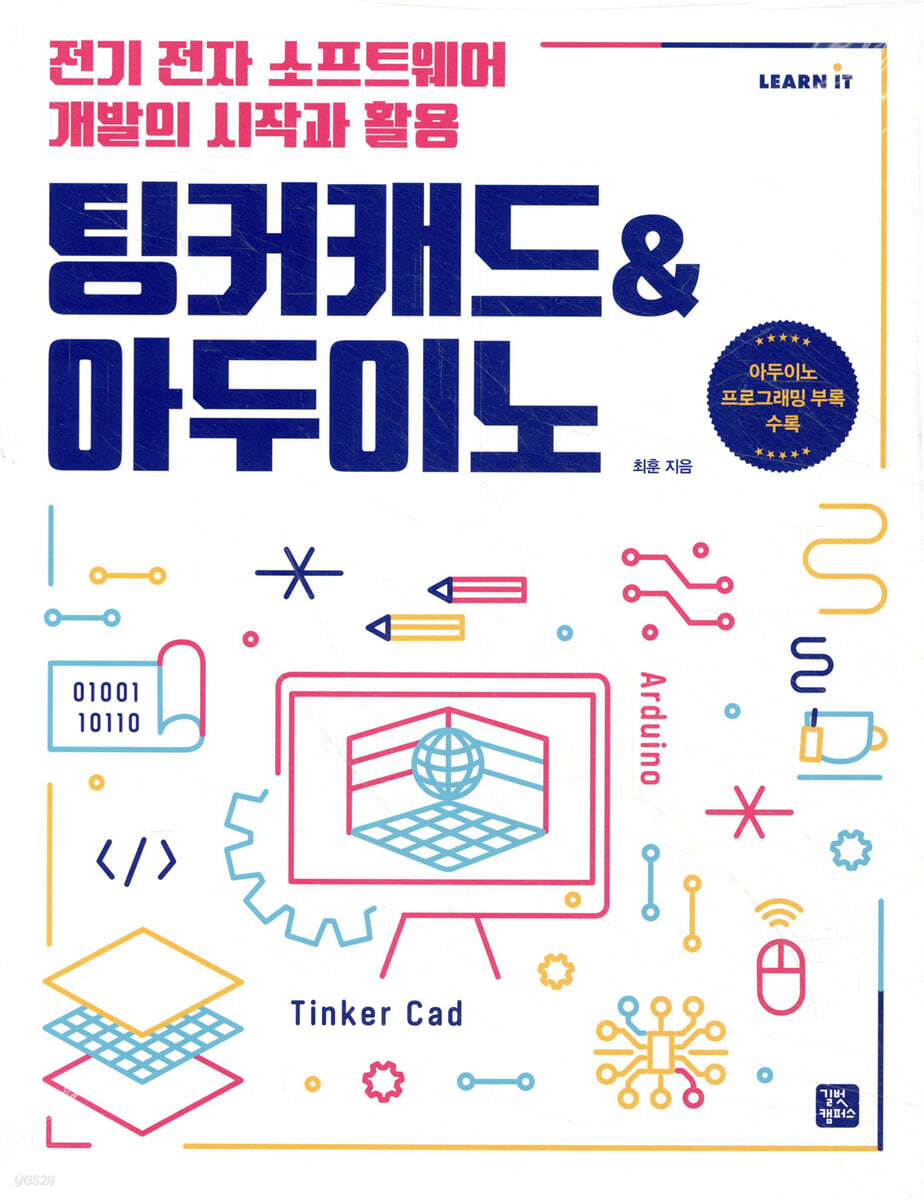
Tinkercad & Arduino
 |
Description
Book Introduction
The beginning of IoT and artificial intelligence, learning without a kit.
TinkerCAD & Arduino for Electrical and Electronic Software Development
In the TinkerCAD environment, non-specialists and beginners can increase their understanding of the basic concepts of electronic circuits and programming required to utilize Arduino, and learn how to utilize projects through various experiential and hands-on activity examples.
You can learn how the Internet of Things (IoT) and artificial intelligence work by practicing with TinkerCAD without a separate kit, and learn the basic principles and operation of electronic circuits, as well as how to use electronic components, electronic circuits, and Arduino through interesting and diverse projects.
The appendix provides tips for Arduino programming and basic C and C++ grammar for programming.
TinkerCAD & Arduino for Electrical and Electronic Software Development
In the TinkerCAD environment, non-specialists and beginners can increase their understanding of the basic concepts of electronic circuits and programming required to utilize Arduino, and learn how to utilize projects through various experiential and hands-on activity examples.
You can learn how the Internet of Things (IoT) and artificial intelligence work by practicing with TinkerCAD without a separate kit, and learn the basic principles and operation of electronic circuits, as well as how to use electronic components, electronic circuits, and Arduino through interesting and diverse projects.
The appendix provides tips for Arduino programming and basic C and C++ grammar for programming.
- You can preview some of the book's contents.
Preview
index
Chapter 1: Basic Concepts of Electricity and TinkerCAD
1-1 What is electricity?
1-2 Basic Concepts of Electricity
voltage
current
resistance
A light bulb with electricity flowing through it
1-3 Basics of Electronic Circuits
Electronic circuits and circuit diagrams
Closed and open circuits
Series and parallel circuits
Part reference designation character
Experience Activity ① Creating a Circuit Using TinkerCAD
1-1 Getting Started with TinkerCAD
Access Tinkercad
Choose your account type and account creation method
Fill out the basic information to create an account.
Complete account creation and log in
1-2 Using Tinkercad
Beginning circuit building
Create a new circuit from the circuit screen
Select circuit components
Place on the workbench
Rotating and mirroring circuit components
Connecting circuit components with wires
Change the color of the wire
Checking the operation of the electronic circuit you created
Chapter 2: Expression and Measurement of Voltage and Current
2-1 How to express voltage
Voltage, the relative difference in electrical energy between two points
Having size and direction
2-2 How to express current
Current is the flow of electrical energy from a high level to a low level.
Current that has magnitude and direction
Experience Activity ① Measuring Voltage and Current
1-1 Multimeter to measure voltage and current
Tinkercad's multimeter
How to select a measurement mode on a multimeter
Parallel connection of multimeters to measure voltage
Series connection of multimeters to measure current
1-2 Measuring voltage and current in a circuit
Measuring the voltage across a light bulb
Measuring the current flowing in a circuit
Chapter 3 Resistance and Ohm's Law
3-1 Resistance and Resistors
Resistance that impedes the flow of current
carbon film resistor
3-2 Ohm's Law
3-3 Series and parallel connection of resistors
Series connection of resistors
Parallel connection of resistors
Power consumed in 3-4 resistors
What is electricity?
Power supply and power consumption
Experience Activity ① Understanding Ohm's Law
1-1 Power supply
Power supply unit that supplies electrical energy
Constant voltage mode and constant current mode of the power supply
1-2 Understanding Ohm's Law by Measuring Voltage and Current
Simple resistance circuit configuration
Voltage and current measurement
Experience Activity ② Understanding series and parallel resistance circuits
2-1 Series-connected resistor circuit
Building a Series Resistor Circuit
Verifying the voltage-current characteristics of series-connected resistors through simulation
2-2 Parallel connected resistor circuit
Building a parallel resistor circuit
Verifying voltage-current characteristics in a parallel resistor circuit using simulation
Chapter 4: Capacitors and Inductors that Store Energy
4-1 What kind of component is a capacitor?
capacitor
Electrolytic capacitors and ceramic capacitors
Principle of storing electrical energy in a capacitor
Charging and discharging of capacitors
debounce circuit
4-2 What kind of component is an inductor?
Inductor
Inductor operation
Experience Activity ① Understanding the operation of capacitors
1-1 Circuit configuration for verifying the operation of the capacitor
1-2 Checking the charging operation of the capacitor
1-3 Checking the discharge operation of the capacitor
Experience Activity ② Understanding the Operation of Inductors
2-1 Circuit configuration for checking the operation of the inductor
2-2 Checking the operation of the inductor
Chapter 5: Diodes and Transistors
5-1 What is a semiconductor?
5-2 What kind of component is a diode?
Diode bias
Types of diodes
5-3 What kind of component is a transistor?
transistor
Basic operation of a transistor
Switching circuit using transistors
Experience Activity ① Understanding the basic operation of a diode
1-1 Forward bias of diode
Reverse bias of 1-2 diodes
Experience Activity ② Understanding the operation of a diode rectifier circuit
2-1 Function generator that creates a voltage signal of the desired shape
An oscilloscope that displays the signal changes over 2-2 hours on the screen.
2-3 Operation of diode rectifier circuit
Configuration of a diode half-wave rectifier circuit
Operation of diode half-wave rectifier circuit
Experience Activity ③ Understanding LED Operation
3-1 Basic operation of LED
Circuit configuration for checking LED operation
LED operation
Experience Activity ④ Understanding the Operation of Transistor Switching Circuits
4-1 Switching operation of transistor
Configuration of a transistor switching circuit
Operation of transistor switching circuits
Chapter 6: Getting Started with Arduino
6-1 What is Arduino?
Arduino board
Software development environment
Using the Arduino Integrated Development Environment
6-2 Tinkercad's Arduino Simulator
Experience Activity ① Using the Arduino Simulator
1-1 Arduino Simulator
Experience Activity ② Using a Breadboard
2-1 Breadboard
2-2 Circuit configuration using a breadboard
Chapter 7: Analog and Digital Signals
What is signal 7-1?
Basic concepts of signals
DC and AC signals
7-2 Analog and digital signals
Chapter 8 Digital Data Input/Output
8-1 Arduino data input/output
How to use the digital output function
How to use digital input functions
8-2 Pull-up and pull-down resistors for digital inputs
Pull-up resistance
pull-down resistor
Internal pull-up resistor
Experience Activity ① Understanding the Blink Example
1-1 Basic composition and contents of a sketch
Experience Activity ② Using the Serial Monitor
2-1 Arduino's Serial Monitor
2-2 How to use the serial monitor
Initialization tasks for serial communication
Outputting data using the serial monitor
Data entry using the serial monitor
Experience Activity ③ Making LED Traffic Lights
3-1 LED and resistor for traffic lights
3-2 LED traffic lights
Experience Activity ④ Making a Digital Counter Using Push Buttons
4-1 Push button for digital data input
4-2 Creating a Digital Counter
Chapter 9: Analog Data Input/Output
9-1 Arduino's analog data input/output
9-2 Analog-to-digital converter for analog input
analog-to-digital converter
How to use analog input functions
Use of the AREF pin to improve the accuracy of analog data input
9-3 Pulse Width Modulation for Analog Output
pulse width modulation
How to use the analog output function
Matching analog input and output ranges
Experience Activity ① Adjusting the LED brightness
1-1 LED brightness control using PWM output
Experience Activity ② Controlling LED brightness with a variable resistor
2-1 Variable resistor
2-2 Controlling LED brightness using a variable resistor
Experience Activity ③ Making Rainbow Lights Using RGB LEDs
3-1 RGB LED using additive mixing principle
additive mixing principle
RGB LED
Rainbow lighting using 3-2 RGB LEDs
Chapter 10: Functions and Libraries
10-1 Arduino Functions
Arduino's built-in functions
Arduino user functions
10-2 Arduino Library
Experience Activity ① Controlling a Servo Motor
1-1 Servo Motor
Operating principle of servo motor
Servo Motor Library
1-2 Servo motor control
Experience Activity ② Using the Keypad
2-1 Keypad
How the keypad works
Keypad Library
2-2 Enter input using the keypad
Chapter 11: 7-segment display
11-1 7-segment display 287
11-2 7-segment decoder 290
Experience Activity ① Displaying numbers 0 to 9 on a 7-segment display
1-1 Arduino output
Direct control of 7-segment displays 294
Using 1-2 CD4511
Controlling 7-Segment Displays 299
Experience Activity ② Creating a Digital Counter Using a 7-Segment Display
2-1 Digital counter using 7-segment display
Chapter 12 Text LCD
12-1 General LCD 16 X 2
12-2 I2C Text LCD
CG-ROM and CG-RAM of 12-3 LCD
12-4 Text LCD Library and Member Functions
Experience Activity ① How to use the library for each type of text LCD
1-1 General LCD 16 X 2 and LiquidCristal library
1-2 I2C LCD (MCP23008) and Adafruit_LiquidCrystal library
1-3 I2C LCD (PCF8574) and LiquidCrystal_I2C library
Experience Activity ② Controlling the basic operations of the text LCD
2-1 Circuit preparation for checking the basic operation of the LCD
2-2 LCD using member functions
Basic motion control
clear() function, setCursor() function
cursor() / noCursor() functions, home( ) function
blink() / noBlink() functions
display() / noDisplay() functions
scrollDisplayLeft() / scrollDisplayRight() functions
autoscroll() / noAutoscroll functions
leftToRight() / rightToLeft() functions
Experience Activity ③ Outputting custom characters on a text LCD
3-1 Custom character output
Chapter 13: Using Various Sensors
13-1 Various Sensors in TinkerCAD
Experience Activity ① Creating a tilt detection system using a tilt sensor
1-1 Tilt Sensor
1-2 Tilt Detection System
Experience Activity ② Making a Smart Flower Pot Using a Soil Moisture Sensor
2-1 Soil moisture sensor
2-2 Smart Flower Pot
Experience Activity ③ Making a Smart Streetlight with a Photo Resistor
3-1 Photoresistor
3-2 Smart Streetlights
Experience Activity ④ Creating an Intrusion Detection System with a PIR Sensor
4-1 PIR sensor
4-2 Intrusion Detection System
Experience Activity ⑤ Creating a Pressure Measurement System Using a Force Sensor
5-1 Force Sensor
5-2 Pressure Measurement System
Experience Activity ⑥ Making a Gas Leak Alarm Using a Gas Sensor
6-1 Gas Sensor
6-2 Gas Leak Alarm
Experience Activity ⑦ Making a Digital Thermometer with a Temperature Sensor
7-1 Temperature sensor
7-2 Digital Thermometer
Experience Activity ⑧ Creating a Rock-Paper-Scissors Recognition System Using a Bending Sensor
8-1 Bending sensor
8-2 Rock-Paper-Scissors Recognition System
Experience Activity ⑨ Creating a Distance Measurement System Using an Ultrasonic Sensor
9-1 Ultrasonic sensor
9-2 Ultrasonic distance measurement system
Chapter 14: Using Various Output Devices
14-1 Various output devices in TinkerCAD
Experience Activity ① Making NeoPixel Lighting
1-1 NeoPixel
1-2 Creating NeoPixel Lights
Experience Activity ② Making a Cafe Vibration Bell Using a Vibration Motor
2-1 Vibration motor
2-2 Making a Cafe Vibration Bell
Experience Activity ③ Controlling an RC car using a DC motor
3-1 DC motor and Harvey gear motor
3-2 Controlling the RC Car
Experience Activity ④ Playing a Melody with a Piezo Buzzer
4-1 Piezo Buzzer
4-2 Playing a melody using a piezo buzzer
Scale definition section
Melody writing part
The section that sets the length of notes and rests
The part that plays
Chapter 15: Using Other Devices
15-1 Other devices
Experience Activity ① Using Relay
1-1 relay
Controlling a light bulb using 1-2 relays
Experience Activity ② Using an Infrared Remote Control
2-1 Infrared
2-2 Controlling the LED with an infrared remote control
Experience Activity ③ Making a Digital Door Lock Using EEPROM
3-1 EEPROM
Store and read data in EEPROM
Save the 6-digit password entered via the keypad to the EEPROM.
3-2 Creating a Digital Door Lock
Appendix 1: Arduino Programming
1.
Tips for Arduino Programming
2.
Basic C and C++ Grammar for Arduino Programming
〈Appendix 2〉 ASCII code table
1-1 What is electricity?
1-2 Basic Concepts of Electricity
voltage
current
resistance
A light bulb with electricity flowing through it
1-3 Basics of Electronic Circuits
Electronic circuits and circuit diagrams
Closed and open circuits
Series and parallel circuits
Part reference designation character
Experience Activity ① Creating a Circuit Using TinkerCAD
1-1 Getting Started with TinkerCAD
Access Tinkercad
Choose your account type and account creation method
Fill out the basic information to create an account.
Complete account creation and log in
1-2 Using Tinkercad
Beginning circuit building
Create a new circuit from the circuit screen
Select circuit components
Place on the workbench
Rotating and mirroring circuit components
Connecting circuit components with wires
Change the color of the wire
Checking the operation of the electronic circuit you created
Chapter 2: Expression and Measurement of Voltage and Current
2-1 How to express voltage
Voltage, the relative difference in electrical energy between two points
Having size and direction
2-2 How to express current
Current is the flow of electrical energy from a high level to a low level.
Current that has magnitude and direction
Experience Activity ① Measuring Voltage and Current
1-1 Multimeter to measure voltage and current
Tinkercad's multimeter
How to select a measurement mode on a multimeter
Parallel connection of multimeters to measure voltage
Series connection of multimeters to measure current
1-2 Measuring voltage and current in a circuit
Measuring the voltage across a light bulb
Measuring the current flowing in a circuit
Chapter 3 Resistance and Ohm's Law
3-1 Resistance and Resistors
Resistance that impedes the flow of current
carbon film resistor
3-2 Ohm's Law
3-3 Series and parallel connection of resistors
Series connection of resistors
Parallel connection of resistors
Power consumed in 3-4 resistors
What is electricity?
Power supply and power consumption
Experience Activity ① Understanding Ohm's Law
1-1 Power supply
Power supply unit that supplies electrical energy
Constant voltage mode and constant current mode of the power supply
1-2 Understanding Ohm's Law by Measuring Voltage and Current
Simple resistance circuit configuration
Voltage and current measurement
Experience Activity ② Understanding series and parallel resistance circuits
2-1 Series-connected resistor circuit
Building a Series Resistor Circuit
Verifying the voltage-current characteristics of series-connected resistors through simulation
2-2 Parallel connected resistor circuit
Building a parallel resistor circuit
Verifying voltage-current characteristics in a parallel resistor circuit using simulation
Chapter 4: Capacitors and Inductors that Store Energy
4-1 What kind of component is a capacitor?
capacitor
Electrolytic capacitors and ceramic capacitors
Principle of storing electrical energy in a capacitor
Charging and discharging of capacitors
debounce circuit
4-2 What kind of component is an inductor?
Inductor
Inductor operation
Experience Activity ① Understanding the operation of capacitors
1-1 Circuit configuration for verifying the operation of the capacitor
1-2 Checking the charging operation of the capacitor
1-3 Checking the discharge operation of the capacitor
Experience Activity ② Understanding the Operation of Inductors
2-1 Circuit configuration for checking the operation of the inductor
2-2 Checking the operation of the inductor
Chapter 5: Diodes and Transistors
5-1 What is a semiconductor?
5-2 What kind of component is a diode?
Diode bias
Types of diodes
5-3 What kind of component is a transistor?
transistor
Basic operation of a transistor
Switching circuit using transistors
Experience Activity ① Understanding the basic operation of a diode
1-1 Forward bias of diode
Reverse bias of 1-2 diodes
Experience Activity ② Understanding the operation of a diode rectifier circuit
2-1 Function generator that creates a voltage signal of the desired shape
An oscilloscope that displays the signal changes over 2-2 hours on the screen.
2-3 Operation of diode rectifier circuit
Configuration of a diode half-wave rectifier circuit
Operation of diode half-wave rectifier circuit
Experience Activity ③ Understanding LED Operation
3-1 Basic operation of LED
Circuit configuration for checking LED operation
LED operation
Experience Activity ④ Understanding the Operation of Transistor Switching Circuits
4-1 Switching operation of transistor
Configuration of a transistor switching circuit
Operation of transistor switching circuits
Chapter 6: Getting Started with Arduino
6-1 What is Arduino?
Arduino board
Software development environment
Using the Arduino Integrated Development Environment
6-2 Tinkercad's Arduino Simulator
Experience Activity ① Using the Arduino Simulator
1-1 Arduino Simulator
Experience Activity ② Using a Breadboard
2-1 Breadboard
2-2 Circuit configuration using a breadboard
Chapter 7: Analog and Digital Signals
What is signal 7-1?
Basic concepts of signals
DC and AC signals
7-2 Analog and digital signals
Chapter 8 Digital Data Input/Output
8-1 Arduino data input/output
How to use the digital output function
How to use digital input functions
8-2 Pull-up and pull-down resistors for digital inputs
Pull-up resistance
pull-down resistor
Internal pull-up resistor
Experience Activity ① Understanding the Blink Example
1-1 Basic composition and contents of a sketch
Experience Activity ② Using the Serial Monitor
2-1 Arduino's Serial Monitor
2-2 How to use the serial monitor
Initialization tasks for serial communication
Outputting data using the serial monitor
Data entry using the serial monitor
Experience Activity ③ Making LED Traffic Lights
3-1 LED and resistor for traffic lights
3-2 LED traffic lights
Experience Activity ④ Making a Digital Counter Using Push Buttons
4-1 Push button for digital data input
4-2 Creating a Digital Counter
Chapter 9: Analog Data Input/Output
9-1 Arduino's analog data input/output
9-2 Analog-to-digital converter for analog input
analog-to-digital converter
How to use analog input functions
Use of the AREF pin to improve the accuracy of analog data input
9-3 Pulse Width Modulation for Analog Output
pulse width modulation
How to use the analog output function
Matching analog input and output ranges
Experience Activity ① Adjusting the LED brightness
1-1 LED brightness control using PWM output
Experience Activity ② Controlling LED brightness with a variable resistor
2-1 Variable resistor
2-2 Controlling LED brightness using a variable resistor
Experience Activity ③ Making Rainbow Lights Using RGB LEDs
3-1 RGB LED using additive mixing principle
additive mixing principle
RGB LED
Rainbow lighting using 3-2 RGB LEDs
Chapter 10: Functions and Libraries
10-1 Arduino Functions
Arduino's built-in functions
Arduino user functions
10-2 Arduino Library
Experience Activity ① Controlling a Servo Motor
1-1 Servo Motor
Operating principle of servo motor
Servo Motor Library
1-2 Servo motor control
Experience Activity ② Using the Keypad
2-1 Keypad
How the keypad works
Keypad Library
2-2 Enter input using the keypad
Chapter 11: 7-segment display
11-1 7-segment display 287
11-2 7-segment decoder 290
Experience Activity ① Displaying numbers 0 to 9 on a 7-segment display
1-1 Arduino output
Direct control of 7-segment displays 294
Using 1-2 CD4511
Controlling 7-Segment Displays 299
Experience Activity ② Creating a Digital Counter Using a 7-Segment Display
2-1 Digital counter using 7-segment display
Chapter 12 Text LCD
12-1 General LCD 16 X 2
12-2 I2C Text LCD
CG-ROM and CG-RAM of 12-3 LCD
12-4 Text LCD Library and Member Functions
Experience Activity ① How to use the library for each type of text LCD
1-1 General LCD 16 X 2 and LiquidCristal library
1-2 I2C LCD (MCP23008) and Adafruit_LiquidCrystal library
1-3 I2C LCD (PCF8574) and LiquidCrystal_I2C library
Experience Activity ② Controlling the basic operations of the text LCD
2-1 Circuit preparation for checking the basic operation of the LCD
2-2 LCD using member functions
Basic motion control
clear() function, setCursor() function
cursor() / noCursor() functions, home( ) function
blink() / noBlink() functions
display() / noDisplay() functions
scrollDisplayLeft() / scrollDisplayRight() functions
autoscroll() / noAutoscroll functions
leftToRight() / rightToLeft() functions
Experience Activity ③ Outputting custom characters on a text LCD
3-1 Custom character output
Chapter 13: Using Various Sensors
13-1 Various Sensors in TinkerCAD
Experience Activity ① Creating a tilt detection system using a tilt sensor
1-1 Tilt Sensor
1-2 Tilt Detection System
Experience Activity ② Making a Smart Flower Pot Using a Soil Moisture Sensor
2-1 Soil moisture sensor
2-2 Smart Flower Pot
Experience Activity ③ Making a Smart Streetlight with a Photo Resistor
3-1 Photoresistor
3-2 Smart Streetlights
Experience Activity ④ Creating an Intrusion Detection System with a PIR Sensor
4-1 PIR sensor
4-2 Intrusion Detection System
Experience Activity ⑤ Creating a Pressure Measurement System Using a Force Sensor
5-1 Force Sensor
5-2 Pressure Measurement System
Experience Activity ⑥ Making a Gas Leak Alarm Using a Gas Sensor
6-1 Gas Sensor
6-2 Gas Leak Alarm
Experience Activity ⑦ Making a Digital Thermometer with a Temperature Sensor
7-1 Temperature sensor
7-2 Digital Thermometer
Experience Activity ⑧ Creating a Rock-Paper-Scissors Recognition System Using a Bending Sensor
8-1 Bending sensor
8-2 Rock-Paper-Scissors Recognition System
Experience Activity ⑨ Creating a Distance Measurement System Using an Ultrasonic Sensor
9-1 Ultrasonic sensor
9-2 Ultrasonic distance measurement system
Chapter 14: Using Various Output Devices
14-1 Various output devices in TinkerCAD
Experience Activity ① Making NeoPixel Lighting
1-1 NeoPixel
1-2 Creating NeoPixel Lights
Experience Activity ② Making a Cafe Vibration Bell Using a Vibration Motor
2-1 Vibration motor
2-2 Making a Cafe Vibration Bell
Experience Activity ③ Controlling an RC car using a DC motor
3-1 DC motor and Harvey gear motor
3-2 Controlling the RC Car
Experience Activity ④ Playing a Melody with a Piezo Buzzer
4-1 Piezo Buzzer
4-2 Playing a melody using a piezo buzzer
Scale definition section
Melody writing part
The section that sets the length of notes and rests
The part that plays
Chapter 15: Using Other Devices
15-1 Other devices
Experience Activity ① Using Relay
1-1 relay
Controlling a light bulb using 1-2 relays
Experience Activity ② Using an Infrared Remote Control
2-1 Infrared
2-2 Controlling the LED with an infrared remote control
Experience Activity ③ Making a Digital Door Lock Using EEPROM
3-1 EEPROM
Store and read data in EEPROM
Save the 6-digit password entered via the keypad to the EEPROM.
3-2 Creating a Digital Door Lock
Appendix 1: Arduino Programming
1.
Tips for Arduino Programming
2.
Basic C and C++ Grammar for Arduino Programming
〈Appendix 2〉 ASCII code table
Detailed image

Publisher's Review
The great thing about this book is that you only need to remember these three sentences!
1.
A hands-on, hands-on experience that anyone can easily follow.
2.
Learn Arduino programming right away, even without a kit!
3.
Complete study of electronic circuits, from basic principles to operation and projects.
The structure of this book is as follows: Just remember these three steps!
Step 1
Concept of electronic circuit and
Principle-based
Step-by-step Arduino learning
Step 2
Various projects
Based electronic circuits and
Arduino programming
Balanced learning
Step 3
All the process
Detailed drawings, diagrams,
With source code description
Self-directed learning possible
1.
A hands-on, hands-on experience that anyone can easily follow.
2.
Learn Arduino programming right away, even without a kit!
3.
Complete study of electronic circuits, from basic principles to operation and projects.
The structure of this book is as follows: Just remember these three steps!
Step 1
Concept of electronic circuit and
Principle-based
Step-by-step Arduino learning
Step 2
Various projects
Based electronic circuits and
Arduino programming
Balanced learning
Step 3
All the process
Detailed drawings, diagrams,
With source code description
Self-directed learning possible
GOODS SPECIFICS
- Publication date: October 31, 2022
- Page count, weight, size: 548 pages | Checking size
- ISBN13: 9791140702008
- ISBN10: 1140702009
You may also like
카테고리
korean


korean

![ELLE 엘르 스페셜 에디션 A형 : 12월 [2025]](http://librairie.coreenne.fr/cdn/shop/files/b8e27a3de6c9538896439686c6b0e8fb.jpg?v=1766436872&width=3840)


