

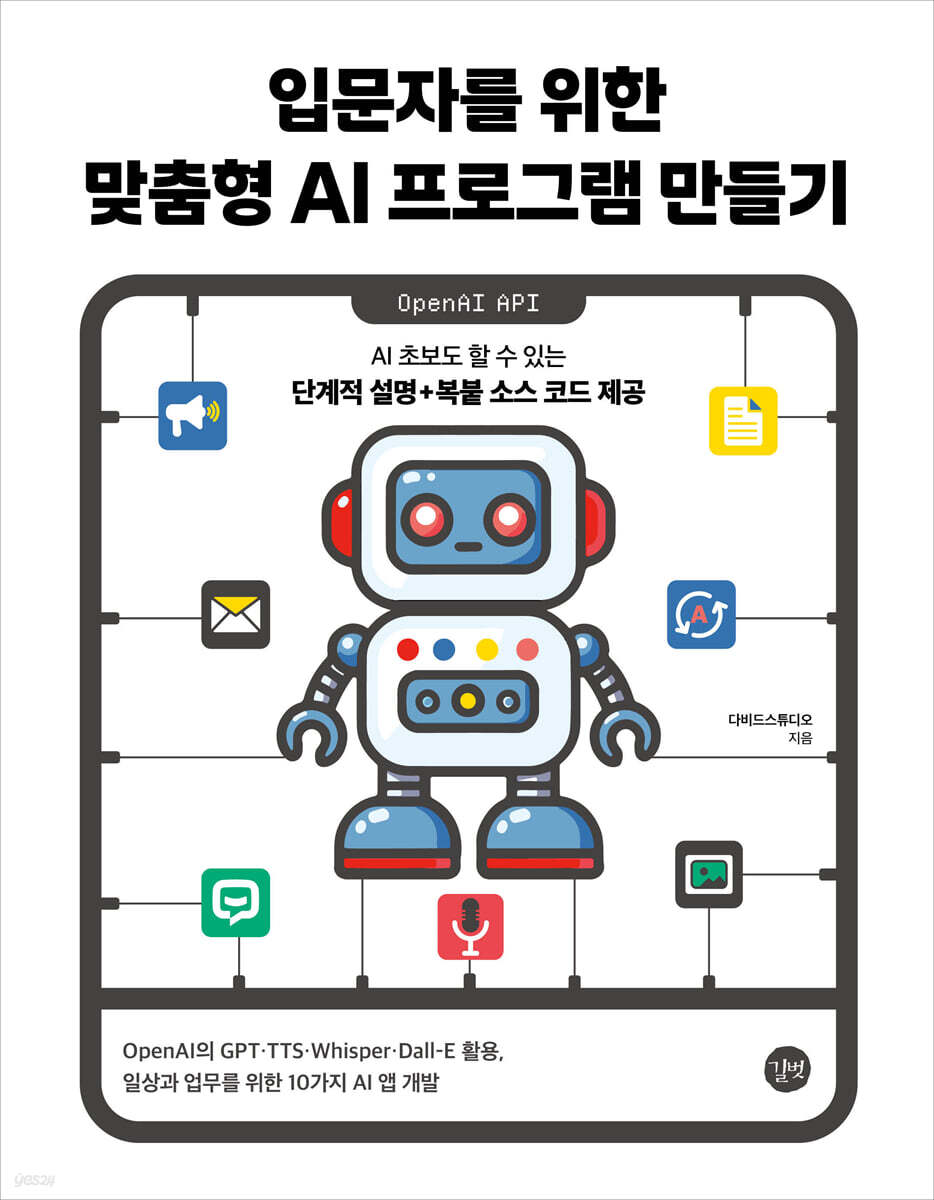
Creating Custom AI Programs for Beginners
 |
Description
Book Introduction
Create easy and useful AI programs, from document summarization to email auto-responders.
Step-by-step instructions and copy-paste source code provided for AI beginners.
AI technology is developing every day.
Text summarization, speech recognition, image generation, natural language conversation, and other technologies that were only available to a select few experts just a few years ago are now tools accessible to the general public.
This book uses various AI models from OpenAI, the creator of ChatGPT, to create 10 AI programs, including document translation/summarization, report writing, interview preparation helper, image analysis, and email auto-responder.
I adjusted the difficulty level so that it is not too difficult, but still gives you a sense of satisfaction after creating the program.
You can start by creating an easy chatbot and ultimately complete a program that manages emails with AI.
After reading the book, you will understand the basic concepts and workings of AI programs.
Step-by-step instructions and copy-paste source code provided for AI beginners.
AI technology is developing every day.
Text summarization, speech recognition, image generation, natural language conversation, and other technologies that were only available to a select few experts just a few years ago are now tools accessible to the general public.
This book uses various AI models from OpenAI, the creator of ChatGPT, to create 10 AI programs, including document translation/summarization, report writing, interview preparation helper, image analysis, and email auto-responder.
I adjusted the difficulty level so that it is not too difficult, but still gives you a sense of satisfaction after creating the program.
You can start by creating an easy chatbot and ultimately complete a program that manages emails with AI.
After reading the book, you will understand the basic concepts and workings of AI programs.
- You can preview some of the book's contents.
Preview
index
Part 1: Getting Started with AI Programs
Chapter 1: Introduction to AI Programs and Setting Up a Practice Environment
1.1 Introduction to AI Programs
___Ten AI programs at a glance
Key technologies used in the ___ program
___Why create your own AI program?
1.2 Setting up the practice environment
___Why Python is popular
___Installing Python
___Running simple code
___Installing VSCode
___Running your first Python program
Chapter 2: A Taste of AI Programs
2.1 Get the completed code and run it
___Copy and paste the source code
___Create a virtual environment
Install and run the ___ package
___Get and apply the OpenAI API Key
___Modify the program
Part 2: Basic Knowledge of AI Programs
Chapter 3: Python Basics for Writing Code
3.1 Variables and data types
___variable
___ data type
___Simple arithmetic operations
3.2 Data Structures
___list
___dictionary
___sets and tuples
3.3 Conditional statements and loops
___conditional statement
___ loop
3.4 Functions and Packages
Defining and executing a ___function
Input and return values of the ___ function
Scope of ___variables
___package
Chapter 4: Streamlet Basics for Screen UI
4.1 Overview of Streamlet
___Introducing Streamlet
___Create and run a streamlet file
___Setting up the Streamlet practice screen
4.2 Outputting Text
___Print basic text
Output ___Markdown
___Print title
___Using the universal output command
4.3 Setting the layout
___Simplification and Customization
___Basic layout
___column layout
___Sidebar Layout
___Setting up page preferences
4.4 Using Widgets
___Widget Overview
___Button Widget
___Input Widget
___Optional Widget
___file widget
4.5 Managing Session State
___Creating a counter without session state
Create a counter with ___ session status
4.6 Deploying the Streamlet Service
___Deploy to the Streamlet Community Cloud
Chapter 5 API Basics for Requests and Responses
5.1 API Overview
___API concept
___API Key
5.2 Basic Usage of the OpenAI API
Installing the ___openai package
___Request OpenAI API and get response
___Conversation continuously
5.3 Prompt Engineering
___An Overview of Prompt Engineering
___The Four Principles of Prompt Engineering
Part 3: Practice! Creating AI Programs
Chapter 6: Building a Friendly AI Chatbot (Difficulty: ★, Usage Model: GPT)
6.1 Program Introduction
___Preview the execution screen
___Development stages at a glance
6.2 Creating a Program
___Create a sidebar
___Creating input fields and dialog boxes
___Handling requests and responses with the OpenAI API
___Manage past conversation history
Chapter 7: Creating a Document Summarizer (Difficulty: ★, Usage Model: GPT)
7.1 Program Introduction
___Preview the execution screen
Key points of the ___program
___Development stages at a glance
7.2 Creating a Program
___Creating a document summary function
Add a prompt as input to the ___ function
___Integrating the document summary function with the screen UI
___Finding the best prompt
Chapter 8: Creating a PDF Translation/Summary Program (Difficulty: ★★, Usage Model: GPT)
8.1 Program Introduction
___Preview the execution screen
Key points of the ___program
___Development stages at a glance
8.2 Creating a Program
___Creating text extraction functions and image conversion functions
___Linking two functions and the screen UI
___Implementing PDF translation/summarization features
Chapter 9: Building an AI Text Reader (Difficulty: ★★, Model Used: TTS)
9.1 Program Introduction
___Preview the execution screen
Key points of the ___program
___Development stages at a glance
9.2 Creating a Program
___Creating a Text-to-Speech Function
Linking ___functions with the screen UI
___Add custom features
Chapter 10: Creating a Report Writing Program (Difficulty: ★★★, Usage Model: GPT)
10.1 Program Introduction
___Preview the execution screen
Key points of the ___program
___Development stages at a glance
10.2 Creating a Program
___Create and Preview Reports
___Creating a function to convert MS Word documents
Linking ___functions with the screen UI
Chapter 11: Creating a Travel Guide Program (Difficulty: ★★★, Model Used: GPT/Dall-E)
11.1 Program Introduction
___Preview the execution screen
Key points of the ___program
___Development stages at a glance
11.2 Creating a Program
___Creating a travel itinerary function
___Create an image generation function
___Creating a travel itinerary splitting function
Linking ___ functions with the screen UI
Chapter 12: Creating a Meeting Minutes Summary Program (Difficulty: ★★★, Model Used: GPT/Whisper)
12.1 Program Introduction
___Preview the execution screen
Key points of the ___program
___Development stages at a glance
12.2 Creating a Program
___Convert voice to text
___Integrating voice-to-text conversion with the on-screen UI
___Add a summary feature
Chapter 13: Creating an Interview Preparation Assistant (Difficulty: ★★★, Model Used: GPT/Whisper)
13.1 Program Introduction
___Preview the execution screen
Key points of the ___program
___Development stages at a glance
13.2 Creating a Program
___Create a question
___Record your answers and convert them to text
___Analyze the answers
Chapter 14: Creating an Image Analysis Program (Difficulty: ★★★★, Model Used: GPT)
14.1 Program Introduction
___Preview the execution screen
Key points of the ___program
___Development stages at a glance
14.2 Creating a Program
___Creating an image analysis function
Linking ___functions with the screen UI
Download the ___ table as a CSV file
Chapter 15: Creating an Autoresponder (Difficulty: ★★★★★, Model: GPT)
15.1 Program Introduction
___Preview the execution screen
Key points of the ___program
___Development stages at a glance
15.2 Creating a Program
___Link with Naver Mail
___Create a screen UI and load emails
___Create and reply to a draft reply
Chapter 1: Introduction to AI Programs and Setting Up a Practice Environment
1.1 Introduction to AI Programs
___Ten AI programs at a glance
Key technologies used in the ___ program
___Why create your own AI program?
1.2 Setting up the practice environment
___Why Python is popular
___Installing Python
___Running simple code
___Installing VSCode
___Running your first Python program
Chapter 2: A Taste of AI Programs
2.1 Get the completed code and run it
___Copy and paste the source code
___Create a virtual environment
Install and run the ___ package
___Get and apply the OpenAI API Key
___Modify the program
Part 2: Basic Knowledge of AI Programs
Chapter 3: Python Basics for Writing Code
3.1 Variables and data types
___variable
___ data type
___Simple arithmetic operations
3.2 Data Structures
___list
___dictionary
___sets and tuples
3.3 Conditional statements and loops
___conditional statement
___ loop
3.4 Functions and Packages
Defining and executing a ___function
Input and return values of the ___ function
Scope of ___variables
___package
Chapter 4: Streamlet Basics for Screen UI
4.1 Overview of Streamlet
___Introducing Streamlet
___Create and run a streamlet file
___Setting up the Streamlet practice screen
4.2 Outputting Text
___Print basic text
Output ___Markdown
___Print title
___Using the universal output command
4.3 Setting the layout
___Simplification and Customization
___Basic layout
___column layout
___Sidebar Layout
___Setting up page preferences
4.4 Using Widgets
___Widget Overview
___Button Widget
___Input Widget
___Optional Widget
___file widget
4.5 Managing Session State
___Creating a counter without session state
Create a counter with ___ session status
4.6 Deploying the Streamlet Service
___Deploy to the Streamlet Community Cloud
Chapter 5 API Basics for Requests and Responses
5.1 API Overview
___API concept
___API Key
5.2 Basic Usage of the OpenAI API
Installing the ___openai package
___Request OpenAI API and get response
___Conversation continuously
5.3 Prompt Engineering
___An Overview of Prompt Engineering
___The Four Principles of Prompt Engineering
Part 3: Practice! Creating AI Programs
Chapter 6: Building a Friendly AI Chatbot (Difficulty: ★, Usage Model: GPT)
6.1 Program Introduction
___Preview the execution screen
___Development stages at a glance
6.2 Creating a Program
___Create a sidebar
___Creating input fields and dialog boxes
___Handling requests and responses with the OpenAI API
___Manage past conversation history
Chapter 7: Creating a Document Summarizer (Difficulty: ★, Usage Model: GPT)
7.1 Program Introduction
___Preview the execution screen
Key points of the ___program
___Development stages at a glance
7.2 Creating a Program
___Creating a document summary function
Add a prompt as input to the ___ function
___Integrating the document summary function with the screen UI
___Finding the best prompt
Chapter 8: Creating a PDF Translation/Summary Program (Difficulty: ★★, Usage Model: GPT)
8.1 Program Introduction
___Preview the execution screen
Key points of the ___program
___Development stages at a glance
8.2 Creating a Program
___Creating text extraction functions and image conversion functions
___Linking two functions and the screen UI
___Implementing PDF translation/summarization features
Chapter 9: Building an AI Text Reader (Difficulty: ★★, Model Used: TTS)
9.1 Program Introduction
___Preview the execution screen
Key points of the ___program
___Development stages at a glance
9.2 Creating a Program
___Creating a Text-to-Speech Function
Linking ___functions with the screen UI
___Add custom features
Chapter 10: Creating a Report Writing Program (Difficulty: ★★★, Usage Model: GPT)
10.1 Program Introduction
___Preview the execution screen
Key points of the ___program
___Development stages at a glance
10.2 Creating a Program
___Create and Preview Reports
___Creating a function to convert MS Word documents
Linking ___functions with the screen UI
Chapter 11: Creating a Travel Guide Program (Difficulty: ★★★, Model Used: GPT/Dall-E)
11.1 Program Introduction
___Preview the execution screen
Key points of the ___program
___Development stages at a glance
11.2 Creating a Program
___Creating a travel itinerary function
___Create an image generation function
___Creating a travel itinerary splitting function
Linking ___ functions with the screen UI
Chapter 12: Creating a Meeting Minutes Summary Program (Difficulty: ★★★, Model Used: GPT/Whisper)
12.1 Program Introduction
___Preview the execution screen
Key points of the ___program
___Development stages at a glance
12.2 Creating a Program
___Convert voice to text
___Integrating voice-to-text conversion with the on-screen UI
___Add a summary feature
Chapter 13: Creating an Interview Preparation Assistant (Difficulty: ★★★, Model Used: GPT/Whisper)
13.1 Program Introduction
___Preview the execution screen
Key points of the ___program
___Development stages at a glance
13.2 Creating a Program
___Create a question
___Record your answers and convert them to text
___Analyze the answers
Chapter 14: Creating an Image Analysis Program (Difficulty: ★★★★, Model Used: GPT)
14.1 Program Introduction
___Preview the execution screen
Key points of the ___program
___Development stages at a glance
14.2 Creating a Program
___Creating an image analysis function
Linking ___functions with the screen UI
Download the ___ table as a CSV file
Chapter 15: Creating an Autoresponder (Difficulty: ★★★★★, Model: GPT)
15.1 Program Introduction
___Preview the execution screen
Key points of the ___program
___Development stages at a glance
15.2 Creating a Program
___Link with Naver Mail
___Create a screen UI and load emails
___Create and reply to a draft reply
Detailed image

Publisher's Review
"Features of the Book"
- You can experience various AI models of OpenAI (GPT, TTS, Whisper, Dall-E).
- You learn by making it yourself, so just follow along and the program will be completed.
- All examples can be created by copying and pasting, as we provide source code for practice.
- We provide solutions to common mistakes and errors that can be encountered during practice with tips and notes.
Recommended Readers
- Those interested in developing LLM-related services
- Anyone who wants to learn how to use artificial intelligence API
- For those who are learning Python for the first time and want to experience practical AI projects.
- Those who want to create and use their own AI program
- You can experience various AI models of OpenAI (GPT, TTS, Whisper, Dall-E).
- You learn by making it yourself, so just follow along and the program will be completed.
- All examples can be created by copying and pasting, as we provide source code for practice.
- We provide solutions to common mistakes and errors that can be encountered during practice with tips and notes.
Recommended Readers
- Those interested in developing LLM-related services
- Anyone who wants to learn how to use artificial intelligence API
- For those who are learning Python for the first time and want to experience practical AI projects.
- Those who want to create and use their own AI program
GOODS SPECIFICS
- Date of issue: June 4, 2025
- Page count, weight, size: 408 pages | 740g | 183*235*17mm
- ISBN13: 9791140713677
You may also like
카테고리
korean


korean

![GQ KOREA Mark (Monthly): December [2025]](http://librairie.coreenne.fr/cdn/shop/files/8ef265dbbfbf186523ed75ba7319009d.jpg?v=1765340328&width=3840)


