

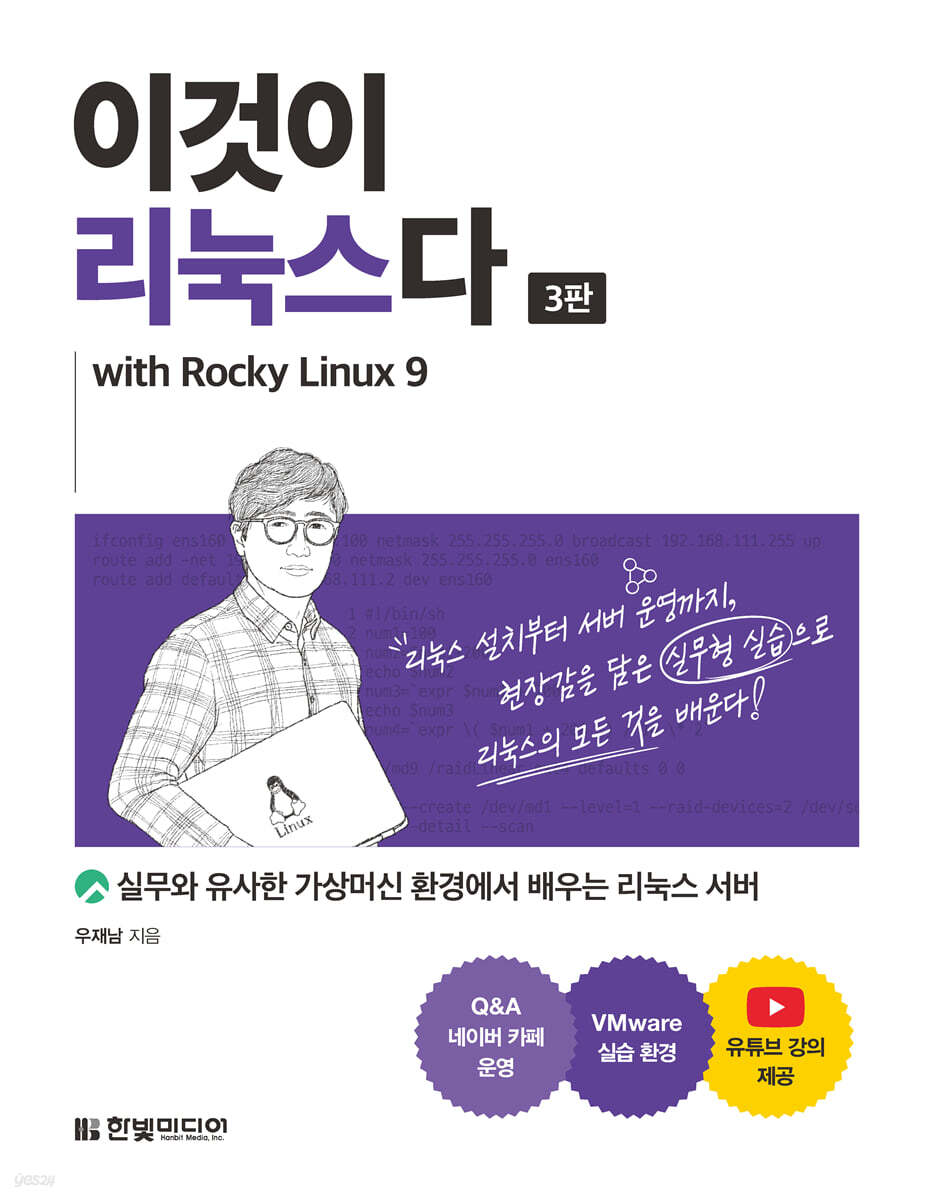
This is Linux with Rocky Linux9
 |
Description
Book Introduction
This is a whole new Linux! The representative Linux book containing the next-generation Linux distribution, Rocky Linux! "This is Linux," which has maintained its position as the undisputed number one bestseller in the Linux book category since its first publication in 2015, has returned with its third edition, featuring Rocky Linux 9, the next-generation Linux distribution that replaces CentOS. The third edition is also designed to allow you to learn in an environment identical to the actual work environment by using the VMware program to practice building a Linux server with four virtual machines: three Linux machines and one Windows machine. We also run [Author Video Lectures] and [Q&A Cafe], so even those who are new to Linux can learn from the beginning to the end without any difficulties. Enter the world of Linux confidently with the best books for Linuxers! |
- You can preview some of the book's contents.
Preview
index
Part 01 Creating a Virtual Machine and Installing Rocky Linux
Chapter 01 Building a Practice Environment
1.1 Introduction and Installation of Virtual Machines
___1.1.1 Introduction to Virtual Machines
___1.1.2 Concept of virtual machine and virtual machine software
___1.1.3 Virtual Machine Software Types and VMware Workstation Pro Installation
1.2 Creating a virtual machine
___1.2.1 Appearance of the virtual machine
___1.2.2 Creating a Virtual Machine
1.3 VMware Program Features
1.4 Preparation for smooth practice
___1.4.1 Shortcut keys for VMware programs
___1.4.2 Close option that appears when quitting VMware Player
___1.4.3 Use the virtual machine in full screen
___1.4.4 Booting multiple virtual machines simultaneously
___1.4.5 Understanding and Changing Network Information
___1.4.6 How to transfer files between the host OS and guest OS
Chapter 02 Introduction to Linux and Rocky Linux
2.1 Overview of Linux
___2.1.1 The Birth of Linux
___2.1.2 GNU Project
___2.1.3 Kernel
2.2 Relationship between Red Hat Linux, Fedora, CentOS, and Rocky Linux
___2.2.1 Red Hat Linux
___2.2.2 Fedora Linux
___2.2.3 CentOS and CentOS Stream
___2.2.4 Rocky Linux
Chapter 03 Installing Rocky Linux
3.1 Installing Rocky Linux on three virtual machines
___3.1.1 Installing Rocky Linux on a Server Virtual Machine
___3.1.2 Installing Rocky Linux on the Server(B) virtual machine
___3.1.3 Installing Rocky Linux on the Client Virtual Machine
3.2 Installing Windows on the WinClient Virtual Machine
Part 02 Rocky Linux Basic Concepts and Basic Roles of a Linux Administrator
Chapter 04 Essential concepts and commands to know when building a server
4.1 Concepts you need to know to run Linux
___4.1.1 System Startup and Shutdown
___4.1.2 System Reboot
___4.1.3 Logout
___4.1.4 Virtual Console
___4.1.5 Runlevel
___4.1.6 Auto-completion and history
___4.1.7 Using the Editor
___4.1.8 How to Use Help
___4.1.9 Mounting and Using CD/DVD/USB
4.2 Basic Linux Commands
4.3 User Management and File Properties
___4.3.1 Users and Groups
___4.3.2 Ownership and permissions of files and directories
4.4 Commands for Linux Administrators
___4.4.1 RPM for program installation
___4.4.2 DNF for convenient package installation
___4.4.3 File Compression and Bundling
___4.4.4 Finding File Locations
___4.4.5 System Settings
___4.4.6 CRON and AT
4.5 Network-related settings and commands
4.6 Pipes, Filters, and Redirects
4.7 Processes, Services
___4.7.1 Process
___4.7.2 Service
4.8 Services and Sockets
___4.8.1 Service Features
___4.8.2 Socket Features
4.9 Emergency Recovery
4.10 GRUB bootloader
4.11 Simple Kernel Compilation
___4.11.1 The concept of modules and the need for kernel compilation
___4.11.2 Compiling the Kernel
Chapter 05 How to Use X Windows
5.1 Configuring the GNOME Desktop Environment
5.2 X Window Applications
___5.2.1 File Browser: Nautilus
___5.2.2 Internet Applications
___5.2.3 Sound Settings
___5.2.4 Video Player
___5.2.5 Document Editor/Viewer
___5.2.6 CD/DVD Recording: Bracero
___5.2.7 Graphics Programs
___5.2.8 LibreOffice
5.3 Software Center
Chapter 06 Disk Management and User-Specific Space Allocation
6.1 Adding a Disk
___6.1.1 Configuring SATA and SCSI Devices
___6.1.2 Adding a Disk
6.2 Using multiple disks as one
___6.2.1 Definition and Concept of RAID
___6.2.2 RAID Level
___6.2.3 Linear RAID, RAID 0, RAID 1, RAID 5 implementation
___6.2.4 Problems and Solutions in Linear RAID, RAID 0, RAID 1, and RAID 5
___6.2.5 Advanced RAID Levels
6.3 LVM
___6.3.1 LVM Concepts
___6.3.2 LVM Implementation
6.4 Installing Rocky Linux on RAID
6.5 Space allocation per user
___6.5.1 The concept of quarters
___6.5.2 Quarter Implementation
Chapter 07 Shell Script Programming
7.1 Shell Basics
___7.1.1 Bash on Rocky Linux
___7.1.2 How the shell processes statements
___7.1.3 Environment Variables
7.2 Shell Script Programming Practice
___7.2.1 Writing and Running Shell Scripts
___7.2.2 Variables
___7.2.3 if statement and case statement
___7.2.4 Loops
___7.2.5 Other Things to Know
Part 03 Network Server Construction Practice 1
Chapter 08 Remote System Management
8.1 Telnet Server
___8.1.1 Telnet Server Overview
___8.1.2 Building a Telnet Server
8.2 OpenSSH Server
___8.2.1 OpenSSH Server Overview
___8.2.2 Building an OpenSSH Server
8.3 XRDP Server
___8.3.1 XRDP Server Overview
___8.3.2 Building an XRDP Server
Chapter 09 Name Server Installation and Operation
9.1 Name Server Concept
___9.1.1 Name Server Overview
___9.1.2 How to obtain the IP address of a name server
9.2 Setting up a name server
___9.2.1 Domain Name System
___9.2.2 Local name server operation order
___9.2.3 Caching-only nameserver
___9.2.4 Master Name Server
___9.2.5 Round-robin name servers
Chapter 10: Installing and Operating a Mail Server
10.1 Mail Server Concept
10.2 Implementing a Sendmail Server
10.3 Installing and Using Webmail
Chapter 11 Building and Operating a Database Server
11.1 DBMS Concepts and Simple SQL Statements
___11.1.1 Understanding DBMS-related terminology and roles
___11.1.2 Required SQL Statements
11.2 MariaDB Installation and Operation
___11.2.1 Installing MariaDB Server and Client
___11.2.2 Connecting to a Linux MariaDB Server from Windows
___11.2.3 Creating and Operating a MariaDB Database
11.3 Integration of Windows Applications with Linux DBMS
11.4 Installing and Operating Oracle Database Express
___11.4.1 Installing Oracle Database Express 18c
___11.4.2 Creating and Operating an Oracle Database
Chapter 12 Installing and Operating a Web Server
12.1 Installing APM and Building a Website
___12.1.1 Easy installation using the dnf command
___12.1.2 Building a Website Using WordPress
12.2 Application Services on Web Servers: Building Cloud Storage
12.3 Web Server Configuration File
Part 04 Network Server Construction Practice 2
Chapter 13 Installing and Operating an FTP Server
13.1 Installing and Operating vsftpd
13.2 Installing and Operating Pure-FTPd
Chapter 14 Installing and Operating an NFS Server
14.1 NFS Server Concept
14.2 Implementing an NFS Server
Chapter 15 Installing and Operating a Samba Server
15.1 Using Windows Folders and Printers in Linux
15.2 Using Linux Folders and Printers on Windows
___15.2.1 Accessing Linux from Windows
___15.2.2 Samba server configuration file
Chapter 16 Installing and Operating a DHCP Server
16.1 DHCP Concept
16.2 DHCP Implementation
Chapter 17 Installing and Operating a Proxy Server
17.1 Proxy Server Concept
17.2 Implementing a Proxy Server
Chapter 18 Creating and Operating a Firewall Computer
18.1 Network Design for Security
18.2 Building a Linux Firewall Computer
Chapter 19 Installing and Operating a PXE Installation Server
19.1 Concept and Implementation of a PXE Installation Server
19.2 Kickstart
Chapter 20 Linux Virtualization Technology
20.1 Running Windows Applications Using Virtual Box
20.2 Docker Concepts and Practice
___20.2.1 Comparing the Differences Between Virtual Machines and Containers
___20.2.2 Docker Container Practice
Appendix A: Connecting to a VMware Virtual Machine from an External Computer
Chapter 01 Building a Practice Environment
1.1 Introduction and Installation of Virtual Machines
___1.1.1 Introduction to Virtual Machines
___1.1.2 Concept of virtual machine and virtual machine software
___1.1.3 Virtual Machine Software Types and VMware Workstation Pro Installation
1.2 Creating a virtual machine
___1.2.1 Appearance of the virtual machine
___1.2.2 Creating a Virtual Machine
1.3 VMware Program Features
1.4 Preparation for smooth practice
___1.4.1 Shortcut keys for VMware programs
___1.4.2 Close option that appears when quitting VMware Player
___1.4.3 Use the virtual machine in full screen
___1.4.4 Booting multiple virtual machines simultaneously
___1.4.5 Understanding and Changing Network Information
___1.4.6 How to transfer files between the host OS and guest OS
Chapter 02 Introduction to Linux and Rocky Linux
2.1 Overview of Linux
___2.1.1 The Birth of Linux
___2.1.2 GNU Project
___2.1.3 Kernel
2.2 Relationship between Red Hat Linux, Fedora, CentOS, and Rocky Linux
___2.2.1 Red Hat Linux
___2.2.2 Fedora Linux
___2.2.3 CentOS and CentOS Stream
___2.2.4 Rocky Linux
Chapter 03 Installing Rocky Linux
3.1 Installing Rocky Linux on three virtual machines
___3.1.1 Installing Rocky Linux on a Server Virtual Machine
___3.1.2 Installing Rocky Linux on the Server(B) virtual machine
___3.1.3 Installing Rocky Linux on the Client Virtual Machine
3.2 Installing Windows on the WinClient Virtual Machine
Part 02 Rocky Linux Basic Concepts and Basic Roles of a Linux Administrator
Chapter 04 Essential concepts and commands to know when building a server
4.1 Concepts you need to know to run Linux
___4.1.1 System Startup and Shutdown
___4.1.2 System Reboot
___4.1.3 Logout
___4.1.4 Virtual Console
___4.1.5 Runlevel
___4.1.6 Auto-completion and history
___4.1.7 Using the Editor
___4.1.8 How to Use Help
___4.1.9 Mounting and Using CD/DVD/USB
4.2 Basic Linux Commands
4.3 User Management and File Properties
___4.3.1 Users and Groups
___4.3.2 Ownership and permissions of files and directories
4.4 Commands for Linux Administrators
___4.4.1 RPM for program installation
___4.4.2 DNF for convenient package installation
___4.4.3 File Compression and Bundling
___4.4.4 Finding File Locations
___4.4.5 System Settings
___4.4.6 CRON and AT
4.5 Network-related settings and commands
4.6 Pipes, Filters, and Redirects
4.7 Processes, Services
___4.7.1 Process
___4.7.2 Service
4.8 Services and Sockets
___4.8.1 Service Features
___4.8.2 Socket Features
4.9 Emergency Recovery
4.10 GRUB bootloader
4.11 Simple Kernel Compilation
___4.11.1 The concept of modules and the need for kernel compilation
___4.11.2 Compiling the Kernel
Chapter 05 How to Use X Windows
5.1 Configuring the GNOME Desktop Environment
5.2 X Window Applications
___5.2.1 File Browser: Nautilus
___5.2.2 Internet Applications
___5.2.3 Sound Settings
___5.2.4 Video Player
___5.2.5 Document Editor/Viewer
___5.2.6 CD/DVD Recording: Bracero
___5.2.7 Graphics Programs
___5.2.8 LibreOffice
5.3 Software Center
Chapter 06 Disk Management and User-Specific Space Allocation
6.1 Adding a Disk
___6.1.1 Configuring SATA and SCSI Devices
___6.1.2 Adding a Disk
6.2 Using multiple disks as one
___6.2.1 Definition and Concept of RAID
___6.2.2 RAID Level
___6.2.3 Linear RAID, RAID 0, RAID 1, RAID 5 implementation
___6.2.4 Problems and Solutions in Linear RAID, RAID 0, RAID 1, and RAID 5
___6.2.5 Advanced RAID Levels
6.3 LVM
___6.3.1 LVM Concepts
___6.3.2 LVM Implementation
6.4 Installing Rocky Linux on RAID
6.5 Space allocation per user
___6.5.1 The concept of quarters
___6.5.2 Quarter Implementation
Chapter 07 Shell Script Programming
7.1 Shell Basics
___7.1.1 Bash on Rocky Linux
___7.1.2 How the shell processes statements
___7.1.3 Environment Variables
7.2 Shell Script Programming Practice
___7.2.1 Writing and Running Shell Scripts
___7.2.2 Variables
___7.2.3 if statement and case statement
___7.2.4 Loops
___7.2.5 Other Things to Know
Part 03 Network Server Construction Practice 1
Chapter 08 Remote System Management
8.1 Telnet Server
___8.1.1 Telnet Server Overview
___8.1.2 Building a Telnet Server
8.2 OpenSSH Server
___8.2.1 OpenSSH Server Overview
___8.2.2 Building an OpenSSH Server
8.3 XRDP Server
___8.3.1 XRDP Server Overview
___8.3.2 Building an XRDP Server
Chapter 09 Name Server Installation and Operation
9.1 Name Server Concept
___9.1.1 Name Server Overview
___9.1.2 How to obtain the IP address of a name server
9.2 Setting up a name server
___9.2.1 Domain Name System
___9.2.2 Local name server operation order
___9.2.3 Caching-only nameserver
___9.2.4 Master Name Server
___9.2.5 Round-robin name servers
Chapter 10: Installing and Operating a Mail Server
10.1 Mail Server Concept
10.2 Implementing a Sendmail Server
10.3 Installing and Using Webmail
Chapter 11 Building and Operating a Database Server
11.1 DBMS Concepts and Simple SQL Statements
___11.1.1 Understanding DBMS-related terminology and roles
___11.1.2 Required SQL Statements
11.2 MariaDB Installation and Operation
___11.2.1 Installing MariaDB Server and Client
___11.2.2 Connecting to a Linux MariaDB Server from Windows
___11.2.3 Creating and Operating a MariaDB Database
11.3 Integration of Windows Applications with Linux DBMS
11.4 Installing and Operating Oracle Database Express
___11.4.1 Installing Oracle Database Express 18c
___11.4.2 Creating and Operating an Oracle Database
Chapter 12 Installing and Operating a Web Server
12.1 Installing APM and Building a Website
___12.1.1 Easy installation using the dnf command
___12.1.2 Building a Website Using WordPress
12.2 Application Services on Web Servers: Building Cloud Storage
12.3 Web Server Configuration File
Part 04 Network Server Construction Practice 2
Chapter 13 Installing and Operating an FTP Server
13.1 Installing and Operating vsftpd
13.2 Installing and Operating Pure-FTPd
Chapter 14 Installing and Operating an NFS Server
14.1 NFS Server Concept
14.2 Implementing an NFS Server
Chapter 15 Installing and Operating a Samba Server
15.1 Using Windows Folders and Printers in Linux
15.2 Using Linux Folders and Printers on Windows
___15.2.1 Accessing Linux from Windows
___15.2.2 Samba server configuration file
Chapter 16 Installing and Operating a DHCP Server
16.1 DHCP Concept
16.2 DHCP Implementation
Chapter 17 Installing and Operating a Proxy Server
17.1 Proxy Server Concept
17.2 Implementing a Proxy Server
Chapter 18 Creating and Operating a Firewall Computer
18.1 Network Design for Security
18.2 Building a Linux Firewall Computer
Chapter 19 Installing and Operating a PXE Installation Server
19.1 Concept and Implementation of a PXE Installation Server
19.2 Kickstart
Chapter 20 Linux Virtualization Technology
20.1 Running Windows Applications Using Virtual Box
20.2 Docker Concepts and Practice
___20.2.1 Comparing the Differences Between Virtual Machines and Containers
___20.2.2 Docker Container Practice
Appendix A: Connecting to a VMware Virtual Machine from an External Computer
Detailed image

Publisher's Review
This is Linux in one volume!
The complete book covering Linux from A to Z!
CentOS is a clone of RHEL and was the most widely used Linux distribution by universities and companies/organizations that require large-scale servers.
However, in December 2020, Red Hat announced that it would end support for CentOS 8 (with updates until December 31, 2021) and transition to CentOS Stream.
However, CentOS Stream is actually closer to a beta version of RHEL.
This has led many companies/organizations and individuals who have built servers to yearn for a next-generation Linux distribution that can replace CentOS.
After CentOS announced its transition to CentOS Stream, the Linux world has been divided into several Linux distributions.
The person who appeared like a comet at this time was CentOS co-founder Greg Kurtzer.
He created a new Linux distribution called Rocky Linux, a 1:1 counterpart to RHEL, named after another co-founder, the late Rocky McGaugh.
Against this backdrop, Rocky Linux has received full support from Microsoft, Google, Arm, Amazon, and others, becoming the next-generation Linux distribution to replace CentOS.
To fully address these market conditions while maintaining the goal of establishing a practical, hands-on learning environment, 『This is Linux (3rd Edition)』 has been completely revised to Rocky Linux 9.
Therefore, even beginners to Linux and junior engineers can experience everything from the basics of Linux server operation to building mail servers, database servers, web servers, and FTP servers with this one book.
If you want to learn a new distribution in a practical way, don't hesitate and choose "This is Linux (3rd Edition)"!
Features of "This is Linux (3rd Edition)"
- Gain practical experience in a hands-on environment that brings the real experience to life!
- Practice by setting up multiple servers on one computer!
- We provide a systematic step-by-step practical course so you can follow along without any difficulties!
- Contains a variety of practice problems that allow you to immediately check what you have learned!
- We provide video lectures and run a Q&A cafe where you can ask the author questions at any time!
What's Covered in This is Linux (3rd Edition)
- Linux basic concepts
→ How to install Rocky Linux
→ Essential concepts and commands for Linux servers
→ How to use the Linux graphical environment (X Windows)
→ How to operate a firewall for security
→ How to use Linux virtualization technology (VirtualBox, Docker)
- 10 ways to build a server
→ Name server, mail server, database server, web server, FTP server
→ NFS server, Samba server, DHCP server, proxy server, PXE server
You should read "This is Linux (3rd Edition)"
- I am a beginner learning Linux for the first time.
- I want to learn Linux in an environment identical to the practical environment of operating multiple servers.
- I need to manage a Linux server right now, but I don't know much about Linux.
Example files and Q&A cafe
→ https://www.hanbit.co.kr/src/11070
Related books
This is Ubuntu Linux (Revised Edition) (Hanbit Media, 2020)
This is Windows Server (Revised Edition) (Hanbit Media, 2023)
The complete book covering Linux from A to Z!
CentOS is a clone of RHEL and was the most widely used Linux distribution by universities and companies/organizations that require large-scale servers.
However, in December 2020, Red Hat announced that it would end support for CentOS 8 (with updates until December 31, 2021) and transition to CentOS Stream.
However, CentOS Stream is actually closer to a beta version of RHEL.
This has led many companies/organizations and individuals who have built servers to yearn for a next-generation Linux distribution that can replace CentOS.
After CentOS announced its transition to CentOS Stream, the Linux world has been divided into several Linux distributions.
The person who appeared like a comet at this time was CentOS co-founder Greg Kurtzer.
He created a new Linux distribution called Rocky Linux, a 1:1 counterpart to RHEL, named after another co-founder, the late Rocky McGaugh.
Against this backdrop, Rocky Linux has received full support from Microsoft, Google, Arm, Amazon, and others, becoming the next-generation Linux distribution to replace CentOS.
To fully address these market conditions while maintaining the goal of establishing a practical, hands-on learning environment, 『This is Linux (3rd Edition)』 has been completely revised to Rocky Linux 9.
Therefore, even beginners to Linux and junior engineers can experience everything from the basics of Linux server operation to building mail servers, database servers, web servers, and FTP servers with this one book.
If you want to learn a new distribution in a practical way, don't hesitate and choose "This is Linux (3rd Edition)"!
Features of "This is Linux (3rd Edition)"
- Gain practical experience in a hands-on environment that brings the real experience to life!
- Practice by setting up multiple servers on one computer!
- We provide a systematic step-by-step practical course so you can follow along without any difficulties!
- Contains a variety of practice problems that allow you to immediately check what you have learned!
- We provide video lectures and run a Q&A cafe where you can ask the author questions at any time!
What's Covered in This is Linux (3rd Edition)
- Linux basic concepts
→ How to install Rocky Linux
→ Essential concepts and commands for Linux servers
→ How to use the Linux graphical environment (X Windows)
→ How to operate a firewall for security
→ How to use Linux virtualization technology (VirtualBox, Docker)
- 10 ways to build a server
→ Name server, mail server, database server, web server, FTP server
→ NFS server, Samba server, DHCP server, proxy server, PXE server
You should read "This is Linux (3rd Edition)"
- I am a beginner learning Linux for the first time.
- I want to learn Linux in an environment identical to the practical environment of operating multiple servers.
- I need to manage a Linux server right now, but I don't know much about Linux.
Example files and Q&A cafe
→ https://www.hanbit.co.kr/src/11070
Related books
This is Ubuntu Linux (Revised Edition) (Hanbit Media, 2020)
This is Windows Server (Revised Edition) (Hanbit Media, 2023)
GOODS SPECIFICS
- Date of issue: February 24, 2023
- Page count, weight, size: 868 pages | 183*235*40mm
- ISBN13: 9791169210706
- ISBN10: 1169210708
You may also like
카테고리
korean


korean

![ELLE 엘르 스페셜 에디션 A형 : 12월 [2025]](http://librairie.coreenne.fr/cdn/shop/files/b8e27a3de6c9538896439686c6b0e8fb.jpg?v=1766436872&width=3840)


