

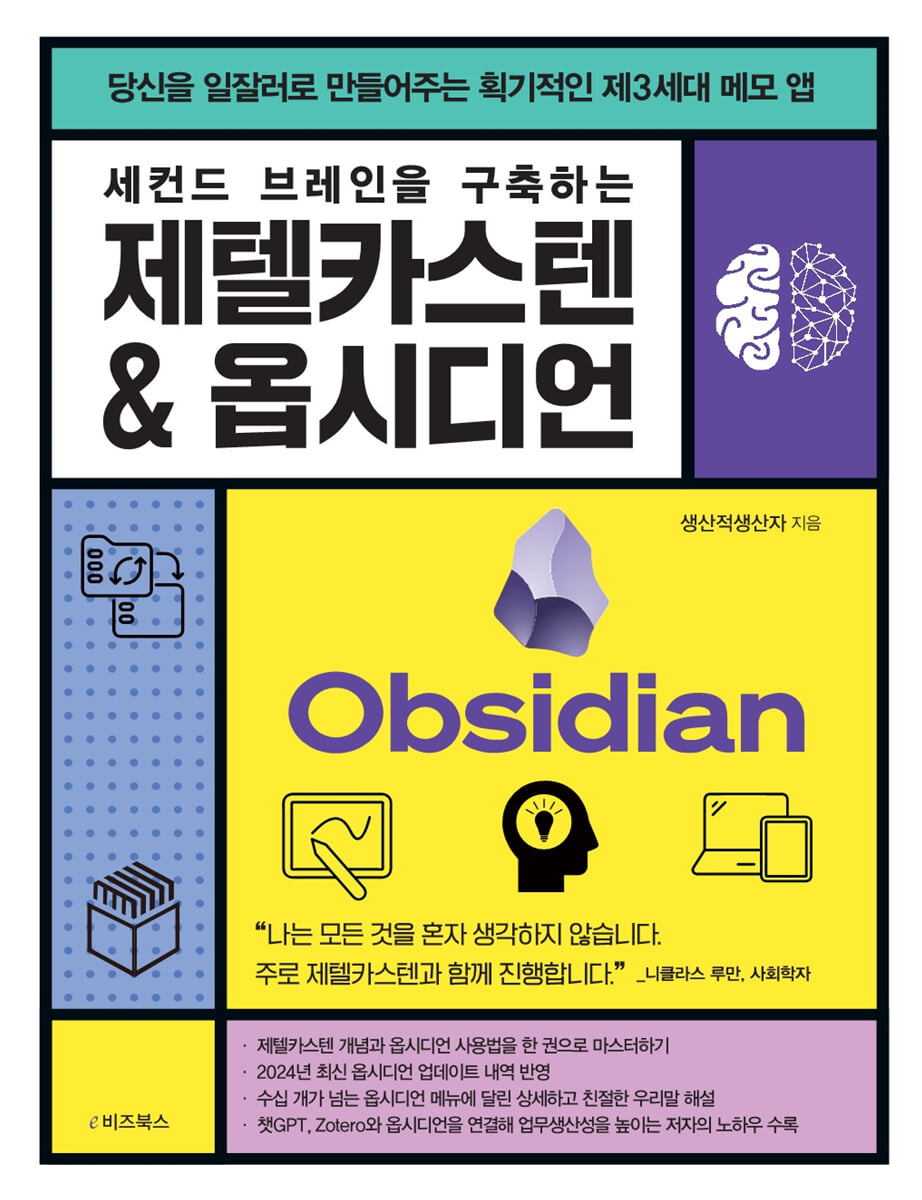
Zettelkasten & Obsidian Building a Second Brain
 |
Description
Book Introduction
Take systematic notes of your knowledge and connect them creatively!
Smart notes, phenomenal performance.
Transform your knowledge management approach.
We introduce the concept of Zettellkasten, used by Niklas Luhmann, one of the greatest sociologists of the 20th century, and how to use the new note-taking app, Obsidian.
The Zettelkasten note-taking method, which helps connect ideas and find new inspiration, and Obsidian, which implements it in the digital world, are now emerging as must-know programs for workers who want to evolve into successful workers.
This book reflects the latest updates to Obsidian as of 2024 and contains detailed and friendly Korean explanations of dozens of Obsidian menus.
This will serve as a detailed guide so that even beginners can easily follow along with the latest note-taking app that is being successfully used in various fields such as researchers, IT developers, and freelancers.
Also, if you input your information and knowledge into the template provided by the author and observe the process of connecting that knowledge to create new ideas, you will be able to achieve amazing results.
Smart notes, phenomenal performance.
Transform your knowledge management approach.
We introduce the concept of Zettellkasten, used by Niklas Luhmann, one of the greatest sociologists of the 20th century, and how to use the new note-taking app, Obsidian.
The Zettelkasten note-taking method, which helps connect ideas and find new inspiration, and Obsidian, which implements it in the digital world, are now emerging as must-know programs for workers who want to evolve into successful workers.
This book reflects the latest updates to Obsidian as of 2024 and contains detailed and friendly Korean explanations of dozens of Obsidian menus.
This will serve as a detailed guide so that even beginners can easily follow along with the latest note-taking app that is being successfully used in various fields such as researchers, IT developers, and freelancers.
Also, if you input your information and knowledge into the template provided by the author and observe the process of connecting that knowledge to create new ideas, you will be able to achieve amazing results.
index
prolog
Chapter 1: The Zettelkasten Note-taking Method: Connecting Knowledge and Expanding Thought
A productive and unique note-taking method that connects knowledge to generate new ideas and theories.
Zettelkasten, Niklas Luhmann's knowledge storage method
Increase creativity and productivity through connected knowledge building.
Types and principles of Zettelkasten notes
Fleeting Notes
Literature Notes
Permanent Notes
The true purpose of Zettelkasten is to develop ideas through connection.
What you can do with Zettelkasten
Zettelkasten and Obsidian, which help with personal knowledge management
Chapter 2: Exploring the Obsidian Program
Features of the Obsidian Program
Getting Started with the Obsidian Program
Creating a Vault
Obsidian home screen
Setting up Obsidian
Obsidian right sidebar
Basic settings for using the Zettelkasten note-taking method
Creating a Notes folder in Obsidian
Specifying the template folder path
Create a template note
Markdown grammar, the framework that makes up Obsidian
What is Markdown syntax?
Header
Block Quote
Bullet points
horizon
Emphasize text
Connecting Obsidian Notes
Link notes
Utilizing note connections (header)
Utilizing note connections (blocks)
Aliases (Set as nickname)
Bold / Italic / Center
Inline code / code block
Chapter 3: Obsidian Features that Broaden Your Knowledge
Explore Obsidian Menu Features
Description of the Add Note menu
Explore plugins
Core plugins
Community Plugin
Obsidian Graph View
Graph View
Local Graph
Understanding note connections through graph view
Using Graph View
Chapter 4: Managing Personal Knowledge with Obsidian
Zettelkasten's practical know-how for each memo
Create draft notes of my thoughts and ideas
Turning books, movies, and articles into literature notes
Resource notes to help me manage my knowledge
Daily Note: Making even ordinary content valuable.
Create permanent notes and link them together
Practice! Creating a Permanent Memo
Creating a Permanent Memo Index
The moment you can't find a connection, it's time to review your notes again.
Zettelkasten for content creation
Create content by linking notes
Zettelkasten to help you write
Chapter 5: Workflows and Use Cases for Improving Productivity
Personal knowledge management using Zettelkasten
YouTube Video - Permanent Memo Flow
Reading - Permanent Memo Flow
Article - Resource Memo Flow
Office workers' use of Zettelkasten & Obsidian (PARA)
Zettelkasten helps build business knowledge
Managing tasks with PARA & Dataview
A system that can be applied to any job
Researchers' Use of Zettelkasten & Obsidian (Zotero)
Managing Your Research Data in Zotero
Synchronizing data with Obsidian
Other uses of Zettelkasten & Obsidian
Developer Use Cases
Examples of novelists' use
Creator Use Cases
Chapter 6: Knowledge Management and Learning with ChatGPT and Obsidian
Obsidian's Personal Knowledge Management with ChatGPT
ChatGPT and Obsidian Prepare to Collaborate
Strengthen knowledge connections using the Smart Connections plugin
Productive work methods enabled by ChatGPT
Epilogue
Chapter 1: The Zettelkasten Note-taking Method: Connecting Knowledge and Expanding Thought
A productive and unique note-taking method that connects knowledge to generate new ideas and theories.
Zettelkasten, Niklas Luhmann's knowledge storage method
Increase creativity and productivity through connected knowledge building.
Types and principles of Zettelkasten notes
Fleeting Notes
Literature Notes
Permanent Notes
The true purpose of Zettelkasten is to develop ideas through connection.
What you can do with Zettelkasten
Zettelkasten and Obsidian, which help with personal knowledge management
Chapter 2: Exploring the Obsidian Program
Features of the Obsidian Program
Getting Started with the Obsidian Program
Creating a Vault
Obsidian home screen
Setting up Obsidian
Obsidian right sidebar
Basic settings for using the Zettelkasten note-taking method
Creating a Notes folder in Obsidian
Specifying the template folder path
Create a template note
Markdown grammar, the framework that makes up Obsidian
What is Markdown syntax?
Header
Block Quote
Bullet points
horizon
Emphasize text
Connecting Obsidian Notes
Link notes
Utilizing note connections (header)
Utilizing note connections (blocks)
Aliases (Set as nickname)
Bold / Italic / Center
Inline code / code block
Chapter 3: Obsidian Features that Broaden Your Knowledge
Explore Obsidian Menu Features
Description of the Add Note menu
Explore plugins
Core plugins
Community Plugin
Obsidian Graph View
Graph View
Local Graph
Understanding note connections through graph view
Using Graph View
Chapter 4: Managing Personal Knowledge with Obsidian
Zettelkasten's practical know-how for each memo
Create draft notes of my thoughts and ideas
Turning books, movies, and articles into literature notes
Resource notes to help me manage my knowledge
Daily Note: Making even ordinary content valuable.
Create permanent notes and link them together
Practice! Creating a Permanent Memo
Creating a Permanent Memo Index
The moment you can't find a connection, it's time to review your notes again.
Zettelkasten for content creation
Create content by linking notes
Zettelkasten to help you write
Chapter 5: Workflows and Use Cases for Improving Productivity
Personal knowledge management using Zettelkasten
YouTube Video - Permanent Memo Flow
Reading - Permanent Memo Flow
Article - Resource Memo Flow
Office workers' use of Zettelkasten & Obsidian (PARA)
Zettelkasten helps build business knowledge
Managing tasks with PARA & Dataview
A system that can be applied to any job
Researchers' Use of Zettelkasten & Obsidian (Zotero)
Managing Your Research Data in Zotero
Synchronizing data with Obsidian
Other uses of Zettelkasten & Obsidian
Developer Use Cases
Examples of novelists' use
Creator Use Cases
Chapter 6: Knowledge Management and Learning with ChatGPT and Obsidian
Obsidian's Personal Knowledge Management with ChatGPT
ChatGPT and Obsidian Prepare to Collaborate
Strengthen knowledge connections using the Smart Connections plugin
Productive work methods enabled by ChatGPT
Epilogue
Detailed image
.jpg)
Publisher's Review
Zettelkasten: The Innovative Secret to Knowledge Management
Niklas Luhmann, one of the greatest sociologists of the 20th century, kept 90,000 pages of notes in Zettelkasten, a type of note box.
These notes formed the basis for his numerous theories and the writing of over 60 books and 400 papers.
Zettelkasten, a knowledge management technique that strengthens memory and generates new ideas by linking notes, has recently gained attention. It helps increase work productivity and efficiently manage information for people working in various fields such as researchers, IT developers, creators, and marketers.
Completely conquer Obsidian
Released in 2020, Obsidian is currently considered the third-generation note-taking app, following Evernote and Notion.
This book is aimed at beginners who are new to Obsidian, and includes detailed explanations of dozens of Obsidian features, as well as program installation and basic setup methods, so that anyone can easily use Obsidian.
The author also personally uses Obsidian plugins such as Dataview, Calendar, Custom Frames, and Readwise, which are core features of Obsidian and are similar to Chrome extensions, and introduces their effects and usage methods, allowing readers to try them out themselves.
Finally, we'll show you how to integrate ChatGPT, Zotero, and other tools with Obsidian for your work, and learn about the author's information management method for managing knowledge and information in Obsidian based on the PARA theory, which aims to improve productivity.
How to Organize Records to Attract Success
Among those who are considered great, including Leonardo da Vinci, Jeong Yak-yong, Einstein, and Bill Gates, there are many who have the habit of writing things down.
If you write down your brilliant ideas before they evaporate, you can look at them anytime, anywhere, and create new ideas you never thought of.
The author shows the process and method of creating temporary notes and literature notes in one's own language using the Zettelkasten memo method, using knowledge one has come up with on one's own or knowledge gained from books, YouTube, movies, etc., and then storing them as permanent notes.
If readers follow these guidelines to enrich their storehouse of ideas by filtering out only the necessary parts and building a sustainable knowledge management system, it will be a source of success.
Niklas Luhmann, one of the greatest sociologists of the 20th century, kept 90,000 pages of notes in Zettelkasten, a type of note box.
These notes formed the basis for his numerous theories and the writing of over 60 books and 400 papers.
Zettelkasten, a knowledge management technique that strengthens memory and generates new ideas by linking notes, has recently gained attention. It helps increase work productivity and efficiently manage information for people working in various fields such as researchers, IT developers, creators, and marketers.
Completely conquer Obsidian
Released in 2020, Obsidian is currently considered the third-generation note-taking app, following Evernote and Notion.
This book is aimed at beginners who are new to Obsidian, and includes detailed explanations of dozens of Obsidian features, as well as program installation and basic setup methods, so that anyone can easily use Obsidian.
The author also personally uses Obsidian plugins such as Dataview, Calendar, Custom Frames, and Readwise, which are core features of Obsidian and are similar to Chrome extensions, and introduces their effects and usage methods, allowing readers to try them out themselves.
Finally, we'll show you how to integrate ChatGPT, Zotero, and other tools with Obsidian for your work, and learn about the author's information management method for managing knowledge and information in Obsidian based on the PARA theory, which aims to improve productivity.
How to Organize Records to Attract Success
Among those who are considered great, including Leonardo da Vinci, Jeong Yak-yong, Einstein, and Bill Gates, there are many who have the habit of writing things down.
If you write down your brilliant ideas before they evaporate, you can look at them anytime, anywhere, and create new ideas you never thought of.
The author shows the process and method of creating temporary notes and literature notes in one's own language using the Zettelkasten memo method, using knowledge one has come up with on one's own or knowledge gained from books, YouTube, movies, etc., and then storing them as permanent notes.
If readers follow these guidelines to enrich their storehouse of ideas by filtering out only the necessary parts and building a sustainable knowledge management system, it will be a source of success.
GOODS SPECIFICS
- Date of issue: August 5, 2024
- Page count, weight, size: 264 pages | 173*225*20mm
- ISBN13: 9791157833511
- ISBN10: 1157833519
You may also like
카테고리
korean


korean

![GQ KOREA Mark (Monthly): December [2025]](http://librairie.coreenne.fr/cdn/shop/files/8ef265dbbfbf186523ed75ba7319009d.jpg?v=1765340328&width=3840)


