

Jewelry CAD & Precious Metal Processing Practice
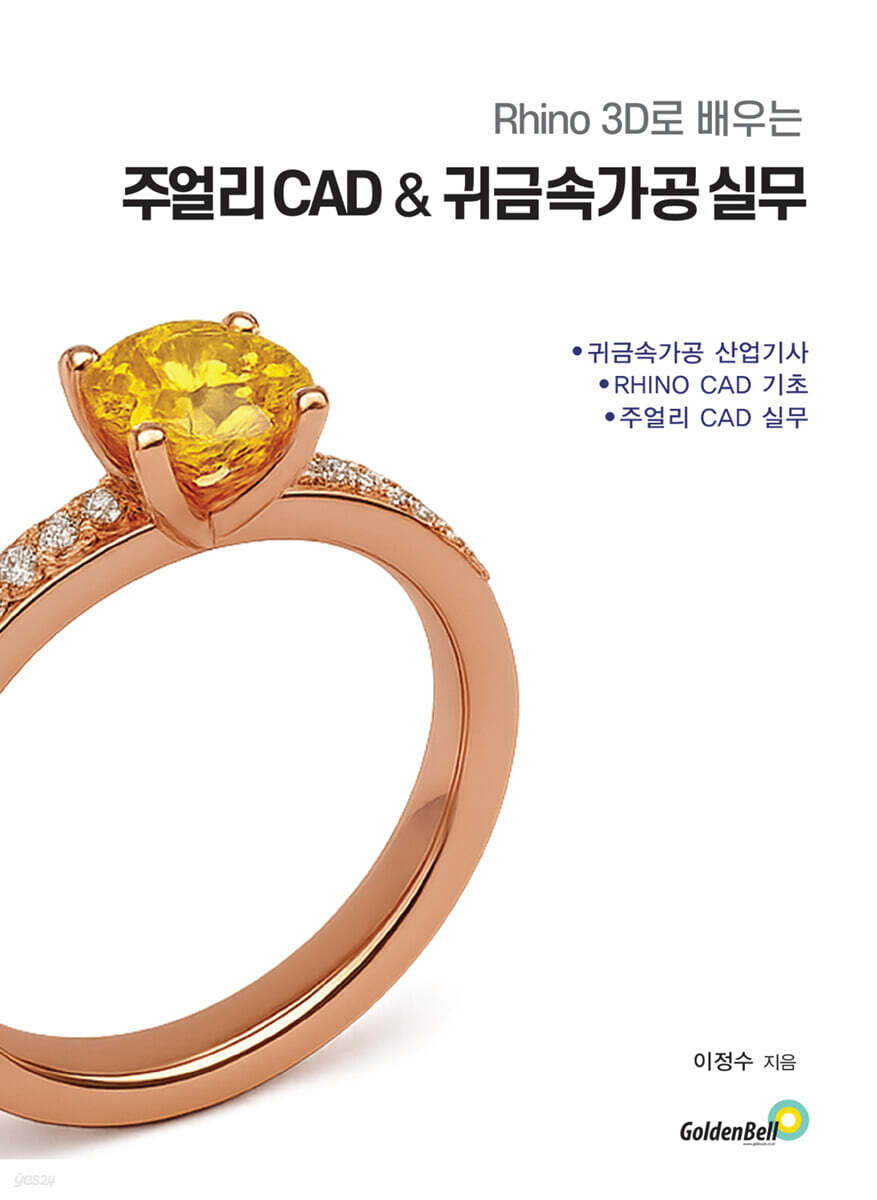 |
Description
Book Introduction
Jewelry design has long been a delicate art created by the hands of artisans.
However, advances in digital technology are adding new possibilities to traditional production methods.
At its heart is Rhino 3D, a powerful 3D modeling tool.
This book is a practical tutorial designed to be easy to follow for anyone, from beginners new to Rhino 3D to designers looking to improve their practical skills.
Among the numerous functions, we have selected only the core commands essential for precious metal processing and jewelry design, and instead of simply listing the commands, we have shown how they are used in actual production processes through various examples.
The first half covers basic modeling and drawing practice for the precious metal processing industry technician qualification exam, while the second half covers advanced and applied techniques based on actual jewelry production cases.
You can learn the basics of Rhino 3D by directly following various examples such as flower patterns, pendants, rings, orchids, and decorative drawings, and develop practical skills that can be applied immediately in the field.
"Learn Jewelry CAD & Precious Metal Processing Practice with Rhino 3D" is not a simple program manual, but a book that helps you utilize Rhino 3D as a creative partner that can bring your ideas to life.
It will serve as a solid guide for anyone who wants to open up new possibilities in jewelry design.
However, advances in digital technology are adding new possibilities to traditional production methods.
At its heart is Rhino 3D, a powerful 3D modeling tool.
This book is a practical tutorial designed to be easy to follow for anyone, from beginners new to Rhino 3D to designers looking to improve their practical skills.
Among the numerous functions, we have selected only the core commands essential for precious metal processing and jewelry design, and instead of simply listing the commands, we have shown how they are used in actual production processes through various examples.
The first half covers basic modeling and drawing practice for the precious metal processing industry technician qualification exam, while the second half covers advanced and applied techniques based on actual jewelry production cases.
You can learn the basics of Rhino 3D by directly following various examples such as flower patterns, pendants, rings, orchids, and decorative drawings, and develop practical skills that can be applied immediately in the field.
"Learn Jewelry CAD & Precious Metal Processing Practice with Rhino 3D" is not a simple program manual, but a book that helps you utilize Rhino 3D as a creative partner that can bring your ideas to life.
It will serve as a solid guide for anyone who wants to open up new possibilities in jewelry design.
index
Lesson 01 Introduction 7
1.
Rhinoceros? 7
2.
Compatibility with other programs 8
3.
Trial Program 9
4.
Rendering 9 using 3D data
5.
Grasshopper 10 pre-installed
6.
Enhanced presentation features 11
7.
Display and powerful rendering 12
8.
Cloud Zoo License Authentication 12
9.
Gumball 13
10.
Copy using the Alt key 17
11.
Direct selection function 17
12.
SubD 18
13.
QuadRemesh 18
14.
Added Shell command and improved functionality of OffsetSrf command 19
Lesson 02 Rhino 3D Interface 26
1.
Running Rhino 3D 26
2.
Rhino 3D Screen Composition 26
3.
Mouse 30
4.
How to Use Help 32
Lesson 03 Object Basics 33
1.
Point 33
2.
Curves 33
3.
Surfaces 34
4.
Polysurfaces 35
5.
Solide 35
6.
Closed polysurface (solid) and open polysurface 36
7.
Isocurve 36
8.
Edge-curves 37
9.
Polygon mesh 38
10.
Other objects 39
Lesson 04 Viewport Settings 40
1.
40 Tools Needed for Viewport Settings
2.
42 Useful New Viewports in 5.0
3.
43 Useful New Viewports in 6.0
Lesson 05 Choice 44
1.
Object Selection Method 44
2.
Selection using selection tools 45
3.
46 Frequently Used Commands for Selecting Objects
Lesson 06 Options and Shortcut Key Settings 48
1.
48 Useful Options Settings for Use
Lesson 07 Pop-up 57
Lesson 08 3D Controls 59
Lesson 09 2D Basics 62
1.
Understanding the Plane Line Tool 62
2.
How to Use Object Snap 64
3.
Drawing a curve with few points 64
4.
Degree 65 with Rebuild option
Lesson 10 Coordinate Control 67
1.
Enter coordinates 67
2.
Polar Coordinates 69
3.
Distance and angle constraint input 71
4.
Exercise 73
Lesson 11: Drawing 2D Patterns 79
Flower pattern 79
Lesson 12: Protruding Pendant 88
Lesson 13 Repeat Pendant 90
Lesson 14: Precious Metals Processing Industry Technician 100
Lesson 15 Point Control 128
Lesson 16: Data for Sculpting 139
Lesson 17 Crescent Moon Pendant 147
Lesson 18: Building a Four-Legged House 164
Lesson 19: Making an Application Puzzle 168
Lesson 20: Making a Garden Ring 173
Lesson 21: Basic Shape Rings 187
Lesson 22 Block-Shaped Ring 199
Lesson 23: Screw Pendant 211
Lesson 24: Practical Decorative Drawings 232
1.
Clock decoration 232
2.
One-Touch Decoration 233
3.
Tongue decoration 234
1.
Rhinoceros? 7
2.
Compatibility with other programs 8
3.
Trial Program 9
4.
Rendering 9 using 3D data
5.
Grasshopper 10 pre-installed
6.
Enhanced presentation features 11
7.
Display and powerful rendering 12
8.
Cloud Zoo License Authentication 12
9.
Gumball 13
10.
Copy using the Alt key 17
11.
Direct selection function 17
12.
SubD 18
13.
QuadRemesh 18
14.
Added Shell command and improved functionality of OffsetSrf command 19
Lesson 02 Rhino 3D Interface 26
1.
Running Rhino 3D 26
2.
Rhino 3D Screen Composition 26
3.
Mouse 30
4.
How to Use Help 32
Lesson 03 Object Basics 33
1.
Point 33
2.
Curves 33
3.
Surfaces 34
4.
Polysurfaces 35
5.
Solide 35
6.
Closed polysurface (solid) and open polysurface 36
7.
Isocurve 36
8.
Edge-curves 37
9.
Polygon mesh 38
10.
Other objects 39
Lesson 04 Viewport Settings 40
1.
40 Tools Needed for Viewport Settings
2.
42 Useful New Viewports in 5.0
3.
43 Useful New Viewports in 6.0
Lesson 05 Choice 44
1.
Object Selection Method 44
2.
Selection using selection tools 45
3.
46 Frequently Used Commands for Selecting Objects
Lesson 06 Options and Shortcut Key Settings 48
1.
48 Useful Options Settings for Use
Lesson 07 Pop-up 57
Lesson 08 3D Controls 59
Lesson 09 2D Basics 62
1.
Understanding the Plane Line Tool 62
2.
How to Use Object Snap 64
3.
Drawing a curve with few points 64
4.
Degree 65 with Rebuild option
Lesson 10 Coordinate Control 67
1.
Enter coordinates 67
2.
Polar Coordinates 69
3.
Distance and angle constraint input 71
4.
Exercise 73
Lesson 11: Drawing 2D Patterns 79
Flower pattern 79
Lesson 12: Protruding Pendant 88
Lesson 13 Repeat Pendant 90
Lesson 14: Precious Metals Processing Industry Technician 100
Lesson 15 Point Control 128
Lesson 16: Data for Sculpting 139
Lesson 17 Crescent Moon Pendant 147
Lesson 18: Building a Four-Legged House 164
Lesson 19: Making an Application Puzzle 168
Lesson 20: Making a Garden Ring 173
Lesson 21: Basic Shape Rings 187
Lesson 22 Block-Shaped Ring 199
Lesson 23: Screw Pendant 211
Lesson 24: Practical Decorative Drawings 232
1.
Clock decoration 232
2.
One-Touch Decoration 233
3.
Tongue decoration 234
GOODS SPECIFICS
- Date of issue: August 29, 2025
- Page count, weight, size: 236 pages | 190*260*20mm
- ISBN13: 9791158063030
- ISBN10: 1158063032
You may also like
카테고리
korean


korean

![GQ KOREA Mark (Monthly): December [2025]](http://librairie.coreenne.fr/cdn/shop/files/8ef265dbbfbf186523ed75ba7319009d.jpg?v=1765340328&width=3840)


