

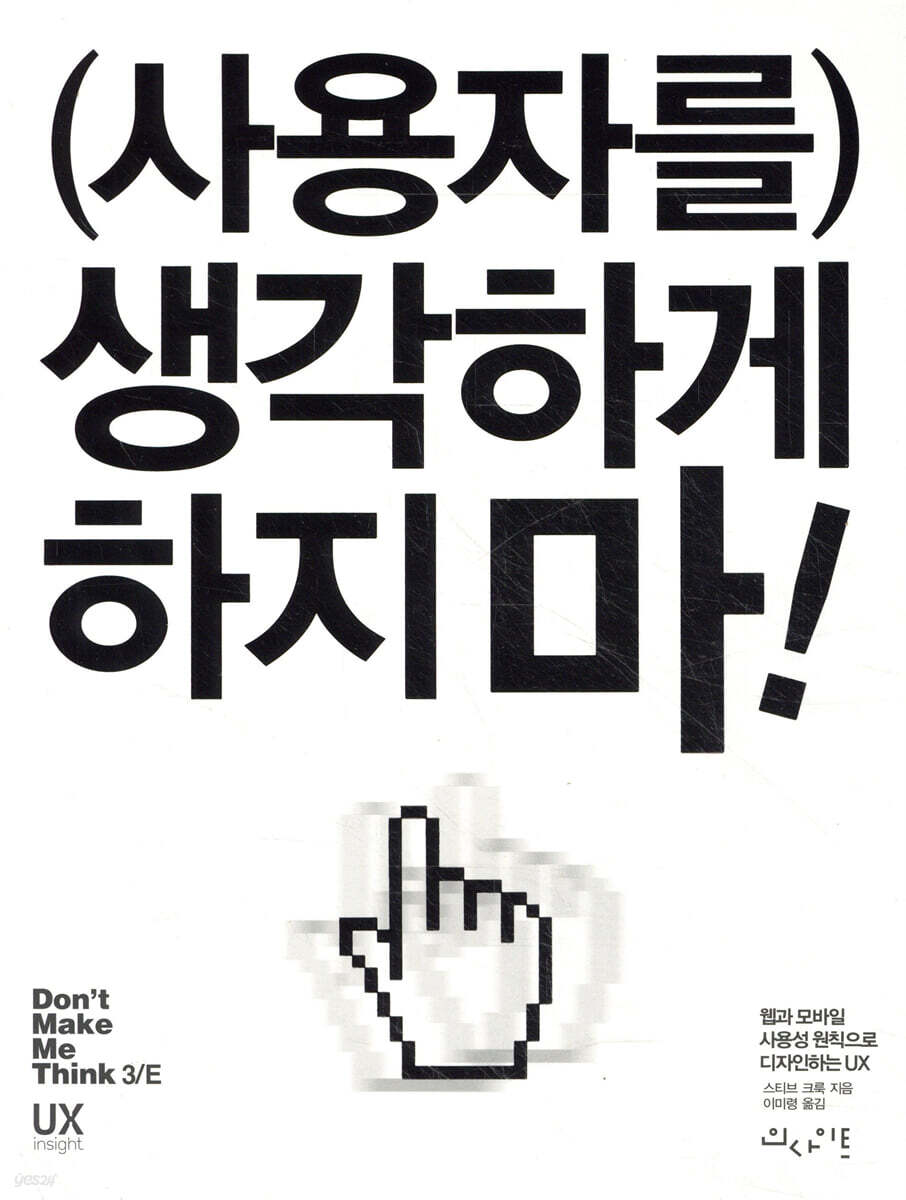
Don't make the user think!
 |
Description
Book Introduction
The Bible of Web and Mobile Usability Principles
Don't overwhelm your users! This is the first usability principle that author Steve Krug emphasizes most in this book.
It humorously explains usability principles that make websites clear, such as how to make it self-evident to users what they are looking at and how to use it without too much effort.
Don't overwhelm your users! This is the first usability principle that author Steve Krug emphasizes most in this book.
It humorously explains usability principles that make websites clear, such as how to make it self-evident to users what they are looking at and how to use it without too much effort.
- You can preview some of the book's contents.
Preview
index
time
Translator's Note
About this revised edition
1.
Honestly, it's been a while
2.
The world has changed
I hope there is no misunderstanding…
Before the main text
Bad news: You may not be able to afford a usability expert.
Good news: It's not as difficult as Rocket Surgery™.
This book is short.
What's not in this book
Added mobile section!
One last thing before we begin
Chapter 1 Don't leave your users in a quandary!
Don't leave your users in a difficult situation!
Users worry about this
You can't make everything self-evident
Why should I make my website clear?
So what's the real reason?
Chapter 2: How We Actually Use the Web
Truth number one: Users don't read web pages.
Take a look
Truth number two: Users don't make the best choices.
I am satisfied as long as the minimum conditions are met.
Third truth: Users don't want to understand how things work.
Improvise appropriately
If it can't be avoided...
Chapter 3: First Steps in Billboard Design
Use convention
Organize your visual hierarchy effectively
Clearly distinguish between sections of the page
Clearly indicate clickable elements
Eliminate distractions
Organize your content in a way that makes it easy to skim.
Chapter 4: Are you an animal, a plant, or an inanimate object?
Sometimes you need help
Chapter 5: Eliminate Unnecessary Words
Eliminate unnecessary greetings
Remove the description
Now let's move on to the next step
Chapter 6: Signs and Breadcrumbs
At the shopping mall
First steps in web navigation
The unbearable lightness of browsing
Hidden Uses of Navigation
Web Navigation Conventions
Follows me wherever I go
Did I just say 'wherever I go'?
This is definitely not Kansas
section
Utility
Click three times and say this:
“Home is the best.”
How to search
Also consider navigation beyond steps 1 and 2.
There's a reason driving in LA is so fun.
Show current location
breadcrumbs
Three Reasons I Still Love Tabs
Do a trunk evaluation
Chapter 7: The Big Bang Theory of Web Design
“Oh, but there is one more condition.
“You have to do it blindfolded.”
The first casualty of the territorial battle
Is your home page still that important?
Convey important messages like this
A good tagline is the best™
It's okay even without a tagline
Fifth question
Why do you want to eat the goose that lays the golden eggs?
Chapter 8: "Farmers and Cowboys Should Be Friends"
“Everyone likes ______”
Farmer vs. Cowboy
The Myth of the 'Average User'
This is how to resolve religious disputes.
Chapter 9: Evaluating Usability at Low Cost
Repeat after me: Focus groups are not usability tests.
A Few Truths About Usability Testing
DIY usability evaluation
What is a good evaluation cycle?
How many users do you need?
How are participants selected?
How do I find participants?
Where is the evaluation done?
Who is better to proceed?
Who is observing?
What and when to evaluate?
How do you choose which tasks to evaluate?
What happens during the evaluation?
Example Evaluation Session
Commonly occurring problems
Briefing: Deciding What to Fix
Alternative evaluation methods
You'll like it if you try it.
Chapter 10 Mobile App Usability
What's different?
Consider the tradeoffs
Problems arising from limited space
Raising a chameleon
Don't hide your affordance
No cursor = no hover = no hint
Flat Design: Good or Bad?
There may be people who are too rich and too thin.
Mobile App Usability Attributes
Fun is the trend
Apps should be easy to learn
Apps should also be memorable.
Mobile Device Usability Evaluation
How to run a mobile assessment
The method I used
Proof of Concept: Brundlefly Camera
in the end...
Chapter 11 Usability as Basic Etiquette
Goodwill Vault
Factors that decrease favorability
Factors that increase liking
Chapter 12 Web Accessibility and You
What people say to developers and designers
What Developers and Designers Fear
Actually, it can get really complicated
Four Things You Can Do Right Now
1.
Fix the usability issues that everyone is confused about.
2.
I recommend a paper.
3.
I recommend a book
4.
Solve the easy problems first
Chapter 13: A Skeptic's Guide
You must first understand the field of usability.
Common advice
If I were you...
Resist the forces of darkness
Some definitive answers
Acknowledgements
Search
Translator's Note
About this revised edition
1.
Honestly, it's been a while
2.
The world has changed
I hope there is no misunderstanding…
Before the main text
Bad news: You may not be able to afford a usability expert.
Good news: It's not as difficult as Rocket Surgery™.
This book is short.
What's not in this book
Added mobile section!
One last thing before we begin
Chapter 1 Don't leave your users in a quandary!
Don't leave your users in a difficult situation!
Users worry about this
You can't make everything self-evident
Why should I make my website clear?
So what's the real reason?
Chapter 2: How We Actually Use the Web
Truth number one: Users don't read web pages.
Take a look
Truth number two: Users don't make the best choices.
I am satisfied as long as the minimum conditions are met.
Third truth: Users don't want to understand how things work.
Improvise appropriately
If it can't be avoided...
Chapter 3: First Steps in Billboard Design
Use convention
Organize your visual hierarchy effectively
Clearly distinguish between sections of the page
Clearly indicate clickable elements
Eliminate distractions
Organize your content in a way that makes it easy to skim.
Chapter 4: Are you an animal, a plant, or an inanimate object?
Sometimes you need help
Chapter 5: Eliminate Unnecessary Words
Eliminate unnecessary greetings
Remove the description
Now let's move on to the next step
Chapter 6: Signs and Breadcrumbs
At the shopping mall
First steps in web navigation
The unbearable lightness of browsing
Hidden Uses of Navigation
Web Navigation Conventions
Follows me wherever I go
Did I just say 'wherever I go'?
This is definitely not Kansas
section
Utility
Click three times and say this:
“Home is the best.”
How to search
Also consider navigation beyond steps 1 and 2.
There's a reason driving in LA is so fun.
Show current location
breadcrumbs
Three Reasons I Still Love Tabs
Do a trunk evaluation
Chapter 7: The Big Bang Theory of Web Design
“Oh, but there is one more condition.
“You have to do it blindfolded.”
The first casualty of the territorial battle
Is your home page still that important?
Convey important messages like this
A good tagline is the best™
It's okay even without a tagline
Fifth question
Why do you want to eat the goose that lays the golden eggs?
Chapter 8: "Farmers and Cowboys Should Be Friends"
“Everyone likes ______”
Farmer vs. Cowboy
The Myth of the 'Average User'
This is how to resolve religious disputes.
Chapter 9: Evaluating Usability at Low Cost
Repeat after me: Focus groups are not usability tests.
A Few Truths About Usability Testing
DIY usability evaluation
What is a good evaluation cycle?
How many users do you need?
How are participants selected?
How do I find participants?
Where is the evaluation done?
Who is better to proceed?
Who is observing?
What and when to evaluate?
How do you choose which tasks to evaluate?
What happens during the evaluation?
Example Evaluation Session
Commonly occurring problems
Briefing: Deciding What to Fix
Alternative evaluation methods
You'll like it if you try it.
Chapter 10 Mobile App Usability
What's different?
Consider the tradeoffs
Problems arising from limited space
Raising a chameleon
Don't hide your affordance
No cursor = no hover = no hint
Flat Design: Good or Bad?
There may be people who are too rich and too thin.
Mobile App Usability Attributes
Fun is the trend
Apps should be easy to learn
Apps should also be memorable.
Mobile Device Usability Evaluation
How to run a mobile assessment
The method I used
Proof of Concept: Brundlefly Camera
in the end...
Chapter 11 Usability as Basic Etiquette
Goodwill Vault
Factors that decrease favorability
Factors that increase liking
Chapter 12 Web Accessibility and You
What people say to developers and designers
What Developers and Designers Fear
Actually, it can get really complicated
Four Things You Can Do Right Now
1.
Fix the usability issues that everyone is confused about.
2.
I recommend a paper.
3.
I recommend a book
4.
Solve the easy problems first
Chapter 13: A Skeptic's Guide
You must first understand the field of usability.
Common advice
If I were you...
Resist the forces of darkness
Some definitive answers
Acknowledgements
Search
GOODS SPECIFICS
- Date of issue: November 30, 2014
- Page count, weight, size: 240 pages | 172*225*20mm
- ISBN13: 9788966261215
- ISBN10: 8966261213
You may also like
카테고리
korean


korean

![GQ KOREA Mark (Monthly): December [2025]](http://librairie.coreenne.fr/cdn/shop/files/8ef265dbbfbf186523ed75ba7319009d.jpg?v=1765340328&width=3840)


