

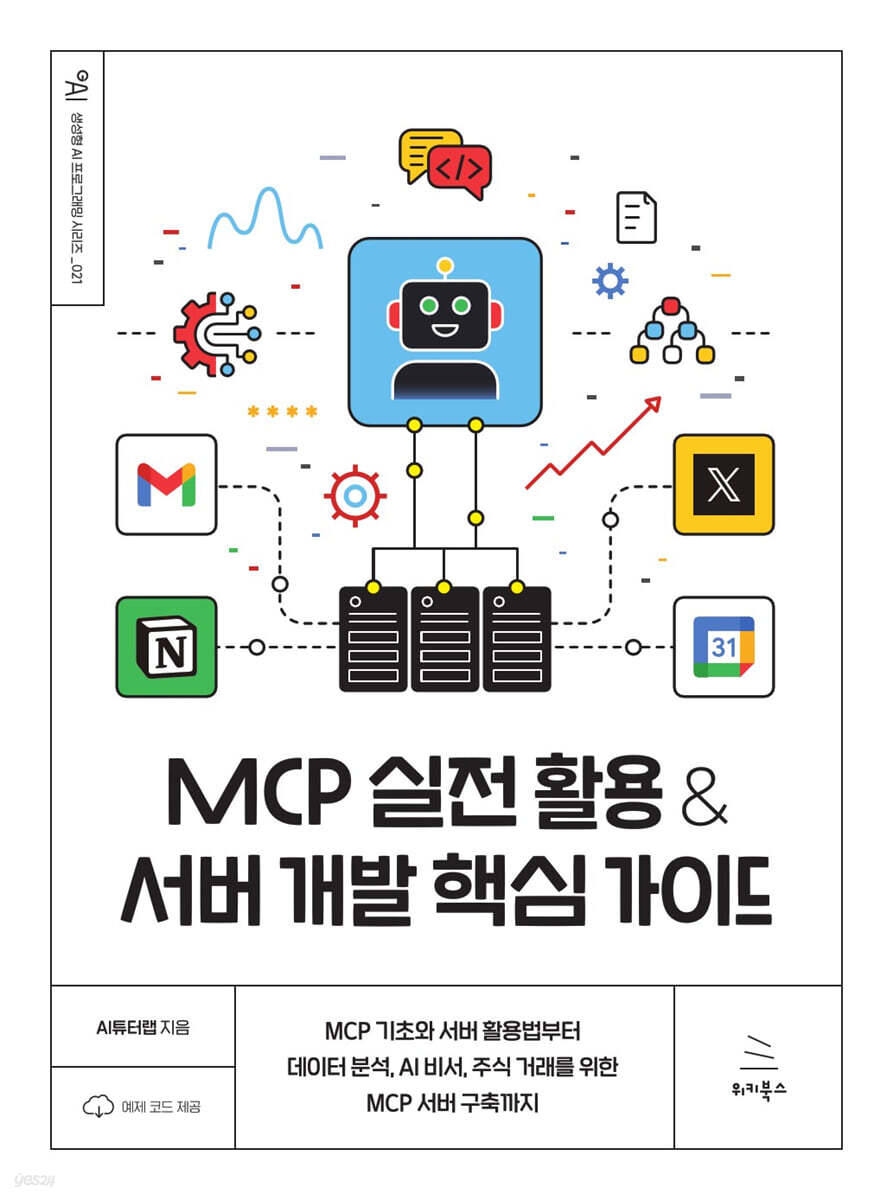
MCP Practical Use & Server Development Core Guide
 |
Description
Book Introduction
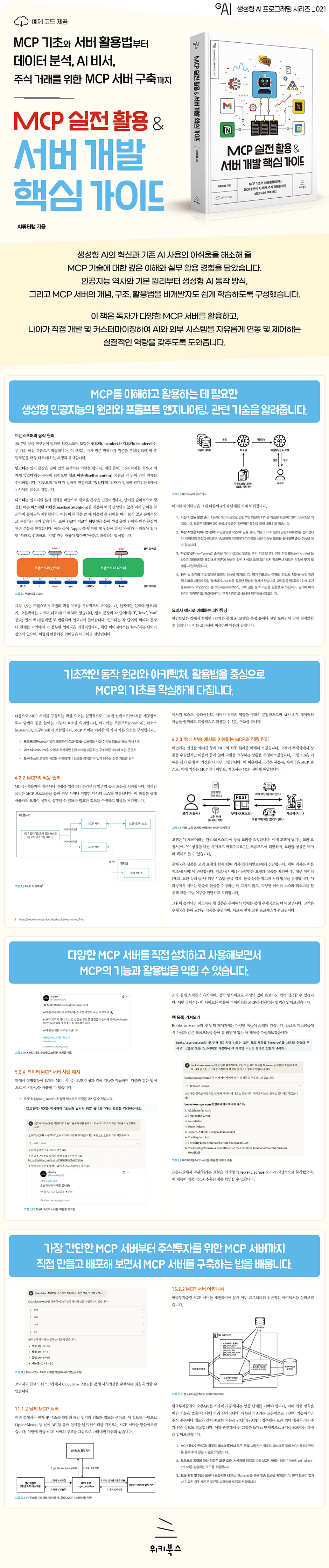
《MCP Practical Application & Server Development Core Guide》 goes beyond simple AI utilization to provide practical experience in understanding the core principles of MCP and building your own MCP service and server.
Covering everything from basic usage to advanced use and even server development, we've included the knowledge and know-how you need to automate repetitive tasks and create new value.
In particular, this book covers a variety of practical projects utilizing the MCP server, as well as advanced development methods for integrating with external systems such as DART (Digital Artifact Retrieval System) and securities firm APIs.
We also provide practical, hands-on information, including techniques for optimizing AI models and debugging know-how.
No matter which page you open in this book, you'll find inspiration for your projects or a valuable resource for solving a pressing problem.
Covering everything from basic usage to advanced use and even server development, we've included the knowledge and know-how you need to automate repetitive tasks and create new value.
In particular, this book covers a variety of practical projects utilizing the MCP server, as well as advanced development methods for integrating with external systems such as DART (Digital Artifact Retrieval System) and securities firm APIs.
We also provide practical, hands-on information, including techniques for optimizing AI models and debugging know-how.
No matter which page you open in this book, you'll find inspiration for your projects or a valuable resource for solving a pressing problem.
- You can preview some of the book's contents.
Preview
index
▣ Chapter 1: Introduction
1.1 The Need and Importance of Generative AI
__1.1.1 Explosive market growth and economic ripple effects
__1.1.2 The need for future preparation
1.2 The development of generative AI
__1.2.1 The evolution of AI and machine learning (before Transformers)
__1.2.2 Revolution in Transformer Architecture
__1.2.3 Principles of Generative AI
1.3 Background of the emergence of MCP
__1.3.1 Limitations of Existing Generative AI
__1.3.2 Introduction of Antropic's MCP in 2024 and its implications
__1.3.3 MCP Created by Companies and Individuals: Connecting AI and Systems
1.4 Structure and Learning Objectives of This Book
1.5 Summary
▣ Chapter 2: Prompt Engineering for MCP
2.1 Prompt Basics
__2.1.1 Prompt Basics and Format for Effective Prompt Writing
2.2 General Guidelines for Prompt Design
__2.2.1 Separating Instructions and Context
__2.2.2 Describe in detail and specificity
2.3 Prompt Engineering
__2.3.1 Zero Shot
__2.3.2 Pushot
__2.3.3 Chain of Thoughts
__2.3.4 Persona
2.4 Additional Practice
2.5 Summary
▣ Chapter 3: Techniques for Optimizing Generative AI
3.1 Augmented Search Creation
__3.1.1 RAG Overview and Basic Concepts
__3.1.2 Differences from existing LLMs
__3.1.3 Core Components of RAG
__3.1.4 Real-world application: NotebookLM
3.2 Fine Tuning
__3.2.1 Definition and necessity of fine tuning
__3.2.2 Fine-tuning methodology: Full fine-tuning vs.
Partial fine tuning
__3.2.3 Steps of fine tuning
__3.2.4 Fine Tuning Application Examples
3.3 AI Agents
__3.3.1 Definition of AI Agent
__3.3.2 Principles of AI Agents
__3.3.3 Use Cases for AI Agents
3.4 Summary
▣ Chapter 4: Definition and Operation of MCP
4.1 What is MCP?
__4.1.1 Dictionary Definition of MCP
__4.1.2 Why MCP is needed
4.2 Components and operating principles of MCP
__4.2.1 Components of MCP
__4.2.2 How MCP Works
__4.2.3 Understanding the MCP's Operating Principle with an Example of a Package Return
4.3 Starting MCP with Cloud Desktop
__4.3.1 Required Environment Settings for Using MCP Server
__4.3.2 Registering the MCP Server on the Cloud Desktop
4.4 What You Can Do with MCP
4.5 Summary
▣ Chapter 5: [Practical Application] Searching for news and posting it on social media
5.1 Real-time search and data extraction using the Tavily MCP server
__5.1.1 What is a Tavily server?
__5.1.2 Key Features and Functions of Tavily MCP Server
__5.1.3 Setting up a Tavily MCP server on Cloud Desktop
__5.1.4 Using Tavily MCP
5.2 Posting and Searching Using the Twitter MCP Server
__5.2.1 What is X (formerly Twitter)?
__5.2.2 Key Features and Functions of Twitter MCP Server
__5.2.3 Setting up a Twitter MCP server on Cloud Desktop
__5.2.4 Example of using Twitter MCP server
5.3 Connect to the MCP server to search for news and post it on social media.
__5.3.1 Configuring Multiple MCP Servers
__5.3.2 MCP Server Configuration Items
5.4 Summary
▣ Chapter 6: [Practical Applications] Crawling Web Data and Saving It to Notion
6.1 Firecrawler MCP Server
__6.1.1 Background knowledge for understanding crawling
__6.1.2 Key Features of Firecrawl MCP Server
__6.1.3 Firecrawler MCP Server Setup
__6.1.4 FireCrawl MCP Server Usage Cases
6.2 Notion MCP Server
__6.2.1 Key Features of Notion MCP Server
__6.2.2 Notion MCP Server Settings
__6.2.3 Use Cases for Notion MCP Server
6.3 Using FireCrawl MCP and Notion MCP Servers
6.4 Summary
▣ Chapter 7: [Practical Applications] Building a Vector Database and Implementing a Membership Management System
7.1 Chroma MCP Server
__7.1.1 What is chroma?
__7.1.2 Features and Functions of the Chroma MCP Server
__7.1.3 Chroma MCP Server Settings
__7.1.4 Chroma MCP Server Use Cases
7.2 SQLite MCP Server
__7.2.1 Key Features of SQLite MCP Server
__7.2.2 Setting up SQLite MCP Server
__7.2.3 SQLite MCP Server Usage Case
7.3 Using Chroma MCP Server and SQLite MCP Server Together
__7.3.1 Building a Virtual Laptop Sales Shopping Mall Database
7.4 Summary
▣ Chapter 8: [Practical Applications] File System Management
8.1 File System MCP Server
__8.1.1 What is a File System MCP Server?
__8.1.2 File System MCP Server Features
8.2 File System MCP Server Configuration
__8.2.1 Configuring the local environment
__8.2.2 File System MCP Server Configuration
8.3 File System MCP Server Usage Cases
__8.3.1 Basic Usage
__8.3.2 Use Cases
8.4 Summary
▣ Chapter 9: Using Smithery and Key MCP Servers
9.1 What is an MCP Server Repository?
__9.1.1 MCP Server Repository
__9.1.2 What is Smithery?
9.2 Using the Smithery and Community MCP Servers
__9.2.1 Signing up and browsing servers
__9.2.2 Installing the MCP Server
9.3 Using the Smithery MCP Server
__9.3.1 Representative MCP Servers: Context7 and Sequential Thinking
__9.3.2 Vibe Coding Using the Smithery Platform
9.4 Summary
▣ Chapter 10: Creating and Debugging an MCP Server
10.1 How to Create an MCP Server
__10.1.1 Setting up the development environment
__10.1.2 Structure of the MCP Server Project
10.2 Core Components of the FastMCP Server
__10.2.1 Tools
__10.2.2 Resources
__10.2.3 Prompt
10.3 Debugging the MCP Server
__10.3.1 MCP Inspector
__10.3.2 Cloud Desktop Log File
__10.3.3 Frequently encountered problems when using the MCP server
10.4 Rules for Writing MCP Servers
10.5 Summary
▣ Chapter 11: [Practical Project] Hello MCP! Project
11.1 Simple MCP Example Practice
__11.1.1 Calculator MCP Server
__11.1.2 Weather MCP Server
11.2 Deploying the MCP Server
__11.2.1 Creating a GitHub repository
__11.2.2 Settings for posting to the Smithery platform
__11.2.3 Deployed on GitHub
__11.2.4 Deploying to the FastMCP Cloud
__11.2.5 Deployed to Smithery
11.3 Summary
▣ Chapter 12: [Practical Project] Data Analysis Using the MCP Server
12.1 Project Overview
__12.1.1 What is data analysis?
12.2 Project Preparation and Design
__12.2.1 Introduction to Pandas' Key Features for Data Analysis
__12.2.2 Core logic of the data analysis MCP server
12.3 MCP Server Development and Use
__12.3.1 MCP Server Development
__12.3.2 Data Analysis MCP Server Utilization
12.4 Summary
▣ Chapter 13: [Practical Project] Creating an AI Secretary MCP
13.1 Project Overview
__13.1.1 What is an AI office secretary?
__13.1.2 What is Google API?
13.2 Project Preparation
__13.2.1 Google Calendar and Gmail Settings
__13.2.2 Google API authentication method
13.3 Creating an AI Assistant MCP Server
__13.3.1 Configuring Google APIs and Creating a FastMCP Instance
__13.3.2 How to Use AI Secretary MCP Server
13.4 Summary
▣ Chapter 14: [Practical Project] Creating an Electronic Disclosure System (DART) MCP Server
14.1 Project Overview
__14.1.1 Introduction to DART
__14.1.2 Project Goals and Requirements
14.2 Project Preparation and Design
__14.2.1 DART Open API application and authentication key issuance
__14.2.2 DART data collection and parsing library
14.3 DART MCP Server Development and Usage
__14.3.1 DART MCP Server Development
__14.3.2 Using the DART MCP Server
14.4 Summary
▣ Chapter 15: [Practical Project] Creating a Stock Trading MCP Using a Securities Firm's API
15.1 Project Overview
__15.1.1 KIS Open API
__15.1.2 Project Goals and Requirements
15.2 Project Preparation and Design
__15.2.1 KIS Open API Key Issuance
__15.2.2 MCP Server Architecture
15.3 MCP Server Project
__15.1.1 MCP Server Development
__15.3.2 MCP Server Utilization
15.4 Summary
▣ Appendix: Cloud Desktop Extension
A.1 What is the Cloud Desktop Extension?
A.2 Architecture of the Cloud Desktop Extension
A.3 Packaging using the desktop extension
1.1 The Need and Importance of Generative AI
__1.1.1 Explosive market growth and economic ripple effects
__1.1.2 The need for future preparation
1.2 The development of generative AI
__1.2.1 The evolution of AI and machine learning (before Transformers)
__1.2.2 Revolution in Transformer Architecture
__1.2.3 Principles of Generative AI
1.3 Background of the emergence of MCP
__1.3.1 Limitations of Existing Generative AI
__1.3.2 Introduction of Antropic's MCP in 2024 and its implications
__1.3.3 MCP Created by Companies and Individuals: Connecting AI and Systems
1.4 Structure and Learning Objectives of This Book
1.5 Summary
▣ Chapter 2: Prompt Engineering for MCP
2.1 Prompt Basics
__2.1.1 Prompt Basics and Format for Effective Prompt Writing
2.2 General Guidelines for Prompt Design
__2.2.1 Separating Instructions and Context
__2.2.2 Describe in detail and specificity
2.3 Prompt Engineering
__2.3.1 Zero Shot
__2.3.2 Pushot
__2.3.3 Chain of Thoughts
__2.3.4 Persona
2.4 Additional Practice
2.5 Summary
▣ Chapter 3: Techniques for Optimizing Generative AI
3.1 Augmented Search Creation
__3.1.1 RAG Overview and Basic Concepts
__3.1.2 Differences from existing LLMs
__3.1.3 Core Components of RAG
__3.1.4 Real-world application: NotebookLM
3.2 Fine Tuning
__3.2.1 Definition and necessity of fine tuning
__3.2.2 Fine-tuning methodology: Full fine-tuning vs.
Partial fine tuning
__3.2.3 Steps of fine tuning
__3.2.4 Fine Tuning Application Examples
3.3 AI Agents
__3.3.1 Definition of AI Agent
__3.3.2 Principles of AI Agents
__3.3.3 Use Cases for AI Agents
3.4 Summary
▣ Chapter 4: Definition and Operation of MCP
4.1 What is MCP?
__4.1.1 Dictionary Definition of MCP
__4.1.2 Why MCP is needed
4.2 Components and operating principles of MCP
__4.2.1 Components of MCP
__4.2.2 How MCP Works
__4.2.3 Understanding the MCP's Operating Principle with an Example of a Package Return
4.3 Starting MCP with Cloud Desktop
__4.3.1 Required Environment Settings for Using MCP Server
__4.3.2 Registering the MCP Server on the Cloud Desktop
4.4 What You Can Do with MCP
4.5 Summary
▣ Chapter 5: [Practical Application] Searching for news and posting it on social media
5.1 Real-time search and data extraction using the Tavily MCP server
__5.1.1 What is a Tavily server?
__5.1.2 Key Features and Functions of Tavily MCP Server
__5.1.3 Setting up a Tavily MCP server on Cloud Desktop
__5.1.4 Using Tavily MCP
5.2 Posting and Searching Using the Twitter MCP Server
__5.2.1 What is X (formerly Twitter)?
__5.2.2 Key Features and Functions of Twitter MCP Server
__5.2.3 Setting up a Twitter MCP server on Cloud Desktop
__5.2.4 Example of using Twitter MCP server
5.3 Connect to the MCP server to search for news and post it on social media.
__5.3.1 Configuring Multiple MCP Servers
__5.3.2 MCP Server Configuration Items
5.4 Summary
▣ Chapter 6: [Practical Applications] Crawling Web Data and Saving It to Notion
6.1 Firecrawler MCP Server
__6.1.1 Background knowledge for understanding crawling
__6.1.2 Key Features of Firecrawl MCP Server
__6.1.3 Firecrawler MCP Server Setup
__6.1.4 FireCrawl MCP Server Usage Cases
6.2 Notion MCP Server
__6.2.1 Key Features of Notion MCP Server
__6.2.2 Notion MCP Server Settings
__6.2.3 Use Cases for Notion MCP Server
6.3 Using FireCrawl MCP and Notion MCP Servers
6.4 Summary
▣ Chapter 7: [Practical Applications] Building a Vector Database and Implementing a Membership Management System
7.1 Chroma MCP Server
__7.1.1 What is chroma?
__7.1.2 Features and Functions of the Chroma MCP Server
__7.1.3 Chroma MCP Server Settings
__7.1.4 Chroma MCP Server Use Cases
7.2 SQLite MCP Server
__7.2.1 Key Features of SQLite MCP Server
__7.2.2 Setting up SQLite MCP Server
__7.2.3 SQLite MCP Server Usage Case
7.3 Using Chroma MCP Server and SQLite MCP Server Together
__7.3.1 Building a Virtual Laptop Sales Shopping Mall Database
7.4 Summary
▣ Chapter 8: [Practical Applications] File System Management
8.1 File System MCP Server
__8.1.1 What is a File System MCP Server?
__8.1.2 File System MCP Server Features
8.2 File System MCP Server Configuration
__8.2.1 Configuring the local environment
__8.2.2 File System MCP Server Configuration
8.3 File System MCP Server Usage Cases
__8.3.1 Basic Usage
__8.3.2 Use Cases
8.4 Summary
▣ Chapter 9: Using Smithery and Key MCP Servers
9.1 What is an MCP Server Repository?
__9.1.1 MCP Server Repository
__9.1.2 What is Smithery?
9.2 Using the Smithery and Community MCP Servers
__9.2.1 Signing up and browsing servers
__9.2.2 Installing the MCP Server
9.3 Using the Smithery MCP Server
__9.3.1 Representative MCP Servers: Context7 and Sequential Thinking
__9.3.2 Vibe Coding Using the Smithery Platform
9.4 Summary
▣ Chapter 10: Creating and Debugging an MCP Server
10.1 How to Create an MCP Server
__10.1.1 Setting up the development environment
__10.1.2 Structure of the MCP Server Project
10.2 Core Components of the FastMCP Server
__10.2.1 Tools
__10.2.2 Resources
__10.2.3 Prompt
10.3 Debugging the MCP Server
__10.3.1 MCP Inspector
__10.3.2 Cloud Desktop Log File
__10.3.3 Frequently encountered problems when using the MCP server
10.4 Rules for Writing MCP Servers
10.5 Summary
▣ Chapter 11: [Practical Project] Hello MCP! Project
11.1 Simple MCP Example Practice
__11.1.1 Calculator MCP Server
__11.1.2 Weather MCP Server
11.2 Deploying the MCP Server
__11.2.1 Creating a GitHub repository
__11.2.2 Settings for posting to the Smithery platform
__11.2.3 Deployed on GitHub
__11.2.4 Deploying to the FastMCP Cloud
__11.2.5 Deployed to Smithery
11.3 Summary
▣ Chapter 12: [Practical Project] Data Analysis Using the MCP Server
12.1 Project Overview
__12.1.1 What is data analysis?
12.2 Project Preparation and Design
__12.2.1 Introduction to Pandas' Key Features for Data Analysis
__12.2.2 Core logic of the data analysis MCP server
12.3 MCP Server Development and Use
__12.3.1 MCP Server Development
__12.3.2 Data Analysis MCP Server Utilization
12.4 Summary
▣ Chapter 13: [Practical Project] Creating an AI Secretary MCP
13.1 Project Overview
__13.1.1 What is an AI office secretary?
__13.1.2 What is Google API?
13.2 Project Preparation
__13.2.1 Google Calendar and Gmail Settings
__13.2.2 Google API authentication method
13.3 Creating an AI Assistant MCP Server
__13.3.1 Configuring Google APIs and Creating a FastMCP Instance
__13.3.2 How to Use AI Secretary MCP Server
13.4 Summary
▣ Chapter 14: [Practical Project] Creating an Electronic Disclosure System (DART) MCP Server
14.1 Project Overview
__14.1.1 Introduction to DART
__14.1.2 Project Goals and Requirements
14.2 Project Preparation and Design
__14.2.1 DART Open API application and authentication key issuance
__14.2.2 DART data collection and parsing library
14.3 DART MCP Server Development and Usage
__14.3.1 DART MCP Server Development
__14.3.2 Using the DART MCP Server
14.4 Summary
▣ Chapter 15: [Practical Project] Creating a Stock Trading MCP Using a Securities Firm's API
15.1 Project Overview
__15.1.1 KIS Open API
__15.1.2 Project Goals and Requirements
15.2 Project Preparation and Design
__15.2.1 KIS Open API Key Issuance
__15.2.2 MCP Server Architecture
15.3 MCP Server Project
__15.1.1 MCP Server Development
__15.3.2 MCP Server Utilization
15.4 Summary
▣ Appendix: Cloud Desktop Extension
A.1 What is the Cloud Desktop Extension?
A.2 Architecture of the Cloud Desktop Extension
A.3 Packaging using the desktop extension
Detailed image
Publisher's Review
★ What this book covers ★
◎ Definition, operating principles, and basic usage of MCP
◎ Prompt engineering and generative AI optimization technology
◎ Practical applications such as news search, web crawling, and file system management
◎ How to use the vector database and SQL MCP server
◎ Basics and debugging know-how for creating your own MCP server
◎ Data analysis, AI assistant, DART, and securities firm API integration
◎ Advanced MCP Server Development and Utilization
◎ Definition, operating principles, and basic usage of MCP
◎ Prompt engineering and generative AI optimization technology
◎ Practical applications such as news search, web crawling, and file system management
◎ How to use the vector database and SQL MCP server
◎ Basics and debugging know-how for creating your own MCP server
◎ Data analysis, AI assistant, DART, and securities firm API integration
◎ Advanced MCP Server Development and Utilization
GOODS SPECIFICS
- Date of issue: November 6, 2025
- Page count, weight, size: 368 pages | 175*235*15mm
- ISBN13: 9791158396404
You may also like
카테고리
korean


korean

![GQ KOREA Mark (Monthly): December [2025]](http://librairie.coreenne.fr/cdn/shop/files/8ef265dbbfbf186523ed75ba7319009d.jpg?v=1765340328&width=3840)


