

Capcut, the best video editing software
 |
Description
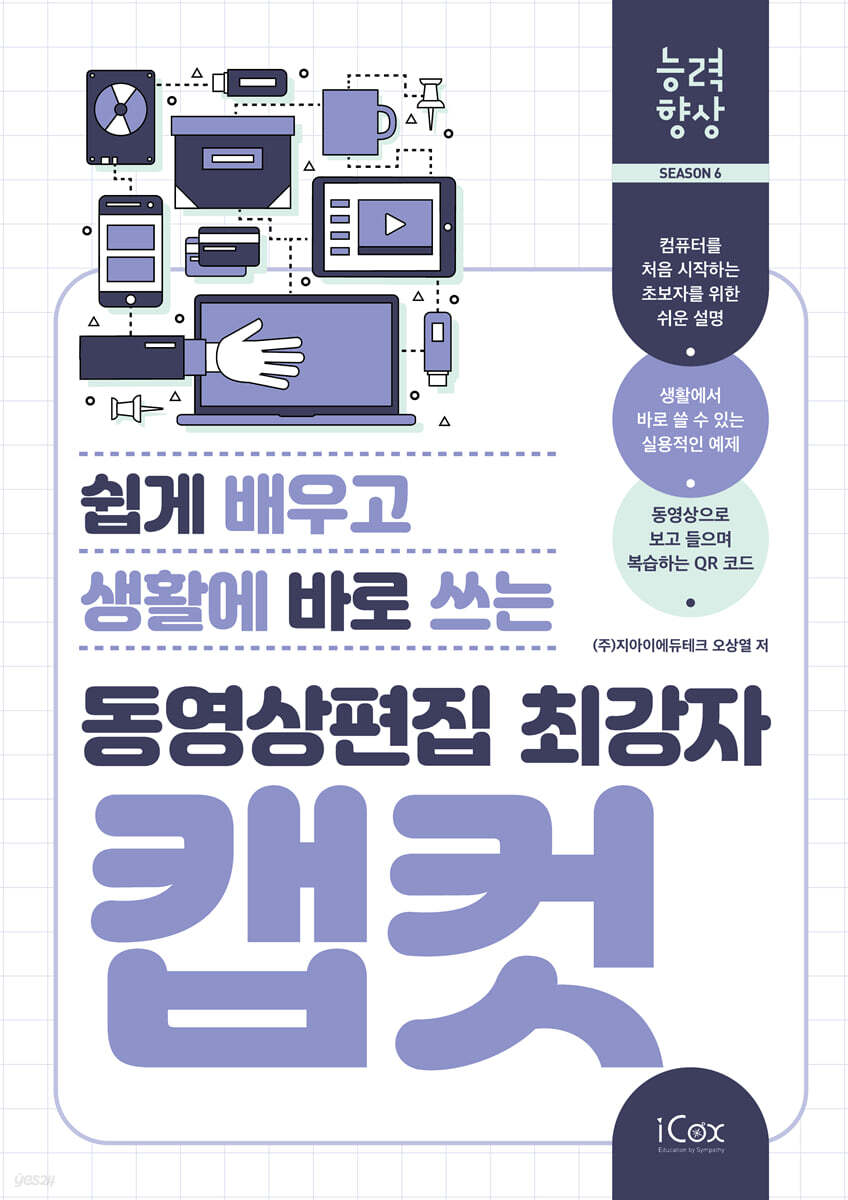
Book Introduction
A series that improves skills by making them easy to learn and apply in daily life (Season 6)
The Skills Enhancement Series is designed for people who are not very good at using computers and for seniors who are new to computers.
It is explained in detail and easy to understand, focusing on practical examples that can be applied directly to real life, and the numbered and explanatory text attached to the photo images make it easy to follow the instructions.
We have also made the text and corresponding images larger so that even the elderly with poor eyesight can view them without any inconvenience.
Additionally, each chapter has a QR code inserted so you can watch the lectures as videos, making it great for practicing on your own with just one book.
The Skills Enhancement Series is designed for people who are not very good at using computers and for seniors who are new to computers.
It is explained in detail and easy to understand, focusing on practical examples that can be applied directly to real life, and the numbered and explanatory text attached to the photo images make it easy to follow the instructions.
We have also made the text and corresponding images larger so that even the elderly with poor eyesight can view them without any inconvenience.
Additionally, each chapter has a QR code inserted so you can watch the lectures as videos, making it great for practicing on your own with just one book.
- You can preview some of the book's contents.
Preview
index
Chapter 01 Capcut Installation and Screen Configuration
__STEP01 Download CapCut
__STEP02 Install and run CapCut
__STEP03 Setting the Korean version
__STEP04 Checking the Dashboard
__STEP05 Learn about the editing screen
__STEP06 Creating a Project
Chapter 02 Splitting Clips
__STEP01 Splitting audio clips
__STEP02 Splitting video clips
__STEP03 Track Edit Window Magnet Function
__STEP04 Edit window tools
__STEP05 Edit window track tool
__STEP06 Splitting and selecting clips
Chapter 03 Covering Your Face to Protect It
__STEP01 Working with sticker splitting
__STEP02 Tracking tasks
__STEP03 Blur with a mask
__STEP04 Blur the background only
__STEP05 Covering with body effects
Chapter 04: Video Compositing
__STEP01 Remove background (cut out)
__STEP02 Apply background removal clip effect
__STEP03 Chroma Key Compositing
__STEP04 Creating a chroma key video
Chapter 05 Setting up Capcut
__STEP01 Setting the project save location
__STEP02 Delete project files
__STEP03 Find and move the project file
__STEP04 Managing proxies
__STEP05 Managing Cache
Chapter 06 Using Templates
__STEP01 Using the template for the first time
__STEP02 Creating a cover after working on the template
Chapter 07 Clip Transition Effects
__STEP01 Examining basic transition effects
__STEP02 Frequently used transition effects
__STEP03 Apply text transition effect
__STEP04 Clipping Mask Effect
Chapter 08 Using Animation
__STEP01 Media Clip Animation
__STEP02 Text Animation
__STEP03 Keyframe animation
__STEP04 Mask Animation
Chapter 09 Text Auto Caption
__STEP01 Download YouTube videos using ClipDown
__STEP02 Add automatic captions to the video
Chapter 10: Using CapCut AI
__STEP01 Log in to Capcut
__STEP02 Create AI images
__STEP03 Using the Showcase Prompt
__STEP04 AI creation and correction work
__STEP05 Creating a face character
__STEP06 Voice modulator
__STEP01 Download CapCut
__STEP02 Install and run CapCut
__STEP03 Setting the Korean version
__STEP04 Checking the Dashboard
__STEP05 Learn about the editing screen
__STEP06 Creating a Project
Chapter 02 Splitting Clips
__STEP01 Splitting audio clips
__STEP02 Splitting video clips
__STEP03 Track Edit Window Magnet Function
__STEP04 Edit window tools
__STEP05 Edit window track tool
__STEP06 Splitting and selecting clips
Chapter 03 Covering Your Face to Protect It
__STEP01 Working with sticker splitting
__STEP02 Tracking tasks
__STEP03 Blur with a mask
__STEP04 Blur the background only
__STEP05 Covering with body effects
Chapter 04: Video Compositing
__STEP01 Remove background (cut out)
__STEP02 Apply background removal clip effect
__STEP03 Chroma Key Compositing
__STEP04 Creating a chroma key video
Chapter 05 Setting up Capcut
__STEP01 Setting the project save location
__STEP02 Delete project files
__STEP03 Find and move the project file
__STEP04 Managing proxies
__STEP05 Managing Cache
Chapter 06 Using Templates
__STEP01 Using the template for the first time
__STEP02 Creating a cover after working on the template
Chapter 07 Clip Transition Effects
__STEP01 Examining basic transition effects
__STEP02 Frequently used transition effects
__STEP03 Apply text transition effect
__STEP04 Clipping Mask Effect
Chapter 08 Using Animation
__STEP01 Media Clip Animation
__STEP02 Text Animation
__STEP03 Keyframe animation
__STEP04 Mask Animation
Chapter 09 Text Auto Caption
__STEP01 Download YouTube videos using ClipDown
__STEP02 Add automatic captions to the video
Chapter 10: Using CapCut AI
__STEP01 Log in to Capcut
__STEP02 Create AI images
__STEP03 Using the Showcase Prompt
__STEP04 AI creation and correction work
__STEP05 Creating a face character
__STEP06 Voice modulator
Detailed image

GOODS SPECIFICS
- Date of issue: July 15, 2025
- Page count, weight, size: 182 pages | 520g | 210*297*9mm
- ISBN13: 9791164262670
- ISBN10: 116426267X
You may also like
카테고리
korean


korean

![GQ KOREA Mark (Monthly): December [2025]](http://librairie.coreenne.fr/cdn/shop/files/8ef265dbbfbf186523ed75ba7319009d.jpg?v=1765340328&width=3840)


