

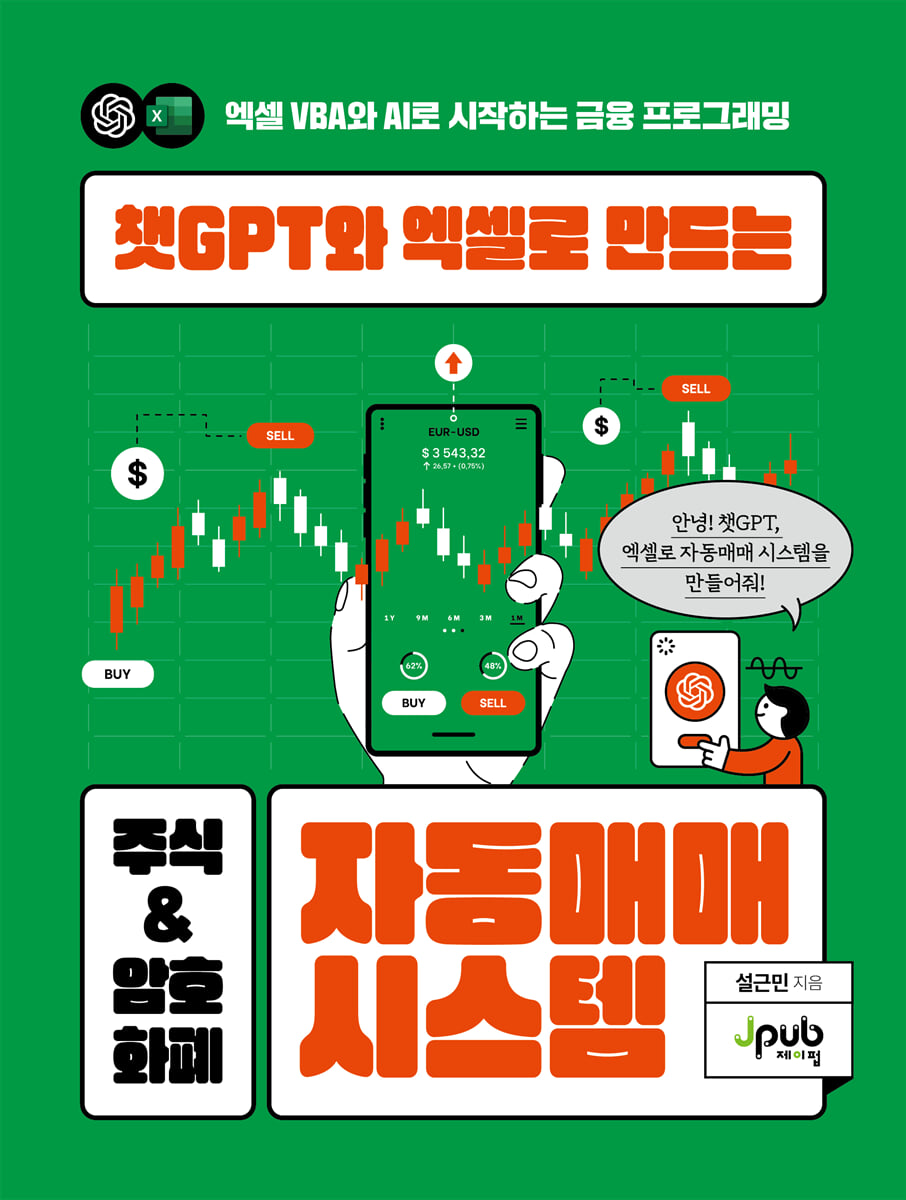
Automated Stock & Cryptocurrency Trading System Created with ChatGPT and Excel
 |
Description
Book Introduction
Building an AI-based trading system that anyone can use
Complete financial automation with Excel VBA and ChatGPT!
It's okay if you don't know complex Excel VBA.
Simply ask ChatGPT a question and paste the code it generates into Excel to complete the automation program.
The key is not memorizing complex grammar, but the ability to define the problem and how to utilize what data.
By adding an AI assistant called ChatGPT to the familiar tool Excel, anyone can collect and analyze financial data and implement an automated trading system.
This book guides securities traders step-by-step through how to automate their investments using ChatGPT and Excel VBA.
Practical examples cover everything from collecting and analyzing stock and cryptocurrency data to backtesting, sending Telegram quotes, and building automated trading programs.
In particular, in addition to ChatGPT, we compare various generative AI tools such as Gemini, Copilot, and Claude, and also present criteria for selecting the appropriate AI depending on the situation.
In the era of generative AI, anyone can now try automated trading using just Excel.
Complete financial automation with Excel VBA and ChatGPT!
It's okay if you don't know complex Excel VBA.
Simply ask ChatGPT a question and paste the code it generates into Excel to complete the automation program.
The key is not memorizing complex grammar, but the ability to define the problem and how to utilize what data.
By adding an AI assistant called ChatGPT to the familiar tool Excel, anyone can collect and analyze financial data and implement an automated trading system.
This book guides securities traders step-by-step through how to automate their investments using ChatGPT and Excel VBA.
Practical examples cover everything from collecting and analyzing stock and cryptocurrency data to backtesting, sending Telegram quotes, and building automated trading programs.
In particular, in addition to ChatGPT, we compare various generative AI tools such as Gemini, Copilot, and Claude, and also present criteria for selecting the appropriate AI depending on the situation.
In the era of generative AI, anyone can now try automated trading using just Excel.
- You can preview some of the book's contents.
Preview
index
Preface viii
CHAPTER 01 Introduction
Excel and Financial Programming 3
4 Things You Can Gain from ChatGPT
Excel VBA Programming with ChatGPT 5
CHAPTER 02 Preparing to Meet Generative AI Technology
10 Ways to Use OpenAI ChatGPT
How to Use Google Gemini 14
How to Use Microsoft Copilot 16
How to Use Antropic Clod 19
[Trader's Story] How do securities firms use Excel in their trading departments? 24
CHAPTER 03 Excel VBA Basics
Getting Started with Excel VBA 29
Setting up Excel VBA 30 / Writing your first Excel VBA code 33
Excel VBA Basic Grammar 36
__Variable declaration and data types 37 / Conditional statements 43 / Loops 44 / Arrays 45 / Subroutines and functions 46 / Comments 47
Writing Excel VBA Programs Using Generative AI 48
Generative AI Questioning Method 52 / Creating with ChatGPT 54 / Creating with Gemini 57 / Creating with Copilot 60 / Creating with Claude 63
Excel VBA Basic Programming Practice 1 67
Excel VBA Basic Programming Practice 2 72
[Trader's Story] How useful is VBA for trading compared to traditional Excel? 78
CHAPTER 04 Data Collection Using ChatGPT and Excel
Stock Data API Setup 84
Receive stock data 88
Cryptocurrency API Setup 101
Receive cryptocurrency data 107
[Trader's Story] What's the Difference Between Python and VBA? 115
CHAPTER 05 Data Analysis Using ChatGPT and Excel
Correlation Analysis Using ChatGPT 121
Stock Correlation Analysis 122 / Cryptocurrency Correlation Analysis 138
Technical Indicator Analysis Using ChatGPT 147
__Implementing Moving Averages for Stocks 149 / Implementing MACD for Stocks 166 / Implementing RSI for Cryptocurrencies 185 / Implementing Bollinger Bands for Cryptocurrencies 194
[Trader's Story] What do front, middle, and back mean in a securities firm? 200
CHAPTER 06 Creating a Practical Excel VBA System
Building a Telegram Bot 207
How to Create a Telegram Bot 208 / Using a Telegram Bot in Excel 212
Creating a Real-Time Cryptocurrency Price Transmission System 215
__Get real-time Bitcoin prices 216 / Send real-time prices to Telegram 224
Building a Stock Backtesting System 230
__Establishing a Backtest Strategy 232 / Implementing a Backtest System 234
[Trader's Story] No-Code, Excel, and ChatGPT 244
CHAPTER 07 Creating an Automated Trading System
Securities API Order Test 249
Developing an Automated Stock Trading System 262
__Determining System Implementation Goals 263 / Creating an Excel UI 263 / Configuring ChatGPT Questions Including UI Connections 264 / Applying Code Created Through ChatGPT 268 / Running the Created Code 273
Testing Cryptocurrency API Orders 276
Developing an Automated Cryptocurrency Trading System 282
__Determining System Implementation Goals 282 / Creating an Excel UI 283 / Configuring ChatGPT Questions Including UI Connections 285 / Applying Code Created Through ChatGPT 288 / Running the Created Code 295
CHAPTER 08 Conclusion
What I learned from this book: 301
Financial Programming 302 Using ChatGPT and Excel VBA
Search 304
CHAPTER 01 Introduction
Excel and Financial Programming 3
4 Things You Can Gain from ChatGPT
Excel VBA Programming with ChatGPT 5
CHAPTER 02 Preparing to Meet Generative AI Technology
10 Ways to Use OpenAI ChatGPT
How to Use Google Gemini 14
How to Use Microsoft Copilot 16
How to Use Antropic Clod 19
[Trader's Story] How do securities firms use Excel in their trading departments? 24
CHAPTER 03 Excel VBA Basics
Getting Started with Excel VBA 29
Setting up Excel VBA 30 / Writing your first Excel VBA code 33
Excel VBA Basic Grammar 36
__Variable declaration and data types 37 / Conditional statements 43 / Loops 44 / Arrays 45 / Subroutines and functions 46 / Comments 47
Writing Excel VBA Programs Using Generative AI 48
Generative AI Questioning Method 52 / Creating with ChatGPT 54 / Creating with Gemini 57 / Creating with Copilot 60 / Creating with Claude 63
Excel VBA Basic Programming Practice 1 67
Excel VBA Basic Programming Practice 2 72
[Trader's Story] How useful is VBA for trading compared to traditional Excel? 78
CHAPTER 04 Data Collection Using ChatGPT and Excel
Stock Data API Setup 84
Receive stock data 88
Cryptocurrency API Setup 101
Receive cryptocurrency data 107
[Trader's Story] What's the Difference Between Python and VBA? 115
CHAPTER 05 Data Analysis Using ChatGPT and Excel
Correlation Analysis Using ChatGPT 121
Stock Correlation Analysis 122 / Cryptocurrency Correlation Analysis 138
Technical Indicator Analysis Using ChatGPT 147
__Implementing Moving Averages for Stocks 149 / Implementing MACD for Stocks 166 / Implementing RSI for Cryptocurrencies 185 / Implementing Bollinger Bands for Cryptocurrencies 194
[Trader's Story] What do front, middle, and back mean in a securities firm? 200
CHAPTER 06 Creating a Practical Excel VBA System
Building a Telegram Bot 207
How to Create a Telegram Bot 208 / Using a Telegram Bot in Excel 212
Creating a Real-Time Cryptocurrency Price Transmission System 215
__Get real-time Bitcoin prices 216 / Send real-time prices to Telegram 224
Building a Stock Backtesting System 230
__Establishing a Backtest Strategy 232 / Implementing a Backtest System 234
[Trader's Story] No-Code, Excel, and ChatGPT 244
CHAPTER 07 Creating an Automated Trading System
Securities API Order Test 249
Developing an Automated Stock Trading System 262
__Determining System Implementation Goals 263 / Creating an Excel UI 263 / Configuring ChatGPT Questions Including UI Connections 264 / Applying Code Created Through ChatGPT 268 / Running the Created Code 273
Testing Cryptocurrency API Orders 276
Developing an Automated Cryptocurrency Trading System 282
__Determining System Implementation Goals 282 / Creating an Excel UI 283 / Configuring ChatGPT Questions Including UI Connections 285 / Applying Code Created Through ChatGPT 288 / Running the Created Code 295
CHAPTER 08 Conclusion
What I learned from this book: 301
Financial Programming 302 Using ChatGPT and Excel VBA
Search 304
Detailed image
.jpg)
Into the book
Although Python is a very powerful and attractive language, it has a high barrier to entry for beginners in programming.
Especially for those who have no prior coding experience, the entire process from setting up the environment to running the code may feel like a hurdle.
/ Faced with this reality, I began to wonder if it would be possible to connect ChatGPT and the world of coding using more familiar tools.
The tool that came to mind at that time was Excel.
Excel, which many people have already used for work or everyday data organization, is an excellent medium that can be very well-suited to the code generated by ChatGPT.
In particular, we judged that Excel VBA could serve as a bridge that relatively lowers the coding barrier for Excel users.
--- p.viii
In the financial market, various data is generated every day, and it is important for those investing in stocks or coins to utilize this data to establish and execute optimal investment strategies.
But this is not an easy task.
(Omitted) This book aims to provide a method to solve these concerns through Excel financial programming using ChatGPT.
We present how to collect and analyze data using Excel and implement automated investment strategies using financial programming.
In other words, we want to provide those unfamiliar with coding with tools to make efficient investments, while also introducing new areas for creativity for those who already know how to code.
--- p.3
Effective questions are the first step to solving programming problems.
Rather than asking a general question like "process data," it's important to specify a specific goal, such as "calculate the average of a specific column in an Excel file."
This provides clear direction to the AI, leading to efficient answers.
/ When asking questions to generative AI, including ChatGPT, you can get more accurate results by including your current situation, goals, specific APIs you want to use, and even example code.
For example, it's best to explain the situation specifically and pose a clear question, such as "Retrieving Samsung Electronics' closing price and trading volume data using sample code from the Kiwoom Securities API."
--- p.53
Gathering financial data is a key part of investing and analysis.
However, manually collecting and organizing data is not only time-consuming but also prone to errors.
Therefore, an automated method is needed, and here we introduce a method to efficiently collect data by combining the artificial intelligence model ChatGPT and Excel VBA.
--- p.83
Correlation analysis plays a very important role in data analysis.
This allows us to understand the relationships between variables, and these relationships provide practical insights in a variety of fields.
For example, in economics, we can analyze the correlation between consumption and income to understand consumption patterns, and in finance, we can analyze the correlation between stock prices and trading volume to predict market trends.
Additionally, correlation analysis serves as the basis for statistical modeling and is used to build predictive models based on the association between two variables.
--- p.121
This tutorial covers how to build a Telegram bot that automatically sends messages when specific events occur, using Excel VBA and the Telegram API.
Telegram bots can be used for a variety of purposes, including providing trading signal alerts and data update notifications, and their potential is further expanded when integrated with Excel.
Now, let's take a look at how to set up a Telegram bot and write Excel VBA code to build a system that sends real-time notifications.
--- p.207
Since the past dates are set to the top of the two-year data, it shows data from August 22, 2022.
Additionally, the 20, 60, and 120-day moving averages, MACD, and signal line are calculated and displayed in columns C through G.
Columns I through M show the backtest results.
It displays the entry date that satisfies the entry conditions of the backtest and the liquidation date that satisfies the liquidation conditions, including the price and rate of return.
In addition, you can check the total return when trading with the corresponding strategy during the backtest period.
--- p.243
We'll cover how to implement a basic automated trading system for stocks and cryptocurrencies using ChatGPT.
To automatically trade stocks and cryptocurrencies, you must open an account with a brokerage or exchange and learn how to use their APIs. APIs are programming interfaces provided by brokerages and exchanges, allowing you to access data provided by each company and execute orders directly without going through a Home Trading System (HTS).
Especially for those who have no prior coding experience, the entire process from setting up the environment to running the code may feel like a hurdle.
/ Faced with this reality, I began to wonder if it would be possible to connect ChatGPT and the world of coding using more familiar tools.
The tool that came to mind at that time was Excel.
Excel, which many people have already used for work or everyday data organization, is an excellent medium that can be very well-suited to the code generated by ChatGPT.
In particular, we judged that Excel VBA could serve as a bridge that relatively lowers the coding barrier for Excel users.
--- p.viii
In the financial market, various data is generated every day, and it is important for those investing in stocks or coins to utilize this data to establish and execute optimal investment strategies.
But this is not an easy task.
(Omitted) This book aims to provide a method to solve these concerns through Excel financial programming using ChatGPT.
We present how to collect and analyze data using Excel and implement automated investment strategies using financial programming.
In other words, we want to provide those unfamiliar with coding with tools to make efficient investments, while also introducing new areas for creativity for those who already know how to code.
--- p.3
Effective questions are the first step to solving programming problems.
Rather than asking a general question like "process data," it's important to specify a specific goal, such as "calculate the average of a specific column in an Excel file."
This provides clear direction to the AI, leading to efficient answers.
/ When asking questions to generative AI, including ChatGPT, you can get more accurate results by including your current situation, goals, specific APIs you want to use, and even example code.
For example, it's best to explain the situation specifically and pose a clear question, such as "Retrieving Samsung Electronics' closing price and trading volume data using sample code from the Kiwoom Securities API."
--- p.53
Gathering financial data is a key part of investing and analysis.
However, manually collecting and organizing data is not only time-consuming but also prone to errors.
Therefore, an automated method is needed, and here we introduce a method to efficiently collect data by combining the artificial intelligence model ChatGPT and Excel VBA.
--- p.83
Correlation analysis plays a very important role in data analysis.
This allows us to understand the relationships between variables, and these relationships provide practical insights in a variety of fields.
For example, in economics, we can analyze the correlation between consumption and income to understand consumption patterns, and in finance, we can analyze the correlation between stock prices and trading volume to predict market trends.
Additionally, correlation analysis serves as the basis for statistical modeling and is used to build predictive models based on the association between two variables.
--- p.121
This tutorial covers how to build a Telegram bot that automatically sends messages when specific events occur, using Excel VBA and the Telegram API.
Telegram bots can be used for a variety of purposes, including providing trading signal alerts and data update notifications, and their potential is further expanded when integrated with Excel.
Now, let's take a look at how to set up a Telegram bot and write Excel VBA code to build a system that sends real-time notifications.
--- p.207
Since the past dates are set to the top of the two-year data, it shows data from August 22, 2022.
Additionally, the 20, 60, and 120-day moving averages, MACD, and signal line are calculated and displayed in columns C through G.
Columns I through M show the backtest results.
It displays the entry date that satisfies the entry conditions of the backtest and the liquidation date that satisfies the liquidation conditions, including the price and rate of return.
In addition, you can check the total return when trading with the corresponding strategy during the backtest period.
--- p.243
We'll cover how to implement a basic automated trading system for stocks and cryptocurrencies using ChatGPT.
To automatically trade stocks and cryptocurrencies, you must open an account with a brokerage or exchange and learn how to use their APIs. APIs are programming interfaces provided by brokerages and exchanges, allowing you to access data provided by each company and execute orders directly without going through a Home Trading System (HTS).
--- p.249
Publisher's Review
From investment strategies to actual trading, all done with Excel and AI.
Advances in AI technology have lowered the barriers to coding, ushering in an era where anyone can implement data analysis and automated trading systems.
In particular, Excel is the most widely used business tool, and is a platform that is familiar enough for anyone to use, yet has very powerful functions for data processing.
When combined with ChatGPT, the possibilities are endless.
The combination of Excel and ChatGPT is more practical than any other combination because it allows you to utilize new technologies with tools you're already familiar with, without the need for separate learning.
This book is a practical guide that covers the process of collecting stock and cryptocurrency data and implementing correlation analysis, backtesting, stock prediction, real-time price transmission, and even an automated trading system, step by step.
We've designed a system that allows readers to create their own, working systems, including a real-time price transmission system using Telegram, automatic ordering using securities firm APIs, and even backtesting to verify profitability.
By comparing the use of various generative AIs, including ChatGPT, Gemini, Copilot, and Claude, we help readers choose the most suitable tool for themselves. We also explain in detail how to generate code using Excel VBA grammar and ChatGPT.
Additionally, by introducing the actual workflow of a securities firm's trading department and practical methods of using AI tools, we aim to foster practical skills that go beyond theory.
In the era of generative AI, complex languages and development environments are no longer necessary.
Now, anyone can create an automated trading system using only Excel and ChatGPT.
This book guides you through the first step in the easiest and most certain way.
From data analysis and automation to investment strategy implementation, which once seemed difficult, now you can put it all into practice right at your fingertips.
Key Contents
● Introduction to major generative AIs such as ChatGPT, Gemini, Copilot, and Claude
A financial programming approach using generative AI
● Introduction to Excel VBA and minimal coding concepts
● Financial knowledge required to understand financial data
● Collection of stock and cryptocurrency data and analysis of various indicators
Creating a backtest system using stock data
● Establishment of a real-time price transmission system using Telegram
● Establishing an automated stock and cryptocurrency trading system using APIs.
Advances in AI technology have lowered the barriers to coding, ushering in an era where anyone can implement data analysis and automated trading systems.
In particular, Excel is the most widely used business tool, and is a platform that is familiar enough for anyone to use, yet has very powerful functions for data processing.
When combined with ChatGPT, the possibilities are endless.
The combination of Excel and ChatGPT is more practical than any other combination because it allows you to utilize new technologies with tools you're already familiar with, without the need for separate learning.
This book is a practical guide that covers the process of collecting stock and cryptocurrency data and implementing correlation analysis, backtesting, stock prediction, real-time price transmission, and even an automated trading system, step by step.
We've designed a system that allows readers to create their own, working systems, including a real-time price transmission system using Telegram, automatic ordering using securities firm APIs, and even backtesting to verify profitability.
By comparing the use of various generative AIs, including ChatGPT, Gemini, Copilot, and Claude, we help readers choose the most suitable tool for themselves. We also explain in detail how to generate code using Excel VBA grammar and ChatGPT.
Additionally, by introducing the actual workflow of a securities firm's trading department and practical methods of using AI tools, we aim to foster practical skills that go beyond theory.
In the era of generative AI, complex languages and development environments are no longer necessary.
Now, anyone can create an automated trading system using only Excel and ChatGPT.
This book guides you through the first step in the easiest and most certain way.
From data analysis and automation to investment strategy implementation, which once seemed difficult, now you can put it all into practice right at your fingertips.
Key Contents
● Introduction to major generative AIs such as ChatGPT, Gemini, Copilot, and Claude
A financial programming approach using generative AI
● Introduction to Excel VBA and minimal coding concepts
● Financial knowledge required to understand financial data
● Collection of stock and cryptocurrency data and analysis of various indicators
Creating a backtest system using stock data
● Establishment of a real-time price transmission system using Telegram
● Establishing an automated stock and cryptocurrency trading system using APIs.
GOODS SPECIFICS
- Date of issue: August 28, 2025
- Page count, weight, size: 316 pages | 170*225*19mm
- ISBN13: 9791194587583
You may also like
카테고리
korean


korean

![GQ KOREA Mark (Monthly): December [2025]](http://librairie.coreenne.fr/cdn/shop/files/8ef265dbbfbf186523ed75ba7319009d.jpg?v=1765340328&width=3840)


