

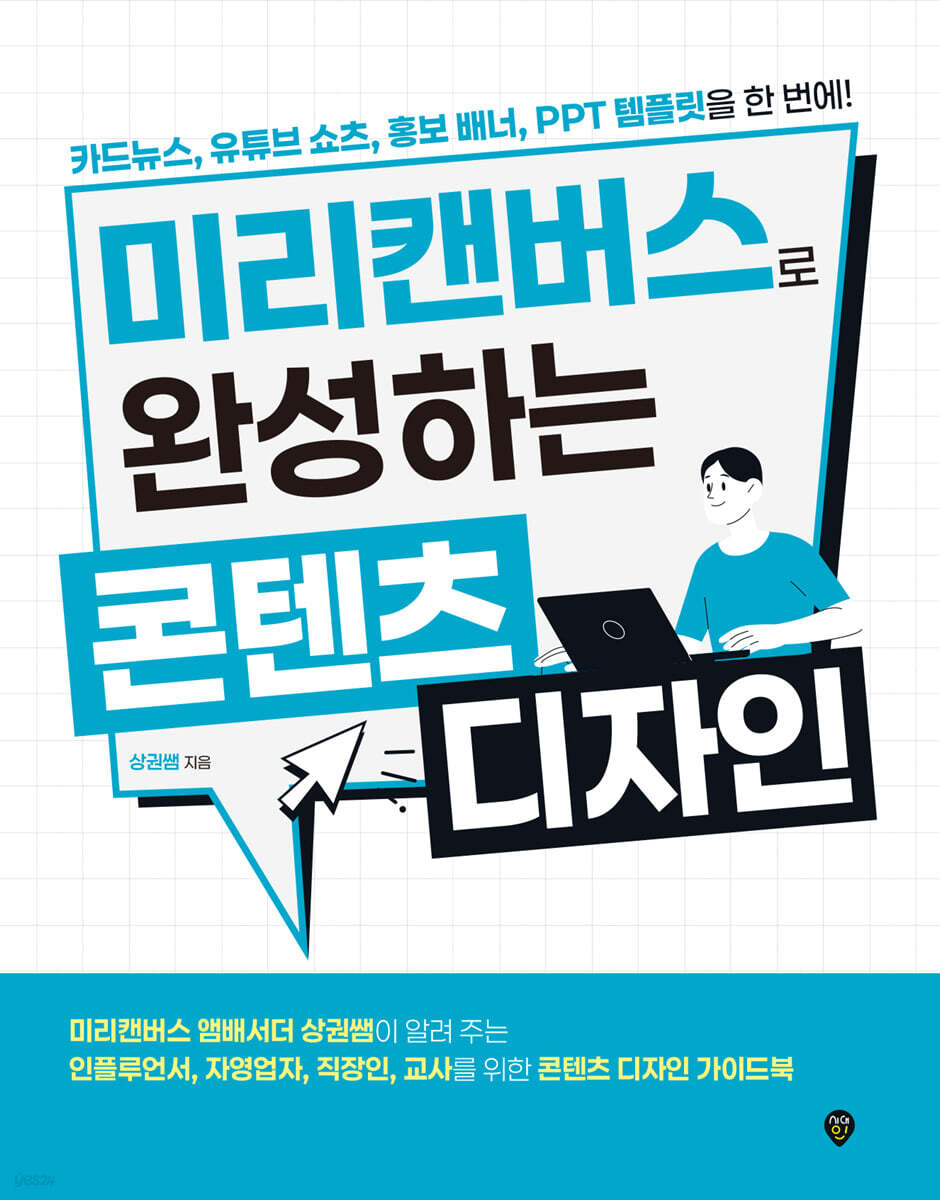
Content design completed with Miricanvas
 |
Description
Book Introduction
YouTubers, self-employed, teachers, office workers, etc.
Anyone who needs a design can easily complete it
Everything about Miricanvas content design!
This book is a content design guidebook that utilizes Miricanvas, the most preferred design platform.
Miricanvas is a free design platform that allows you to modify and edit tens of thousands of professionally created templates for free. Even those who are not familiar with design programs like Photoshop can easily create the content they want through Miricanvas.
The book provides a detailed introduction to the menus and functions of the 2.0 version of Miricanvas, and details various content design methods using Miricanvas.
Scan the QR code included in the book to view example work processes on the author's YouTube channel, a Miricanvas Ambassador.
Anyone who needs a design can easily complete it
Everything about Miricanvas content design!
This book is a content design guidebook that utilizes Miricanvas, the most preferred design platform.
Miricanvas is a free design platform that allows you to modify and edit tens of thousands of professionally created templates for free. Even those who are not familiar with design programs like Photoshop can easily create the content they want through Miricanvas.
The book provides a detailed introduction to the menus and functions of the 2.0 version of Miricanvas, and details various content design methods using Miricanvas.
Scan the QR code included in the book to view example work processes on the author's YouTube channel, a Miricanvas Ambassador.
- You can preview some of the book's contents.
Preview
index
Chapter 01 || Getting to Know Precanvas
Step 01 | What is Pre-Canvas?
_MiriCanvas, a design platform without copyright concerns
_Learn about the features of MiriCanvas
_Learn about MiriCanvas copyright
_Learn about the Miricanvas pricing plan
_Get to know the Miricanvas mobile and tablet apps
Step 02 | Starting Precanvas
_Sign up for Miricanvas
How to use the Miricanvas Pro plan for free
_Explore the Preview Canvas Workspace
_Creating a Pre-Canvas Design
_Preview the Canvas work screen
Chapter 02 || Using Pre-Canvas
Step 01 | Using a Template
_After selecting a template, apply it to the work screen
_Edit template
_Download the work content
Step 02 | Designing a Template
_Explore the Elements menu
_Using the element function
_Using the photo function
_Using the upload function
_Using the theme function
Step 03 | Leveraging AI Features
_AI features of Miricanvas
_AI presentation features
_AI lighting function
_AI tool features
_AI photo editing features
Chapter 03 || Creating Easy and Simple SNS Content
Step 01 | Creating a News Card
_What is Card News?
_Creating card news using templates
_Designing card news using other templates
_Using text styles
_Setting text styles directly
_Giving three-dimensionality to text
_Add design elements that match the template
Step 02 | Creating a YouTube Thumbnail
_What is a thumbnail?
_Thumbnail size by platform
_Choose a template you like and edit it
_Creating a YouTube thumbnail background
Step 03 | Creating YouTube Channel Art
_What is channel art?
_YouTube channel art size
_Creating channel art quickly and easily
Step 04 | Creating an Animated GIF Image
_What is a GIF image?
_GIF images that add life to your content
_Animation feature of Miricanvas
_Applying animation
_Adjust animation playback time and download as GIF file
Step 05 | Creating an Intro Video
_What is an intro?
_Creating an intro video using a template
_Completing the intro using the audio function
_Download as a video file
Step 06 | Creating YouTube Shorts
_What is short form?
Creating YouTube Shorts Using Templates
_Decorate your shorts with animated elements
_Download as a video file
Step 07 | Create Your Own Avatar
_What is a layer?
_Creating an avatar using the layer function
_Download as an image file with a transparent background
Chapter 04 || Creating Content for the Self-Employed and Employed
Step 01 | Create Your Own Logo and Business Card
_What is a logo?
_Types of logos
_Creating a logo using a template
_Create business cards using logos and templates
Step 02 | Creating a Promotional Banner
_What is promotional advertising?
_Three Elements of Promotional Advertising
_Creating promotional banners for offline use
_Creating a promotional banner for online use
_Share promotional materials using web publishing and sharing features
Step 03 | Create a Clean PPT Template
_Preview Canvas PPT Template
_Creating a cover page using a template
_Creating a table of contents page using a template
_Adding infographic elements
_Adding a video to PPT
_Adding a QR code to PPT
_Download as PPTX file
Chapter 05 || Creating Useful Content for Classes
Step 01 | Creating Name Tags and Schedules
_Using Miricanvas in Education
Creating a name tag using _elements
Creating subject name tags using _elements
_Making name tags using shapes
Creating a schedule using _elements
Creating a schedule using _tables
Step 02 | Creating a Class Roster
_Creating a Class List Using Frame Elements
_Creating a Class Roster Using Frames and Illustration Elements
_Creating a Class Roster with a Photo Without a Background
Step 03 | Create a Silhouette Quiz PPT
_Creating a Silhouette Quiz PPT Using a Template
_Using the color fill function
_Applying animation to each element
Step 04 | Creating a Golden Bell Quiz PPT
_Creating a Golden Bell Quiz PPT using a template
_Using the link function
Appendix || Mastering Miricanvas
Step 01 | Pre-Canvas Shortcuts
Step 02 | Organizing Drive Folders
Step 03 | Invite to Workspace
Step 04 | Working on a Design Together
Step 05 | Design Reference Site
Step 01 | What is Pre-Canvas?
_MiriCanvas, a design platform without copyright concerns
_Learn about the features of MiriCanvas
_Learn about MiriCanvas copyright
_Learn about the Miricanvas pricing plan
_Get to know the Miricanvas mobile and tablet apps
Step 02 | Starting Precanvas
_Sign up for Miricanvas
How to use the Miricanvas Pro plan for free
_Explore the Preview Canvas Workspace
_Creating a Pre-Canvas Design
_Preview the Canvas work screen
Chapter 02 || Using Pre-Canvas
Step 01 | Using a Template
_After selecting a template, apply it to the work screen
_Edit template
_Download the work content
Step 02 | Designing a Template
_Explore the Elements menu
_Using the element function
_Using the photo function
_Using the upload function
_Using the theme function
Step 03 | Leveraging AI Features
_AI features of Miricanvas
_AI presentation features
_AI lighting function
_AI tool features
_AI photo editing features
Chapter 03 || Creating Easy and Simple SNS Content
Step 01 | Creating a News Card
_What is Card News?
_Creating card news using templates
_Designing card news using other templates
_Using text styles
_Setting text styles directly
_Giving three-dimensionality to text
_Add design elements that match the template
Step 02 | Creating a YouTube Thumbnail
_What is a thumbnail?
_Thumbnail size by platform
_Choose a template you like and edit it
_Creating a YouTube thumbnail background
Step 03 | Creating YouTube Channel Art
_What is channel art?
_YouTube channel art size
_Creating channel art quickly and easily
Step 04 | Creating an Animated GIF Image
_What is a GIF image?
_GIF images that add life to your content
_Animation feature of Miricanvas
_Applying animation
_Adjust animation playback time and download as GIF file
Step 05 | Creating an Intro Video
_What is an intro?
_Creating an intro video using a template
_Completing the intro using the audio function
_Download as a video file
Step 06 | Creating YouTube Shorts
_What is short form?
Creating YouTube Shorts Using Templates
_Decorate your shorts with animated elements
_Download as a video file
Step 07 | Create Your Own Avatar
_What is a layer?
_Creating an avatar using the layer function
_Download as an image file with a transparent background
Chapter 04 || Creating Content for the Self-Employed and Employed
Step 01 | Create Your Own Logo and Business Card
_What is a logo?
_Types of logos
_Creating a logo using a template
_Create business cards using logos and templates
Step 02 | Creating a Promotional Banner
_What is promotional advertising?
_Three Elements of Promotional Advertising
_Creating promotional banners for offline use
_Creating a promotional banner for online use
_Share promotional materials using web publishing and sharing features
Step 03 | Create a Clean PPT Template
_Preview Canvas PPT Template
_Creating a cover page using a template
_Creating a table of contents page using a template
_Adding infographic elements
_Adding a video to PPT
_Adding a QR code to PPT
_Download as PPTX file
Chapter 05 || Creating Useful Content for Classes
Step 01 | Creating Name Tags and Schedules
_Using Miricanvas in Education
Creating a name tag using _elements
Creating subject name tags using _elements
_Making name tags using shapes
Creating a schedule using _elements
Creating a schedule using _tables
Step 02 | Creating a Class Roster
_Creating a Class List Using Frame Elements
_Creating a Class Roster Using Frames and Illustration Elements
_Creating a Class Roster with a Photo Without a Background
Step 03 | Create a Silhouette Quiz PPT
_Creating a Silhouette Quiz PPT Using a Template
_Using the color fill function
_Applying animation to each element
Step 04 | Creating a Golden Bell Quiz PPT
_Creating a Golden Bell Quiz PPT using a template
_Using the link function
Appendix || Mastering Miricanvas
Step 01 | Pre-Canvas Shortcuts
Step 02 | Organizing Drive Folders
Step 03 | Invite to Workspace
Step 04 | Working on a Design Together
Step 05 | Design Reference Site
Detailed image

Publisher's Review
Miricanvas, how far have you come with your creations?
From card news to PPT templates
Easy and simple content design know-how with Miricanvas
Miricanvas is a free design platform that allows even those who don't know how to use Photoshop or Illustrator to easily create content.
Anyone who needs design can create high-quality content through Miricanvas, even without a sense of design.
This book introduces how to design a variety of content, such as card news, YouTube shorts, and promotional banners, using Miricanvas.
To help readers practice according to their own purposes, the examples are divided into categories: "Easy and Simple SNS Content," "Content for the Self-Employed and Office Workers," and "Content Useful for Classes."
By following the practical examples in the book, anyone who needs design will be able to easily and conveniently create the content they want through Miricanvas.
Scan the QR code included in the book to view example work processes on the author's YouTube channel, a Pre-Canvas Ambassador.
With Miricanvas, you can freely create content that showcases your ideas and sense.
From card news to PPT templates
Easy and simple content design know-how with Miricanvas
Miricanvas is a free design platform that allows even those who don't know how to use Photoshop or Illustrator to easily create content.
Anyone who needs design can create high-quality content through Miricanvas, even without a sense of design.
This book introduces how to design a variety of content, such as card news, YouTube shorts, and promotional banners, using Miricanvas.
To help readers practice according to their own purposes, the examples are divided into categories: "Easy and Simple SNS Content," "Content for the Self-Employed and Office Workers," and "Content Useful for Classes."
By following the practical examples in the book, anyone who needs design will be able to easily and conveniently create the content they want through Miricanvas.
Scan the QR code included in the book to view example work processes on the author's YouTube channel, a Pre-Canvas Ambassador.
With Miricanvas, you can freely create content that showcases your ideas and sense.
GOODS SPECIFICS
- Date of issue: October 24, 2024
- Page count, weight, size: 216 pages | 190*245*20mm
- ISBN13: 9791138379885
- ISBN10: 1138379883
You may also like
카테고리
korean


korean

![GQ KOREA Mark (Monthly): December [2025]](http://librairie.coreenne.fr/cdn/shop/files/8ef265dbbfbf186523ed75ba7319009d.jpg?v=1765340328&width=3840)


