

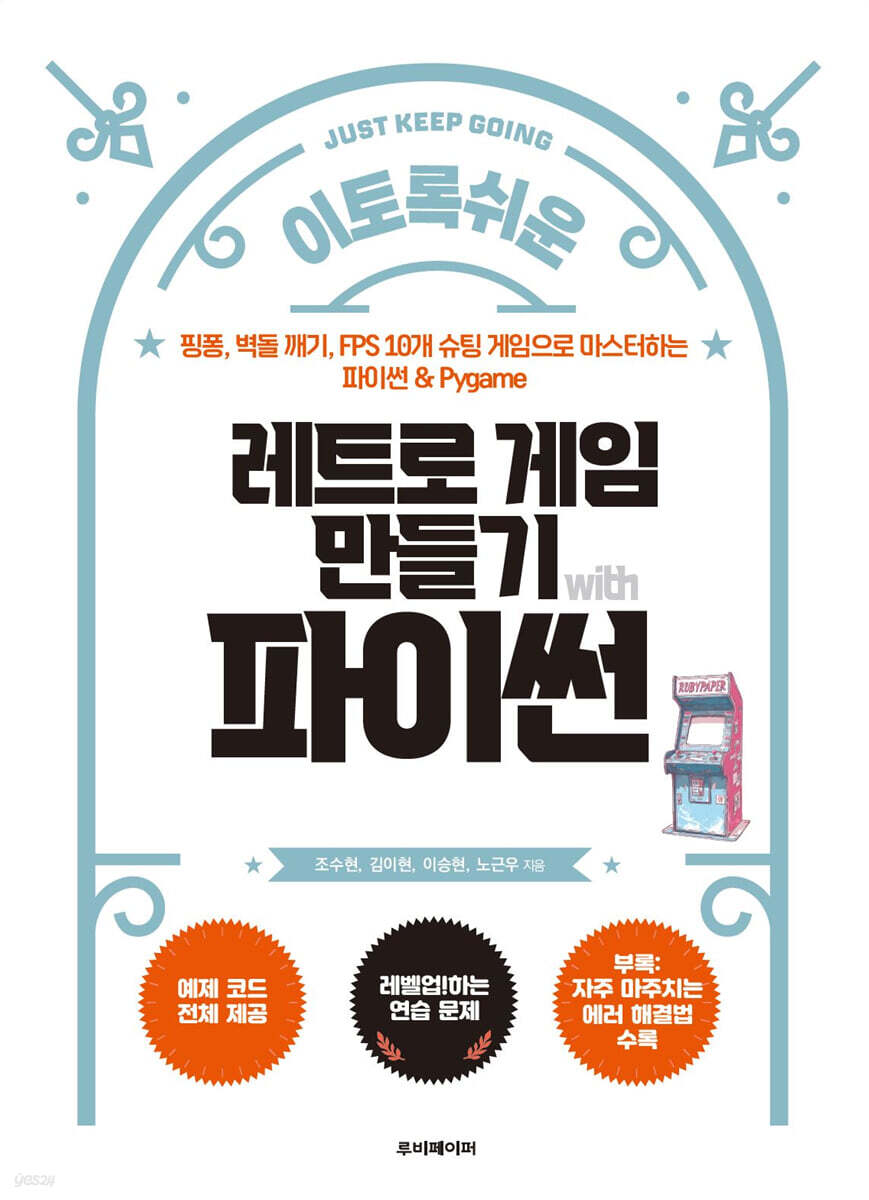
Making Retro Games with Python
 |
Description
Book Introduction
Deeper than YouTube, easier than development documentation!
The most user-friendly step-by-step guide to retro game development.
The games we'll be creating together in this book are simple, yet immersive retro games where you bounce balls to clear blocks or shoot bullets to eliminate enemies.
You'll experience the thrill of seeing your own code come to life with every bounce, bullet, and score.
And that experience tells us again:
“I think if we just try a little more, the real game will be complete.”
Of course, not everything goes smoothly from the start.
Every single thing can be a new challenge: bouncing the ball accurately, keeping the bullets from going off the screen, or coding the logic to increase your score.
But as you solve these small problems one by one, you will experience the game becoming more and more like a game.
That's when you'll go beyond simple learning and experience the joy of creating.
The important thing is not to do it perfectly, but to keep trying until the end.
Even the smallest successes add up to great accomplishments.
Simple functions are connected one by one, and eventually become a complete work.
This book will serve as a guide to help you complete just that first piece.
The most user-friendly step-by-step guide to retro game development.
The games we'll be creating together in this book are simple, yet immersive retro games where you bounce balls to clear blocks or shoot bullets to eliminate enemies.
You'll experience the thrill of seeing your own code come to life with every bounce, bullet, and score.
And that experience tells us again:
“I think if we just try a little more, the real game will be complete.”
Of course, not everything goes smoothly from the start.
Every single thing can be a new challenge: bouncing the ball accurately, keeping the bullets from going off the screen, or coding the logic to increase your score.
But as you solve these small problems one by one, you will experience the game becoming more and more like a game.
That's when you'll go beyond simple learning and experience the joy of creating.
The important thing is not to do it perfectly, but to keep trying until the end.
Even the smallest successes add up to great accomplishments.
Simple functions are connected one by one, and eventually become a complete work.
This book will serve as a guide to help you complete just that first piece.
index
Stage 01 Game Development: The Beginning of the Adventure
Building a Level 1 Python Development Base
__1.1 Why Python is Good for Beginners
__1.2 How to download and install Python
__1.3 How to download and install PyCharm
__1.4 Running and Setting Up PyCharm
____Create a project
__1.5 Download and load the Pygame library
____Download Pygame
____Loading Pygame
____Setting the PyCharm menu to Korean
__1.6 Download and load example data
____How to download and run the code
Prepare for battle with Level 2 Python
__2.1 Mastering Python's Basic Grammar
____1.
annotation
____2.
Variable declaration and data types
____3.
function
____4.
Conditional statement (if statement)
____5.
while loop
____6.
Arithmetic operators
____7.
Assignment operator
____8.
Comparison operators
____9.
Logical operators
____10.
Built-in functions
____11.
Variable type conversion
__2.2 The Gumiho and the Easy Man 1
__2.3 Mastering Advanced Python Grammar
____1.
Data structures: lists, tuples, dictionaries
____2.
For loop
____3.
scope
____4.
Modules and Packages
____5.
A useful function to know: enumerate()
____6.
Handling exceptions with try except
__2.4 The Gumiho and the Easy Man 2
__2.5 How to 'read' code
__2.6 Code Style Guide You Should Know
____1. Key points of PEP 8
____2.
4 PyCharm Settings to Improve Code Readability
Stage 02 Get the legendary item called Pygame!
Level 3 First Quest: Equipping Pygame
__3.1 Understanding the structure of Pygame
____1.
Pygame initialization
____2.
Creating a Pygame window
____3.
Quitting Pygame
____4.
Understanding Frames
____5.
Attaching frames with update()
____6.
Drawing on paper with Pygame “hello world”
__3.2 Learning Pygame's tools and concepts
____1.
coordinate
____2.
Text and fonts
____3.
color
____4.
Timer and time
____5.
Screen (FPS) controls
____6.
Drawing a square
____7.
Draw a circle
____9.
Mouse Control
____10.
Collision detection
Level 4 Second Quest: Train Pygame
__4.1 Creating a Reaction Speed Test
____1.
Initializing Pygame and setting the default screen
____2.
Draw a circle and set the initial color
____3.
Add guidance text
____4.
Set random time
____5.
Click response time recording
____6.
Incorrect click handling and game reset
__4.2 Creating a Super Simple Table Tennis Game
____1.
Pygame initial setup and screen creation
____2.
Player 1 Creates a Paddle and Implements Movement
____3.
Create Player 2 paddle and implement movement (using arrow keys)
____4.
Create and position the ball
____5.
Move the ball
____6.
Implementing boundary collision of balls (up and down reflection)
____7.
Implementing collision between ball and paddle
Level 5 Third Quest, Screensaver
__5.1 Creating a 'Space Travel' Screensaver
__5.2 Understanding the Principles of Visual Immersion
__5.3 Initial setup and designing class functions and properties
__5.4 Adding variables and implementing function functions
__5.5 Implementing star movement
__5.6 Implementing motion parallax
Stage 03: Exploring the Retro Game Dungeon
Level 6 Retro Game Master 1, Table Tennis Game
__6.1 Motif Game Pong
__6.2 Organizing the game planning and development stages
__6.3 Setting up the screen
__6.4 Drawing borders
__6.5 Distinguishing play areas
__6.6 Drawing dotted lines using 'functionalization'
__6.7 Demarcating the play area with a dotted line
__6.8 Creating a Racket
__6.9 Creating a ball
__6.10 Moving the Racket
____1.
Problem one: Racket leaving the play area
____2.
Second problem: Key input that is dropping
__6.11 Moving the ball
____1.
Constant speed, acceleration, collision
____2.
Constant speed and direction
____3.
Implementing the collision concept
____4.
Implementing acceleration and speed limit concepts
__6.12 Implementing collision between the player and the ball
__6.13 Displaying scores
__6.14 Creating a game-ending condition
__6.15 Creating a game restart screen
__6.16 Setting the execution time
__6.17 Added game title screen
__6.18 Setting the starting direction and balance of the ball
__6.19 Remove left and right borders
__6.20 Making the ball into a circle
__6.21 Wrapping up, cleaning up the entire code
____Cleaning up unnecessary import statements
____Duplicate code function (draw_text)
____Improved Pygame event handling
____Removing code duplication and adjusting position (Ball class initialization)
____Maintain consistency of game state variables
____Improved code style (PEP 8 compliance)
Level 7 Retro Game Master 2, a brick breaker game
__7.1 Motive game, Arkanoid
__7.2 Creating a screen & setting up a game loop
__7.3 Creating a Player (Paddle)
__7.4 Creating a block
__7.5 Creating a ball
__7.6 Implementing ball movement
__7.7 Implementing ball and block collisions
__7.8 Implementing ball and player collision
__7.9 Implementing the Scoring and Life System
__7.10 Modifying block size & placement
__7.11 Improving collision handling
__7.12 Creating an Item
__7.13 Implementing item movement and collision
__7.14 Implementing interaction effects between items and paddles
__7.15 Changing item color
__7.16 Adding additional effects to items
__7.17 Refactoring
__7.18 Implementing Game Intro & Game Over Screens
__7.19 Patching block functions
__7.20 Player and Ball Function Patch
Level 8 Retro Game Master 3, a bullet dodge game
__8.1 Motive Game, Dodge
__8.2 Configuring Basic Settings and the Home Screen
__8.3 Defining a Player Class
__8.4 Defining a Bullet Class
__8.5 Implementing collision detection and game termination/restart functions
__8.6 Implementing the score function
__8.7 Managing Game State
__8.8 Implementing the game class
__8.9 Implementing a special bullet, a comet
__8.10 Add bullet regeneration and count display function
__8.11 Implementing a high score record system
__8.12 Add BGM
__8.13 Inserting an image
Stage 04 Retro Game Dungeon Mid-Boss Battle
Level 9 Retro Shooting Game Master 1, Police FPS Game
__9.1 Motive game, Virtua Cop
__9.2 Default settings and initialization
__9.3 Implementing a gun class and adding bullet firing functionality
__9.4 Implementing the Player State Class
__9.5 Implementing a crosshair
__9.6 Creating enemy objects and implementing basic behavior
__9.7 Creating a hostage object and implementing basic operations
__9.8 Implementing enemy attack and concentric circle judgment
__9.9 Implementing collision detection between enemies and hostages
__9.10 Adding special enemies
__9.11 Implementing hit effects
__9.12 Display gun UI and quick reload including hit effects
__9.13 Improving hostage behavior and interaction
__9.14 Managing the entire flow with the Game class
__9.15 Adding Intro, Game Over, and Restart features
__9.16 Adjusting game balance
__9.17 Adding an image
Level 10 Retro Shooter Master 2, Space Invaders Game
__10.1 Motive game, Space Invaders
__10.2 Creating an execution environment
__10.3 Implementing unit and player classes
__10.4 Creating an Invader
__10.5 Creating a group of invaders
__10.6 Coloring the Invaders
__10.7 Move the invader
__10.8 Implementing the player's bullets
__10.9 Implementing enemy and bullet collisions
__10.10 Implementing enemy bullets
__10.11 Implementing a score and life system
__10.12 Implementing game end conditions and screens
__10.13 Increasing the game difficulty ① Implementing a wall
__10.14 Increasing the game difficulty ② Creating a UFO
Stage 05 Retro Game Dungeon Final Boss Battle
Level 11 Soaring Dragon Legend, Dragon Flight Shooting Game
__11.1 Motive game, Dragon Flight
__11.2 Creating a scrolling background
__11.3 Designing Games Using Modularity
____A look at the game's core elements
____Game Project Structure
____Things to note when making a game
__11.4 Examining the structure of the Main class
__11.5 Examining the composition of the Player class
__11.6 Implementing Monsters
__11.7 Implementing Coin
__11.8 Implementing Item
__11.9 Implementing Bullet
__11.10 Implementing Boss
__11.11 Implementing Meteo
__11.12 Implementing Utils
__11.13 Managing TicksManager
__11.14 Implementing Scrolling_background
Level 12 space bullet hell shooting game
__12.1 Motive Game, Strikers 1945
__12.2 Implementing the game's initial setup and background elements
__12.3 Creating a Player Class
__12.4 Creating an enemy class
__12.5 Creating a scenario file
__12.6 Collision Handling
__12.7 Special Skills
Appendix: Frequently Encountered Errors and Solutions
Appendix A: Simple Errors with Solutions
__A.1 Python syntax and typo-related errors
__A.2 Variable reference and assignment related errors
__A.3 Type and Operation Related Errors
__A.4 Data Structure and Indexing Related Errors
__A.5 Type Conversion and Value Related Errors
__A.6 Errors related to iteration and traversal
__A.7 File I/O and Path Related Errors
__A.8 Module and Import Related Errors
__A.9 User Interrupt and Termination Related Errors
__A.10 Ambiguous Access and Logic Errors
__A.11 Math-related errors
__A.12 Memory and resource related errors
Appendix B Pygame Errors
__B.1 Poor time management within the main loop
__B.2 Event handling is not done properly
__B.3 Lack of use of object-oriented programming (OOP)
__B.4 Screen update and flip()/update() call mistakes
__B.5 Resource Management Issues (Memory Leaks)
__B.6 Incorrect implementation of collision detection and handling logic
__B.7 Screen flickering issue
__B.8 Inefficient use of resource loading and sound initialization within the game loop
__B.9 Incorrect frame-based movement
__B.10 Text rendering issues
Building a Level 1 Python Development Base
__1.1 Why Python is Good for Beginners
__1.2 How to download and install Python
__1.3 How to download and install PyCharm
__1.4 Running and Setting Up PyCharm
____Create a project
__1.5 Download and load the Pygame library
____Download Pygame
____Loading Pygame
____Setting the PyCharm menu to Korean
__1.6 Download and load example data
____How to download and run the code
Prepare for battle with Level 2 Python
__2.1 Mastering Python's Basic Grammar
____1.
annotation
____2.
Variable declaration and data types
____3.
function
____4.
Conditional statement (if statement)
____5.
while loop
____6.
Arithmetic operators
____7.
Assignment operator
____8.
Comparison operators
____9.
Logical operators
____10.
Built-in functions
____11.
Variable type conversion
__2.2 The Gumiho and the Easy Man 1
__2.3 Mastering Advanced Python Grammar
____1.
Data structures: lists, tuples, dictionaries
____2.
For loop
____3.
scope
____4.
Modules and Packages
____5.
A useful function to know: enumerate()
____6.
Handling exceptions with try except
__2.4 The Gumiho and the Easy Man 2
__2.5 How to 'read' code
__2.6 Code Style Guide You Should Know
____1. Key points of PEP 8
____2.
4 PyCharm Settings to Improve Code Readability
Stage 02 Get the legendary item called Pygame!
Level 3 First Quest: Equipping Pygame
__3.1 Understanding the structure of Pygame
____1.
Pygame initialization
____2.
Creating a Pygame window
____3.
Quitting Pygame
____4.
Understanding Frames
____5.
Attaching frames with update()
____6.
Drawing on paper with Pygame “hello world”
__3.2 Learning Pygame's tools and concepts
____1.
coordinate
____2.
Text and fonts
____3.
color
____4.
Timer and time
____5.
Screen (FPS) controls
____6.
Drawing a square
____7.
Draw a circle
____9.
Mouse Control
____10.
Collision detection
Level 4 Second Quest: Train Pygame
__4.1 Creating a Reaction Speed Test
____1.
Initializing Pygame and setting the default screen
____2.
Draw a circle and set the initial color
____3.
Add guidance text
____4.
Set random time
____5.
Click response time recording
____6.
Incorrect click handling and game reset
__4.2 Creating a Super Simple Table Tennis Game
____1.
Pygame initial setup and screen creation
____2.
Player 1 Creates a Paddle and Implements Movement
____3.
Create Player 2 paddle and implement movement (using arrow keys)
____4.
Create and position the ball
____5.
Move the ball
____6.
Implementing boundary collision of balls (up and down reflection)
____7.
Implementing collision between ball and paddle
Level 5 Third Quest, Screensaver
__5.1 Creating a 'Space Travel' Screensaver
__5.2 Understanding the Principles of Visual Immersion
__5.3 Initial setup and designing class functions and properties
__5.4 Adding variables and implementing function functions
__5.5 Implementing star movement
__5.6 Implementing motion parallax
Stage 03: Exploring the Retro Game Dungeon
Level 6 Retro Game Master 1, Table Tennis Game
__6.1 Motif Game Pong
__6.2 Organizing the game planning and development stages
__6.3 Setting up the screen
__6.4 Drawing borders
__6.5 Distinguishing play areas
__6.6 Drawing dotted lines using 'functionalization'
__6.7 Demarcating the play area with a dotted line
__6.8 Creating a Racket
__6.9 Creating a ball
__6.10 Moving the Racket
____1.
Problem one: Racket leaving the play area
____2.
Second problem: Key input that is dropping
__6.11 Moving the ball
____1.
Constant speed, acceleration, collision
____2.
Constant speed and direction
____3.
Implementing the collision concept
____4.
Implementing acceleration and speed limit concepts
__6.12 Implementing collision between the player and the ball
__6.13 Displaying scores
__6.14 Creating a game-ending condition
__6.15 Creating a game restart screen
__6.16 Setting the execution time
__6.17 Added game title screen
__6.18 Setting the starting direction and balance of the ball
__6.19 Remove left and right borders
__6.20 Making the ball into a circle
__6.21 Wrapping up, cleaning up the entire code
____Cleaning up unnecessary import statements
____Duplicate code function (draw_text)
____Improved Pygame event handling
____Removing code duplication and adjusting position (Ball class initialization)
____Maintain consistency of game state variables
____Improved code style (PEP 8 compliance)
Level 7 Retro Game Master 2, a brick breaker game
__7.1 Motive game, Arkanoid
__7.2 Creating a screen & setting up a game loop
__7.3 Creating a Player (Paddle)
__7.4 Creating a block
__7.5 Creating a ball
__7.6 Implementing ball movement
__7.7 Implementing ball and block collisions
__7.8 Implementing ball and player collision
__7.9 Implementing the Scoring and Life System
__7.10 Modifying block size & placement
__7.11 Improving collision handling
__7.12 Creating an Item
__7.13 Implementing item movement and collision
__7.14 Implementing interaction effects between items and paddles
__7.15 Changing item color
__7.16 Adding additional effects to items
__7.17 Refactoring
__7.18 Implementing Game Intro & Game Over Screens
__7.19 Patching block functions
__7.20 Player and Ball Function Patch
Level 8 Retro Game Master 3, a bullet dodge game
__8.1 Motive Game, Dodge
__8.2 Configuring Basic Settings and the Home Screen
__8.3 Defining a Player Class
__8.4 Defining a Bullet Class
__8.5 Implementing collision detection and game termination/restart functions
__8.6 Implementing the score function
__8.7 Managing Game State
__8.8 Implementing the game class
__8.9 Implementing a special bullet, a comet
__8.10 Add bullet regeneration and count display function
__8.11 Implementing a high score record system
__8.12 Add BGM
__8.13 Inserting an image
Stage 04 Retro Game Dungeon Mid-Boss Battle
Level 9 Retro Shooting Game Master 1, Police FPS Game
__9.1 Motive game, Virtua Cop
__9.2 Default settings and initialization
__9.3 Implementing a gun class and adding bullet firing functionality
__9.4 Implementing the Player State Class
__9.5 Implementing a crosshair
__9.6 Creating enemy objects and implementing basic behavior
__9.7 Creating a hostage object and implementing basic operations
__9.8 Implementing enemy attack and concentric circle judgment
__9.9 Implementing collision detection between enemies and hostages
__9.10 Adding special enemies
__9.11 Implementing hit effects
__9.12 Display gun UI and quick reload including hit effects
__9.13 Improving hostage behavior and interaction
__9.14 Managing the entire flow with the Game class
__9.15 Adding Intro, Game Over, and Restart features
__9.16 Adjusting game balance
__9.17 Adding an image
Level 10 Retro Shooter Master 2, Space Invaders Game
__10.1 Motive game, Space Invaders
__10.2 Creating an execution environment
__10.3 Implementing unit and player classes
__10.4 Creating an Invader
__10.5 Creating a group of invaders
__10.6 Coloring the Invaders
__10.7 Move the invader
__10.8 Implementing the player's bullets
__10.9 Implementing enemy and bullet collisions
__10.10 Implementing enemy bullets
__10.11 Implementing a score and life system
__10.12 Implementing game end conditions and screens
__10.13 Increasing the game difficulty ① Implementing a wall
__10.14 Increasing the game difficulty ② Creating a UFO
Stage 05 Retro Game Dungeon Final Boss Battle
Level 11 Soaring Dragon Legend, Dragon Flight Shooting Game
__11.1 Motive game, Dragon Flight
__11.2 Creating a scrolling background
__11.3 Designing Games Using Modularity
____A look at the game's core elements
____Game Project Structure
____Things to note when making a game
__11.4 Examining the structure of the Main class
__11.5 Examining the composition of the Player class
__11.6 Implementing Monsters
__11.7 Implementing Coin
__11.8 Implementing Item
__11.9 Implementing Bullet
__11.10 Implementing Boss
__11.11 Implementing Meteo
__11.12 Implementing Utils
__11.13 Managing TicksManager
__11.14 Implementing Scrolling_background
Level 12 space bullet hell shooting game
__12.1 Motive Game, Strikers 1945
__12.2 Implementing the game's initial setup and background elements
__12.3 Creating a Player Class
__12.4 Creating an enemy class
__12.5 Creating a scenario file
__12.6 Collision Handling
__12.7 Special Skills
Appendix: Frequently Encountered Errors and Solutions
Appendix A: Simple Errors with Solutions
__A.1 Python syntax and typo-related errors
__A.2 Variable reference and assignment related errors
__A.3 Type and Operation Related Errors
__A.4 Data Structure and Indexing Related Errors
__A.5 Type Conversion and Value Related Errors
__A.6 Errors related to iteration and traversal
__A.7 File I/O and Path Related Errors
__A.8 Module and Import Related Errors
__A.9 User Interrupt and Termination Related Errors
__A.10 Ambiguous Access and Logic Errors
__A.11 Math-related errors
__A.12 Memory and resource related errors
Appendix B Pygame Errors
__B.1 Poor time management within the main loop
__B.2 Event handling is not done properly
__B.3 Lack of use of object-oriented programming (OOP)
__B.4 Screen update and flip()/update() call mistakes
__B.5 Resource Management Issues (Memory Leaks)
__B.6 Incorrect implementation of collision detection and handling logic
__B.7 Screen flickering issue
__B.8 Inefficient use of resource loading and sound initialization within the game loop
__B.9 Incorrect frame-based movement
__B.10 Text rendering issues
Publisher's Review
★Main topics covered in this book★
Stage 1: Game Development, the Beginning of the Adventure
Build your development base with Python and PyCharm.
You can now get ready to start developing games.
Stage 2: Get the legendary item called Pygame!
You will have a library called Pygame, which is the core tool.
▶ Games to make: Reaction speed test, super-easy table tennis game, space travel screensaver
Stage 3: Exploring the Retro Game Dungeon
Learn the fundamentals of gaming and improve your coding skills by creating retro arcade games.
▶ Games to make: Ping-Pong game, Brick Breaker game, Bullet Avoidance game
Stage 4: Retro Game Dungeon Mid-Boss Battle
You will develop your understanding of game principles and coding skills by creating games with a higher level of difficulty than those covered in Stage 3.
▶ Games we make: Police FPS game, Space Invader game
Stage 5: Retro Game Dungeon Final Boss Battle
We'll be creating games for the hardest difficulty level in this book.
This course will help you review and organize the concepts you have learned so far.
▶ Games to make: Dragon flight shooting game, space bullet hell shooting game
Appendix: Common Errors and Solutions
We've compiled Python syntax and Pygame-related error resolution methods that are frequently encountered during game development.
Example file: github.com/IhyeonKlim/retroGameWithPython
★This book's target audience★
- What if you have little programming experience but want to try making your own game?
- What if you want to customize the design and sound yourself after completing the game?
- What if you learned a language called Python but don't know 'what to make'?
- Want to learn the game's core logic step by step, such as physics, collisions, and scoring?
- Looking for a hands-on project in your Python class?
Stage 1: Game Development, the Beginning of the Adventure
Build your development base with Python and PyCharm.
You can now get ready to start developing games.
Stage 2: Get the legendary item called Pygame!
You will have a library called Pygame, which is the core tool.
▶ Games to make: Reaction speed test, super-easy table tennis game, space travel screensaver
Stage 3: Exploring the Retro Game Dungeon
Learn the fundamentals of gaming and improve your coding skills by creating retro arcade games.
▶ Games to make: Ping-Pong game, Brick Breaker game, Bullet Avoidance game
Stage 4: Retro Game Dungeon Mid-Boss Battle
You will develop your understanding of game principles and coding skills by creating games with a higher level of difficulty than those covered in Stage 3.
▶ Games we make: Police FPS game, Space Invader game
Stage 5: Retro Game Dungeon Final Boss Battle
We'll be creating games for the hardest difficulty level in this book.
This course will help you review and organize the concepts you have learned so far.
▶ Games to make: Dragon flight shooting game, space bullet hell shooting game
Appendix: Common Errors and Solutions
We've compiled Python syntax and Pygame-related error resolution methods that are frequently encountered during game development.
Example file: github.com/IhyeonKlim/retroGameWithPython
★This book's target audience★
- What if you have little programming experience but want to try making your own game?
- What if you want to customize the design and sound yourself after completing the game?
- What if you learned a language called Python but don't know 'what to make'?
- Want to learn the game's core logic step by step, such as physics, collisions, and scoring?
- Looking for a hands-on project in your Python class?
GOODS SPECIFICS
- Date of issue: November 1, 2025
- Page count, weight, size: 724 pages | 188*257*40mm
- ISBN13: 9791193083314
- ISBN10: 1193083311
You may also like
카테고리
korean


korean

![GQ KOREA Mark (Monthly): December [2025]](http://librairie.coreenne.fr/cdn/shop/files/8ef265dbbfbf186523ed75ba7319009d.jpg?v=1765340328&width=3840)


