

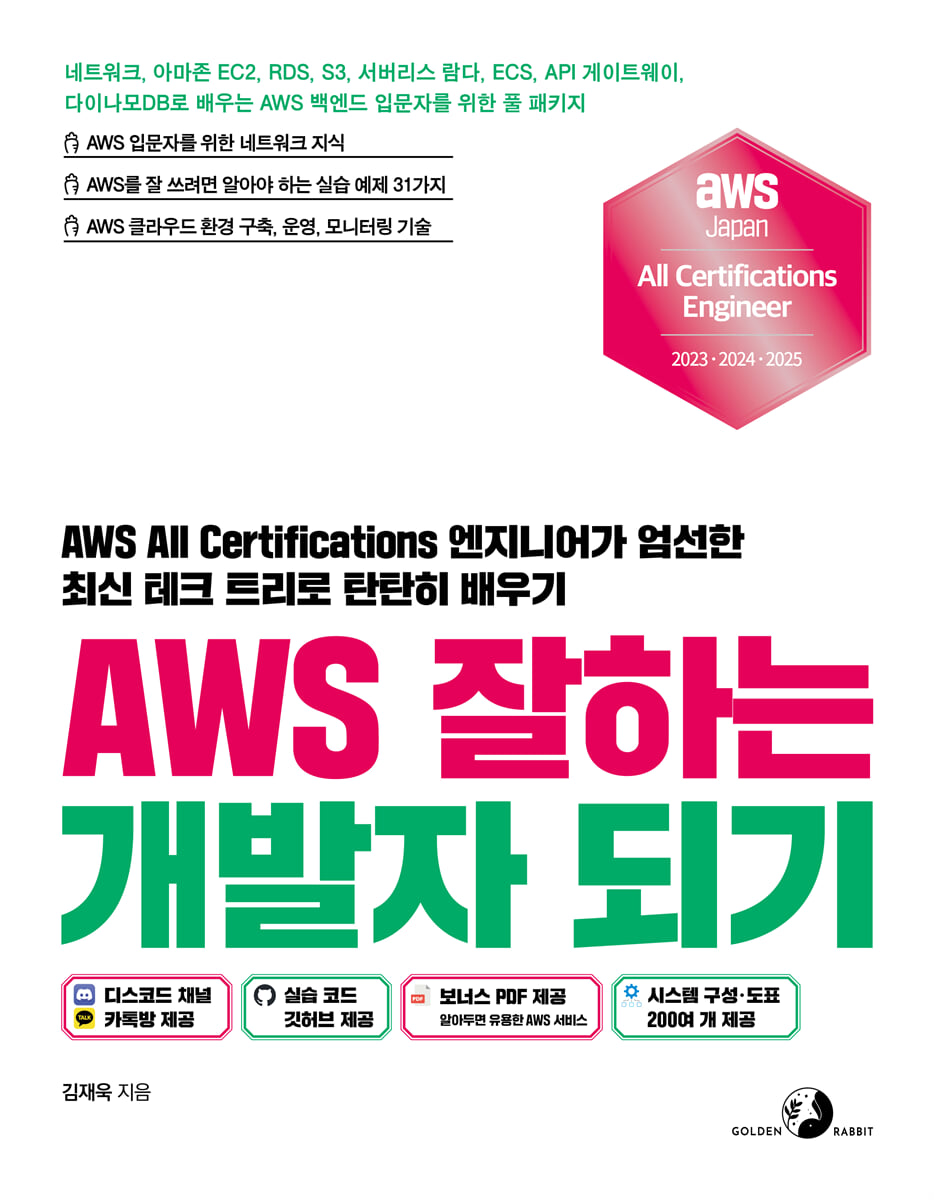
Becoming a Skilled AWS Developer
 |
Description
Book Introduction
★ Do you want to know and do well in AWS backend services?
★ Certified expert who has won the “Japan AWS All Certifications Engineer” award for three consecutive years
★ We provide clear information with over 200 system configuration diagrams!
If you want to get good at AWS but don't know how, you've come to the right place.
This book, written by the author who won the "Japan AWS All Certifications Engineer" award three times in a row in 2023, 2024, and 2025, guides developers and backend engineers to effectively use AWS.
One of the first challenges you'll encounter when entering the world of AWS is knowing where to start and how to get started.
To help alleviate that feeling of helplessness, this book contains both broad and shallow background knowledge needed to use AWS and network knowledge essential to effectively use AWS.
This is useful not only for beginners, but also for beginners who want to learn the basics in a more in-depth and systematic way, and for intermediate users who want to learn the know-how gained from running a large-scale service.
★ Certified expert who has won the “Japan AWS All Certifications Engineer” award for three consecutive years
★ We provide clear information with over 200 system configuration diagrams!
If you want to get good at AWS but don't know how, you've come to the right place.
This book, written by the author who won the "Japan AWS All Certifications Engineer" award three times in a row in 2023, 2024, and 2025, guides developers and backend engineers to effectively use AWS.
One of the first challenges you'll encounter when entering the world of AWS is knowing where to start and how to get started.
To help alleviate that feeling of helplessness, this book contains both broad and shallow background knowledge needed to use AWS and network knowledge essential to effectively use AWS.
This is useful not only for beginners, but also for beginners who want to learn the basics in a more in-depth and systematic way, and for intermediate users who want to learn the know-how gained from running a large-scale service.
- You can preview some of the book's contents.
Preview
index
[Level 1] Getting Started with AWS
Chapter 00: Building an AWS Practice Environment
_0.1 Sign up for AWS membership
_0.2 How to Use AWS
__0.2.1 AWS root user
__0.2.2 How to use AWS by level
_0.3 Managing CloudFormation Templates with Visual Studio Code
__0.3.1 Managing CloudFormation Templates on macOS
__0.3.2 Managing CloudFormation Templates on Windows
_0.4 Example code repository location
_0.5 Try CloudFormation
_0.6 How to Use Generative AI on AWS
__0.6.1 Code Writing
__0.6.2 Solutions and Troubleshooting
Chapter 1: Broad and Shallow Background Knowledge Required to Use AWS
_1.1 Getting Started with AWS
__1.1.1 What is AWS?
__1.1.2 AWS, how was it born and why are so many people using it?
__1.1.3 What do the prefixes 'AWS' and 'Amazon' mean?
_1.2 Useful cloud knowledge to know when using AWS
__1.2.1 On-Premises
__1.2.2 Cloud
__1.2.3 Hybrid Cloud
__1.2.4 Serverless
__1.2.5 region
__1.2.6 Availability Zone
__1.2.7 Edge Location
__1.2.8 Availability
__1.2.9 Reliability
__1.2.10 Fault Tolerance
__1.2.11 Elasticity
__1.2.12 Scalability
__1.2.13 Business Continuity Plan
_Learning completion
_Practice problems
Chapter 2: Network Knowledge You Need to Know to Use AWS Effectively
_2.1 Understanding the network operation structure and principles
__2.1.1 What is a network?
__2.1.2 Communication rules, protocols
__2.1.3 IP
__2.1.4 IP address system
__2.1.5 Subnetting
_2.2 What is Amazon VPC?
__2.2.1 Examining Amazon VPC Components
__2.2.2 Subnet
__2.2.3 Internet Gateway
__2.2.4 NAT Gateway
__2.2.5 Routing Table
__2.2.6 VPC Endpoints
_2.3 AWS Network Design Considerations
__2.3.1 How should CIDR be divided?
__2.3.2 VPC Segmentation Pattern
_2.4 Learn about various services for building AWS networks
__2.4.1 VPC Peering
__2.4.2 Site-to-Site VPN
__2.4.3 Transit Gateway
__2.4.4 Direct Connect
_2.5 Building an AWS Network Environment
__2.5.1 Building a Network Environment with CloudFormation
__2.5.2 Loading the UI and Building the AWS Network Environment
_Learning completion
_Practice problems
[Level 2] Understanding the basic services you need to use AWS effectively
Chapter 3: Basic Services You Need to Know to Use AWS Effectively
_3.1 Understanding the structure and principles of web services operating on AWS
_3.2 Understanding AWS IAM, the Permissions Management Service
__3.2.1 What is AWS IAM?
__3.2.2 AWS IAM Overview
_3.3 Creating AWS IAM
__3.3.1 Creating an AWS User with CloudFormation
__3.3.2 Creating AWS User Resources by Loading with the UI
__3.3.3 Configuring the AWS CLI Environment
__3.3.4 Setting up AWS MFA
_Learning completion
_Practice problems
Chapter 4: Understanding Virtual Cloud Servers
_4.1 What is Amazon EC2, a virtual cloud server?
_4.2 A Look at Amazon EC2, a Virtual Cloud Server
__4.2.1 AMI
__4.2.2 Instance Type
__4.2.3 Storage Options
__4.2.4 Security Groups
__4.2.5 Key Pair
_4.3 Building Amazon EC2
__4.3.1 Connecting to an EC2 instance in a macOS environment
__4.3.2 Connecting to an EC2 instance in a Windows environment
_4.4 Examining Amazon EC2 Access Patterns
__4.4.1 Accessing EC2 instances via the Internet
__4.4.2 Using the EC2 instance connection endpoint
__4.4.3 Connecting from the console using the session manager
__4.4.4 Port forwarding connection using session manager
_Learning completion
_Practice problems
Chapter 5: Understanding Relational Database Services
_5.1 Relational Database, What is Amazon RDS?
_5.2 Relational Database, Amazon RDS
__5.2.1 Amazon RDS Engine Types
__5.2.2 Amazon RDS DB Instance Class
__5.2.3 Storage Types in Amazon RDS
__5.2.4 DB Groups that Make Up Amazon RDS
__5.2.5 Options for Scalability and High Availability
_5.3 Building Amazon RDS
__5.3.1 Building Amazon RDS with CloudFormation
__5.3.2 Creating RDS resources by loading them with the UI
_5.4 Examining Amazon RDS Access Patterns
__5.4.1 Connecting to RDS using an EC2 instance
__5.4.2 Connecting to RDS using port forwarding
__5.4.3 Connecting to RDS through Internet Gateway
__5.4.4 Connecting to RDS via Site-to-Site VPN
_Learning completion
_Practice problems
Chapter 6: Understanding Object Storage Services
_6.1 What is Amazon S3, an object storage service?
_6.2 Object Storage Service, Amazon S3
__6.2.1 Storage Class
__6.2.2 Versioning feature for version management
__6.2.3 Object Management Using Lifecycle Rules
_6.3 Creating Amazon S3
__6.3.1 Creating S3 with CloudFormation
__6.3.2 Creating S3 resources by loading them with the UI
_6.4 Using Amazon S3
_Learning completion
_Practice problems
Chapter 7: Understanding Services for the Front End
_7.1 Examining Front-End Service Types
_7.2 Understanding Amazon Route 53, a Domain Management Service
__7.2.1 Domain Management Service, What is Amazon Route 53?
__7.2.2 A Look at Amazon Route 53, a Domain Management Service
_7.3 Using Amazon Route 53
__7.3.1 Creating an Amazon Route 53 Private Hosted Zone
__7.3.2 Creating an Amazon Route 53 Private Hosted Zone by Loading It with the UI
_Learning completion
_Practice problems
Chapter 8: Understanding Front-End Services for Content Delivery
_8.1 Content Delivery Service, What is Amazon CloudFront?
_8.2 A Look at Amazon CloudFront, a Content Delivery Service
__8.2.1 Content Delivery Service, Amazon CloudFront Speed Comparison
__8.2.2 Content Delivery Service, Options for Configuring Amazon CloudFront
_8.3 Using Amazon CloudFront
__8.3.1 Connecting Amazon S3 and Amazon CloudFront
__8.3.2 Importing with UI and Connecting to Amazon S3 and Amazon CloudFront
_Learning completion
_Practice problems
Chapter 9: Understanding Front-End Services for Web Application Deployment
_9.1 What is AWS Amplify, a front-end service for web application deployment?
_9.2 A Look at AWS Amplify, a Front-End Service for Web Application Deployment
__9.2.1 A look at Amplify Studio, the front-end service for deploying web applications.
__9.2.2 What is Amplify Hosting, a front-end service for deploying web applications?
__9.2.3 Various tools for AWS Amplify, a front-end service for web application deployment
_9.3 Using AWS Amplify
__9.3.1 Building a CI/CD Environment with Amplify Hosting
_Learning completion
_Practice problems
Chapter 10: Understanding Front-End Services for User Authentication
_10.1 What is Amazon Cognito, a front-end service for user authentication?
_10.2 A Look at Amazon Cognito, a Front-End Service for User Authentication
__10.2.1 What is a user pool?
__10.2.2 What is a credential pool?
_10.3 Using Amazon Cognito
__10.3.1 Implementing Login and Signup with Amazon Cognito
_Learning completion
_Practice problems
Chapter 11: Understanding Backend Services
_11.1 Understanding Backend Service Types
_11.2 Load Balancing Service, What is an Elastic Load Balancer?
_11.3 Examining Elastic Load Balancers
__11.3.1 How the Load Balancer Works
__11.3.2 Target Groups and Listeners for Load Balancers
__11.3.3 Load Balancer Algorithm for Load Distribution
__11.3.4 Examining load balancer configuration patterns by environment
_11.4 Using Elastic Load Balancers
__11.4.1 Creating an Elastic Load Balancer and Linking It to an EC2 Instance
__11.4.2 Create an elastic load balancer by loading it with the UI and linking it to an EC2 instance
_Learning completion
_Practice problems
Chapter 12: Understanding Backend Services for Cloud Server Optimization
_12.1 Cloud Server Optimization: What is Amazon EC2 Autoscaling?
_12.2 Cloud Server Optimization Service: Amazon EC2 Autoscaling
__12.2.1 Cloud Server Optimization Backend Service, What is an Autoscaling Group?
_12.3 Creating an Amazon EC2 Auto Scaling Instance
__12.3.1 Creating an Autoscaling Group
__12.3.2 Creating an autoscaling group by loading it into the UI
_Learning completion
_Practice problems
Chapter 13: Understanding Backend Services for Containers
_13.1 Container Service, What is Amazon ECS?
_13.2 Container Service, Amazon ECS
__13.2.1 Container Service, Amazon ECR
__13.2.2 Container Service, Amazon ECS Components
_13.3 Creating an Amazon ECS on Fargate
__13.3.1 Creating an Amazon ECS on Fargate
__13.3.2 Creating an Amazon ECS on Pargate by Loading it with the UI
_Learning completion
_Practice problems
Chapter 14: Understanding Event-Driven Code Execution Backend Services
_14.1 What is AWS Lambda, an event-driven code execution service?
_14.2 Exploring AWS Lambda, an Event-Driven Code Execution Service
__14.2.1 Benefits of AWS Lambda, an event-driven code execution service
__14.2.2 Event-Driven Code Execution Service, AWS Lambda Component
_14.3 Creating an AWS Lambda Function
__14.3.1 Outputting Hello World with an AWS Lambda Function
__14.3.2 Loading the UI and outputting Hello World with an AWS Lambda function
_Learning completion
_Practice problems
Chapter 15: Understanding Backend Services for API Management
_15.1 API Management Backend Service, What is Amazon API Gateway?
_15.2 API Management Backend Service, Amazon API Gateway
__15.2.1 API Management Backend Service, Pros and Cons of Amazon API Gateway
__15.2.2 Backend service for API management, Amazon API Gateway component
_15.3 Using Amazon API Gateway
__15.3.1 Running a Lambda Function Using API Gateway
__15.3.2 Calling the UI and executing the Lambda function using the API Gateway
_Learning completion
_Practice problems
Chapter 16: Understanding Flexible NoSQL Database Services
_16.1 What is Amazon DynamoDB, a flexible NoSQL database service?
_16.2 A Look at Amazon DynamoDB, a Flexible NoSQL Database Service
__16.2.1 Amazon DynamoDB, a flexible NoSQL database service, is limited.
__16.2.2 Components of Amazon DynamoDB, a Flexible NoSQL Database Service
_16.3 Using Amazon DynamoDB
__16.3.1 Calling Amazon DynamoDB table data with an AWS Lambda function
__16.3.2 Calling Amazon DynamoDB table data with an AWS Lambda function by loading it with the UI
_Learning completion
_Practice problems
[Level 4] Building a Website Using Front-End and Back-End Services
Chapter 17: Building a Server-Based WordPress
_17.1 Understanding Server-Based WordPress Configuration
_17.2 Creating Resources with CloudFormation
_17.3 Connecting EC2 Instances to RDS for MySQL
_17.4 Configuring WordPress on an EC2 Instance
_17.5 Accessing WordPress using the balancer's DNS
_17.6 Additional Considerations in WordPress
__17.6.1 Domain and High-Speed Content Delivery
__17.6.2 HTTPS and Log Settings
__17.6.3 Traffic Distribution and Auto-Scaling Settings
__17.6.4 Database High Availability
_Learning completion
Chapter 18: Building a Serverless Website
_18.1 Understanding Serverless Website Architecture
_18.2 Creating Resources with CloudFormation
_18.3 Creating a DynamoDB table entry to manage data
_18.4 Creating an AWS Amplify Hosting Website
_Learning completion
[Level 5] Master 6 AWS Management Skills
Chapter 19: Understanding Services That Manage AWS
_19.1 Understanding the types of services that manage AWS
_19.2 Understanding Backup and Restore Management Services
__19.2.1 What is AWS Backup, a service for managing backup and restore?
__19.2.2 Backup and Restore Management Service, AWS Backup Overview
_19.3 Using AWS Backup
__19.3.1 Backing up and restoring EC2 instances using AWS Backup
__19.3.2 Backing up and restoring EC2 instances by loading them with the UI
_Learning completion
_Practice problems
Chapter 20: Understanding Infrastructure Management Services
_20.1 Infrastructure Management Service, What is AWS Systems Manager?
_20.2 Infrastructure Management Service, AWS Systems Manager
__20.2.1 Application Management, Parameter Store
__20.2.2 Change Management, Automation
__20.2.3 Node Management, Fleet Manager
__20.2.4 Node Management, Session Manager
__20.2.5 Node Management, Command Execution
__20.2.6 Node Management, Patch Manager
__20.2.7 Shared Resources, Documents
_Learning completion
_Practice problems
Chapter 21: Understanding Monitoring and Logging Services
_21.1 What is Amazon CloudWatch, a monitoring and logging service?
_21.2 Monitoring and Logging Service: Amazon CloudWatch
__21.2.1 Services for monitoring and logging, metrics
__21.2.2 Monitoring and Logging Services, Alerts
__21.2.3 Monitoring and Logging Services, Logs
__21.2.4 Services for monitoring and logging, services that can obtain metrics
_21.3 Using Amazon CloudWatch
__21.3.1 Using CloudWatch Alerts to Send Email Notifications
__21.3.2 Loading UI and using CloudWatch alerts to send email notifications
_Learning completion
_Practice problems
Chapter 22: Understanding Firewall Services That Protect Against External Attacks
_22.1 What is AWS WAF, a firewall service that protects against external attacks?
_22.2 A Look at AWS WAF, a Firewall Service That Protects Against External Attacks
__22.2.1 Five Key Features of AWS WAF
__22.2.2 AWS WAF Managed Rules
__22.2.3 AWS WAF Custom Rules
_22.3 Using AWS WAF
__22.3.1 Introducing AWS WAF to Amazon CloudFront
__22.3.2 Introducing AWS WAF to Amazon CloudFront by Loading it with the UI
_Learning completion
_Practice problems
Chapter 23: Understanding Network Traffic Logging Services
_23.1 What is VPC Flow Log, a network traffic logging service?
_23.2 Network Traffic Logging Service, VPC Flow Logs
__23.2.1 VPC Flow Log Fields
_23.3 Using VPC Flow Logs
__23.3.1 Collecting logs through VPC flow logs
__23.3.2 Loading the UI and collecting logs through VPC flow logs
_Learning completion
_Practice problems
Chapter 24: Understanding Services for Managing IP Addresses
_24.1 What is a managed prefix list, a service that manages IP addresses?
_24.2 Services that manage IP addresses, reviewing the managed prefix list
__24.2.1 Customer-Managed Prefix List
__24.2.2 AWS Managed Prefix List
_24.3 Using a Managed Prefix List
__24.3.1 Create a customer-managed prefix list and add it to a security group
__24.3.2 Create a customer-managed prefix list by importing it into the UI and adding it to a security group.
_Learning completion
_Practice problems
Chapter 00: Building an AWS Practice Environment
_0.1 Sign up for AWS membership
_0.2 How to Use AWS
__0.2.1 AWS root user
__0.2.2 How to use AWS by level
_0.3 Managing CloudFormation Templates with Visual Studio Code
__0.3.1 Managing CloudFormation Templates on macOS
__0.3.2 Managing CloudFormation Templates on Windows
_0.4 Example code repository location
_0.5 Try CloudFormation
_0.6 How to Use Generative AI on AWS
__0.6.1 Code Writing
__0.6.2 Solutions and Troubleshooting
Chapter 1: Broad and Shallow Background Knowledge Required to Use AWS
_1.1 Getting Started with AWS
__1.1.1 What is AWS?
__1.1.2 AWS, how was it born and why are so many people using it?
__1.1.3 What do the prefixes 'AWS' and 'Amazon' mean?
_1.2 Useful cloud knowledge to know when using AWS
__1.2.1 On-Premises
__1.2.2 Cloud
__1.2.3 Hybrid Cloud
__1.2.4 Serverless
__1.2.5 region
__1.2.6 Availability Zone
__1.2.7 Edge Location
__1.2.8 Availability
__1.2.9 Reliability
__1.2.10 Fault Tolerance
__1.2.11 Elasticity
__1.2.12 Scalability
__1.2.13 Business Continuity Plan
_Learning completion
_Practice problems
Chapter 2: Network Knowledge You Need to Know to Use AWS Effectively
_2.1 Understanding the network operation structure and principles
__2.1.1 What is a network?
__2.1.2 Communication rules, protocols
__2.1.3 IP
__2.1.4 IP address system
__2.1.5 Subnetting
_2.2 What is Amazon VPC?
__2.2.1 Examining Amazon VPC Components
__2.2.2 Subnet
__2.2.3 Internet Gateway
__2.2.4 NAT Gateway
__2.2.5 Routing Table
__2.2.6 VPC Endpoints
_2.3 AWS Network Design Considerations
__2.3.1 How should CIDR be divided?
__2.3.2 VPC Segmentation Pattern
_2.4 Learn about various services for building AWS networks
__2.4.1 VPC Peering
__2.4.2 Site-to-Site VPN
__2.4.3 Transit Gateway
__2.4.4 Direct Connect
_2.5 Building an AWS Network Environment
__2.5.1 Building a Network Environment with CloudFormation
__2.5.2 Loading the UI and Building the AWS Network Environment
_Learning completion
_Practice problems
[Level 2] Understanding the basic services you need to use AWS effectively
Chapter 3: Basic Services You Need to Know to Use AWS Effectively
_3.1 Understanding the structure and principles of web services operating on AWS
_3.2 Understanding AWS IAM, the Permissions Management Service
__3.2.1 What is AWS IAM?
__3.2.2 AWS IAM Overview
_3.3 Creating AWS IAM
__3.3.1 Creating an AWS User with CloudFormation
__3.3.2 Creating AWS User Resources by Loading with the UI
__3.3.3 Configuring the AWS CLI Environment
__3.3.4 Setting up AWS MFA
_Learning completion
_Practice problems
Chapter 4: Understanding Virtual Cloud Servers
_4.1 What is Amazon EC2, a virtual cloud server?
_4.2 A Look at Amazon EC2, a Virtual Cloud Server
__4.2.1 AMI
__4.2.2 Instance Type
__4.2.3 Storage Options
__4.2.4 Security Groups
__4.2.5 Key Pair
_4.3 Building Amazon EC2
__4.3.1 Connecting to an EC2 instance in a macOS environment
__4.3.2 Connecting to an EC2 instance in a Windows environment
_4.4 Examining Amazon EC2 Access Patterns
__4.4.1 Accessing EC2 instances via the Internet
__4.4.2 Using the EC2 instance connection endpoint
__4.4.3 Connecting from the console using the session manager
__4.4.4 Port forwarding connection using session manager
_Learning completion
_Practice problems
Chapter 5: Understanding Relational Database Services
_5.1 Relational Database, What is Amazon RDS?
_5.2 Relational Database, Amazon RDS
__5.2.1 Amazon RDS Engine Types
__5.2.2 Amazon RDS DB Instance Class
__5.2.3 Storage Types in Amazon RDS
__5.2.4 DB Groups that Make Up Amazon RDS
__5.2.5 Options for Scalability and High Availability
_5.3 Building Amazon RDS
__5.3.1 Building Amazon RDS with CloudFormation
__5.3.2 Creating RDS resources by loading them with the UI
_5.4 Examining Amazon RDS Access Patterns
__5.4.1 Connecting to RDS using an EC2 instance
__5.4.2 Connecting to RDS using port forwarding
__5.4.3 Connecting to RDS through Internet Gateway
__5.4.4 Connecting to RDS via Site-to-Site VPN
_Learning completion
_Practice problems
Chapter 6: Understanding Object Storage Services
_6.1 What is Amazon S3, an object storage service?
_6.2 Object Storage Service, Amazon S3
__6.2.1 Storage Class
__6.2.2 Versioning feature for version management
__6.2.3 Object Management Using Lifecycle Rules
_6.3 Creating Amazon S3
__6.3.1 Creating S3 with CloudFormation
__6.3.2 Creating S3 resources by loading them with the UI
_6.4 Using Amazon S3
_Learning completion
_Practice problems
Chapter 7: Understanding Services for the Front End
_7.1 Examining Front-End Service Types
_7.2 Understanding Amazon Route 53, a Domain Management Service
__7.2.1 Domain Management Service, What is Amazon Route 53?
__7.2.2 A Look at Amazon Route 53, a Domain Management Service
_7.3 Using Amazon Route 53
__7.3.1 Creating an Amazon Route 53 Private Hosted Zone
__7.3.2 Creating an Amazon Route 53 Private Hosted Zone by Loading It with the UI
_Learning completion
_Practice problems
Chapter 8: Understanding Front-End Services for Content Delivery
_8.1 Content Delivery Service, What is Amazon CloudFront?
_8.2 A Look at Amazon CloudFront, a Content Delivery Service
__8.2.1 Content Delivery Service, Amazon CloudFront Speed Comparison
__8.2.2 Content Delivery Service, Options for Configuring Amazon CloudFront
_8.3 Using Amazon CloudFront
__8.3.1 Connecting Amazon S3 and Amazon CloudFront
__8.3.2 Importing with UI and Connecting to Amazon S3 and Amazon CloudFront
_Learning completion
_Practice problems
Chapter 9: Understanding Front-End Services for Web Application Deployment
_9.1 What is AWS Amplify, a front-end service for web application deployment?
_9.2 A Look at AWS Amplify, a Front-End Service for Web Application Deployment
__9.2.1 A look at Amplify Studio, the front-end service for deploying web applications.
__9.2.2 What is Amplify Hosting, a front-end service for deploying web applications?
__9.2.3 Various tools for AWS Amplify, a front-end service for web application deployment
_9.3 Using AWS Amplify
__9.3.1 Building a CI/CD Environment with Amplify Hosting
_Learning completion
_Practice problems
Chapter 10: Understanding Front-End Services for User Authentication
_10.1 What is Amazon Cognito, a front-end service for user authentication?
_10.2 A Look at Amazon Cognito, a Front-End Service for User Authentication
__10.2.1 What is a user pool?
__10.2.2 What is a credential pool?
_10.3 Using Amazon Cognito
__10.3.1 Implementing Login and Signup with Amazon Cognito
_Learning completion
_Practice problems
Chapter 11: Understanding Backend Services
_11.1 Understanding Backend Service Types
_11.2 Load Balancing Service, What is an Elastic Load Balancer?
_11.3 Examining Elastic Load Balancers
__11.3.1 How the Load Balancer Works
__11.3.2 Target Groups and Listeners for Load Balancers
__11.3.3 Load Balancer Algorithm for Load Distribution
__11.3.4 Examining load balancer configuration patterns by environment
_11.4 Using Elastic Load Balancers
__11.4.1 Creating an Elastic Load Balancer and Linking It to an EC2 Instance
__11.4.2 Create an elastic load balancer by loading it with the UI and linking it to an EC2 instance
_Learning completion
_Practice problems
Chapter 12: Understanding Backend Services for Cloud Server Optimization
_12.1 Cloud Server Optimization: What is Amazon EC2 Autoscaling?
_12.2 Cloud Server Optimization Service: Amazon EC2 Autoscaling
__12.2.1 Cloud Server Optimization Backend Service, What is an Autoscaling Group?
_12.3 Creating an Amazon EC2 Auto Scaling Instance
__12.3.1 Creating an Autoscaling Group
__12.3.2 Creating an autoscaling group by loading it into the UI
_Learning completion
_Practice problems
Chapter 13: Understanding Backend Services for Containers
_13.1 Container Service, What is Amazon ECS?
_13.2 Container Service, Amazon ECS
__13.2.1 Container Service, Amazon ECR
__13.2.2 Container Service, Amazon ECS Components
_13.3 Creating an Amazon ECS on Fargate
__13.3.1 Creating an Amazon ECS on Fargate
__13.3.2 Creating an Amazon ECS on Pargate by Loading it with the UI
_Learning completion
_Practice problems
Chapter 14: Understanding Event-Driven Code Execution Backend Services
_14.1 What is AWS Lambda, an event-driven code execution service?
_14.2 Exploring AWS Lambda, an Event-Driven Code Execution Service
__14.2.1 Benefits of AWS Lambda, an event-driven code execution service
__14.2.2 Event-Driven Code Execution Service, AWS Lambda Component
_14.3 Creating an AWS Lambda Function
__14.3.1 Outputting Hello World with an AWS Lambda Function
__14.3.2 Loading the UI and outputting Hello World with an AWS Lambda function
_Learning completion
_Practice problems
Chapter 15: Understanding Backend Services for API Management
_15.1 API Management Backend Service, What is Amazon API Gateway?
_15.2 API Management Backend Service, Amazon API Gateway
__15.2.1 API Management Backend Service, Pros and Cons of Amazon API Gateway
__15.2.2 Backend service for API management, Amazon API Gateway component
_15.3 Using Amazon API Gateway
__15.3.1 Running a Lambda Function Using API Gateway
__15.3.2 Calling the UI and executing the Lambda function using the API Gateway
_Learning completion
_Practice problems
Chapter 16: Understanding Flexible NoSQL Database Services
_16.1 What is Amazon DynamoDB, a flexible NoSQL database service?
_16.2 A Look at Amazon DynamoDB, a Flexible NoSQL Database Service
__16.2.1 Amazon DynamoDB, a flexible NoSQL database service, is limited.
__16.2.2 Components of Amazon DynamoDB, a Flexible NoSQL Database Service
_16.3 Using Amazon DynamoDB
__16.3.1 Calling Amazon DynamoDB table data with an AWS Lambda function
__16.3.2 Calling Amazon DynamoDB table data with an AWS Lambda function by loading it with the UI
_Learning completion
_Practice problems
[Level 4] Building a Website Using Front-End and Back-End Services
Chapter 17: Building a Server-Based WordPress
_17.1 Understanding Server-Based WordPress Configuration
_17.2 Creating Resources with CloudFormation
_17.3 Connecting EC2 Instances to RDS for MySQL
_17.4 Configuring WordPress on an EC2 Instance
_17.5 Accessing WordPress using the balancer's DNS
_17.6 Additional Considerations in WordPress
__17.6.1 Domain and High-Speed Content Delivery
__17.6.2 HTTPS and Log Settings
__17.6.3 Traffic Distribution and Auto-Scaling Settings
__17.6.4 Database High Availability
_Learning completion
Chapter 18: Building a Serverless Website
_18.1 Understanding Serverless Website Architecture
_18.2 Creating Resources with CloudFormation
_18.3 Creating a DynamoDB table entry to manage data
_18.4 Creating an AWS Amplify Hosting Website
_Learning completion
[Level 5] Master 6 AWS Management Skills
Chapter 19: Understanding Services That Manage AWS
_19.1 Understanding the types of services that manage AWS
_19.2 Understanding Backup and Restore Management Services
__19.2.1 What is AWS Backup, a service for managing backup and restore?
__19.2.2 Backup and Restore Management Service, AWS Backup Overview
_19.3 Using AWS Backup
__19.3.1 Backing up and restoring EC2 instances using AWS Backup
__19.3.2 Backing up and restoring EC2 instances by loading them with the UI
_Learning completion
_Practice problems
Chapter 20: Understanding Infrastructure Management Services
_20.1 Infrastructure Management Service, What is AWS Systems Manager?
_20.2 Infrastructure Management Service, AWS Systems Manager
__20.2.1 Application Management, Parameter Store
__20.2.2 Change Management, Automation
__20.2.3 Node Management, Fleet Manager
__20.2.4 Node Management, Session Manager
__20.2.5 Node Management, Command Execution
__20.2.6 Node Management, Patch Manager
__20.2.7 Shared Resources, Documents
_Learning completion
_Practice problems
Chapter 21: Understanding Monitoring and Logging Services
_21.1 What is Amazon CloudWatch, a monitoring and logging service?
_21.2 Monitoring and Logging Service: Amazon CloudWatch
__21.2.1 Services for monitoring and logging, metrics
__21.2.2 Monitoring and Logging Services, Alerts
__21.2.3 Monitoring and Logging Services, Logs
__21.2.4 Services for monitoring and logging, services that can obtain metrics
_21.3 Using Amazon CloudWatch
__21.3.1 Using CloudWatch Alerts to Send Email Notifications
__21.3.2 Loading UI and using CloudWatch alerts to send email notifications
_Learning completion
_Practice problems
Chapter 22: Understanding Firewall Services That Protect Against External Attacks
_22.1 What is AWS WAF, a firewall service that protects against external attacks?
_22.2 A Look at AWS WAF, a Firewall Service That Protects Against External Attacks
__22.2.1 Five Key Features of AWS WAF
__22.2.2 AWS WAF Managed Rules
__22.2.3 AWS WAF Custom Rules
_22.3 Using AWS WAF
__22.3.1 Introducing AWS WAF to Amazon CloudFront
__22.3.2 Introducing AWS WAF to Amazon CloudFront by Loading it with the UI
_Learning completion
_Practice problems
Chapter 23: Understanding Network Traffic Logging Services
_23.1 What is VPC Flow Log, a network traffic logging service?
_23.2 Network Traffic Logging Service, VPC Flow Logs
__23.2.1 VPC Flow Log Fields
_23.3 Using VPC Flow Logs
__23.3.1 Collecting logs through VPC flow logs
__23.3.2 Loading the UI and collecting logs through VPC flow logs
_Learning completion
_Practice problems
Chapter 24: Understanding Services for Managing IP Addresses
_24.1 What is a managed prefix list, a service that manages IP addresses?
_24.2 Services that manage IP addresses, reviewing the managed prefix list
__24.2.1 Customer-Managed Prefix List
__24.2.2 AWS Managed Prefix List
_24.3 Using a Managed Prefix List
__24.3.1 Create a customer-managed prefix list and add it to a security group
__24.3.2 Create a customer-managed prefix list by importing it into the UI and adding it to a security group.
_Learning completion
_Practice problems
Detailed image

Publisher's Review
★ 200 system diagrams and charts + 100 practice problems + 100 key summaries!
★ Systematic level-based learning course, core knowledge that can be applied directly to practice,
★ We'll guide you into the world of AWS experts with our extensive hands-on experience!
This book is the best choice for anyone who wants to learn AWS.
Discover how this book will brighten your cloud journey through these three key features:
For your reference, over 200 diagrams and system architecture diagrams will help you understand your cloud journey.
First, we help you grow from AWS beginner to expert level through systematic, level-based learning courses.
Chapter 0 provides essential knowledge from signing up for AWS to setting up a practice environment, while Level 1 covers basic AWS concepts and network knowledge.
In Level 2, you will learn about core basic services such as AWS IAM, EC2, RDS, and S3, and in Level 3, you will learn about the interaction principles between front-end and back-end services.
In Level 4, you will gain practical experience by building actual server-based WordPress and serverless-based websites, and in Level 5, you will master six core technologies for reliably operating and managing a cloud environment.
This step-by-step learning path helps you build your AWS knowledge without any confusion.
Second, we provide only the most essential knowledge that can be applied directly to practical work.
We've compiled only the most important and practical concepts and terminology from among the vast array of AWS services. This book covers everything from the origins of AWS and basic service concepts (regions, availability zones, elasticity, scalability, etc.) to tools commonly used in real-world work, such as the AWS Management Console, AWS CLI, and AWS CloudFormation.
It also provides insights into the essential characteristics of the service, as the prefixes "AWS" and "Amazon" imply, helping you focus on developing the capabilities you truly need without wasting time on unnecessary information.
With just this one book, you'll be fully prepared to understand and leverage the core of AWS.
Third, we provide a rich hands-on experience that perfectly connects theory and practice.
Beyond simply reciting theory, you'll learn how to build and manage a real-world cloud environment through step-by-step exercises using CloudFormation templates and the AWS Management Console UI. From creating a VPC and managing CloudFormation templates with Visual Studio Code, to deploying web applications with AWS Amplify and configuring server load distribution with a load balancer, every step is covered in detail.
By focusing on the most common practices in practice—Levels 1, 2, and 3—we'll develop powerful practical skills to solve real-world problems.
With this book, you can go beyond theory and become a cloud expert.
★ Network knowledge and background for AWS beginners
★ 31 Essential Practices to Know to Use AWS Well
★ Cloud environment construction, operation, and monitoring technology
★ We will inform you clearly with the AWS 4 major leaders.
The first step in designing and building AWS is the network.
After learning the basic concepts of networks, let's start by configuring a network environment in AWS and deploying various resources on top of that environment to begin designing and building a full-fledged infrastructure.
Even if you lack practical experience, by studying this book to the end, you will gain the foundational knowledge and confidence necessary to build infrastructure.
_[Chapter 1] Network Basics and AWS Networks
Beginners to AWS face a significant obstacle right from the network configuration stage. They don't understand what CIDR is or why subnets are necessary.
Also, concepts like routing tables, Internet gateways, and NAT gateways are unfamiliar and difficult.
So, this book first teaches you the basics of networking, then looks at how it's utilized in AWS, and then builds an AWS network environment.
We will also learn about various network patterns that can be utilized in practice.
_[2nd Chief] AWS Basic Services (IAM, EC2, RDS, S3)
Once you've configured your network environment in AWS, it's time to deploy actual resources by linking frequently used services like IAM, EC2, RDS, and S3.
But another hurdle awaits us in this process.
For example, even after setting up EC2 or RDS, there are many cases where people have difficulty knowing how to connect to it.
From Internet access to SSM and EIC, we compare various methods and show you how to choose the most suitable connection pattern.
_[3 Major] Backend Service & Frontend Service
Now that you've configured your network environment and utilized basic services, it's time to explore the various AWS services that can assist and expand it.
Let's divide the infrastructure into backend and frontend areas to make it richer and more efficient.
_[4th General] Server-based, serverless-based server
Now, we're starting a full-scale website construction project, leveraging AWS's basic services, backend, and frontend services, starting with network design.
We'll also explore additional considerations for your existing environment. In lieu of EC2, we're also preparing to build serverless websites using AWS Amplify and AWS Lambda, so let's gain broad experience that can handle any environment.
★ The ultimate recipe that connects theory and practice
★ Introducing the 31 exercises covered in this book.
_[Practice 01] AWS Membership Registration and Practice Environment Setup (Chapter 0)
Create an account using the AWS Free Tier and set up a basic environment to get started with AWS.
_[Practice 02] Managing CloudFormation Templates with VSCode (Chapter 0)
Learn how to install the CloudFormation Linter extension in VSCode to inspect and efficiently manage template syntax in JSON/YAML format.
_[Practice 03] Creating and Deleting AWS Resources with CloudFormation (Chapter 0)
Learn how to systematically create and manage AWS resources (VPCs) using CloudFormation templates, and safely delete unnecessary resources.
_[Practice 04] Building an AWS Network Environment with CloudFormation (Chapter 2)
Build and understand core components of the AWS cloud network, including VPCs, subnets, and internet gateways, using CloudFormation.
_[Practice 05] Creating an IAM User and Verifying Permissions (Chapter 3)
We will practice creating individual IAM users through AWS IAM and setting and verifying permissions for accessing the AWS Management Console and AWS CLI.
_[Practice 06] Configuring the AWS CLI Environment (Chapter 3)
Install the AWS CLI and set up access and secret keys to create an environment for managing AWS resources from the command line.
_[Practice 07] Building and Connecting to an Amazon EC2 Instance (Chapter 4)
Learn how to build an EC2 instance, a virtual cloud server, and connect to it from both macOS and Windows environments, as well as through [Connecting to an EC2 Instance].
_[Practice 08] Connecting Using the EC2 Instance Connection Endpoint (EIC) (Chapter 4)
Learn how to use EIC to securely connect to EC2 instances without an Internet gateway.
_[Practice 09] Connecting to EC2 Using Session Manager (Console and Port Forwarding) (Chapter 4)
Learn various ways to securely connect to EC2 instances using AWS Systems Manager's Session Manager.
_[Practice 10] Building an Amazon RDS Instance and Connecting Using EC2 (Chapter 5)
We'll learn how to create an Amazon RDS instance, an AWS relational database service, and securely connect to RDS via an EC2 instance in a private subnet.
_[Practice 11] Creating and Using Amazon S3 Buckets (Versioning, Lifecycle) (Chapter 6)
Learn how to create an Amazon S3 bucket, an object storage service, manage object versions with versioning, and optimize costs by setting object retention periods with lifecycle rules.
_[Practice 12] Linking EC2 Instances and S3 Buckets (Chapter 6)
Learn how to efficiently download and upload objects by linking EC2 instances and S3 buckets.
_[Practice 13] Creating an Amazon Route 53 Private Hosting Zone and Assigning a Domain (Chapter 7)
We'll learn how to create a private domain (private hosted zone) using Amazon Route 53 and assign the domain to a web server for access.
_[Practice 14] Building a CDN Environment Through Integration with Amazon S3 and CloudFront (Chapter 8)
Build your own CDN environment by linking Amazon CloudFront with Amazon S3 to deliver static content to users quickly and securely.
_[Practice 15] Hosting and Automated Deployment of Websites Using AWS Amplify Hosting (Chapter 9)
Learn how to use AWS Amplify Hosting to integrate with GitHub repositories, quickly and easily deploy web applications to the AWS Cloud, and build a CI/CD environment.
_[Practice 16] Implementing Membership Registration and Login Using Amazon Cognito (Chapter 10)
Learn how to easily implement user authentication (sign-up, login) functionality in your web applications by leveraging Amazon Cognito's user pools and credential pools.
_[Practice 17] Creating an Elastic Load Balancer (ELB) and Linking It to an EC2 Instance (Chapter 11)
Learn how to create an Application Load Balancer (ALB) and integrate it with EC2 instances to efficiently distribute web traffic and strengthen the security of your web servers.
_[Practice 18] Creating an Amazon EC2 Auto Scaling Group and Scaling Operations (Chapter 12)
Learn how to create an Amazon EC2 Auto Scaling group and configure launch templates and scale policies (scheduled tasks) to automatically adjust the number of EC2 instances based on traffic changes and optimize your cloud servers.
_[Practice 19] Building a Container Service Using Amazon ECS on Fargate (Chapter 13)
Learn how to deploy Docker containers to an AWS ECS on Fargate environment to build and operate container-based services without the burden of server management.
_[Practice 20] Creating and Running an AWS Lambda Function (Chapter 14)
You'll create AWS Lambda functions, a serverless computing service, and learn how to execute code in response to specific events, experiencing the benefits of serverless architecture.
_[Practice 21] Calling Lambda Functions Using Amazon API Gateway (Chapter 15)
Learn how to build an Amazon API Gateway to call AWS Lambda functions via APIs and easily manage backend logic.
_[Practice 22] Creating an Amazon DynamoDB Table and Retrieving Data via a Lambda Function (Chapter 16)
We will create a table in Amazon DynamoDB, a NoSQL database, and practice how to call and utilize data from DynamoDB using an AWS Lambda function.
_[Practice 23] Building a Server-Based WordPress with a Load Balancer, EC2, and RDS (Chapter 17)
We build a real-server WordPress blog platform that takes security, performance, and scalability into account by integrating an elastic load balancer, Amazon EC2, and Amazon RDS for MySQL.
_[Practice 24] Additional Considerations for Running a WordPress Website (Chapter 17)
Explore advanced infrastructure design methods required for actual service operation, such as domain/HTTPS setup, traffic distribution/automatic scaling, and database high availability.
_[Practice 25] Building a Serverless Website (Amplify, Lambda, API Gateway, DynamoDB) (Chapter 18)
Build and deploy serverless websites with real-time processing and scalability by integrating core serverless services like AWS Amplify, Lambda, API Gateway, and DynamoDB.
_[Practice 26] Backing up and restoring EC2 instances using AWS Backup (Chapter 19)
Learn how to utilize AWS Backup services to establish a regular backup plan for your EC2 instances and quickly restore data when needed to maintain a stable cloud environment.
_[Practice 27] Remotely Accessing Windows EC2 Instances Using Fleet Manager (Chapter 20)
Learn how to manage Windows OS-based EC2 instances in a UI environment via Remote Desktop (RDP) connections using AWS Systems Manager and Fleet Manager.
_[Practice 28] Email Notifications Using Amazon CloudWatch Alarms (Chapter 21)
Build a system that monitors AWS resource metrics through Amazon CloudWatch and triggers alarms and email notifications when specific thresholds are exceeded.
_[Practice 29] Protecting Web Applications by Integrating AWS WAF and CloudFront (Chapter 22)
Learn how to integrate AWS WAF with Amazon CloudFront to protect your web applications from common web attacks like SQL injection, XSS, and DDoS attacks.
_[Practice 30] Collecting Network Traffic Logs via VPC Flow Logs (Chapter 23)
Learn how to enable VPC Flow Logs to collect network traffic information occurring within your VPC, store it in Amazon S3, and use it for security diagnostics and network communication troubleshooting.
_[Practice 31] IP Address Management Using Managed Prefix Lists (Chapter 24)
Learn how to efficiently manage multiple IP addresses by creating a customer-managed prefix list and applying it to security groups to reduce the complexity of network security rules.
★ What this book covers
Here is a list of examples covered in this book:
Each example will help you acquire practical skills for building and operating an AWS cloud environment.
Chapter 00: Introduction to AWS and Setting Up the Environment
Sign up for AWS and build a hands-on environment: Create an account using the AWS Free Tier and set up a basic environment to get started with AWS.
Create and Delete AWS Resources with CloudFormation: Learn how to systematically create and manage AWS resources (VPCs) using CloudFormation templates, and safely delete unnecessary resources.
Managing CloudFormation Templates with Visual Studio Code (VSCode): Learn how to install the CloudFormation Linter extension in VSCode to inspect and efficiently manage template syntax in JSON/YAML format.
Chapter 2: Network Knowledge Required to Effectively Use the AWS Cloud
Build an AWS network environment with CloudFormation: Build and understand core components of an AWS cloud network, including VPCs, subnets, and internet gateways, using CloudFormation.
Chapter 3: Basic Services You Need to Know to Use the AWS Cloud Effectively
Create an IAM User and Verify Permissions: Learn how to create individual IAM users through AWS IAM and set and verify permissions for accessing the AWS Management Console and AWS CLI.
Configure your AWS CLI environment: Install the AWS CLI and set up access and secret keys to create an environment for managing AWS resources from the command line.
Chapter 4: Understanding Virtual Cloud Servers
Build and Connect to an Amazon EC2 Instance: Learn how to build an EC2 instance, a virtual cloud server, and connect to it using Tera Term.
Connecting Using the EC2 Instance Connection Endpoint (EIC): Learn how to use the EIC to securely connect to your EC2 instances without an Internet gateway.
Connecting to EC2 Using Session Manager (Console and Port Forwarding): Learn various ways to securely connect to EC2 instances using AWS Systems Manager's Session Manager.
Chapter 5: Understanding Relational Database Services
Build an Amazon RDS Instance and Connect Using EC2: Learn how to create an Amazon RDS instance, AWS's relational database service, and securely connect to RDS via an EC2 instance in a private subnet.
Chapter 6: Understanding Object Storage Services
Creating and Using Amazon S3 Buckets (Versioning, Lifecycle): Learn how to create Amazon S3 buckets, an object storage service, and optimize costs by managing object versions with versioning and setting object retention periods with lifecycle rules.
Connecting EC2 Instances to S3 Buckets: Learn how to connect EC2 instances to S3 buckets to efficiently download and upload objects.
Chapter 7: Understanding Services for the Front End
Creating a Private Hosted Zone and Assigning a Domain in Amazon Route53: Learn how to use Amazon Route53 to create a private domain (private hosted zone) and assign the domain to a web server for access.
Chapter 8: Understanding Front-End Services for Content Delivery
Build a CDN environment by linking Amazon S3 and Amazon CloudFront: Build a CDN (Content Delivery Network) environment that delivers static content to users quickly and securely by linking Amazon CloudFront with Amazon S3.
Chapter 9: Understanding Front-End Services for Web Application Deployment
Host and Automated Deployment of Websites with AWS Amplify Hosting: Learn how to use AWS Amplify Hosting to integrate with your GitHub repository, quickly and easily deploy web applications to the AWS Cloud, and set up a CI/CD environment.
Chapter 10: Understanding Front-End Services for User Authentication
Implementing Sign-Up and Log-In with Amazon Cognito: Learn how to easily implement user authentication (sign-up and login) in your web application by leveraging Amazon Cognito's user pool and identity pool.
Chapter 11: Understanding Backend Services
Create an Elastic Load Balancer (ELB) and Link it to an EC2 Instance: Learn how to create an Application Load Balancer (ALB) and link it to an EC2 instance to efficiently distribute web traffic and strengthen the security of your web servers.
Chapter 12: Understanding Backend Services for Cloud Server Optimization
Create and Scale an Amazon EC2 Auto Scaling Group: Learn how to create an EC2 Auto Scaling Group and configure launch templates and scale policies (scheduled actions) to automatically adjust the number of EC2 instances based on traffic changes and optimize your cloud servers.
Chapter 13: Understanding Backend Services for Containers
Building a Container Service Using Amazon ECS on Fargate: Learn how to deploy Docker containers to the AWS Elastic Container Service (ECS) on Fargate environment to build and operate container-based services without the burden of server management.
Chapter 14: Understanding Event-Driven Code Execution Services
Create and Run AWS Lambda Functions: Learn how to create AWS Lambda functions, a serverless computing service, execute code in response to specific events, and experience the benefits of serverless architecture.
Chapter 15: Understanding Backend Services for API Management
Calling Lambda Functions with Amazon API Gateway: Learn how to build Amazon API Gateway to call AWS Lambda functions via APIs and easily manage backend logic.
Chapter 16: Understanding Flexible NoSQL Database Services
Creating an Amazon DynamoDB Table and Calling Data via a Lambda Function: Learn how to create a table in Amazon DynamoDB, a NoSQL database, and use an AWS Lambda function to call and utilize data in DynamoDB.
Chapter 17: Building a Server-Based WordPress
Build a server-based WordPress blog platform leveraging load balancers, EC2, and RDS: Build a server-based WordPress blog platform that takes security, performance, and scalability into account by integrating Elastic Load Balancers, Amazon EC2, and Amazon RDS for MySQL.
Additional considerations for running a WordPress website: Explore advanced infrastructure design methods required for running a real-world service, including domain/HTTPS setup, traffic distribution/auto-scaling, and database high availability.
Chapter 18: Building a Serverless Website
Build a serverless website using AWS Amplify, Lambda, API Gateway, and DynamoDB: Integrate core serverless services like AWS Amplify, Lambda, API Gateway, and DynamoDB to build and deploy a serverless website with real-time processing and scalability.
Chapter 19: Understanding AWS Services for Management
Backing Up and Restoring EC2 Instances Using AWS Backup: Learn how to establish a regular backup plan for EC2 instances using the AWS Backup service and quickly restore data when needed to maintain a stable cloud environment.
Chapter 20: Understanding Services for Infrastructure Management
Remotely Access Windows EC2 Instances Using Fleet Manager: Learn how to manage Windows-based EC2 instances in a UI environment via a Remote Desktop (RDP) connection using AWS Systems Manager's Fleet Manager.
Chapter 21: Identifying Services for Monitoring and Logging
Email Notifications Using Amazon CloudWatch Alarms: Build a system that monitors AWS resource metrics through Amazon CloudWatch, triggers alarms when specific thresholds are exceeded, and receives email notifications.
Chapter 22: Understanding Firewall Services That Protect Against External Attacks
Protecting Web Applications by Connecting AWS WAF to CloudFront: Learn how to integrate AWS WAF with Amazon CloudFront to protect web applications from common web attacks such as SQL injections and XSS, as well as DDoS attacks.
Chapter 23: Identifying Services for Network Traffic Logging
Collect network traffic logs with VPC Flow Logs: Learn how to enable VPC Flow Logs to collect network traffic information occurring within your VPC, store it in Amazon S3, and use it for security diagnostics and network communication troubleshooting.
Chapter 24: Understanding Services for Managing IP Addresses
IP Address Management with Managed Prefix Lists: Learn how to create customer-managed prefix lists to efficiently manage multiple IP addresses and apply them to security groups to reduce the complexity of network security rules.
★ Systematic level-based learning course, core knowledge that can be applied directly to practice,
★ We'll guide you into the world of AWS experts with our extensive hands-on experience!
This book is the best choice for anyone who wants to learn AWS.
Discover how this book will brighten your cloud journey through these three key features:
For your reference, over 200 diagrams and system architecture diagrams will help you understand your cloud journey.
First, we help you grow from AWS beginner to expert level through systematic, level-based learning courses.
Chapter 0 provides essential knowledge from signing up for AWS to setting up a practice environment, while Level 1 covers basic AWS concepts and network knowledge.
In Level 2, you will learn about core basic services such as AWS IAM, EC2, RDS, and S3, and in Level 3, you will learn about the interaction principles between front-end and back-end services.
In Level 4, you will gain practical experience by building actual server-based WordPress and serverless-based websites, and in Level 5, you will master six core technologies for reliably operating and managing a cloud environment.
This step-by-step learning path helps you build your AWS knowledge without any confusion.
Second, we provide only the most essential knowledge that can be applied directly to practical work.
We've compiled only the most important and practical concepts and terminology from among the vast array of AWS services. This book covers everything from the origins of AWS and basic service concepts (regions, availability zones, elasticity, scalability, etc.) to tools commonly used in real-world work, such as the AWS Management Console, AWS CLI, and AWS CloudFormation.
It also provides insights into the essential characteristics of the service, as the prefixes "AWS" and "Amazon" imply, helping you focus on developing the capabilities you truly need without wasting time on unnecessary information.
With just this one book, you'll be fully prepared to understand and leverage the core of AWS.
Third, we provide a rich hands-on experience that perfectly connects theory and practice.
Beyond simply reciting theory, you'll learn how to build and manage a real-world cloud environment through step-by-step exercises using CloudFormation templates and the AWS Management Console UI. From creating a VPC and managing CloudFormation templates with Visual Studio Code, to deploying web applications with AWS Amplify and configuring server load distribution with a load balancer, every step is covered in detail.
By focusing on the most common practices in practice—Levels 1, 2, and 3—we'll develop powerful practical skills to solve real-world problems.
With this book, you can go beyond theory and become a cloud expert.
★ Network knowledge and background for AWS beginners
★ 31 Essential Practices to Know to Use AWS Well
★ Cloud environment construction, operation, and monitoring technology
★ We will inform you clearly with the AWS 4 major leaders.
The first step in designing and building AWS is the network.
After learning the basic concepts of networks, let's start by configuring a network environment in AWS and deploying various resources on top of that environment to begin designing and building a full-fledged infrastructure.
Even if you lack practical experience, by studying this book to the end, you will gain the foundational knowledge and confidence necessary to build infrastructure.
_[Chapter 1] Network Basics and AWS Networks
Beginners to AWS face a significant obstacle right from the network configuration stage. They don't understand what CIDR is or why subnets are necessary.
Also, concepts like routing tables, Internet gateways, and NAT gateways are unfamiliar and difficult.
So, this book first teaches you the basics of networking, then looks at how it's utilized in AWS, and then builds an AWS network environment.
We will also learn about various network patterns that can be utilized in practice.
_[2nd Chief] AWS Basic Services (IAM, EC2, RDS, S3)
Once you've configured your network environment in AWS, it's time to deploy actual resources by linking frequently used services like IAM, EC2, RDS, and S3.
But another hurdle awaits us in this process.
For example, even after setting up EC2 or RDS, there are many cases where people have difficulty knowing how to connect to it.
From Internet access to SSM and EIC, we compare various methods and show you how to choose the most suitable connection pattern.
_[3 Major] Backend Service & Frontend Service
Now that you've configured your network environment and utilized basic services, it's time to explore the various AWS services that can assist and expand it.
Let's divide the infrastructure into backend and frontend areas to make it richer and more efficient.
_[4th General] Server-based, serverless-based server
Now, we're starting a full-scale website construction project, leveraging AWS's basic services, backend, and frontend services, starting with network design.
We'll also explore additional considerations for your existing environment. In lieu of EC2, we're also preparing to build serverless websites using AWS Amplify and AWS Lambda, so let's gain broad experience that can handle any environment.
★ The ultimate recipe that connects theory and practice
★ Introducing the 31 exercises covered in this book.
_[Practice 01] AWS Membership Registration and Practice Environment Setup (Chapter 0)
Create an account using the AWS Free Tier and set up a basic environment to get started with AWS.
_[Practice 02] Managing CloudFormation Templates with VSCode (Chapter 0)
Learn how to install the CloudFormation Linter extension in VSCode to inspect and efficiently manage template syntax in JSON/YAML format.
_[Practice 03] Creating and Deleting AWS Resources with CloudFormation (Chapter 0)
Learn how to systematically create and manage AWS resources (VPCs) using CloudFormation templates, and safely delete unnecessary resources.
_[Practice 04] Building an AWS Network Environment with CloudFormation (Chapter 2)
Build and understand core components of the AWS cloud network, including VPCs, subnets, and internet gateways, using CloudFormation.
_[Practice 05] Creating an IAM User and Verifying Permissions (Chapter 3)
We will practice creating individual IAM users through AWS IAM and setting and verifying permissions for accessing the AWS Management Console and AWS CLI.
_[Practice 06] Configuring the AWS CLI Environment (Chapter 3)
Install the AWS CLI and set up access and secret keys to create an environment for managing AWS resources from the command line.
_[Practice 07] Building and Connecting to an Amazon EC2 Instance (Chapter 4)
Learn how to build an EC2 instance, a virtual cloud server, and connect to it from both macOS and Windows environments, as well as through [Connecting to an EC2 Instance].
_[Practice 08] Connecting Using the EC2 Instance Connection Endpoint (EIC) (Chapter 4)
Learn how to use EIC to securely connect to EC2 instances without an Internet gateway.
_[Practice 09] Connecting to EC2 Using Session Manager (Console and Port Forwarding) (Chapter 4)
Learn various ways to securely connect to EC2 instances using AWS Systems Manager's Session Manager.
_[Practice 10] Building an Amazon RDS Instance and Connecting Using EC2 (Chapter 5)
We'll learn how to create an Amazon RDS instance, an AWS relational database service, and securely connect to RDS via an EC2 instance in a private subnet.
_[Practice 11] Creating and Using Amazon S3 Buckets (Versioning, Lifecycle) (Chapter 6)
Learn how to create an Amazon S3 bucket, an object storage service, manage object versions with versioning, and optimize costs by setting object retention periods with lifecycle rules.
_[Practice 12] Linking EC2 Instances and S3 Buckets (Chapter 6)
Learn how to efficiently download and upload objects by linking EC2 instances and S3 buckets.
_[Practice 13] Creating an Amazon Route 53 Private Hosting Zone and Assigning a Domain (Chapter 7)
We'll learn how to create a private domain (private hosted zone) using Amazon Route 53 and assign the domain to a web server for access.
_[Practice 14] Building a CDN Environment Through Integration with Amazon S3 and CloudFront (Chapter 8)
Build your own CDN environment by linking Amazon CloudFront with Amazon S3 to deliver static content to users quickly and securely.
_[Practice 15] Hosting and Automated Deployment of Websites Using AWS Amplify Hosting (Chapter 9)
Learn how to use AWS Amplify Hosting to integrate with GitHub repositories, quickly and easily deploy web applications to the AWS Cloud, and build a CI/CD environment.
_[Practice 16] Implementing Membership Registration and Login Using Amazon Cognito (Chapter 10)
Learn how to easily implement user authentication (sign-up, login) functionality in your web applications by leveraging Amazon Cognito's user pools and credential pools.
_[Practice 17] Creating an Elastic Load Balancer (ELB) and Linking It to an EC2 Instance (Chapter 11)
Learn how to create an Application Load Balancer (ALB) and integrate it with EC2 instances to efficiently distribute web traffic and strengthen the security of your web servers.
_[Practice 18] Creating an Amazon EC2 Auto Scaling Group and Scaling Operations (Chapter 12)
Learn how to create an Amazon EC2 Auto Scaling group and configure launch templates and scale policies (scheduled tasks) to automatically adjust the number of EC2 instances based on traffic changes and optimize your cloud servers.
_[Practice 19] Building a Container Service Using Amazon ECS on Fargate (Chapter 13)
Learn how to deploy Docker containers to an AWS ECS on Fargate environment to build and operate container-based services without the burden of server management.
_[Practice 20] Creating and Running an AWS Lambda Function (Chapter 14)
You'll create AWS Lambda functions, a serverless computing service, and learn how to execute code in response to specific events, experiencing the benefits of serverless architecture.
_[Practice 21] Calling Lambda Functions Using Amazon API Gateway (Chapter 15)
Learn how to build an Amazon API Gateway to call AWS Lambda functions via APIs and easily manage backend logic.
_[Practice 22] Creating an Amazon DynamoDB Table and Retrieving Data via a Lambda Function (Chapter 16)
We will create a table in Amazon DynamoDB, a NoSQL database, and practice how to call and utilize data from DynamoDB using an AWS Lambda function.
_[Practice 23] Building a Server-Based WordPress with a Load Balancer, EC2, and RDS (Chapter 17)
We build a real-server WordPress blog platform that takes security, performance, and scalability into account by integrating an elastic load balancer, Amazon EC2, and Amazon RDS for MySQL.
_[Practice 24] Additional Considerations for Running a WordPress Website (Chapter 17)
Explore advanced infrastructure design methods required for actual service operation, such as domain/HTTPS setup, traffic distribution/automatic scaling, and database high availability.
_[Practice 25] Building a Serverless Website (Amplify, Lambda, API Gateway, DynamoDB) (Chapter 18)
Build and deploy serverless websites with real-time processing and scalability by integrating core serverless services like AWS Amplify, Lambda, API Gateway, and DynamoDB.
_[Practice 26] Backing up and restoring EC2 instances using AWS Backup (Chapter 19)
Learn how to utilize AWS Backup services to establish a regular backup plan for your EC2 instances and quickly restore data when needed to maintain a stable cloud environment.
_[Practice 27] Remotely Accessing Windows EC2 Instances Using Fleet Manager (Chapter 20)
Learn how to manage Windows OS-based EC2 instances in a UI environment via Remote Desktop (RDP) connections using AWS Systems Manager and Fleet Manager.
_[Practice 28] Email Notifications Using Amazon CloudWatch Alarms (Chapter 21)
Build a system that monitors AWS resource metrics through Amazon CloudWatch and triggers alarms and email notifications when specific thresholds are exceeded.
_[Practice 29] Protecting Web Applications by Integrating AWS WAF and CloudFront (Chapter 22)
Learn how to integrate AWS WAF with Amazon CloudFront to protect your web applications from common web attacks like SQL injection, XSS, and DDoS attacks.
_[Practice 30] Collecting Network Traffic Logs via VPC Flow Logs (Chapter 23)
Learn how to enable VPC Flow Logs to collect network traffic information occurring within your VPC, store it in Amazon S3, and use it for security diagnostics and network communication troubleshooting.
_[Practice 31] IP Address Management Using Managed Prefix Lists (Chapter 24)
Learn how to efficiently manage multiple IP addresses by creating a customer-managed prefix list and applying it to security groups to reduce the complexity of network security rules.
★ What this book covers
Here is a list of examples covered in this book:
Each example will help you acquire practical skills for building and operating an AWS cloud environment.
Chapter 00: Introduction to AWS and Setting Up the Environment
Sign up for AWS and build a hands-on environment: Create an account using the AWS Free Tier and set up a basic environment to get started with AWS.
Create and Delete AWS Resources with CloudFormation: Learn how to systematically create and manage AWS resources (VPCs) using CloudFormation templates, and safely delete unnecessary resources.
Managing CloudFormation Templates with Visual Studio Code (VSCode): Learn how to install the CloudFormation Linter extension in VSCode to inspect and efficiently manage template syntax in JSON/YAML format.
Chapter 2: Network Knowledge Required to Effectively Use the AWS Cloud
Build an AWS network environment with CloudFormation: Build and understand core components of an AWS cloud network, including VPCs, subnets, and internet gateways, using CloudFormation.
Chapter 3: Basic Services You Need to Know to Use the AWS Cloud Effectively
Create an IAM User and Verify Permissions: Learn how to create individual IAM users through AWS IAM and set and verify permissions for accessing the AWS Management Console and AWS CLI.
Configure your AWS CLI environment: Install the AWS CLI and set up access and secret keys to create an environment for managing AWS resources from the command line.
Chapter 4: Understanding Virtual Cloud Servers
Build and Connect to an Amazon EC2 Instance: Learn how to build an EC2 instance, a virtual cloud server, and connect to it using Tera Term.
Connecting Using the EC2 Instance Connection Endpoint (EIC): Learn how to use the EIC to securely connect to your EC2 instances without an Internet gateway.
Connecting to EC2 Using Session Manager (Console and Port Forwarding): Learn various ways to securely connect to EC2 instances using AWS Systems Manager's Session Manager.
Chapter 5: Understanding Relational Database Services
Build an Amazon RDS Instance and Connect Using EC2: Learn how to create an Amazon RDS instance, AWS's relational database service, and securely connect to RDS via an EC2 instance in a private subnet.
Chapter 6: Understanding Object Storage Services
Creating and Using Amazon S3 Buckets (Versioning, Lifecycle): Learn how to create Amazon S3 buckets, an object storage service, and optimize costs by managing object versions with versioning and setting object retention periods with lifecycle rules.
Connecting EC2 Instances to S3 Buckets: Learn how to connect EC2 instances to S3 buckets to efficiently download and upload objects.
Chapter 7: Understanding Services for the Front End
Creating a Private Hosted Zone and Assigning a Domain in Amazon Route53: Learn how to use Amazon Route53 to create a private domain (private hosted zone) and assign the domain to a web server for access.
Chapter 8: Understanding Front-End Services for Content Delivery
Build a CDN environment by linking Amazon S3 and Amazon CloudFront: Build a CDN (Content Delivery Network) environment that delivers static content to users quickly and securely by linking Amazon CloudFront with Amazon S3.
Chapter 9: Understanding Front-End Services for Web Application Deployment
Host and Automated Deployment of Websites with AWS Amplify Hosting: Learn how to use AWS Amplify Hosting to integrate with your GitHub repository, quickly and easily deploy web applications to the AWS Cloud, and set up a CI/CD environment.
Chapter 10: Understanding Front-End Services for User Authentication
Implementing Sign-Up and Log-In with Amazon Cognito: Learn how to easily implement user authentication (sign-up and login) in your web application by leveraging Amazon Cognito's user pool and identity pool.
Chapter 11: Understanding Backend Services
Create an Elastic Load Balancer (ELB) and Link it to an EC2 Instance: Learn how to create an Application Load Balancer (ALB) and link it to an EC2 instance to efficiently distribute web traffic and strengthen the security of your web servers.
Chapter 12: Understanding Backend Services for Cloud Server Optimization
Create and Scale an Amazon EC2 Auto Scaling Group: Learn how to create an EC2 Auto Scaling Group and configure launch templates and scale policies (scheduled actions) to automatically adjust the number of EC2 instances based on traffic changes and optimize your cloud servers.
Chapter 13: Understanding Backend Services for Containers
Building a Container Service Using Amazon ECS on Fargate: Learn how to deploy Docker containers to the AWS Elastic Container Service (ECS) on Fargate environment to build and operate container-based services without the burden of server management.
Chapter 14: Understanding Event-Driven Code Execution Services
Create and Run AWS Lambda Functions: Learn how to create AWS Lambda functions, a serverless computing service, execute code in response to specific events, and experience the benefits of serverless architecture.
Chapter 15: Understanding Backend Services for API Management
Calling Lambda Functions with Amazon API Gateway: Learn how to build Amazon API Gateway to call AWS Lambda functions via APIs and easily manage backend logic.
Chapter 16: Understanding Flexible NoSQL Database Services
Creating an Amazon DynamoDB Table and Calling Data via a Lambda Function: Learn how to create a table in Amazon DynamoDB, a NoSQL database, and use an AWS Lambda function to call and utilize data in DynamoDB.
Chapter 17: Building a Server-Based WordPress
Build a server-based WordPress blog platform leveraging load balancers, EC2, and RDS: Build a server-based WordPress blog platform that takes security, performance, and scalability into account by integrating Elastic Load Balancers, Amazon EC2, and Amazon RDS for MySQL.
Additional considerations for running a WordPress website: Explore advanced infrastructure design methods required for running a real-world service, including domain/HTTPS setup, traffic distribution/auto-scaling, and database high availability.
Chapter 18: Building a Serverless Website
Build a serverless website using AWS Amplify, Lambda, API Gateway, and DynamoDB: Integrate core serverless services like AWS Amplify, Lambda, API Gateway, and DynamoDB to build and deploy a serverless website with real-time processing and scalability.
Chapter 19: Understanding AWS Services for Management
Backing Up and Restoring EC2 Instances Using AWS Backup: Learn how to establish a regular backup plan for EC2 instances using the AWS Backup service and quickly restore data when needed to maintain a stable cloud environment.
Chapter 20: Understanding Services for Infrastructure Management
Remotely Access Windows EC2 Instances Using Fleet Manager: Learn how to manage Windows-based EC2 instances in a UI environment via a Remote Desktop (RDP) connection using AWS Systems Manager's Fleet Manager.
Chapter 21: Identifying Services for Monitoring and Logging
Email Notifications Using Amazon CloudWatch Alarms: Build a system that monitors AWS resource metrics through Amazon CloudWatch, triggers alarms when specific thresholds are exceeded, and receives email notifications.
Chapter 22: Understanding Firewall Services That Protect Against External Attacks
Protecting Web Applications by Connecting AWS WAF to CloudFront: Learn how to integrate AWS WAF with Amazon CloudFront to protect web applications from common web attacks such as SQL injections and XSS, as well as DDoS attacks.
Chapter 23: Identifying Services for Network Traffic Logging
Collect network traffic logs with VPC Flow Logs: Learn how to enable VPC Flow Logs to collect network traffic information occurring within your VPC, store it in Amazon S3, and use it for security diagnostics and network communication troubleshooting.
Chapter 24: Understanding Services for Managing IP Addresses
IP Address Management with Managed Prefix Lists: Learn how to create customer-managed prefix lists to efficiently manage multiple IP addresses and apply them to security groups to reduce the complexity of network security rules.
GOODS SPECIFICS
- Date of issue: October 1, 2025
- Page count, weight, size: 552 pages | 183*235*22mm
- ISBN13: 9791194383512
You may also like
카테고리
korean


korean

![GQ KOREA Mark (Monthly): December [2025]](http://librairie.coreenne.fr/cdn/shop/files/8ef265dbbfbf186523ed75ba7319009d.jpg?v=1765340328&width=3840)


