

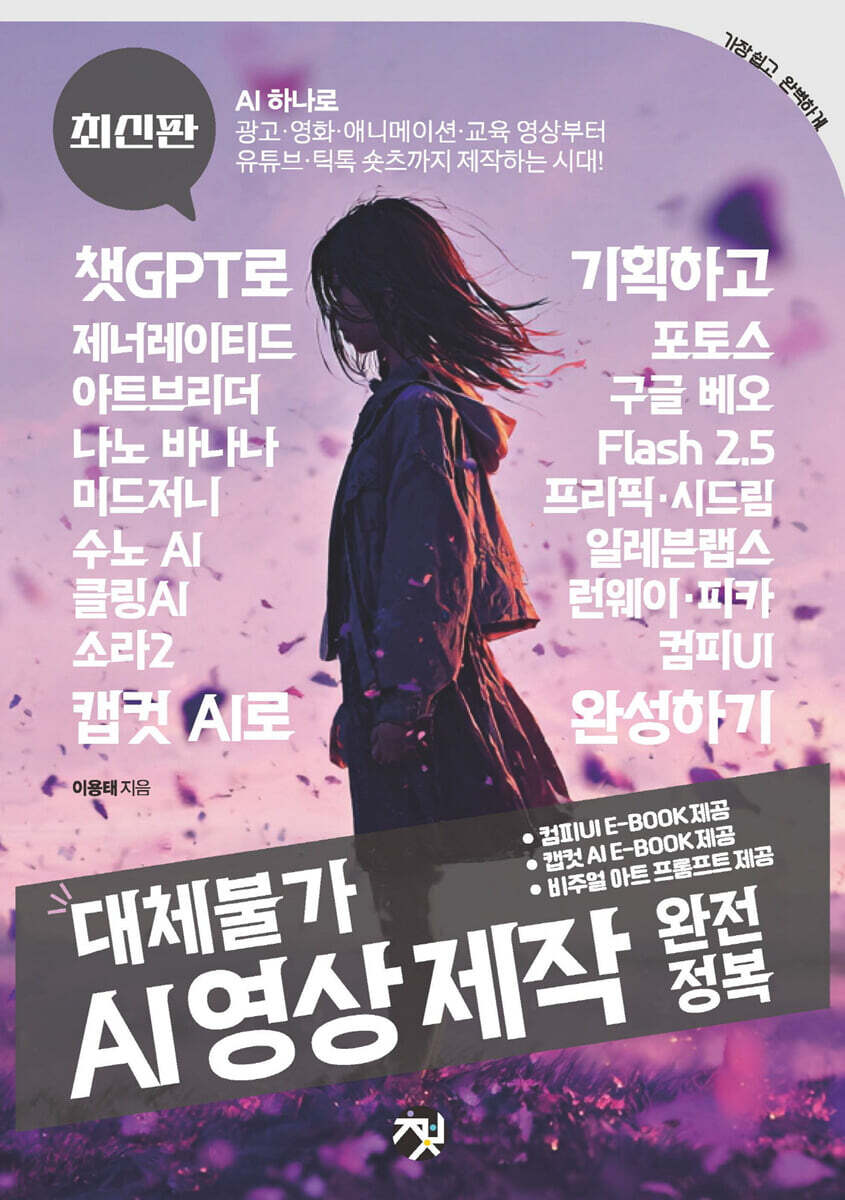
Complete Mastery of Irreplaceable AI Video Production
 |
Description
Book Introduction
"Everything About Generative AI Video Production in One Volume"
The era of AI-powered production of everything from advertising, movies, animations, and educational videos to YouTube and TikTok shorts!
"Learning Real AI Video Production Through Practical Examples"
You can practice the entire process of creating high-quality results by directly utilizing the latest generative video tools such as ChatGPT/Sora/Pica/ClingAI/Runway/CompiUI.
From idea to script, automate planning with ChatGPT.
You can learn the entire process of video planning, including setting targets and personas, composing a synopsis, designing tone and manner, and creating scene-by-scene prompts and voiceover scripts.
Creating Reference Assets and Building a Pool of Images and Characters
This covers how to systematically manage character sheets, styles, mockups, and scene images using Midjourney/Artbreeder/Generated Photos/Freepik/Seedream 4/Nano Banana (Flash 2.5).
"Sound determines perfection: music, sound effects, and voice."
You can learn the audio production process, including creating genre-specific BGM and K-POP styles with Suno and producing voice/sound effects/subtitles in one go with ElevenLabs.
"A comprehensive overview of key video models, crafted with the strengths of each tool."
You can compare and analyze the main functions and strengths of Sora/Runway/Pica/Google Beo/Cling AI, and learn core techniques for video creation such as reference images, seed fixation, lip sync, object addition/replacement, and sequence linking.
"From scene to story, with sequences, transitions, and motion details."
We will cover scene transition techniques such as loops, transitions, motion tracking, and upscaling, focusing on practical applications, utilizing the advanced editing features of Pika/Runway/Cling AI.
Pipeline Completed, Node and Editing Applied to Field Operations
You can learn the entire production flow applicable to practical work by starting with the installation of the CompyUI provided as an appendix, learning the LTXV and AnimateDiff node workflow, and completing the final version with the CapCut AI video editing tool.
The era of AI-powered production of everything from advertising, movies, animations, and educational videos to YouTube and TikTok shorts!
"Learning Real AI Video Production Through Practical Examples"
You can practice the entire process of creating high-quality results by directly utilizing the latest generative video tools such as ChatGPT/Sora/Pica/ClingAI/Runway/CompiUI.
From idea to script, automate planning with ChatGPT.
You can learn the entire process of video planning, including setting targets and personas, composing a synopsis, designing tone and manner, and creating scene-by-scene prompts and voiceover scripts.
Creating Reference Assets and Building a Pool of Images and Characters
This covers how to systematically manage character sheets, styles, mockups, and scene images using Midjourney/Artbreeder/Generated Photos/Freepik/Seedream 4/Nano Banana (Flash 2.5).
"Sound determines perfection: music, sound effects, and voice."
You can learn the audio production process, including creating genre-specific BGM and K-POP styles with Suno and producing voice/sound effects/subtitles in one go with ElevenLabs.
"A comprehensive overview of key video models, crafted with the strengths of each tool."
You can compare and analyze the main functions and strengths of Sora/Runway/Pica/Google Beo/Cling AI, and learn core techniques for video creation such as reference images, seed fixation, lip sync, object addition/replacement, and sequence linking.
"From scene to story, with sequences, transitions, and motion details."
We will cover scene transition techniques such as loops, transitions, motion tracking, and upscaling, focusing on practical applications, utilizing the advanced editing features of Pika/Runway/Cling AI.
Pipeline Completed, Node and Editing Applied to Field Operations
You can learn the entire production flow applicable to practical work by starting with the installation of the CompyUI provided as an appendix, learning the LTXV and AnimateDiff node workflow, and completing the final version with the CapCut AI video editing tool.
- You can preview some of the book's contents.
Preview
index
prolog
Learning materials
PART 01 Introduction
01 Now is the era of AI video content.
The Background and Flow of Generative AI Video
Sora, released by OpenAI
- The Evolution of Runway Gen
- Hollywood writers/actors strike
- "Pepperoni Hug Spot" parody ad
- An era where even movies and animations are being reconstructed with AI.
AI Collaborates with Human Creators
- Prompt design begins with human planning ability.
- AI is a fast visualization partner, and humans are the final decision makers.
- Co-production Experimental Case: Videos Created Together by AI and Humans
Tip: What is a prompt?
- Emotions and context are areas that only humans can design.
The introduction of AI is bringing about significant changes to production sites.
- Role division for collaboration: What AI is good at vs. What humans are good at.
- Role division for collaboration: What AI is good at vs. What humans are good at.
AI video expands from short-form to long-form.
- Short form: 15 seconds to 1 minute
- Mid form: about 1 to 5 minutes
- Long form: 5 minutes or more
Changing ways of consuming content
- Scrolling consumption and the refinement of short-form algorithms
Tip: What is interactive?
02 Learn about generative AI tools
Learn about generative AI video production tools
Sora, developed by OpenAI of ChatGPT
Runway, an all-in-one AI for designers and video creators.
Pika, an AI short-form that creates emotions and movements
- Node-based custom AI video production tool, ComfyUI
Tip: What is Node-based?
- Google Veo, specialized in creating emotional, high-quality cinematic videos
KlingAI, a next-generation model that challenges the limits of creativity.
Learn about generative AI image creation tools
Midjourney, which generates creative AI artwork
- Artbreeder, which creates characters through creative combinations and evolutions.
Generated Photos for creating realistic AI characters
- Nano Banana (2.5 Flash) that implements ultra-high-speed/high-precision image generation
Freepik, an AI platform that provides integrated design resources
PART 02 Getting Started
03 Using ChatGPT (from planning to script)
ChatGPT Workflow for Video Production
Discovering Unique Ideas with ChatGPT
- Generate ideas that fit the production purpose
Brainstorming techniques that collaborate with AI
- Extract mood board/style keywords
Concept Planning with ChatGPT
- Defining the core message
- Analyze target audiences and establish personas
- Setting concept art/visual direction suggested by AI
Composing a Synopsis
- Create a one-line summary (logline)
- Creating a structure design for introduction, development, turn, and conclusion
- Creating Differentiating Synopsis for Shorts vs. Long-form Films
Writing a scenario
- Organizing the flow by scene
- Writing dialogue/narration/subtitle scripts
- Example script for an AI shopping host/instructor character
Organizing the script and setting the tone of the video
- Compare types of advertising scripts, lecture scripts, and YouTube scripts.
- Designing Tone & Manner
- Optimizing scripts for each content purpose
Generating scene-specific image prompts
- Link with video tools such as Midjourney/Runway/Pika/Cling AI
- How to write scene-by-scene prompts (including location/character/mood/camera angle)
- How to use negative prompts
Creating an audio (sound) prompt
- Creating a voice-over script
- Specify emotion/tone/speed
- Create background music/sound effect prompts
Complete the integrated plan
- How to combine materials created by ChatGPT into one
- A proposal format that can be shared with your team/client
- Case studies of actual project applications
- Usage 1: Create an 8-second commercial using JSON code (AirPods commercial production)
- Usage 2: Create a 30-second commercial using JSON code (making a homemade pizza shop commercial)
Tip: Why Use JSON in Generative AI
04 Creating a Reference Source: Creating a Character
AI tool for generating reference sources (images) for video production
Create Your Own Character with Artbreeder: Collaboration with Midjourney
- Creating a basic character (avatar) with Art Breeder
- Create a character (face) draft
- Refining the character (face) draft
Creating Models with Generated Photos: Collaborating with Image Generation AI
- Create a pizza shop model using generated photos.
- Create a model (female) face
- Creating a model (female) body (style/pose)
Tip: Create images in the poses you want.
05 Creating a Reference Source: Creating an Image
Basic usage of MidJourney
- The most basic ways to create images
- Create an image from text (prompt)
- Edit (create) a vertical (9:16) short-form image
Tip: Element (object) replacement operations you can perform in the Edit window
Tip: Important things to keep in mind when writing prompts
Framing words
- Create an image using a reference image (style)
Advanced Midjourney Usage: Creating Consistent Images
- Create custom images with Style Tuner
Tip: How to Use the Different Style Tuners
- Create an image with a personalized style code (P)
- Manage your personalized style images with a moodboard
Tip: Create a Midjourney Prompt with the ChatGPT Extension Tool
Tip: Renaming a Moodboard
Upgrading character/model styles
- Change the character style created in Artbreeder
- Create reference images for linking animation scenes
- Edit a specific part of a scene (image)
- Change the style of a model created from Generated Photos
Making videos in Midjourney
- Create a video from a single image
- Creating a cinematic clothing commercial video
- Convert black and white photos into color images with Colorizer
Creating Mockup Images and Character Sheets with Freepik
- Make background transparent: Erase unnecessary elements (watermark/text, etc.)
- Create a mockup image
- Create an icon for your YouTube channel
- Creating realistic images from sketches
- Creating a character sheet: Using the Seedream 4 model
- Creating an animated scene: Using the Seedream 4 model
- Creating K-Pop Music Videos: Using the Seedream 4 Model
Creating an Infinite Image with Nano Banana (2.5 Flash)
- Change background style: Create a fashion vogue style
- Change model (character) style: Wear clothes/shoes/accessories
- Change model (character) style: Swap the styles of two models
Tip: Regenerate by modifying the prompt
- Change the color of a specific object: Change a black and white photo to color.
- Remove/fill elements (objects) in the image
- Setting the character pose in the image
- Change the text in the image
- Change/attach product labels
- Interior Change: Change the color of the picture frame/wallpaper/sofa
- Change the product the model is holding
- Creating 3D Architectural Drawings: Generating Isometric Images
Tip: Accurately convey the placement of products and people
- Create your own character as a figure
- Create a business logo: Create a pizza shop logo and label it.
- Change the image ratio (size): Fill the scene with the margins
Tip: Create an image with a white background (margins)
- Creating YouTube thumbnails
- Creating banner ad images
Tip: Use Nano Banana for Free
06 Creating AI background music/sound effects/voice
Create K-Pop & Background Music with Suno AI
- Super easy songwriting with Suno: Automatic song creation
- Super easy songwriting with Suno: Create a user (homemade pizza shop) genre
- Super easy songwriting with Suno: Extending a song in simple mode
- Super easy composition with Suno: Create cover songs in simple mode
Tip: Adding Vocals/Accompaniment (Instruments) and Setting Styles
- Making K-pop idol songs with Suno
- Composing with Style Explorer: Using Explore
Tip: Cancel your Suno paid subscription
Creating Voice/Sound Effects with ElevenLabs
- Creating sound effects with ElevenLabs
- Voice Design with ElevenLabs: Generating Voice with Prompts
- Registering your (or someone else's) voice with Eleven Labs
- Creating a video (audio) book with the user's (actor Han Seok-kyu) voice
- Create captions (subtitles)
- Transforming your voice with ElevenLabs: User Voice
Tip: Clone Your Voice with ElevenLabs
- Create voice from text: Using Text to Speech
Tip: Compositing multiple elements into one using the Mixboard
PART 03 Video Creation
07 Using Sora 2
- Getting Started with Sora 2: Get an Invitation Code
- Creating a video in Sora 2: Creating a video from text
- Create a video in Sora 2: Create a video with cameos
- Creating a video in Sora 2: Creating a video with reference images
- Create videos in Sora 2: Remixing other people's work
Example: Creating an Ice Cream Commercial
Example: Creating a Sunscreen Commercial
Tip: Removing a Watermark from a Video
08 Using Gen on the Runway
Basic Runway Usage
- Check out the runway menu
Tip: Setting the brightness of the runway work screen
Advanced Runway Usage
- Create your own image style: Use reference images and styles
- Creating styles with reference images
- Creating images with Styles assets
- Creating an image with Sketch a scene
Maintaining Model Consistency: Using Seeds
- Generate repeated images with the same appearance (face)
- Creating a character that moves (dances/expressions/speaks): Using Act-Two
- Creating a VFX scene: Using Aleph
- Creating a scene where shooting stars fall in the night sky
- Creating a Halloween horror scene
Tip: Editing the length of an attached video
- Creating an extreme sports scene with heavy rain
- Creating a scene of a KTX train running in a snow country
Other Useful Runway AI Tools
- Using the Runway Action Tool: Upgrading Your Media
- Lip syncing a character
Tip: Free lip-sync (dubbing) file creation tool
- Increasing the length of a video (scene): Using Edit Video
- Setting the speed/shaking/reverse playback of a scene: Using Retime video
- Expanding the aspect ratio of your video: Creating short-form videos
- Create a new reference image for a specific scene
- Increasing video resolution: Using upscaling
- Using the Runway Independent Tool: Leveraging Advanced Editing Tools
- Remove Background and composite with Remove Background
- Creating new scenes between scenes: Morphing technique
- Removing villains (unnecessary elements) from videos: Using Inpainting
Expressing High-Speed Camera Effects: Using Super Slow Motion
Converting audio from video to text: Using Transcript
- Follow specific elements (characters) in a scene: Use of Motion Tracking
- Creating Motion (Animation) Subtitles: Understanding Keyframes
Tip: What is a Keyframe?
- Increasing image resolution: Using upscaled images
Tip: Add/Delete Edit Tracks
09 Using Pika AI
Pika Basic Usage
Tip: Canceling Your Paid Account
- Creating videos from text: Using Text to Image
Tip: What is a Negative Prompt?
- Create one-click videos with the Pikachu effect: Transform into a female warrior from a sci-fi movie.
- Creating a continuous scene: Using Pikaframes
- Popular negative prompts
Tip: Creating a Loop Scene
- Terms (keywords) used in scene transitions
- Connecting multiple scenes (images) into a sequence: Using Pikascenes
- Linking scene sequences with Image to Prompt
Tip: How to check the video seed value in Pikachu
- Introducing new elements (objects) into the video: Using Pikadditions
- A dragon appears in the middle of the city and flies in the sky: virtual reality effect
- Cartoon characters walking on a crosswalk in a future city: AI cartoon characters interfering with everyday life.
- Replacing elements (characters/faces) in a video with Pikaswaps: A deepfake technique
- Creating a scene with animal characters riding motorcycles
- Changing the female protagonist's face in an action movie: Deepfake technique
- Transforming elements (objects) in a video: Using Pikatwists
10 Ways to Use Veo Flow
How to Use the Veo Model with Gemini
Tip: Canceling your Gemini subscription
- Lip syncing in Korean
Advanced Use of Veo Models Using Flow
- Create a video with text: Create a simple milk drink commercial scene.
- Create a video from photos: Create a one-of-a-kind fashion show scene.
- Create a video with assets
- Creating a continuous scene with 3 assets: Lamborghini Huracan racing
- Editing scenes with Scene Builder
11. Using KlingAI
How to Use ClingAI: Generating Various Images
- Creating Images with ClingAI: Utilizing Text-Generated Images
- Create images with KlingAI's "Text-Generated Images"
Tip: Canceling your paid KlingAI membership
- Creating Images with ClingAI: Using Original Image References
- Create consistent images (characters) using a single image reference
Tip: Colorize external image prompts with DeepSync
- Create a composite image using multiple image references
- Creating Images with ClingAI: Utilizing Style Rescaling
How to Use ClingAI: Generating High-Quality Videos
- Creating Videos with KlingAI: Utilizing Text-Generated Videos
- Creating Videos with ClingAI: Using Image-Based Video Creation
- Creating scenes that flow naturally into the frame
- Creating title animations with frames
- Synthesize video using multiple images as reference
Creating Videos with ClingAI: Leveraging Multimodal Editing
- Replace elements (objects) in a video
- Adding a new element (object) to the video
- Remove specific elements (objects) from a video
Creating Videos with KlingAI: Utilizing Special Effects
- Creating Videos with ClingAI: Creating Lip-Sync Videos
- Creating your own character: Using image characters
How to Use ClingAI: Explore Other Useful Tools
- Image regeneration/extension/erasing: Utilizing image editing functions
- Creating and applying sound effects
- Create sound effects from text
- Create sounds that fit the scene
Tip: Creating a Custom Model with Custom Models
- Change model outfit
- Creating images (videos) with Active Canvas
Tip: Extending Video Scenes
Example: Creating Your Own "Kedehun" Animation
Example: Creating a "K-POP" Music Video
Appendix (PDF)
12. Installing and Using ComfyUI
Installation and Basic Usage
Tip: What is Python?
Tip: What is Git?
- Install and run the CompyUI required files
Tip: How to know the exact address where CompyUI is installed
Tip: How to open cmd (command prompt) to specific folder locations at once
Tip: How to fix errors when installing files from the command prompt
- Installing the checkpoint model
- Creating images in CompyUI: Using the basic model
- Writing prompts and connecting nodes
- Generating images in CompyUI: Leveraging high-quality models
- Improve image quality
- Improve image quality with Sampler and Steps settings
- Improve the deformed expression of the human body (eyes, nose, mouth, hands and toes, etc.)
- Improving image quality with LoRA and VAE
Advanced Usage: ControlNet and Video Production
- Utilizing ControlNet
- Expressing the perfect pose with OpenPose
- Installing nodes and models using the CompyUI Manager
- Visualizing poses with OpenPose Pose: Extracting pose skeletons
- Expressing 3D architecture with line art
Creating Videos: Using the Video Model
- Creating videos with the LTXV model: Text to Video
- Creating videos with the LTXV model: Image to Video
Tip: When the body of a person in a video is distorted
- Creating videos with the LTXV model: Multi-frame control
- Other major video generation models
- Wan2.2 / Wan2.1 / Wan Video series
- Hunyuan Video
- SVD (Stable Video Diffusion)
- Cosmos
- AnimateDiff
PART 04 Video Editing
13 Video Editing Using CapCut AI, Pages 618-700
Learning materials
PART 01 Introduction
01 Now is the era of AI video content.
The Background and Flow of Generative AI Video
Sora, released by OpenAI
- The Evolution of Runway Gen
- Hollywood writers/actors strike
- "Pepperoni Hug Spot" parody ad
- An era where even movies and animations are being reconstructed with AI.
AI Collaborates with Human Creators
- Prompt design begins with human planning ability.
- AI is a fast visualization partner, and humans are the final decision makers.
- Co-production Experimental Case: Videos Created Together by AI and Humans
Tip: What is a prompt?
- Emotions and context are areas that only humans can design.
The introduction of AI is bringing about significant changes to production sites.
- Role division for collaboration: What AI is good at vs. What humans are good at.
- Role division for collaboration: What AI is good at vs. What humans are good at.
AI video expands from short-form to long-form.
- Short form: 15 seconds to 1 minute
- Mid form: about 1 to 5 minutes
- Long form: 5 minutes or more
Changing ways of consuming content
- Scrolling consumption and the refinement of short-form algorithms
Tip: What is interactive?
02 Learn about generative AI tools
Learn about generative AI video production tools
Sora, developed by OpenAI of ChatGPT
Runway, an all-in-one AI for designers and video creators.
Pika, an AI short-form that creates emotions and movements
- Node-based custom AI video production tool, ComfyUI
Tip: What is Node-based?
- Google Veo, specialized in creating emotional, high-quality cinematic videos
KlingAI, a next-generation model that challenges the limits of creativity.
Learn about generative AI image creation tools
Midjourney, which generates creative AI artwork
- Artbreeder, which creates characters through creative combinations and evolutions.
Generated Photos for creating realistic AI characters
- Nano Banana (2.5 Flash) that implements ultra-high-speed/high-precision image generation
Freepik, an AI platform that provides integrated design resources
PART 02 Getting Started
03 Using ChatGPT (from planning to script)
ChatGPT Workflow for Video Production
Discovering Unique Ideas with ChatGPT
- Generate ideas that fit the production purpose
Brainstorming techniques that collaborate with AI
- Extract mood board/style keywords
Concept Planning with ChatGPT
- Defining the core message
- Analyze target audiences and establish personas
- Setting concept art/visual direction suggested by AI
Composing a Synopsis
- Create a one-line summary (logline)
- Creating a structure design for introduction, development, turn, and conclusion
- Creating Differentiating Synopsis for Shorts vs. Long-form Films
Writing a scenario
- Organizing the flow by scene
- Writing dialogue/narration/subtitle scripts
- Example script for an AI shopping host/instructor character
Organizing the script and setting the tone of the video
- Compare types of advertising scripts, lecture scripts, and YouTube scripts.
- Designing Tone & Manner
- Optimizing scripts for each content purpose
Generating scene-specific image prompts
- Link with video tools such as Midjourney/Runway/Pika/Cling AI
- How to write scene-by-scene prompts (including location/character/mood/camera angle)
- How to use negative prompts
Creating an audio (sound) prompt
- Creating a voice-over script
- Specify emotion/tone/speed
- Create background music/sound effect prompts
Complete the integrated plan
- How to combine materials created by ChatGPT into one
- A proposal format that can be shared with your team/client
- Case studies of actual project applications
- Usage 1: Create an 8-second commercial using JSON code (AirPods commercial production)
- Usage 2: Create a 30-second commercial using JSON code (making a homemade pizza shop commercial)
Tip: Why Use JSON in Generative AI
04 Creating a Reference Source: Creating a Character
AI tool for generating reference sources (images) for video production
Create Your Own Character with Artbreeder: Collaboration with Midjourney
- Creating a basic character (avatar) with Art Breeder
- Create a character (face) draft
- Refining the character (face) draft
Creating Models with Generated Photos: Collaborating with Image Generation AI
- Create a pizza shop model using generated photos.
- Create a model (female) face
- Creating a model (female) body (style/pose)
Tip: Create images in the poses you want.
05 Creating a Reference Source: Creating an Image
Basic usage of MidJourney
- The most basic ways to create images
- Create an image from text (prompt)
- Edit (create) a vertical (9:16) short-form image
Tip: Element (object) replacement operations you can perform in the Edit window
Tip: Important things to keep in mind when writing prompts
Framing words
- Create an image using a reference image (style)
Advanced Midjourney Usage: Creating Consistent Images
- Create custom images with Style Tuner
Tip: How to Use the Different Style Tuners
- Create an image with a personalized style code (P)
- Manage your personalized style images with a moodboard
Tip: Create a Midjourney Prompt with the ChatGPT Extension Tool
Tip: Renaming a Moodboard
Upgrading character/model styles
- Change the character style created in Artbreeder
- Create reference images for linking animation scenes
- Edit a specific part of a scene (image)
- Change the style of a model created from Generated Photos
Making videos in Midjourney
- Create a video from a single image
- Creating a cinematic clothing commercial video
- Convert black and white photos into color images with Colorizer
Creating Mockup Images and Character Sheets with Freepik
- Make background transparent: Erase unnecessary elements (watermark/text, etc.)
- Create a mockup image
- Create an icon for your YouTube channel
- Creating realistic images from sketches
- Creating a character sheet: Using the Seedream 4 model
- Creating an animated scene: Using the Seedream 4 model
- Creating K-Pop Music Videos: Using the Seedream 4 Model
Creating an Infinite Image with Nano Banana (2.5 Flash)
- Change background style: Create a fashion vogue style
- Change model (character) style: Wear clothes/shoes/accessories
- Change model (character) style: Swap the styles of two models
Tip: Regenerate by modifying the prompt
- Change the color of a specific object: Change a black and white photo to color.
- Remove/fill elements (objects) in the image
- Setting the character pose in the image
- Change the text in the image
- Change/attach product labels
- Interior Change: Change the color of the picture frame/wallpaper/sofa
- Change the product the model is holding
- Creating 3D Architectural Drawings: Generating Isometric Images
Tip: Accurately convey the placement of products and people
- Create your own character as a figure
- Create a business logo: Create a pizza shop logo and label it.
- Change the image ratio (size): Fill the scene with the margins
Tip: Create an image with a white background (margins)
- Creating YouTube thumbnails
- Creating banner ad images
Tip: Use Nano Banana for Free
06 Creating AI background music/sound effects/voice
Create K-Pop & Background Music with Suno AI
- Super easy songwriting with Suno: Automatic song creation
- Super easy songwriting with Suno: Create a user (homemade pizza shop) genre
- Super easy songwriting with Suno: Extending a song in simple mode
- Super easy composition with Suno: Create cover songs in simple mode
Tip: Adding Vocals/Accompaniment (Instruments) and Setting Styles
- Making K-pop idol songs with Suno
- Composing with Style Explorer: Using Explore
Tip: Cancel your Suno paid subscription
Creating Voice/Sound Effects with ElevenLabs
- Creating sound effects with ElevenLabs
- Voice Design with ElevenLabs: Generating Voice with Prompts
- Registering your (or someone else's) voice with Eleven Labs
- Creating a video (audio) book with the user's (actor Han Seok-kyu) voice
- Create captions (subtitles)
- Transforming your voice with ElevenLabs: User Voice
Tip: Clone Your Voice with ElevenLabs
- Create voice from text: Using Text to Speech
Tip: Compositing multiple elements into one using the Mixboard
PART 03 Video Creation
07 Using Sora 2
- Getting Started with Sora 2: Get an Invitation Code
- Creating a video in Sora 2: Creating a video from text
- Create a video in Sora 2: Create a video with cameos
- Creating a video in Sora 2: Creating a video with reference images
- Create videos in Sora 2: Remixing other people's work
Example: Creating an Ice Cream Commercial
Example: Creating a Sunscreen Commercial
Tip: Removing a Watermark from a Video
08 Using Gen on the Runway
Basic Runway Usage
- Check out the runway menu
Tip: Setting the brightness of the runway work screen
Advanced Runway Usage
- Create your own image style: Use reference images and styles
- Creating styles with reference images
- Creating images with Styles assets
- Creating an image with Sketch a scene
Maintaining Model Consistency: Using Seeds
- Generate repeated images with the same appearance (face)
- Creating a character that moves (dances/expressions/speaks): Using Act-Two
- Creating a VFX scene: Using Aleph
- Creating a scene where shooting stars fall in the night sky
- Creating a Halloween horror scene
Tip: Editing the length of an attached video
- Creating an extreme sports scene with heavy rain
- Creating a scene of a KTX train running in a snow country
Other Useful Runway AI Tools
- Using the Runway Action Tool: Upgrading Your Media
- Lip syncing a character
Tip: Free lip-sync (dubbing) file creation tool
- Increasing the length of a video (scene): Using Edit Video
- Setting the speed/shaking/reverse playback of a scene: Using Retime video
- Expanding the aspect ratio of your video: Creating short-form videos
- Create a new reference image for a specific scene
- Increasing video resolution: Using upscaling
- Using the Runway Independent Tool: Leveraging Advanced Editing Tools
- Remove Background and composite with Remove Background
- Creating new scenes between scenes: Morphing technique
- Removing villains (unnecessary elements) from videos: Using Inpainting
Expressing High-Speed Camera Effects: Using Super Slow Motion
Converting audio from video to text: Using Transcript
- Follow specific elements (characters) in a scene: Use of Motion Tracking
- Creating Motion (Animation) Subtitles: Understanding Keyframes
Tip: What is a Keyframe?
- Increasing image resolution: Using upscaled images
Tip: Add/Delete Edit Tracks
09 Using Pika AI
Pika Basic Usage
Tip: Canceling Your Paid Account
- Creating videos from text: Using Text to Image
Tip: What is a Negative Prompt?
- Create one-click videos with the Pikachu effect: Transform into a female warrior from a sci-fi movie.
- Creating a continuous scene: Using Pikaframes
- Popular negative prompts
Tip: Creating a Loop Scene
- Terms (keywords) used in scene transitions
- Connecting multiple scenes (images) into a sequence: Using Pikascenes
- Linking scene sequences with Image to Prompt
Tip: How to check the video seed value in Pikachu
- Introducing new elements (objects) into the video: Using Pikadditions
- A dragon appears in the middle of the city and flies in the sky: virtual reality effect
- Cartoon characters walking on a crosswalk in a future city: AI cartoon characters interfering with everyday life.
- Replacing elements (characters/faces) in a video with Pikaswaps: A deepfake technique
- Creating a scene with animal characters riding motorcycles
- Changing the female protagonist's face in an action movie: Deepfake technique
- Transforming elements (objects) in a video: Using Pikatwists
10 Ways to Use Veo Flow
How to Use the Veo Model with Gemini
Tip: Canceling your Gemini subscription
- Lip syncing in Korean
Advanced Use of Veo Models Using Flow
- Create a video with text: Create a simple milk drink commercial scene.
- Create a video from photos: Create a one-of-a-kind fashion show scene.
- Create a video with assets
- Creating a continuous scene with 3 assets: Lamborghini Huracan racing
- Editing scenes with Scene Builder
11. Using KlingAI
How to Use ClingAI: Generating Various Images
- Creating Images with ClingAI: Utilizing Text-Generated Images
- Create images with KlingAI's "Text-Generated Images"
Tip: Canceling your paid KlingAI membership
- Creating Images with ClingAI: Using Original Image References
- Create consistent images (characters) using a single image reference
Tip: Colorize external image prompts with DeepSync
- Create a composite image using multiple image references
- Creating Images with ClingAI: Utilizing Style Rescaling
How to Use ClingAI: Generating High-Quality Videos
- Creating Videos with KlingAI: Utilizing Text-Generated Videos
- Creating Videos with ClingAI: Using Image-Based Video Creation
- Creating scenes that flow naturally into the frame
- Creating title animations with frames
- Synthesize video using multiple images as reference
Creating Videos with ClingAI: Leveraging Multimodal Editing
- Replace elements (objects) in a video
- Adding a new element (object) to the video
- Remove specific elements (objects) from a video
Creating Videos with KlingAI: Utilizing Special Effects
- Creating Videos with ClingAI: Creating Lip-Sync Videos
- Creating your own character: Using image characters
How to Use ClingAI: Explore Other Useful Tools
- Image regeneration/extension/erasing: Utilizing image editing functions
- Creating and applying sound effects
- Create sound effects from text
- Create sounds that fit the scene
Tip: Creating a Custom Model with Custom Models
- Change model outfit
- Creating images (videos) with Active Canvas
Tip: Extending Video Scenes
Example: Creating Your Own "Kedehun" Animation
Example: Creating a "K-POP" Music Video
Appendix (PDF)
12. Installing and Using ComfyUI
Installation and Basic Usage
Tip: What is Python?
Tip: What is Git?
- Install and run the CompyUI required files
Tip: How to know the exact address where CompyUI is installed
Tip: How to open cmd (command prompt) to specific folder locations at once
Tip: How to fix errors when installing files from the command prompt
- Installing the checkpoint model
- Creating images in CompyUI: Using the basic model
- Writing prompts and connecting nodes
- Generating images in CompyUI: Leveraging high-quality models
- Improve image quality
- Improve image quality with Sampler and Steps settings
- Improve the deformed expression of the human body (eyes, nose, mouth, hands and toes, etc.)
- Improving image quality with LoRA and VAE
Advanced Usage: ControlNet and Video Production
- Utilizing ControlNet
- Expressing the perfect pose with OpenPose
- Installing nodes and models using the CompyUI Manager
- Visualizing poses with OpenPose Pose: Extracting pose skeletons
- Expressing 3D architecture with line art
Creating Videos: Using the Video Model
- Creating videos with the LTXV model: Text to Video
- Creating videos with the LTXV model: Image to Video
Tip: When the body of a person in a video is distorted
- Creating videos with the LTXV model: Multi-frame control
- Other major video generation models
- Wan2.2 / Wan2.1 / Wan Video series
- Hunyuan Video
- SVD (Stable Video Diffusion)
- Cosmos
- AnimateDiff
PART 04 Video Editing
13 Video Editing Using CapCut AI, Pages 618-700
Detailed image

Publisher's Review
① Aspiring creators who are just starting out with AI video production
Even if you have no experience in video production, you can learn the basic principles and practical application of major generative AI tools such as ChatGPT, Sora, Runway, Pika, Kling, and Midjourney, step by step.
② Video producers and content creators who want to introduce AI into their work
Learn the latest AI workflows that automate everything from planning to final production without shooting or editing, increasing work efficiency and creating uniquely styled videos.
③ Marketing/branding managers and corporate public relations managers
You can create your own advertising, social media, and promotional videos while saving time and money, and learn how to create branded content that integrates AI video, voice, and subtitles.
④ Students and researchers interested in the convergence of AI and media technology
You can acquire practical knowledge that will be helpful for actual research, papers, and project design, including core principles of AI image generation, model comparison, and sequence editing.
⑤ Art/Design majors and media artists
You'll learn creative experiences that extend AI as a tool for artistic expression, implementing emotional images, animations, and music videos with text-based prompts.
⑥ Teachers and edtech practitioners planning AI education
The entire process of AI video, image, and audio production can be organized into a class curriculum, and students can receive specific examples and teaching materials for practice.
Even if you have no experience in video production, you can learn the basic principles and practical application of major generative AI tools such as ChatGPT, Sora, Runway, Pika, Kling, and Midjourney, step by step.
② Video producers and content creators who want to introduce AI into their work
Learn the latest AI workflows that automate everything from planning to final production without shooting or editing, increasing work efficiency and creating uniquely styled videos.
③ Marketing/branding managers and corporate public relations managers
You can create your own advertising, social media, and promotional videos while saving time and money, and learn how to create branded content that integrates AI video, voice, and subtitles.
④ Students and researchers interested in the convergence of AI and media technology
You can acquire practical knowledge that will be helpful for actual research, papers, and project design, including core principles of AI image generation, model comparison, and sequence editing.
⑤ Art/Design majors and media artists
You'll learn creative experiences that extend AI as a tool for artistic expression, implementing emotional images, animations, and music videos with text-based prompts.
⑥ Teachers and edtech practitioners planning AI education
The entire process of AI video, image, and audio production can be organized into a class curriculum, and students can receive specific examples and teaching materials for practice.
GOODS SPECIFICS
- Date of issue: December 12, 2025
- Page count, weight, size: 512 pages | 903g | 170*235*35mm
- ISBN13: 9791194000129
- ISBN10: 1194000126
You may also like
카테고리
korean


korean

![GQ KOREA Mark (Monthly): December [2025]](http://librairie.coreenne.fr/cdn/shop/files/8ef265dbbfbf186523ed75ba7319009d.jpg?v=1765340328&width=3840)


