

AI-powered images, videos, and music all in one place
 |
Description
Book Introduction
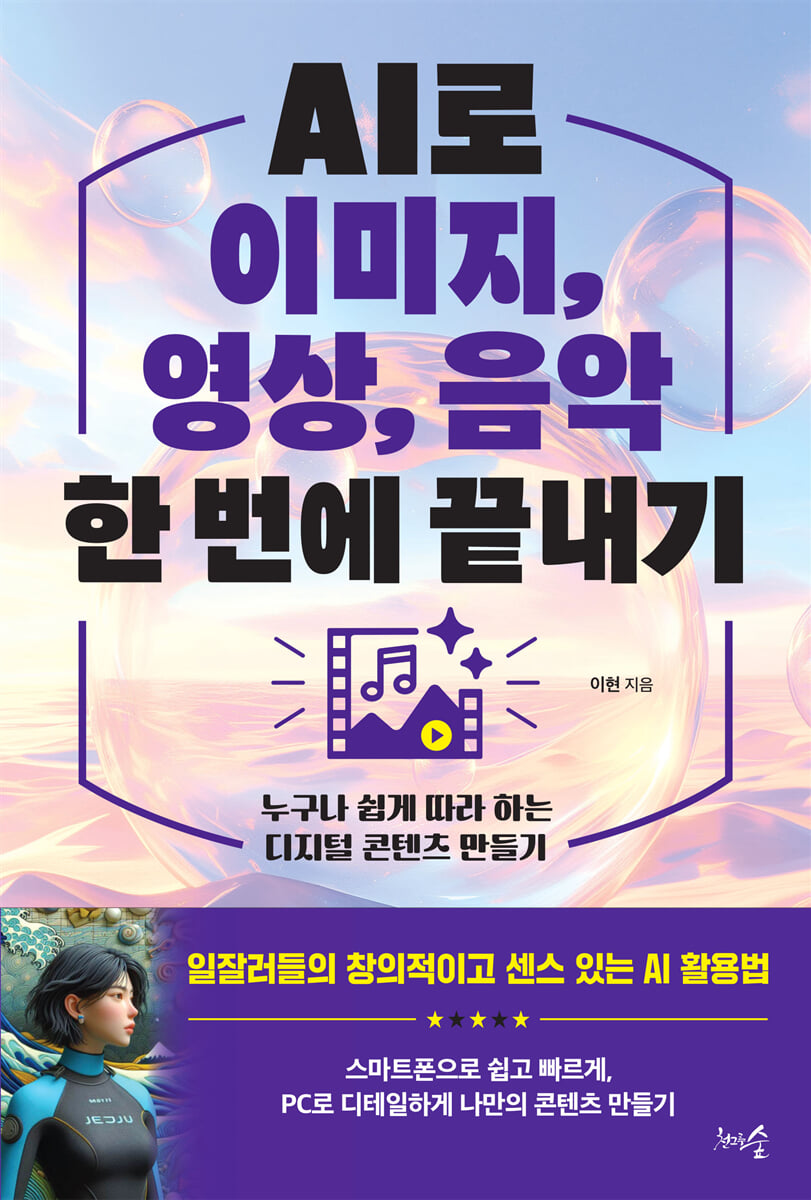
Easy and fast with a smartphone, detailed with a PC Create your own 'image', 'video', and 'music' content Advances in AI are bringing about significant changes to our daily lives and work. Now, those who master AI can achieve greater efficiency and creativity, and anyone can easily move beyond the realm of expertise. Especially in creative tasks like image creation, video editing, music composition, and writing, AI is moving beyond being a simple tool to becoming a creative partner. Among the various ways to use AI, this book focuses on content creation, such as 'images', 'videos', and 'music', which require a lot of creativity. Anyone can easily create their own content using AI, and we share content creation know-how that maximizes creativity and efficiency based on AI-generated results. In particular, to increase convenience, the beginner, intermediate, and advanced courses are divided into three stages: Ready, Set, and Go. The 'Ready' section explains the basic process that can be easily used on a smartphone, and the 'Set' section organizes the prompt's technology that can create detailed results on a PC. Finally, the 'Go' section contains hands-on training on advanced features to help you create content in a more professional manner using advanced tools. |
- You can preview some of the book's contents.
Preview
index
Prologue - New Employees' Video Production Challenges
PART 1: How AI is Changing the Way We Work
1. One skill that has become even more important in the AI era
2.
How to use various AI tools
3. 3 Icons to Remember When Using AI
4. ChatGPT Personalization Settings for AI Utilization
PART 2 Creating Images with AI: Become a Designer Today!
Chapter 1: Ready! Create images easily and conveniently with your smartphone.
1.
Types and Features of AI Tools for Image Generation
2.
Create images easily with Copilot
3.
Create a poster image with Canva
Chapter 2 Set! Create detailed images on your PC
1. Using advanced options on your PC
2. Create a social media post with MS Designer
3.
Upgrade your images with Image Creator
4.
Create high-quality images with Leonardo AI
Chapter 3: Go! Create Images Like a Pro with Advanced Tools
1.
How to Use AI at a Professional Level: Becoming a Professional Designer
2.
Creating high-quality images with Midjourney
3.
Create an image with the Midjourney Discord version
PART 3 Creating Videos with AI: Now I'm a Short-Form Expert!
Chapter 1: Ready! Create videos easily and conveniently with your smartphone.
1.
Types and Features of AI Tools for Video Editing
2.
Create videos easily with Vrew
3.
Easily edit videos with CapCut
Chapter 2 Set! Create detailed videos on your PC
1.
Creating videos with invideo AI
2.
Automatically edit videos with the Vrew PC version
Chapter 3: Go! Create Videos Like a Pro with Advanced Tools
1.
Making Videos with Dream Machine 177
2.
Creating Videos with Gen-2 and Gen-3 183
3.
Camera editing effects to consider when producing videos
PART 4 Making Music with AI: Now I Can Compose Hit Songs!
Chapter 1: Ready! Create music easily and conveniently with your smartphone.
1.
Create a song with Suno
Chapter 2 Set! Create detailed music on your PC
1.
Create a song with Suno PC version
2.
Creating background music with Imagen 3
Chapter 3: Go! Make Music Like a Pro with Advanced Tools
1.
Create songs with Udio
2.
Recording my voice with ElevenLabs
3.
Create song lyrics with Claude and ChatGPT
PART 5: AI Utilization Practice by Occupation
1.
office worker
2.
Small Business Owners & Self-Employed
3.
Marketer & Designer
4.
salesperson
5.
instructor
PART 1: How AI is Changing the Way We Work
1. One skill that has become even more important in the AI era
2.
How to use various AI tools
3. 3 Icons to Remember When Using AI
4. ChatGPT Personalization Settings for AI Utilization
PART 2 Creating Images with AI: Become a Designer Today!
Chapter 1: Ready! Create images easily and conveniently with your smartphone.
1.
Types and Features of AI Tools for Image Generation
2.
Create images easily with Copilot
3.
Create a poster image with Canva
Chapter 2 Set! Create detailed images on your PC
1. Using advanced options on your PC
2. Create a social media post with MS Designer
3.
Upgrade your images with Image Creator
4.
Create high-quality images with Leonardo AI
Chapter 3: Go! Create Images Like a Pro with Advanced Tools
1.
How to Use AI at a Professional Level: Becoming a Professional Designer
2.
Creating high-quality images with Midjourney
3.
Create an image with the Midjourney Discord version
PART 3 Creating Videos with AI: Now I'm a Short-Form Expert!
Chapter 1: Ready! Create videos easily and conveniently with your smartphone.
1.
Types and Features of AI Tools for Video Editing
2.
Create videos easily with Vrew
3.
Easily edit videos with CapCut
Chapter 2 Set! Create detailed videos on your PC
1.
Creating videos with invideo AI
2.
Automatically edit videos with the Vrew PC version
Chapter 3: Go! Create Videos Like a Pro with Advanced Tools
1.
Making Videos with Dream Machine 177
2.
Creating Videos with Gen-2 and Gen-3 183
3.
Camera editing effects to consider when producing videos
PART 4 Making Music with AI: Now I Can Compose Hit Songs!
Chapter 1: Ready! Create music easily and conveniently with your smartphone.
1.
Create a song with Suno
Chapter 2 Set! Create detailed music on your PC
1.
Create a song with Suno PC version
2.
Creating background music with Imagen 3
Chapter 3: Go! Make Music Like a Pro with Advanced Tools
1.
Create songs with Udio
2.
Recording my voice with ElevenLabs
3.
Create song lyrics with Claude and ChatGPT
PART 5: AI Utilization Practice by Occupation
1.
office worker
2.
Small Business Owners & Self-Employed
3.
Marketer & Designer
4.
salesperson
5.
instructor
Detailed image

Into the book
To be competitive in the AI era, we need to leave the work that AI excels at to AI and let humans focus on what they are good at.
We need to maximize our use of AI to develop our problem-solving capabilities by asking questions like, "Which part of my work can I delegate to AI?" and "Can't I create something like this on my own now?"
--- p.6
As AI technology becomes more widespread, we need to think about how to leverage AI to work more efficiently.
In particular, we must accurately recognize the limitations of AI and develop the ability to manage and supervise AI to achieve the results we want.
Only in this way can we adapt to the new and changing environment and increase our competitiveness.
--- p.17
Effective use of generative AI can be summarized as "clear goal setting and specific instructions." To effectively utilize AI, it's crucial to understand precisely what we want and clearly communicate that to the AI.
--- p.25
By using various AI tools for different purposes, you can maximize the benefits of each AI.
Just as you can pull out the most appropriate tool from your toolbox and use it, using AI that fits the task at hand can lead to more effective results.
--- p.31
To easily create images with your smartphone, I recommend Copilot from Microsoft.
Copilot is easy to use anytime, anywhere, as it provides GPT-4's latest information retrieval function and multimodality (image generation) for free.
--- p.51
Canva is a design tool that makes it easy to create graphic designs.
Create posters, business cards, presentations, logos, social media posts, and more using a wide selection of free templates, fonts, icons, and images.
Anyone can easily design by simply dragging and dropping images and adding text thanks to the intuitive interface, even without design sense.
--- p.56
Microsoft Designer is an AI-powered design tool created by Microsoft that analyzes user-entered text or images and automatically creates suitable design templates.
It can be used for a variety of design tasks, including PowerPoint, Word, and social media content, and its intuitive interface makes it easy for anyone, from beginners to experts, to use.
--- p.64
Microsoft's Image Creator is an AI-powered image generation tool from Bing that uses OpenAI's latest DALL-E 3 model to create images based on text descriptions.
--- p.72
Leonardo.ai is designed with user-friendliness in mind, offering an intuitive interface that even beginners can easily access.
So, you can quickly create images by simply selecting a model and style without any complicated settings.
--- p.83
Midjourney is an AI-powered image generation platform that generates images based on text descriptions.
Midjourney helps digital artists, designers, and content creators easily create creative visuals.
--- p.98
Vrew is a speech recognition-based subtitle creation and editing tool that automatically analyzes speech in videos to create and edit subtitles.
Vrew is especially useful for users who want to get their subtitles done quickly.
--- p.147
CapCut is a video editing app that is especially popular for its ease of use on mobile devices.
Thanks to its intuitive interface and diverse features, even those with little video editing experience can easily cut, merge, and add filters and effects to videos.
--- p.154
invideo AI is an AI-powered video creation tool that helps users easily create and edit videos.
invideo AI automatically recommends and combines related video clips, music, subtitles, etc. when you input text or images, allowing you to create video content quickly and easily.
--- p.161
Dream Machine is an AI tool primarily specialized in video creation and editing.
In particular, it has the characteristic of visually maximizing the speed and movement of the video, so it is effective in composing action scenes or scenes that change quickly, and is often used to express dreamy and creative visuals.
--- p.177
Gen-2 and Gen-3 are AI-based video generation technologies provided by Runway. They are tools that automatically generate video content based on text or images entered.
In particular, AI technology can be used to automate complex video editing tasks and easily produce creative content.
--- p.183
Suno is an AI-powered music generation tool that allows users to automatically create music in a variety of genres and styles by inputting simple prompts.
--- p.199
Imagen 3 is a text-to-image conversion AI model that utilizes Google's AI technology, and consists of VideoFX, ImageFX, and MusicFX.
Among these, MusicFX instantly creates various sound effects or background music based on phrases or text descriptions entered by the user.
--- p.211
Udio is an AI-based music generation tool created by researchers from Google DeepMind. It is an AI that automatically creates professional-quality music when users input simple text.
--- p.217
ElevenLabs is a Text-to-Speech (TTS) AI that converts text input into high-quality voice.
It is characterized by its outstanding ability to express a variety of emotions, intonations, and voice styles, and is capable of creating voices that are full of emotion, not just conveying simple information.
We need to maximize our use of AI to develop our problem-solving capabilities by asking questions like, "Which part of my work can I delegate to AI?" and "Can't I create something like this on my own now?"
--- p.6
As AI technology becomes more widespread, we need to think about how to leverage AI to work more efficiently.
In particular, we must accurately recognize the limitations of AI and develop the ability to manage and supervise AI to achieve the results we want.
Only in this way can we adapt to the new and changing environment and increase our competitiveness.
--- p.17
Effective use of generative AI can be summarized as "clear goal setting and specific instructions." To effectively utilize AI, it's crucial to understand precisely what we want and clearly communicate that to the AI.
--- p.25
By using various AI tools for different purposes, you can maximize the benefits of each AI.
Just as you can pull out the most appropriate tool from your toolbox and use it, using AI that fits the task at hand can lead to more effective results.
--- p.31
To easily create images with your smartphone, I recommend Copilot from Microsoft.
Copilot is easy to use anytime, anywhere, as it provides GPT-4's latest information retrieval function and multimodality (image generation) for free.
--- p.51
Canva is a design tool that makes it easy to create graphic designs.
Create posters, business cards, presentations, logos, social media posts, and more using a wide selection of free templates, fonts, icons, and images.
Anyone can easily design by simply dragging and dropping images and adding text thanks to the intuitive interface, even without design sense.
--- p.56
Microsoft Designer is an AI-powered design tool created by Microsoft that analyzes user-entered text or images and automatically creates suitable design templates.
It can be used for a variety of design tasks, including PowerPoint, Word, and social media content, and its intuitive interface makes it easy for anyone, from beginners to experts, to use.
--- p.64
Microsoft's Image Creator is an AI-powered image generation tool from Bing that uses OpenAI's latest DALL-E 3 model to create images based on text descriptions.
--- p.72
Leonardo.ai is designed with user-friendliness in mind, offering an intuitive interface that even beginners can easily access.
So, you can quickly create images by simply selecting a model and style without any complicated settings.
--- p.83
Midjourney is an AI-powered image generation platform that generates images based on text descriptions.
Midjourney helps digital artists, designers, and content creators easily create creative visuals.
--- p.98
Vrew is a speech recognition-based subtitle creation and editing tool that automatically analyzes speech in videos to create and edit subtitles.
Vrew is especially useful for users who want to get their subtitles done quickly.
--- p.147
CapCut is a video editing app that is especially popular for its ease of use on mobile devices.
Thanks to its intuitive interface and diverse features, even those with little video editing experience can easily cut, merge, and add filters and effects to videos.
--- p.154
invideo AI is an AI-powered video creation tool that helps users easily create and edit videos.
invideo AI automatically recommends and combines related video clips, music, subtitles, etc. when you input text or images, allowing you to create video content quickly and easily.
--- p.161
Dream Machine is an AI tool primarily specialized in video creation and editing.
In particular, it has the characteristic of visually maximizing the speed and movement of the video, so it is effective in composing action scenes or scenes that change quickly, and is often used to express dreamy and creative visuals.
--- p.177
Gen-2 and Gen-3 are AI-based video generation technologies provided by Runway. They are tools that automatically generate video content based on text or images entered.
In particular, AI technology can be used to automate complex video editing tasks and easily produce creative content.
--- p.183
Suno is an AI-powered music generation tool that allows users to automatically create music in a variety of genres and styles by inputting simple prompts.
--- p.199
Imagen 3 is a text-to-image conversion AI model that utilizes Google's AI technology, and consists of VideoFX, ImageFX, and MusicFX.
Among these, MusicFX instantly creates various sound effects or background music based on phrases or text descriptions entered by the user.
--- p.211
Udio is an AI-based music generation tool created by researchers from Google DeepMind. It is an AI that automatically creates professional-quality music when users input simple text.
--- p.217
ElevenLabs is a Text-to-Speech (TTS) AI that converts text input into high-quality voice.
It is characterized by its outstanding ability to express a variety of emotions, intonations, and voice styles, and is capable of creating voices that are full of emotion, not just conveying simple information.
--- p.228
Publisher's Review
How can I use AI in my work?
Creative and sensible ways for successful professionals to use AI
Creative tasks that were previously thought to be possible only by humans can now be realized by anyone with the help of AI.
You can create designer-quality images and logos without using Photoshop, create high-quality videos by simply entering text without expensive cameras or drones, and easily complete digital music like a composer without professional music editing software.
Amidst this changing landscape, some may fear losing their jobs to AI, while others will discover new possibilities and opportunities within them. Now that AI has become deeply ingrained in our daily lives, to enhance our competitiveness, we must ask ourselves, "How can I leverage AI in my work?"
This book focuses on creating 'images,' 'videos,' and 'music' that will enhance the creativity of successful workers in the AI era.
In Part 1, we'll explore how to easily create images using Copilot, Canva, MS Designer, Image Creator, Leonardo AI, and Midjourney, with the goal of "I can be a designer starting today!"
In Part 2, we'll explore how to easily create videos using Vrew, Capcut, invideo AI, Dream Machine, Gen-2, and Gen-3, with the goal of becoming a short-form expert.
In Part 3, we'll explore how to easily create music using Suno, Imagen 3, Udio, and ElevenLabs, with the goal of becoming a hit song composer.
Finally, we'll explore practical AI content creation know-how for office workers, small business owners, marketers, salespeople, and instructors.
To be competitive in the AI era, we need to leave the work that AI is good at to AI and let humans focus on the work that humans are good at.
Let's maximize AI's capabilities by asking questions like, "Which part of my work can I delegate to AI?" and "Wouldn't I be able to create something like this on my own now?" The idea of expanding creative possibilities and eliminating limitations with AI will be the first step toward effectively utilizing AI.
Creative and sensible ways for successful professionals to use AI
Creative tasks that were previously thought to be possible only by humans can now be realized by anyone with the help of AI.
You can create designer-quality images and logos without using Photoshop, create high-quality videos by simply entering text without expensive cameras or drones, and easily complete digital music like a composer without professional music editing software.
Amidst this changing landscape, some may fear losing their jobs to AI, while others will discover new possibilities and opportunities within them. Now that AI has become deeply ingrained in our daily lives, to enhance our competitiveness, we must ask ourselves, "How can I leverage AI in my work?"
This book focuses on creating 'images,' 'videos,' and 'music' that will enhance the creativity of successful workers in the AI era.
In Part 1, we'll explore how to easily create images using Copilot, Canva, MS Designer, Image Creator, Leonardo AI, and Midjourney, with the goal of "I can be a designer starting today!"
In Part 2, we'll explore how to easily create videos using Vrew, Capcut, invideo AI, Dream Machine, Gen-2, and Gen-3, with the goal of becoming a short-form expert.
In Part 3, we'll explore how to easily create music using Suno, Imagen 3, Udio, and ElevenLabs, with the goal of becoming a hit song composer.
Finally, we'll explore practical AI content creation know-how for office workers, small business owners, marketers, salespeople, and instructors.
To be competitive in the AI era, we need to leave the work that AI is good at to AI and let humans focus on the work that humans are good at.
Let's maximize AI's capabilities by asking questions like, "Which part of my work can I delegate to AI?" and "Wouldn't I be able to create something like this on my own now?" The idea of expanding creative possibilities and eliminating limitations with AI will be the first step toward effectively utilizing AI.
GOODS SPECIFICS
- Date of issue: November 20, 2024
- Page count, weight, size: 282 pages | 440g | 152*225*18mm
- ISBN13: 9791193000588
You may also like
카테고리
korean


korean

![GQ KOREA Mark (Monthly): December [2025]](http://librairie.coreenne.fr/cdn/shop/files/8ef265dbbfbf186523ed75ba7319009d.jpg?v=1765340328&width=3840)


