

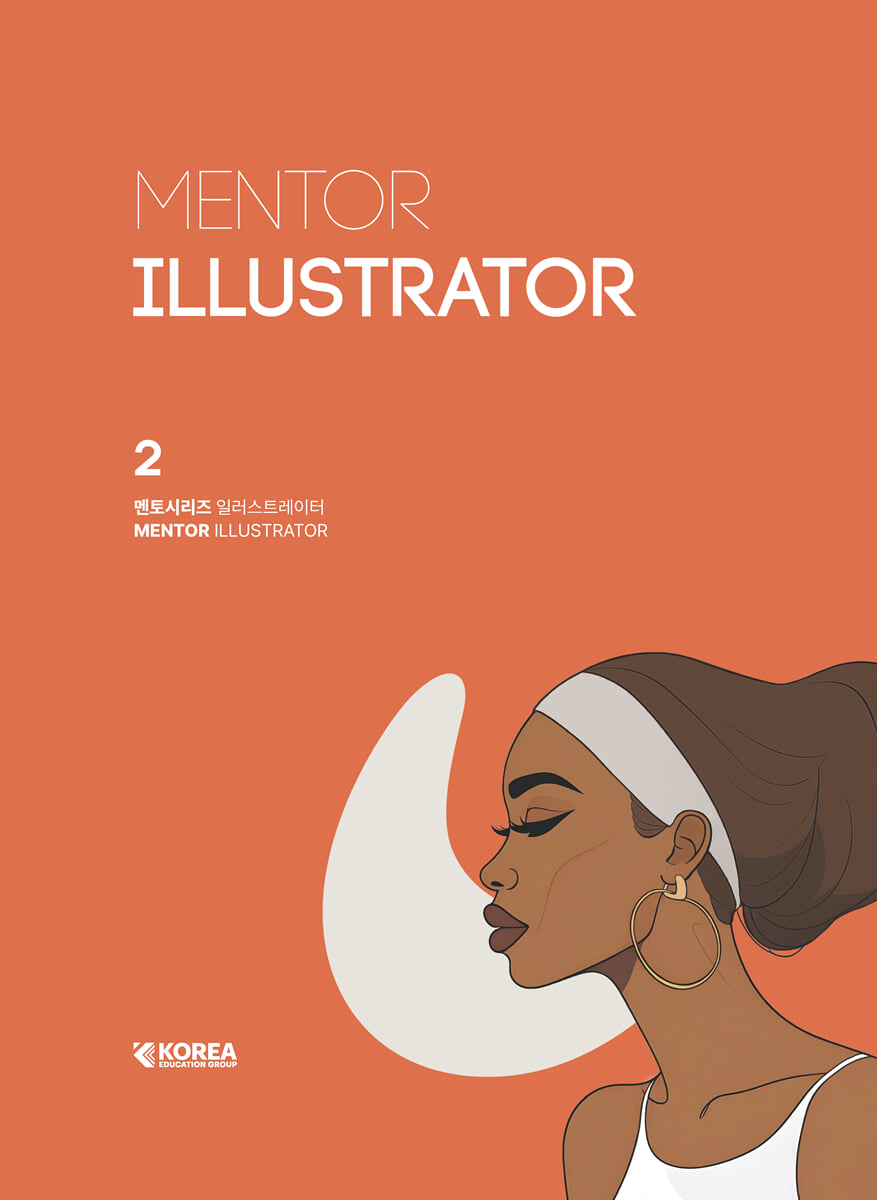
Mentor Series Illustrator
 |
Description
Book Introduction
An introductory book to 'Illustrator' selected by SBS Academy Computer Art School!
This book was compiled by reflecting feedback from instructors who teach design and current designers.
This book faithfully covers tools and theory for those new to Illustrator.
We've supplemented the areas where excessive example-based explanations can neglect the concepts of options and tools, and through hands-on practice, you can learn examples and techniques that can be applied in practice.
Each section is organized into Theory - Practice - Exercise to help you learn the functions systematically.
This book was compiled by reflecting feedback from instructors who teach design and current designers.
This book faithfully covers tools and theory for those new to Illustrator.
We've supplemented the areas where excessive example-based explanations can neglect the concepts of options and tools, and through hands-on practice, you can learn examples and techniques that can be applied in practice.
Each section is organized into Theory - Practice - Exercise to help you learn the functions systematically.
- You can preview some of the book's contents.
Preview
index
prolog
Structure of this book
SECTION 01.
Illustrator Basic
THEORY 01 Graphic Design Basics
THEORY 02 Interface
THEORY 03 Tool Bar & Panel
THEORY 04 File & Save
[Practice Example] Creating and Saving a New One
THEORY 05 Artboard
THEORY 06 Basic Object Edit
THEORY 07 Fill & Stroke / Open & Closed Path
[Practice Example] Saving and Managing Files
SECTION 02.
Figure, Select & Move, Arrange
THEORY 01 Figure Tool
THEORY 02 Path / Handle
[Practice Example] Creating a Bird with Shapes
THEORY 03 Select & Move
THEORY 04 Copy & Paste
THEORY 05 Arrange
[Practice Example] Learning how to arrange clothes
THEORY 06 Layer
[Practice Example] Combining and Arranging Shape Objects
SECTION 03.
Transform, Align
THEORY 01 Rotate Tool
[Practice Example] Creating Various Objects with Rotation and Repeat
THEORY 02 Reflect Tool
[Practice Example] Complete Animals with Reflection and Copying
THEORY 03 Scale Tool
THEORY 04 Shear Tool
[Practice Example] Creating Shadows Using Tilt
THEORY 05 Align
[Practice Example] Creating a Geometric Castle Using Alignment
[Practice Example] Learning the Basics of Shape Editing and Design Sense
SECTION 04.
Color & Gradient, Recolor Artwork Color and Gradient, Recolor Artwork
THEORY 01 Color
THEORY 02 Color Picker
THEORY 03 Swatches
THEORY 04 Eyedropper Tool
[Practice Example] Color Modification and Registration
THEORY 05 Recolor Artwork
[Practice Example] Extracting Colors with the Color Theme Picker
THEORY 06 Gradient
[Practice Example] Expressing a Sunset Desert with a Gradient
[Practice Example] Creating a Vase Using Gradients
SECTION 05.
Pathfinder, Shape Builder Pathfinder, Shape Builder Tool
THEORY 01 Pathfinder
[Practice Example] Creating a Heart with Pathfinder
[Practice Example] Creating Weather Icons Using Pathfinder
THEORY 02 Shape Builder Tool
THEORY 03 Ruler & Guide & Grid
[Practice Example] Designing Geometric Patterns with Shape Editing
THEORY 04 Eraser Tool
THEORY 05 Scissors Tool
THEORY 06 Knife Tool
[Practice Example] Creating a Landscape Illustration with Pathfinder and Shape Composition Tools
SECTION 06.
Pen & Curvature, Line & Width
THEORY 01 Pen Tool
[Practice Example] Practicing with the Pen Tool
THEORY 02 Curvature Tool
THEORY 03 Line Tool
[Practice Example] Creating Clouds with the Spiral Tool
THEORY 04 Stroke
THEORY 05 Width Tool
[Practice Example] Calligraphy Design Using Line Thickness
[Practice Example] Creating a Line into a Surface
THEORY 06 [Object]-[Path]
[Practice Example] Drawing Line Illustrations with the Pen Tool
SECTION 07.
Free Transform, Warp~Wrinkle
THEORY 01 Free Transfrom Tool
[Practice Example] Character Design Using Perspective Distortion
THEORY 02 Puppet Warp Tool
THEORY 03 Intertwine
[Practice Example] Practicing Free Transform and Puppet Warp
THEORY 04 Warp~Wrinkle
[Practice Example] Creating a Monster with Various Modification Tools
[Practice Example] Drawing an Illustration Using the Transform Tool
SECTION 08.
Text Edit Text Edit
THEORY 01 Type Tool
[Practice Example] Completing a Logo with the Text Tool on a Path
THEORY 02 Character
THEORY 03 Paragraph
[Practice Example] Designing Pages with Text-Related Tools
THEORY 04 Area Type
THEORY 05 Create Outlines
[Practice Example] Typography Design Using Outlines
THEORY 06 Glyphs
THEORY 07 Open Type
[Practice Example] Creating a Typography Poster
SECTION 09.
Brush, Freeform Draw Brush, Freeform Drawing
THEORY 01 Brush Tool
THEORY 02 Brushes
THEORY 03 New Brush, Options
[Practice Example] Creating a Rope Shape with a Pattern Brush
THEORY 04 Blob Brush Tool
THEORY 05 Shaper Tool
THEORY 06 Pencil Tool
THEORY 07 Smooth Tool
[Practice Example] Creating Calligraphy Decorations with Drawing Tools
[Practice Example] Creating a Floral Design Poster with the Brush Tool
SECTION 10.
Mask, Blending Mode Mask, Blending Mode
THEORY 01 Clipping Mask
[Practice Example] Creating a Business Card File Using a Clipping Mask
[Practice Example] Title Design Using Compound Paths
THEORY 02 Transparency
THEORY 03 Opacity Mask
[Practice Example] Creating a Vanishing Reflection Effect with an Opaque Mask
[Practice Example] Vintage Stamp Design Using an Opaque Mask
THEORY 04 Blending Mode
[Practice Example] Creating a Cartoon-Themed Poster Using Photos
SECTION 11.
Pattern, Image Trace
THEORY 01 Pattern
[Practice Example] Applying and Modifying Patterns
THEORY 02 New Pattern, Options
THEORY 03 Transform Patterns
THEORY 04 Image Embed & Crop
[Practice Example] Including an image in a document and cropping it
THEORY 05 Image Trace
[Practice Example] Pop Art Design Using Image Tracing
[Practice Example] Creating Tropical Pattern Art Using Image Trace
SECTION 12.
Envelope Distort, Repeat
THEORY 01 Make with Warp
[Practice Example] Creating an Ice Cream Logo with Transformation
THEORY 02 Make with Mesh
[Practice Example] Creating a Text Wave Effect with a Mesh
THEORY 03 Make with Top Object
[Practice Example] Designing Text with Top-Level Objects
THEORY 04 Envelope Options
THEORY 05 Repeat
[Practice Example] Creating a Poster Using Text Distortion
SECTION 13.
Live Paint, Perspective Grid
THEORY 01 Live Paint Bucket Tool
THEORY 02 [Object]-[Live Paint]
[Practice Example] Applying Color with Live Paint
THEORY 03 Perspective Grid Tool
THEORY 04 [View]-[Perspective Grid]
[Practice Example] Creating a Typography Poster with the Perspective Grid Tool
[Practice Example] Drawing Animal Illustrations with Live Paint
SECTION 14.
Blend & Mesh
THEORY 01 Blend Tool
THEORY 02 [Object]-[Blend]
[Practice Example] Creating a Blend with Specified Steps
[Practice Example] Creating a Blend at a Specified Distance
[Practice Example] Creating a Blend with Smooth Colors
THEORY 03 Mesh Tool
[Practice Example] Creating a Typography Effect with the Mesh Tool and Blend
SECTION 15.
Effect, Appearance
THEORY 01 Effect
THEORY 02 Distort & Transform
THEORY 03 Stylize
[Practice Example] Practicing Transformation Effects
THEORY 04 Appearance
[Practice Example] Applying Various Effects with the Shape Panel
THEORY 05 Graphic Styles
[Practice Example] Creating a Long Shadow Effect
[Practice Example] Expressing Texture with Texture Effects
[Practice Example] Sketch Design with Scribble Effect
SECTION 16.
Symbol, Graph, 3D Symbol, Graph, 3D
THEORY 01 Symbol Tool
THEORY 02 New Symbol, Options
THEORY 03 Graph Tool
[Practice Example] Applying Design to a Graph
THEORY 04 3D and Materials
[Practice Example] Applying a Logo Symbol to a 3D Object
THEORY 05 3D (Classic)
THEORY 06 3D(Classic) Mapping
[Practice Example] Creating a 3D Poster
Appendix
Chapter 01 | The New Illustrator
Chapter 02 | Prompt Input Know-how
Chapter 03 | Practice Examples: Learn New AI Features Quickly and Easily
Chapter 04 | Utilization Examples: Leveraging New AI Features
Structure of this book
SECTION 01.
Illustrator Basic
THEORY 01 Graphic Design Basics
THEORY 02 Interface
THEORY 03 Tool Bar & Panel
THEORY 04 File & Save
[Practice Example] Creating and Saving a New One
THEORY 05 Artboard
THEORY 06 Basic Object Edit
THEORY 07 Fill & Stroke / Open & Closed Path
[Practice Example] Saving and Managing Files
SECTION 02.
Figure, Select & Move, Arrange
THEORY 01 Figure Tool
THEORY 02 Path / Handle
[Practice Example] Creating a Bird with Shapes
THEORY 03 Select & Move
THEORY 04 Copy & Paste
THEORY 05 Arrange
[Practice Example] Learning how to arrange clothes
THEORY 06 Layer
[Practice Example] Combining and Arranging Shape Objects
SECTION 03.
Transform, Align
THEORY 01 Rotate Tool
[Practice Example] Creating Various Objects with Rotation and Repeat
THEORY 02 Reflect Tool
[Practice Example] Complete Animals with Reflection and Copying
THEORY 03 Scale Tool
THEORY 04 Shear Tool
[Practice Example] Creating Shadows Using Tilt
THEORY 05 Align
[Practice Example] Creating a Geometric Castle Using Alignment
[Practice Example] Learning the Basics of Shape Editing and Design Sense
SECTION 04.
Color & Gradient, Recolor Artwork Color and Gradient, Recolor Artwork
THEORY 01 Color
THEORY 02 Color Picker
THEORY 03 Swatches
THEORY 04 Eyedropper Tool
[Practice Example] Color Modification and Registration
THEORY 05 Recolor Artwork
[Practice Example] Extracting Colors with the Color Theme Picker
THEORY 06 Gradient
[Practice Example] Expressing a Sunset Desert with a Gradient
[Practice Example] Creating a Vase Using Gradients
SECTION 05.
Pathfinder, Shape Builder Pathfinder, Shape Builder Tool
THEORY 01 Pathfinder
[Practice Example] Creating a Heart with Pathfinder
[Practice Example] Creating Weather Icons Using Pathfinder
THEORY 02 Shape Builder Tool
THEORY 03 Ruler & Guide & Grid
[Practice Example] Designing Geometric Patterns with Shape Editing
THEORY 04 Eraser Tool
THEORY 05 Scissors Tool
THEORY 06 Knife Tool
[Practice Example] Creating a Landscape Illustration with Pathfinder and Shape Composition Tools
SECTION 06.
Pen & Curvature, Line & Width
THEORY 01 Pen Tool
[Practice Example] Practicing with the Pen Tool
THEORY 02 Curvature Tool
THEORY 03 Line Tool
[Practice Example] Creating Clouds with the Spiral Tool
THEORY 04 Stroke
THEORY 05 Width Tool
[Practice Example] Calligraphy Design Using Line Thickness
[Practice Example] Creating a Line into a Surface
THEORY 06 [Object]-[Path]
[Practice Example] Drawing Line Illustrations with the Pen Tool
SECTION 07.
Free Transform, Warp~Wrinkle
THEORY 01 Free Transfrom Tool
[Practice Example] Character Design Using Perspective Distortion
THEORY 02 Puppet Warp Tool
THEORY 03 Intertwine
[Practice Example] Practicing Free Transform and Puppet Warp
THEORY 04 Warp~Wrinkle
[Practice Example] Creating a Monster with Various Modification Tools
[Practice Example] Drawing an Illustration Using the Transform Tool
SECTION 08.
Text Edit Text Edit
THEORY 01 Type Tool
[Practice Example] Completing a Logo with the Text Tool on a Path
THEORY 02 Character
THEORY 03 Paragraph
[Practice Example] Designing Pages with Text-Related Tools
THEORY 04 Area Type
THEORY 05 Create Outlines
[Practice Example] Typography Design Using Outlines
THEORY 06 Glyphs
THEORY 07 Open Type
[Practice Example] Creating a Typography Poster
SECTION 09.
Brush, Freeform Draw Brush, Freeform Drawing
THEORY 01 Brush Tool
THEORY 02 Brushes
THEORY 03 New Brush, Options
[Practice Example] Creating a Rope Shape with a Pattern Brush
THEORY 04 Blob Brush Tool
THEORY 05 Shaper Tool
THEORY 06 Pencil Tool
THEORY 07 Smooth Tool
[Practice Example] Creating Calligraphy Decorations with Drawing Tools
[Practice Example] Creating a Floral Design Poster with the Brush Tool
SECTION 10.
Mask, Blending Mode Mask, Blending Mode
THEORY 01 Clipping Mask
[Practice Example] Creating a Business Card File Using a Clipping Mask
[Practice Example] Title Design Using Compound Paths
THEORY 02 Transparency
THEORY 03 Opacity Mask
[Practice Example] Creating a Vanishing Reflection Effect with an Opaque Mask
[Practice Example] Vintage Stamp Design Using an Opaque Mask
THEORY 04 Blending Mode
[Practice Example] Creating a Cartoon-Themed Poster Using Photos
SECTION 11.
Pattern, Image Trace
THEORY 01 Pattern
[Practice Example] Applying and Modifying Patterns
THEORY 02 New Pattern, Options
THEORY 03 Transform Patterns
THEORY 04 Image Embed & Crop
[Practice Example] Including an image in a document and cropping it
THEORY 05 Image Trace
[Practice Example] Pop Art Design Using Image Tracing
[Practice Example] Creating Tropical Pattern Art Using Image Trace
SECTION 12.
Envelope Distort, Repeat
THEORY 01 Make with Warp
[Practice Example] Creating an Ice Cream Logo with Transformation
THEORY 02 Make with Mesh
[Practice Example] Creating a Text Wave Effect with a Mesh
THEORY 03 Make with Top Object
[Practice Example] Designing Text with Top-Level Objects
THEORY 04 Envelope Options
THEORY 05 Repeat
[Practice Example] Creating a Poster Using Text Distortion
SECTION 13.
Live Paint, Perspective Grid
THEORY 01 Live Paint Bucket Tool
THEORY 02 [Object]-[Live Paint]
[Practice Example] Applying Color with Live Paint
THEORY 03 Perspective Grid Tool
THEORY 04 [View]-[Perspective Grid]
[Practice Example] Creating a Typography Poster with the Perspective Grid Tool
[Practice Example] Drawing Animal Illustrations with Live Paint
SECTION 14.
Blend & Mesh
THEORY 01 Blend Tool
THEORY 02 [Object]-[Blend]
[Practice Example] Creating a Blend with Specified Steps
[Practice Example] Creating a Blend at a Specified Distance
[Practice Example] Creating a Blend with Smooth Colors
THEORY 03 Mesh Tool
[Practice Example] Creating a Typography Effect with the Mesh Tool and Blend
SECTION 15.
Effect, Appearance
THEORY 01 Effect
THEORY 02 Distort & Transform
THEORY 03 Stylize
[Practice Example] Practicing Transformation Effects
THEORY 04 Appearance
[Practice Example] Applying Various Effects with the Shape Panel
THEORY 05 Graphic Styles
[Practice Example] Creating a Long Shadow Effect
[Practice Example] Expressing Texture with Texture Effects
[Practice Example] Sketch Design with Scribble Effect
SECTION 16.
Symbol, Graph, 3D Symbol, Graph, 3D
THEORY 01 Symbol Tool
THEORY 02 New Symbol, Options
THEORY 03 Graph Tool
[Practice Example] Applying Design to a Graph
THEORY 04 3D and Materials
[Practice Example] Applying a Logo Symbol to a 3D Object
THEORY 05 3D (Classic)
THEORY 06 3D(Classic) Mapping
[Practice Example] Creating a 3D Poster
Appendix
Chapter 01 | The New Illustrator
Chapter 02 | Prompt Input Know-how
Chapter 03 | Practice Examples: Learn New AI Features Quickly and Easily
Chapter 04 | Utilization Examples: Leveraging New AI Features
Detailed image

Publisher's Review
A basic book for beginner illustrators!
This textbook is designed for those who dream of becoming designers.
It contains practical knowledge and skills that can make your dreams come true.
This is a fundamental introductory book for designers who want to systematically learn Illustrator. It covers a wide range of essential concepts, tool principles, and application methods, and includes examples that can be applied directly to practice, allowing for repeated learning.
Further features of this book include:
1.
It contains the know-how and practical experience of Korea Education Group.
We've further enhanced the quality of this textbook by incorporating feedback from our experienced instructors, many of whom have years of practical experience.
2.
Systematic learning is possible with the 3-step learning system.
It systematically increases the depth of learning through three stages: 'Detailed theory study', 'Practice by following along', and 'Solve practice problems on your own'.
3.
It is composed of trendy and practical examples that can be applied immediately in practice.
Moving beyond simple memorization of functions, we've focused on practical examples that are most effective for learning the skills, and added interest with visuals that reflect the latest trends.
4.
Provides a wealth of supplementary materials.
We've included a separate appendix covering the recent hot topic of generative AI, and provide key shortcuts for practical efficiency.
I hope this book will provide you with practical help in taking your illustrator skills to the next level.
I hope this book will serve as a reliable mentor who can study on their own anytime, anywhere, and as a helpful basic guide for students and aspiring designers who want to create their own work.
I recommend this textbook to these people!
● Beginners in the design field and new designers starting their careers
● Those who want to learn systematically from how to use tools to core functions
● Those who want to learn more efficient work methods beyond basic functions
● Those who want to maximize work efficiency by utilizing the latest AI features
This textbook is designed for those who dream of becoming designers.
It contains practical knowledge and skills that can make your dreams come true.
This is a fundamental introductory book for designers who want to systematically learn Illustrator. It covers a wide range of essential concepts, tool principles, and application methods, and includes examples that can be applied directly to practice, allowing for repeated learning.
Further features of this book include:
1.
It contains the know-how and practical experience of Korea Education Group.
We've further enhanced the quality of this textbook by incorporating feedback from our experienced instructors, many of whom have years of practical experience.
2.
Systematic learning is possible with the 3-step learning system.
It systematically increases the depth of learning through three stages: 'Detailed theory study', 'Practice by following along', and 'Solve practice problems on your own'.
3.
It is composed of trendy and practical examples that can be applied immediately in practice.
Moving beyond simple memorization of functions, we've focused on practical examples that are most effective for learning the skills, and added interest with visuals that reflect the latest trends.
4.
Provides a wealth of supplementary materials.
We've included a separate appendix covering the recent hot topic of generative AI, and provide key shortcuts for practical efficiency.
I hope this book will provide you with practical help in taking your illustrator skills to the next level.
I hope this book will serve as a reliable mentor who can study on their own anytime, anywhere, and as a helpful basic guide for students and aspiring designers who want to create their own work.
I recommend this textbook to these people!
● Beginners in the design field and new designers starting their careers
● Those who want to learn systematically from how to use tools to core functions
● Those who want to learn more efficient work methods beyond basic functions
● Those who want to maximize work efficiency by utilizing the latest AI features
GOODS SPECIFICS
- Date of issue: September 4, 2025
- Page count, weight, size: 516 pages | 190*260*35mm
- ISBN13: 9791189028459
- ISBN10: 118902845X
You may also like
카테고리
korean


korean

![GQ KOREA Mark (Monthly): December [2025]](http://librairie.coreenne.fr/cdn/shop/files/8ef265dbbfbf186523ed75ba7319009d.jpg?v=1765340328&width=3840)


