

Blender 3D Modeling & Rendering for Character Creation
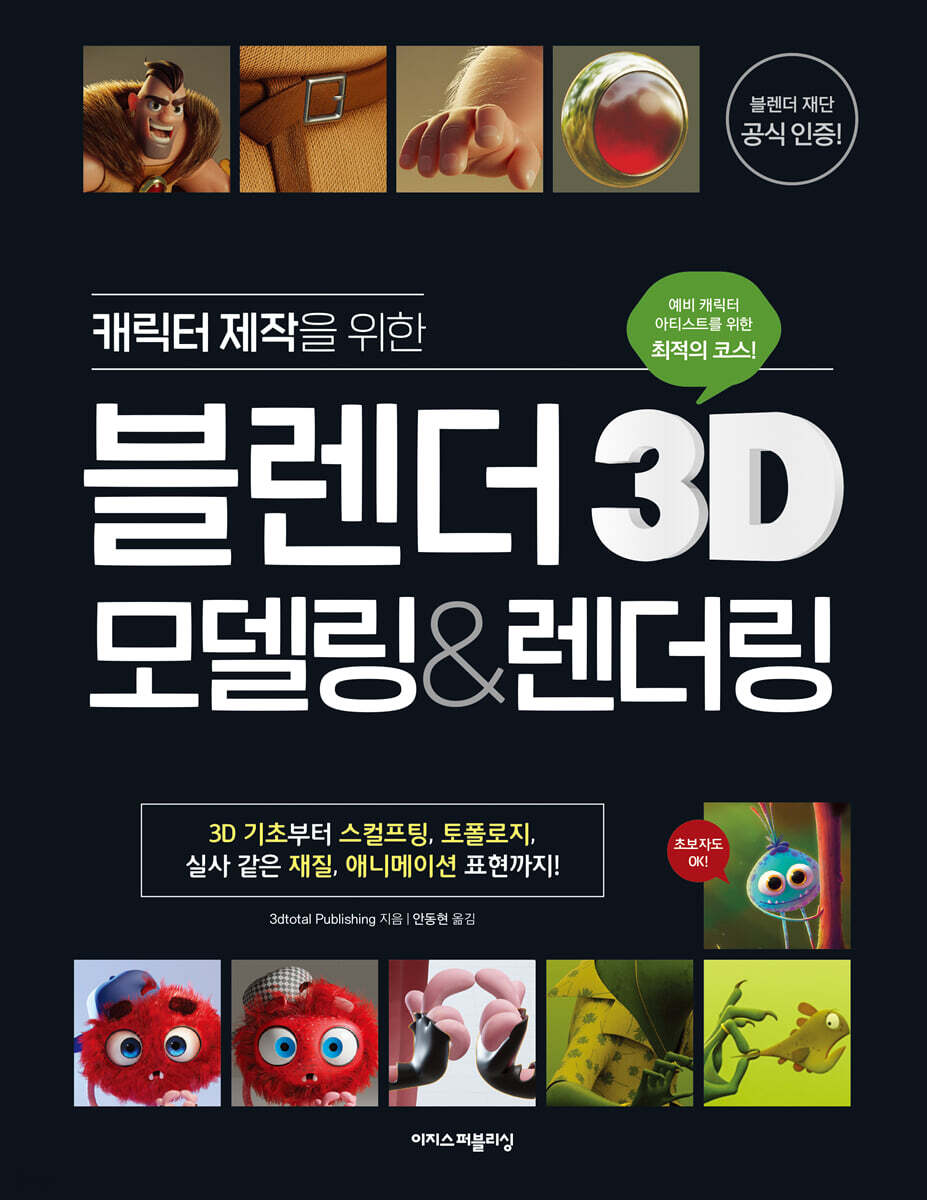 |
Description
Book Introduction
Written by an author 'officially certified' by the Blender Foundation!
From 3D basics to modeling, sculpting, topology, and rendering!
Learn the best route recommended for aspiring character artists!
Blender 3D is all the rage these days, but have you been feeling overwhelmed? Check out this book, written by a Blender Foundation-certified trainer! By creating a basic 3D modeling project and three practical projects, even beginners new to 3D graphics will be able to develop a "character creation guide."
From material expressions seen in Disney and Pixar animations, to character creation from sketches, to the "retopology" process for realistic rendering and efficient workflows, learn everything aspiring character artists need to know.
This book is also suitable as a textbook, as it provides all the models, brushes, work videos, and material files to be used in the examples.
When you finish a book, you'll also enjoy the pleasure of having results that you can use in your portfolio.
I hope this book will help you overcome your limitations and experience the richer and more colorful world of 3D character creation.
From 3D basics to modeling, sculpting, topology, and rendering!
Learn the best route recommended for aspiring character artists!
Blender 3D is all the rage these days, but have you been feeling overwhelmed? Check out this book, written by a Blender Foundation-certified trainer! By creating a basic 3D modeling project and three practical projects, even beginners new to 3D graphics will be able to develop a "character creation guide."
From material expressions seen in Disney and Pixar animations, to character creation from sketches, to the "retopology" process for realistic rendering and efficient workflows, learn everything aspiring character artists need to know.
This book is also suitable as a textbook, as it provides all the models, brushes, work videos, and material files to be used in the examples.
When you finish a book, you'll also enjoy the pleasure of having results that you can use in your portfolio.
I hope this book will help you overcome your limitations and experience the richer and more colorful world of 3D character creation.
- You can preview some of the book's contents.
Preview
index
First Yard Blender Getting Started
01 Preparing the blender
01-1 Preparing the work environment
01-2 Basic knowledge you need to know when working in 3D
02 A look at the Blender interface
02-1 3D Viewport - The main screen where 3D work takes place.
02-2 Outliner - Element Organizer Tool
02-3 Property Editor - Where all editing functions are gathered
02-4 Blender UI - Easy-to-Use Screen Operation
02-5 Adding useful add-ons (plugins)
02-6 Six modes for each work step
02-7 Main editor used for character creation
02-8 A workspace that transforms step by step
Second Yard Blender Core Tasks
03 3D Character Modeling
03-1 Adding an object
03-2 Transforming objects
03-3 Editing Objects
03-4 Handling Multiple Objects
03-5 'Modifier' that transforms with one click
03-6 Movement Naturally! Topology
04 Sculpting like clay
04-1 Brushes used for sculpting
04-2 Two ways to adjust resolution
04-3 'Retopology': Creating Simplified Polygons
05 How to render realistically like real life
05-1 Setting up the lighting
05-2 Applying materials
05-3 Expand with UV
05-4 Painting textures with brush strokes
05-5 Textures made with patterns - Procedural textures
05-6 Grass, 'Particles' Spreading Like Flames
05-7 Rendering
05-8 Rendering Post-processing, Post-correction
Creating a Third Yard Practical Project
06 Creating a Furry Monster
06-1 Creating a UV map to apply to the model
06-2 Applying materials and textures
06-3 Expressing hair
07 Creating a Fishman Monster
07-1 Creating a basic shape
07-2 Sculpting - Touching up the details
07-3 Applying Retopology
07-4 Dressing Up
07-5 Refining the details
07-6 Modeling Jewelry
07-7 Creating a UV Map
07-8 Creating the Character's Environment
07-9 Applying materials and textures
07-10 Finishing
08 Creating a Warrior Game Character
08-1 Setting up the Blender screen
08-2 Creating a character shape
08-3 Detailed Modeling
08-4 Combining Modeling and Sculpting
08-5 Retopologizing
08-6 Setting up the lighting
08-7 Expand UV Map
08-8 Setting up materials
08-9 Expressing Fur and Fur
08-10 Setting up rendering
08-11 Post-Rendering Processing and Correction
Concept Dictionary
Authors who participated in this book
Search
01 Preparing the blender
01-1 Preparing the work environment
01-2 Basic knowledge you need to know when working in 3D
02 A look at the Blender interface
02-1 3D Viewport - The main screen where 3D work takes place.
02-2 Outliner - Element Organizer Tool
02-3 Property Editor - Where all editing functions are gathered
02-4 Blender UI - Easy-to-Use Screen Operation
02-5 Adding useful add-ons (plugins)
02-6 Six modes for each work step
02-7 Main editor used for character creation
02-8 A workspace that transforms step by step
Second Yard Blender Core Tasks
03 3D Character Modeling
03-1 Adding an object
03-2 Transforming objects
03-3 Editing Objects
03-4 Handling Multiple Objects
03-5 'Modifier' that transforms with one click
03-6 Movement Naturally! Topology
04 Sculpting like clay
04-1 Brushes used for sculpting
04-2 Two ways to adjust resolution
04-3 'Retopology': Creating Simplified Polygons
05 How to render realistically like real life
05-1 Setting up the lighting
05-2 Applying materials
05-3 Expand with UV
05-4 Painting textures with brush strokes
05-5 Textures made with patterns - Procedural textures
05-6 Grass, 'Particles' Spreading Like Flames
05-7 Rendering
05-8 Rendering Post-processing, Post-correction
Creating a Third Yard Practical Project
06 Creating a Furry Monster
06-1 Creating a UV map to apply to the model
06-2 Applying materials and textures
06-3 Expressing hair
07 Creating a Fishman Monster
07-1 Creating a basic shape
07-2 Sculpting - Touching up the details
07-3 Applying Retopology
07-4 Dressing Up
07-5 Refining the details
07-6 Modeling Jewelry
07-7 Creating a UV Map
07-8 Creating the Character's Environment
07-9 Applying materials and textures
07-10 Finishing
08 Creating a Warrior Game Character
08-1 Setting up the Blender screen
08-2 Creating a character shape
08-3 Detailed Modeling
08-4 Combining Modeling and Sculpting
08-5 Retopologizing
08-6 Setting up the lighting
08-7 Expand UV Map
08-8 Setting up materials
08-9 Expressing Fur and Fur
08-10 Setting up rendering
08-11 Post-Rendering Processing and Correction
Concept Dictionary
Authors who participated in this book
Search
Detailed image

Publisher's Review
Written by an author 'officially certified' by the Blender Foundation!
Learn Blender, the popular 3D program, from the best writers!
Blender is a world-renowned open source 3D software.
As it was created by digital artists, it is a tool that helps artists understand their work process and work efficiently.
From a convenient interface tailored to your workflow to numerous plugins, it's also free, making it a popular choice for everyone from students just getting started to professionals already familiar with 3D programming.
The most effective way to learn this top-notch 3D program is to follow a curriculum certified by the Blender Foundation.
This book was created by a team of artists, including Blender Foundation certified trainer Pierrick Picaut.
The quality of the practical examples is excellent, and they are also systematic.
Modifiers, topology… An explanation of unfamiliar terms
Create unique monsters and game characters!
If you're new to 3D graphics, the alien-like English expressions can be quite challenging.
Modeling alone is enough to give you a headache, but it's easy to get flustered when you encounter unfamiliar terms.
This book is for beginners and explains based on the Korean version and the stable 3.3 LTS version.
All Korean terms are written in Korean, and English menu names are also written in parentheses for English users.
New and unfamiliar expressions are provided with glossaries to make them easier to understand.
It may seem unfamiliar at first, but as you complete the basic modeling projects and three practical projects introduced in this book, you will find yourself drawing a mental map of 3D character work without even realizing it.
〈3D Graphics Concepts Covered in This Book〉
- Definition of 3D basics, objects, meshes, and polygons
- Overlay and shading to express 3D work
- Add-ons (plugins) that are good to use
- Work modes, editors, and workspaces
- Object origin, pivot point, and proportional editing options
- 8 tools to transform objects
- 'Modifier' that transforms with one click
- The concept of good topology, how to retopologize
- Sculpting like sculpting clay
- Two ways to remesh
- Lighting setup using 3-point lighting, light temperature, and HDRI
- Connect nodes to apply materials to each object
- 6 Ways to Get Good UV
- 'Procedural texture' created with patterns
- Creating a 'particle' system that spreads like sparks
- Correction after rendering
From 3D basics to modeling, sculpting, topology, and rendering!
The best route recommended for aspiring character artists!
This book provides a clear and fast path for aspiring character artists to create their own 3D characters.
In the first yard, you will learn about Blender's basic screens, and in the second yard, you will learn about Blender's core tasks such as modeling, sculpting, lighting, textures and materials, and rendering while creating your own 3D character.
Finally, in the third yard, you will learn the entire process of creating 3D characters while completing three practical projects that can be used in your portfolio.
With this book, we hope you'll learn all the skills you need to create characters, from the basics of 3D modeling to professional-level work.
Open the door to your own creation!
Modeling, brushes, working videos, and material files are all provided!
All files needed for the practice are provided, from sketch images to finished Blender files.
If you want to focus only on post-processing, such as materials and rendering, you can also open the completed modeling file and practice.
"Meet intelligent readers who grow through books!"
[Do it! Study Room]: Learn, Share, and Grow Together
If you find studying alone burdensome, try visiting the study cafe 'Do it! Study Room'.
By joining [Do it! Study Group] and uploading your study plan and putting it into practice, you can receive a book as a gift and develop a consistent study habit.
- Do it! Study Room Cafe: cafe.naver.com/doitstudyroom → [Do it! Study Group] Menu
[Recommended for these people!]
- Beginner who is new to 3D work
- A design student tired of heavy 3D work
- Practitioners who want to express detailed materials such as metal, leather, and fur
- Job seekers who want to get a job by including the character creation process in their portfolio.
- Aspiring character artists who are curious about the professional's work process
[One-line reviews from Amazon readers who read this book first]
I'm tired of going back and forth between Zbrush and Maya, but Blender is good and this book is good too.
- Justin
It has everything I need and more.
- Tyrone Nicholson
This book is very practical, easy to follow, and full of tips and know-how.
- Lex
The project is interesting and fun to make.
You can improve your workflow and get things done much better by using the right tricks and tips.
- Benny
Learn Blender, the popular 3D program, from the best writers!
Blender is a world-renowned open source 3D software.
As it was created by digital artists, it is a tool that helps artists understand their work process and work efficiently.
From a convenient interface tailored to your workflow to numerous plugins, it's also free, making it a popular choice for everyone from students just getting started to professionals already familiar with 3D programming.
The most effective way to learn this top-notch 3D program is to follow a curriculum certified by the Blender Foundation.
This book was created by a team of artists, including Blender Foundation certified trainer Pierrick Picaut.
The quality of the practical examples is excellent, and they are also systematic.
Modifiers, topology… An explanation of unfamiliar terms
Create unique monsters and game characters!
If you're new to 3D graphics, the alien-like English expressions can be quite challenging.
Modeling alone is enough to give you a headache, but it's easy to get flustered when you encounter unfamiliar terms.
This book is for beginners and explains based on the Korean version and the stable 3.3 LTS version.
All Korean terms are written in Korean, and English menu names are also written in parentheses for English users.
New and unfamiliar expressions are provided with glossaries to make them easier to understand.
It may seem unfamiliar at first, but as you complete the basic modeling projects and three practical projects introduced in this book, you will find yourself drawing a mental map of 3D character work without even realizing it.
〈3D Graphics Concepts Covered in This Book〉
- Definition of 3D basics, objects, meshes, and polygons
- Overlay and shading to express 3D work
- Add-ons (plugins) that are good to use
- Work modes, editors, and workspaces
- Object origin, pivot point, and proportional editing options
- 8 tools to transform objects
- 'Modifier' that transforms with one click
- The concept of good topology, how to retopologize
- Sculpting like sculpting clay
- Two ways to remesh
- Lighting setup using 3-point lighting, light temperature, and HDRI
- Connect nodes to apply materials to each object
- 6 Ways to Get Good UV
- 'Procedural texture' created with patterns
- Creating a 'particle' system that spreads like sparks
- Correction after rendering
From 3D basics to modeling, sculpting, topology, and rendering!
The best route recommended for aspiring character artists!
This book provides a clear and fast path for aspiring character artists to create their own 3D characters.
In the first yard, you will learn about Blender's basic screens, and in the second yard, you will learn about Blender's core tasks such as modeling, sculpting, lighting, textures and materials, and rendering while creating your own 3D character.
Finally, in the third yard, you will learn the entire process of creating 3D characters while completing three practical projects that can be used in your portfolio.
With this book, we hope you'll learn all the skills you need to create characters, from the basics of 3D modeling to professional-level work.
Open the door to your own creation!
Modeling, brushes, working videos, and material files are all provided!
All files needed for the practice are provided, from sketch images to finished Blender files.
If you want to focus only on post-processing, such as materials and rendering, you can also open the completed modeling file and practice.
"Meet intelligent readers who grow through books!"
[Do it! Study Room]: Learn, Share, and Grow Together
If you find studying alone burdensome, try visiting the study cafe 'Do it! Study Room'.
By joining [Do it! Study Group] and uploading your study plan and putting it into practice, you can receive a book as a gift and develop a consistent study habit.
- Do it! Study Room Cafe: cafe.naver.com/doitstudyroom → [Do it! Study Group] Menu
[Recommended for these people!]
- Beginner who is new to 3D work
- A design student tired of heavy 3D work
- Practitioners who want to express detailed materials such as metal, leather, and fur
- Job seekers who want to get a job by including the character creation process in their portfolio.
- Aspiring character artists who are curious about the professional's work process
[One-line reviews from Amazon readers who read this book first]
I'm tired of going back and forth between Zbrush and Maya, but Blender is good and this book is good too.
- Justin
It has everything I need and more.
- Tyrone Nicholson
This book is very practical, easy to follow, and full of tips and know-how.
- Lex
The project is interesting and fun to make.
You can improve your workflow and get things done much better by using the right tricks and tips.
- Benny
GOODS SPECIFICS
- Date of issue: September 15, 2023
- Page count, weight, size: 360 pages | 1,322g | 215*280*20mm
- ISBN13: 9791163035022
- ISBN10: 1163035025
You may also like
카테고리
korean


korean

![GQ KOREA Mark (Monthly): December [2025]](http://librairie.coreenne.fr/cdn/shop/files/8ef265dbbfbf186523ed75ba7319009d.jpg?v=1765340328&width=3840)


