

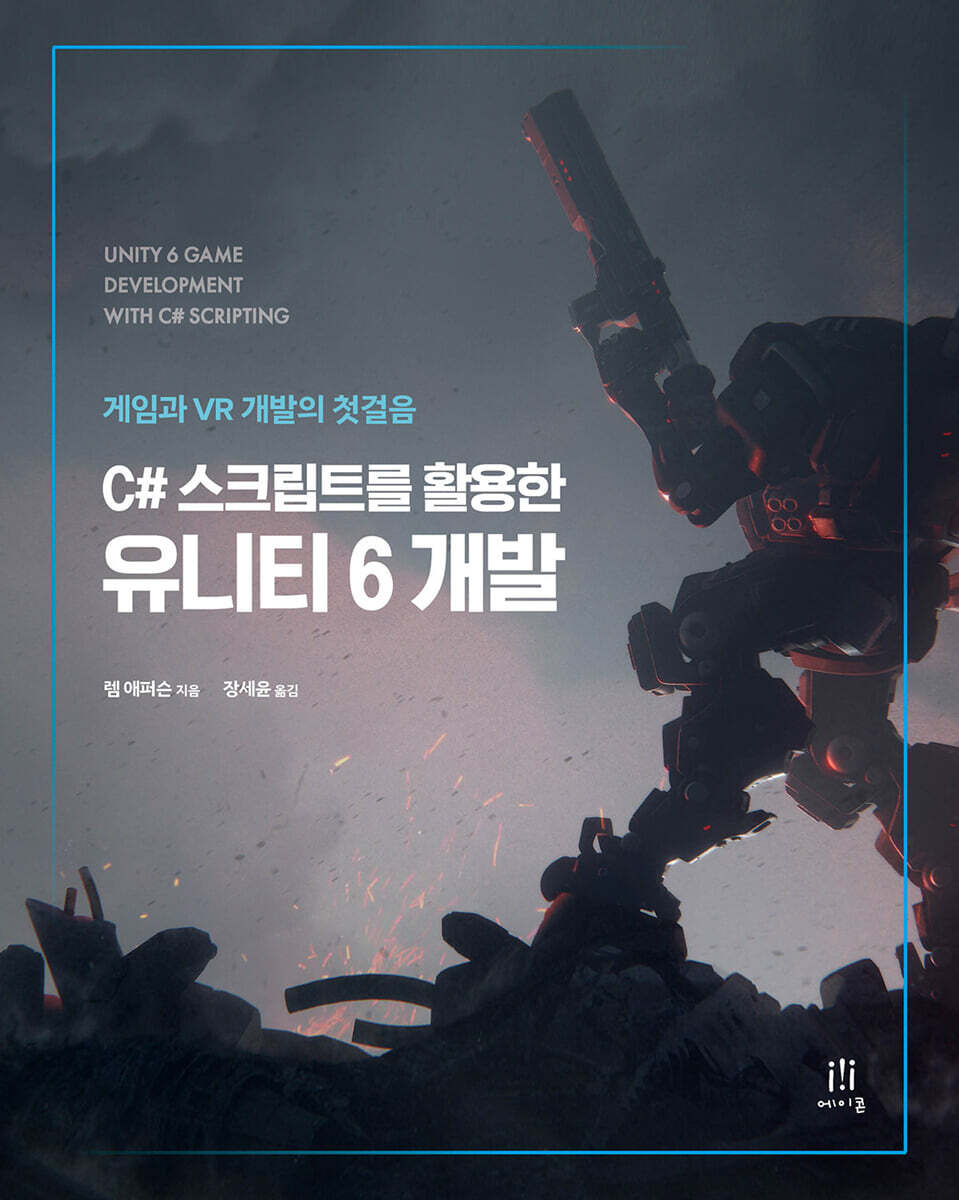
Unity 6 Development Using C# Scripts
 |
Description
Book Introduction
This book is designed to help you learn the core skills of game development step by step using Unity 6 and C# scripting.
Learn how to write scripts and apply them through hands-on examples, focusing on the latest features, including the revamped rendering pipeline and UI system, enhanced multiplayer capabilities, and XR and multiplatform support.
Covering a wide range of topics from basic concepts to asynchronous processing, artificial intelligence, networks, and XR, this book will be a useful reference for both beginners learning Unity for the first time and developers looking to quickly learn the latest features.
Learn how to write scripts and apply them through hands-on examples, focusing on the latest features, including the revamped rendering pipeline and UI system, enhanced multiplayer capabilities, and XR and multiplatform support.
Covering a wide range of topics from basic concepts to asynchronous processing, artificial intelligence, networks, and XR, this book will be a useful reference for both beginners learning Unity for the first time and developers looking to quickly learn the latest features.
index
Part 1 - Basic Concepts
Chapter 1.
Getting Started with Unity and C# - Game Objects and Components
__Technical Requirements
__Unity Interface Overview
____Installing Unity
____Understanding Long-Term Support Versions and Naming Conventions
__Exploring the Unity Editor
____A closer look at the Unity Editor
__Creating a C# script
__C# Basic Concepts
____Using C# Data Types for Creative Game Development
____View Class
__summation
Chapter 2.
Creating Your First Unity Project - Mastering Scenes and Assets
__Creating a new project in Unity
____Unity Project Overview
Step-by-step guide to creating a ____project
____Project Setup and Configuration Overview
__A look at the Unity editor interface
____Understanding the Unity Editor's Layout
____View/Window (Scene, Game, Hierarchy, Project, Inspector)
____scene view
____Game View
____Hierarchy window
____Project Window
____Inspector window
____Customize your workspace
__Import and manage assets
____Asset Import Basics
Organizing assets using ____folders and naming conventions
____Asset Management Best Practices (Efficiency and Organization)
__Basics of Game Object Manipulation
____Introducing Game Objects and Components
____Creating and configuring basic 2D/3D objects
____Object transformation (position, rotation, scale)
____Prefabs - Creating and utilizing reusable assets
__Preparing the first scene
____Setting up the scene environment
____Adding objects to the scene and basic layout
____Scene Lighting and Camera Settings
__summation
Chapter 3.
C# Basics in Unity - Variables, Loops, and Problem-Solving Techniques
__Technical Requirements
__C# Syntax Overview
____Basic structure of a C# program
____Difference between class-level variables and method variables
__Variables and data types
____Understanding variables and data types
____C# Memory Management - Stack and Heap
____Basic type
____struct - user-defined value type
____enumeration
____class - user-defined reference type
____string - a sequence of characters
____Array - a collection of items of a single type
____Delegate - a reference to a method
__Control statements in C#
Introduction to ____control statements
____loop structure
____jump syntax
____Best Practices
__Writing basic functions
____Introducing C# functions
____Function parameters and return types - Detailed description of parameters
____Looking at the return type
____Function Overloading
__Looking at Unity-specific functions
____Best Practices
Debugging C# scripts
____Introducing Debugging in Unity
____Understanding the Unity Console Window
____Common errors in Unity scripts
____Debugging techniques
____Best Practices
__summation
Chapter 4.
A look at the Unity script structure
__Technical Requirements
____Hardware Requirements
____Software Requirements
Understanding __MonoBehaviour
____Understanding MonoBehaviour - The Core of Unity Scripting
____Attaching MonoBehaviour scripts to define game object behavior
____Looking at common MonoBehaviour methods
__Unity's lifecycle and event sequence
____Looking at Unity's initialization methods
____Understanding Unity's Game Loop
____A look at Unity's cleanup cycle
__Respond to user input
____Introducing the Unity Input System
____Creating Movement - Creating basic player movement functionality
____Improving Compatibility - Integrating Touch and Mouse Input
____Strategies for efficient processing and code optimization
__Script Communication
____Interaction between scripts - an essential element of game design
____Connecting scripts - Using public variables and accessors
____Mastering Unity's SendMessage and BroadcastMessage
____Using events and delegates in Unity scripts
____Using the singleton pattern
__summation
Part 2 - Intermediate Concepts
Chapter 5.
Mastering the Unity API - Physics, Collision, and Environment Interaction Techniques
__Technical Requirements
__Accessing game components
____Introducing Unity's API and component system
____Using Transform and Renderer components
Best Practices for Using ____API
__Using physics and collisions
____Introducing Unity's Physics Engine
____Physics-based interactions
Advanced collision detection using ____raycasting
____Best Practices for Physics and Collision Management
__Managing game scenes and environments
____Introducing Unity's Scene Management
____Controlling scene transitions
____Adjust your settings
Best Practices for Optimizing ____Scenes and Environments
__Advanced API features
____Explore Unity's advanced API features
____Implementing sophisticated game features
____Best Practices for Advanced Development
__summation
Chapter 6.
Unity's data structures - arrays, lists, dictionaries, hash sets, and game logic.
__Technical Requirements
____Hardware Requirements
____Software Requirements
__Understanding Arrays and Lists
Introduction to ____Array
____List Introduction
____Practical use cases of lists and arrays in Unity
__Exploring Dictionaries and HashSets
____Dictionary Introduction
____Introducing HashSet
____Comparing dictionaries and hash sets
____Advanced Tips and Techniques
__Unity's custom data structures
__Data structures for game logic
____Basics of game logic and data structures
____Advanced Data Management for Game Development
____Data Structure Optimization and Integration in Unity
__summation
Chapter 7.
Designing Interactive UI Elements - Menus and Player Interactions in Unity
__Technical Requirements
__Designing UI Elements in Unity
____UI component basics
____Style and Theme
____Responsive Design
__Writing a player input script
____Input Method Overview
__Creating a dynamic menu
____Menu Design Principles
Implementing the ____menu function
Interactive elements of the ____menu
Custom interactions using game objects
____Defining Custom Interactions
____Writing an interaction mechanism script
____Example of a custom interaction
__summation
Chapter 8.
Mastering Physics and Animation in Unity Game Development
__Technical Requirements
____Hardware Requirements
____Software Requirements
__Core Concepts of Unity Physics
____Understanding the Physics Components
____Explore Force, Gravity, and Impact
____Physical Materials and Friction
____Collision detection and response
__Game character animation
____Introducing the Animator component
____Animation Transitions and Parameters
____Importing and utilizing external animations
____Create a basic animation and connect it to player input
__Environmental interaction
____Physics-based character interactions
____environmental interaction factors
____Dynamic environmental response
__Advanced Animation Techniques
Mastering ____IK
____Using Blend Trees for Natural Animation
____Using animation layers for complex movements
____Synchronization of physics and animation
__summation
Part 3 - Advanced Game Development
Chapter 9.
Unity's advanced scripting techniques - Async, cloud integration, events, optimization
__Technical Requirements
__Asynchronous Programming and Coroutines
____Introduction to Asynchronous Programming
____Using coroutines for complex asynchronous tasks
__Understanding Coroutines in Unity
____Practical examples of Unity coroutines
Common problems you may encounter when implementing ____coroutines and best practices for solving them
__Advanced Data Management
____Overview of data structures used in game development
____Implementing Advanced Data Structures in Unity
____Serialization and deserialization for game saving
Optimizing Data Management for ____Performance
__Creating a custom event system
____An overview of events and delegates in C#
____Designing a Custom Event System in Unity
____Practical applications and examples of custom event systems in game development
____Best practices and common mistakes when designing and using the event system in Unity
__Script optimization techniques
____Bottleneck Profiling and Identification
____Game script optimization
____Memory Management and Minimization
Best Practices for Script Optimization
__summation
Chapter 10.
Implementing AI in Unity
__Technical Requirements
__Introducing the Role of AI in Games
Comparing Large-Scale Language Models and Behavior Trees in Game Development
____Improving gameplay using AI
Introducing Unity's AI Support
__Implementing path navigation
____Path Search Algorithm Fundamentals
____Unity's Path Finding Tools - NavMesh and More
____Setting up a basic NavMesh in a Unity scene
____Real-world pathfinding examples and performance considerations
__AI decision making
____AI Decision-Making Framework Overview
____Implementing a decision model in Unity
____Best practices and optimization strategies for designing and implementing AI in Unity
__Behavioral AI for NPCs
Developing complex behaviors using ____behavior trees
____Introduction of advanced AI techniques
____Best Practices for Performance and Immersion
__summation
Chapter 11.
Multiplayer and Networking - Matchmaking, Security, and Interactive Gameplay
__Technical Requirements
__Unity Networking Fundamentals
____Introducing Unity Networking
____Unity Networking API and Tools
____Multiplayer Game Architecture
__Creating a Multiplayer Lobby
____Lobby Design Principles
Implementing the ____lobby function
____Advanced lobby features and UI integration
__Game state synchronization
How to sync ____state
____Processing user input over the network
____Motion Prediction and Interpolation
Unity Tools for ____State Synchronization
__Network latency and security handling
____Delay minimization and compensation techniques
Security measures for ____multiplayer games
____Ensuring a secure and responsive network gaming environment
__summation
Chapter 12.
Optimizing Game Performance in Unity - Profiling and Analysis Techniques
__Technical Requirements
__Profiling and bottleneck identification
____Introducing Unity's profiling tools
____Explore profiling techniques and how to identify bottlenecks
____Interpreting and Taking Action on Profiling Data
__Unity's memory management
____Understanding Unity Memory Usage
____Minimizing the impact of garbage collection
____Tips and Tools for Practical Memory Management
__Graphics and rendering optimization
____LOD and asset optimization
____Curling technique
____batching technique
____Shader and Material Optimization
__Efficient scripting and code optimization
Best Practices for Script Optimization Using ____DOTS
____Advanced data management and access patterns
____Improving performance by leveraging advanced data management in DOTS
Maximizing Performance with the ____Burst Compiler
__summation
Part 4 - Real-World Applications and Case Studies
Chapter 13.
Building a Complete Game with Unity - Core Mechanics, Testing, and Improving the Player Experience
__Technical Requirements
__Game concept and plan
____Come up with a game idea
____Define the development scope and development milestones
____Choose a genre and platform
__Designing game mechanics
____Developing mechanisms suitable for various genres
____Prototyping and implementing mechanisms in Unity
Developing core mechanisms
__Integrating Assets and Levels
____Management and integration of graphic assets
____Importing assets
____Organizing Assets in Unity
__Integrating Animation and Audio
____UI Design
____Creating and configuring game levels
__Polishing and Testing
Developing a ____testing strategy
____Using Unity tools for testing and debugging
____Reflecting feedback and refining the game
__summation
__Further Reading
Chapter 14.
Exploring XR in Unity - Developing Virtual Reality and Augmented Reality Experiences
__Technical Requirements
____Hardware Requirements
____Software Requirements
__Unity VR Basics
____Setting up VR in Unity
____Basic VR Interaction and Movement Principles
____Controller Input and Interaction
__Creating AR Experiences
____Tracking Methods and AR Scene Creation
____Real-world interactions and digital augmentation
__User interaction in VR/AR
____Input Methods and Interaction Techniques
Designing intuitive UI/UX for ____XR
Performance Optimization for Immersive Technologies
____Rendering Optimization
____Asset Management and Optimization
____Minimize latency and improve responsiveness
__summation
Chapter 15.
Developing Cross-Platform Games with Unity - Mobile, Desktop, and Console
__Technical Requirements
____Hardware Requirements
____Software Requirements
__Understanding Platform-Specific Challenges
____Hardware specifications and performance optimization
____Input method and control method
____User Interface and User Experience Considerations
__Developing games for mobile devices
____Optimizing performance on mobile devices
____Adjusting controls for touch and motion input
____Mobile UI and UX Considerations
__Responsive UI Design
____Basic Principles of Responsive UI Design in Unity
____Using anchors and dynamic layouts
____Considerations for scalability and accessibility
__Testing and debugging on various platforms
____Cross-platform test setup
____Identify and resolve platform-specific bugs
____Leveraging test automation and analytics
__summation
Chapter 16.
Launching, Monetizing, and Marketing Your Unity Game - Advertising and Community Building Strategies
__Game publishing platform
____Overview of major publishing platforms
__Marketing and Game Promotion
____Creating attractive marketing materials
____Utilizing social media and content platforms
____Participation in the gaming community and media
__Effective Game Monetization Strategies
____Monetization Model Overview
____Balancing monetization and player experience
__Community Participation and Support
____Building and nurturing a gaming community
____Using community feedback to improve the game
__summation
supplement.
Unlock Unity 6 - Advanced Features and Performance Improvements
Chapter 1.
Getting Started with Unity and C# - Game Objects and Components
__Technical Requirements
__Unity Interface Overview
____Installing Unity
____Understanding Long-Term Support Versions and Naming Conventions
__Exploring the Unity Editor
____A closer look at the Unity Editor
__Creating a C# script
__C# Basic Concepts
____Using C# Data Types for Creative Game Development
____View Class
__summation
Chapter 2.
Creating Your First Unity Project - Mastering Scenes and Assets
__Creating a new project in Unity
____Unity Project Overview
Step-by-step guide to creating a ____project
____Project Setup and Configuration Overview
__A look at the Unity editor interface
____Understanding the Unity Editor's Layout
____View/Window (Scene, Game, Hierarchy, Project, Inspector)
____scene view
____Game View
____Hierarchy window
____Project Window
____Inspector window
____Customize your workspace
__Import and manage assets
____Asset Import Basics
Organizing assets using ____folders and naming conventions
____Asset Management Best Practices (Efficiency and Organization)
__Basics of Game Object Manipulation
____Introducing Game Objects and Components
____Creating and configuring basic 2D/3D objects
____Object transformation (position, rotation, scale)
____Prefabs - Creating and utilizing reusable assets
__Preparing the first scene
____Setting up the scene environment
____Adding objects to the scene and basic layout
____Scene Lighting and Camera Settings
__summation
Chapter 3.
C# Basics in Unity - Variables, Loops, and Problem-Solving Techniques
__Technical Requirements
__C# Syntax Overview
____Basic structure of a C# program
____Difference between class-level variables and method variables
__Variables and data types
____Understanding variables and data types
____C# Memory Management - Stack and Heap
____Basic type
____struct - user-defined value type
____enumeration
____class - user-defined reference type
____string - a sequence of characters
____Array - a collection of items of a single type
____Delegate - a reference to a method
__Control statements in C#
Introduction to ____control statements
____loop structure
____jump syntax
____Best Practices
__Writing basic functions
____Introducing C# functions
____Function parameters and return types - Detailed description of parameters
____Looking at the return type
____Function Overloading
__Looking at Unity-specific functions
____Best Practices
Debugging C# scripts
____Introducing Debugging in Unity
____Understanding the Unity Console Window
____Common errors in Unity scripts
____Debugging techniques
____Best Practices
__summation
Chapter 4.
A look at the Unity script structure
__Technical Requirements
____Hardware Requirements
____Software Requirements
Understanding __MonoBehaviour
____Understanding MonoBehaviour - The Core of Unity Scripting
____Attaching MonoBehaviour scripts to define game object behavior
____Looking at common MonoBehaviour methods
__Unity's lifecycle and event sequence
____Looking at Unity's initialization methods
____Understanding Unity's Game Loop
____A look at Unity's cleanup cycle
__Respond to user input
____Introducing the Unity Input System
____Creating Movement - Creating basic player movement functionality
____Improving Compatibility - Integrating Touch and Mouse Input
____Strategies for efficient processing and code optimization
__Script Communication
____Interaction between scripts - an essential element of game design
____Connecting scripts - Using public variables and accessors
____Mastering Unity's SendMessage and BroadcastMessage
____Using events and delegates in Unity scripts
____Using the singleton pattern
__summation
Part 2 - Intermediate Concepts
Chapter 5.
Mastering the Unity API - Physics, Collision, and Environment Interaction Techniques
__Technical Requirements
__Accessing game components
____Introducing Unity's API and component system
____Using Transform and Renderer components
Best Practices for Using ____API
__Using physics and collisions
____Introducing Unity's Physics Engine
____Physics-based interactions
Advanced collision detection using ____raycasting
____Best Practices for Physics and Collision Management
__Managing game scenes and environments
____Introducing Unity's Scene Management
____Controlling scene transitions
____Adjust your settings
Best Practices for Optimizing ____Scenes and Environments
__Advanced API features
____Explore Unity's advanced API features
____Implementing sophisticated game features
____Best Practices for Advanced Development
__summation
Chapter 6.
Unity's data structures - arrays, lists, dictionaries, hash sets, and game logic.
__Technical Requirements
____Hardware Requirements
____Software Requirements
__Understanding Arrays and Lists
Introduction to ____Array
____List Introduction
____Practical use cases of lists and arrays in Unity
__Exploring Dictionaries and HashSets
____Dictionary Introduction
____Introducing HashSet
____Comparing dictionaries and hash sets
____Advanced Tips and Techniques
__Unity's custom data structures
__Data structures for game logic
____Basics of game logic and data structures
____Advanced Data Management for Game Development
____Data Structure Optimization and Integration in Unity
__summation
Chapter 7.
Designing Interactive UI Elements - Menus and Player Interactions in Unity
__Technical Requirements
__Designing UI Elements in Unity
____UI component basics
____Style and Theme
____Responsive Design
__Writing a player input script
____Input Method Overview
__Creating a dynamic menu
____Menu Design Principles
Implementing the ____menu function
Interactive elements of the ____menu
Custom interactions using game objects
____Defining Custom Interactions
____Writing an interaction mechanism script
____Example of a custom interaction
__summation
Chapter 8.
Mastering Physics and Animation in Unity Game Development
__Technical Requirements
____Hardware Requirements
____Software Requirements
__Core Concepts of Unity Physics
____Understanding the Physics Components
____Explore Force, Gravity, and Impact
____Physical Materials and Friction
____Collision detection and response
__Game character animation
____Introducing the Animator component
____Animation Transitions and Parameters
____Importing and utilizing external animations
____Create a basic animation and connect it to player input
__Environmental interaction
____Physics-based character interactions
____environmental interaction factors
____Dynamic environmental response
__Advanced Animation Techniques
Mastering ____IK
____Using Blend Trees for Natural Animation
____Using animation layers for complex movements
____Synchronization of physics and animation
__summation
Part 3 - Advanced Game Development
Chapter 9.
Unity's advanced scripting techniques - Async, cloud integration, events, optimization
__Technical Requirements
__Asynchronous Programming and Coroutines
____Introduction to Asynchronous Programming
____Using coroutines for complex asynchronous tasks
__Understanding Coroutines in Unity
____Practical examples of Unity coroutines
Common problems you may encounter when implementing ____coroutines and best practices for solving them
__Advanced Data Management
____Overview of data structures used in game development
____Implementing Advanced Data Structures in Unity
____Serialization and deserialization for game saving
Optimizing Data Management for ____Performance
__Creating a custom event system
____An overview of events and delegates in C#
____Designing a Custom Event System in Unity
____Practical applications and examples of custom event systems in game development
____Best practices and common mistakes when designing and using the event system in Unity
__Script optimization techniques
____Bottleneck Profiling and Identification
____Game script optimization
____Memory Management and Minimization
Best Practices for Script Optimization
__summation
Chapter 10.
Implementing AI in Unity
__Technical Requirements
__Introducing the Role of AI in Games
Comparing Large-Scale Language Models and Behavior Trees in Game Development
____Improving gameplay using AI
Introducing Unity's AI Support
__Implementing path navigation
____Path Search Algorithm Fundamentals
____Unity's Path Finding Tools - NavMesh and More
____Setting up a basic NavMesh in a Unity scene
____Real-world pathfinding examples and performance considerations
__AI decision making
____AI Decision-Making Framework Overview
____Implementing a decision model in Unity
____Best practices and optimization strategies for designing and implementing AI in Unity
__Behavioral AI for NPCs
Developing complex behaviors using ____behavior trees
____Introduction of advanced AI techniques
____Best Practices for Performance and Immersion
__summation
Chapter 11.
Multiplayer and Networking - Matchmaking, Security, and Interactive Gameplay
__Technical Requirements
__Unity Networking Fundamentals
____Introducing Unity Networking
____Unity Networking API and Tools
____Multiplayer Game Architecture
__Creating a Multiplayer Lobby
____Lobby Design Principles
Implementing the ____lobby function
____Advanced lobby features and UI integration
__Game state synchronization
How to sync ____state
____Processing user input over the network
____Motion Prediction and Interpolation
Unity Tools for ____State Synchronization
__Network latency and security handling
____Delay minimization and compensation techniques
Security measures for ____multiplayer games
____Ensuring a secure and responsive network gaming environment
__summation
Chapter 12.
Optimizing Game Performance in Unity - Profiling and Analysis Techniques
__Technical Requirements
__Profiling and bottleneck identification
____Introducing Unity's profiling tools
____Explore profiling techniques and how to identify bottlenecks
____Interpreting and Taking Action on Profiling Data
__Unity's memory management
____Understanding Unity Memory Usage
____Minimizing the impact of garbage collection
____Tips and Tools for Practical Memory Management
__Graphics and rendering optimization
____LOD and asset optimization
____Curling technique
____batching technique
____Shader and Material Optimization
__Efficient scripting and code optimization
Best Practices for Script Optimization Using ____DOTS
____Advanced data management and access patterns
____Improving performance by leveraging advanced data management in DOTS
Maximizing Performance with the ____Burst Compiler
__summation
Part 4 - Real-World Applications and Case Studies
Chapter 13.
Building a Complete Game with Unity - Core Mechanics, Testing, and Improving the Player Experience
__Technical Requirements
__Game concept and plan
____Come up with a game idea
____Define the development scope and development milestones
____Choose a genre and platform
__Designing game mechanics
____Developing mechanisms suitable for various genres
____Prototyping and implementing mechanisms in Unity
Developing core mechanisms
__Integrating Assets and Levels
____Management and integration of graphic assets
____Importing assets
____Organizing Assets in Unity
__Integrating Animation and Audio
____UI Design
____Creating and configuring game levels
__Polishing and Testing
Developing a ____testing strategy
____Using Unity tools for testing and debugging
____Reflecting feedback and refining the game
__summation
__Further Reading
Chapter 14.
Exploring XR in Unity - Developing Virtual Reality and Augmented Reality Experiences
__Technical Requirements
____Hardware Requirements
____Software Requirements
__Unity VR Basics
____Setting up VR in Unity
____Basic VR Interaction and Movement Principles
____Controller Input and Interaction
__Creating AR Experiences
____Tracking Methods and AR Scene Creation
____Real-world interactions and digital augmentation
__User interaction in VR/AR
____Input Methods and Interaction Techniques
Designing intuitive UI/UX for ____XR
Performance Optimization for Immersive Technologies
____Rendering Optimization
____Asset Management and Optimization
____Minimize latency and improve responsiveness
__summation
Chapter 15.
Developing Cross-Platform Games with Unity - Mobile, Desktop, and Console
__Technical Requirements
____Hardware Requirements
____Software Requirements
__Understanding Platform-Specific Challenges
____Hardware specifications and performance optimization
____Input method and control method
____User Interface and User Experience Considerations
__Developing games for mobile devices
____Optimizing performance on mobile devices
____Adjusting controls for touch and motion input
____Mobile UI and UX Considerations
__Responsive UI Design
____Basic Principles of Responsive UI Design in Unity
____Using anchors and dynamic layouts
____Considerations for scalability and accessibility
__Testing and debugging on various platforms
____Cross-platform test setup
____Identify and resolve platform-specific bugs
____Leveraging test automation and analytics
__summation
Chapter 16.
Launching, Monetizing, and Marketing Your Unity Game - Advertising and Community Building Strategies
__Game publishing platform
____Overview of major publishing platforms
__Marketing and Game Promotion
____Creating attractive marketing materials
____Utilizing social media and content platforms
____Participation in the gaming community and media
__Effective Game Monetization Strategies
____Monetization Model Overview
____Balancing monetization and player experience
__Community Participation and Support
____Building and nurturing a gaming community
____Using community feedback to improve the game
__summation
supplement.
Unlock Unity 6 - Advanced Features and Performance Improvements
Publisher's Review
◈ What this book covers ◈
◆ How to create, modify, and interact with game objects in a Unity scene
◆ Various techniques for implementing game logic and game mechanics using C#
◆ Efficient game asset management using asset bundles
◆ Implementing an immersive and intuitive user interface that enhances the user experience
◆ Strategies for developing both 2D and 3D games in Unity
◆ Techniques for debugging C# scripts and optimizing game performance
◆ Implementing multiplayer functionality using Unity's networking capabilities
◈ Target audience of this book ◈
This book is for anyone interested in game development using Unity.
Therefore, it covers very useful content not only for beginners who are just starting out with Unity, but also for those who want to further develop their existing skills.
The main target readership is as follows:
◆ Aspiring Game Developers: This book will help readers who are new to game development and want to learn how to create their own games using Unity and C# start their game development journey by providing a solid foundation in Unity's core features and scripting.
◆ Experienced Developer: If you already have experience with Unity or game development and want to improve your skills
It offers many benefits to developers who want to do it.
We'll cover advanced topics and technologies like optimization, networking, and AI to help you take your projects to the next level.
◆ Students and Educators: Suitable for students and educators in educational settings studying or teaching game development.
This book is structured to systematically teach Unity and C#, and will be a useful resource for teaching or self-study.
◆ Hobbyist and Indie Developers: Individuals or small teams who want to create professional-level games.
It is also suitable for indie developers and hobbyists.
This book provides practical insights and best practices to help you overcome common challenges and lead your projects to success.
◈ Author's Note ◈
Welcome to everyone who has chosen this book.
Game development has come a long way, and Unity is at the forefront of this innovation.
Unity gives everyone—whether you're a hobbyist, an indie developer, or a part of a large studio—the tools and flexibility to build stunning, high-performance games across a wide range of platforms.
Unity is a powerful game engine, chosen by many developers, and offers a wide range of features.
This book is designed to help you navigate the complex journey of game development, providing a guide to understanding Unity's various tools and systems.
◈ Translator's Note ◈
This book is an introductory guide that will help you learn game and VR/AR content development step by step using Unity 6 and C# scripting.
Unity 6 has improved rendering performance and UI system, and has enhanced multiplayer features and XR/multiplatform support.
This book systematically covers how to write and apply C# scripts in the Unity environment, focusing on these features.
Chapters 1 through 4 explain the basic concepts of Unity, such as the structure of the Unity editor, game objects, components, scenes, and asset management.
It also covers the basic syntax of C# and the lifecycle of Unity scripts, helping you understand the structure of the engine and how scripts interact.
Chapters 5 through 8 introduce various practical examples necessary for implementing actual game functions based on the concepts learned previously.
You can learn Unity's core systems by directly handling collision detection, physics engine, data structures such as arrays, lists, and dictionaries, user input processing, UI composition, and animation system with C# code.
Chapters 9 through 12 take things a step further and explore advanced scripting techniques and system design.
It covers advanced topics such as event systems, asynchronous processing, artificial intelligence implementation, multiplayer networking, performance optimization, and profiling, and the examples in each chapter are structured so that they can be extended to real-world projects.
Chapters 13 through 16 cover XR content creation, cross-platform development, project build and deployment, and monetization.
This will allow you to explore the process of utilizing the latest technologies and workflows provided by Unity 6 in a real-world development environment.
Rather than focusing on building a single, complete game, this book is structured so that you can learn Unity's core concepts and scripting features in small chunks, with each chapter covering the material.
It also introduces the overall features of Unity, so I think it will be very helpful to aspiring developers who want to start developing with Unity, as well as existing developers who want to refer to the various features of Unity.
While translating, I put a lot of effort into accurately understanding the author's intentions for each sentence, but there may be parts that were not properly understood or that were translated incorrectly.
We value any feedback regarding the book, including any suggestions for errors, and promise to faithfully reflect them in our efforts to correct errors and make the book even better.
◆ How to create, modify, and interact with game objects in a Unity scene
◆ Various techniques for implementing game logic and game mechanics using C#
◆ Efficient game asset management using asset bundles
◆ Implementing an immersive and intuitive user interface that enhances the user experience
◆ Strategies for developing both 2D and 3D games in Unity
◆ Techniques for debugging C# scripts and optimizing game performance
◆ Implementing multiplayer functionality using Unity's networking capabilities
◈ Target audience of this book ◈
This book is for anyone interested in game development using Unity.
Therefore, it covers very useful content not only for beginners who are just starting out with Unity, but also for those who want to further develop their existing skills.
The main target readership is as follows:
◆ Aspiring Game Developers: This book will help readers who are new to game development and want to learn how to create their own games using Unity and C# start their game development journey by providing a solid foundation in Unity's core features and scripting.
◆ Experienced Developer: If you already have experience with Unity or game development and want to improve your skills
It offers many benefits to developers who want to do it.
We'll cover advanced topics and technologies like optimization, networking, and AI to help you take your projects to the next level.
◆ Students and Educators: Suitable for students and educators in educational settings studying or teaching game development.
This book is structured to systematically teach Unity and C#, and will be a useful resource for teaching or self-study.
◆ Hobbyist and Indie Developers: Individuals or small teams who want to create professional-level games.
It is also suitable for indie developers and hobbyists.
This book provides practical insights and best practices to help you overcome common challenges and lead your projects to success.
◈ Author's Note ◈
Welcome to everyone who has chosen this book.
Game development has come a long way, and Unity is at the forefront of this innovation.
Unity gives everyone—whether you're a hobbyist, an indie developer, or a part of a large studio—the tools and flexibility to build stunning, high-performance games across a wide range of platforms.
Unity is a powerful game engine, chosen by many developers, and offers a wide range of features.
This book is designed to help you navigate the complex journey of game development, providing a guide to understanding Unity's various tools and systems.
◈ Translator's Note ◈
This book is an introductory guide that will help you learn game and VR/AR content development step by step using Unity 6 and C# scripting.
Unity 6 has improved rendering performance and UI system, and has enhanced multiplayer features and XR/multiplatform support.
This book systematically covers how to write and apply C# scripts in the Unity environment, focusing on these features.
Chapters 1 through 4 explain the basic concepts of Unity, such as the structure of the Unity editor, game objects, components, scenes, and asset management.
It also covers the basic syntax of C# and the lifecycle of Unity scripts, helping you understand the structure of the engine and how scripts interact.
Chapters 5 through 8 introduce various practical examples necessary for implementing actual game functions based on the concepts learned previously.
You can learn Unity's core systems by directly handling collision detection, physics engine, data structures such as arrays, lists, and dictionaries, user input processing, UI composition, and animation system with C# code.
Chapters 9 through 12 take things a step further and explore advanced scripting techniques and system design.
It covers advanced topics such as event systems, asynchronous processing, artificial intelligence implementation, multiplayer networking, performance optimization, and profiling, and the examples in each chapter are structured so that they can be extended to real-world projects.
Chapters 13 through 16 cover XR content creation, cross-platform development, project build and deployment, and monetization.
This will allow you to explore the process of utilizing the latest technologies and workflows provided by Unity 6 in a real-world development environment.
Rather than focusing on building a single, complete game, this book is structured so that you can learn Unity's core concepts and scripting features in small chunks, with each chapter covering the material.
It also introduces the overall features of Unity, so I think it will be very helpful to aspiring developers who want to start developing with Unity, as well as existing developers who want to refer to the various features of Unity.
While translating, I put a lot of effort into accurately understanding the author's intentions for each sentence, but there may be parts that were not properly understood or that were translated incorrectly.
We value any feedback regarding the book, including any suggestions for errors, and promise to faithfully reflect them in our efforts to correct errors and make the book even better.
GOODS SPECIFICS
- Date of issue: November 28, 2025
- Page count, weight, size: 632 pages | 188*235*29mm
- ISBN13: 9791161757193
- ISBN10: 1161757198
You may also like
카테고리
korean


korean

![GQ KOREA Mark (Monthly): December [2025]](http://librairie.coreenne.fr/cdn/shop/files/8ef265dbbfbf186523ed75ba7319009d.jpg?v=1765340328&width=3840)


