

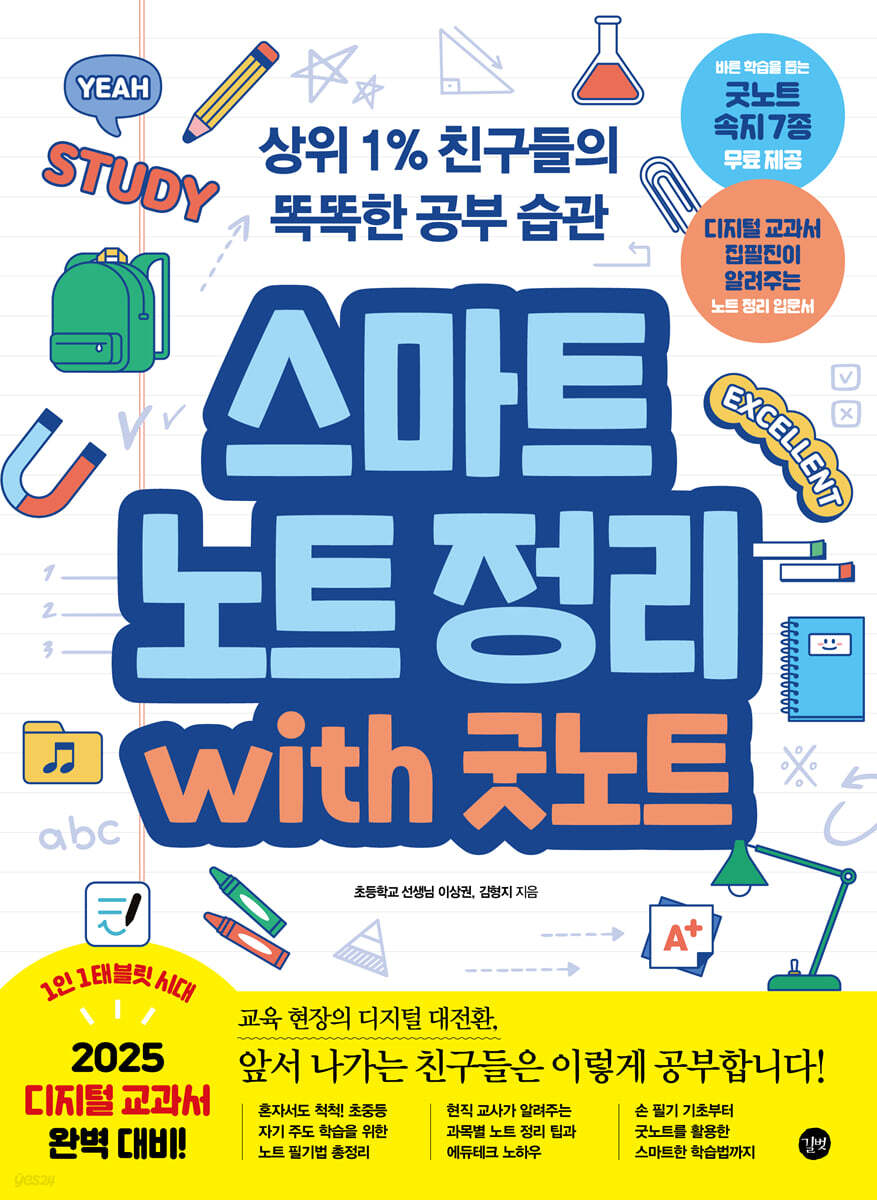
Smart Note Organization with GoodNotes
 |
Description
Book Introduction
|
From the basics of handwriting to smart note-taking using GoodNotes. An introductory guide to note-taking for self-directed learning in elementary and middle school! Note-taking is the process of organizing and structuring what you learn in class in your own words. Children who are good at note-taking can process information independently in any situation and extract only what they need from the flood of information. In this era of digital transformation in education, where we're exposed to more information and multimedia resources, organizing notes well is essential for effective study. This book provides a guide to note-taking methods that can be used by students from elementary to middle school. It's packed with useful information, from popular note-taking methods like the Cornell method and the Modified Notes method, to note-taking tips for each subject taught directly by elementary school teachers, and even smart note-taking methods using tablet PCs and the GoodNotes app. Digital devices like tablet PCs can be detrimental to your studies if overused or misused, but they can also be beneficial if used properly and appropriately. This book will guide you through the smart use of your tablet PC to your advantage. In the first yard, we learn about the concept and importance of note organization. In the second yard, you will learn basic note-taking techniques and subject-specific note-organizing know-how through various real-life examples. In the third section, we'll learn how to organize your notes smartly using GoodNotes, the most popular note-taking app. Learn the basics of using GoodNotes by creating your own subject notes, error notes, and reading notes. In the fourth yard, we will learn about smart learning methods using tablet PCs. We'll explore how to prepare for exams using GoodNotes, create vocabulary lists using the iPad Pages app, and even enjoy healthy hobbies like reading English books on a tablet PC. |
- You can preview some of the book's contents.
Preview
index
First, start organizing your notes smartly.
WEEK 01 Note Organizing, Nice to Meet You!
01 What is note organization?
02 Why you need to organize your notes
03 Why Organizing Notes Is Difficult
04 Organizing notes essential for the future
WEEK 02: Organize your notes, prepare like this
01 Learn about handwriting preparation materials
02 Learn about the Smart Note Note Preparation Materials
Second, get familiar with organizing your notes with your own hands!
WEEK 03: Learning various note-taking methods with your own hands
01 Cornell 4-part note-taking method
02 Remodeling Writing
03 Drawing a Mind Map
WEEK 04 Organizing with images, visual thinking
01 What is Visual Thinking?
02 Applying Visual Thinking to Each Subject
03 Organizing Notes Using Visual Thinking
WEEK 05 Organize your incorrect answers into a notebook
01 Why should I keep an error note?
02 Reviewing incorrect questions
03 Write an error note
WEEK 06 Korean Language Subject, Organized Like This
01 The necessity of organizing notes in Korean language subjects
02 How to organize notes by type of writing
03 Organizing your word notes
WEEK 07: Math, Organized Like This
01 The necessity of organizing notes in mathematics
02 Tips for Organizing Math Notes
WEEK 08 Social Studies, Let's Organize It This Way
01 The Need for Note Organization in Social Studies
02 Tips for Organizing Social Studies Notes
WEEK 09: Science Subjects, Organized Like This
01 The Need for Note Organization in Science Subjects
02 Tips for Organizing Science Notes
Week 10 English Subject, Here's How to Organize It
01 The necessity of organizing notes in English classes
02 Tips for Organizing English Subject Notes
Third Yard: Practical! Organize your notes smartly with GoodNotes.
WEEK 11: Organizing Smart Notes, Step by Step
01 What is GoodNotes?
02 Install the GoodNotes app
03 Create your own notes
04 Take a look at the note screen
05 Mastering the Pen Tool, Highlighter Tool, and Eraser Tool
06 Changing the note format
07 Adding and Editing Images
WEEK 12: Smart Korean Language Organization: Here's How
01 Download the application form
02 Summarizing the article
03 Organizing words
04 Using your own manuscript paper
WEEK 13: Smart Math Theorem: How to Do It
01 Solve the problem and grade it
02 Create your own math notebook
03 Drawing shapes and lines with the pen tool
04 Drawing a straight line with the ruler tool
05 Using AI Math Assistants
WEEK 14: How to Organize a Smart Society
01 Create your own cultural heritage notebook
02 Transferring notes to a computer and printing them
WEEK 15: Smart Science Organizing: Here's How
01 Create your own science notebook
02 Cropping and editing images
03 Setting pen color with eyedropper
04 Capture only the desired area with the lasso tool
05 Memorizing with a laser pointer
06 Connecting videos with hyperlinks
07 Importing Korean files into GoodNotes
Setting up a table of contents in Note 08
09 Organizing notes into folders
WEEK 16: Smart English Organization: How to Do It
01 Create your own study set
02 Memorizing words with study sets
03 Load questions and answers at once
WEEK 17: Organizing Your Smart Error Notes
01 Download the error note form
02 Loading incorrect test questions
03 Analyze and organize incorrect questions
WEEK 18: Organizing Your Smart Reading Notes
01 Download your own reading notes
02 Creating a Reading Notes Table of Contents
03 Recording Reading Notes
04 Linking the Table of Contents and Reading Record Pages
Fourth Yard Challenge! Become a Smarter Note-Organizing Expert
WEEK 19: Share your own notes like this
01 Install the Google Drive app
02 Uploading files to Google Drive
03 Creating folders and organizing files
04 Sharing files or folders
05 Uploading GoodNotes notes to Google Drive
WEEK 20: Prepare for the exam with Smart Notes
01 Create your own test schedule
02 How to study for exams using smart notes
WEEK 21: How to Use Apps to Help You Study
01 App to measure study time, Yeolpumta
02 Pomodoro, an app that helps you study systematically
03 Qanda, an app for studying with artificial intelligence
04 Memorization Master, an app that creates customized memory cards
05 Forest: Focusing: An App That Boosts Concentration
WEEK 22: How to Use the iPad's Native App, Pages
01 Installing Free Fonts on iPad
Create your own English vocabulary list on Page 02
03 Memorize Smarter with Conditional Highlighting
04 Show pronunciation with smart annotations
WEEK 23 Enjoy your hobbies with a tablet PC
01 Create your own coloring book with Google Arts & Culture
02 Create your own music with Song Maker
03 Read Along English Books
WEEK 01 Note Organizing, Nice to Meet You!
01 What is note organization?
02 Why you need to organize your notes
03 Why Organizing Notes Is Difficult
04 Organizing notes essential for the future
WEEK 02: Organize your notes, prepare like this
01 Learn about handwriting preparation materials
02 Learn about the Smart Note Note Preparation Materials
Second, get familiar with organizing your notes with your own hands!
WEEK 03: Learning various note-taking methods with your own hands
01 Cornell 4-part note-taking method
02 Remodeling Writing
03 Drawing a Mind Map
WEEK 04 Organizing with images, visual thinking
01 What is Visual Thinking?
02 Applying Visual Thinking to Each Subject
03 Organizing Notes Using Visual Thinking
WEEK 05 Organize your incorrect answers into a notebook
01 Why should I keep an error note?
02 Reviewing incorrect questions
03 Write an error note
WEEK 06 Korean Language Subject, Organized Like This
01 The necessity of organizing notes in Korean language subjects
02 How to organize notes by type of writing
03 Organizing your word notes
WEEK 07: Math, Organized Like This
01 The necessity of organizing notes in mathematics
02 Tips for Organizing Math Notes
WEEK 08 Social Studies, Let's Organize It This Way
01 The Need for Note Organization in Social Studies
02 Tips for Organizing Social Studies Notes
WEEK 09: Science Subjects, Organized Like This
01 The Need for Note Organization in Science Subjects
02 Tips for Organizing Science Notes
Week 10 English Subject, Here's How to Organize It
01 The necessity of organizing notes in English classes
02 Tips for Organizing English Subject Notes
Third Yard: Practical! Organize your notes smartly with GoodNotes.
WEEK 11: Organizing Smart Notes, Step by Step
01 What is GoodNotes?
02 Install the GoodNotes app
03 Create your own notes
04 Take a look at the note screen
05 Mastering the Pen Tool, Highlighter Tool, and Eraser Tool
06 Changing the note format
07 Adding and Editing Images
WEEK 12: Smart Korean Language Organization: Here's How
01 Download the application form
02 Summarizing the article
03 Organizing words
04 Using your own manuscript paper
WEEK 13: Smart Math Theorem: How to Do It
01 Solve the problem and grade it
02 Create your own math notebook
03 Drawing shapes and lines with the pen tool
04 Drawing a straight line with the ruler tool
05 Using AI Math Assistants
WEEK 14: How to Organize a Smart Society
01 Create your own cultural heritage notebook
02 Transferring notes to a computer and printing them
WEEK 15: Smart Science Organizing: Here's How
01 Create your own science notebook
02 Cropping and editing images
03 Setting pen color with eyedropper
04 Capture only the desired area with the lasso tool
05 Memorizing with a laser pointer
06 Connecting videos with hyperlinks
07 Importing Korean files into GoodNotes
Setting up a table of contents in Note 08
09 Organizing notes into folders
WEEK 16: Smart English Organization: How to Do It
01 Create your own study set
02 Memorizing words with study sets
03 Load questions and answers at once
WEEK 17: Organizing Your Smart Error Notes
01 Download the error note form
02 Loading incorrect test questions
03 Analyze and organize incorrect questions
WEEK 18: Organizing Your Smart Reading Notes
01 Download your own reading notes
02 Creating a Reading Notes Table of Contents
03 Recording Reading Notes
04 Linking the Table of Contents and Reading Record Pages
Fourth Yard Challenge! Become a Smarter Note-Organizing Expert
WEEK 19: Share your own notes like this
01 Install the Google Drive app
02 Uploading files to Google Drive
03 Creating folders and organizing files
04 Sharing files or folders
05 Uploading GoodNotes notes to Google Drive
WEEK 20: Prepare for the exam with Smart Notes
01 Create your own test schedule
02 How to study for exams using smart notes
WEEK 21: How to Use Apps to Help You Study
01 App to measure study time, Yeolpumta
02 Pomodoro, an app that helps you study systematically
03 Qanda, an app for studying with artificial intelligence
04 Memorization Master, an app that creates customized memory cards
05 Forest: Focusing: An App That Boosts Concentration
WEEK 22: How to Use the iPad's Native App, Pages
01 Installing Free Fonts on iPad
Create your own English vocabulary list on Page 02
03 Memorize Smarter with Conditional Highlighting
04 Show pronunciation with smart annotations
WEEK 23 Enjoy your hobbies with a tablet PC
01 Create your own coloring book with Google Arts & Culture
02 Create your own music with Song Maker
03 Read Along English Books
Detailed image

Publisher's Review
Digital textbooks to be introduced by 2025, with one device per student.
Digital transformation in education: This is how those ahead of the curve study!
√ 7 free GoodNotes study guides to help you learn properly!
To help you get the most out of GoodNotes, we've provided seven free templates.
Let's study smartly using my own Korean notebook, my own manuscript paper, my own answer notebook, my own reading notebook (lined/unlined version), my own test planner, and my own test paper.
√ Smart note-taking tips from digital textbook authors!
Learn smart note-taking techniques step-by-step with a teacher who is a current elementary school teacher and a leading author of the Elementary Korean Language Digital Textbook (AIDT).
It provides real-world examples from the classroom with friendly explanations and images, so even students who are just starting to organize their notes can easily understand.
√ If you can't avoid it, use it properly, tablet PC!
Discover a variety of educationally intelligent ways to use tablet PCs.
We'll show you how to fully utilize your tablet PC, including dividing your exam scope into sections using a note-taking app, reviewing what you've studied using a voice recording app, measuring your study time by subject, and reading English original texts.
Digital transformation in education: This is how those ahead of the curve study!
√ 7 free GoodNotes study guides to help you learn properly!
To help you get the most out of GoodNotes, we've provided seven free templates.
Let's study smartly using my own Korean notebook, my own manuscript paper, my own answer notebook, my own reading notebook (lined/unlined version), my own test planner, and my own test paper.
√ Smart note-taking tips from digital textbook authors!
Learn smart note-taking techniques step-by-step with a teacher who is a current elementary school teacher and a leading author of the Elementary Korean Language Digital Textbook (AIDT).
It provides real-world examples from the classroom with friendly explanations and images, so even students who are just starting to organize their notes can easily understand.
√ If you can't avoid it, use it properly, tablet PC!
Discover a variety of educationally intelligent ways to use tablet PCs.
We'll show you how to fully utilize your tablet PC, including dividing your exam scope into sections using a note-taking app, reviewing what you've studied using a voice recording app, measuring your study time by subject, and reading English original texts.
GOODS SPECIFICS
- Date of issue: August 20, 2024
- Page count, weight, size: 340 pages | 712g | 188*257*16mm
- ISBN13: 9791140710553
- KC Certification: Certification Type: Conformity Confirmation
You may also like
카테고리
korean


korean

![GQ KOREA Mark (Monthly): December [2025]](http://librairie.coreenne.fr/cdn/shop/files/8ef265dbbfbf186523ed75ba7319009d.jpg?v=1765340328&width=3840)


