

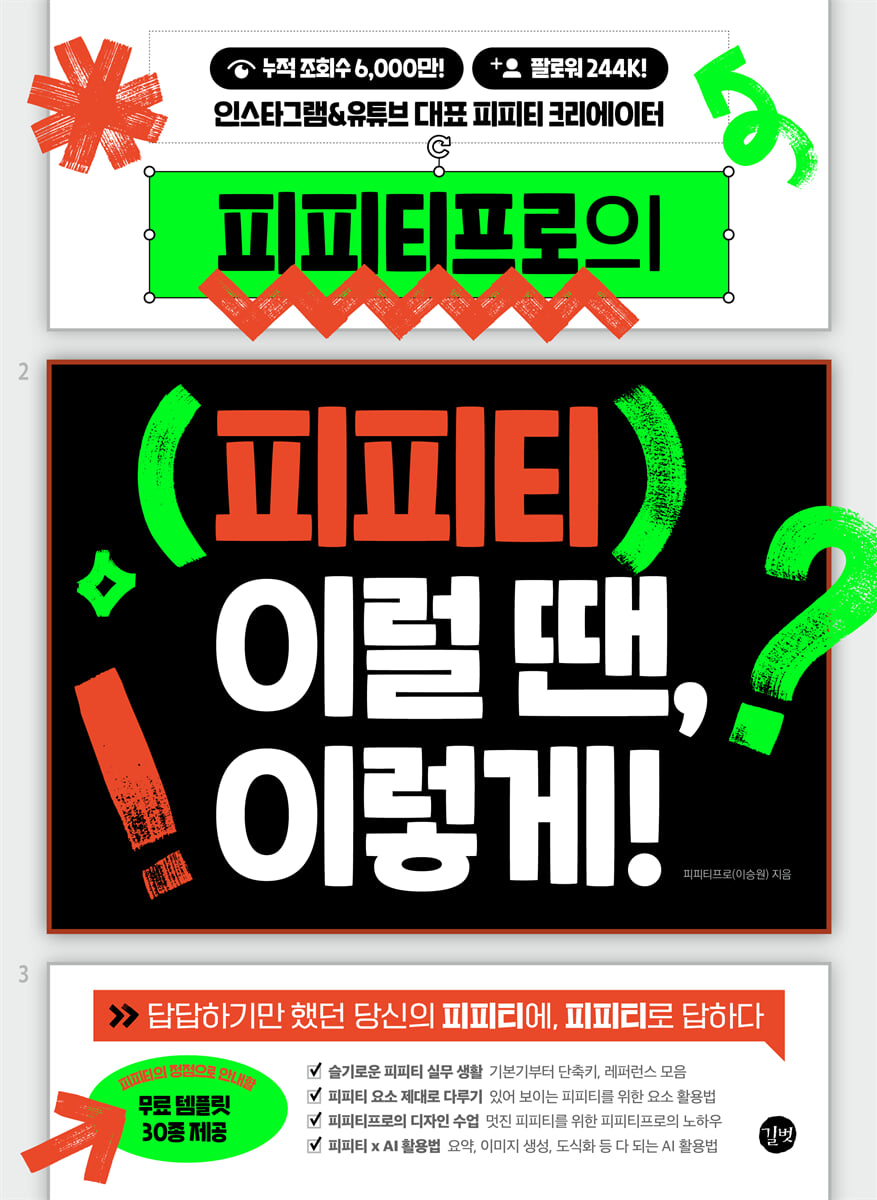
PPT by PPT Pro. In this case, do this!
 |
Description
Book Introduction
Instagram & YouTube's representative PPT creator!
PPT Pro teaches you how to solve practical PPT problems in various situations!
PPT is so familiar to everyone that it's easy to miss the basics.
This book helps you immediately apply it to your work by organizing tips, shortcuts, and useful reference sites that will save you time.
It covers everything from handling basic elements such as text, shapes, images, and charts to layout, composition, and presentations that add vitality to your presentations.
Furthermore, we present cutting-edge practical capabilities that utilize AI to create images, summarize data, and even create diagrams.
PPT Pro teaches you how to solve practical PPT problems in various situations!
PPT is so familiar to everyone that it's easy to miss the basics.
This book helps you immediately apply it to your work by organizing tips, shortcuts, and useful reference sites that will save you time.
It covers everything from handling basic elements such as text, shapes, images, and charts to layout, composition, and presentations that add vitality to your presentations.
Furthermore, we present cutting-edge practical capabilities that utilize AI to create images, summarize data, and even create diagrams.
- You can preview some of the book's contents.
Preview
index
Smart PPT Practical Life
PPT Beginners: Escape Now
● Can I start PPT right away without the start screen?
● Can I start my PPT with a blank slide?
● Can I add new slides more quickly?
● Can I change the background color of the slide?
● Can I save the PPT as a PDF or image?
[Wait a minute] Can't I convert PDF to PPT?
● Can I change the size and orientation of the slides?
[Wait a minute] Is there a way to quickly zoom in and out on objects within a slide?
Match PPT to me
● Can I change the default font of PPT?
● Can I change the default color of PPT?
[Excuse me] Is there a way to check the color information?
● Can you use frequently used functions quickly and easily?
[Wait a minute] This is a must have on your Quick Launch Toolbar!
● Can I also change the basic styles of text boxes, shapes, etc.?
● Can I change the maximum number of undos?
[Wait a minute] Is there a way to get rid of the designer window that appears automatically?
PPT Habits That Reduce Working Time
● Can I adjust the conciseness of bullets or numbering?
● Can I display slide numbers automatically?
[Wait a minute] Can the numbers start outside of the cover slide?
● Can I change the fonts used in the PPT all at once?
● The PPT file is large. Can I reduce its size?
● Can I quickly create a PPT draft?
How to Accelerate PPT
● Can I copy and paste more efficiently?
● Can I quickly insert an image in the same location?
● Can I quickly change the image ratio?
[Wait a minute] Is there a way to quickly apply an image outline?
● Can I apply the completed form to other elements in the same way?
● PPT shortcut keys, do you want to know only the essentials?
● PPT website, if you only want to know the essential parts?
Handling PPT elements properly
All About PPT Colors
● Is there an easy way to choose PPT colors?
● What are the ideal colors to use in a PPT?
● How do you create a gradient?
● Is it possible to create a special gradient that is not available in PPT?
[Wait a minute] Can't we also put gradients in text?
All About PPT Text
● Can I quickly change PPT text?
[Wait a minute] The text position keeps changing, which is inconvenient.
● Can I simply decorate the text?
● Can you decorate your text a little more fancy than text effects?
● Can I make the text more visible?
● What font is best to use in PPT?
● Where can I get fonts that I can use without worrying about copyright?
[Wait a minute] What is the difference between TTF and OTF?
● How can I install downloaded fonts?
All About PPT Shapes
● Can I edit the basic shapes of PPT precisely?
[Wait a minute] Can you make the corners of a shape round?
● Can I decorate the outline differently?
● Can I use shapes not provided by PPT?
● Can you make the shape more visible?
Shape merging that goes beyond the limits of PPT
● Can I create a shape that is not in PPT?
● Can I crop the image to fit the shape of a shape?
● Can I insert images into text?
[Wait a minute] Can I put videos inside text or shapes?
● How can I emphasize an image in a different way?
All About PPT Icons
● Where can I get the PPT icon?
[Wait a minute] Can't I edit icons that aren't in SVG format?
● Can I also use moving icons?
● How can I use icons properly?
● Can I edit and use the icon?
All About PPT Images
● How can I use images more sophisticatedly?
● Where can I get free images that I can use without worrying about copyright?
● Can I remove the background of an image to be used in a PPT?
[Wait a minute] Can't I use a transparent image without a background?
How to Use Video in PPT
● Can I make a simple video using PPT?
● Can I insert a video into a slide?
All About PPT Charts and Tables
● Is there an easy way to create charts?
[Excuse me] I want to change the x and y axes.
● Do I really need to use the chart function?
● Is there an easy way to create a table?
● Can you make the table a bit more readable?
● Is there an easy way to import Excel table data into PPT?
PPT Pro's design class
The mindset to become a PPT expert
● Where to start with a good PPT design?
● How can I improve my PPT skills?
● What makes a well-made PPT?
● How do you create a PPT that makes a strong impression?
A layout that makes the PPT look organized
● Why doesn’t the PPT I made look neat?
[Excuse me] Could you make the sorting function a little easier and faster?
● How should I configure the layout?
● What is a slide master and how do I use it?
How to structure a PPT correctly
● The whole presentation looks too complicated!
● How do I focus on a specific element on a slide?
[Wait a minute] How do I emphasize an image?
● It seems like the same slides keep repeating.
[Wait a minute] There's too much text on my slides. What should I do?
● What should I do when one slide is too narrow and the connectivity is poor?
● Can I insert any command I want into the slide?
[Excuse me] Can I jump to any slide during a presentation?
How to Add Vibrancy to Your PPT
● What on earth is morphing?
● What is the difference between transitions and animations in PPT?
[Wait a minute] What is the trigger in the animation effect?
● Are there any images that can breathe new life into a stereotypical PPT?
PPT design secrets
● Can’t we make an impact with just text and images?
● Can you express depth in your slides?
● How do I create a high-profile cover slide?
● How do I place text over an image?
● Can I create impactful slides with just text?
● The shadow effect is not noticeable. How do I set it up?
[Wait a minute] Do shadows have to be dark?
● I always use similar shadow effects, but can't I use them in a more unique way?
The Infinite Expansion of PPT: How to Use 3D
● Can I use 3D models in PPT?
● Can I also add movement to 3D models?
● Are there any more diverse 3D models besides the basic 3D models of PPT?
How to Use PPT × AI
How PPT Pro Uses AI
● I need to prepare a presentation, but can I quickly summarize a large amount of data?
● Can you tell me what font I saw on the Internet is?
● Can I create my own images to use in PPT?
[Wait a minute] Can AI also generate icons?
● Is there a way to make diagrams quickly and easily?
● Can I create the color combinations I want?
● Can I make a static image move?
PPT Beginners: Escape Now
● Can I start PPT right away without the start screen?
● Can I start my PPT with a blank slide?
● Can I add new slides more quickly?
● Can I change the background color of the slide?
● Can I save the PPT as a PDF or image?
[Wait a minute] Can't I convert PDF to PPT?
● Can I change the size and orientation of the slides?
[Wait a minute] Is there a way to quickly zoom in and out on objects within a slide?
Match PPT to me
● Can I change the default font of PPT?
● Can I change the default color of PPT?
[Excuse me] Is there a way to check the color information?
● Can you use frequently used functions quickly and easily?
[Wait a minute] This is a must have on your Quick Launch Toolbar!
● Can I also change the basic styles of text boxes, shapes, etc.?
● Can I change the maximum number of undos?
[Wait a minute] Is there a way to get rid of the designer window that appears automatically?
PPT Habits That Reduce Working Time
● Can I adjust the conciseness of bullets or numbering?
● Can I display slide numbers automatically?
[Wait a minute] Can the numbers start outside of the cover slide?
● Can I change the fonts used in the PPT all at once?
● The PPT file is large. Can I reduce its size?
● Can I quickly create a PPT draft?
How to Accelerate PPT
● Can I copy and paste more efficiently?
● Can I quickly insert an image in the same location?
● Can I quickly change the image ratio?
[Wait a minute] Is there a way to quickly apply an image outline?
● Can I apply the completed form to other elements in the same way?
● PPT shortcut keys, do you want to know only the essentials?
● PPT website, if you only want to know the essential parts?
Handling PPT elements properly
All About PPT Colors
● Is there an easy way to choose PPT colors?
● What are the ideal colors to use in a PPT?
● How do you create a gradient?
● Is it possible to create a special gradient that is not available in PPT?
[Wait a minute] Can't we also put gradients in text?
All About PPT Text
● Can I quickly change PPT text?
[Wait a minute] The text position keeps changing, which is inconvenient.
● Can I simply decorate the text?
● Can you decorate your text a little more fancy than text effects?
● Can I make the text more visible?
● What font is best to use in PPT?
● Where can I get fonts that I can use without worrying about copyright?
[Wait a minute] What is the difference between TTF and OTF?
● How can I install downloaded fonts?
All About PPT Shapes
● Can I edit the basic shapes of PPT precisely?
[Wait a minute] Can you make the corners of a shape round?
● Can I decorate the outline differently?
● Can I use shapes not provided by PPT?
● Can you make the shape more visible?
Shape merging that goes beyond the limits of PPT
● Can I create a shape that is not in PPT?
● Can I crop the image to fit the shape of a shape?
● Can I insert images into text?
[Wait a minute] Can I put videos inside text or shapes?
● How can I emphasize an image in a different way?
All About PPT Icons
● Where can I get the PPT icon?
[Wait a minute] Can't I edit icons that aren't in SVG format?
● Can I also use moving icons?
● How can I use icons properly?
● Can I edit and use the icon?
All About PPT Images
● How can I use images more sophisticatedly?
● Where can I get free images that I can use without worrying about copyright?
● Can I remove the background of an image to be used in a PPT?
[Wait a minute] Can't I use a transparent image without a background?
How to Use Video in PPT
● Can I make a simple video using PPT?
● Can I insert a video into a slide?
All About PPT Charts and Tables
● Is there an easy way to create charts?
[Excuse me] I want to change the x and y axes.
● Do I really need to use the chart function?
● Is there an easy way to create a table?
● Can you make the table a bit more readable?
● Is there an easy way to import Excel table data into PPT?
PPT Pro's design class
The mindset to become a PPT expert
● Where to start with a good PPT design?
● How can I improve my PPT skills?
● What makes a well-made PPT?
● How do you create a PPT that makes a strong impression?
A layout that makes the PPT look organized
● Why doesn’t the PPT I made look neat?
[Excuse me] Could you make the sorting function a little easier and faster?
● How should I configure the layout?
● What is a slide master and how do I use it?
How to structure a PPT correctly
● The whole presentation looks too complicated!
● How do I focus on a specific element on a slide?
[Wait a minute] How do I emphasize an image?
● It seems like the same slides keep repeating.
[Wait a minute] There's too much text on my slides. What should I do?
● What should I do when one slide is too narrow and the connectivity is poor?
● Can I insert any command I want into the slide?
[Excuse me] Can I jump to any slide during a presentation?
How to Add Vibrancy to Your PPT
● What on earth is morphing?
● What is the difference between transitions and animations in PPT?
[Wait a minute] What is the trigger in the animation effect?
● Are there any images that can breathe new life into a stereotypical PPT?
PPT design secrets
● Can’t we make an impact with just text and images?
● Can you express depth in your slides?
● How do I create a high-profile cover slide?
● How do I place text over an image?
● Can I create impactful slides with just text?
● The shadow effect is not noticeable. How do I set it up?
[Wait a minute] Do shadows have to be dark?
● I always use similar shadow effects, but can't I use them in a more unique way?
The Infinite Expansion of PPT: How to Use 3D
● Can I use 3D models in PPT?
● Can I also add movement to 3D models?
● Are there any more diverse 3D models besides the basic 3D models of PPT?
How to Use PPT × AI
How PPT Pro Uses AI
● I need to prepare a presentation, but can I quickly summarize a large amount of data?
● Can you tell me what font I saw on the Internet is?
● Can I create my own images to use in PPT?
[Wait a minute] Can AI also generate icons?
● Is there a way to make diagrams quickly and easily?
● Can I create the color combinations I want?
● Can I make a static image move?
Detailed image

Publisher's Review
Practical and practical PPT that companies never teach you!
'Peepeepee,..
It provides a clear answer to the question, 'What should I do in this situation?'
A well-made PPT is one that effectively conveys the message needed in practice, has an attractive design, and is fast to work with.
With 244K followers, PPT Pro, a leading PPT creator on Instagram and YouTube, offers a solution that will blow your mind.
We'll guide you through the pinnacle of PPT, from basic functions to how to use core elements like text, shapes, images, and charts, to layout and composition, and even how to bring your presentation to life.
PPT.
In times like this, try this!
'PPT...
It provides a clear answer to the question, 'What should I do in this situation?'
PPT has become an essential tool for everyone to use in their daily lives and work, but few people actually learn it properly.
Because the basic usage is relatively simple and anyone can create plausible results, it is often overlooked.
But in practice, this is precisely where the problem arises.
Even though people know how to use it, not many people know how to handle it properly.
So I wanted to write a book that would show you how to use it to make a noticeable difference, even with just a little bit of learning.
"PPT, Do This in This Situation" does not simply explain the functions of PPT.
We focus on how PPT functions are used in various situations that can be encountered in practice.
We'll provide you with structured strategies to effectively communicate your message, design principles for creating engaging documents, and practical solutions to speed up your work.
[Smart PPT Practical Life] covers basic problems that anyone can encounter in the field.
We explain shortcuts, input and editing, and other basic functions that can easily be overlooked, using real-life examples, and go beyond simply 'how' to do it to 'why' it should be done this way.
If you want to start a smart PPT career, try this!
[Properly Handling PPT Elements] covers the core elements that make up a slide in depth.
Learn how to combine colors, emphasize text, and refine tables and charts for readability to create slides that aren't just pretty but convey a message.
If you want to properly cover the basic elements of PPT, try this!
In [PPT Pro's Design Class], you will learn design sense and layout principles for high-quality presentations.
More important than knowing a lot about features is understanding how to organize and present information.
From basics like alignment, emphasis, contrast, and layout to bold, unconventional approaches, if you want to create a presentation that "conveys" rather than "shows," try this!
[How to Use PPT × AI] introduces how to leverage the latest AI tools to automate tasks and elevate your PPT skills. It details how to apply these powerful new AI tools to your work, such as organizing vast amounts of data concisely with AI summarization, creating images and icons directly, or automatically recommending colors and motions.
If you want to have smart and differentiated PPT x AI capabilities, try this!
'Peepeepee,..
It provides a clear answer to the question, 'What should I do in this situation?'
A well-made PPT is one that effectively conveys the message needed in practice, has an attractive design, and is fast to work with.
With 244K followers, PPT Pro, a leading PPT creator on Instagram and YouTube, offers a solution that will blow your mind.
We'll guide you through the pinnacle of PPT, from basic functions to how to use core elements like text, shapes, images, and charts, to layout and composition, and even how to bring your presentation to life.
PPT.
In times like this, try this!
'PPT...
It provides a clear answer to the question, 'What should I do in this situation?'
PPT has become an essential tool for everyone to use in their daily lives and work, but few people actually learn it properly.
Because the basic usage is relatively simple and anyone can create plausible results, it is often overlooked.
But in practice, this is precisely where the problem arises.
Even though people know how to use it, not many people know how to handle it properly.
So I wanted to write a book that would show you how to use it to make a noticeable difference, even with just a little bit of learning.
"PPT, Do This in This Situation" does not simply explain the functions of PPT.
We focus on how PPT functions are used in various situations that can be encountered in practice.
We'll provide you with structured strategies to effectively communicate your message, design principles for creating engaging documents, and practical solutions to speed up your work.
[Smart PPT Practical Life] covers basic problems that anyone can encounter in the field.
We explain shortcuts, input and editing, and other basic functions that can easily be overlooked, using real-life examples, and go beyond simply 'how' to do it to 'why' it should be done this way.
If you want to start a smart PPT career, try this!
[Properly Handling PPT Elements] covers the core elements that make up a slide in depth.
Learn how to combine colors, emphasize text, and refine tables and charts for readability to create slides that aren't just pretty but convey a message.
If you want to properly cover the basic elements of PPT, try this!
In [PPT Pro's Design Class], you will learn design sense and layout principles for high-quality presentations.
More important than knowing a lot about features is understanding how to organize and present information.
From basics like alignment, emphasis, contrast, and layout to bold, unconventional approaches, if you want to create a presentation that "conveys" rather than "shows," try this!
[How to Use PPT × AI] introduces how to leverage the latest AI tools to automate tasks and elevate your PPT skills. It details how to apply these powerful new AI tools to your work, such as organizing vast amounts of data concisely with AI summarization, creating images and icons directly, or automatically recommending colors and motions.
If you want to have smart and differentiated PPT x AI capabilities, try this!
GOODS SPECIFICS
- Date of issue: October 7, 2025
- Page count, weight, size: 368 pages | 188*257*16mm
- ISBN13: 9791140716005
You may also like
카테고리
korean


korean

![GQ KOREA Mark (Monthly): December [2025]](http://librairie.coreenne.fr/cdn/shop/files/8ef265dbbfbf186523ed75ba7319009d.jpg?v=1765340328&width=3840)


