

AI animation method
 |
Description
Book Introduction
An imaginary world realized with AI
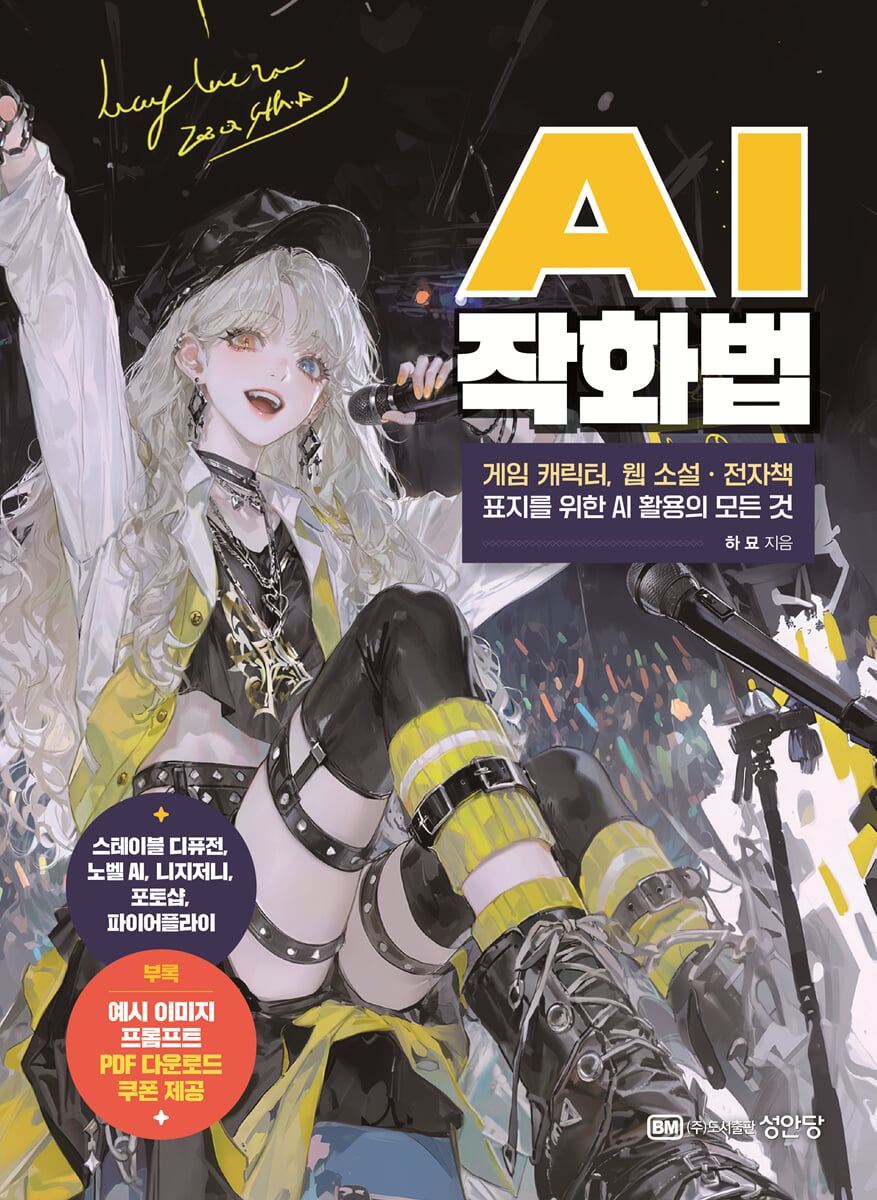
- Practical know-how on AI illustration production from a working illustrator.
With the advancement of AI image generation technology, we have entered an era where anyone can easily draw pictures.
But can AI really draw for us? Behind the convenience brought about by new technologies, the inherent role and concerns of the creator still lie.
This book is a practical guide for creators who want to realize their imaginations into images using AI tools. It goes beyond simple program usage or tool introductions, and contains the author's trial and error and experiments while utilizing AI tools in actual creative settings, as well as the work methods and know-how organized in the process.
In fact, many game and web novel writers and illustrators face common difficulties when creating covers or concept images.
Even if you have a sense for drawing, work can be delayed because you are not familiar with the tools or cannot effectively communicate the desired image to the designer.
This book is a practical manual that can solve these practical problems, and a friendly guide that is easy for even beginners to follow.
It provides easy and clear explanations of how to use each tool of representative image creation programs such as Stable Diffusion, Novel AI, Niji Journey, Photoshop, and Firefly, and contains detailed information from prompt composition methods to practical tips for improving image perfection and processes for increasing work speed, making it useful for everyone from creative beginners to practitioners.
Additionally, the example image prompt source of the text is also provided separately as a PDF, so that it can be applied to various tasks.
As a practicing illustrator, the author personally applies AI tools to his creative work, emphasizing that this technology is not simply an "automation tool," but can become a language for visually expressing the world of imagination. AI can help bring to life scenes previously out of reach, ideas postponed due to lack of time, and visions once confined to sketches.
However, it also emphasizes the fact that it is the creator's sense and perspective that ultimately leads to good results.
Above all, it focuses on the message that creators should not simply accept images created by AI, but rather be able to lead the direction, emotion, and sense of those images.
In this process, AI becomes a collaborator and an assistant that increases the efficiency and expressiveness of creation.
This book will serve as a compass for anyone seeking to create with AI, exploring the balance between technology and art, the struggle between automation and creativity, and the emerging role of the creator in the AI era.
- Practical know-how on AI illustration production from a working illustrator.
With the advancement of AI image generation technology, we have entered an era where anyone can easily draw pictures.
But can AI really draw for us? Behind the convenience brought about by new technologies, the inherent role and concerns of the creator still lie.
This book is a practical guide for creators who want to realize their imaginations into images using AI tools. It goes beyond simple program usage or tool introductions, and contains the author's trial and error and experiments while utilizing AI tools in actual creative settings, as well as the work methods and know-how organized in the process.
In fact, many game and web novel writers and illustrators face common difficulties when creating covers or concept images.
Even if you have a sense for drawing, work can be delayed because you are not familiar with the tools or cannot effectively communicate the desired image to the designer.
This book is a practical manual that can solve these practical problems, and a friendly guide that is easy for even beginners to follow.
It provides easy and clear explanations of how to use each tool of representative image creation programs such as Stable Diffusion, Novel AI, Niji Journey, Photoshop, and Firefly, and contains detailed information from prompt composition methods to practical tips for improving image perfection and processes for increasing work speed, making it useful for everyone from creative beginners to practitioners.
Additionally, the example image prompt source of the text is also provided separately as a PDF, so that it can be applied to various tasks.
As a practicing illustrator, the author personally applies AI tools to his creative work, emphasizing that this technology is not simply an "automation tool," but can become a language for visually expressing the world of imagination. AI can help bring to life scenes previously out of reach, ideas postponed due to lack of time, and visions once confined to sketches.
However, it also emphasizes the fact that it is the creator's sense and perspective that ultimately leads to good results.
Above all, it focuses on the message that creators should not simply accept images created by AI, but rather be able to lead the direction, emotion, and sense of those images.
In this process, AI becomes a collaborator and an assistant that increases the efficiency and expressiveness of creation.
This book will serve as a compass for anyone seeking to create with AI, exploring the balance between technology and art, the struggle between automation and creativity, and the emerging role of the creator in the AI era.
- You can preview some of the book's contents.
Preview
index
preface
Part 1: Adobe Photoshop and Firefly for Creating AI Images
01 Photoshop functions used in creating AI illustrations
1.
Editing images
2.
Brush drawing
3.
Adobe Firefly
02 How to install Photoshop and pricing plan
1.
Create or log in to an Adobe Creative Cloud account
2.
Select a subscription plan
3.
Start installing Photoshop
4.
Getting started
03 Getting to Know Photoshop Tools: Drawing Part
1.
Explore Photoshop's drawing tools
2.
Simplifying i2i with Photoshop Drawing Tools
3.
Retouch using the Magic Wand and Spot Healing Brush tools
4.
Applying the Pixel Liquify Filter
5.
Using facial recognition
6.
facial recognition based on deformation
04 Getting to Know Photoshop Tools: Correction Part
1.
Layer blending mode
2.
Adjustment layers and filters
3.
See the difference when changing colors
05 Features of Adobe Firefly
1.
How to use Firefly
06 Creating and Extending Images
1.
Generating images with prompt input
2.
Create an image using the image creation pop-up
3.
Create an image using style effects
07 Adding and Editing Elements
1.
Adding elements to an existing image
Filtering using Channel 08
1.
Applying filtering to the original image using channels
2.
Example of applying filtering
Part 2: Novel AI - Image Generator
01 Novel AI - Image Generator
1.
Novel AI - Image Generator Signup/Subscription/Price Plan
2.
Novel AI - Image Generator Plan
02 Novel AI-Image Generator UI Description
1.
Novel AI - Access the image generator site
2.
Novel AI - Image Generator UI Description
3.
Novel AI - Image Generator Image Generation Example
03 Novel AI-Image Generator Image Generation Using Prompts
1.
Creating an image using a prompt
2.
Improving Image Quality Using Quality Tags
3.
Create an image using the Strengthen/Weaken function
4.
Create a background image
04 Novel AI-Image Generator Image Modification and Transformation
1.
Image Editing & Transformation UI Basics
2.
Enhance
3.
Generate Variation
4.
Upscale
5.
Use as Base Image
6.
Edit Image
7.
Inpaint Image
05 Novel AI - Image creation & transformation using the image generator function
1.
Create an image base by drawing it yourself
2.
Vibe Transfer
3.
Director Tools
06 Novel AI - Image Generator AI Settings
1.
Steps
2.
Prompt Guidance
3.
Seed
4.
Sampler
07 Other features
1.
Image generation using other models (V3/V4)
2.
Image generation using other models (V2)
08 Introducing a website to help you write tags
1.
Sites for prompt tag recommendations and references
Part 3 Niji Journey
01 Niji Journey Sign-up/Subscription and Private Server Setting
1.
Install Discord and join the server to use Nijijourney
2.
Niji Journey Subscription and Rate Plan Description
3.
Create a private thread
02 Nijijourney - Image Creation
1.
Creating an image using a prompt
2.
Creating an image using image link (i2i)
3.
Generating images using parameters
4.
Generating images using image links, prompts, and parameters
03 Niji Journey - Image Transformation
1.
Nijijourney feature description
2.
V (Variation)
3.
Regeneration
4.
U(upscale)
5.
Function Utilization
6.
Vary(Region)-Inpaint
04 Niji Journey - Other functions
1.
My Information/Gallery Website
2.
/describe (reverse extract text)
3.
/blend (photo blend)
4.
/setting
05 Create your own character using various functions
Part 4 Stable Diffusion
01 Essential Websites for Stable Diffusion
1. CIVIT AI
2.
Lexica
3.
Prompt Search
02 Installing the Stable Diffusion web UI and related tools
1.
Installing the Web UI
03 Stable Diffusion Feature Overview
1.
txt2img
2.
img2img
3. PNG Info
4.
Settings
5.
Installed
6.
Available
04 Create AI images in your desired style
1.
Download and install the model
2.
Create an image by referring to the prompts in the example image.
3.
Partially modifying using inpaint
4.
Change with LoRA
05 Using ControlNet to Improve Quality
1.
Applying poses using OpenPose in ControlNet
2.
Recognizing Lines Using ControlNet's Canny
06 Complete the cover illustration using stable diffusion
Part 5: A collection of example images and prompts
A collection of example images and prompts
Part 1: Adobe Photoshop and Firefly for Creating AI Images
01 Photoshop functions used in creating AI illustrations
1.
Editing images
2.
Brush drawing
3.
Adobe Firefly
02 How to install Photoshop and pricing plan
1.
Create or log in to an Adobe Creative Cloud account
2.
Select a subscription plan
3.
Start installing Photoshop
4.
Getting started
03 Getting to Know Photoshop Tools: Drawing Part
1.
Explore Photoshop's drawing tools
2.
Simplifying i2i with Photoshop Drawing Tools
3.
Retouch using the Magic Wand and Spot Healing Brush tools
4.
Applying the Pixel Liquify Filter
5.
Using facial recognition
6.
facial recognition based on deformation
04 Getting to Know Photoshop Tools: Correction Part
1.
Layer blending mode
2.
Adjustment layers and filters
3.
See the difference when changing colors
05 Features of Adobe Firefly
1.
How to use Firefly
06 Creating and Extending Images
1.
Generating images with prompt input
2.
Create an image using the image creation pop-up
3.
Create an image using style effects
07 Adding and Editing Elements
1.
Adding elements to an existing image
Filtering using Channel 08
1.
Applying filtering to the original image using channels
2.
Example of applying filtering
Part 2: Novel AI - Image Generator
01 Novel AI - Image Generator
1.
Novel AI - Image Generator Signup/Subscription/Price Plan
2.
Novel AI - Image Generator Plan
02 Novel AI-Image Generator UI Description
1.
Novel AI - Access the image generator site
2.
Novel AI - Image Generator UI Description
3.
Novel AI - Image Generator Image Generation Example
03 Novel AI-Image Generator Image Generation Using Prompts
1.
Creating an image using a prompt
2.
Improving Image Quality Using Quality Tags
3.
Create an image using the Strengthen/Weaken function
4.
Create a background image
04 Novel AI-Image Generator Image Modification and Transformation
1.
Image Editing & Transformation UI Basics
2.
Enhance
3.
Generate Variation
4.
Upscale
5.
Use as Base Image
6.
Edit Image
7.
Inpaint Image
05 Novel AI - Image creation & transformation using the image generator function
1.
Create an image base by drawing it yourself
2.
Vibe Transfer
3.
Director Tools
06 Novel AI - Image Generator AI Settings
1.
Steps
2.
Prompt Guidance
3.
Seed
4.
Sampler
07 Other features
1.
Image generation using other models (V3/V4)
2.
Image generation using other models (V2)
08 Introducing a website to help you write tags
1.
Sites for prompt tag recommendations and references
Part 3 Niji Journey
01 Niji Journey Sign-up/Subscription and Private Server Setting
1.
Install Discord and join the server to use Nijijourney
2.
Niji Journey Subscription and Rate Plan Description
3.
Create a private thread
02 Nijijourney - Image Creation
1.
Creating an image using a prompt
2.
Creating an image using image link (i2i)
3.
Generating images using parameters
4.
Generating images using image links, prompts, and parameters
03 Niji Journey - Image Transformation
1.
Nijijourney feature description
2.
V (Variation)
3.
Regeneration
4.
U(upscale)
5.
Function Utilization
6.
Vary(Region)-Inpaint
04 Niji Journey - Other functions
1.
My Information/Gallery Website
2.
/describe (reverse extract text)
3.
/blend (photo blend)
4.
/setting
05 Create your own character using various functions
Part 4 Stable Diffusion
01 Essential Websites for Stable Diffusion
1. CIVIT AI
2.
Lexica
3.
Prompt Search
02 Installing the Stable Diffusion web UI and related tools
1.
Installing the Web UI
03 Stable Diffusion Feature Overview
1.
txt2img
2.
img2img
3. PNG Info
4.
Settings
5.
Installed
6.
Available
04 Create AI images in your desired style
1.
Download and install the model
2.
Create an image by referring to the prompts in the example image.
3.
Partially modifying using inpaint
4.
Change with LoRA
05 Using ControlNet to Improve Quality
1.
Applying poses using OpenPose in ControlNet
2.
Recognizing Lines Using ControlNet's Canny
06 Complete the cover illustration using stable diffusion
Part 5: A collection of example images and prompts
A collection of example images and prompts
Detailed image

GOODS SPECIFICS
- Date of issue: August 13, 2025
- Page count, weight, size: 288 pages | 188*257*20mm
- ISBN13: 9788931535402
- ISBN10: 8931535406
You may also like
카테고리
korean


korean

![GQ KOREA Mark (Monthly): December [2025]](http://librairie.coreenne.fr/cdn/shop/files/8ef265dbbfbf186523ed75ba7319009d.jpg?v=1765340328&width=3840)


