

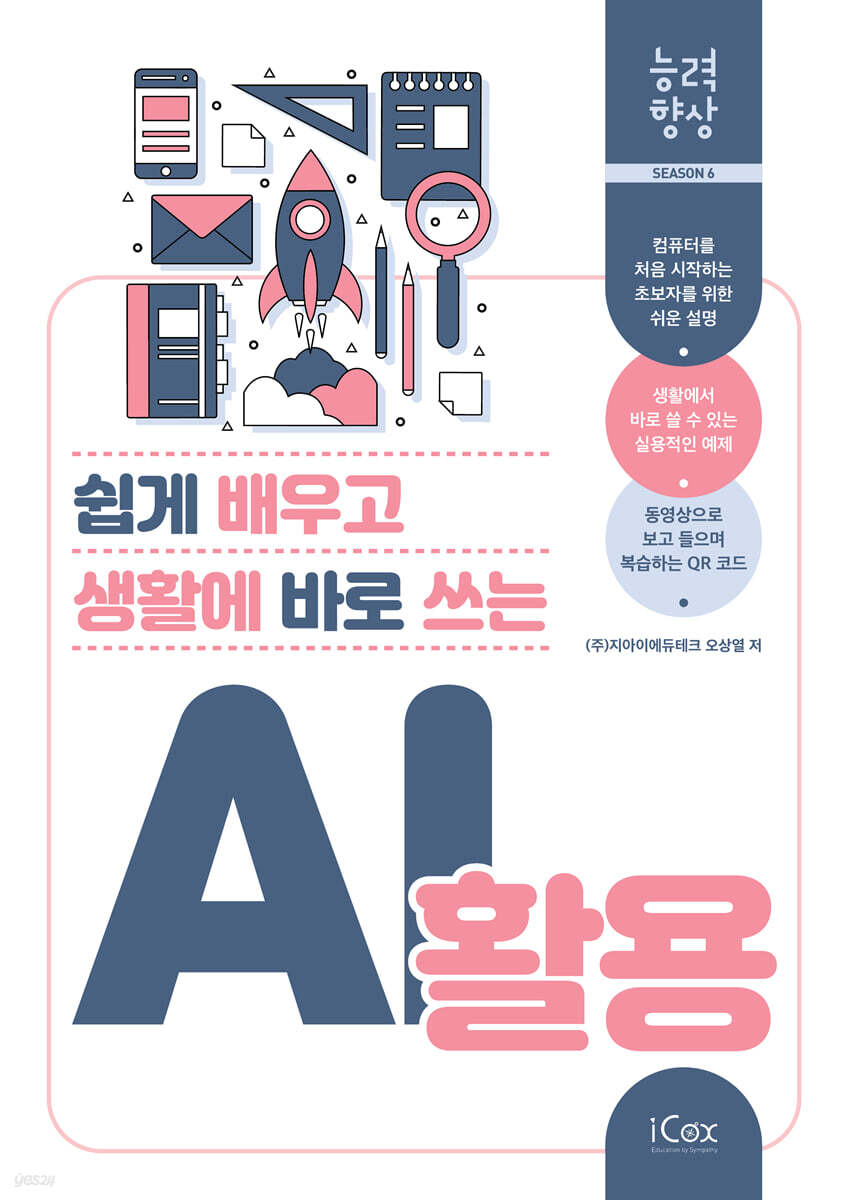
Leverage AI that's easy to learn and immediately applicable to your life.
 |
Description
Book Introduction
A series that improves skills by making them easy to learn and apply in daily life (Season 6)
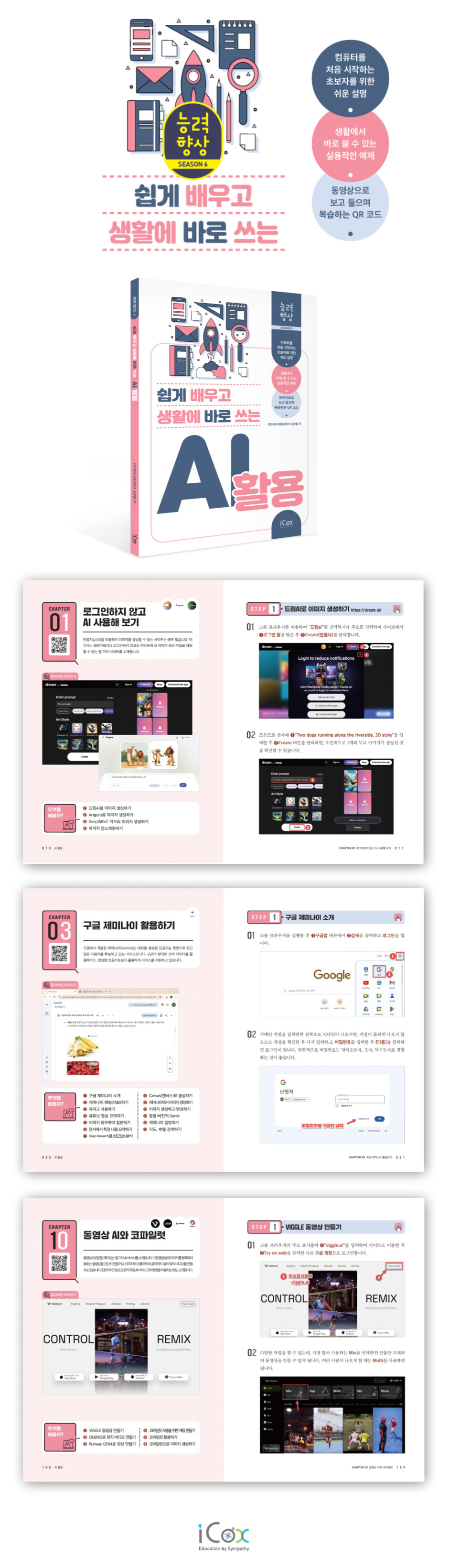
The Skills Improvement Series was created for people who are not very good at using computers and for seniors who are new to computers.
It is explained in detail and easy to understand, focusing on practical examples that can be applied directly to real life, and the numbered and explanatory text attached to the photo images make it easy to follow the instructions.
The text and corresponding images were also enlarged to ensure that even elderly people with poor eyesight can view them without difficulty.
Additionally, you can also watch the lectures as videos by inserting QR codes in each chapter, making it great for practicing on your own with just one book.
The Skills Improvement Series was created for people who are not very good at using computers and for seniors who are new to computers.
It is explained in detail and easy to understand, focusing on practical examples that can be applied directly to real life, and the numbered and explanatory text attached to the photo images make it easy to follow the instructions.
The text and corresponding images were also enlarged to ensure that even elderly people with poor eyesight can view them without difficulty.
Additionally, you can also watch the lectures as videos by inserting QR codes in each chapter, making it great for practicing on your own with just one book.
- You can preview some of the book's contents.
Preview
index
Chapter 01: Try AI without logging in
__STEP01 Creating an image with DreamAI
__STEP02 Creating an image with Artguru
__STEP03 Creating Ghibli Images with DeepIMG
__STEP04 Upscaling the image
Chapter 02 Translating Prompts
__STEP01 Installing Prompt Genie
__STEP02 Using Google Translate
__STEP03 Using Papago
__STEP04 Using the DeepL Translation App
Chapter 03: Using Google Gemini
__STEP01 Introducing Google Gemini
__STEP02 Chat with Gemini
__STEP03 Create a new chat (conversation)
__STEP04 Summarizing YouTube videos
__STEP05 Ask a question by attaching an image
__STEP06 Summarizing specific content in a document
__STEP07 In-depth analysis with Deep Research
__STEP08 Create with Canvas
__STEP09 Creating an image in Gemini
__STEP10 Create and modify images
__STEP11 Custom version of Gems
__STEP12 Setting up Gemini
__STEP13 Search for maps and hotels
Chapter 04 Using Google AI Studio
__STEP01 Enter Google AI Studio
__STEP02 Creating an image
__STEP03 Create a creativity-regulating image
__STEP04 Changing the generated image
__STEP05 Change the image to an attachment file
__STEP06 Creating a 9:16 ratio image
__STEP07 This also works
Chapter 05: Writing Blogs & Content
__STEP01 Make a 5-minute simple recipe
__STEP02 Recommending travel destinations and creating travel itineraries
__STEP03 Smartphone Comparison Analysis Post
__STEP04 Interior Simulation
Chapter 06 Creating Videos with Google AI Studio
__STEP01 Create a video prompt
__STEP02 Create a video with uploaded photos
__STEP03 Make a video of your dog
Chapter 07 Using Whisk
__STEP01 Learn how to use Whisk
__STEP02 Create a singing duet
__STEP03 Creating an image from text
Chapter 08: Using Clipdrop and Recraft
__STEP01 Removing part of the image
__STEP02 Adding objects to the image
__STEP03 Rearrange the interior
__STEP04 Access the Recraft site
__STEP05 Creating a Mockup
__STEP06 Create using style
__STEP07 Filling the margins with outpainting
Chapter 09 Making Music in Suno
__STEP01 Sign up for SUNO
__STEP02 Creating simple music
__STEP03 Create the music you want
__STEP04 Lyrics by Gemini/Composition by Suno
Chapter 10: Video AI and Copilot
__STEP01 Creating a VIGGLE video
__STEP02 Creating a music video with DIGEN
__STEP03 Creating a video with Runway GEN4
__STEP04 Creating an account to use Copilot
__STEP05 Using Copilot
__STEP06 Creating an image with Copilot
supplement.
Recommended AI Sites You Should Know About
__STEP01 Creating an image with DreamAI
__STEP02 Creating an image with Artguru
__STEP03 Creating Ghibli Images with DeepIMG
__STEP04 Upscaling the image
Chapter 02 Translating Prompts
__STEP01 Installing Prompt Genie
__STEP02 Using Google Translate
__STEP03 Using Papago
__STEP04 Using the DeepL Translation App
Chapter 03: Using Google Gemini
__STEP01 Introducing Google Gemini
__STEP02 Chat with Gemini
__STEP03 Create a new chat (conversation)
__STEP04 Summarizing YouTube videos
__STEP05 Ask a question by attaching an image
__STEP06 Summarizing specific content in a document
__STEP07 In-depth analysis with Deep Research
__STEP08 Create with Canvas
__STEP09 Creating an image in Gemini
__STEP10 Create and modify images
__STEP11 Custom version of Gems
__STEP12 Setting up Gemini
__STEP13 Search for maps and hotels
Chapter 04 Using Google AI Studio
__STEP01 Enter Google AI Studio
__STEP02 Creating an image
__STEP03 Create a creativity-regulating image
__STEP04 Changing the generated image
__STEP05 Change the image to an attachment file
__STEP06 Creating a 9:16 ratio image
__STEP07 This also works
Chapter 05: Writing Blogs & Content
__STEP01 Make a 5-minute simple recipe
__STEP02 Recommending travel destinations and creating travel itineraries
__STEP03 Smartphone Comparison Analysis Post
__STEP04 Interior Simulation
Chapter 06 Creating Videos with Google AI Studio
__STEP01 Create a video prompt
__STEP02 Create a video with uploaded photos
__STEP03 Make a video of your dog
Chapter 07 Using Whisk
__STEP01 Learn how to use Whisk
__STEP02 Create a singing duet
__STEP03 Creating an image from text
Chapter 08: Using Clipdrop and Recraft
__STEP01 Removing part of the image
__STEP02 Adding objects to the image
__STEP03 Rearrange the interior
__STEP04 Access the Recraft site
__STEP05 Creating a Mockup
__STEP06 Create using style
__STEP07 Filling the margins with outpainting
Chapter 09 Making Music in Suno
__STEP01 Sign up for SUNO
__STEP02 Creating simple music
__STEP03 Create the music you want
__STEP04 Lyrics by Gemini/Composition by Suno
Chapter 10: Video AI and Copilot
__STEP01 Creating a VIGGLE video
__STEP02 Creating a music video with DIGEN
__STEP03 Creating a video with Runway GEN4
__STEP04 Creating an account to use Copilot
__STEP05 Using Copilot
__STEP06 Creating an image with Copilot
supplement.
Recommended AI Sites You Should Know About
Detailed image
GOODS SPECIFICS
- Date of issue: August 11, 2025
- Page count, weight, size: 192 pages | 530g | 210*297*10mm
- ISBN13: 9791164262694
- ISBN10: 1164262696
You may also like
카테고리
korean


korean

![GQ KOREA Mark (Monthly): December [2025]](http://librairie.coreenne.fr/cdn/shop/files/8ef265dbbfbf186523ed75ba7319009d.jpg?v=1765340328&width=3840)


